Introduction
Enterprise Mobility Management (EMM) is a comprehensive set of technologies and policies designed to secure and manage corporate data on employees’ mobile devices. While it began as simple Mobile Device Management (MDM), it has matured into a sophisticated suite that encompasses Mobile Application Management (MAM), Mobile Content Management (MCM), and Identity and Access Management (IAM). The goal is simple yet profound: to give employees the tools they need to be productive on the move while ensuring that company data remains locked behind a fortress of security.
The importance of EMM in today’s environment cannot be overstated. As cyber threats become more targeted and sophisticated, an unmanaged mobile device is effectively an open door into the corporate network. Real-world use cases range from a healthcare provider ensuring patient data is encrypted on a nurse’s tablet to a global logistics firm remotely updating delivery software across thousands of handheld scanners. When evaluating tools in 2026, users should look for Zero Trust integration, automated remediation, cross-platform parity, and privacy-first BYOD (Bring Your Own Device) support.
Best for: Medium to large-scale enterprises, highly regulated industries like finance and healthcare, and organizations with a significant frontline or remote workforce. It is essential for IT directors and Security Operations (SecOps) teams who need a “single pane of glass” to manage thousands of diverse endpoints.
Not ideal for: Micro-businesses with fewer than ten employees who use only web-based SaaS tools, or companies with a static, desktop-only environment where mobile access to corporate data is strictly prohibited. In these cases, simple identity management or basic antivirus may be more cost-effective.
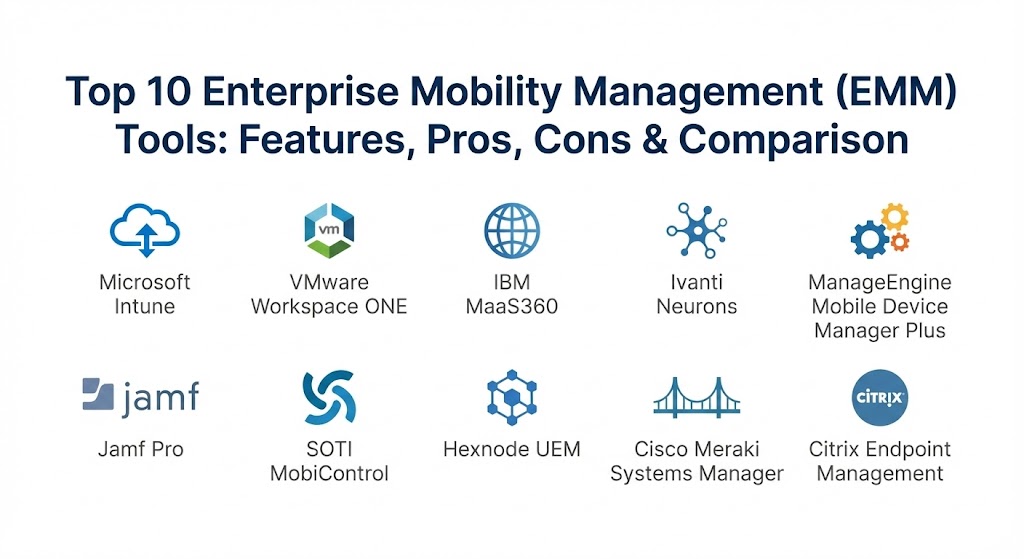
Top 10 Enterprise Mobility Management (EMM) Tools
1 — Microsoft Intune
Microsoft Intune remains the dominant force in the EMM space, largely due to its native integration with the Microsoft 365 ecosystem. It is designed for organizations that want a cloud-first approach to management, leveraging the power of Azure (now Entra) for identity-driven security.
- Key Features:
- Conditional Access: Automatically grants or denies access based on device health and user identity.
- Zero-Touch Deployment: Allows IT to ship devices directly to users that configure themselves upon first login.
- App Protection Policies: Secures corporate data within specific apps (like Outlook) without requiring full device control.
- Unified Endpoint Management: Manages Windows, macOS, iOS, Android, and Linux from one console.
- Deep Defender Integration: Seamlessly connects with Microsoft Defender for Endpoint for advanced threat detection.
- Remote Help: Integrated cloud-based remote assistance for troubleshooting mobile users.
- Pros:
- Unrivaled value for companies already paying for Microsoft 365 E3 or E5 licenses.
- Superior management of Windows 11 mobile devices and hybrid-joined environments.
- Cons:
- The interface is notoriously complex and can be overwhelming for junior IT admins.
- Support for non-Microsoft platforms, while improving, sometimes lacks the “Day 0” features of specialized competitors.
- Security & Compliance: SOC 2 Type II, GDPR, HIPAA, ISO 27001, FedRAMP High, and Entra ID SSO.
- Support & Community: Extensive documentation, a massive global user community, and premium enterprise support included in high-tier licensing.
2 — VMware Workspace ONE
Following its evolution under Broadcom, Workspace ONE has pivoted toward a “Digital Employee Experience” (DEX) model. It focuses on making the employee’s interaction with technology as smooth as possible while maintaining a rigorous security posture.
- Key Features:
- Unified App Catalog: A single portal for SaaS, native, and legacy virtual apps.
- Intelligent Insights: AI-driven analytics that predict battery failure or app crashes before they happen.
- AirWatch Legacy Engine: Built on the world-class AirWatch MDM for deep device-level control.
- Per-App VPN: Securely tunnels specific business apps rather than the entire device.
- Hub Services: An employee-facing app that handles onboarding, corporate communications, and people search.
- Pros:
- Excellent for organizations with a high mix of “ruggedized” devices and standard smartphones.
- The most sophisticated “Digital Experience” monitoring in the category.
- Cons:
- Recent changes in licensing and ownership have created some uncertainty in the mid-market.
- Implementation usually requires a certified architect for complex, multi-national deployments.
- Security & Compliance: FIPS 140-2, SOC 2, ISO 27001, GDPR, and HIPAA.
- Support & Community: High-end enterprise support, a dedicated “Hands-on Lab” for testing, and a robust global partner network.
3 — IBM MaaS360
IBM MaaS360 is the choice for data-heavy organizations that value Artificial Intelligence. By integrating Watson AI directly into the EMM workflow, it helps IT teams find the “needle in the haystack” when it comes to security vulnerabilities.
- Key Features:
- Watson Advisor: An AI assistant that alerts IT to industry-specific threats and configuration gaps.
- Secure Container: A standalone, encrypted workspace for email, calendar, and browser to protect user privacy.
- Identity Management: Native integration with IBM Security Verify for seamless, passwordless logins.
- Mobile Expense Management: Tracks data usage to prevent “bill shock” for international travelers.
- App Lifecycle Management: Manages the development, deployment, and retirement of internal enterprise apps.
- Pros:
- The AI insights are genuinely helpful for teams that are understaffed and overextended.
- Very fast setup; companies can often go from zero to “managed” in a few hours.
- Cons:
- The user interface feels a bit dated compared to the modern aesthetics of newer cloud-native tools.
- Advanced AI features can sometimes feel like an “add-on” rather than a core part of the base experience.
- Security & Compliance: FedRAMP, SOC 2, GDPR, HIPAA, and ISO 27001.
- Support & Community: Extensive IBM Knowledge Center, 24/7 global support, and deep professional services for large clients.
4 — Ivanti Neurons for UEM
Ivanti has consolidated its acquisitions (including MobileIron) into the Neurons platform. It is designed for “autonomous IT,” where the system discovers and heals endpoints with minimal human intervention.
- Key Features:
- Self-Healing Bots: Automated scripts that fix common device issues like low storage or outdated patches.
- Neurons Discovery: Automatically finds unmanaged devices as soon as they touch the corporate network.
- Zero Trust Access: Replaces traditional VPNs with modern, identity-based access tunnels.
- Risk-Based Patch Management: Prioritizes patches based on actual exploitability rather than just vendor severity.
- Phishing Protection: Native mobile threat defense to block malicious links in real-time.
- Pros:
- The best choice for organizations looking to reduce “ticket volume” through proactive automation.
- Strongest heritage in managing diverse OS environments (Windows, Mac, iOS, Android).
- Cons:
- Merging several legacy products has resulted in some disjointedness in the admin console.
- Can be expensive once you start adding the various “Neurons” modules.
- Security & Compliance: SOC 2, GDPR, HIPAA, and ISO 27001.
- Support & Community: Strong online forum, Ivanti Academy for certification, and global technical support.
5 — ManageEngine Mobile Device Manager Plus
ManageEngine offers a robust, no-nonsense EMM solution that appeals to the mid-market and IT teams that want a comprehensive feature set without the “enterprise tax.”
- Key Features:
- Comprehensive App Management: Silent installation, blacklisting, and whitelist of apps across the fleet.
- Kiosk Mode: Locks down devices to a single app or specific set of apps for retail or field use.
- Remote Troubleshooting: High-quality remote screen view and control for mobile devices.
- Geofencing: Triggers security actions or alerts based on the physical location of the device.
- Asset Management: Detailed hardware and software inventory with automated reporting.
- Pros:
- Exceptional price-to-performance ratio; one of the most affordable options for growing teams.
- The interface is straightforward and requires very little specialized training to master.
- Cons:
- Lacks the high-end “AI-prediction” capabilities found in IBM or VMware.
- Reporting, while functional, is not as visually polished as some modern competitors.
- Security & Compliance: ISO, GDPR, HIPAA, and SOC 2 (Varies by hosting model).
- Support & community: 24/5 technical support, active user forums, and a very helpful library of “how-to” videos.
6 — Jamf Pro
While others try to do everything, Jamf Pro does one thing perfectly: Apple. It is the gold standard for managing MacBooks, iPhones, iPads, and even Apple TVs in the enterprise.
- Key Features:
- Apple Business Manager Integration: Seamless connection for automated device enrollment (ADE).
- Self-Service App Store: A branded portal where employees can download approved apps and run scripts.
- Jamf Connect: Simplifies the login process using cloud identity (Okta, Azure, etc.) for Mac users.
- Smart Groups: Automatically assigns policies based on device criteria (OS version, hardware model).
- Advanced Scripting: Allows for granular control of macOS that general-purpose EMMs can’t match.
- Pros:
- If your organization is 100% Apple, there is simply no better tool for deep management.
- “Day 0” support for every new Apple OS release is virtually guaranteed.
- Cons:
- Zero support for Android or Windows; requires a second tool for mixed environments.
- Premium pricing that reflects its status as a specialized industry leader.
- Security & Compliance: ISO 27001, SOC 2, GDPR, and HIPAA.
- Support & Community: “Jamf Nation” is the largest community of Apple IT professionals in the world.
7 — SOTI MobiControl
SOTI is the undisputed champion of the “Frontline” workforce. If your business depends on ruggedized tablets, handheld scanners, or mobile printers, SOTI is likely the tool you need.
- Key Features:
- XTreme Hub: Dramatically reduces the time it takes to distribute large apps and files to remote sites.
- SOTI XSight: An advanced diagnostic tool that allows for remote “hardware” health checks.
- Scripting Engine: Powerful custom scripts for Android Enterprise and Windows.
- Offline Mode: Policies remain active and enforceable even when devices are away from Wi-Fi or Cellular.
- Staging & Provisioning: Rapid setup for thousands of devices using barcodes or NFC.
- Pros:
- Unmatched for logistics, manufacturing, and warehouse environments.
- The remote control functionality for Android is the best in the industry.
- Cons:
- The user interface is functional but can feel “industrial” and less intuitive for managing office-based iPhones.
- Not as strong in “App Protection” for BYOD compared to Intune.
- Security & Compliance: GDPR, SOC 2, and FIPS 140-2.
- Support & Community: 24/7 global support and specialized training for rugged deployments.
8 — Hexnode UEM
Hexnode has carved out a significant niche as the “friendly EMM.” It targets small to medium-sized businesses that need a powerful tool that doesn’t require a PhD in IT to operate.
- Key Features:
- Modern Kiosk Management: Easily turn tablets into digital signage or single-purpose POS systems.
- Zero-Touch Enrollment: Supports Android Zero-Touch, Samsung Knox, and Apple DEP.
- Web Content Filtering: Manage what employees can browse without a separate proxy server.
- Expense Management: Tracks cellular data usage with automated alerts at 50%, 80%, and 100%.
- Technician Roles: Granular admin permissions for different members of the IT team.
- Pros:
- One of the best customer support ratings in the category; they are known for going the extra mile.
- Very clean, modern web interface that makes navigation a breeze.
- Cons:
- Reporting is adequate but lacks the deep “BI” capabilities of enterprise tools like Workspace ONE.
- Scalability can be a concern for organizations growing beyond 10,000 devices.
- Security & Compliance: SOC 2, HIPAA, GDPR, and ISO 27001.
- Support & Community: Rapid response live chat, detailed technical documentation, and proactive account management.
9 — Cisco Meraki Systems Manager
For organizations already running Cisco Meraki networking gear, Systems Manager is a natural extension. It offers a “Network-Aware” EMM experience that is unique in the market.
- Key Features:
- Sentry Security: Automatically blocks a device from the office Wi-Fi if it falls out of EMM compliance.
- Rapid Deployment: Uses the Meraki cloud architecture for fast, global policy distribution.
- Geofencing: Apply different security policies automatically based on whether a device is “On-Campus.”
- Backpack: A feature for pushing bundles of educational or training documents to specific groups.
- Network Visibility: See device health alongside Wi-Fi signal strength in one dashboard.
- Pros:
- If you already use the Meraki Dashboard for switches and APs, the integration is seamless.
- Excellent for schools and universities that need to manage both the network and the student devices.
- Cons:
- The feature set is slightly “thinner” than dedicated EMM tools like Intune or Ivanti.
- Can be expensive if you aren’t already invested in the Cisco Meraki ecosystem.
- Security & Compliance: PCI-DSS, SOC 2, ISO 27001, and GDPR.
- Support & Community: World-class Cisco enterprise support and a massive global network of certified technicians.
10 — Citrix Endpoint Management
Citrix specializes in high-security, virtualized environments. Its EMM solution is designed for companies that prioritize data isolation and want to give employees a “Secure Workspace.”
- Key Features:
- Secure Mail & Web: Native, hardened apps for communication that don’t leak data to personal apps.
- Micro VPN: A specialized tunnel for each managed app to ensure traffic is always encrypted.
- Shared Device Support: Perfect for hospital environments where multiple nurses use the same tablet.
- Unified Management: Handles both virtual desktops (VDI) and physical mobile devices in one view.
- Compliance Actions: Automatically wipes only corporate data if a device is reported stolen.
- Pros:
- The undisputed leader for “Data Isolation”—perfect for banking and defense.
- Integration with Citrix Workspace provides a highly consistent user experience.
- Cons:
- The platform can be complex to configure and manage daily.
- Requires a significant investment in the broader Citrix ecosystem to realize full value.
- Security & Compliance: FIPS 140-2, SOC 2, GDPR, HIPAA, and ISO 27001.
- Support & Community: Premium enterprise support, Citrix Synergy events, and a deep knowledge base.
Comparison Table
| Tool Name | Best For | Platform(s) Supported | Standout Feature | Rating (Gartner) |
| Microsoft Intune | M365 Ecosystem | Win, Mac, iOS, Android, Linux | Conditional Access | 4.6 / 5 |
| Workspace ONE | Digital Experience | All Platforms + Rugged/IoT | Intelligent DEX Insights | 4.5 / 5 |
| IBM MaaS360 | AI-Driven Security | All Platforms + IoT | Watson AI Advisor | 4.4 / 5 |
| Ivanti Neurons | Autonomous IT | Win, Mac, iOS, Android | Self-Healing Bots | 4.5 / 5 |
| ManageEngine | Mid-Market Value | Win, Mac, iOS, Android | Price-to-Feature Ratio | 4.4 / 5 |
| Jamf Pro | Apple Gold Standard | macOS, iOS, iPadOS, tvOS | Day 0 Apple Support | 4.7 / 5 |
| SOTI MobiControl | Frontline / Rugged | Android, Win, iOS, Linux | XTreme Data Hub | 4.6 / 5 |
| Hexnode UEM | SMB Ease of Use | All Platforms | Top-Rated Live Support | 4.6 / 5 |
| Cisco Meraki SM | Network Synergy | All Platforms | Sentry Network Blocking | 4.3 / 5 |
| Citrix Endpoint | High Data Isolation | All Platforms | Secure Micro-VPN | 4.4 / 5 |
Evaluation & Scoring of Enterprise Mobility Management (EMM)
Choosing an EMM is a strategic move that affects both security and employee happiness. We have evaluated these tools based on the following weighted rubric:
| Criteria | Weight | What We Evaluate |
| Core Features | 25% | MDM, MAM, and MCM capabilities; policy depth and deployment speed. |
| Ease of Use | 15% | Admin dashboard intuitiveness and the end-user enrollment experience. |
| Integrations | 15% | Native connectivity with Identity (SSO), Security (EDR), and Productivity tools. |
| Security & Compliance | 10% | Encryption standards, SOC 2/GDPR status, and Zero Trust readiness. |
| Performance | 10% | Impact on device battery life and network bandwidth during large updates. |
| Support & Community | 10% | Quality of documentation, support response times, and peer community size. |
| Price / Value | 15% | Transparency of pricing and the ROI for small vs large teams. |
Which Enterprise Mobility Management (EMM) Tool Is Right for You?
The “perfect” EMM depends entirely on your organizational DNA.
Solo Users vs SMB vs Mid-Market vs Enterprise
If you are an SMB with fewer than 200 devices, Hexnode or ManageEngine are your best bets; they provide the power you need without the administrative overhead. Mid-market companies often thrive with Microsoft Intune or Ivanti, as they offer a bridge between basic management and full-scale enterprise automation. For Global Enterprises, Workspace ONE or ServiceNow (via integrations) are the only platforms that can handle the sheer complexity of 50,000+ diverse endpoints.
Budget-conscious vs Premium Solutions
If budget is your primary driver, look at ManageEngine or the basic tiers of Hexnode. However, if you already pay for Microsoft 365 E5, the “free” version of Intune in your bundle is a massive cost-saver. Premium solutions like Jamf Pro and Workspace ONE are significant investments that justify their price through reduced downtime and superior security.
Feature Depth vs Ease of Use
If you want to “set it and forget it,” Hexnode and MaaS360 are designed for ease. If you have a highly technical team that wants to script every single aspect of the device lifecycle, Jamf Pro and Ivanti are your playbooks.
Integration and Scalability Needs
For organizations that live in Microsoft Teams and Outlook, the integration of Intune is non-negotiable. If you are a retail or warehouse operation scaling to hundreds of locations, the ruggedized focus and data hub technology of SOTI will prove invaluable.
Frequently Asked Questions (FAQs)
1. What is the difference between MDM and EMM?
MDM (Mobile Device Management) focuses strictly on the device hardware and settings. EMM (Enterprise Mobility Management) is a broader term that includes MDM but adds app management, content security, and identity integration.
2. Can an EMM see my personal photos?
No. Modern EMM platforms (especially for BYOD) use “Containerization.” They can see the serial number and model of your phone, but they cannot access your personal photos, text messages, or browser history.
3. Does EMM work on Windows and Mac too?
Yes. In 2026, the line between “Mobile” and “Desktop” has blurred. Most modern EMM tools are actually Unified Endpoint Management (UEM) tools that manage laptops and phones from one place.
4. What is “Zero Touch” enrollment?
It’s a process where you buy a device from a vendor, they register it to your EMM, and you ship the shrink-wrapped box directly to the employee. When they turn it on, the EMM automatically installs everything they need.
5. How long does implementation usually take?
For a small business, you can be up in a few hours. For an enterprise, expect a 3-6 month rollout to account for testing, security audits, and employee training.
6. Can I manage devices that don’t belong to the company (BYOD)?
Absolutely. EMMs allow you to create a “Work Profile” on a personal device. When the employee leaves, you can wipe the “Work Profile” without touching their personal apps or photos.
7. Is EMM necessary if we only use SaaS apps?
Yes. Even if your data is in the cloud, the device is the point of access. If the device is stolen or compromised, your SaaS data is at risk unless you have an EMM to lock it down.
8. What is a “Kiosk Mode”?
It locks a tablet or phone into a single application. This is common for check-in desks, digital signage, or warehouse scanners where you don’t want employees playing games or browsing the web.
9. How much does EMM software cost?
Prices range from $2.00 per device/month to $10.00+. Many companies find that the cost is offset by the reduction in IT support tickets and the prevention of data breaches.
10. What is a “Self-Healing” device?
It’s a device managed by an EMM (like Ivanti) that can detect if its own antivirus is off or its storage is full and automatically run a script to fix it without the user calling IT.
Conclusion
The “best” Enterprise Mobility Management tool is ultimately the one that aligns with your specific fleet and your team’s technical capacity. In 2026, mobility is no longer an “extra”—it is the standard way we work. Whether you choose the ecosystem-deep power of Microsoft Intune, the specialized Apple mastery of Jamf Pro, or the frontline ruggedness of SOTI, the goal is clear: empower your people, wherever they are.
Reinforce what matters most when choosing a tool: scalability, security, and the user experience. A tool that is too hard for employees to use will be bypassed, and a tool that is too weak will be breached. Balance is the key to mobility excellence.