Introduction
Enterprise Content Management (ECM) is the formalized process of managing an organization’s entire lifecycle of information. Unlike simple cloud storage, an ECM system integrates document management, search, collaboration, and digital asset management into a single, cohesive workflow. It takes unstructured information and turns it into organized, searchable, and actionable data. By automating manual tasks and ensuring that the right person has the right information at the right time, ECM systems reduce operational costs and mitigate the risks associated with data loss or non-compliance.
The importance of ECM lies in its ability to solve “information silos.” In a typical large corporation, data is often scattered across different departments. An ECM provides a “single source of truth.” Key real-world use cases include automated invoice processing in finance, patient record management in healthcare, case management in legal sectors, and employee lifecycle tracking in HR. When evaluating these tools, users should prioritize metadata capabilities, OCR (Optical Character Recognition), workflow automation, and security audit trails.
Best for: Large-scale enterprises, government agencies, and highly regulated industries (such as Finance, Healthcare, and Legal) that manage massive volumes of documents and require strict compliance and automated workflows.
Not ideal for: Freelancers, micro-businesses, or very small teams that only need basic file sharing; for these users, a simple Document Management System (DMS) or standard cloud storage like Google Drive is often more cost-effective and less complex.
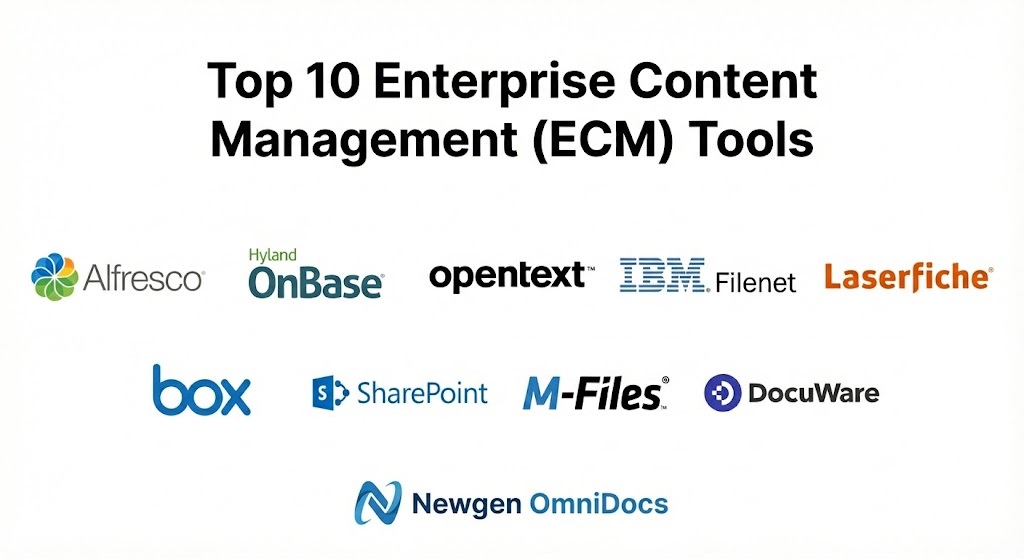
Top 10 Enterprise Content Management (ECM) Tools
1 — Hyland OnBase
OnBase is one of the most established and versatile ECM platforms on the market. It is known for its ability to consolidate disparate content types into one central location while integrating seamlessly with core business applications like SAP and Oracle.
- Key features:
- End-to-end Content Lifecycle Management: Manages everything from capture to final destruction.
- Advanced Workflow Automation: Uses a graphical interface to build complex business logic without custom code.
- Intelligent Capture: Uses Brainware technology to pull data from paper and electronic documents automatically.
- Native Mobile Apps: Full functionality on iOS, Android, and Windows devices.
- Personalized User Interface: Users see only the tasks and documents relevant to their specific role.
- Industry-Specific Solutions: Pre-built configurations for Healthcare, Higher Ed, and Insurance.
- Pros:
- Unrivaled integration capabilities with existing ERP and CRM systems.
- Extremely scalable, handling millions of documents across global offices.
- Cons:
- The initial setup and configuration can be lengthy and require specialized consultants.
- User interface can feel “heavy” or dated compared to modern cloud-first apps.
- Security & compliance: SSO, 256-bit AES encryption, full audit trails, SOC 2, HIPAA, GDPR, and ISO 27001 compliant.
- Support & community: Extensive documentation, a dedicated “Hyland Community” forum, and 24/7 global enterprise support.
2 — OpenText Content Cloud
OpenText is a dominant force in the ECM space, focusing on Information Management at a massive scale. Their Content Cloud suite is designed to manage information as a strategic asset for the world’s largest companies.
- Key features:
- Magellan AI: Advanced AI and analytics for extracting deep insights from unstructured content.
- Extended ECM (xECM): Deeply embeds content management directly into applications like Microsoft 365 and SAP.
- Core Share: Secure external collaboration tool for sharing content with partners and clients.
- Governance & Retention: Highly sophisticated tools for legal holds and records disposal.
- Cloud-Native Deployment: Optimized for AWS, Azure, and Google Cloud environments.
- Omnichannel Delivery: Distributes content across web, mobile, and print from a single source.
- Pros:
- Best-in-class for multi-national corporations with complex regulatory requirements.
- Powerful AI capabilities for summarizing and classifying massive data sets.
- Cons:
- Significant cost barrier for mid-market companies.
- High complexity often requires a dedicated internal IT team to manage.
- Security & compliance: SSO, FIPS 140-2 encryption, SOC 2 Type II, HIPAA, GDPR, and FedRAMP compliant.
- Support & community: Premium enterprise support, dedicated account managers, and a vast network of global certified partners.
3 — Microsoft SharePoint
SharePoint is perhaps the most widely recognized tool in this category. While many use it for simple document storage, its enterprise-tier features allow it to function as a powerful, collaborative ECM within the Microsoft 365 ecosystem.
- Key features:
- SharePoint Syntex: Uses AI-powered content services to automatically classify and extract data.
- Seamless Office Integration: Native co-authoring in Word, Excel, and PowerPoint.
- Enterprise Search: Highly customizable search engine that scans content, metadata, and people.
- Power Automate Integration: Build workflows that connect content to hundreds of other apps.
- Information Barriers: Prevents specific departments or users from communicating or sharing sensitive data.
- Hub Sites: Organizes departmental sites into a cohesive, searchable intranet.
- Pros:
- Extremely high user adoption rates as most employees are already familiar with Microsoft.
- Often included in existing Microsoft 365 subscriptions, making it highly cost-efficient.
- Cons:
- Metadata management can become disorganized without strict governance.
- Complex customizations often require specialized “Power Platform” knowledge.
- Security & compliance: SSO, MFA, Advanced Threat Protection, ISO 27001, HIPAA, GDPR, and SOC 2 compliant.
- Support & community: The largest user community in the world, endless online tutorials, and global Microsoft support.
4 — Laserfiche
Laserfiche is a leader in business process automation and ECM. It is highly regarded for its “Forms” feature, which allows organizations to capture data at the source and trigger complex workflows immediately.
- Key features:
- Laserfiche Forms: Drag-and-drop web forms for data collection and public portals.
- Process Automation: Advanced engine for automating repeatable business logic.
- Smart Indexing: Uses AI to recognize document types and file them automatically.
- Direct Share: Securely share documents with external parties without giving them system access.
- Audit Trail Reports: Visual reporting on every action taken on any document.
- Records Management: DOD 5015.2-certified records management capabilities.
- Pros:
- Exceptionally user-friendly interface compared to other enterprise-level systems.
- Highly effective for public-facing organizations (government and education).
- Cons:
- Integration with non-Microsoft ERPs can sometimes require more effort.
- Cloud and self-hosted versions have slightly different feature sets.
- Security & compliance: SSO, audit logs, SOC 2, GDPR, HIPAA, and ISO 27001 compliant.
- Support & community: Robust “Laserfiche Answers” community, annual user conferences, and extensive training certifications.
5 — M-Files
M-Files takes a radical approach to ECM by focusing on “what” a document is rather than “where” it is stored. It uses a metadata-driven architecture that allows users to find files regardless of their folder location.
- Key features:
- Metadata-Driven Context: Content is organized by attributes (client, date, project) rather than folders.
- External Repository Integration: Connects with network folders, SharePoint, and Box without migrating data.
- AI-Powered “Smart” Metadata: Automatically suggests tags and classifications for new documents.
- Visual Workflow Editor: Easy-to-build workflows for document approvals and sign-offs.
- Compliance Templates: Specific modules for ISO 9001 and other quality standards.
- 360-Degree View: See all documents related to a specific client or project in one view.
- Pros:
- Eliminates the “duplicate file” problem across different departmental folders.
- Very high search precision due to the metadata focus.
- Cons:
- Transitioning from a “folder-based” mindset can be difficult for some staff.
- Managing the metadata schema requires consistent administrative oversight.
- Security & compliance: SSO, 256-bit AES encryption, full audit logs, SOC 2, HIPAA, and GDPR compliant.
- Support & community: Strong partner network, online knowledge base, and dedicated customer success teams.
6 — Box (Content Cloud)
Originally a simple cloud storage provider, Box has evolved into a “Content Cloud” for the enterprise. It focuses on the intersection of ease of use and high-end security.
- Key features:
- Box Shield: Advanced threat detection and classification-based security.
- Box Sign: Integrated e-signature functionality built directly into the ECM.
- Box Relay: User-friendly workflow automation tool for simple business processes.
- App Ecosystem: Over 1,500 integrations including Slack, Salesforce, and Zoom.
- Box AI: Ask questions about documents or generate summaries using integrated LLMs.
- Governance: Tools for retention policies, legal holds, and disposals.
- Pros:
- The most intuitive user interface in the industry, requiring almost no training.
- Exceptional for organizations that collaborate heavily with external vendors.
- Cons:
- Lacks the deep, structured metadata architecture found in M-Files or OnBase.
- The folder-based system can become unwieldy for organizations with millions of files.
- Security & compliance: SSO, FIPS 140-2, FedRAMP, HIPAA, GDPR, and FINRA compliant.
- Support & community: Extensive self-service portal, “Box Education” (Box University), and tiered enterprise support.
7 — DocuWare
DocuWare is a modern ECM and document management solution that excels in office automation. It is particularly popular in the mid-market for automating finance and HR workflows.
- Key features:
- Intelligent Indexing: Uses AI to convert key data from documents into searchable metadata.
- Workflow Designer: Drag-and-drop tool to build complex approval processes.
- Connect to Outlook: Archive emails and attachments directly from the inbox.
- Electronic Signatures: Support for legally binding signatures via integration.
- Public Forms: Create web forms to collect data from outside the organization.
- Multi-Format Support: Handles over 200 different file types seamlessly.
- Pros:
- Rapid deployment; organizations can be up and running much faster than with OpenText.
- Excellent balance of features and price for mid-sized companies.
- Cons:
- Not as customizable for highly unique, niche business processes as OnBase.
- The cloud version can sometimes be more expensive as storage needs scale.
- Security & compliance: SSO, TLS encryption, SOC 2 Type II, GDPR, and HIPAA compliant.
- Support & community: Robust documentation, active user forums, and responsive multi-language support.
8 — IBM Content Foundation
IBM has a long history in Information Management. Their Content Foundation platform is built on the legendary FileNet engine, providing extreme performance and stability for the world’s largest data repositories.
- Key features:
- Enterprise Scalability: Designed to manage billions of documents across global networks.
- Content Navigator: A clean, modern web interface that can be customized for different roles.
- Advanced Search: Federated search across multiple repositories, including non-IBM systems.
- REST APIs: Extensive support for building custom content-centric applications.
- Security Inheritance: Highly granular permission models that follow documents through workflows.
- High Availability: Built for 99.99% uptime in mission-critical environments.
- Pros:
- Unrivaled stability and “uptime” for industries where data access is life-or-death.
- Extremely powerful for developers building custom “headless” ECM solutions.
- Cons:
- High cost of ownership and complex licensing models.
- Requires specialized IT skills to maintain and update the platform.
- Security & compliance: ISO 27001, SOC 2, HIPAA, GDPR, and NIST compliant.
- Support & community: Global 24/7 enterprise support and a massive network of high-end consultants.
9 — Hyland Alfresco
Alfresco (now part of Hyland) is a flexible, open-source-based ECM. It is favored by organizations that want a highly customizable platform that can be hosted on-premise, in the cloud, or in a hybrid environment.
- Key features:
- Open Source Core: Allows for deep code-level customization for specific business needs.
- Alfresco Process Services: BPMN 2.0-compliant engine for workflow automation.
- Smart Folders: Automatically group documents based on search criteria rather than location.
- Content Services API: Broad API support for integrating content into custom apps.
- Amazon S3 Integration: Highly optimized for storage in AWS environments.
- Desktop Sync: High-performance local folder synchronization.
- Pros:
- Extremely high degree of flexibility for developers and IT teams.
- Lower licensing costs for the community edition (though enterprise support is extra).
- Cons:
- Requires more “hands-on” technical work to set up compared to Box or DocuWare.
- The user interface is functional but not as “slick” as modern competitors.
- Security & compliance: SSO, AES-256 encryption, SOC 2, GDPR, and HIPAA compliant.
- Support & community: Active open-source community, Hyland University training, and global support tiers.
10 — Newgen OmniDocs
Newgen is a global provider of low-code digital transformation platforms. OmniDocs is their ECM offering, focusing on high-speed capture and process automation for finance and banking.
- Key features:
- OmniScan: High-volume scanning and document capture module.
- Low-Code Workflow: Build and modify business processes with minimal coding.
- Record Management: Life-cycle management for physical and digital records.
- Mobile Content Management: Full feature set for remote field workers.
- Multi-Tenant Architecture: Ideal for shared service centers or multi-branch banks.
- Dashboard & Analytics: Real-time visibility into process bottlenecks and document status.
- Pros:
- Excellent for high-volume paper processing environments.
- Strong “Low-Code” philosophy allows business users to participate in design.
- Cons:
- Brand recognition in North America is lower than Microsoft or OpenText.
- The third-party template ecosystem is smaller than some rivals.
- Security & compliance: ISO 27001, SOC 2, HIPAA, and GDPR compliant.
- Support & community: 24/7 support, dedicated implementation teams, and an online help portal.
Comparison Table
| Tool Name | Best For | Platform(s) Supported | Standout Feature | Rating (Gartner) |
| Hyland OnBase | ERP Integration | Win, Mac, iOS, Android | Role-Based UI | 4.6 / 5 |
| OpenText | Global Compliance | Web, Win, Linux | Magellan AI Analytics | 4.3 / 5 |
| SharePoint | MS Ecosystem | Win, Mac, Web | Microsoft 365 Sync | 4.4 / 5 |
| Laserfiche | Process Automation | Win, Web, Mobile | Forms-Based Capture | 4.6 / 5 |
| M-Files | Metadata/Search | Win, iOS, Android, Web | Metadata Architecture | 4.6 / 5 |
| Box | External Collab | Web, Win, Mac, Mobile | Box Shield Security | 4.5 / 5 |
| DocuWare | Mid-Market Finance | Web, iOS, Android | Intelligent Indexing | 4.7 / 5 |
| IBM Content | Billions of Docs | Web, Win, Linux | FileNet Performance | 4.2 / 5 |
| Alfresco | Open Source/Custom | Web, Win, Linux | BPMN 2.0 Engine | 4.3 / 5 |
| Newgen | Banking/Finance | Web, Win, Mobile | High-Volume Scan | 4.4 / 5 |
Evaluation & Scoring of Enterprise Content Management (ECM)
To provide an objective assessment, we use a weighted scoring rubric that reflects the priorities of modern enterprises. While “Ease of Use” is important, “Security” and “Core Features” are the bedrock of any successful ECM implementation.
| Criteria | Weight | Evaluation Rationale |
| Core Features | 25% | OCR, versioning, indexing, and search precision. |
| Ease of Use | 15% | User interface, adoption rate, and training requirements. |
| Integrations | 15% | Connectivity with existing ERP, CRM, and productivity suites. |
| Security & Compliance | 10% | Encryption, audit logs, and industry-specific certifications. |
| Performance | 10% | System uptime, retrieval speed, and mobile responsiveness. |
| Support & Community | 10% | Availability of training, documentation, and expert help. |
| Price / Value | 15% | Licensing costs versus the total ROI and feature set. |
Using this rubric, an organization can calculate a weighted score:
$$\text{Final Score} = \sum (\text{Rating}_i \times \text{Weight}_i)$$
Which Enterprise Content Management (ECM) Tool Is Right for You?
Selecting an ECM is a decade-long commitment. The right choice depends on your current technology stack and your future growth plans.
Solo Users vs SMB vs Mid-Market vs Enterprise
- Solo Users: Avoid ECM entirely; use a lightweight note-taker or basic cloud storage.
- SMB: Look at DocuWare or Zoho WorkDrive (an honorable mention). These provide the necessary structure without the high-end complexity.
- Mid-Market: M-Files or Laserfiche offer the best balance. They allow you to automate significant portions of your business (HR, Finance) without requiring an army of IT staff.
- Enterprise: OpenText, OnBase, and IBM are the only true contenders. These systems are designed to bridge the gap between global branches and manage billions of data points securely.
Budget-Conscious vs Premium Solutions
- Budget-Conscious: SharePoint is often the winner here because it is likely already paid for within your Microsoft 365 licensing. Alfresco is another great option if you have the internal skills to manage an open-source platform.
- Premium: M-Files and DocuWare are premium products that justify their cost through massive reductions in manual labor via AI and metadata automation.
Feature Depth vs Ease of Use
If your primary goal is to get your staff to actually use the tool, Box is the undisputed champion. However, if your primary goal is to pass a strict government audit or automate a complex manufacturing line, you must accept the higher learning curve of OnBase or OpenText.
Integration and Scalability Needs
Assess your current “Anchor Apps.” If you run on SAP, OpenText and OnBase have the deepest, most battle-tested connectors. If you are a purely Cloud-Native startup using Slack and Salesforce, Box will integrate into your workflow more naturally.
Frequently Asked Questions (FAQs)
1. What is the difference between ECM and a DMS?
A Document Management System (DMS) focuses on the basic storage and retrieval of files. An ECM manages the entire lifecycle of content, including workflows, records management, digital asset management, and complex governance policies.
2. Is ECM moving to the cloud?
Yes. In 2025, the majority of ECM providers offer “Cloud-Native” or “Hybrid” models. While some industries (like Defense) still require on-premise servers, cloud ECMs provide better scalability and AI integration.
3. How long does a typical ECM implementation take?
For a mid-sized company, 3 to 6 months is standard. For a large enterprise with global data migration, implementations can take 12 to 24 months.
4. Can an ECM handle physical paper records?
Yes. Modern ECMs use high-speed scanning and OCR to digitize physical records, making them searchable and manageable alongside digital-native files.
5. What is “Metadata” in the context of ECM?
Metadata is “data about data.” Instead of just a file name, an ECM stores information like the author, date, client name, contract value, and expiration date, allowing for hyper-precise searching.
6. Does ECM help with GDPR compliance?
Significantly. ECMs provide the tools necessary to locate, manage, and (if required) delete personal data, ensuring you can comply with “the right to be forgotten” and other regulatory requirements.
7. Can I access my ECM from a mobile phone?
Almost all modern ECMs (like Laserfiche and OnBase) offer dedicated mobile apps that allow for document viewing, mobile capture (scanning via camera), and workflow approvals on the go.
8. Is Microsoft SharePoint a “True” ECM?
Yes, but it often requires third-party add-ons or heavy customization to match the “out-of-the-box” governance and records management features of specialized systems like OnBase or OpenText.
9. What is “Intelligent Capture”?
It is a technology that uses AI to not only “read” a document but also understand what it is. For example, it can recognize an invoice, find the total amount due, and automatically route it for approval without human intervention.
10. How much does an ECM cost?
Pricing is highly variable. SMB cloud solutions start around $20–$50 per user per month. Enterprise implementations involve massive platform fees (often starting at $25,000+) plus implementation and support costs.
Conclusion
The “best” Enterprise Content Management system is the one that successfully bridges the gap between your employees’ daily tasks and your organization’s long-term compliance goals. For those looking for the ultimate in metadata-driven search, M-Files is the current industry disruptor. For those who need to manage billions of files across a global empire, the stability of OpenText or IBM remains essential.
Before making a choice, perform a “content audit” of your current data. Identify where your bottlenecks are—is it in finding files, or in approving them? Once you understand your pain points, you can choose a tool that doesn’t just store your data but makes it work for you.