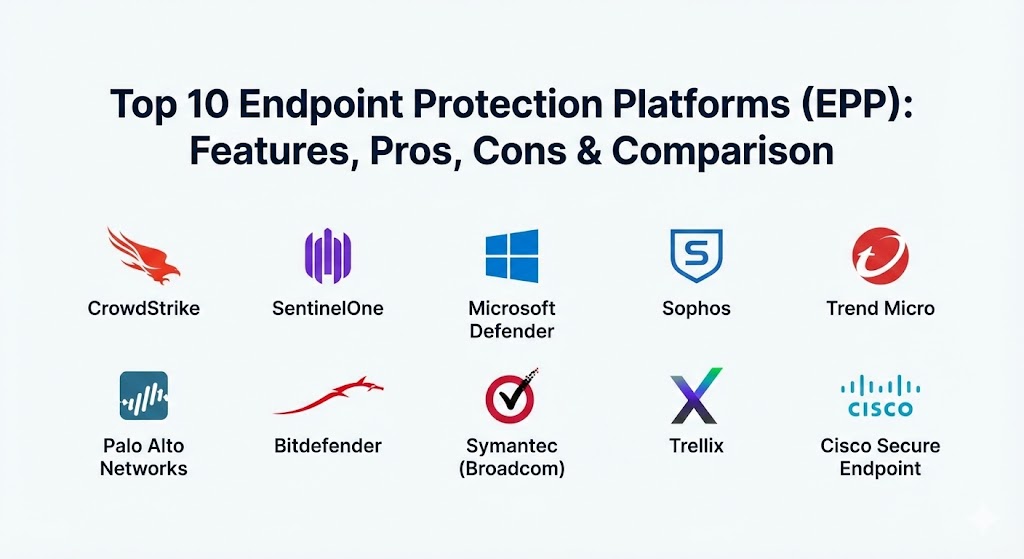
Introduction
An Endpoint Protection Platform (EPP) is a unified security solution deployed on endpoint devices to prevent file-based malware attacks, detect malicious activity, and provide the investigation and remediation capabilities needed to respond to dynamic security incidents. Modern EPPs integrate multiple technologies, including Next-Generation Antivirus (NGAV), Endpoint Detection and Response (EDR), and even Extended Detection and Response (XDR) capabilities, all within a single agent.1
Why It Is Important2
Endpoints are the primary 3entry points for over 90% of successful cyberattacks. A robust EPP is crucial because it acts as the last line of defense when network-level security fails. In 2026, EPPs are vital for preventing data breaches, ensuring regulatory compliance (like GDPR and HIPAA), and maintaining business continuity by stopping ransomware before it can encrypt critical business data.
Key Real-World Use Cases
- Ransomware Mitigation: Automatically detecting and killing encryption processes while rolling back altered files.
- Threat Hunting: Proactively searching across the entire fleet for “indicators of attack” (IOAs) that don’t rely on known signatures.
- Vulnerability Management: Identifying unpatched applications and outdated operating systems across thousands of remote devices.
- Device Control: Restricting the use of unauthorized USB drives or peripheral devices to prevent data exfiltration.
Evaluation Criteria
When choosing an EPP, you should prioritize agent weight (does it slow down the computer?), detection accuracy (low false positives), automation depth (can it fix issues without human help?), and cloud-native scalability.
Best for: Large enterprises, highly regulated industries (finance, healthcare), and growing businesses with remote or hybrid workforces. It is the primary tool for Security Operations Center (SOC) analysts and IT Managers.
Not ideal for: Small personal blogs or businesses with very few devices where basic consumer-grade security might suffice, or air-gapped systems where cloud-based detection and response are not possible.
Top 10 Endpoint Protection Platforms (EPP) Tools
1 — CrowdStrike Falcon
CrowdStrike Falcon is widely considered the gold standard in the EPP market. It pioneered the cloud-native, single-agent approach and is famous for its “Indicators of Attack” (IOA) technology, which focuses on the intent of an attacker rather than just the tools they use.
- Key Features:
- Single Lightweight Agent: A tiny footprint that requires no reboot and has virtually no impact on device performance.
- Threat Graph AI: Analyzes over 1 trillion events per week to identify patterns of malicious behavior globally.
- Falcon Overwatch: Optional 24/7 managed threat hunting by real human experts.
- Vulnerability Management (Falcon Spotlight): Real-time assessment of endpoint risks without bulky scans.
- Automated Remediation: One-click or fully automated response to contained threats.
- Device Control: Granular management of USB and peripheral device access.
- Pros:
- The most mature cloud-native platform with the industry’s lowest performance impact.
- Exceptional detection rates for fileless and “living off the land” (LotL) attacks.
- Cons:
- Premium pricing can be a barrier for smaller organizations.
- The advanced EDR features have a steep learning curve for non-security specialists.
- Security & Compliance: SOC 2 Type II, FedRAMP Authorized, GDPR, HIPAA, and PCI DSS compliant.
- Support & Community: Elite technical support, a massive partner ecosystem, and the comprehensive CrowdStrike University.
2 — SentinelOne Singularity
SentinelOne is the leader in autonomous endpoint security. Its platform is built on the philosophy that “prevention is the first step, but response must be automatic.” It is highly regarded for its AI-powered “rollback” feature.
- Key Features:
- ActiveEDR: An AI engine that lives on the endpoint and can respond to threats even when the device is offline.
- One-Click Rollback: Automatically restores files to their pre-infection state after a ransomware attack.
- Storyline Technology: Automatically correlates and visualizes every event in an attack chain for easy investigation.
- Binary Analysis: Static and behavioral AI to detect both known and unknown malware.
- Full Remote Shell: Allows admins to remotely access endpoints for advanced forensics and repair.
- Ranger IoT: Automatically discovers and secures unmanaged IoT devices on the network.
- Pros:
- The autonomous nature means it can stop attacks faster than a human analyst could ever react.
- The rollback feature is a lifesaver for businesses that cannot afford any data loss.
- Cons:
- Initial configuration and policy tuning can be complex for first-time users.
- Pricing is often higher than traditional legacy antivirus solutions.
- Security & Compliance: SOC 2 Type II, ISO 27001, FedRAMP (High), HIPAA, and GDPR compliant.
- Support & Community: Strong technical documentation and a rapidly growing community of “Sentinel” professionals.
3 — Microsoft Defender for Endpoint
Once a basic free tool, Microsoft Defender has evolved into a powerhouse EPP. It is the top choice for organizations already standardized on the Microsoft 365 E5 ecosystem, offering native integration that third-party tools can’t match.
- Key Features:
- Microsoft 365 Defender Integration: Seamless correlation of endpoint threats with identity (Entra ID) and email (Outlook) security.
- Attack Surface Reduction (ASR): A suite of controls to block common entry points for malware and exploits.
- Automatic Attack Disruption: AI-driven capability that stops high-velocity attacks like ransomware at machine speed.
- Microsoft Security Copilot: Built-in generative AI to help analysts summarize incidents and write response scripts.
- Unified Management: Managed directly through the Microsoft Defender portal or Intune.
- Deception Technology: Automatically deploys decoys to lure and identify attackers early.
- Pros:
- “Effectively free” or low cost if you are already paying for high-tier M365 licenses.
- Unrivaled visibility into the Windows OS kernel and Microsoft application ecosystem.
- Cons:
- Management interface can be cluttered and confusing, often split between multiple admin centers.
- Mac and Linux support, while improved, is still not as robust as the Windows experience.
- Security & Compliance: FedRAMP, SOC 2, HIPAA, GDPR, and ISO 27001 compliant.
- Support & Community: Massive global support network and an endless library of Microsoft Learn documentation.
4 — Sophos Intercept X
Sophos is a favorite for mid-market companies that need a powerful yet “approachable” security solution. Intercept X is famous for its “CryptoGuard” technology, which is widely considered one of the best anti-ransomware tools in the industry.
- Key Features:
- Deep Learning AI: Uses advanced neural networks to detect malware without relying on signatures.
- CryptoGuard: Detects and blocks the spontaneous encryption of files, providing instant rollback.
- Exploit Prevention: Blocks more than 60 different techniques used by attackers to exploit software vulnerabilities.
- Sophos Central: A unified cloud management console for endpoints, servers, and firewalls.
- Managed Detection and Response (MDR): 24/7 human-led monitoring and response as a built-in service option.
- Adaptive Attack Protection: Temporarily hardens security settings when a device is under active attack.
- Pros:
- Very intuitive user interface that is easy to manage for smaller IT teams.
- Exceptional ransomware protection that has been proven in countless real-world scenarios.
- Cons:
- Does not include a built-in firewall; this requires an extra Sophos Firewall subscription.
- Some advanced reporting features require higher-tier licensing.
- Security & Compliance: SOC 2 Type II, GDPR, and HIPAA compliant.
- Support & Community: Excellent knowledge base and an active user forum; highly rated “Sophos Community.”
5 — Trend Micro Vision One (Endpoint Security)
Trend Micro has reinvented its endpoint offering as part of its “Vision One” XDR platform. It is a highly reliable, enterprise-grade tool that focuses heavily on “virtual patching” to protect unpatched systems.
- Key Features:
- Virtual Patching: Uses Intrusion Prevention System (IPS) technology to block exploits for vulnerabilities before a patch is even released.
- Cross-Generational Techniques: Combines machine learning, behavioral analysis, and high-fidelity signatures.
- Integrated XDR: Correlates endpoint data with email, network, and cloud workload telemetry.
- Ransomware Rollback: Detects and blocks ransomware processes while restoring encrypted files.
- Vulnerability Management: Prioritizes patches based on actual exploit activity in the wild.
- Mobile Security: Comprehensive protection for Android and iOS devices within the same agent.
- Pros:
- The virtual patching feature is a major advantage for organizations with slow patch cycles.
- Excellent global threat intelligence network.
- Cons:
- The agent can be more resource-intensive than CrowdStrike or SentinelOne.
- The pricing and packaging can be complex to navigate.
- Security & Compliance: FedRAMP, SOC 2, ISO 27001, HIPAA, and GDPR compliant.
- Support & Community: Strong technical support and a well-established partner network for enterprise clients.
6 — Palo Alto Networks Cortex XDR (Endpoint)
Cortex XDR is the natural choice for organizations already invested in the Palo Alto Networks ecosystem. It is an industry leader in high-fidelity detection and is consistently a top performer in the MITRE ATT&CK evaluations.
- Key Features:
- AI-Driven Analytics: Uses machine learning to profile “normal” behavior and flag anomalies.
- Cross-Data Correlation: Automatically links endpoint, network, and cloud events into a single incident.
- Managed Threat Hunting: Access to Palo Alto’s elite “Unit 42” threat research team.
- Automated Remediation: Coordinated response across firewalls and endpoints to block lateral movement.
- Smart Search: Fast, natural language search across years of historical endpoint telemetry.
- Host Insights: Provides detailed disk encryption, firewall, and device control status.
- Pros:
- Unmatched for organizations that want to unify their network and endpoint security teams.
- Consistently delivers some of the highest detection scores in independent testing.
- Cons:
- Can be very expensive if you are not already a Palo Alto customer.
- The administrative console has a steep learning curve due to its extreme depth.
- Security & Compliance: SOC 2 Type II, FedRAMP (High), ISO 27001, and HIPAA compliant.
- Support & Community: Premium enterprise support and a large community of “Cortex” engineers.
7 — Bitdefender GravityZone
Bitdefender is known for its “silent but deadly” approach to security. GravityZone offers some of the highest malware detection rates in the industry while maintaining a very small performance footprint, making it ideal for virtualized environments.
- Key Features:
- Layered Next-Gen AV: Uses tunable machine learning to catch threats at pre-execution and runtime.
- Risk Analytics: A built-in dashboard that scores your overall security posture and suggests improvements.
- HyperDetect: Specialized sensors for identifying targeted attacks and fileless malware.
- Sandbox Analyzer: Detonates suspicious files in a secure cloud environment for deep analysis.
- Full Disk Encryption: Integrated management for BitLocker (Windows) and FileVault (macOS).
- Patch Management: Built-in automated patching for over 80% of common business software.
- Pros:
- Consistently earns the “Top Product” award from AV-Test and AV-Comparatives.
- Excellent value for money, especially for mid-sized organizations.
- Cons:
- Management console can feel a bit technical and less “modern” than competitors.
- Lacks the deep “Managed Hunting” services found in CrowdStrike or SentinelOne.
- Security & Compliance: SOC 2 Type II, ISO 27001, GDPR, and HIPAA compliant.
- Support & Community: Fast technical support and a reliable knowledge base.
8 — Broadcom Symantec Endpoint Security (SES)
Symantec is one of the oldest names in the business, and since being acquired by Broadcom, it has focused on being the ultimate “defense-in-depth” platform for the world’s largest corporations.
- Key Features:
- SES Complete: A unified agent that handles prevention, EDR, and mobile threat defense.
- Active Directory Security: A unique module that prevents attackers from harvesting credentials from the endpoint.
- Global Intelligence Network: Leveraging data from one of the world’s largest installed bases of security agents.
- Intrusion Prevention (IPS): High-performance network-level blocking built into the endpoint agent.
- App Isolation & Control: Prevents vulnerable apps from being used as a gateway for attacks.
- Endpoint Lockdown: A “high security” mode for critical systems that only allows authorized apps to run.
- Pros:
- Extremely robust for Windows-only environments with legacy needs.
- Strongest “prevention” layer; it often stops attacks before the EDR even needs to trigger.
- Cons:
- The user interface feels dated and clunky compared to modern cloud-native tools.
- Broadcom’s support reputation has been mixed following the acquisition.
- Security & Compliance: FedRAMP, SOC 2, HIPAA, GDPR, and FIPS 140-2.
- Support & Community: Large partner network; support quality varies based on account size.
9 — Trellix Endpoint Security (formerly McAfee)
Trellix was formed by the merger of McAfee and FireEye. It is a massive, comprehensive security suite that is designed for large-scale deployments where “breadth of coverage” is the top priority.
- Key Features:
- Integrated EDR: Built-in tools for threat hunting and rapid incident investigation.
- Adaptive Scanning: Intelligently prioritizes suspicious processes while leaving trusted ones alone.
- Dynamic Application Containment: Blocks ransomware from spreading by isolating unknown processes instantly.
- Deception Technology: Lures attackers into honey-pots to gather intelligence on their techniques.
- Centralized Orchestration (ePO): The industry-leading management console for massive global fleets.
- Forensic Snapshots: Automatically captures device state at the moment of an alert.
- Pros:
- The “ePO” console is arguably the most powerful management tool for massive global organizations.
- Excellent at handling a wide variety of OS platforms, including older legacy systems.
- Cons:
- The suite can be “heavy” and requires significant resources on both the server and endpoint.
- Complexity makes it difficult for smaller IT teams to manage without dedicated security staff.
- Security & Compliance: FedRAMP, SOC 2, ISO 27001, HIPAA, and GDPR compliant.
- Support & Community: Global enterprise support and a very large user community.
10 — Cisco Secure Endpoint
Cisco Secure Endpoint (formerly AMP for Endpoints) is the logical choice for organizations that want their endpoint security to work in perfect harmony with their Cisco network. It leverages the world-class Talos threat intelligence.
- Key Features:
- Talos Intelligence: Backed by the largest non-governmental threat research organization in the world.
- Orbital Advanced Search: Allows admins to run complex queries across their entire fleet in seconds.
- Retrospective Security: The tool “remembers” every file seen; if a file is later found to be malicious, it tells you exactly where it went.
- SecureX Integration: A built-in orchestration platform that links Cisco’s entire security portfolio.
- Endpoint Isolation: One-click isolation of a compromised device from the rest of the network.
- Cloud-Native Architecture: Fast deployment and easy management via the cloud.
- Pros:
- The “Retrospective” feature is unique and invaluable for understanding the full scope of a past breach.
- Best-in-class integration for companies already using Cisco firewalls and networking gear.
- Cons:
- Can be more expensive than standalone endpoint competitors.
- The interface has historically been considered less intuitive than tools like CrowdStrike.
- Security & Compliance: SOC 2 Type II, ISO 27001, GDPR, and HIPAA compliant.
- Support & Community: World-class Cisco TAC support and a massive global ecosystem.
Comparison Table
| Tool Name | Best For | Platform(s) Supported | Standout Feature | Rating (Gartner / TrueReviewnow) |
| CrowdStrike | Large Enterprises / SREs | Win, Mac, Linux, Cloud | Single Lightweight Agent | 4.8 / 5 |
| SentinelOne | Autonomous Protection | Win, Mac, Linux, Cloud | One-Click Ransomware Rollback | 4.7 / 5 |
| Microsoft | Microsoft-Centric Shops | Win, Mac, Linux, Mobile | Native OS Kernel Integration | 4.5 / 5 |
| Sophos | Mid-Market SMBs | Win, Mac, Linux, Mobile | CryptoGuard Ransomware Def | 4.6 / 5 |
| Trend Micro | Hybrid Environments | Win, Mac, Linux, Mobile | Virtual Patching (IPS) | 4.4 / 5 |
| Palo Alto | Network + Endpoint Unity | Win, Mac, Linux, Mobile | Unit 42 Managed Hunting | 4.7 / 5 |
| Bitdefender | Performance & Value | Win, Mac, Linux, Mobile | Tunable Machine Learning | 4.5 / 5 |
| Symantec | Deep Prevention / Corp | Win, Mac, Linux, Mobile | Active Directory Defense | 4.2 / 5 |
| Trellix | Massive Global Fleets | Win, Mac, Linux, Mobile | ePO Management Orchestrator | 4.3 / 5 |
| Cisco | Cisco Ecosystem Users | Win, Mac, Linux, Mobile | Retrospective Security Analysis | 4.4 / 5 |
Evaluation & Scoring of Endpoint Protection Platforms (EPP)
The following scores represent a weighted average based on the needs of modern security operations in 2026.
| Criteria | Weight | Evaluation Logic |
| Core Features | 25% | Detection rates, NGAV, EDR integration, and ransomware rollback. |
| Ease of Use | 15% | Agent installation, dashboard clarity, and alert management. |
| Integrations | 15% | API availability, XDR readiness, and ecosystem depth. |
| Security & Compliance | 10% | Encryption, audit logs, and global certifications (SOC 2, FedRAMP). |
| Performance | 10% | Resource usage (CPU/RAM) and boot time impact. |
| Support & Community | 10% | Documentation, user forums, and technical support response time. |
| Price / Value | 15% | Cost per device and ROI relative to feature depth. |
Which Endpoint Protection Platforms (EPP) Tool Is Right for You?
Solo Users vs SMB vs Mid-Market vs Enterprise
- Solo Users: Look for consumer versions from Bitdefender or Sophos. You don’t need the management console of an enterprise EPP.
- SMBs: Sophos Intercept X or Bitdefender GravityZone offer the best “set and forget” protection with an easy-to-use cloud dashboard.
- Mid-Market: CrowdStrike Falcon Go or Microsoft Defender are excellent. They provide professional detection without needing a 10-person security team.
- Enterprise: CrowdStrike, SentinelOne, or Palo Alto Networks are the only choices for organizations that require deep forensic capabilities and global scale.
Budget-Conscious vs Premium Solutions
If you are watching every dollar, Microsoft Defender (if licensed) or Bitdefender provide the best “protection per dollar.” If you view uptime as your primary revenue driver, the premium investment in CrowdStrike or SentinelOne is essentially an insurance policy for your entire infrastructure.
Feature Depth vs Ease of Use
- Depth: Trellix and Palo Alto. These tools can see everything, but you’ll need a dedicated security team to manage them.
- Ease of Use: Sophos and SentinelOne. They are designed to be intuitive, with many automated response features that take the pressure off IT managers.
Integration and Scalability Needs
For those heavily invested in the “Infrastructure as Code” and cloud-native era, CrowdStrike and SentinelOne are built for the API-first world. For legacy companies with thousands of on-premise servers and air-gapped systems, Trellix or Symantec provide the best bridge-building visibility.
Frequently Asked Questions (FAQs)
1. What is the difference between EPP and EDR?
EPP (Endpoint Protection Platform) is focused on prevention (blocking malware). EDR (Endpoint Detection and Response) is focused on visibility and response (finding and fixing a threat that got past the prevention). Most modern tools combine both.
2. Is Windows Defender the same as Microsoft Defender for Endpoint?
No. Windows Defender is the basic antivirus built into Windows. Microsoft Defender for Endpoint is the enterprise-grade management and EDR platform that requires a separate license.
3. Does an EPP replace traditional Antivirus?
Yes. Modern EPPs include everything traditional antivirus does, plus machine learning, behavioral analysis, and automated response capabilities.
4. How does “Rollback” work in ransomware cases?
The EPP (like SentinelOne) keeps a “shadow copy” of your files. If it detects a ransomware attack, it kills the process and uses those copies to instantly restore your data.
5. Can these tools monitor mobile devices?
Yes. Most modern EPPs (like CrowdStrike, Microsoft, and Sophos) have agents for iOS and Android, allowing you to manage phones alongside laptops.
6. Do I need an EPP if my employees only use cloud apps (SaaS)?
Yes. Even if your data is in the cloud, the “access point” (the employee’s laptop) can still be infected with malware that steals their credentials or monitors their screen.
7. What is “Signature-less” detection?
Unlike old antivirus that looked for a specific “fingerprint” of a file, signature-less detection looks at what a file does (e.g., trying to modify system files) to identify new, unknown threats.
8. Will an EPP slow down my computer?
Modern “Cloud-Native” EPPs like CrowdStrike are very light. However, older “Legacy” suites can still cause significant slowdowns during full system scans.
9. What is “Managed Detection and Response” (MDR)?
MDR is a service where the EPP vendor (like Sophos or CrowdStrike) provides human security experts who watch your alerts 24/7 and respond on your behalf.
10. How much does an EPP cost?
Pricing typically ranges from $3 to $9 per device, per month, depending on the number of devices and the depth of EDR/MDR features included.
Conclusion
Selecting the right Endpoint Protection Platform (EPP) is the single most important security decision for a 2026 IT team. The “best” tool is the one that fits your technical maturity. If you want the absolute highest level of protection and don’t mind a technical interface, CrowdStrike is the gold standard. If you want the most autonomous and user-friendly response, SentinelOne and Sophos are the clear winners.
Ultimately, your goal should be to move from reactive “firefighting” to proactive security management. By centralizing your endpoint defense, you can stop threats at the edge and ensure that your organization remains resilient in the face of an increasingly hostile digital world.