Introduction
Endpoint management tools are centralized software solutions designed to discover, deploy, manage, and secure all devices that connect to an organization’s network. In 2026, these tools have evolved into Unified Endpoint Management (UEM) platforms, offering a “single pane of glass” to handle diverse operating systems, automate software patching, and enforce security policies regardless of where the device is physically located. Without these tools, IT departments would be blind to unauthorized devices and vulnerable to unpatched software—the primary entry point for modern cyberattacks.
Key real-world use cases include the zero-touch provisioning of laptops for new remote hires, the automated deployment of critical security patches across thousands of devices in minutes, and the remote wiping of lost or stolen company smartphones to prevent data breaches. When choosing a tool in this category, users should evaluate cross-platform compatibility (Windows, macOS, Linux, iOS, Android), the depth of automation capabilities, real-time visibility, and the ease of integration with existing security stacks like Identity and Access Management (IAM) or Endpoint Detection and Response (EDR).
Best for: IT administrators, security operations (SecOps) teams, and CIOs in organizations ranging from mid-sized businesses to global enterprises. They are essential for industries with high compliance requirements, such as healthcare, finance, and government, as well as companies managing a large distributed workforce.
Not ideal for: Very small businesses with fewer than 10-15 devices, where the cost and complexity of a full-scale UEM might outweigh the benefits. In these cases, built-in OS tools or simple remote desktop software may suffice.
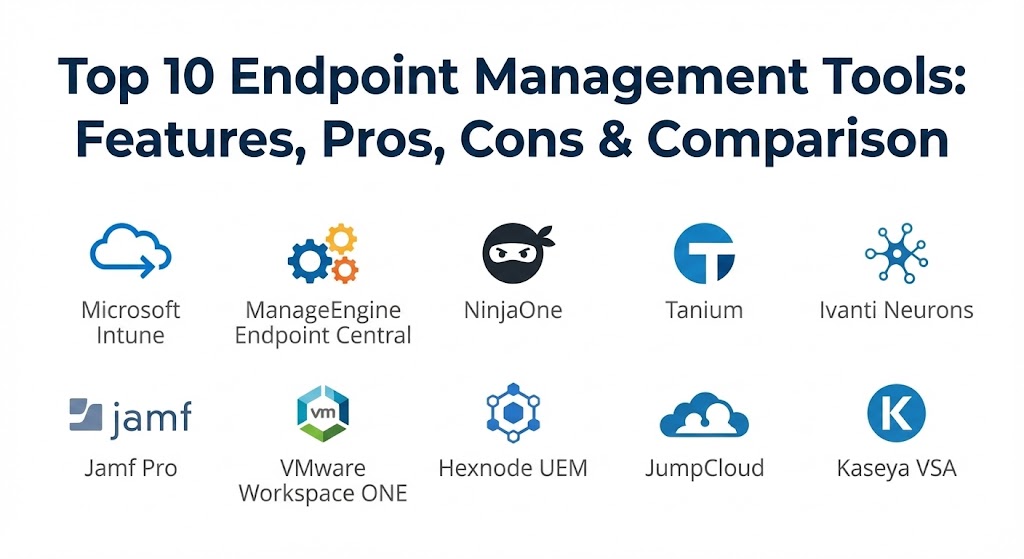
Top 10 Endpoint Management Tools
1 — Microsoft Intune
As a cornerstone of the Microsoft 365 ecosystem, Intune remains the market leader in 2026. It provides a cloud-native approach to endpoint management, focusing heavily on the “Zero Trust” architecture and seamless integration with Azure Active Directory (now Entra ID).
- Key features:
- Autopilot Integration: Allows for zero-touch deployment of Windows devices directly to end-users.
- Conditional Access Policies: Automatically grants or denies access to corporate data based on device compliance.
- Cross-Platform Management: Supports Windows, macOS, Linux, iOS, and Android within a single console.
- App Protection Policies: Secures corporate data at the application level without requiring full device enrollment (ideal for BYOD).
- Intune Suite Add-ons: Advanced features like Remote Help and Endpoint Privilege Management.
- Configuration Profiles: Granular control over OS settings via a cloud-native interface.
- Pros:
- Near-perfect integration for organizations already invested in the Microsoft 365 stack.
- Eliminates the need for on-premises infrastructure like SCCM/MECM for cloud-first companies.
- Cons:
- The user interface can be complex and sometimes suffers from slow menu navigation.
- Managing non-Windows devices, while possible, is often not as deep as specialized competitors.
- Security & compliance: SOC 2, GDPR, HIPAA, ISO 27001, FedRAMP, and robust SSO integration.
- Support & community: Massive documentation library, global enterprise support, and a vast ecosystem of third-party consultants.
2 — ManageEngine Endpoint Central
Endpoint Central is the “heavy lifter” of the industry, known for its incredible breadth of features. It caters to organizations that need a traditional, robust approach combined with modern UEM capabilities.
- Key features:
- Automated Patch Management: Supports over 1,000 third-party applications alongside OS patches.
- Asset Management: Deep inventory tracking of both hardware and software licenses.
- Remote Troubleshooting: Built-in remote desktop with chat, video call, and file transfer.
- Modern Management: Encompasses MDM for mobile devices and traditional imaging for PCs.
- Security Add-ons: Includes features for vulnerability scanning and browser security.
- OS Deployment: Comprehensive tools for imaging and deploying operating systems across the network.
- Pros:
- Extremely comprehensive; it often replaces three or four separate IT tools.
- Very competitive pricing relative to the massive feature set provided.
- Cons:
- The interface can feel “dated” and overwhelming due to the sheer number of tabs and settings.
- On-premises versions require significant maintenance and server resources.
- Security & compliance: ISO, GDPR, HIPAA, SOC 2, and 256-bit encryption for data in transit.
- Support & community: 24/5 technical support, active user forums, and a wide range of training webinars.
3 — NinjaOne
NinjaOne has disrupted the market by focusing on speed, simplicity, and a “modern first” design. It is particularly popular among Managed Service Providers (MSPs) and internal IT teams who value a clean, fast interface.
- Key features:
- Lightning-Fast Interface: One of the most responsive web consoles in the industry.
- Unified RMM & Endpoint Management: Blends remote monitoring with core management tasks seamlessly.
- Cloud-Native Patching: Reliable patching for Windows, Mac, and Linux that works over any internet connection.
- One-Click Scripting: Massive library of automation scripts that can be deployed instantly.
- Integrated Backup: Offers endpoint backup directly within the management console.
- Policy-Based Automation: Automatically remediates issues based on pre-defined triggers.
- Pros:
- Incredibly easy to learn; new admins can become productive in hours, not weeks.
- Outstanding customer support ratings and a transparent roadmap.
- Cons:
- Lacks some of the ultra-niche enterprise features found in ManageEngine or Microsoft Intune.
- Reporting, while clean, may not be granular enough for very complex compliance audits.
- Security & compliance: SOC 2 Type II, GDPR, HIPAA, and MFA/SSO support.
- Support & community: Top-tier customer success managers and an active, modern Slack/Discord community.
4 — Tanium
Tanium is built for the world’s largest enterprises. It uses a unique “linear-chain” architecture that allows for real-time visibility and control across millions of endpoints in seconds—a feat other tools struggle to match.
- Key features:
- Real-time Data: Ask a question in plain English and get results from all endpoints in seconds.
- Linear-Chain Architecture: Drastically reduces network bandwidth usage during large deployments.
- Risk & Compliance: Continuous monitoring of endpoint vulnerabilities and configuration drift.
- Threat Response: Integrated EDR capabilities to hunt for and remediate threats.
- Sensitive Data Discovery: Identifies where PII or sensitive data lives on endpoints.
- Software Distribution: High-speed deployment of large files across global networks.
- Pros:
- The only choice for massive-scale environments where real-time speed is non-negotiable.
- Reduces the “tool sprawl” by consolidating security and management.
- Cons:
- Prohibitively expensive for small and mid-market organizations.
- Requires a specialized “Tanium Admin” to fully harness its power.
- Security & compliance: FedRAMP, SOC 2, HIPAA, GDPR, and ISO 27001.
- Support & community: High-end technical account managers and a dedicated enterprise support structure.
5 — Ivanti Neurons for UEM
Ivanti’s platform is designed for the “Self-Healing” era. It utilizes AI and automation to identify issues before the end-user even notices them, aiming for an “autonomous” IT experience.
- Key features:
- Self-Healing Bots: Automated scripts that fix common issues like low disk space or service failures.
- Neurons Discovery: Automatically finds unmanaged devices as soon as they touch the network.
- Risk-Based Patch Management: Prioritizes patches based on actual exploitability data, not just severity.
- Digital Employee Experience (DEX): Measures and scores user satisfaction and device performance.
- Zero Trust Access: Securely connects remote users to applications without a traditional VPN.
- Unified Console: Single view for mobile, desktop, and IoT devices.
- Pros:
- Excellent for reducing help desk ticket volume through proactive automation.
- Very strong in asset lifecycle management and license optimization.
- Cons:
- The platform is a result of several acquisitions, so some parts of the UI can feel disjointed.
- Setup and configuration of the “Neurons” AI logic can be time-consuming.
- Security & compliance: SOC 2, GDPR, HIPAA, and ISO 27001.
- Support & community: Extensive knowledge base and global 24/7 support for enterprise clients.
6 — Jamf Pro
For organizations that are “all-in” on Apple, Jamf Pro remains the gold standard. While other tools manage Macs, Jamf utilizes Apple’s native frameworks to a depth that cross-platform tools rarely achieve.
- Key features:
- Apple-First Development: Features often support “Day 0” Apple OS updates.
- Self-Service App Store: A branded portal for users to download approved apps and run scripts.
- Jamf Connect: Simplifies the login process using cloud identity (Okta, Google, Azure).
- Advanced Scripting: Deep control over macOS via powerful bash and python integration.
- Smart Groups: Dynamically organizes devices based on hundreds of criteria.
- App Installers: Automated, curated app updates for popular third-party Mac software.
- Pros:
- Provides the “true” Mac experience for users while giving IT total control.
- The most powerful tool for managing Apple TV and iPad in education or retail.
- Cons:
- Does not manage Windows or Linux, requiring a second tool for a mixed environment.
- Premium pricing compared to general-purpose UEMs.
- Security & compliance: ISO 27001, SOC 2, GDPR, and HIPAA.
- Support & community: “Jamf Nation” is the largest community of Apple IT professionals in the world.
7 — VMware Workspace ONE (Broadcom)
Following the Broadcom acquisition, Workspace ONE has refocused on the high-end enterprise market, providing a sophisticated “Any App, Any Device” experience with a heavy emphasis on security.
- Key features:
- Unified App Catalog: One portal for SaaS, mobile, and legacy Windows apps.
- Hub Services: A digital workspace for employees with notifications and “people” search.
- AirWatch Legacy: Strongest mobile device management (MDM) roots in the industry.
- Intelligent Insights: Uses data to predict battery failures or app crashes.
- Drop-Ship Provisioning: Pre-configures PCs at the factory for immediate user use.
- Per-App VPN: Secures data for specific apps without routing all traffic through a VPN.
- Pros:
- Excellent for highly regulated industries needing strict data isolation.
- Very mature platform with thousands of complex enterprise deployments globally.
- Cons:
- Post-acquisition changes have led to some uncertainty regarding long-term mid-market support.
- Pricing and licensing can be extremely complex to navigate.
- Security & compliance: FedRAMP, SOC 2, GDPR, HIPAA, and ISO 27001.
- Support & community: Extensive documentation and a global network of certified architects.
8 — Hexnode UEM
Hexnode has carved out a niche as the “friendly UEM.” It is designed for businesses that need robust management—especially for kiosks and mobile devices—without a massive price tag or learning curve.
- Key features:
- Kiosk Mode: Transform tablets or PCs into single-purpose lockdown devices effortlessly.
- Zero-Touch Enrollment: Supports Android Zero Touch, Apple DEP, and Windows Autopilot.
- Geofencing: Automatically locks or changes device policies when it leaves a specific area.
- Expense Management: Tracks data usage on cellular-connected tablets and phones.
- Remote View & Control: High-quality remote assistance for mobile platforms.
- App Management: Quietly install and update apps across all managed devices.
- Pros:
- One of the best price-to-performance ratios in the industry.
- The interface is clean and very easy for junior admins to navigate.
- Cons:
- Legacy Windows management (like GPO migration) is not as deep as Microsoft Intune.
- Integration with third-party security tools is growing but still limited.
- Security & compliance: GDPR, HIPAA, SOC 2 (In-process/Available), and 256-bit encryption.
- Support & community: Fast, responsive chat and email support are frequently praised by users.
9 — JumpCloud
JumpCloud is unique because it treats the “Endpoint” and “Identity” as one. It is a cloud-native directory service that happens to have powerful built-in device management, making it perfect for cloud-first startups.
- Key features:
- Cloud Directory: Replaces traditional on-premise Active Directory.
- Zero Trust Security: Verifies every user and device for every resource.
- OS Patching: Simple, reliable patching for Windows, Mac, and Ubuntu Linux.
- Policy Templates: Pre-built GPO-style policies for non-Windows devices.
- Apple MDM Integration: Native support for Apple’s management frameworks.
- Cloud RADIUS & LDAP: Secures Wi-Fi and legacy applications via the cloud.
- Pros:
- Eliminates the need for multiple tools (Identity + MDM + Patching).
- Outstanding for organizations that are 100% cloud and have no physical servers.
- Cons:
- Feature set for deep “legacy” Windows management is lighter than MECM or Intune.
- Not suitable for organizations that must remain on-premises for security reasons.
- Security & compliance: SOC 2 Type II, GDPR, HIPAA, and PCI DSS.
- Support & community: Comprehensive help center and a growing community of cloud-native IT pros.
10 — Kaseya VSA
Kaseya VSA is a powerhouse of automation, part of the “IT Complete” ecosystem. It is designed for IT teams that want to automate as much of their daily workload as humanly possible.
- Key features:
- Agent Procedures: A massive library of pre-built scripts for almost every IT task.
- Software Management: Automated deployment and updates for hundreds of apps.
- Integrated Monitoring: Real-time hardware health and performance tracking.
- IT Complete Ecosystem: Seamlessly links with Datto Backup, IT Glue (Documentation), and BullPhish (Security).
- Network Topology Map: Visualizes how endpoints connect to the broader network infrastructure.
- Policy Management: Enforce standardized settings across different client or department groups.
- Pros:
- The “Integration” factor—if you use other Kaseya/Datto tools, the workflow is incredibly smooth.
- Automation capabilities are among the strongest for repetitive maintenance tasks.
- Cons:
- The UI is very dense and has a steep learning curve for new users.
- Past security incidents have made some organizations more cautious during the evaluation.
- Security & compliance: SOC 2, GDPR, HIPAA, and enhanced post-incident security protocols.
- Support & community: Massive user base, regular “Connect” events, and extensive documentation.
Comparison Table
| Tool Name | Best For | Platform(s) Supported | Standout Feature | Rating (Gartner Peer) |
| Microsoft Intune | Microsoft 365 Shops | Win, Mac, Linux, iOS, And | Native Azure/Entra Integration | 4.5 / 5 |
| ManageEngine | All-in-One Enterprise | Win, Mac, Linux, iOS, And | 1,000+ 3rd Party App Patching | 4.4 / 5 |
| NinjaOne | Speed & Ease of Use | Win, Mac, Linux | Ultra-Fast Web UI | 4.8 / 5 |
| Tanium | Large-Scale Enterprise | Win, Mac, Linux | Real-time Global Visibility | 4.6 / 5 |
| Ivanti Neurons | Proactive / Self-Healing | Win, Mac, iOS, And | AI-Driven Self-Healing Bots | 4.3 / 5 |
| Jamf Pro | Apple-Centric Orgs | macOS, iOS, tvOS | Day-0 Apple Feature Support | 4.7 / 5 |
| Workspace ONE | Security / Broadcom | Win, Mac, Linux, iOS, And | Unified App Catalog | 4.4 / 5 |
| Hexnode UEM | Kiosks & SMBs | Win, Mac, iOS, And | Advanced Kiosk Lockdown | 4.6 / 5 |
| JumpCloud | Cloud-Native Startups | Win, Mac, Linux | Identity + Device Management | 4.5 / 5 |
| Kaseya VSA | MSPs / Automation | Win, Mac, Linux | IT Complete Ecosystem | 4.2 / 5 |
Evaluation & Scoring of Endpoint Management Tools
We have evaluated these tools using a weighted rubric based on the current demands of the 2026 IT landscape.
| Criteria | Weight | Evaluation Focus |
| Core Features | 25% | Patching, software deployment, remote control, and OS imaging. |
| Ease of Use | 15% | Console speed, intuitiveness, and the learning curve for new admins. |
| Integrations | 15% | Connectivity with EDR, IAM, Ticketing, and Cloud directories. |
| Security & Compliance | 10% | Encryption standards, SOC 2/GDPR status, and policy enforcement. |
| Performance | 10% | Impact on device performance and network bandwidth during deployments. |
| Support & Community | 10% | Documentation quality, support response times, and peer community. |
| Price / Value | 15% | Transparent pricing models and ROI for the specific target market. |
Which Endpoint Management Tool Is Right for You?
Solo Users vs. SMB vs. Mid-Market vs. Enterprise
For solo users or tiny teams, dedicated endpoint management is often overkill. However, if you are a small business (SMB) with 25–100 employees, NinjaOne or Hexnode offer the best balance of simplicity and power. Mid-market companies often thrive with ManageEngine or Microsoft Intune due to their broad feature sets. Global enterprises with tens of thousands of devices should prioritize Tanium (for speed) or VMware Workspace ONE (for complex isolation and security).
Budget-Conscious vs. Premium Solutions
If budget is the primary driver, ManageEngine and Hexnode typically provide the most features for every dollar spent. Microsoft Intune is “budget-friendly” if you already pay for M365 Business Premium or E3/E5 licenses. Jamf Pro and Tanium are premium investments that justify their cost through specialized depth and massive scale, respectively.
Feature Depth vs. Ease of Use
If you want ease of use, NinjaOne is the current industry champion; your team will actually enjoy using the console. If you need feature depth and don’t mind a steeper learning curve, Kaseya VSA or ManageEngine will let you tweak every possible setting in your environment.
Integration and Scalability Needs
For those heavily invested in the cloud, JumpCloud and Intune are the logical choices. For organizations that need to scale to a million endpoints, Tanium stands alone. If you need to integrate tightly with Apple’s latest innovations, Jamf Pro is non-negotiable.
Frequently Asked Questions (FAQs)
1. What is the difference between RMM and UEM?
Remote Monitoring and Management (RMM) focuses on the health and uptime of devices (often used by MSPs). Unified Endpoint Management (UEM) focuses on the security, configuration, and compliance of a device regardless of whether it is a laptop, phone, or tablet.
2. Can I manage devices that are not on the company VPN?
Yes. In 2026, most top-tier tools are cloud-native. They use a small “agent” installed on the device that communicates with the management server over any secure internet connection.
3. Does Intune replace SCCM/MECM?
For many cloud-first companies, yes. However, many large enterprises use a “Co-Management” approach, using MECM for complex on-premises server tasks and Intune for modern mobile and remote laptop management.
4. How does “Zero-Touch Provisioning” work?
You buy a device from a vendor (like Dell or Apple), they register the serial number to your account, and you ship the shrink-wrapped box directly to the employee’s home. When they turn it on and connect to Wi-Fi, the management tool automatically installs all their apps and settings.
5. Is endpoint management necessary for BYOD (Bring Your Own Device)?
Yes, but the approach is different. Instead of managing the whole phone, you use “Mobile Application Management” (MAM) to create a secure container for corporate apps (like Outlook and Teams) while leaving the user’s personal photos and apps private.
6. Can these tools manage Linux endpoints?
Support for Linux has improved drastically. Tools like JumpCloud, Tanium, and NinjaOne offer robust patching and configuration for popular distros like Ubuntu, Red Hat, and CentOS.
7. How often should I patch my endpoints?
Critical security patches should ideally be deployed within 24-48 hours of release. High-quality tools allow you to automate this “test and deploy” cycle to minimize human effort.
8. What happens if an employee leaves and doesn’t return the device?
Modern endpoint tools allow you to “Remote Wipe” or “Device Lock” the hardware as soon as it connects to the internet, rendering the data inaccessible and the hardware unusable for resale.
9. Do endpoint management tools slow down the user’s computer?
If configured correctly, the impact is negligible. Modern “thin agents” are designed to consume minimal CPU and RAM, only waking up to perform specific tasks or report status.
10. Is it hard to switch from one tool to another?
It can be complex. The “un-enrollment” and “re-enrollment” process requires careful planning. Most vendors provide migration scripts to help remove a competitor’s agent and install their own automatically.
Conclusion
The “best” endpoint management tool is not the one with the longest feature list, but the one that aligns with your specific device fleet and administrative capacity. In 2026, the trend is moving away from “managing devices” toward “managing digital experiences and security.”
Whether you choose the ecosystem-integrated power of Microsoft Intune, the lightning speed of NinjaOne, or the specialized depth of Jamf Pro, the goal is to create an environment where technology “just works” for the employee while remaining invisible and secure for the organization. Start by auditing your current device count and OS distribution, then use the scoring rubric above to find your ideal partner in endpoint security.