Introduction
An Employee Communications Platform is a centralized digital hub designed to facilitate internal dialogue, align staff with corporate strategy, and foster a sense of community. Unlike general-purpose chat apps, these platforms are engineered for “top-down” institutional messaging, “bottom-up” feedback loops, and “peer-to-peer” recognition. They integrate diverse tools—including newsletters, social feeds, mobile apps, and emergency alerts—into a unified “source of truth.”
In 2026, these tools are vital because they solve the “information silos” that plague distributed teams. High-performance organizations use them to automate onboarding journeys, manage change during mergers, and provide frontline workers with instant access to safety protocols without needing a corporate email address. When evaluating these tools, look for AI-driven personalization (sending the right message at the optimal time), multichannel reach (pushing updates to SMS, email, and Slack simultaneously), and deep analytics that measure “sentiment” rather than just “clicks.”
Best for: Enterprises with distributed or hybrid teams, companies with large frontline (deskless) workforces, and HR leaders looking to drive culture and retention through transparent, two-way communication.
Not ideal for: Very small, single-site teams where face-to-face interaction is constant, or organizations that strictly require a “productivity-only” toolset (e.g., just task management) without the need for social engagement or corporate news.
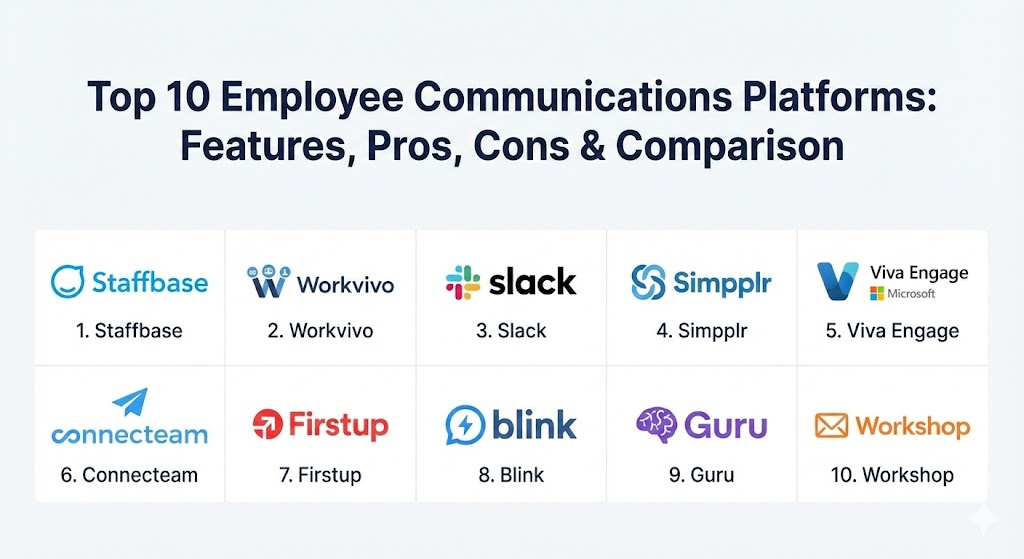
Top 10 Employee Communications Platforms
1 — Staffbase
Staffbase is the 2026 market leader for large, complex enterprises. It is an AI-native platform that bridges the gap between office-based staff and frontline workers through branded mobile apps and a high-performance intranet.
- Key features:
- Branded employee app that works on personal smartphones without email.
- AI-assisted content creation and automated translation for global teams.
- Multichannel publishing (Email, Intranet, SMS, Digital Signage).
- Advanced audience segmentation by role, location, or department.
- “Smart Impact” analytics to track engagement and sentiment.
- Integrated “Employee AI” chatbot for quick access to HR info.
- Pros:
- Exceptional mobile experience for deskless workers (retail, manufacturing).
- High level of security and compliance for regulated industries.
- Cons:
- Pricing is significantly higher than mid-market competitors.
- The sheer breadth of features can be overwhelming for small HR teams.
- Security & compliance: ISO 27001, SOC 2 Type II, GDPR, and HIPAA compliant. Includes SSO and end-to-end encryption.
- Support & community: Dedicated “Success Managers” for enterprise clients; extensive documentation and a global community of IC (Internal Comms) professionals.
2 — Workvivo (by Zoom)
Workvivo, now a core part of the Zoom ecosystem, focuses on the “social” side of work. It mimics the look and feel of consumer social media to drive high engagement through newsfeeds, recognition, and community spaces.
- Key features:
- Social newsfeed with reactions, comments, and hashtags.
- Global employee directory with rich profiles.
- Built-in recognition and “shout-out” system.
- Native integration with Zoom for seamless live-streaming and video.
- Digital “Spaces” for interest-based groups or project teams.
- Centralized resource library for policies and handbooks.
- Pros:
- Extremely high adoption rates due to the familiar social interface.
- Seamlessly bridges the gap between messaging and video meetings.
- Cons:
- Less focus on “operational” tools like shift scheduling or task management.
- AI features are currently less advanced than Staffbase or Simpplr.
- Security & compliance: SOC 2, HIPAA, and GDPR. Leverages Zoom’s enterprise security infrastructure.
- Support & community: Robust online training via “Workvivo Academy” and active user forums.
3 — Slack (by Salesforce)
While often categorized as “chat,” Slack has evolved into a “Work Operating System.” In 2026, it serves as the primary communication hub for tech-forward companies that prioritize real-time collaboration and AI-driven automation.
- Key features:
- Channel-based organization for projects and departments.
- “Slack AI” for summarizing long threads and finding verified answers.
- Slack Connect for secure communication with external partners.
- Huddles for spontaneous audio/video collaboration.
- Canvas for collaborative document creation within channels.
- Workflow Builder for no-code automation of routine tasks.
- Pros:
- Best-in-class integration ecosystem (thousands of third-party apps).
- The fastest and most intuitive user experience for knowledge workers.
- Cons:
- Prone to “notification fatigue” if channel hygiene is not managed.
- Not designed as a formal “Intranet” for static company news.
- Security & compliance: Enterprise Grid offers HIPAA, FINRA, and FedRAMP compliance.
- Support & community: Massive global community; extensive technical documentation and 24/7 support for enterprise plans.
4 — Simpplr
Simpplr is an AI-powered employee experience platform that focuses on making the modern intranet “smart.” It uses AI to personalize the experience for every employee, ensuring they only see information relevant to them.
- Key features:
- AI-driven “Auto-Governance” to keep content fresh and relevant.
- Personalized newsfeeds and dashboard “widgets.”
- Sentiment analysis to gauge employee morale in real-time.
- Enterprise search that crawls both Simpplr and connected apps (Drive, Box).
- Integrated employee recognition and “badge” system.
- Native video hosting and newsletter builder.
- Pros:
- Very fast deployment times compared to legacy intranets.
- The AI does the heavy lifting of organizing and archiving old content.
- Cons:
- Limited support for complex frontline/deskless workflows.
- Pricing is on the premium end of the scale.
- Security & compliance: SOC 2 Type II, GDPR, and Privacy Shield.
- Support & community: Comprehensive onboarding program and proactive “Customer Success” teams.
5 — Microsoft Viva Engage (formerly Yammer)
As part of the Microsoft 365 suite, Viva Engage is the social layer of the Microsoft ecosystem. It is the natural choice for organizations already “all-in” on Teams and SharePoint.
- Key features:
- Social communities for broad organizational networking.
- “Storyline” for leaders to share updates and personal perspectives.
- Integration with Viva Insights to track team wellbeing.
- Deep integration with Microsoft Teams and Outlook.
- “Leadership Corner” for town halls and Q&A sessions.
- Knowledge sharing via “Answers in Viva.”
- Pros:
- “Free” if you already have certain Microsoft 365 licenses.
- Unrivaled integration with Word, Excel, and PowerPoint.
- Cons:
- User interface can feel cluttered and corporate.
- Mobile app experience is often perceived as secondary to the desktop version.
- Security & compliance: Inherits all Microsoft 365 enterprise-grade security (FedRAMP, HIPAA, ISO).
- Support & community: Massive Microsoft partner network and global support infrastructure.
6 — Connecteam
Connecteam is the “hero” tool for the deskless workforce. It combines communication with operational tools like scheduling, time tracking, and training, all in one mobile app.
- Key features:
- Mobile-first chat and social feed for frontline workers.
- GPS-enabled time clock and shift scheduling.
- Digital forms and checklists for safety audits.
- Training and onboarding modules with tracking.
- Surveys, polls, and a digital “suggestion box.”
- Knowledge base for procedures and handbooks.
- Pros:
- The only tool that truly combines “doing work” with “talking about work.”
- Very affordable for smaller teams (free tier available).
- Cons:
- Not ideal for pure knowledge-worker environments (offices).
- Reporting and analytics are less “strategic” than Staffbase.
- Security & compliance: GDPR compliant; data is encrypted and stored in secure AWS facilities.
- Support & community: Excellent chat support and a rich library of “how-to” videos.
7 — Firstup
Firstup is a “Communications Orchestration” platform. It treats employees like customers, using advanced marketing-style automation to deliver the right message across every possible channel.
- Key features:
- “Orchestration Engine” that selects the best channel for each person.
- Automated “Lifecycle Journeys” (Onboarding, Open Enrollment).
- Powerful segmentation based on behavioral data (who clicks what).
- Multi-channel delivery to Email, App, Slack, Teams, and SMS.
- Advanced analytics comparing performance across channels.
- AI-driven “Send Time Optimization.”
- Pros:
- Best-in-class for reaching the “hard to reach” employee.
- Extremely powerful for driving specific actions (e.g., signing a policy).
- Cons:
- High complexity; requires a skilled internal comms team to manage.
- Can feel “too automated” if not balanced with human touch.
- Security & compliance: SOC 2 Type II, GDPR, and ISO 27001.
- Support & community: High-touch enterprise support and strategic consulting services.
8 — Blink
Blink is often described as the “frontline super-app.” It focuses on being the “everything” tool for workers in healthcare, transit, and logistics, providing a single login for everything they need.
- Key features:
- Secure 1:1 and group messaging.
- Personalized newsfeed with high-priority “Must Read” alerts.
- “Digital Hub” that acts as a single sign-on (SSO) for other work apps.
- Mobile-first surveys and engagement polls.
- Recognition features to celebrate frontline wins.
- Offline access for workers in low-connectivity areas.
- Pros:
- Significantly reduces “app switching” for frontline workers.
- Simple, clean interface that requires almost zero training.
- Cons:
- Lacks the deep document collaboration of Slack or Teams.
- Customization options are more limited than Staffbase.
- Security & compliance: ISO 27001, Cyber Essentials Plus, and GDPR compliant.
- Support & community: Fast, UK-based support and a dedicated customer success portal.
9 — Guru
Guru is a knowledge management platform that doubles as a communication tool. It ensures that the information being communicated is always verified and up-to-date.
- Key features:
- AI-powered “Knowledge Triggers” that surface info in real-time.
- Verification workflow to ensure experts regularly check content.
- Integration with Slack and Teams to capture “chat knowledge.”
- Browser extension for instant access to info while in other apps.
- “Announcements” with mandatory read-receipts.
- Powerful analytics on what people are searching for.
- Pros:
- Solves the “where is that document?” problem once and for all.
- Prevents the spread of misinformation within the company.
- Cons:
- Requires significant initial effort to build the knowledge base.
- Communication is “transactional” rather than “social.”
- Security & compliance: SOC 2 Type II and HIPAA compliant.
- Support & community: Excellent online resources and a vibrant “Guru Community.”
10 — Workshop
Workshop is the modern answer to the internal newsletter. It focuses on making internal email beautiful, targeted, and measurable.
- Key features:
- Drag-and-drop email builder with professional templates.
- Deep audience segmentation via HRIS integration (Workday, etc.).
- “Ghostwriting” mode for sending emails on behalf of executives.
- Analytics on opens, clicks, and “read time” across segments.
- Multi-channel backup (pushing the email to Slack/Teams).
- Scheduling and automated follow-ups for unread messages.
- Pros:
- Finally makes internal email look as good as external marketing.
- Dramatically higher engagement rates for company announcements.
- Cons:
- Primarily focused on email; not a full “Intranet” or “Social” platform.
- Less effective for workers who don’t check email regularly.
- Security & compliance: SOC 2 Type II and GDPR compliant.
- Support & community: Personalized onboarding and highly responsive US-based support.
Comparison Table
| Tool Name | Best For | Platform(s) Supported | Standout Feature | Rating (Gartner Peer Insights) |
| Staffbase | Large Global Enterprise | iOS, Android, Web, Signage | Multichannel Orchestration | 4.8 / 5 |
| Workvivo | Culture & Engagement | iOS, Android, Web | Social Newsfeed (Zoom Integ) | 4.7 / 5 |
| Slack | Real-time Collaboration | iOS, Android, Mac, Win | App Integration Ecosystem | 4.6 / 5 |
| Simpplr | Intelligent Intranet | iOS, Android, Web | AI Auto-Governance | 4.7 / 5 |
| Viva Engage | Microsoft Ecosystem | iOS, Android, Web, Teams | Native M365 Integration | 4.3 / 5 |
| Connecteam | Frontline Operations | iOS, Android, Web | Scheduling + Comms | 4.7 / 5 |
| Firstup | Behavior-Driven Comms | iOS, Android, Web, SMS | Lifecycle Orchestration | 4.4 / 5 |
| Blink | Deskless Single-App | iOS, Android, Web | Single Sign-On Hub | 4.6 / 5 |
| Guru | Verified Knowledge | Web, Browser, Slack/Teams | Knowledge Verification | 4.5 / 5 |
| Workshop | Internal Newsletters | Email, Slack, Teams | Executive Ghostwriting | 4.8 / 5 |
Evaluation & Scoring of Employee Communications Platforms
When selecting a platform, it is crucial to weight features based on your specific workforce demographic. A “desk-heavy” office environment has vastly different needs than a “deskless” manufacturing plant.
| Category | Weight | Evaluation Criteria |
| Core Features | 25% | Mobile app, social feed, newsletters, directories, and emergency alerts. |
| Ease of Use | 15% | Adoption speed, UI/UX (consumer-grade), and admin simplicity. |
| Integrations | 15% | HRIS sync (Workday/BambooHR), M365/Google Workspace, and Slack/Teams. |
| Security | 10% | SOC 2/ISO certifications, data residency, and biometric SSO. |
| Performance | 10% | App speed, offline capabilities, and high-concurrency stability. |
| Support | 10% | Technical documentation, customer success, and “Internal Comms” expertise. |
| Price / Value | 15% | Licensing flexibility and ROI on employee retention/engagement. |
Which Employee Communications Tool Is Right for You?
Solo Users vs SMB vs Mid-Market vs Enterprise
- SMBs (<100 employees): Stick to Slack or Connecteam. You need a tool that handles both talking and doing without a six-month setup.
- Mid-Market (100–1,000): Consider Workvivo or Workshop. You are large enough to need “culture,” but small enough to want a tool that “just works.”
- Enterprise (>1,000): You need the governance and scale of Staffbase or Firstup. Managing different languages, regions, and thousands of mobile users requires “heavy-duty” infrastructure.
Budget-Conscious vs Premium Solutions
- Budget: Viva Engage is often “included” in what you already pay Microsoft. Connecteam has a generous free tier for small teams.
- Premium: Staffbase and Simpplr command a premium price because they solve the “shadow IT” and “stale content” problems that cost enterprises millions in lost productivity.
Feature Depth vs Ease of Use
If your primary goal is adoption, choose a “social-first” tool like Workvivo. If your goal is compliance and governance, choose a “locked-down” platform like Staffbase.
Integration and Scalability Needs
If you live in Salesforce, Slack is your home. If you live in Outlook, Workshop or Viva Engage are your best friends. Ensure the tool you choose can sync with your HRIS to automate user management as people join and leave the company.
Frequently Asked Questions (FAQs)
1. Is an employee communication platform just a fancy intranet?
Not anymore. While an intranet is a “place” for documents, a communication platform is an “engine” for dialogue. It includes social feeds, SMS, mobile apps, and analytics that a traditional SharePoint site lacks.
2. Can we use WhatsApp for our frontline workers instead?
You can, but it is a massive security risk. WhatsApp is not GDPR/HIPAA compliant, it doesn’t allow for “remote wipe” if an employee is fired, and it creates a “shadow IT” environment that HR cannot monitor or audit.
3. Do these tools replace Microsoft Teams or Slack?
Sometimes. While Slack/Teams are for “getting work done” (Project X is due Friday), platforms like Staffbase/Workvivo are for “being at the company” (Here is our new CEO, or Here is our 2026 Strategy). Many companies use both.
4. How do we measure the ROI of these platforms?
Look at employee turnover rates, “Time to Onboard” metrics, and engagement survey results. Organizations with a strong communication platform typically see a 20–25% increase in productivity and significant reductions in attrition.
5. How long does it take to launch?
A simple newsletter tool like Workshop can launch in a day. A full-scale enterprise mobile app like Staffbase usually takes 3–6 months for architecture, security reviews, and content strategy.
6. Can we send emergency alerts through these platforms?
Yes. High-end tools like Staffbase and Firstup have “Critical Alert” features that bypass “Do Not Disturb” settings and send SMS/Push notifications during disasters or office closures.
7. Does the platform need a corporate email address for every user?
No. This is a key differentiator for tools like Blink, Connecteam, and Staffbase. Workers can log in via a unique ID, phone number, or QR code, which is essential for frontline workers.
8. Can employees talk back, or is it just for management announcements?
Most modern platforms prioritize “two-way” communication. This includes comments, likes, polls, and dedicated “innovation” channels where employees can suggest ideas directly to leadership.
9. What is “AI-driven sentiment analysis”?
The platform’s AI scans comments and feedback (anonymously) to tell HR if the overall “vibe” of the company is positive, negative, or stressed, allowing leaders to act before a wave of resignations.
10. How do we keep the content from getting “stale”?
Look for “Simpplr” or “Guru” which have auto-governance features. They flag old posts and ask the author to “Verify” or “Archive” them, ensuring employees don’t find outdated policies in the search results.
Conclusion
In 2026, silence is the greatest risk to organizational health. Choosing an Employee Communications Platform is about more than just software; it’s about choosing how your company’s heart beats. Whether you prioritize the social energy of Workvivo, the operational muscle of Connecteam, or the enterprise scale of Staffbase, the goal remains the same: ensuring every single employee, from the boardroom to the loading dock, feels connected to the mission. The “best” tool isn’t the one with the most features—it’s the one your employees actually open every morning.