Introduction
Email Spam Filtering Tools are specialized security solutions that analyze incoming and outgoing electronic mail to identify and block unwanted or malicious content. Unlike the rudimentary filters of the past that relied on simple keyword blacklists, today’s enterprise-grade solutions leverage artificial intelligence (AI), machine learning (ML), and global threat intelligence to detect patterns of deception. These tools act as a “secure gateway” or an API-based “mailbox layer” that scrutinizes every link, attachment, and sender identity before a message ever reaches the user.
The importance of these tools extends beyond mere productivity. While reducing inbox clutter is a significant benefit, the real-world value lies in preventing financial fraud and data exfiltration. Common use cases include blocking “zero-day” malware that has never been seen before, stopping impersonation attacks that trick employees into wiring funds, and ensuring that sensitive company data doesn’t leave the organization via outbound email. When evaluating these tools, organizations must look for high catch rates (99.9%+), low false-positive rates, seamless integration with platforms like Microsoft 365 or Google Workspace, and robust compliance reporting.
Best for: Organizations of all sizes—from small businesses to global enterprises—that handle sensitive customer data, financial transactions, or proprietary intellectual property. It is particularly critical for IT administrators in regulated sectors like finance, healthcare, and government.
Not ideal for: Personal users who rely on free webmail services (like basic Gmail or Outlook.com), as these platforms already include consumer-grade filtering. It may also be redundant for very small teams with zero high-value data, where the native basic filters of their email provider might suffice.
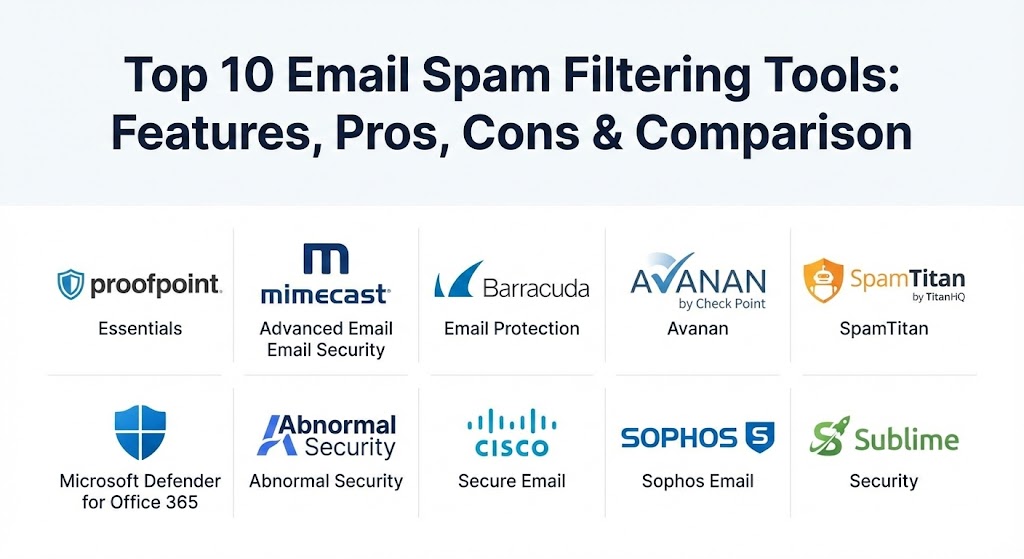
Top 10 Email Spam Filtering Tools
1 — Proofpoint Essentials
Proofpoint Essentials is a cloud-based email security platform specifically tailored for small to medium-sized businesses (SMBs). It provides enterprise-class protection against spam, phishing, and malware without the complexity of a full enterprise deployment.
- Key features:
- Multi-layered anti-spam and anti-virus engines.
- Targeted Attack Protection (TAP) to sandbox suspicious URLs and attachments.
- Automated email encryption for outbound sensitive data.
- 24/7 Emergency Inbox for email continuity during server outages.
- Integrated Security Awareness Training modules for employees.
- Data Loss Prevention (DLP) to prevent sensitive info leaks.
- Comprehensive cloud-based administrative console.
- Pros:
- Leverages the same world-class threat intelligence used by Fortune 100 companies.
- The automated encryption feature is incredibly easy for end-users to manage.
- Cons:
- Can be more expensive than other SMB-focused competitors.
- Some advanced features require higher-tier licensing plans.
- Security & compliance: SOC 2, HIPAA, GDPR, and PCI DSS compliant; supports SSO and multi-factor authentication.
- Support & community: Robust documentation; 24/7 technical support available via phone and web; extensive partner-led support network.
2 — Mimecast Advanced Email Security
Mimecast is a leader in “Email Resilience,” offering a unified platform that combines security, archiving, and continuity. It is designed for large enterprises that cannot afford a single minute of email downtime.
- Key features:
- AI-powered spam and phishing protection with deep content inspection.
- Impersonation Protect to stop BEC and “executive spoofing.”
- Internal Email Protect to scan internal communications for lateral threats.
- 100% service availability SLA with integrated continuity.
- Large File Send capability for secure, encrypted attachments up to 2GB.
- DMARC analyzer to protect brand reputation from domain spoofing.
- Pros:
- The unified nature of security + archiving + continuity reduces the number of vendors needed.
- Exceptional at identifying “graymail” (newsletters) vs. true spam.
- Cons:
- The administrative interface is very deep and has a steep learning curve.
- Configuration can be complex, often requiring professional services for initial setup.
- Security & compliance: ISO 27001, SOC 2, HIPAA, GDPR, and FedRAMP authorized.
- Support & community: High-tier enterprise support; active “Mimecaster” community forum; comprehensive training through Mimecast University.
3 — Barracuda Email Protection
Barracuda offers a versatile, “cloud-first” approach that integrates email security with backup and archiving. It is a favorite for organizations looking for a “one-stop-shop” for Microsoft 365 protection.
- Key features:
- Protection against 13 distinct email threat types, including phishing and ransomware.
- AI-based API integration that learns an organization’s unique communication patterns.
- Integrated Cloud-to-Cloud Backup for Microsoft 365 (Teams, OneDrive, SharePoint).
- Automated incident response to “claw back” malicious emails from all inboxes.
- Domain Fraud Protection using DMARC reporting.
- Built-in security awareness training simulations.
- Pros:
- The integration of backup and security in one subscription provides immense value.
- Very fast deployment; the API-based setup takes minutes, not hours.
- Cons:
- The UI can feel fragmented as different features are located in different portals.
- Reporting detail is sometimes less granular than specialist tools.
- Security & compliance: SOC 2 Type II, HIPAA, and GDPR compliant; FIPS 140-2 compatible.
- Support & community: 24/7/365 live support; highly praised customer service; extensive online knowledge base.
4 — Avanan (by Check Point)
Avanan pioneered the API-based approach to email security. Instead of acting as a “gateway” that sits in front of your email, it sits inside the mailbox, allowing it to catch threats that traditional gateways miss.
- Key features:
- One-click deployment for Microsoft 365 and Google Workspace.
- Scans internal, external, and outbound emails in real-time.
- Protects collaboration apps like Slack, Teams, and Dropbox.
- SmartPhish AI that analyzes over 300 indicators per email.
- Automatic malware sandboxing before the user can click.
- Inline protection that blocks threats before they reach the inbox.
- Pros:
- Invisible to users—no MX record changes required, so no delivery delays.
- Exceptional at catching “east-west” (internal) account takeover attempts.
- Cons:
- Focused primarily on cloud-native environments; not ideal for legacy on-prem Exchange.
- Can be slightly higher in price compared to traditional gateways.
- Security & compliance: SOC 2, HIPAA, GDPR, and ISO 27001 compliant.
- Support & community: Strong documentation; 24/7 support; part of the larger Check Point Infinity global community.
5 — SpamTitan (by TitanHQ)
SpamTitan is widely considered the best value-for-money spam filter in the market. It is a robust, no-nonsense solution designed for SMBs and Managed Service Providers (MSPs).
- Key features:
- Blocks 99.97% of spam with extremely low false-positive rates.
- Dual antivirus engines (Bitdefender and ClamAV) for layered protection.
- Sandboxing for unknown attachments to stop zero-day ransomware.
- Multi-layered filtering including RBLs, Bayesian analysis, and greylisting.
- Outbound scanning to protect your IP reputation.
- Fully white-labelable for MSPs.
- Pros:
- Extremely cost-effective; often half the price of enterprise rivals.
- Very low maintenance; “set it and forget it” for busy IT teams.
- Cons:
- The interface is functional but lacks the modern aesthetic of newer SaaS tools.
- Does not include built-in backup or extensive security training.
- Security & compliance: HIPAA and GDPR compliant; supports encryption and audit logs.
- Support & community: Award-winning support team; very responsive via phone and email; high ratings on review platforms for “ease of doing business.”
6 — Microsoft Defender for Office 365
For organizations already deep in the Microsoft ecosystem, Defender for Office 365 provides native, integrated protection that “just works” with the existing admin center.
- Key features:
- Safe Links and Safe Attachments for real-time URL and file scanning.
- Automated Investigation and Response (AIR) to self-heal infected accounts.
- Integrated threat intelligence from the vast Microsoft global signals.
- Anti-phishing policies based on machine learning.
- Advanced hunting capabilities for SOC teams via Kusto Query Language (KQL).
- Seamless integration with Microsoft Sentinel (SIEM).
- Pros:
- No third-party agents or MX changes; native “look and feel.”
- Excellent value if you already have E5 or Business Premium licenses.
- Cons:
- Configuring advanced policies can be incredibly complex and confusing.
- Often used as a baseline, with many enterprises adding a second layer (like Avanan) on top.
- Security & compliance: FedRAMP, HIPAA, GDPR, SOC 1/2/3, and nearly all global certifications.
- Support & community: Massive global community; extensive documentation; enterprise support via Microsoft 365 portal.
7 — Abnormal Security
Abnormal Security represents the “next generation” of email security, moving away from signatures and rules toward a pure behavioral AI model.
- Key features:
- Behavioral AI that builds a “identity graph” of every employee.
- No-rules detection that identifies anomalies in syntax and behavior.
- Integrated account takeover protection.
- Automated triage of user-reported phishing emails.
- Vendor Risk Management to identify compromised third-party partners.
- API-only deployment (no MX changes).
- Pros:
- Unmatched at catching “text-only” BEC attacks that have no links or attachments.
- Almost zero configuration required; the AI learns your business automatically.
- Cons:
- Very high price point; strictly an enterprise-tier solution.
- “Black box” AI can sometimes make decisions that are hard for admins to reverse-engineer.
- Security & compliance: SOC 2 Type II, HIPAA, and GDPR compliant.
- Support & community: High-touch enterprise support; white-glove onboarding; active peer groups for CISO-level users.
8 — Cisco Secure Email
Formerly known as IronPort, Cisco Secure Email is a titan of the industry, powered by the world’s largest commercial threat intelligence group, Cisco Talos.
- Key features:
- Backed by Talos Intelligence for near-instant blocklisting of global threats.
- Advanced Malware Protection (AMP) with file retrospection.
- Secure Awareness Training integrated into the workflow.
- Data Loss Prevention with over 100 pre-defined policies.
- Hybrid deployment options (Cloud, Virtual, or Hardware appliance).
- Integrated with Cisco SecureX for unified security visibility.
- Pros:
- Incredible stability; the “Cisco” name carries immense weight for audits and compliance.
- Multi-vendor integration through a massive ecosystem of APIs.
- Cons:
- The user interface can feel legacy and fragmented.
- Licensing can be complicated, involving many different SKUs.
- Security & compliance: FIPS 140-2, Common Criteria, SOC 2, HIPAA, and GDPR.
- Support & community: World-class TAC support; massive global community of Cisco-certified engineers (CCIEs).
9 — Sophos Email
Sophos Email brings the power of “Synchronized Security” to the inbox. It is designed to work in tandem with Sophos endpoint and network security to share threat intelligence automatically.
- Key features:
- AI-driven “Writing Style DNA” to detect impersonation.
- URL Rewriting that scans links at the “time of click” (not just delivery).
- Automatic “at-risk” user identification for targeted training.
- Search and destroy capability to remove malicious emails across the fleet.
- Integrated into Sophos Central (one dashboard for all Sophos products).
- S/MIME and TLS encryption options.
- Pros:
- If you already use Sophos Antivirus, the “Synchronized Security” feature is a game-changer.
- Very straightforward and intuitive administration.
- Cons:
- Less powerful when used as a standalone product without other Sophos tools.
- Reporting is good but not as deep as Mimecast or Proofpoint.
- Security & compliance: SOC 2, HIPAA, GDPR, and ISO 27001.
- Support & community: Solid 24/7 global support; active Sophos Community forums; extensive video training.
10 — Sublime Security
Sublime Security is a modern, open-source-friendly platform that focuses on “Detection-as-Code.” It is designed for SOC teams that want to write their own detection rules and have total transparency.
- Key features:
- MQL (Message Query Language) for writing custom detection logic.
- Open-source core with a community-driven rule set.
- API-based integration with Microsoft and Google.
- “Explainable AI” that tells you exactly why an email was blocked.
- Automated triage for user-reported messages.
- Multi-platform support including Slack and Teams.
- Pros:
- Total transparency—you see exactly how every rule works.
- The most flexible tool for advanced security teams who want to “tweak” their defense.
- Cons:
- Requires a higher level of technical expertise to get the most out of it.
- Not a “set it and forget it” solution for smaller businesses.
- Security & compliance: SOC 2 Type II, HIPAA, and GDPR.
- Support & community: Excellent Slack-based community; very high developer engagement; professional support for enterprise users.
Comparison Table
| Tool Name | Best For | Platform(s) Supported | Standout Feature | Rating (Gartner Peer Insights) |
| Proofpoint Essentials | SMB Compliance | Cloud (M365 / Google) | Targeted Attack Protection | 4.6 / 5 |
| Mimecast | Enterprise Resilience | Cloud / Hybrid | 100% Continuity SLA | 4.5 / 5 |
| Barracuda | Integrated Backup | Microsoft 365 Native | Cloud-to-Cloud Backup | 4.6 / 5 |
| Avanan | API-Based Security | M365 / Google / Slack | Inline API Protection | 4.8 / 5 |
| SpamTitan | Value & SMBs | Cloud / On-Prem | 99.97% Catch Rate | 4.7 / 5 |
| Microsoft Defender | Native M365 Users | Microsoft 365 | Automated Investigation | 4.4 / 5 |
| Abnormal Security | BEC & AI Detection | M365 / Google | Behavioral Identity Graph | 4.8 / 5 |
| Cisco Secure Email | Talos Intelligence | Cloud / Hardware | Talos Global Threat Intel | 4.4 / 5 |
| Sophos Email | Unified Security | Cloud | Synchronized Security | 4.8 / 5 |
| Sublime Security | SOC Advanced Tuning | Cloud / Self-Hosted | Detection-as-Code (MQL) | 5.0 / 5 |
Evaluation & Scoring of Email Spam Filtering Tools
To assist in the decision-making process, we have evaluated these tools based on a weighted rubric that reflects the priorities of modern IT departments in 2026.
| Category | Weight | Evaluation Criteria |
| Core Features | 25% | Accuracy (catch rate), false-positive rate, and zero-day threat detection. |
| Ease of Use | 15% | Administrative UI clarity, end-user quarantine management, and deployment speed. |
| Integrations | 15% | Native support for M365/Google Workspace and collaboration apps (Teams/Slack). |
| Security & Compliance | 10% | Encryption standards, DMARC management, and regulatory certifications. |
| Performance | 10% | Impact on mail delivery speed and global availability (SLAs). |
| Support & Community | 10% | Speed of technical support, quality of documentation, and user forums. |
| Price / Value | 15% | Licensing flexibility and the ROI provided (e.g., integrated backup or training). |
Which Email Spam Filtering Tool Is Right for You?
The right choice depends heavily on your existing infrastructure and the level of risk your organization is willing to tolerate.
- Solo Users & Freelancers: Your primary email provider (Gmail/Outlook) usually offers enough basic protection. If you need more, look at affordable tools like MailWasher or SpamHero.
- Small Businesses (SMBs): If you want high protection at a low cost, SpamTitan is unbeatable. If you want a more “comprehensive” suite that includes user training, Proofpoint Essentials is the industry standard.
- Mid-Market Companies: Organizations already using Sophos or Barracuda for their firewall and backups should stick with Sophos Email or Barracuda Email Protection for the management “synergy.”
- Large Enterprises: High-compliance industries should default to Mimecast or Cisco Secure Email for their robust legal archiving and continuity SLAs.
- Modern Cloud-Native Teams: If you are 100% in the cloud and want the latest AI protection against social engineering, Abnormal Security or Avanan are the clear winners.
- Technical/SOC-Heavy Teams: If you want total control and the ability to write your own rules, Sublime Security is the tool for you.
Frequently Asked Questions (FAQs)
1. Is “spam” different from “phishing”? Spam is a broad category for any unwanted, bulk email. Phishing is a specific, malicious type of spam intended to steal credentials or sensitive information. Modern filtering tools protect against both.
2. Why do I need a third-party tool if Microsoft/Google has built-in filters? While built-in filters are good, they are “global” and often struggle with highly targeted attacks. Third-party tools offer deeper customization, better “zero-day” sandboxing, and additional features like DMARC management.
3. What is a “False Positive”? A false positive occurs when a legitimate business email is mistakenly identified as spam and blocked. This can disrupt business, so look for tools with a false-positive rate of less than 0.003%.
4. What is “Time-of-Click” protection? This is a feature where a tool re-scans a link every time a user clicks it. This is vital because attackers often send a “clean” link that they switch to a malicious site only after the email has been delivered.
5. Do these tools slow down my email delivery? Gateway-based tools (using MX records) can add a few seconds of delay for scanning. API-based tools (like Avanan or Abnormal) work “inline” or “post-delivery” and typically have zero impact on delivery speed.
6. Can these tools block spam sent from my own domain? Yes, using a combination of DMARC, SPF, and DKIM authentication. These protocols verify that an email claiming to be from your company actually originated from your authorized servers.
7. Is outbound spam filtering necessary? Yes. If an employee’s account is compromised and starts sending spam, your company’s domain could be blacklisted globally. Outbound filtering catches this early and stops the damage.
8. Can these tools monitor Slack or Microsoft Teams? Many modern solutions (Avanan, Abnormal, Check Point) have expanded to “Collaboration Security,” scanning files and links shared in Teams, Slack, and even LinkedIn.
9. Do I need to be a security expert to set these up? Not necessarily. Tools like Barracuda and Avanan offer “express” setups that take 5-10 minutes. However, enterprise tools like Cisco or Mimecast generally require an IT professional to configure.
10. How much do these tools typically cost? Pricing is usually “per user, per month.” SMB tools range from $1.50 to $3.00, while full enterprise suites with archiving and AI can range from $5.00 to $12.00 per user.
Conclusion
In 2026, the question is no longer if your organization will be targeted by a malicious email, but when. Choosing the right email spam filtering tool is about layering your defenses. Whether you prioritize the deep, behavioral AI of Abnormal Security, the all-in-one backup value of Barracuda, or the open-source transparency of Sublime, the ultimate goal remains the same: ensuring that the only thing your employees find in their inbox is work that actually matters.
This post provides a really comprehensive and modern look at email security, especially by highlighting how much the landscape has shifted from simple keyword filtering to behavioral AI. I found the section on “Time-of-Click” protection particularly valuable, as that’s a tactic more attackers are using to bypass initial scans. The breakdown between traditional gateways and the newer API-based solutions like Avanan and Abnormal Security is also a great inclusion; it helps clarify why a company might choose one over the other based on their infrastructure and risk tolerance. It’s also refreshing to see a practical FAQ that addresses real-world concerns like false positives and outbound filtering, which are often overlooked but can have a huge impact on a company’s domain reputation. This guide is a solid resource for anyone from a small business owner looking for value with SpamTitan to a CISO evaluating high-end enterprise options. Thanks for putting together such a clear and actionable comparison—it really helps cut through the marketing noise in the cybersecurity space.