Introduction
Email Security Tools are specialized software solutions designed to protect an organization’s email accounts, data, and communication from unauthorized access, loss, or compromise. They work by intercepting messages before they reach the user, scanning them for malicious intent—such as phishing, ransomware, malware, and business email compromise (BEC)—and blocking or neutralizing the threat. Unlike basic filters, these tools look at more than just blacklisted senders; they analyze the “DNA” of the email, including the sender’s writing style, the hidden intent of URLs, and the behavior of attachments in sandboxed environments.
The importance of these tools cannot be overstated. According to recent industry data, over 90% of cyberattacks begin with a single phishing email. A successful breach can lead to devastating financial losses, massive data theft, and long-term reputational damage. Key real-world use cases include preventing “CEO fraud” (where an attacker impersonates an executive to authorize a wire transfer), protecting sensitive patient data in healthcare, and securing intellectual property in the manufacturing sector. When choosing a tool, users should evaluate the efficacy rate, ease of deployment, integration with cloud platforms (like M365 and Google Workspace), and the depth of behavioral AI used to detect novel, “zero-day” threats.
Best for: Security Operations Center (SOC) teams, IT administrators, and CISOs in mid-to-large enterprises who handle high volumes of sensitive data. It is essential for industries like finance, legal, healthcare, and government where compliance and data integrity are non-negotiable.
Not ideal for: Small businesses with extremely limited budgets who may find enterprise-grade tools too complex or expensive. For these users, the native security features provided by Google or Microsoft, paired with a basic anti-spam plugin, might be a more practical starting point.
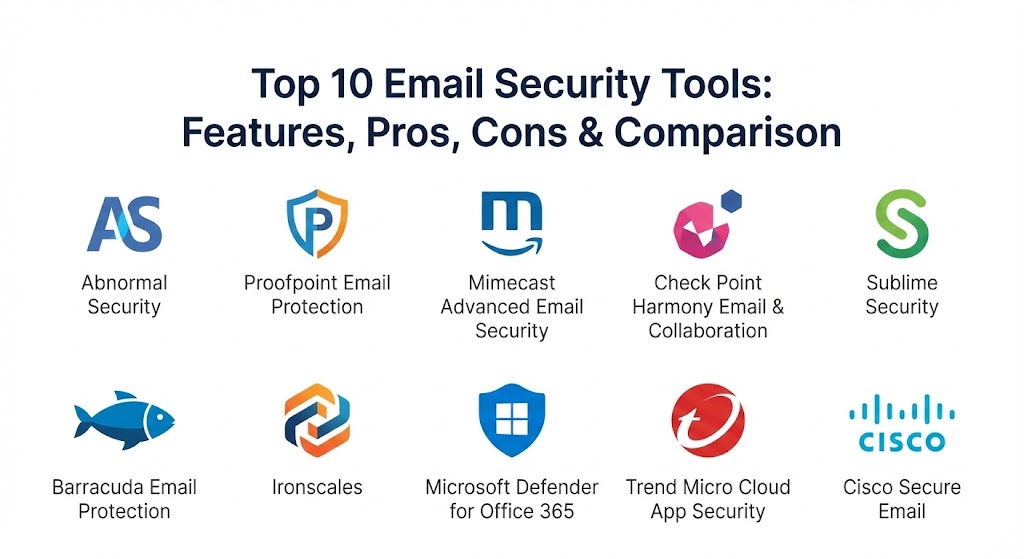
Top 10 Email Security Tools
1 — Abnormal Security
Abnormal Security is a cloud-native platform that uses a behavioral AI approach to stop advanced email attacks. It is designed specifically to integrate via API with Microsoft 365 and Google Workspace, bypassing the need for traditional “Gateway” (MX record) changes.
- Key features:
- Behavioral AI that builds a “baseline” of normal user communication patterns.
- Advanced detection for Business Email Compromise (BEC) and executive impersonation.
- Automatic remediation of malicious emails that bypass the initial perimeter.
- Vendor risk management to identify compromised third-party accounts.
- Internal mail scanning to prevent lateral movement of threats.
- Integrated “Account Takeover” protection.
- Pros:
- Extremely high efficacy against “payloadless” attacks like social engineering.
- “Set and forget” setup that requires very little manual tuning.
- Cons:
- Can be on the higher end of the pricing spectrum for smaller organizations.
- Limited visibility for teams that still rely on legacy on-premises email servers.
- Security & compliance: SOC 2 Type II, GDPR, HIPAA, and ISO 27001. Support for SSO and granular access controls.
- Support & community: High-quality enterprise support portal; comprehensive documentation and a growing user base among Fortune 500 companies.
2 — Proofpoint Email Protection
Proofpoint is a long-time market leader that offers a comprehensive suite of “people-centric” security tools. It is widely considered the industry standard for large, complex enterprise environments.
- Key features:
- Multi-layered detection including signature-based and behavioral analysis.
- Robust Data Loss Prevention (DLP) and automated email encryption.
- Targeted Attack Protection (TAP) with advanced sandboxing for attachments.
- Threat intelligence from one of the world’s largest cybersecurity data sets.
- Integrated security awareness training modules for employees.
- Very granular policy controls for outbound and inbound traffic.
- Pros:
- Unrivaled feature depth; it is a “one-stop-shop” for almost all email security needs.
- Excellent for meeting strict compliance and data retention requirements.
- Cons:
- The administrative interface can be complex and requires a steep learning curve.
- Ongoing maintenance and tuning are higher compared to API-first AI tools.
- Security & compliance: FIPS 140-2, SOC 2, HIPAA, GDPR, and PCI DSS compliant.
- Support & community: Extensive 24/7 global support; a massive community of certified security professionals and partners.
3 — Mimecast Advanced Email Security
Mimecast provides a layered security approach that combines a traditional Secure Email Gateway (SEG) with modern AI-driven cloud protection. It is favored for its strong reliability and integrated archiving.
- Key features:
- URL Protect which rewrites links and checks them at the “time of click.”
- Attachment Protect that converts risky files to safe, read-only formats.
- Impersonation Protect to flag spoofed senders and lookalike domains.
- Integrated email continuity, allowing mail flow even if the primary server is down.
- Large file send capabilities for secure document exchange.
- API-led integrations with major SIEM and SOAR platforms.
- Pros:
- Highly reliable with a 100% service availability SLA.
- Great balance between “Gateway” protection and modern AI features.
- Cons:
- The aggressive URL filtering can sometimes cause friction for end-users.
- The management console can feel cluttered due to the number of available modules.
- Security & compliance: ISO 27001, SOC 2, HIPAA, and GDPR. Data is encrypted both in transit and at rest.
- Support & community: Solid documentation; 24/7 technical support is available, and there is a very active user community forum.
4 — Check Point Harmony Email & Collaboration
Check Point (formerly Avanan) is a pioneer of the “API-first” movement. It sits inside the mailbox environment to catch threats that bypass traditional gateways, extending its protection to Teams and Slack as well.
- Key features:
- Advanced AI and Natural Language Processing (NLP) to detect intent.
- Blocks zero-day malware and compromised QR codes in real-time.
- Unified admin console for email, SharePoint, Teams, and OneDrive.
- Automatic “Shadow IT” discovery within collaboration suites.
- Account takeover prevention with behavioral biometrics.
- “One-click” deployment that takes minutes to sync with M365/Google.
- Pros:
- Best-in-class integration for organizations that use Teams or Slack alongside email.
- The “unified quarantine” view saves significant time for SOC analysts.
- Cons:
- Relies heavily on its AI models; some users may want more manual “override” controls.
- The reporting dashboard is functional but less “customizable” than competitors like Proofpoint.
- Security & compliance: SOC 2 Type II, ISO 27001, and HIPAA compliant. Includes strong PII detection for DLP.
- Support & community: Backed by Check Point’s global support network; offers 24/7 “Elite” support tiers and extensive training.
5 — Sublime Security
Sublime Security is a next-generation platform that uses an “agentic AI” architecture. It allows security teams to write their own detection rules or use a library of crowdsourced rules to stop highly targeted attacks.
- Key features:
- Open-source detection logic that allows for full transparency (no “black box”).
- Agentic AI that adapts to your specific organizational environment.
- Real-time triage of user-reported phishing emails via automation.
- Flexible deployment options: SaaS, single-tenant, or fully self-hosted.
- Explainable AI that tells analysts why a specific email was flagged.
- Native integration with developer tools and SIEMs.
- Pros:
- Unparalleled flexibility for advanced SOC teams who want to “tune” their defense.
- High transparency—you can see and edit the exact logic used to block mail.
- Cons:
- May be too technical for small teams without a dedicated security analyst.
- Community-driven rules require vetting before being deployed in a production environment.
- Security & compliance: SOC 2, GDPR, and HIPAA. Offers unique “Self-Hosted” options for maximum privacy.
- Support & community: Very strong community of security researchers; responsive developer-centric support and documentation.
6 — Barracuda Email Protection
Barracuda is a versatile solution that integrates email security with backup and archiving. It is particularly popular in the SMB and mid-market sectors for its ease of management and bundled value.
- Key features:
- Protection against all “13 types of email threats” identified by their research.
- AI-based impersonation protection that learns unique communication patterns.
- Integrated backup for Microsoft 365 (OneDrive, SharePoint, Teams).
- DMARC reporting and automated SPF/DKIM record management.
- Incident response tool to “claw back” malicious emails from all inboxes.
- Automated security awareness training lures.
- Pros:
- Excellent value-for-money, especially with the integrated backup features.
- Very straightforward to manage, even for IT generalists.
- Cons:
- Some modules can feel a bit separated rather than part of a single unified UI.
- Support response times can vary depending on the service level agreement.
- Security & compliance: SOC 2, HIPAA, and GDPR. PCI DSS compliance support for data archiving.
- Support & community: Extensive online knowledge base; 24/7 phone support and a wide network of regional partners.
7 — Ironscales
Ironscales focuses on “self-learning” AI combined with crowdsourced threat intelligence. It is designed to be a “mailbox-level” solution that helps employees become part of the defense strategy.
- Key features:
- “Themis” AI virtual analyst that automates the triage of suspicious emails.
- Crowdsourced intelligence from thousands of other organizations.
- Visual warning banners that alert users to “first-time senders” or unusual links.
- Integrated “Report Phish” button for all mobile and desktop devices.
- Automated phishing simulation campaigns based on real-world attacks.
- Protection for Microsoft Teams to stop lateral account-takeover threats.
- Pros:
- The crowdsourced intelligence means you are protected from attacks seen by other users instantly.
- Very low administrative overhead; the AI handles most of the daily work.
- Cons:
- Lacks some of the deep “Gateway” features (like graymail management) found in SEGs.
- The mobile reporting functionality can be slightly inconsistent across all devices.
- Security & compliance: SOC 2 Type II, HIPAA, and GDPR compliant.
- Support & community: Strong partner-led support; active community where users share threat indicators and best practices.
8 — Microsoft Defender for Office 365
Microsoft Defender is the native security layer for M365 tenants. While it comes built-in, the “Plan 1” and “Plan 2” versions provide advanced capabilities that many organizations use as their primary or secondary defense.
- Key features:
- Safe Links and Safe Attachments for real-time URL/file scanning.
- Deep integration with the broader Microsoft 365 Defender (XDR) suite.
- Automated Investigation and Response (AIR) to save time on manual tasks.
- Campaign Views to see the scope and impact of specific phishing attacks.
- Built-in attack simulation training for users.
- Native “Quarantine” that users are already familiar with.
- Pros:
- Zero deployment friction—you simply turn it on within the M365 portal.
- Benefits from the vast telemetry of the global Microsoft ecosystem.
- Cons:
- Detection of advanced “social engineering” can sometimes lag behind specialized AI tools.
- Limited customization options for very complex, non-standard email flows.
- Security & compliance: FedRAMP, SOC 2, HIPAA, GDPR, and nearly every major global standard.
- Support & community: Massive global support network; virtually endless documentation and community forums.
9 — Trend Micro Cloud App Security
Trend Micro offers an API-integrated solution that specializes in detecting “hidden” malware and credential phishing. It is a key part of their Vision One XDR platform.
- Key features:
- “Writing Style DNA” which uses AI to detect impersonation by analyzing syntax.
- Computer vision to detect fake login pages (credential phishing).
- Sandbox malware analysis for unknown file types and PDFs.
- Data Loss Prevention (DLP) across email, Box, Dropbox, and Salesforce.
- Manual and scheduled scanning of existing mailboxes to find “latent” threats.
- Integration with Trend Micro’s global “Smart Protection Network.”
- Pros:
- The Writing Style DNA is remarkably effective at stopping executive fraud.
- Excellent for companies that want a unified security view across endpoints and cloud apps.
- Cons:
- The interface can feel a bit traditional compared to newer “SaaS-native” startups.
- Full value is only realized if you are using other Trend Micro security products.
- Security & compliance: SOC 2, HIPAA, GDPR, and ISO 27001.
- Support & community: Extensive enterprise support options; active global user groups and certified training programs.
10 — Cisco Secure Email
Cisco Secure Email (formerly IronPort) is a powerhouse in the networking world. It leverages the massive intelligence of Cisco Talos to provide deep, hardware-stable or cloud-native protection.
- Key features:
- Backed by Cisco Talos, one of the world’s largest commercial threat intelligence teams.
- Advanced Malware Protection (AMP) with file retrospection.
- Intelligent Reputation Filtering to block 90% of spam at the connection level.
- SecureX integration for a unified security dashboard across the network.
- Support for high-volume environments with sophisticated load balancing.
- Built-in email encryption and DLP.
- Pros:
- Extremely scalable; can handle millions of emails per day without latency.
- Technical support is highly regarded for its deep expertise.
- Cons:
- Initial setup can be complex, often requiring a network engineer for on-premise builds.
- The pricing model can be complicated as it is often tied to larger enterprise agreements.
- Security & compliance: FIPS 140-2, Common Criteria, SOC 2, and HIPAA.
- Support & community: World-class enterprise support; a massive community of Cisco-certified engineers globally.
Comparison Table
| Tool Name | Best For | Platform(s) Supported | Standout Feature | Rating (Gartner Peer Insights) |
| Abnormal Security | BEC & AI Detection | M365, Google Workspace | Behavioral AI Baseline | 4.8 / 5 |
| Proofpoint | Enterprise Compliance | Cloud, On-Prem, Hybrid | Targeted Attack Protection | 4.5 / 5 |
| Mimecast | Layered Resilience | M365, Google Workspace | 100% Continuity SLA | 4.6 / 5 |
| Check Point | Collaboration Apps | M365, Slack, Teams | Unified Collaboration Security | 4.7 / 5 |
| Sublime Security | Advanced SOC Tuning | SaaS, Self-Hosted | Open-Source Detection Rules | 5.0 / 5 (G2) |
| Barracuda | SMB / M365 Backup | M365, Cloud | Integrated Backup & Archiving | 4.4 / 5 |
| Ironscales | Phishing Response | M365, Google Workspace | Crowdsourced Intelligence | 4.5 / 5 |
| Microsoft Defender | M365 Native Users | M365 | Direct XDR Integration | 4.4 / 5 |
| Trend Micro | Malware & XDR | M365, Google, SaaS | Writing Style DNA | 4.6 / 5 |
| Cisco Secure Email | High-Volume Network | Cloud, On-Prem, Virtual | Cisco Talos Intelligence | 4.4 / 5 |
Evaluation & Scoring of Email Security Tools
To help you objectively compare these solutions, we have used a weighted scoring rubric based on current 2026 enterprise priorities.
| Criteria | Weight | Evaluation Notes |
| Core Features | 25% | Efficacy in blocking BEC, phishing, malware, and zero-day threats. |
| Ease of Use | 15% | The intuitiveness of the admin dashboard and the quality of end-user banners. |
| Integrations | 15% | How easily it connects with M365, SIEMs, and other security stack tools. |
| Security & Compliance | 10% | Depth of audit logs, SOC 2/HIPAA compliance, and encryption. |
| Performance & Reliability | 10% | Impact on mail delivery speed and the history of service uptime. |
| Support & Community | 10% | Availability of 24/7 support and the quality of self-help documentation. |
| Price / Value | 15% | The “total cost of ownership” relative to the protection provided. |
Which Email Security Tool Is Right for You?
Choosing the “right” tool is a strategic decision that depends on your technical debt, your budget, and your specific threat landscape.
- Solo Users vs. SMBs: If you are a small team, look for Barracuda or Ironscales. These tools offer “all-in-one” value with easy setups that don’t require you to be a security expert.
- Mid-Market vs. Enterprise: Enterprises with thousands of seats should prioritize Abnormal Security or Proofpoint. Abnormal is better if you want a low-maintenance, AI-first approach, while Proofpoint is better if you have complex legal and compliance requirements.
- Budget-Conscious vs. Premium: Microsoft Defender for Office 365 is often the most budget-friendly as it is bundled into your existing licenses. However, premium tools like Mimecast or Check Point provide a critical “second layer” that catches the sophisticated threats Microsoft might miss.
- Feature Depth vs. Ease of Use: If you want absolute control and have a skilled SOC team, Sublime Security is the top choice. If you want a system that works automatically in the background with minimal noise, Abnormal Security is the leader.
- Security & Compliance: For highly regulated industries (Finance/Gov), Cisco and Proofpoint have the long-standing certifications and hardware-level stability often required for high-compliance environments.
Frequently Asked Questions (FAQs)
1. What is the difference between a Secure Email Gateway (SEG) and an API-based tool?
A Gateway sits in front of your email server (redirecting MX records) to filter mail. An API tool sits inside the mailbox environment. API tools are generally faster to deploy and better at detecting internal “lateral” threats.
2. Is standard Microsoft or Google security good enough for 2026?
While their native security has improved significantly, it is often used as a “benchmark” by attackers. Specialized tools add a secondary, more adaptive layer of AI that is harder for attackers to bypass.
3. How does AI-based “Behavioral” security work?
It studies thousands of data points—like who you usually talk to, what time you log in, and how you write—to create a profile of “normal.” If an email arrives that looks right but feels wrong (different syntax or unusual request), the AI flags it.
4. Can these tools stop Ransomware?
Yes. Most advanced tools use “sandboxing” where they open attachments in a safe, isolated virtual environment to see if they try to encrypt files or perform malicious actions before delivering them to the user.
5. Do I need to change my MX records to use these tools?
Not always. API-based tools like Abnormal, Check Point (Avanan), and Ironscales do not require MX record changes. Traditional gateways like Mimecast and Proofpoint typically do.
6. What is “Claw Back” or Automated Remediation?
This is a feature where, if a malicious email is detected after it was already delivered, the tool can automatically reach into every user’s inbox and delete it instantly.
7. How do these tools help with DMARC compliance?
Many premium tools (like Barracuda and Proofpoint) include DMARC monitoring which helps you see who is sending mail on behalf of your domain and ensures that illegitimate senders are blocked.
8. Are these tools compatible with mobile devices?
Yes. Since these tools work at the server or API level, the protection applies regardless of whether the user is checking mail on a PC, Mac, iPhone, or Android device.
9. Why is “Time of Click” URL protection important?
Attackers often send “benign” links that they later turn into phishing sites after the email has been delivered. Time of click protection re-scans the URL every time the user clicks it.
10. How much do these tools cost on average?
Pricing usually ranges from $\$3$ to $\$10$ per user, per month, depending on the volume and the specific modules (like archiving or training) you include.
Conclusion
The “best” email security tool for 2026 is no longer the one that simply blocks the most spam; it is the one that understands the context of your business communication. As attackers increasingly use AI to blend in, you need a defense that uses AI to stand out.
Whether you choose the established enterprise power of Proofpoint, the behavioral intelligence of Abnormal, or the open-source transparency of Sublime, the goal remains the same: to turn your most targeted asset—your people—into your strongest line of defense. Remember that security is layered; often the best approach is a combination of native platform tools and a specialized third-party solution.