Introduction
Email Marketing Software is a specialized category of digital tools designed to help businesses manage their email subscriber lists, design professional campaigns, and send messages at scale. Unlike personal email clients (like Gmail or Outlook), these platforms are built to handle thousands of recipients simultaneously while ensuring high deliverability—the likelihood that an email actually reaches the recipient’s primary inbox rather than the spam folder.
The importance of these tools lies in their ability to facilitate direct-to-consumer communication without a middleman. Key real-world use cases include distributing weekly newsletters, sending automated “Welcome” sequences to new sign-ups, promoting seasonal sales, and recovering “Abandoned Carts” in e-commerce. When choosing a platform, users must evaluate criteria such as ease of use, automation complexity, template quality, and pricing structures—which usually scale based on the number of contacts or the volume of emails sent.
Best for: Small to medium-sized business (SMB) owners, e-commerce brands, content creators, and enterprise marketing departments. It is essential for anyone looking to build a long-term relationship with an audience they truly “own,” rather than relying on social media platforms.
Not ideal for: One-to-one personal communication, high-volume transactional system logs (though some platforms offer this as an add-on), or businesses that do not have a permission-based list. Using these tools for “cold” outreach or purchased lists often leads to account suspension due to strict anti-spam policies.
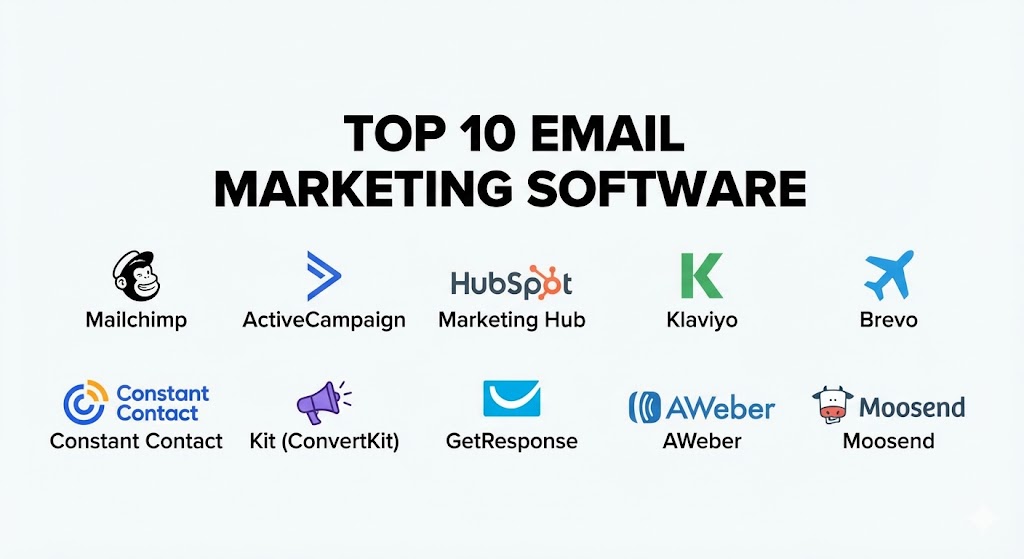
Top 10 Email Marketing Software Tools
1 — Mailchimp (by Intuit)
Mailchimp is perhaps the most recognizable name in the industry. Once a simple email tool, it has evolved under Intuit’s ownership into an “all-in-one” marketing platform that includes CRM, website building, and social media management.
- Key features:
- Creative Assistant: An AI-driven design tool that automatically generates branded designs based on your website’s colors and fonts.
- Customer Journey Builder: A visual drag-and-drop interface for creating automated marketing paths based on user behavior.
- Predictive Demographics: Uses data to predict the age and gender of your audience to help refine targeting.
- Send-Time Optimization: Analyzes when your specific subscribers are most likely to open emails.
- Dynamic Content: Show different images or text blocks within the same email based on recipient attributes.
- Standard CRM: A built-in database to store customer notes, tags, and behavioral history.
- Pros:
- Extremely user-friendly interface that is approachable for beginners.
- Massive integration library, connecting with almost every major third-party app (Shopify, WordPress, etc.).
- Cons:
- Pricing becomes quite steep as your subscriber list grows, especially after the free tier limits.
- Customer support is notoriously limited for users on lower-priced or free plans.
- Security & compliance: SOC 2 Type II, GDPR, CCPA, and HIPAA (on specialized Enterprise plans). Includes SSO and 2FA.
- Support & community: Extensive library of tutorials (Mailchimp Academy), 24/7 email/chat for paid tiers, and a vast global network of “Experts” for hire.
2 — ActiveCampaign
ActiveCampaign is widely regarded as the “automation powerhouse.” It is designed for businesses that want to go beyond simple newsletters and create complex, logic-based sales and marketing funnels.
- Key features:
- Advanced Automation Logic: Create “if/then” scenarios that branch out into hundreds of different potential actions.
- Built-in Sales CRM: A fully functional CRM with lead scoring and deal stages that syncs with your email activity.
- Site Tracking: Tracks what subscribers do on your website after they click an email, allowing for hyper-targeted follow-ups.
- Predictive Sending: Machine learning that determines the optimal time to send for each individual contact.
- Omnichannel Messaging: Incorporates SMS, site messaging, and Facebook Custom Audiences into a single workflow.
- Deep Data Integrations: High-level synchronization with platforms like Salesforce and Shopify.
- Pros:
- The most powerful automation builder in the mid-market price range.
- Excellent deliverability rates consistently verified by independent third-party audits.
- Cons:
- The learning curve is significantly steeper than simpler tools like Mailchimp.
- The interface can feel cluttered or overwhelming for users who only need basic features.
- Security & compliance: SOC 2 Type II, GDPR, and HIPAA compliant. Offers granular user permissions and audit logs.
- Support & community: Highly rated customer success team, one-on-one strategy sessions (on higher tiers), and a very active user forum.
3 — HubSpot Marketing Hub
HubSpot is an enterprise-grade platform that integrates email marketing into its massive, free CRM. It is the gold standard for “Inbound Marketing,” focusing on the entire customer lifecycle.
- Key features:
- Native CRM Integration: Email data and CRM data are the same, meaning you can segment by “Last Sale Date” or “Customer Success Score” instantly.
- A/B Testing: Easily test subject lines, content, and send times to maximize engagement.
- Smart Content: Tailor your email content based on any property in your CRM (e.g., industry, job title, or location).
- SEO & Content Tools: Built-in recommendations to ensure your landing pages (linked from emails) rank well.
- Ad Management: Track how your Facebook or Google ads are directly leading to new email subscribers and closed deals.
- Custom Reporting: Build complex dashboards that track revenue attribution back to specific email campaigns.
- Pros:
- Unrivaled “all-in-one” experience; you never have to worry about data syncing between different tools.
- High-quality professional templates that are mobile-responsive out of the box.
- Cons:
- The most expensive option on the list; high-tier features require significant investment.
- Some basic features (like removing HubSpot branding) are locked behind relatively expensive plans.
- Security & compliance: SOC 2, SOC 3, ISO 27001, GDPR, HIPAA, and SSO available for enterprise accounts.
- Support & community: Award-winning 24/7 support, HubSpot Academy certifications, and local user groups in nearly every major city.
4 — Klaviyo
Klaviyo is the dominant force in the e-commerce sector. It is built specifically to turn customer data from platforms like Shopify, Magento, and BigCommerce into highly profitable automated revenue streams.
- Key features:
- E-commerce Native Integrations: Pulls in every product SKU, order value, and collection detail automatically.
- Predictive Analytics: Estimates Customer Lifetime Value (CLV) and churn risk for every individual subscriber.
- Back-in-Stock Automations: Automated alerts when a product a user previously viewed returns to inventory.
- SMS/Email Synergy: Manage both channels from one dashboard to ensure consistent messaging.
- Dynamic Product Feeds: Automatically insert “Recommended for You” product blocks based on browsing history.
- Advanced Segmentation: Create groups like “Users who spent $500 in the last 30 days but haven’t bought this week.”
- Pros:
- Proven to drive higher ROI for e-commerce stores compared to general-purpose tools.
- No-code setup for Shopify users that takes minutes to sync years of historical data.
- Cons:
- Limited usefulness for service-based businesses or non-profits that don’t have a product catalog.
- Pricing can scale very quickly if you have a large list but low purchase frequency.
- Security & compliance: SOC 2, GDPR, and CCPA compliant. Data is encrypted at rest and in transit.
- Support & community: Extensive “Klaviyo Academy,” active partner ecosystem, and community forums.
5 — Brevo (formerly Sendinblue)
Brevo has disrupted the market by changing the fundamental pricing model of email marketing. Instead of charging per contact, Brevo charges based on the volume of emails sent, making it a favorite for businesses with large, dormant lists.
- Key features:
- Transactional Email Power: One of the best platforms for sending system emails like password resets and order confirmations.
- Shared Inbox: Manage your customer support emails (info@company.com) alongside your marketing emails.
- WhatsApp Campaigns: Native integration to send bulk messages via WhatsApp.
- Marketing Automation: Includes a surprisingly robust visual workflow builder even on lower tiers.
- Sales CRM: Basic tool to manage your sales pipeline and contact history.
- Landing Page Builder: Create high-converting pages to host your sign-up forms.
- Pros:
- Exceptional value for money; the “per-email” pricing is often much cheaper for large lists.
- All-in-one communication suite including SMS, Chat, and Meetings.
- Cons:
- The template library is not as modern or extensive as Mailchimp or HubSpot.
- Initial account setup and “warming up” of your IP address can be more rigorous than other tools.
- Security & compliance: ISO 27001, GDPR compliant, and SOC 2. Offers strong data residency options (EU servers).
- Support & community: Multilingual support, detailed help center, and personalized onboarding for enterprise clients.
6 — Constant Contact
Constant Contact is a veteran in the space, known for its simplicity and its focus on small businesses and non-profits. It excels at being reliable and providing a “human” level of support.
- Key features:
- Event Management: Specialized tools for promoting and managing event tickets, registrations, and check-ins.
- Social Posting & Ads: One-stop shop for scheduling posts on Facebook, Instagram, and LinkedIn.
- Survey Integration: Built-in tools to gather customer feedback and sync it with contact records.
- E-commerce Tools: Basic integrations to pull product images into emails.
- List Growth Tools: QR code generation and landing pages to help capture emails offline.
- Automated Welcome Series: Simple triggers for new sign-ups to introduce your brand.
- Pros:
- Best-in-class customer support, often cited as the most helpful for non-technical users.
- Strongest tools for businesses that run physical events or local community programs.
- Cons:
- Automation capabilities are very basic compared to ActiveCampaign or Brevo.
- The interface can feel a bit dated for users looking for a modern, “SaaS-style” experience.
- Security & compliance: SOC 2, GDPR, and HIPAA compliant. Uses industry-standard encryption.
- Support & community: Award-winning phone and chat support, active community forums, and local “Masterclasses.”
7 — Kit (formerly ConvertKit)
Recently rebranded as Kit, this platform is designed specifically for “creators”—bloggers, YouTubers, authors, and podcasters. It prioritizes clean, text-based emails over flashy, image-heavy designs.
- Key features:
- Visual Automation Funnels: Map out the subscriber journey in a clean, linear fashion.
- Creator Network: A unique feature that allows you to partner with other creators for cross-promotion.
- Digital Product Sales: Sell subscriptions, ebooks, and coaching directly through the platform.
- Paid Newsletters: Built-in recurring billing for premium content.
- Custom Landing Pages: Hundreds of templates specifically for newsletter sign-ups.
- Automatic Incentive Delivery: Seamlessly send “lead magnets” (PDFs, checklists) to new subscribers.
- Pros:
- The most intuitive tool for individual content creators and small digital businesses.
- Encourages high-deliverability “plain text” styles that feel personal rather than corporate.
- Cons:
- Lacks the deep e-commerce features needed for large physical retail stores.
- Customizing visual designs can be frustrating if you want pixel-perfect, image-heavy layouts.
- Security & compliance: GDPR and CCPA compliant. Offers standard 2FA and encryption.
- Support & community: Extremely vibrant community of creators, weekly workshops, and responsive email support.
8 — GetResponse
GetResponse has expanded from a pure email tool into a full-scale “conversion” platform. It is famous for its “Autofunnel” feature, which helps users build entire sales journeys from scratch.
- Key features:
- Conversion Funnels: Pre-built templates for sales, lead magnet, and webinar funnels.
- Integrated Webinars: Host live or on-demand webinars directly within your email marketing tool.
- Web Event Tracking: Trigger emails based on specific actions users take on your site.
- AI Email Generator: Uses OpenAI technology to write subject lines and body copy based on keywords.
- E-commerce Blocks: Direct integration with Shopify and PrestaShop to pull in products.
- Paid Ads Integration: Run Google and Meta ads from within the GetResponse dashboard.
- Pros:
- One of the few platforms that includes a professional webinar hosting solution.
- Very strong marketing automation features that rival more expensive competitors.
- Cons:
- The pricing structure can be confusing with different features locked behind “Email Marketing” vs. “Marketing Automation” plans.
- Deliverability can occasionally fluctuate depending on the specific server assigned to your account.
- Security & compliance: GDPR, ISO 27001, and SOC 2. Offers single sign-on (SSO) for Max users.
- Support & community: 24/7 chat support in multiple languages, comprehensive university courses, and a detailed blog.
9 — AWeber
AWeber is one of the original pioneers of email marketing. It remains a rock-solid choice for small businesses that want a reliable, no-nonsense platform with excellent customer service.
- Key features:
- Smart Designer: An AI tool that builds a branded email template for you in seconds.
- Canva Integration: Design professional graphics within AWeber using the built-in Canva editor.
- Web Push Notifications: Reach users on their desktop even when they aren’t checking their email.
- Landing Page Builder: Create unlimited landing pages to grow your list.
- Automated Newsletters: Automatically create emails from your latest blog posts (RSS to Email).
- High-Deliverability Infrastructure: AWeber manages its own servers to ensure top-tier inbox placement.
- Pros:
- Incredible legacy of reliability; they have been in the business for over 20 years.
- Very straightforward, “one-price” model for all features (pricing only scales by subscriber count).
- Cons:
- The automation logic is quite basic compared to ActiveCampaign or HubSpot.
- You are charged for “unsubscribed” contacts unless you manually delete them from your list.
- Security & compliance: GDPR compliant and SOC 2. Uses robust encryption and 2FA.
- Support & community: 24/7 phone, email, and chat support (rare in the industry), plus an extensive knowledge base.
10 — Moosend
Moosend is a rising star known for offering high-end features (like automation and tracking) at a significantly lower price point than the industry leaders.
- Key features:
- Drag-and-Drop Editor: A modern, clean interface for building responsive emails.
- Weather-Based Recommendations: Trigger specific emails or content blocks based on the recipient’s local weather.
- Product Recommendations: Built-in e-commerce logic for “People also bought” suggestions.
- Real-time Analytics: Track opens, clicks, and conversions as they happen.
- Pre-built Automation Templates: Dozens of “recipes” for common tasks like birthdays or cart abandonment.
- Custom Subscription Forms: Highly flexible pop-ups and inline forms.
- Pros:
- Excellent value for money; many features that are “Premium” elsewhere are available here for less.
- Very clean and intuitive UI that requires almost zero training to use.
- Cons:
- The integration library is smaller than larger competitors like Mailchimp.
- Customer support response times can be slower on the basic plans.
- Security & compliance: GDPR and CCPA compliant. Offers standard cloud security and 2FA.
- Support & community: Helpful blog, webinar series, and email/chat support for all paid users.
Comparison Table
| Tool Name | Best For | Platform(s) Supported | Standout Feature | Rating (Gartner / G2) |
| Mailchimp | All-in-one Marketing | Web, iOS, Android | Creative AI Assistant | 4.5 / 5 |
| ActiveCampaign | Complex Automation | Web, iOS, Android | Logic-based Flows | 4.6 / 5 |
| HubSpot | Enterprise Inbound | Web, iOS, Android | Native CRM Integration | 4.7 / 5 |
| Klaviyo | E-commerce Brands | Web, iOS, Android | Predictive E-com Data | 4.6 / 5 |
| Brevo | High-Volume Sending | Web, iOS, Android | Pricing by Volume | 4.4 / 5 |
| Constant Contact | Non-Profits/Events | Web, iOS, Android | Event Management | 4.0 / 5 |
| Kit (ConvertKit) | Content Creators | Web, iOS, Android | Creator Network | 4.4 / 5 |
| GetResponse | Sales Funnels | Web, iOS, Android | Integrated Webinars | 4.2 / 5 |
| AWeber | Reliable SMB | Web, iOS, Android | 24/7 Phone Support | 4.1 / 5 |
| Moosend | Budget-Conscious | Web | Weather-based Recs | 4.3 / 5 |
Evaluation & Scoring of Email Marketing Software
To provide an objective perspective, we have scored these platforms based on a weighted rubric. This helps businesses understand where a tool’s true strengths lie—whether it’s in technical power or economic value.
| Criteria | Weight | Evaluation Rationale |
| Core Features | 25% | Presence of drag-and-drop editor, segmentation, and A/B testing. |
| Ease of Use | 15% | Intuitiveness of the interface and speed of campaign creation. |
| Integrations | 15% | Breadth of native connections with CRMs, CMS, and E-commerce. |
| Security & Compliance | 10% | GDPR/HIPAA readiness and data encryption standards. |
| Performance | 10% | Global deliverability rates and server uptime. |
| Support & Community | 10% | Availability of human help and quality of documentation. |
| Price / Value | 15% | Scaling costs relative to the features offered. |
Which Email Marketing Software Tool Is Right for You?
Selecting the “best” tool is entirely dependent on your specific business stage, technical capability, and budget.
Solo Users vs SMB vs Mid-market vs Enterprise
- Solo Users (Creators): If you are a writer or blogger, Kit (ConvertKit) is the clear winner. It removes the technical noise and lets you focus on content.
- Small Businesses (SMB): Mailchimp or Constant Contact provide the easiest path to your first professional campaign.
- Mid-market: ActiveCampaign is the choice for those who have grown their list and now want to automate their sales process to save time.
- Enterprise: HubSpot or high-tier Brevo are necessary for teams that require strict governance, SSO, and massive data synchronization.
Budget-conscious vs Premium Solutions
If budget is the primary driver, Brevo and Moosend offer the most feature-rich experiences for the lowest cost. If you are looking for a Premium solution where the tool proactively suggests ways to make more money, Klaviyo (for e-commerce) or HubSpot are the high-end investments that justify their price through advanced AI and automation.
Feature Depth vs Ease of Use
If you need Feature Depth (complex logic, API access, and custom data objects), choose ActiveCampaign. If you prioritize Ease of Use (you want an email sent in 15 minutes without looking at a manual), choose Mailchimp or AWeber.
Integration and Scalability Needs
For those heavily invested in the Shopify ecosystem, Klaviyo is virtually mandatory. If you are building a custom application and need to send millions of transactional emails, Brevo is the superior technical choice.
Frequently Asked Questions (FAQs)
1. What is “Deliverability” and why does it matter?
Deliverability is the percentage of your emails that successfully land in the inbox. It is influenced by your sender reputation, the quality of your content, and the technical infrastructure of the software you choose.
2. Is it legal to buy an email list?
While not always “illegal” (depending on your country), it is a violation of the Terms of Service for every software on this list. Sending to purchased lists results in high spam complaints, which will get your account banned instantly.
3. What is the difference between “Double Opt-In” and “Single Opt-In”?
Single Opt-In adds a user to your list immediately after they sign up. Double Opt-In sends them a confirmation email first. Double Opt-In results in a smaller but much higher-quality list with better deliverability.
4. How much does email marketing software cost?
Costs range from $0 (for limited free plans) to $500+ per month for large lists. Most mid-range plans for 5,000 subscribers cost between $50 and $150 per month.
5. Can I use these tools to send cold sales emails?
Generally, no. These platforms are for “permission-based marketing.” For cold outreach, you should use specialized “Sales Engagement” tools that send one-to-one emails via your own server.
6. What is a “Drip Campaign”?
A drip campaign is a series of automated emails sent on a schedule. For example, when someone signs up, they get Email 1 immediately, Email 2 two days later, and Email 3 five days later.
7. Is my data secure in the cloud?
Professional tools use high-level encryption (AES-256) and follow strict global standards like SOC 2 and GDPR to ensure subscriber data is never compromised.
8. Do I need to know how to code (HTML/CSS)?
No. All the tools on this list feature “Drag-and-Drop” editors that allow you to build professional designs without touching a single line of code.
9. How do I stop my emails from going to the “Promotions” tab in Gmail?
While you can’t control this 100%, using less “salesy” language, fewer images, and encouraging recipients to “Reply” to your emails can help them move to the Primary tab.
10. What is “Segmentation”?
Segmentation is the process of splitting your list into smaller groups based on data (e.g., “Customers who haven’t bought in 6 months”) so you can send them more relevant messages.
Conclusion
The evolution of Email Marketing Software in 2025 has turned a simple communication tool into a powerful engine for business growth. Choosing the right platform is not about finding the one with the most features; it’s about finding the one that aligns with your specific goals.
For the e-commerce entrepreneur, the data-driven precision of Klaviyo is unmatched. For the content creator, the community and simplicity of Kit are essential. And for the automation-obsessed marketer, ActiveCampaign offers a sandbox of infinite possibilities. Regardless of your choice, remember that the most successful email marketing isn’t about the software—it’s about providing consistent value to the person on the other side of the screen.