Introduction
Document Automation Tools are software solutions designed to automate the creation, assembly, and distribution of electronic documents. By utilizing dynamic templates and conditional logic, these tools pull data from CRMs, ERPs, or web forms to populate complex documents without human intervention. This not only eliminates “copy-paste” errors but also ensures that every document adheres to the latest legal and branding standards.
Key real-world use cases include automated sales proposals, legal contract generation, HR offer letters, and bulk invoice processing. When evaluating these tools, users should look for no-code template builders, deep integration capabilities, e-signature support, and robust security certifications.
Best for: High-volume industries such as Legal, Real Estate, Finance, and Sales departments within mid-market and enterprise organizations. It is also essential for teams that manage a high frequency of repeatable, data-driven documents.
Not ideal for: Creative agencies producing highly unique, one-off artistic designs or solo freelancers whose document volume does not justify the initial setup time and cost of automation.
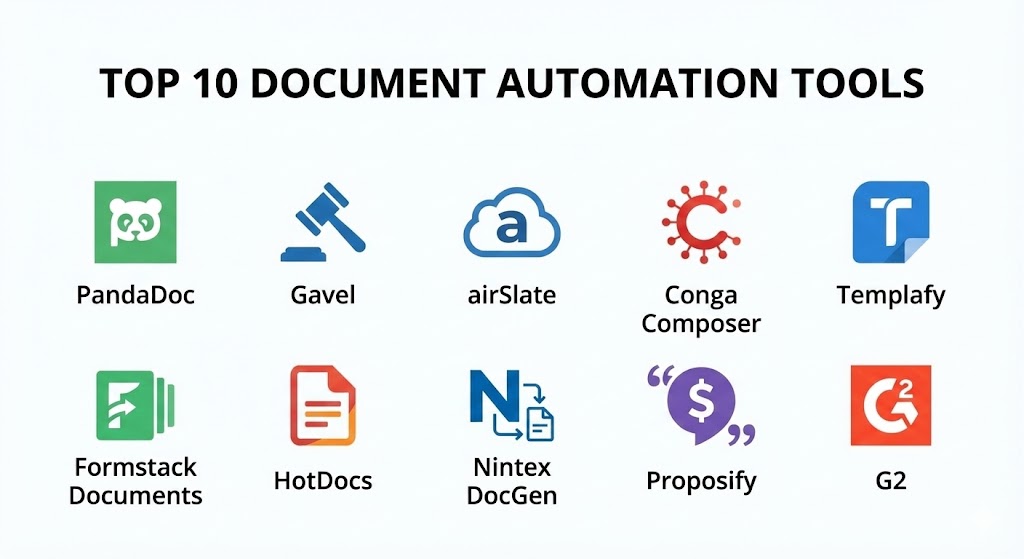
Top 10 Document Automation Tools
1 — PandaDoc
PandaDoc is an all-in-one document automation platform primarily designed for sales, HR, and legal teams. It excels at creating polished, interactive documents that can be tracked and e-signed within a single interface.
- Key features:
- Drag-and-drop builder: Create documents from scratch or use a massive template library.
- Real-time tracking: Notifications when a recipient opens, views, or signs a document.
- Content library: Store pre-approved text blocks (like testimonials or legal clauses).
- Interactive quotes: Allows clients to select add-ons or change quantities within the document.
- CRM Integrations: Deep sync with HubSpot, Salesforce, and Pipedrive.
- Pros:
- Exceptional user interface that requires minimal training for end-users.
- Strongest analytics for sales teams to understand buyer behavior.
- Cons:
- The editor can occasionally be restrictive for complex, pixel-perfect layouts.
- Pricing for the “Business” tier can be steep for smaller teams.
- Security & compliance: SOC 2 Type II, HIPAA, GDPR, and PCI DSS compliant.
- Support & community: 24/7 live chat support and an extensive “PandaDoc Academy” for onboarding.
2 — Gavel (formerly Documate)
Gavel is a powerful, no-code document automation platform tailored specifically for legal professionals, HR, and consulting firms. It allows users to turn frequently used documents into “TurboTax-like” intelligent workflows.
- Key features:
- Interactive questionnaires: Build client-facing forms that gather data and populate documents.
- Conditional logic: Hide or show clauses based on the user’s input.
- MS Word Add-in: Automate your existing Word templates without leaving the application.
- Client portal: White-labeled space where clients can enter data and view their documents.
- Payment integration: Collect fees through Stripe directly within the document workflow.
- Pros:
- The most flexible tool for complex, nested conditional logic.
- Allows firms to “productize” their expertise by selling automated documents to clients.
- Cons:
- Higher entry price compared to basic e-signature tools.
- Setting up very complex workflows may require an “Automation Specialist.”
- Security & compliance: SOC 2 Type II and HIPAA compliant; offers isolated data storage options.
- Support & community: High-touch customer support with dedicated Slack channels for Pro users.
3 — airSlate
airSlate is a comprehensive business process automation (BPA) platform that combines document generation with Robotic Process Automation (RPA) and e-signatures.
- Key features:
- No-code Bots: Automate data transfers between documents and 3rd-party apps.
- Flow Creator: Visual drag-and-drop tool to map out multi-stage business processes.
- Built-in PDF Editor: Modify documents directly within the browser.
- Web Forms: Capture data from any device to trigger an automation flow.
- Contract Negotiation: Tools for redlining and collaborative editing before signing.
- Pros:
- Truly an “all-in-one” solution that replaces 3-4 separate software subscriptions.
- Highly scalable for enterprise-level “agentic” automation needs.
- Cons:
- The “Bot” system has a steeper learning curve than standard integrations.
- Can be overkill for users who only need simple document generation.
- Security & compliance: PCI DSS, SOC 2 Type II, GDPR, and HIPAA compliant.
- Support & community: Extensive library of “How-To” videos and priority Zoom support for higher tiers.
4 — Conga Composer
Conga Composer is a dominant force in the Salesforce ecosystem. It is designed for large enterprises that need to generate high volumes of documents directly from their CRM data.
- Key features:
- Salesforce Native: Built to leverage Salesforce data architecture perfectly.
- Batch generation: Generate thousands of invoices or reports at once.
- Omni-channel delivery: Send documents via email, SMS, or e-signature providers.
- REST APIs: Allows developers to embed automation into custom websites.
- Dynamic formatting: Conditional formatting for tables and charts based on CRM values.
- Pros:
- The industrial-strength choice for massive organizations like Fortune 500s.
- Extreme reliability for mission-critical document delivery.
- Cons:
- Primarily focused on Salesforce; less ideal for non-Salesforce users.
- Challenging initial setup that usually requires a certified consultant.
- Security & compliance: Enterprise-grade security including SSO, SOC 2, and GDPR compliance.
- Support & community: Large ecosystem of certified partners and global 24/7 technical support.
5 — Templafy
Templafy focuses on “template management” and brand consistency across large organizations. It is the best choice for enterprises that need to ensure every PowerPoint, Word, and Excel file is on-brand and compliant.
- Key features:
- AI Document Agents: Launched in 2025 to build business-ready drafts in seconds.
- Brand Compliance: Automatically corrects off-brand colors, fonts, and logos.
- Unified Library: Centralized access to all approved templates and legal disclaimers.
- Integrations: Works natively inside Microsoft 365 and Google Workspace.
- Content Insights: Analytics to see which templates and assets are actually being used.
- Pros:
- Best-in-class for maintaining brand identity in global corporations.
- AI features significantly reduce “blank page syndrome” for employees.
- Cons:
- Not a standalone CRM; requires an existing document environment to function.
- Higher enterprise pricing models.
- Security & compliance: SOC 2 Type II, ISO 27001, and GDPR compliant.
- Support & community: Dedicated success managers and enterprise-level SLAs.
6 — Formstack Documents
Formstack Documents (formerly WebMerge) is a flexible tool that transforms form data into professional documents. It is often the “connective tissue” in a business’s tech stack.
- Key features:
- Multiple output formats: Generate PDFs, Word documents, Excel sheets, and PowerPoint slides.
- Form-to-Document: Native integration with Formstack Forms for seamless data capture.
- Data Routing: Send documents to different recipients or storage providers based on logic.
- Dynamic Images: Populate documents with QR codes, signatures, or photos.
- Cloud Storage Sync: Automatically save finished files to Box, Dropbox, or Google Drive.
- Pros:
- Highly adaptable; can connect to almost any data source via Zapier or API.
- Simple pricing based on the number of documents generated.
- Cons:
- The template designer is functional but lacks the visual flair of PandaDoc.
- Some users find the interface slightly more technical than “drag-and-drop” rivals.
- Security & compliance: HIPAA, GDPR, and SOC 2 compliant.
- Support & community: Quick response times and a comprehensive knowledge base.
7 — HotDocs
HotDocs is a veteran in the industry, specifically known for its depth in high-complexity legal and banking documents. It is designed for documents with hundreds of variables and intricate logic.
- Key features:
- Guided Interviews: Interactive prompts that lead users through complex document assembly.
- Advanced Logic Engine: Handles deep mathematical calculations and “if/then/else” scenarios.
- MS Word Plugin: Powerful desktop-based template creation.
- Cloud and On-Premise: One of the few major players still offering robust on-premise hosting.
- Document Versioning: Rigorous tracking of every change made to a template.
- Pros:
- The gold standard for “hardcore” legal and compliance document assembly.
- Extremely scalable for high-volume banking applications.
- Cons:
- Very steep learning curve; requires an “architect” level of skill to set up complex templates.
- The user interface can feel dated compared to 2025 modern SaaS tools.
- Security & compliance: Varies; highly secure for on-premise; SOC 2 and GDPR for cloud.
- Support & community: Extensive documentation and a global network of implementation partners.
8 — Nintex DocGen
Nintex is an enterprise process platform that includes one of the most powerful document generation engines for SharePoint and Salesforce.
- Key features:
- Visual Workflow: Connect document generation to broad business processes (like onboarding).
- Multi-Format Output: Generate Word, PDF, and PowerPoint with a single click.
- Third-party Data: Pull data from SAP, SQL Server, and custom web services.
- No-code design: Use standard Word tags to map data fields.
- Automated Delivery: Send for signature or archive in SharePoint immediately.
- Pros:
- Unrivaled for companies already using Nintex for workflow automation.
- Extremely stable and built for high-scale enterprise environments.
- Cons:
- Best used as part of the broader Nintex suite; standalone DocGen can be pricey.
- Microsoft 365 integration is strong but can be complex to configure.
- Security & compliance: SOC 2, HIPAA, and GDPR compliant; provides detailed audit logs.
- Support & community: Large “Nintex Community” and “Nintex University” for training.
9 — Proposify
Proposify is a specialized document automation tool focused entirely on the sales proposal process. It prioritizes design and closing speed.
- Key features:
- In-proposal payments: Allow clients to pay deposits via Stripe immediately upon signing.
- Interactive quotes: Real-time upsell opportunities within the proposal.
- Sales analytics: See exactly how long a client spent on the “Pricing” page.
- Design-centric editor: More creative control than a standard Word-based tool.
- Automated reminders: Gently nudges clients who haven’t opened the proposal yet.
- Pros:
- The best choice for marketing-led sales teams who care about aesthetics.
- Proven to increase closing rates through high-engagement features.
- Cons:
- Narrow focus; not suitable for HR contracts or technical legal filings.
- Integration with non-CRM apps is less robust than Gavel or Formstack.
- Security & compliance: SSO, GDPR, and SOC 2 Type II compliant.
- Support & community: Excellent chat support and a vibrant “Closing Time” blog for sales tips.
10 — G2 (Formerly Windward Studios)
G2 offers a developer-centric approach to document automation, providing an embedded engine that can be built into almost any custom application.
- Key features:
- Word/Excel as Designer: Use the tools you already know to design templates.
- Embedded Engine: Developers can “drop” the engine into their own Java or .NET apps.
- Massive Data Sources: Connect to over 100+ sources including JSON, XML, and SQL.
- Scalable API: Built for high-performance server-side generation.
- Multi-language support: Documentation and engines available for C#, Java, and REST.
- Pros:
- The absolute best choice for developers building custom software products.
- Highly cost-effective for large-scale application embedding.
- Cons:
- Requires technical/developer knowledge to implement.
- Not a “plug-and-play” solution for business users without IT support.
- Security & compliance: Depends on deployment; standard encryption and SOC 2 for cloud.
- Support & community: Detailed developer documentation and technical support forums.
Comparison Table
| Tool Name | Best For | Platform(s) Supported | Standout Feature | Rating (Gartner) |
| PandaDoc | Sales & Marketing | Web, Mobile | Sales Analytics | 4.7 / 5 |
| Gavel | Legal & Consulting | Web | Client-facing Workflows | 4.8 / 5 |
| airSlate | Complex Workflows | Web, Mobile | RPA Bots | 4.7 / 5 |
| Conga Composer | Salesforce Users | Web | High-volume Generation | 4.4 / 5 |
| Templafy | Brand Governance | Web, Desktop | AI Document Agents | 4.5 / 5 |
| Formstack Doc | SMB Versatility | Web | Multi-app Integration | 4.5 / 5 |
| HotDocs | High-logic Legal | Win, Web | Guided Interviews | 3.9 / 5 |
| Nintex DocGen | Enterprise BPA | Web, SharePoint | Workflow Integration | 4.5 / 5 |
| Proposify | Sales Closing | Web, Mobile | In-proposal Payments | 4.4 / 5 |
| G2 (Windward) | Developers | API, Desktop | Embedded Designer | 4.6 / 5 |
Evaluation & Scoring of Document Automation Tools
To help you make an objective choice, we have evaluated the market leaders against a weighted scoring rubric. This reflects the reality of 2025: security and integration are now just as important as the feature set itself.
| Criteria | Weight | Evaluation Rationale |
| Core Features | 25% | Template flexibility, conditional logic, and output formats. |
| Ease of Use | 15% | The “no-code” factor and time to first automated document. |
| Integrations | 15% | Connection with CRMs (Salesforce/HubSpot) and cloud storage. |
| Security & Compliance | 10% | Enterprise-grade encryption, SOC 2, and industry certifications. |
| Performance | 10% | Reliability of bulk generation and system uptime. |
| Support & Community | 10% | Quality of documentation and availability of expert consultants. |
| Price / Value | 15% | ROI based on time saved vs. monthly subscription cost. |
Which Document Automation Tool Is Right for You?
Selecting a tool from the list above requires an honest assessment of your technical skills and your primary use case.
Solo Users vs SMB vs Mid-Market vs Enterprise
If you are a solo user or freelancer, Formstack Documents or PandaDoc’s lower tiers are the best entry point. For SMBs, Gavel offers the most professional “look” for the price. Mid-Market organizations should look at airSlate for its workflow depth. Enterprises should prioritize Conga, Templafy, or Nintex, as they provide the security and scalability required by IT departments.
Budget-Conscious vs Premium Solutions
If budget is the primary driver, Formstack and Gavel provide significant “bang for buck.” If you are a high-end law firm or bank, the Premium cost of HotDocs or OnBase (an honorable mention) is justified by the extreme complexity they can handle.
Feature Depth vs Ease of Use
If you want a tool that anyone on the team can use today, choose PandaDoc. If you need a tool that can calculate the interest on a 30-year variable mortgage across 500 properties, you need the feature depth of HotDocs.
Frequently Asked Questions (FAQs)
1. Is document automation the same as e-signature?
No. E-signature (like DocuSign) is just the final step—signing the file. Document automation is the “factory” that builds the document before it is sent for signature.
2. Can I use these tools if I don’t know how to code?
Yes. In 2025, tools like PandaDoc, Gavel, and airSlate are specifically built for “no-code” users. If you can use Word or Excel, you can use these tools.
3. Will these tools replace my lawyers?
No, they empower your lawyers. Instead of spending 5 hours drafting a standard NDA, a lawyer spends 5 minutes reviewing an automated draft, allowing them to focus on high-level strategy.
4. How long does it take to implement?
A simple proposal template in PandaDoc takes 30 minutes. A complex multi-document workflow in Conga or HotDocs can take 4–8 weeks to perfect.
5. Are automated documents legally binding?
Yes, provided the tool integrates a secure, ESIGN or eIDAS-compliant e-signature solution. Every tool on this list supports legally binding signatures.
6. Can I automate documents from Excel data?
Absolutely. Formstack Documents and G2 (Windward) are particularly strong at taking Excel or CSV data and turning it into hundreds of individual reports.
7. What is “Conditional Logic” in document automation?
It is the “if this, then that” of document creation. For example: “If the state is California, include the CCPA disclosure clause. If not, hide it.”
8. Is my client data safe in these tools?
Yes, as long as you choose a tool with SOC 2 Type II or HIPAA compliance. Always check the security section of the vendor’s website for enterprise-level encryption details.
9. Can I automate fillable PDFs?
Yes, Gavel and airSlate have specialized tools for taking existing government or court-mandated PDF forms and automating them without changing the layout.
10. How much do these tools cost?
SaaS pricing typically starts around $30–$50 per user per month. Enterprise solutions usually have a base platform fee (e.g., $5,000/year) plus per-document or per-user fees.
Conclusion
The “best” document automation tool is the one that removes the most friction from your specific workflow. If you are a sales-led organization, PandaDoc or Proposify will yield the highest ROI. If you are a data-heavy legal or technical firm, the rigor of Gavel or HotDocs is unrivaled. For those living in the Microsoft or Salesforce ecosystems, Conga and Nintex are the logical pillars.
Before you commit, start with a single, high-frequency document (like an NDA or Invoice). Automate it using a free trial from one of these vendors, and measure the time saved. You’ll likely find that the software pays for itself within the first month.