Introduction
DNS Management Tools are platforms or software services that allow administrators to control their domain’s authoritative DNS records. These tools provide an interface to manage various record types—such as A, AAAA, CNAME, MX, and TXT—while often adding sophisticated layers of automation and security.
Why It Is Important
DNS is often described as the “Achilles’ heel” of the internet. If your DNS provider fails, your website, email, and internal applications become unreachable, regardless of how healthy your servers are. Beyond simple uptime, high-quality DNS management significantly improves latency by resolving queries from the edge of the network. It also serves as a frontline defense against DDoS attacks and cache poisoning, ensuring that your users are never diverted to malicious clones of your site.
Key Real-World Use Cases
- Global Traffic Management: Routing users to the nearest data center (e.g., Tokyo users to a Japan-based server) to minimize load times.
- Automated Failover: Detecting a server outage and automatically rerouting traffic to a backup environment within seconds.
- DevOps & CI/CD Integration: Using APIs to programmatically create and update DNS records during automated software deployments.
- Security Hardening: Implementing DNSSEC to digitally sign records and prevent “Man-in-the-Middle” hijacking.
Evaluation Criteria
When choosing a provider in 2026, you should prioritize Anycast network coverage (the number of global points of presence), propagation speed (how fast changes reach the world), API robustness, and security features like built-in DDoS mitigation and DNSSEC support.
Best for: SaaS companies, e-commerce platforms, global enterprises, and security-conscious IT departments. It is essential for anyone whose business revenue relies on 100% digital availability.
Not ideal for: Small personal blogs with minimal traffic or basic portfolios where the free DNS provided by a domain registrar (like Namecheap or Google Domains) is sufficient and more cost-effective.
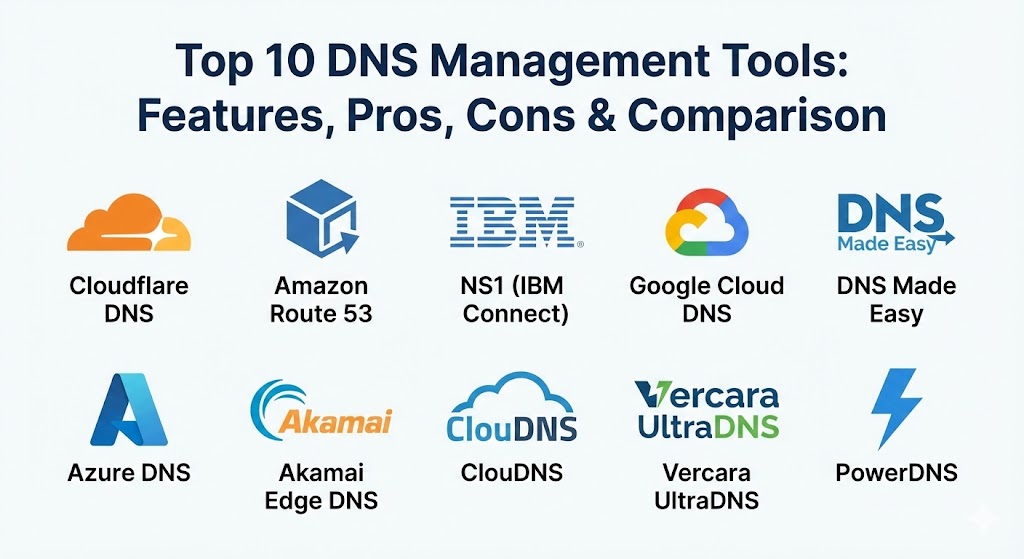
Top 10 DNS Management Tools
1 — Cloudflare DNS
Cloudflare is widely recognized as the fastest authoritative DNS provider globally. It leverages one of the world’s largest Anycast networks to resolve queries in as little as 11ms, while providing enterprise-grade security for free.
- Key Features:
- Massive Anycast Network: Over 330 data centers across 125+ countries.
- One-Click DNSSEC: Easily sign your records to prevent tampering.
- CNAME Flattening: Allows CNAME-like behavior at the zone apex (@).
- Advanced Load Balancing: Integrated traffic steering based on health and geography.
- Terraform Integration: Fully supports Infrastructure-as-Code (IaC).
- DDoS Protection: Built-in mitigation that repels attacks at the DNS edge.
- Pros:
- Industry-leading resolution speed and near-instant record propagation.
- The free tier is incredibly generous, offering features other providers charge for.
- Cons:
- Enterprise-specific features (like Foundation DNS) can be very expensive.
- Some users find the “Proxy” (Orange Cloud) feature confusing to manage.
- Security & Compliance: SOC 2 Type II, ISO 27001, HIPAA, GDPR, and PCI DSS Level 1 compliant.
- Support & Community: Extensive documentation, a massive “Cloudflare Community” forum, and 24/7 technical support for paid tiers.
2 — Amazon Route 53
As a core component of the Amazon Web Services (AWS) ecosystem, Route 53 is a highly scalable and reliable DNS service designed to handle millions of queries per second with a 100% uptime SLA.
- Key Features:
- Traffic Flow Manager: Visual editor for creating complex routing policies.
- Health Checks: Automatically monitors your endpoints and fails over to healthy ones.
- Geolocation & Geoproximity Routing: Routes users based on their physical location or proximity to an AWS region.
- Resolver Endpoints: Seamlessly bridges on-premise DNS with cloud-based DNS.
- Query Logging: Detailed logs for auditing and security analysis.
- Private DNS: Manage internal domains within your VPCs.
- Pros:
- Perfect integration with other AWS services like EC2, S3, and CloudFront.
- Pay-as-you-go pricing means you only pay for what you actually use.
- Cons:
- The management console can be intimidating for users who aren’t familiar with AWS.
- Query costs can add up quickly for high-traffic applications.
- Security & Compliance: FedRAMP, SOC 1/2/3, HIPAA, PCI DSS, and ISO 27001/27017/27018.
- Support & Community: Backed by AWS Support; huge library of tutorials and a large community of certified architects.
3 — NS1 (IBM Connect)
Now a part of IBM, NS1 is built for “Traffic Intelligence.” It is the go-to tool for developers who need extreme granularity in how they route global traffic using real-time data feeds.
- Key Features:
- Filter Chain Technology: A modular way to build routing logic based on latency, load, and availability.
- Pulsar Active Steering: Uses Real User Monitoring (RUM) data to route traffic to the best-performing resource.
- Enterprise DDI: Unified management for DNS, DHCP, and IP Address Management (IPAM).
- API-First Design: Built for automation-heavy DevOps pipelines.
- Global Steering: Sophisticated failover and load balancing across multi-cloud environments.
- Pros:
- The most flexible routing engine in the market; you can create incredibly specific “if/then” scenarios.
- Exceptional performance for high-traffic video streaming and gaming platforms.
- Cons:
- It is strictly an enterprise-grade tool; not suitable for small businesses or beginners.
- Complexity can lead to long onboarding times for new teams.
- Security & Compliance: SOC 2 Type II, ISO 27001, and GDPR compliant.
- Support & Community: Premium enterprise support with dedicated account managers and high-quality technical documentation.
4 — Google Cloud DNS
Google Cloud DNS provides a production-quality, high-performance DNS service that scales alongside your Google Cloud Platform (GCP) infrastructure. It is known for its simplicity and reliability.
- Key Features:
- High Scalability: Handles huge volumes of queries with an Anycast global network.
- Managed Zones: Easily organize records into public or private zones.
- DNS Peering: Share DNS records between different VPC networks.
- Policy-Based Routing: Basic support for geolocation and weighted round-robin.
- Cloud Logging: Native integration with Google’s operations suite for monitoring.
- Pros:
- Very low latency resolution within the GCP network.
- Extremely easy to set up if you are already using other Google Cloud services.
- Cons:
- Lacks the advanced “Traffic Steering” features found in specialized tools like NS1 or Akamai.
- The pricing is simple but lacks a robust “free forever” tier like Cloudflare.
- Security & Compliance: SOC 1/2/3, ISO 27001, HIPAA, and GDPR.
- Support & Community: Integrated with GCP support plans; comprehensive Google Cloud documentation.
5 — DNS Made Easy
For over two decades, DNS Made Easy has built a reputation on one thing: uptime. They were one of the first providers to offer a 100% uptime SLA and remain a favorite for SMBs that want high performance without cloud complexity.
- Key Features:
- Real-time Traffic Management: Monitor endpoints and update DNS records instantly.
- Secondary DNS: Provides redundancy by mirroring your primary DNS records.
- Global Anycast Network: Proprietary network designed for low-latency resolution.
- DNSSEC Support: Robust implementation for secure record verification.
- ANAME Records: Allows alias records at the root domain level.
- Pros:
- Known for exceptional reliability; a very long track record of 0% downtime.
- Simple, straightforward pricing plans that are easy to understand.
- Cons:
- The interface feels somewhat dated compared to modern SaaS platforms.
- Doesn’t have the vast ecosystem of “Cloud Services” (CDN, WAF) that Cloudflare offers.
- Security & Compliance: SOC 2 and GDPR compliant.
- Support & Community: Highly rated customer support with quick response times; active user base of veteran IT admins.
6 — Azure DNS
For organizations operating within the Microsoft ecosystem, Azure DNS is the logical choice. It allows you to host your DNS domains in Azure, providing the same security and reliability as other Microsoft services.
- Key Features:
- Microsoft Global Network: Uses the same infrastructure as Office 365 and Bing.
- Private Zones: Manage internal names within your Azure Virtual Networks.
- Azure Resource Manager (ARM): Manage DNS using the same tools as your other Azure resources.
- Alias Records: Dynamic integration with Azure resources like Public IPs and Traffic Manager.
- RBAC Control: Fine-grained permissions using Azure Active Directory (Entra ID).
- Pros:
- The easiest way to manage DNS if your company is 100% “Blue” (Microsoft Azure).
- Zero-latency management of internal cloud resources.
- Cons:
- Can be complex to manage if you have a multi-cloud or hybrid-cloud setup.
- Propagation times are occasionally slower than specialized edge-focused providers.
- Security & Compliance: ISO, SOC, HIPAA, FedRAMP, and GDPR compliant.
- Support & Community: Part of the Azure support ecosystem; massive library of Microsoft Learn documentation.
7 — Akamai Edge DNS
Akamai is the pioneer of the CDN, and their Edge DNS product is designed to handle the most massive traffic spikes on the planet. It is a mission-critical tool for global corporations and media giants.
- Key Features:
- Massive Scale: Built to handle the world’s largest DDoS attacks without flinching.
- Zone Apex Mapping: High-performance mapping for root domains.
- Global Traffic Management (GTM): Advanced load balancing across multiple clouds and CDNs.
- Phased Release: Slowly roll out DNS changes to minimize the impact of errors.
- Real-time Visibility: Deep analytics into query volume and source traffic.
- Pros:
- Unmatched resilience; if Akamai goes down, half the internet usually goes with it.
- The best choice for “Extreme Traffic” scenarios (e.g., major sporting events).
- Cons:
- Extremely expensive; the pricing is aimed at Fortune 500 companies.
- Requires specialized knowledge to configure and maintain effectively.
- Security & Compliance: FedRAMP, SOC 2, ISO 27001, HIPAA, and GDPR.
- Support & Community: Top-tier enterprise support; professional services available for migration and tuning.
8 — ClouDNS
ClouDNS is a versatile managed DNS provider that strikes a great balance between advanced features and an affordable price point. They are particularly popular for their “Secondary DNS” and “GeoDNS” capabilities.
- Key Features:
- GeoDNS: Route traffic based on the user’s country or continent.
- Anycast DNS Network: 64+ data centers across all continents.
- DDoS Protection: Specialized plans designed to withstand 1Tbps+ attacks.
- Monitoring & Failover: Automatic checks with record updates within seconds.
- Reverse DNS: Full support for PTR records for mail servers and providers.
- Pros:
- The GeoDNS feature is very reasonably priced compared to larger cloud providers.
- Offers a “Free Forever” plan with 4 Anycast servers, perfect for testing.
- Cons:
- The interface can feel a bit technical for non-experts.
- Propagation speed is good but not quite as “instant” as Cloudflare.
- Security & Compliance: GDPR compliant; supports 2FA and secure zone transfers.
- Support & Community: 24/7 technical support via live chat and tickets; comprehensive documentation.
9 — Vercara UltraDNS (formerly Neustar)
UltraDNS is a cloud-based authoritative DNS service that provides reliable, secure, and fast DNS. It is a favorite for enterprises that require deep analytics and professional services.
- Key Features:
- Traffic Controller: Weighted load balancing and geographic routing.
- Site Survivability: Advanced failover that monitors complex application health.
- UltraDNS Analytics: Provides insights into query traffic patterns to optimize performance.
- DNSSEC Management: Automated signing and key rollover.
- Professional Services: Experts available to help design and migrate your DNS architecture.
- Pros:
- Highly reliable with a 100% uptime SLA.
- Excellent for compliance-heavy industries like Finance and Government.
- Cons:
- The sales-led pricing model can be slower to navigate than SaaS tools.
- User interface is functional but lacks a “modern” feel.
- Security & Compliance: FedRAMP, SOC 2, ISO 27001, and HIPAA compliant.
- Support & Community: 24/7 premium support and a dedicated onboarding team.
10 — PowerDNS (Self-Hosted/Enterprise)
For organizations that want complete control over their DNS infrastructure, PowerDNS is the leading open-source choice. It is the “engine” behind many of the world’s largest ISPs.
- Key Features:
- Database Backend: Store records in MySQL, PostgreSQL, or even Oracle.
- DNSDist: A highly sophisticated DNS load balancer and traffic shaper.
- Recursion & Authority: Supports both authoritative and recursive roles.
- Lua Scripting: Write custom logic for query handling using the Lua language.
- Web-based GUI: Various community-built GUIs like PowerDNS-Admin are available.
- Pros:
- Zero license cost (for the open-source version); full control over your data.
- Extremely high performance for specialized carrier-grade environments.
- Cons:
- Requires significant Linux expertise to set up and secure properly.
- You are responsible for your own hardware, Anycast network, and DDoS protection.
- Security & Compliance: Varies / N/A (Depends on your own implementation and hosting).
- Support & Community: Massive open-source community; commercial support available via OX (Open-Xchange).
Comparison Table
| Tool Name | Best For | Platform(s) Supported | Standout Feature | Rating (Gartner / TrueReview) |
| Cloudflare DNS | Speed & Free Security | SaaS | Ultra-fast Anycast Network | 4.8 / 5 |
| Amazon Route 53 | AWS Power Users | Cloud / AWS | Visual Traffic Flow Editor | 4.7 / 5 |
| NS1 (IBM) | Traffic Intelligence | SaaS / DDI | Pulsar RUM-Based Routing | 4.6 / 5 |
| Google Cloud DNS | Simplicity in GCP | Cloud / GCP | Native GCP Integration | 4.4 / 5 |
| DNS Made Easy | Reliable SMB Uptime | SaaS | 20+ Year 0% Downtime Record | 4.5 / 5 |
| Azure DNS | Microsoft Ecosystem | Cloud / Azure | Entra ID RBAC Control | 4.4 / 5 |
| Akamai Edge DNS | High-Traffic Enterprises | SaaS | DDoS Resilience at Scale | 4.7 / 5 |
| ClouDNS | Affordable GeoDNS | SaaS | 64+ Anycast Data Centers | 4.3 / 5 |
| Vercara UltraDNS | Compliance & Security | SaaS | Professional Migration Services | 4.4 / 5 |
| PowerDNS | ISPs & Self-Hosting | Linux / On-Prem | Custom Lua Scripting Logic | 4.2 / 5 |
Evaluation & Scoring of DNS Management Tools
The scoring below represents a weighted evaluation of what matters most in a DNS management platform in the current digital climate.
| Criteria | Weight | Evaluation Logic |
| Core Features | 25% | Record variety, secondary DNS support, and zone transfers. |
| Ease of Use | 15% | UI simplicity, propagation speed, and documentation quality. |
| Integrations | 15% | Native cloud APIs, Terraform support, and CDN/WAF links. |
| Security & Compliance | 10% | DNSSEC, DDoS protection, and regulatory certifications. |
| Performance | 10% | Global query latency and anycast PoP density. |
| Support & Community | 10% | Reliability of tech support and activity of the user base. |
| Price / Value | 15% | Pricing transparency and ROI for the target audience. |
Which DNS Management Tool Is Right for You?
Choosing the right DNS tool is a balancing act between your technical requirements and your budget.
Solo Users vs SMB vs Mid-Market vs Enterprise
- Solo Users: If you just need a personal domain to work, Cloudflare’s Free Plan is unbeatable. It is fast, secure, and costs nothing.
- SMBs: DNS Made Easy or ClouDNS are fantastic. They offer rock-solid reliability and sophisticated features like failover without the complex pricing of the big cloud providers.
- Mid-Market: Amazon Route 53 or Google Cloud DNS are ideal if you are already building your applications in those clouds. The native integration saves hours of work.
- Enterprise: If your brand is a household name, you need Akamai Edge DNS or NS1. These tools provide the “Traffic Intelligence” and DDoS resilience required to protect millions of concurrent users.
Budget-Conscious vs Premium Solutions
If you are watching every dollar, avoid providers that charge per query. Look for Instatus (for status visibility) and Cloudflare for DNS. If you have a larger budget, the “Premium” experience of UltraDNS or Akamai provides peace of mind through dedicated account managers and expert design services.
Feature Depth vs Ease of Use
- Deep Features: NS1 and PowerDNS. These are “scientist-grade” tools. If you can imagine a routing rule, they can implement it.
- Ease of Use: Google Cloud DNS and Cloudflare. They are designed so that a marketing manager or a junior dev can update a record without needing a manual.
Integration and Scalability Needs
For those heavily into “Infrastructure as Code,” prioritize Route 53, Cloudflare, and Azure DNS. Their Terraform and Pulumi providers are the most mature. If you need to scale to thousands of domains, ManageEngine (from our previous guides) or a specialized DDI suite is worth considering.
Frequently Asked Questions (FAQs)
1. What is the difference between Recursive and Authoritative DNS?
Recursive DNS (like Google 8.8.8.8) is what your computer uses to find addresses. Authoritative DNS (like Cloudflare or Route 53) is where you store the actual records for your domain. These management tools are for Authoritative DNS.
2. Why is “Anycast” so important?
Anycast allows multiple servers to share the same IP. This means a user in London gets an answer from a server in London, while a user in New York gets it from New York. It reduces latency and provides high availability.
3. Does changing my DNS provider cause downtime?
If done correctly, no. You copy your records to the new provider first, then update your nameservers at your registrar. During the 24-48 hour transition, both providers will serve the same data.
4. What is DNS propagation?
Propagation is the time it takes for the rest of the world’s DNS servers to clear their cache and see your new records. Modern providers like Cloudflare or NS1 often propagate changes in seconds.
5. Should I use my domain registrar’s DNS?
For personal sites, yes. For businesses, no. Registrar DNS usually lacks Anycast, DDoS protection, and advanced features like failover or GeoDNS.
6. What is DNSSEC and do I need it?
DNSSEC adds a digital signature to your records. It prevents attackers from “poisoning” a user’s cache and sending them to a fake version of your site. It is highly recommended for e-commerce and finance sites.
7. Can DNS tools help with email delivery?
Yes. You use them to manage SPF, DKIM, and DMARC records. If these records are configured correctly, your emails are much less likely to end up in spam folders.
8. Is a 100% Uptime SLA real?
In DNS, yes. Many providers (NS1, Cloudflare, Akamai) have so many redundant servers that they have not had a global outage in years. If they do fail, they usually credit your account.
9. What is “CNAME Flattening”?
Normally, you can’t have a CNAME on a root domain (like example.com). CNAME flattening is a trick where the provider resolves the target IP on their end and serves it as an A record, giving you the flexibility of a CNAME at the root.
10. How much does Managed DNS cost?
Basic plans for small sites range from $0 to $10/month. Enterprise plans are usually based on query volume and can range from $200 to $5,000+ per month.
Conclusion
DNS is the foundation upon which your entire digital presence is built. In 2026, simply “being up” is no longer the bar—you must be fast, global, and secure. For most teams, Cloudflare DNS offers the best overall package of speed and security. For those deep in the cloud, Amazon Route 53 remains the gold standard for integration.
The “best” DNS management tool is the one that aligns with where your infrastructure lives and how your team works. If you value automation and developer experience, look toward NS1 or Cloudflare. If you value simplicity and a decades-long track record of reliability, DNS Made Easy is your winner.