Introduction
Digital Rights Management (DRM) is a systematic approach to copyright protection for digital media. The purpose of DRM is to prevent unauthorized redistribution of digital media and restrict the ways consumers can copy content they’ve purchased. DRM technology works by embedding code into the software or hardware that prevents copying, limits the number of devices the content can be installed on, or attaches “expiration dates” to the data. By encrypting the content and requiring a specific digital key to unlock it, DRM ensures that creators maintain control over their work even after it has been downloaded.
The importance of DRM lies in its ability to protect revenue streams and maintain the integrity of sensitive information. Key real-world use cases include streaming services (ensuring only subscribers can view movies), corporate training (protecting internal proprietary methods), e-book publishing (preventing illegal distribution), and confidential business reporting (restricting document access to specific board members). When evaluating DRM tools, users should prioritize encryption strength, device compatibility, ease of credential management, and offline access capabilities.
Best for: Content creators, media broadcasters, corporate legal departments, software developers, and academic publishers. It is ideal for mid-market to enterprise companies that handle high-value intellectual property or sensitive proprietary data.
Not ideal for: Individual creators focusing on “open-source” or “creative commons” philosophies, or small businesses where the cost of a robust DRM implementation outweighs the potential loss from piracy. In these cases, simple password protection or watermarking may be more appropriate.
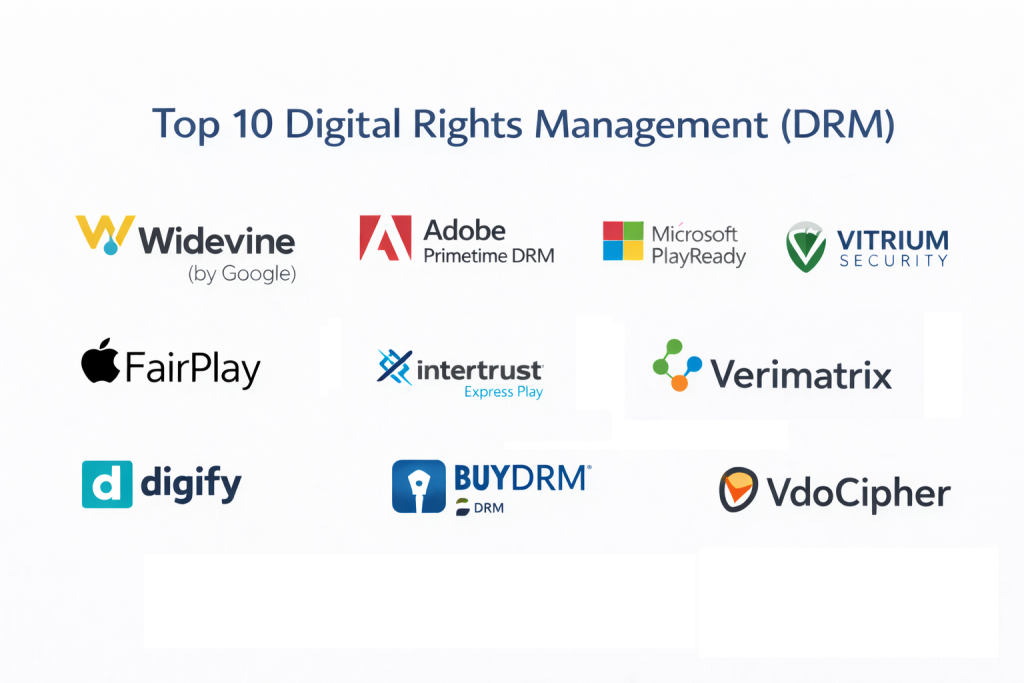
Top 10 Digital Rights Management (DRM) Tools
1 — Widevine (by Google)
Widevine is the most widely deployed DRM solution in the world, utilized by giants like Netflix, Disney+, and HBO Max. It is a multi-platform solution designed to protect premium video content on a massive scale across virtually every device.
- Key features:
- Multi-Platform Support: Works natively on Android, Chrome, iOS, and smart TVs.
- Three Security Levels: Features L1, L2, and L3 security tiers based on hardware vs. software execution.
- Dynamic Adaptive Streaming: Seamlessly integrates with DASH and HLS protocols.
- Hardware-Backed Protection: Securely processes decryption in a Trusted Execution Environment (TEE).
- Cloud-Based Licensing: High-speed license delivery via Google’s global infrastructure.
- Offline Playback: Securely stores encrypted content for viewing without an internet connection.
- Pros:
- Zero cost for content providers (standard tier) as it is part of the Android/Chrome ecosystem.
- Industry-standard reliability with virtually no impact on the end-user streaming experience.
- Cons:
- Integration can be highly technical and requires deep developer expertise.
- L3 security (software-based) is notoriously easier to bypass than L1.
- Security & compliance: FIPS 140-2, SSO integration, AES-128 encryption, ISO/IEC 23001-7 (CENC).
- Support & community: Robust documentation for developers, massive global community, and enterprise support via Google Cloud.
2 — Adobe Primetime DRM
Adobe Primetime is a comprehensive multi-screen platform that helps broadcasters and content owners protect their high-value video and document assets across desktops and mobile devices.
- Key features:
- Flexible Business Models: Supports rental, subscription, and sell-through models effortlessly.
- Interoperability: Leverages Common Encryption (CENC) for cross-platform playback.
- Adobe Access Integration: Protects both video content and PDF documents via a unified system.
- Anonymized Analytics: Tracks content usage without compromising individual user privacy.
- Hardware Root of Trust: Utilizes device-level security to prevent “screen scraping” and capture.
- Tokenized Access: Highly granular control over when and where content can be viewed.
- Pros:
- Superior document DRM (PDF) compared to most video-only competitors.
- Seamless integration with the broader Adobe Experience Cloud for marketing and analytics.
- Cons:
- Premium pricing model that can be prohibitive for smaller publishers.
- Some legacy components require Flash or specific plugins on older machines.
- Security & compliance: SOC 2, GDPR, AES-256 encryption, and FIPS compliance.
- Support & community: Professional 24/7 enterprise support, dedicated account managers, and extensive training modules.
3 — Microsoft PlayReady
PlayReady is a highly versatile DRM ecosystem from Microsoft, designed primarily for the entertainment industry but widely used in the corporate sector for secure content delivery across Windows and Xbox ecosystems.
- Key features:
- Wide Ecosystem Reach: Pre-integrated into billions of devices including Smart TVs and set-top boxes.
- Output Protection: Advanced control over HDMI, Miracast, and digital-to-analog signals.
- Domain Support: Allows users to share content across a defined “family” of devices.
- Persistent Licensing: Content remains playable even if the device is disconnected for long periods.
- Hardware Security: Leverages Windows “PlayReady TEE” for secure key handling.
- Pros:
- The most robust solution for content being delivered to Windows-based devices.
- Strong legal and technical framework backed by Microsoft’s licensing arm.
- Cons:
- Integration with Apple (macOS/iOS) is less fluid than Widevine.
- Licensing negotiations can be complex for smaller startups.
- Security & compliance: ISO 27001, GDPR, AES-128/256 encryption, and SOC 2 Type II.
- Support & community: Extensive MSDN documentation, global technical support, and a large partner ecosystem.
4 — Vitrium Security
Vitrium is a specialized DRM platform that focuses on protecting documents, videos, and images without requiring the end-user to download specific software or plugins.
- Key features:
- Zero Plugin Architecture: Content is viewed via a secure web portal or standard PDF readers.
- Granular Permissions: Set expiry dates, IP address restrictions, and device limits.
- Dynamic Watermarking: Embeds user-specific information into the content to deter “leaks.”
- Screenshot Prevention: Actively blocks print-screen commands and screen-sharing apps.
- Usage Analytics: Detailed reports on which pages were viewed and for how long.
- Pros:
- The most user-friendly experience for B2B companies sharing sensitive reports.
- Rapid implementation; can be set up in hours rather than weeks.
- Cons:
- Not designed for high-end movie streaming or 4K Hollywood-grade video.
- Maximum file size limits can be a factor for very high-resolution video assets.
- Security & compliance: SSO, GDPR, HIPAA (for medical reports), and AES-256 encryption.
- Support & community: Responsive chat support, dedicated onboarding, and a comprehensive knowledge base.
5 — Intertrust ExpressPlay
ExpressPlay is a cloud-based DRM service that provides a “one-stop shop” for protecting content across all major DRM systems (Widevine, FairPlay, PlayReady, and Marlin).
- Key features:
- Multi-DRM Orchestration: A single API to manage multiple underlying DRM technologies.
- Marlin DRM Integration: Support for the open-standard Marlin DRM, popular in China and Japan.
- Scalable Token Issuance: Capable of handling millions of license requests per second.
- Geo-Fencing: Restricts content access based on the user’s geographical location.
- Low Latency: Optimized for live-streaming events like sports and concerts.
- Pros:
- Simplifies the complex world of DRM by consolidating everything into one dashboard.
- High performance for massive global events where license spikes are expected.
- Cons:
- Adds an extra layer of cost on top of the native DRM licensing fees.
- Debugging cross-platform issues can be complex.
- Security & compliance: SOC 2, GDPR, ISO 27001, and FIPS compliance.
- Support & community: High-end developer support, technical consulting, and white-glove onboarding.
6 — Apple FairPlay
FairPlay is Apple’s proprietary DRM system. It is the mandatory security layer for any content delivered via the App Store, Apple Music, or Apple TV+, and it is essential for high-quality streaming to Safari browsers.
- Key features:
- Native Integration: Deeply embedded in the HLS (HTTP Live Streaming) protocol.
- Hardware-Level Security: Uses Apple’s “Secure Enclave” for encryption key management.
- AirPlay Security: Ensures content remains encrypted even when wirelessly beamed to a TV.
- Offline Lease Management: Controls how long content can be watched without a connection.
- FPS (FairPlay Streaming): Optimized for low-latency, high-security web playback.
- Pros:
- Only way to achieve 4K playback on Apple devices.
- Zero latency for users within the iOS/macOS ecosystem.
- Cons:
- Completely closed ecosystem; does not work on Android or Windows.
- Requires an Apple Developer Program membership to access the SDK.
- Security & compliance: GDPR, proprietary Apple security standards, and AES-128 encryption.
- Support & community: Official Apple Developer support, WWDC sessions, and extensive documentation.
7 — Digify
Digify is a modern, lightweight DRM tool designed for business professionals and startups who need to protect confidential pitch decks, legal contracts, and intellectual property.
- Key features:
- Self-Destruct Timers: Set documents to disappear after a certain number of views or time.
- Copy/Paste Disabling: Prevents users from highlighting and copying text from protected files.
- Screen Shield: Adds a moving watermark or pattern to prevent clear photography of the screen.
- Email Integration: Send protected files directly through Gmail or Outlook via plugins.
- Trackable Links: Know exactly when your file was opened and from which location.
- Pros:
- Exceptional for “fundraising” and “M&A” where privacy is paramount.
- Very low learning curve for non-technical administrative staff.
- Cons:
- Lacks the deep video protection features needed by media companies.
- Not suitable for high-volume automated software distribution.
- Security & compliance: SSO, GDPR, HIPAA, and SOC 2 Type II compliant.
- Support & community: Live chat support, onboarding webinars, and a helpful FAQ section.
8 — BuyDRM (KeyOS)
BuyDRM is a pioneer in the industry, offering the KeyOS platform. It is an award-winning solution for the secure delivery of high-value video content for the film and television industries.
- Key features:
- Multi-DRM Cloud: Supports PlayReady, Widevine, and FairPlay via a single cloud license.
- Player SDKs: High-performance video players for web, mobile, and smart TVs.
- Server-Side Ad Insertion (SSAI): Keeps content protected even when ads are being dynamically inserted.
- Forensic Watermarking: Identifies the source of a leak even if the DRM is bypassed by hardware.
- High-Volume Scaling: Trusted by the BBC and Warner Bros. for massive traffic events.
- Pros:
- One of the most mature and trusted brands in the Hollywood ecosystem.
- Forensic watermarking is a massive deterrent for high-end piracy.
- Cons:
- Geared primarily toward large media companies; small firms may find it complex.
- High-touch sales process; not a “sign up and go” platform.
- Security & compliance: ISO 27001, SOC 2, GDPR, and CDSA (Content Delivery & Security Association).
- Support & community: 24/7 technical operations center, dedicated engineering support.
9 — VdoCipher
VdoCipher is a video-focused DRM tool specifically designed to help online course creators and e-learning platforms prevent video piracy and illegal downloads.
- Key features:
- Proprietary Encryption: Unique encryption layer that makes it difficult for “downloader” plugins to work.
- Dynamic Image Watermarking: Overlays user ID or email over the video to discourage screen recording.
- Smart Player: A customizable player that restricts playback on rooted or “jailbroken” devices.
- AWS-Backed Infrastructure: Uses Amazon S3 and CloudFront for high-speed global delivery.
- Offline App Support: Securely allows students to download lessons to a mobile app for offline study.
- Pros:
- Best-in-class pricing and features for e-learning and EdTech startups.
- Significantly higher protection against “screen recording” software than standard web players.
- Cons:
- Not a general-purpose document DRM; strictly focused on video.
- Interface can be a bit more technical than “drag-and-drop” business tools.
- Security & compliance: GDPR, HIPAA (for medical training), and Widevine/FairPlay integration.
- Support & community: Active blog, email support, and detailed developer documentation.
10 — Verimatrix
Verimatrix is a heavy-duty security provider specializing in multi-network video security. It is the choice for global telecom operators and internet service providers (ISPs).
- Key features:
- VCAS (Verimatrix Content Authority System): An enterprise platform for IP-based video security.
- Code Protection: Protects the actual DRM software itself from being reverse-engineered.
- Counter-Piracy Services: Real-time monitoring of the dark web for leaked company content.
- Connected TV Security: Specialized protection for Roku, Fire TV, and Samsung Tizen.
- Unified Rights Management: Manage entitlements across cable, satellite, and OTT.
- Pros:
- The most powerful solution for “tier 1” operators with millions of subscribers.
- Includes “Threat Intelligence” to proactively stop pirate streams.
- Cons:
- Implementation costs are significant.
- Requires specialized infrastructure knowledge to deploy effectively.
- Security & compliance: ISO 27001, GDPR, FIPS, and various telecom-specific security standards.
- Support & community: Global technical support centers, training academies, and executive-level consulting.
Comparison Table
| Tool Name | Best For | Platform(s) Supported | Standout Feature | Rating (Gartner) |
| Widevine | Video Streaming | Android, Chrome, iOS | Industry Ubiquity | 4.8/5 |
| Adobe Primetime | Broadcasters | Win, Mac, iOS, Android | Multi-Asset (Video/PDF) | 4.5/5 |
| MS PlayReady | Windows/Xbox | Windows, Xbox, TV | Output Control | 4.6/5 |
| Vitrium | B2B Documents | Web-based | Zero Plugin Viewing | 4.5/5 |
| ExpressPlay | Multi-DRM Teams | Web, Mobile, Smart TV | Marlin DRM Support | 4.4/5 |
| Apple FairPlay | Apple Ecosystem | iOS, macOS, tvOS | Native Safari/iOS Sync | 4.7/5 |
| Digify | Startups/Legal | Web, Mobile | Document Self-Destruct | 4.6/5 |
| BuyDRM | Hollywood/Media | Web, TV, Mobile | Forensic Watermarking | 4.7/5 |
| VdoCipher | E-Learning | Web, Android, iOS | Screen Record Blocking | 4.6/5 |
| Verimatrix | Telecom/ISPs | Cable, Satellite, IP | Counter-Piracy Intel | 4.3/5 |
Evaluation & Scoring of Digital Rights Management (DRM)
To help you objectively evaluate these tools, we have developed a weighted scoring rubric based on current industry standards. Use the table below to score potential candidates according to your specific needs.
| Criteria | Weight | Evaluation Rationale |
| Core Features | 25% | Multi-DRM support, watermarking, and offline playback. |
| Ease of Use | 15% | End-user friction and administrative dashboard quality. |
| Integrations | 15% | Compatibility with CMS, Video Players, and LMS platforms. |
| Security & Compliance | 10% | Encryption standards, SOC 2, GDPR, and ISO certs. |
| Performance | 10% | License issuance speed and impact on device battery/CPU. |
| Support & Community | 10% | Quality of API docs, dev support, and community forums. |
| Price / Value | 15% | ROI based on protected revenue vs. licensing fees. |
Which Digital Rights Management (DRM) Tool Is Right for You?
Selecting a DRM tool is not a one-size-fits-all decision. Your choice will depend heavily on your industry and the volume of content you produce.
Solo Users vs SMB vs Mid-Market vs Enterprise
If you are a solo user (e.g., a novelist or independent filmmaker), Digify or VdoCipher are your best options due to their low-friction setups and affordable pricing. For SMBs, Vitrium provides the professional-grade protection needed for B2B documents without requiring a massive IT team. Mid-Market and Enterprise firms should gravitate toward Widevine, PlayReady, or Adobe Primetime, as these tools offer the scalability and hardware-level security required for mass distribution.
Budget-Conscious vs Premium Solutions
If budget is your primary constraint, Widevine (Standard) is hard to beat since it is integrated into the Chromium ecosystem. For organizations requiring Premium protection where “failure is not an option” (e.g., Hollywood studios or national banks), the investment in BuyDRM or Verimatrix is justified by the addition of forensic watermarking and counter-piracy intelligence.
Feature Depth vs Ease of Use
If you want a tool that “just works” out of the box with zero plugins for the user, Vitrium is the winner. If you need the deepest possible technical control—including the ability to restrict HDMI output or Miracast streaming—you need the depth of Microsoft PlayReady or Apple FairPlay.
Frequently Asked Questions (FAQs)
1. Is DRM 100% foolproof against piracy?
No. While modern DRM is incredibly sophisticated, “leaks” can still occur through analog holes (recording a screen with a physical camera) or by exploiting software vulnerabilities. DRM is meant to deter 99% of piracy and make illegal sharing difficult for the average user.
2. Does DRM slow down my website or app?
If implemented poorly, it can. However, professional tools like Widevine or FairPlay are designed to decrypt content in real-time using dedicated hardware, resulting in virtually zero perceptible lag for the user.
3. Can I use DRM for documents like PDFs?
Yes. Tools like Vitrium and Digify are specialized for documents. They prevent printing, copying, and unauthorized sharing, which standard PDF password protection cannot do.
4. What is a “Multi-DRM” solution?
Since different devices require different DRM (Apple needs FairPlay, Chrome needs Widevine), a Multi-DRM service like ExpressPlay or KeyOS allows you to manage all of them through one single interface.
5. How much does DRM software cost?
Pricing varies wildly. Small-business tools like Digify start around $30/month. Enterprise video DRM usually involves a setup fee plus a small fee per “license issued” (e.g., $0.01 per view).
6. Is DRM compliant with privacy laws like GDPR?
Yes, but you must ensure your DRM provider does not collect unnecessary Personal Identifiable Information (PII). Most modern DRM tools use anonymous tokens to verify access.
7. Can DRM prevent screen recording?
Some tools can. VdoCipher and Vitrium use techniques to detect and block screen-recording software like OBS or QuickTime, though they cannot stop someone from filming the screen with a smartphone.
8. Do I need an internet connection to watch DRM-protected content?
Not always. Many tools support “Offline Leases,” allowing a user to download the content and the decryption key for a limited time (e.g., 48 hours) for viewing on a plane or train.
9. What is forensic watermarking?
It is an invisible mark embedded in the video. If a user bypasses the DRM and uploads the video to a pirate site, the watermark can be extracted to identify exactly which user account leaked the file.
10. How long does it take to implement DRM?
For document tools like Digify, you can start in minutes. For a full multi-platform video DRM implementation for a streaming app, expect a 4–8 week development cycle.
Conclusion
The “best” Digital Rights Management tool is the one that provides the highest level of security without alienating your legitimate customers. For the world of streaming and media, the “Big Three” (Widevine, FairPlay, and PlayReady) remain the essential foundation. For the B2B world and startups, the ease and innovation of Vitrium and Digify are proving that security doesn’t have to be a headache.
As you make your choice, remember that DRM is an investment in your company’s future. By protecting your intellectual property today, you are ensuring that you have the resources to continue creating and innovating tomorrow. Start with a clear audit of what you need to protect and which devices your audience uses most—the right tool will follow naturally.