Introduction
A Digital Evidence Management System (DEMS) is a centralized, software-based platform designed to ingest, store, manage, and share digital evidence while maintaining a strict, court-admissible chain of custody. This evidence typically includes body-worn camera footage, dashcam video, CCTV recordings, crime scene photos, 911 audio, and digital documents. Unlike standard cloud storage, a DEMS is “forensically aware,” meaning it tracks every single interaction with a file—from the moment it is uploaded to the moment it is presented in court.
The importance of these tools has spiked due to “digital evidence sprawl.” Without a centralized system, evidence often sits on disparate hard drives or unsecured cloud accounts, risking data loss or legal challenges regarding the integrity of the files. Key real-world use cases include automating the redaction of bystanders’ faces in public records requests, securely sharing large video files with district attorneys, and using AI to correlate evidence across multiple cold cases. When evaluating a DEMS, users should prioritize CJIS (Criminal Justice Information Services) compliance, vendor-neutral hardware support, AI-driven automation capabilities, and the robustness of the audit logs.
Best for: Municipal police departments, federal law enforcement agencies, private forensic labs, district attorneys’ offices, and large corporate security departments that handle high-stakes litigation and require ironclad data integrity.
Not ideal for: Individual private investigators with low volume, small retail shops looking for simple surveillance storage, or organizations that only need to manage physical evidence without any digital components.
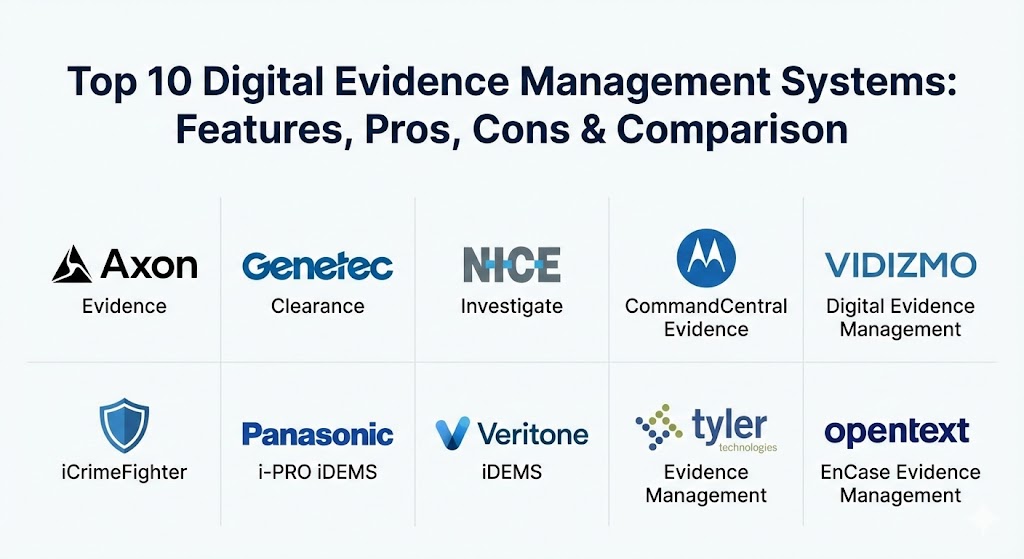
Top 10 Digital Evidence Management Systems
1 — Axon Evidence
Axon Evidence (formerly Evidence.com) is the most widely recognized platform in the industry, largely due to its integration with Axon’s market-leading body-worn cameras and Tasers. It offers a comprehensive device-to-court workflow.
- Key features:
- Automatic ingestion from Axon body cameras and in-car systems.
- AI-powered “Redaction Assistant” for blurring faces and license plates.
- “Axon Community Request” tool for citizen-led evidence uploads.
- Automated transcription for audio and video files.
- Integrated map search for location-based evidence discovery.
- Scalable cloud storage hosted on Microsoft Azure Government.
- Pros:
- Seamless integration with the most popular law enforcement hardware on the market.
- Significant reduction in administrative time due to automated tagging and uploading.
- Cons:
- Primarily optimized for Axon hardware; integrating third-party devices can be more complex.
- High long-term cost as storage needs and user counts grow.
- Security & compliance: CJIS, SOC 2 Type II, HIPAA, and FedRAMP compliant. Features end-to-end encryption and multi-factor authentication.
- Support & community: Extensive training via Axon Academy; 24/7 technical support and a large global user community.
2 — Genetec Clearance
Genetec Clearance is a vendor-neutral digital evidence management system that excels at centralizing data from disparate sources, especially fixed surveillance systems and private-sector security cameras.
- Key features:
- Support for hundreds of proprietary video codecs for native playback.
- Secure web-based portal for inviting external stakeholders to review cases.
- Automated redaction workflows to protect privacy.
- Integration with Genetec Security Center for a unified security posture.
- Built-in audit trails that document every user action.
- “Clearance Camera Registry” to map out private cameras in a city.
- Pros:
- Outstanding at breaking down silos between public and private surveillance data.
- Extremely flexible and doesn’t lock agencies into a specific hardware brand.
- Cons:
- The UI can be complex for users who aren’t already familiar with the Genetec ecosystem.
- Requires a robust network infrastructure to handle high-definition video streaming.
- Security & compliance: SOC 2, GDPR, and CJIS compliant. Uses AES-256 encryption for data at rest.
- Support & community: Strong documentation and dedicated “Customer Success” managers for large-scale deployments.
3 — NICE Investigate
NICE Investigate is part of the NICE Evidencentral suite and focuses heavily on “automated case building.” It acts as a digital detective, automatically pulling related evidence together based on time and location.
- Key features:
- Automated evidence collection from 911 recordings and CAD (Computer-Aided Dispatch).
- AI-driven correlation of evidence across different, seemingly unrelated cases.
- Virtual case folders that aggregate all media and documents in one view.
- Public portal for gathering “crowdsourced” evidence during major incidents.
- Deep analytics to identify trends in criminal activity.
- Pros:
- Greatly speeds up the “discovery” phase for detectives and prosecutors.
- Reduces manual data entry by pulling information directly from dispatch systems.
- Cons:
- Pricing is at the premium end of the market.
- Integration with legacy on-premise CAD systems can be a technical hurdle.
- Security & compliance: CJIS compliant; hosted on secure government clouds with robust audit logs.
- Support & community: Enterprise-level support with a focus on large metropolitan agencies.
4 — Motorola Solutions CommandCentral Evidence
As a pillar of the Motorola Solutions public safety ecosystem, CommandCentral Evidence provides a unified hub for all digital media, integrating deeply with Motorola’s radios and records management systems (RMS).
- Key features:
- Unified storage for body-worn, in-car, and fixed surveillance video.
- Automatic correlation of video with dispatch records and incident reports.
- Content-aware search that allows users to find “red vehicles” or “blue shirts.”
- Secure, cloud-based sharing with prosecutors via “Evidence Sharing” links.
- High-availability architecture for mission-critical reliability.
- Pros:
- If an agency already uses Motorola radios and RMS, the workflow is incredibly smooth.
- The “intelligent” search features significantly reduce manual review time.
- Cons:
- Can feel like a “walled garden” that works best only with other Motorola products.
- The licensing structure can be difficult to navigate for smaller departments.
- Security & compliance: FIPS 140-2, CJIS, and SOC 2 compliant.
- Support & community: Direct access to specialized engineers; robust technical documentation and training.
5 — VIDIZMO Digital Evidence Management
VIDIZMO offers a highly scalable and vendor-neutral platform that is popular not just with police, but also with corporate legal teams and government agencies requiring strict data sovereignty.
- Key features:
- Flexible deployment: Cloud, on-premises, or hybrid.
- AI-powered indexing, transcription, and multi-object redaction.
- Support for massive-scale video ingestion from drones and CCTV.
- Granular role-based access control (RBAC) for multi-agency collaboration.
- “Expiring links” for secure sharing with defense attorneys.
- Pros:
- One of the most customizable platforms in terms of where data is physically stored.
- Very strong privacy controls, making it ideal for international organizations (GDPR).
- Cons:
- Lacks the hardware-specific “one-button” integration of Axon or Motorola.
- Initial configuration requires a higher level of IT involvement.
- Security & compliance: CJIS, HIPAA, GDPR, SOC 2, and ISO 27001 compliant.
- Support & community: Comprehensive online training portal and responsive 24/7 technical support.
6 — iCrimeFighter
iCrimeFighter was founded by law enforcement officers who wanted to eliminate the need for burning DVDs and CDs. It is a cloud-based solution that prioritizes simplicity and field-utility.
- Key features:
- Mobile app for capturing photos and audio directly from the field.
- “Evidence Anywhere” links for secure public and victim uploads.
- Support for full phone dumps (Cellebrite/Magnet) and body camera video.
- Real-time tracking of every view, download, or edit of a file.
- One-click sharing with District Attorneys’ offices.
- Pros:
- Extremely cost-effective for small to mid-sized agencies.
- Very low learning curve; officers can start using it with minimal training.
- Cons:
- Lacks some of the high-end “predictive AI” features of larger competitors.
- Not designed for massive, city-wide CCTV integration projects.
- Security & compliance: CJIS compliant and hosted on AWS GovCloud.
- Support & community: Personalized onboarding and a strong reputation for “boots on the ground” support.
7 — Panasonic i-PRO (iDEMS)
Panasonic’s i-PRO system is built with a focus on extreme hardware reliability and data integrity, designed to complement their ruggedized camera systems.
- Key features:
- Unified management for both fixed and mobile video assets.
- Automated uploads to reduce officer downtime at the end of shifts.
- Simplified redaction tools designed for rapid public disclosure.
- Integration with i-PRO sensors and analytics.
- Secure file transfer protocols that prioritize data authenticity.
- Pros:
- Known for its stability and “set-and-forget” reliability.
- Excellent video quality management and storage optimization.
- Cons:
- The software interface can feel more like a hardware utility than a modern SaaS platform.
- Limited third-party cloud integrations compared to more “open” competitors.
- Security & compliance: FIPS 140-2 and CJIS compliant.
- Support & community: Global service network with long-term hardware and software support cycles.
8 — Veritone iDEMS
Veritone is a leader in “Cognitive AI,” and their iDEMS platform is built from the ground up to leverage artificial intelligence for the analysis of unstructured data.
- Key features:
- AI-based face and voice redaction with high accuracy.
- Searchable analytics for audio, video, and text data.
- “Veritone Redact” module which is often sold as a standalone powerhouse.
- Real-time intelligence gathering from live video feeds.
- Automated transcription in over 100 languages.
- Pros:
- The most advanced AI features for agencies dealing with massive amounts of audio/video.
- “Cognitive search” allows for finding specific spoken phrases or objects across years of data.
- Cons:
- Can be expensive due to the compute power required for advanced AI analysis.
- May provide more features than a small agency actually needs.
- Security & compliance: CJIS and SOC 2 compliant; hosted on highly secure AI-optimized clouds.
- Support & community: Strong focus on “AI as a Service” with dedicated technical account managers.
9 — Tyler Technologies (Evidence Management)
Tyler Technologies specializes in the “justice journey,” connecting law enforcement directly to the courts. Their DEMS is designed to ensure data flows smoothly from arrest to trial.
- Key features:
- Direct integration with Tyler’s Records Management Systems (RMS) and Courts software.
- Automated workflow for evidence discovery and delivery to legal teams.
- Case-centric organization that aligns with judicial requirements.
- Secure, web-based portal for judge and prosecutor review.
- Retention policies that automatically sync with case status (e.g., “Dismissed”).
- Pros:
- Reduces the “paperwork gap” between the police station and the courthouse.
- Excellent for ensuring that evidence is never “lost” during the legal process.
- Cons:
- Best suited for agencies already using other Tyler Tech products.
- The UI is functional but more traditional and less “media-focused” than Axon or VIDIZMO.
- Security & compliance: CJIS compliant; hosted in secure government data centers.
- Support & community: Large user community of public sector professionals and comprehensive training programs.
10 — OpenText EnCase Evidence Management
OpenText EnCase is a legend in the world of digital forensics. Their management platform takes their expertise in “finding” data and applies it to “managing” it for long-term use in court.
- Key features:
- Forensics-grade data collection that preserves all metadata.
- Deep support for Windows, macOS, and Linux file systems.
- Chain of custody management with tamper-proof hashing.
- Remote acquisition capabilities for corporate or internal investigations.
- Custom scripting and automation for high-volume forensic labs.
- Pros:
- The gold standard for “court-approved” forensic imaging and management.
- Unrivaled depth for investigations involving computers and mobile devices.
- Cons:
- Has a very steep learning curve; usually requires a certified forensics expert to operate.
- Expensive and hardware-heavy for simple “body cam” storage.
- Security & compliance: ISO 27001 certified and meets the highest courtroom admissibility standards.
- Support & community: World-class forensics training; highly technical user base and global support.
Comparison Table
| Tool Name | Best For | Platform(s) Supported | Standout Feature | Rating (Gartner Peer Insights) |
| Axon Evidence | Axon Hardware Users | Cloud (Azure Gov) | Redaction Assistant | 4.8 / 5 |
| Genetec Clearance | Vendor-Neutral CCTV | Cloud / Hybrid | Multi-Codec Playback | 4.6 / 5 |
| NICE Investigate | Automated Case Building | Cloud (SaaS) | Cross-Case Correlation | 4.7 / 5 |
| Motorola Solutions | Public Safety Ecosystem | Cloud / Hybrid | CommandCentral Integration | 4.5 / 5 |
| VIDIZMO | Data Sovereignty | Cloud / On-Prem / Hybrid | Deployment Flexibility | 4.7 / 5 |
| iCrimeFighter | SMB Agencies / Simplicity | Cloud (AWS Gov) | Mobile Capture App | 4.6 / 5 |
| Panasonic i-PRO | Hardware Reliability | On-Prem / Cloud | Data Integrity Focus | 4.4 / 5 |
| Veritone iDEMS | Advanced AI Analytics | Cloud-Native | Cognitive AI Search | 4.8 / 5 |
| Tyler Technologies | Law-to-Court Workflow | Cloud (Web) | Judicial System Integration | 4.3 / 5 |
| OpenText EnCase | Digital Forensics | On-Prem / Cloud | Forensic Data Integrity | 4.5 / 5 |
Evaluation & Scoring of Digital Evidence Management Systems
To accurately rank these systems, we have applied a weighted rubric that reflects the priorities of modern law enforcement and legal entities.
| Category | Weight | Evaluation Criteria |
| Core Features | 25% | Ingestion variety, automated redaction, transcription, and sharing tools. |
| Ease of Use | 15% | Intuitiveness for patrol officers, detectives, and external prosecutors. |
| Integrations | 15% | Compatibility with CAD, RMS, body cams, and courtroom software. |
| Security & Compliance | 10% | CJIS compliance, audit log depth, encryption, and data residency. |
| Performance | 10% | Video playback speed, upload stability, and AI processing time. |
| Support & Community | 10% | Training resources, documentation, and responsiveness of tech support. |
| Price / Value | 15% | Licensing transparency and long-term cost of storage. |
Which Digital Evidence Management System Is Right for You?
Selecting a DEMS is a decision that will impact your agency for a decade or more. Here is how to navigate the choice:
- Solo Users vs SMBs: If you are a small department or a private investigator, look for a cloud-native solution like iCrimeFighter. It provides the essential secure storage and chain of custody without the multi-million dollar price tag of enterprise suites.
- Mid-Market vs Enterprise: Larger agencies with hundreds of officers should decide based on their hardware. If you are already all-in on Axon or Motorola hardware, their native software (Axon Evidence or CommandCentral) is usually the most efficient path. However, if you have a mix of cameras and sensors from different brands, Genetec Clearance or VIDIZMO will provide better long-term flexibility.
- Budget-Conscious vs Premium: Budget-conscious agencies should prioritize tools that offer fixed-price storage or use existing government cloud credits. Premium solutions like NICE Investigate offer higher “ROI” through automation, but the upfront cost is significant.
- Integration Needs: If your primary goal is to speed up the transition of evidence from the police station to the prosecutor, Tyler Technologies offers the best workflow. If you are dealing with high-tech cybercrime, OpenText EnCase is the mandatory tool for your forensics lab.
- Security & Compliance: Every tool on this list is secure, but agencies in countries with strict data residency laws (like the UK or Canada) should look at VIDIZMO or Genetec, which offer more granular control over where the physical servers are located.
Frequently Asked Questions (FAQs)
1. What is CJIS compliance, and why does it matter? CJIS (Criminal Justice Information Services) is a set of security standards for protecting sensitive criminal justice data. Any DEMS used by law enforcement must be CJIS-compliant to ensure that evidence is legally handled and protected from cyber threats.
2. Can I use Google Drive or Dropbox for digital evidence? While these tools are secure, they are generally not “forensically aware.” They lack the immutable audit logs, specialized redaction tools, and chain-of-custody tracking required for evidence to be admissible and defensible in a court of law.
3. Does the software automatically redact faces? Most modern DEMS use AI to assist with redaction. While they can automatically find and blur faces or license plates, human review is still usually required to ensure 100% accuracy before the video is released to the public.
4. How does “vendor-neutral” software help my agency? Vendor-neutral software (like Genetec Clearance) allows you to use any brand of body camera, drone, or CCTV system. This prevents “vendor lock-in,” allowing you to shop for the best hardware prices in the future without switching your management software.
5. How much storage space do I need? This depends on your retention policy (how long you keep evidence). High-definition video consumes massive amounts of data. Most agencies choose cloud-based systems with “unlimited” or scalable storage to avoid the cost of maintaining physical servers.
6. What is a “Chain of Custody” in a digital context? It is a digital log that records every person who accessed, viewed, copied, or edited a file. If this log is broken or missing, a defense attorney can argue that the evidence was tampered with, potentially leading to the case being dismissed.
7. Can victims and witnesses upload their own evidence? Yes, tools like Axon Community Request or NICE Investigate allow officers to send a secure link to a citizen, who can then upload their cell phone video directly into the case folder without the officer ever touching their phone.
8. Does the software support mobile phone forensics? Some tools, like iCrimeFighter and OpenText EnCase, are specifically built to handle “phone dumps” from forensic tools like Cellebrite. This ensures that the extracted texts, photos, and GPS data are managed with the same rigor as video evidence.
9. How long does implementation take? For a small agency using a cloud-native solution, setup can take a few days. For a large metropolitan agency integrating CAD, RMS, and thousands of cameras, a full implementation can take 6 to 12 months.
10. What is the most common mistake when buying a DEMS? The most common mistake is ignoring the “hidden cost” of long-term storage and data egress. Agencies often buy a cheap system only to realize that the monthly storage fees grow exponentially as more body-worn camera footage is generated.
Conclusion
The shift toward Digital Evidence Management Systems represents a fundamental evolution in public safety. In 2026, the “best” tool is no longer just the one with the most storage; it is the one that uses AI to make sense of that storage. Whether you prioritize hardware integration, judicial workflows, or forensic-grade integrity, the goal remains the same: ensuring that truth is preserved and justice is served. When choosing your system, look past the initial sales pitch and focus on the daily reality of your officers—and the legal demands of your courtrooms.