Introduction
Digital Employee Experience (DEX) platforms are specialized software solutions that measure, manage, and improve the quality of an employee’s daily interactions with workplace technology. By collecting deep telemetry from endpoints, applications, and networks, DEX tools provide IT teams with a “sentiment-aware” view of the infrastructure. Unlike traditional monitoring that only checks if a server is “up” or “down,” DEX platforms focus on whether the technology is actually performing for the human at the other end of the screen.
The importance of these tools has skyrocketed with the rise of hybrid work. In an office, IT could walk over to a desk; today, they must troubleshoot across thousands of home ISPs and diverse hardware configurations. Key real-world use cases include proactive “self-healing” (automatically fixing a memory leak before the user notices), hardware refresh optimization (using data instead of age to decide when to buy a new laptop), and digital adoption tracking (ensuring expensive SaaS licenses are actually being used). When evaluating DEX tools, organizations should look for real-time data collection speeds, automated remediation capabilities, sentiment survey integration, and low endpoint resource consumption.
Best for: Large-scale enterprises with distributed or hybrid workforces, IT operations (ITOps) teams looking to move from reactive to proactive support, and organizations focused on high talent retention where technology friction is a major pain point.
Not ideal for: Small businesses with very few users where the IT manager can manually check devices, or companies with highly static environments where technology change is rare and users are all on-site with standardized hardware.
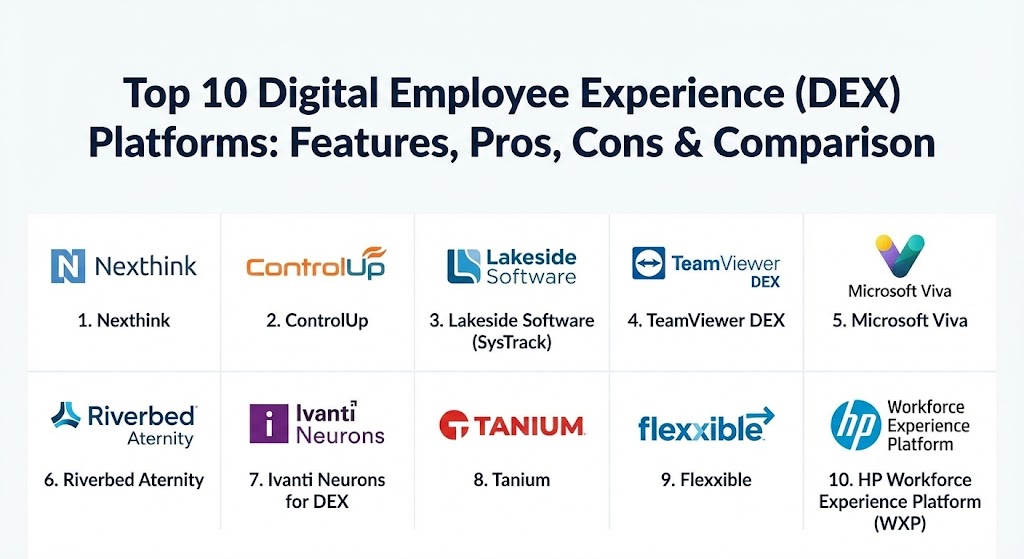
Top 10 Digital Employee Experience (DEX) Platforms
1 — Nexthink
Nexthink is widely considered the pioneer of the DEX category. Its platform, Nexthink Infinity, provides real-time visibility into the entire digital workplace, allowing IT to see, diagnose, and fix issues that impact employee productivity across the globe.
- Key features:
- Infinity Platform: A cloud-native engine that processes millions of events in real-time.
- Experience Optimization: Dashboards that translate technical metrics into a single “DEX Score.”
- Nexthink Flow: A powerful orchestration engine for automated issue remediation.
- Engagement: Targeted, on-screen pop-ups to gather employee sentiment in context.
- Collaboration Experience: Specialized monitoring for tools like Zoom, Teams, and Slack.
- Library: Hundreds of pre-built “Remote Actions” and content packs for common IT problems.
- Pros:
- Industry-leading depth in telemetry and root-cause analysis.
- The ability to correlate technical data with actual user “feelings” via surveys.
- Cons:
- High cost and complexity; usually requires a dedicated administrator to master.
- Some users report that the sheer volume of data can be overwhelming at first.
- Security & compliance: SOC 2 Type II, GDPR, ISO 27001, and advanced data anonymization.
- Support & community: Extensive documentation, a formal “Nexthink Academy,” and a very active user community (Nexthink Community).
2 — ControlUp
ControlUp has built a reputation as the go-to solution for Virtual Desktop Infrastructure (VDI) and Desktop-as-a-Service (DaaS) environments, though it has successfully expanded into physical endpoint and SaaS monitoring.
- Key features:
- Real-time Console: Provides a live view of user sessions with “stoplight” color coding for health.
- Edge DX: Specialized monitoring for physical Windows, macOS, and Linux devices.
- Solve: A web-based dashboard that aggregates historical and real-time data for easy consumption.
- Remote DX: Visualizes the “last mile” of connectivity, including home Wi-Fi and ISP performance.
- Automated Remediation: Triggers scripts based on performance thresholds to fix issues instantly.
- Pros:
- The undisputed leader for troubleshooting VMware Horizon, Citrix, and Azure Virtual Desktop.
- Incredibly fast “real-time” updates (every few seconds) compared to polling-based competitors.
- Cons:
- The platform can feel fragmented between the “Real-time Console” and the newer web UIs.
- Focus is more on technical troubleshooting than on “Employee Sentiment” compared to Nexthink.
- Security & compliance: SOC 2, HIPAA, GDPR, and integration with modern SSO providers.
- Support & community: Responsive support teams and a loyal community of EUC (End-User Computing) professionals.
3 — Lakeside Software (SysTrack)
Lakeside Software’s SysTrack platform is the “data scientist” of the DEX world. It focuses on collecting a massive amount of granular data from the endpoint to perform deep forensic analysis.
- Key features:
- Proprietary Data Agent: Collects over 10,000 data points every 15 seconds from the endpoint.
- Intelligent Edge Learning: AI that identifies patterns in hardware failure before they happen.
- Executive Insights: High-level reports designed for CIOs to justify IT spending and refresh cycles.
- AIOps: Automated root-cause analysis that points exactly to the culprit of a slow log-on.
- Resource Consumption Tracking: Deep visibility into which apps are “hogging” CPU and RAM.
- Pros:
- The depth of historical data (up to 3 years) is unmatched in the industry.
- Excellent for providing “cold hard facts” during hardware budget planning.
- Cons:
- The heavy data collection can occasionally impact performance on very old hardware.
- The user interface is highly technical and has a steeper learning curve than “prettier” SaaS tools.
- Security & compliance: ISO 27001, GDPR, and robust data masking to protect employee privacy.
- Support & community: Strong enterprise-grade support and deep technical whitepapers.
4 — TeamViewer DEX (formerly 1E)
Following TeamViewer’s acquisition of 1E, this platform has become an automation powerhouse. It is designed to find and fix issues across a global fleet without human intervention.
- Key features:
- Real-time Querying: Ask a question (e.g., “Which laptops have this vulnerability?”) and get answers in seconds.
- Self-Healing: A massive library of 2,000+ pre-built automations for common IT fixes.
- Offline Remediation: The ability to enforce policies even when a device is not connected to the corporate network.
- AppClarity: Integrated software asset management to reclaim unused or expensive licenses.
- Experience Monitoring: Tracking of boot times, app crashes, and network latency.
- Pros:
- Strongest “actionability” in the market—it’s not just about seeing, but about fixing at scale.
- Very efficient agent that has almost zero impact on device performance.
- Cons:
- Integration with the core TeamViewer remote support tool is still an ongoing evolution.
- Reporting is functional but lacks the visual “flash” of newer competitors.
- Security & compliance: FIPS 140-2, SOC 2, HIPAA, and GDPR.
- Support & community: Excellent documentation and a professional services arm for custom automation builds.
5 — Microsoft Viva
While not a traditional “telemetry” DEX tool, Microsoft Viva is a broad Employee Experience platform that integrates deeply with IT and HR metrics within the Microsoft 365 ecosystem.
- Key features:
- Viva Insights: Uses data from Outlook and Teams to help employees manage burnout and productivity.
- Viva Glint: A powerful survey and sentiment tool for measuring employee engagement.
- Viva Connections: A centralized “company portal” that lives inside Microsoft Teams.
- Advanced IT Integration: Connects with Microsoft Intune for basic device health visibility.
- Learning & Topics: Automated knowledge sharing to reduce the “friction” of finding information.
- Pros:
- If you use Microsoft 365, it’s already built into your existing workflow.
- Unrivaled for “Soft DEX”—focusing on mental well-being and corporate culture.
- Cons:
- Lacks the deep hardware telemetry (e.g., CPU temp, disk IOPS) of Nexthink or Lakeside.
- Primarily limited to the Microsoft ecosystem; harder to use for heterogeneous environments.
- Security & compliance: Inherits the full security posture of Microsoft 365 (FedRAMP, ISO, etc.).
- Support & community: Massive global support network and the world’s largest IT community.
6 — Riverbed Aternity
Aternity focuses on the intersection of the device and the application. It is particularly strong at monitoring the “actual” user experience within specific software, whether it’s a local app or a web-based SaaS.
- Key features:
- User Experience Scoring: Measures exactly how long it takes for a page to load for the end-user.
- Device Health Monitoring: Standard telemetry for CPU, memory, and blue screens.
- SaaS and UCaaS Monitoring: Deep visibility into Microsoft 365, Salesforce, and Webex.
- Business Activity Monitoring: Tracks specific business processes (e.g., “Time to process an invoice”).
- Remediation: Automated scripts to fix detected performance bottlenecks.
- Pros:
- Superior for “App-First” companies where the performance of a specific CRM or ERP is critical.
- Provides a very clear “Business Value” metric by showing how IT issues impact company revenue.
- Cons:
- Deployment can be more complex due to the need for application-specific “hooks.”
- The interface can feel a bit fragmented compared to unified cloud-native platforms.
- Security & compliance: SOC 2, GDPR, and HIPAA compliant.
- Support & community: Strong reputation for enterprise stability and reliable support.
7 — Ivanti Neurons for DEX
Ivanti Neurons is part of a broader “Unified Endpoint Management” (UEM) strategy. It aims to unify security, management, and experience into a single automated engine.
- Key features:
- Self-Healing: Bots that proactively detect and resolve issues before they result in a ticket.
- Patch Management: Integrated visibility into how patching impacts the user experience.
- Real-time Intelligence: Immediate querying of your entire global device population.
- Sentiment Surveys: Integrated pulse surveys to correlate tech performance with user mood.
- Asset Visibility: Automated discovery of all devices and software on the network.
- Pros:
- Ideal for organizations that want to consolidate DEX, Patching, and UEM into one vendor.
- Very strong at identifying the “Security vs. Performance” trade-off.
- Cons:
- The platform is modular, meaning you often have to buy several components to get the full “DEX” effect.
- Some users find the UI to be a bit “clunky” compared to modern SaaS-first startups.
- Security & compliance: FedRAMP authorized, SOC 2, and ISO 27001.
- Support & community: Extensive partner network and a well-structured customer portal.
8 — Tanium
Tanium is known for its “speed and scale” in endpoint security, but its DEX offering leverages that same architecture to provide performance and experience insights across millions of devices.
- Key features:
- Tanium Client: A single, lightweight agent that handles security, management, and DEX.
- Performance Monitoring: Real-time visibility into app crashes and system performance.
- Sentiment Tracking: Gathering user feedback directly through the Tanium agent.
- Resource Usage: Real-time visibility into what is slowing down an endpoint.
- Direct Fixes: The ability to execute changes across thousands of endpoints in seconds.
- Pros:
- Unmatched scalability; designed for the world’s largest and most complex networks.
- Excellent for “Converged Endpoint Management” (Security + Operations + DEX).
- Cons:
- Can be a “heavy lift” to implement if you aren’t already a Tanium customer.
- Not a standalone DEX tool; requires investment in the broader Tanium platform.
- Security & compliance: FIPS 140-2, SOC 2, and rigorous security certifications.
- Support & community: Premium enterprise support and a highly technical user community.
9 — Flexxible
Flexxible is a rising European contender that focuses on making DEX management “flexible” and automated, particularly for Managed Service Providers (MSPs) and large distributed fleets.
- Key features:
- FlexxClient: A lightweight agent that works natively across Windows and Linux.
- Self-Healing Technology: Automated issue detection and resolution that claims to cut tickets by 80%.
- Unified Console: Manages physical, virtual, and home office setups from one screen.
- Cybersecurity Risk Integration: Monitors how device performance impacts the security posture.
- Rapid Release Cycle: Bi-weekly updates to ensure the tool stays current with new tech.
- Pros:
- Very cost-effective compared to the “Big 3” (Nexthink, Lakeside, ControlUp).
- Specifically built to be “MSP-friendly” with multi-tenant capabilities.
- Cons:
- Smaller community and fewer third-party integrations than established players.
- Brand recognition is lower in the North American market.
- Security & compliance: SOC 2, GDPR, and integrated cybersecurity risk management.
- Support & community: Dedicated customer success team with a focus on rapid deployment.
10 — HP Workforce Experience Platform (WXP)
HP has transitioned from a hardware giant to a software-experience provider. Their WXP platform (formerly known as Proactive Insights) is built to manage the modern multi-vendor workforce.
- Key features:
- Multi-Vendor Support: Manages HP, Dell, Apple, and Lenovo devices under one dashboard.
- AI-Driven Hardware Refresh: Recommends which devices need to be replaced based on performance data.
- BIOS and Driver Tracking: Deep hardware-level monitoring that most software-only tools miss.
- Predictive Analytics: Identifies battery failures or HDD issues before they occur.
- Persona Matching: Analyzes user behavior to recommend the right hardware for their role.
- Pros:
- The best tool for managing a physical hardware fleet and procurement strategy.
- Excellent for organizations that are struggling with “Device Sprawl” and lifecycle management.
- Cons:
- Not as deep on “Application Performance” as Aternity or Nexthink.
- The “Employee Sentiment” features are less mature than the hardware analytics.
- Security & compliance: ISO 27001, SOC 2, and data encryption at rest.
- Support & community: Backed by HP’s global enterprise support and vast partner ecosystem.
Comparison Table
| Tool Name | Best For | Platform(s) Supported | Standout Feature | Rating (Gartner Peer Insights) |
| Nexthink | Enterprise Proactivity | Windows, macOS | “DEX Score” + Sentiment | 4.6 / 5 |
| ControlUp | VDI / DaaS Support | Windows, Linux, VDI | Real-time “Last Mile” Visibility | 4.7 / 5 |
| Lakeside SysTrack | Forensic Telemetry | Windows, macOS, Linux | 10,000 Data Points per agent | 4.4 / 5 |
| TeamViewer DEX | Global Automation | Windows, macOS, Linux | 2,000+ Pre-built Fixes | 4.5 / 5 |
| Microsoft Viva | MS 365 / Well-being | SaaS, Mobile, Teams | Culture & Burnout Metrics | 4.4 / 5 |
| Riverbed Aternity | App Performance | Windows, macOS, SaaS | Business Process Tracking | 4.5 / 5 |
| Ivanti Neurons | UEM / Consolidation | Multi-platform | Integrated Self-Healing Bots | 4.3 / 5 |
| Tanium | Scale / Security | Multi-platform | Converged Security & DEX | 4.6 / 5 |
| Flexxible | MSPs / Automation | Windows, Linux | European GDPR Focus | 4.8 / 5 |
| HP Workforce Exp | Hardware Lifecycle | Multi-vendor HW | AI-driven Refresh Logic | 4.4 / 5 |
Evaluation & Scoring of DEX Platforms
| Category | Weight | Evaluation Criteria |
| Core Features | 25% | Depth of telemetry, sentiment surveys, and app-performance monitoring. |
| Ease of Use | 15% | Dashboard clarity, administrative ease, and modern UI. |
| Integrations | 15% | Connection to ITSM (ServiceNow/Jira), Azure, and SaaS tools. |
| Security & Compliance | 10% | Data masking, SOC 2, HIPAA, and anonymization of user data. |
| Performance | 10% | Agent footprint on the endpoint and real-time data ingestion speed. |
| Support & Community | 10% | Quality of documentation, academy/training, and vendor support. |
| Price / Value | 15% | ROI measured through ticket reduction and hardware cost savings. |
Which DEX Tool Is Right for You?
Selecting a DEX tool depends on whether you are looking for “Technical Forensic” depth or “Employee Cultural” insight.
- Solo Users & SMBs: Most small businesses do not need a dedicated DEX platform. Using built-in tools like Microsoft Intune or even simple remote access tools is often enough.
- Mid-Market Companies: If you want a tool that is easy to deploy and shows immediate value, Freshservice (which has basic DEX) or ControlUp Edge DX are excellent choices.
- VDI-Heavy Shops: If a large portion of your workforce is on Citrix or VMware, ControlUp is the gold standard. No other tool provides the same level of real-time visibility into the virtual stack.
- Enterprise Hardware Strategy: If your biggest headache is managing a fleet of 50,000 laptops and knowing when to replace them, HP Workforce Experience or Lakeside SysTrack are your best options.
- Automation-First Teams: If you want to eliminate tickets entirely by fixing them before they happen, Nexthink or TeamViewer DEX provide the most powerful remediation engines.
- Microsoft 365 Purists: If your organization lives entirely in Teams and Outlook and you care more about “burnout” than “CPU IOPS,” Microsoft Viva is the logical home for your DEX efforts.
Frequently Asked Questions (FAQs)
1. What is the difference between DEX and RMM (Remote Monitoring and Management)? RMM tools are designed for IT to manage the device (patching, installing apps). DEX tools are designed to measure the user’s experience (app latency, sentiment, friction). While they overlap, DEX is focused on the human at the keyboard.
2. Can these tools monitor my employees’ activity (like keystrokes)? Generally, no. Enterprise DEX tools like Nexthink and Lakeside are built for performance monitoring, not surveillance. They track system health and app usage, but they typically use data masking to protect privacy.
3. Does the DEX agent slow down the computer? Most modern agents are designed to be extremely “lightweight,” using less than 1% of CPU. However, “data-heavy” tools like Lakeside require more resources than “action-heavy” tools like TeamViewer DEX.
4. How do these tools save money? They save money by reducing the number of support tickets, preventing “emergency” hardware buys through better lifecycle data, and identifying unused SaaS licenses that can be cancelled.
5. What is “Self-Healing”? Self-healing is an automation feature where the DEX tool detects a problem (like a stuck print spooler) and automatically runs a script to fix it before the user even realizes something was wrong.
6. Do DEX tools work for remote workers on home Wi-Fi? Yes. Tools like ControlUp and Nexthink can visualize the network path from the user’s laptop to the home router, and then to the ISP, helping IT prove that “the internet is slow” isn’t a company problem.
7. Is Microsoft Viva a full DEX replacement? For many, no. Viva is excellent for employee sentiment and well-being, but it lacks the deep “under-the-hood” technical telemetry that IT needs for hardware troubleshooting.
8. How do I prove the ROI of a DEX tool to my CFO? The best way is to show “Ticket Deflection” (number of issues fixed by the bot) and “Hardware Optimization” (showing how many laptops don’t actually need to be replaced this year).
9. Can DEX tools help with onboarding? Absolutely. DEX tools can track how long it takes for a new hire to get their first app working or if they are struggling with specific software, allowing IT to reach out proactively.
10. What is a “DEX Score”? A DEX Score is a weighted average of technical metrics (crashes, speed) and user feedback. It gives leadership a single number to understand the health of the entire digital workplace.
Conclusion
The transition to digital employee experience platforms represents the “maturation” of the IT department. We are no longer just keeping the lights on; we are ensuring that the digital environment allows every employee to do their best work without frustration. The “best” tool isn’t the one with the most features, but the one that integrates most cleanly into your existing stack and provides the actionable data your team actually needs to fix problems.