Introduction
Device fingerprinting is a technical process that collects a vast array of hardware, software, and network signals to create a unique digital “signature” for a specific device. Unlike cookies, which can be deleted, a device fingerprint is persistent and passive. It analyzes attributes such as screen resolution, battery status, installed fonts, browser engine details, and even hardware quirks like GPU rendering patterns.
The importance of these tools in 2026 cannot be overstated. With the rise of “Account Takeover” (ATO) attacks and sophisticated bot-driven fraud, businesses need a way to distinguish a legitimate customer from a malicious script. Real-world use cases include preventing multiple account creations by the same person, stopping “bonus abuse” in iGaming, identifying “credential stuffing” attempts, and reducing friction for known, trusted devices through risk-based authentication. When choosing a tool, evaluators should look for high identification accuracy (above 99%), resistance to spoofing (VPN/Incognito detection), stability of the identifier over time, and a “privacy-first” approach that complies with tightening global regulations.
Best for: Developers building secure SaaS platforms, e-commerce giants fighting chargebacks, financial institutions preventing account takeovers, and cybersecurity teams tasked with mitigating advanced bot traffic.
Not ideal for: Simple blogs or content-only sites where user tracking is unnecessary, or small businesses with zero risk of fraud that prioritize absolute user anonymity over security.
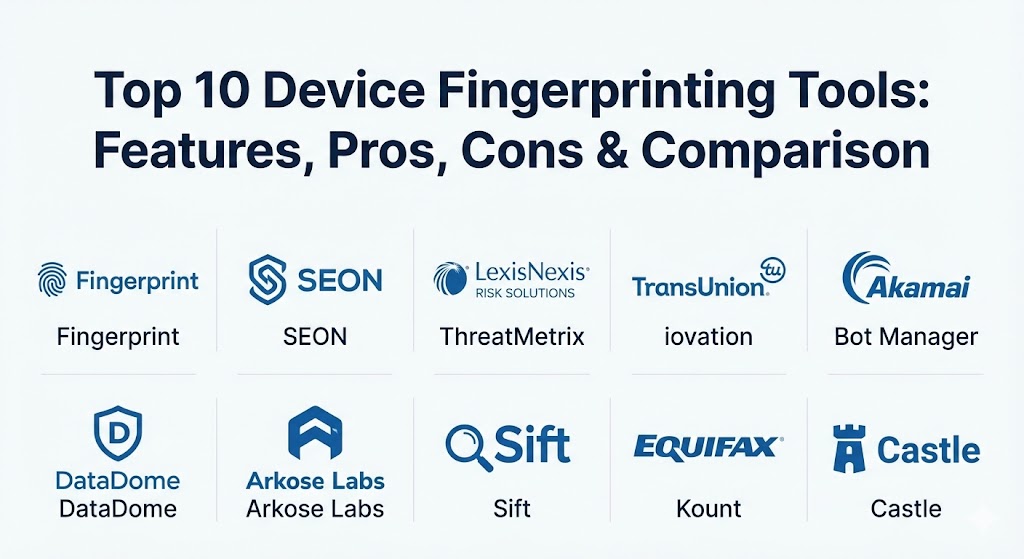
Top 10 Device Fingerprinting Tools
1 — Fingerprint (formerly FingerprintJS)
Fingerprint is widely considered the industry gold standard for developer-centric device identification. It provides a highly accurate browser fingerprinting service that stays stable even when users switch to incognito mode or clear their cache.
- Key features:
- 99.5% identification accuracy using a combination of signals.
- Persistent Visitor IDs that last for months or even years.
- Advanced “Smart Signals” for detecting VPNs, bots, and emulators.
- Server-side API for secure, tamper-proof verification.
- Easy integration with major front-end frameworks (React, Vue, Angular).
- Webhook support for real-time fraud alerting.
- Open-source core with a powerful Pro/Enterprise layer.
- Pros:
- Exceptional documentation and a developer-first experience.
- One of the few tools that effectively identifies users in incognito mode.
- Cons:
- The Pro version can become expensive as your traffic scales.
- Highly technical setup; requires engineering resources to implement correctly.
- Security & compliance: GDPR and CCPA compliant, SOC 2 Type II certified, and 256-bit AES encryption for all data at rest.
- Support & community: Strong GitHub community, detailed technical blog, and premium 24/7 support for enterprise clients.
2 — SEON
SEON is a comprehensive fraud prevention platform that uses device fingerprinting as a core pillar of its “Fraud Fighters” suite. It focuses on providing a holistic view of a user’s digital footprint.
- Key features:
- Combined device fingerprinting with social media lookup (50+ networks).
- No-code rule editor for creating custom fraud-detection logic.
- Real-time risk scoring based on hardware and software anomalies.
- Deep detection of proxies, Tor nodes, and VPNs.
- GUI-based dashboard designed for fraud analysts rather than just devs.
- Browser and mobile SDKs for cross-platform coverage.
- Pros:
- Very efficient for SMBs that need an “all-in-one” fraud solution.
- The digital footprinting (social lookup) provides context that device IDs alone cannot.
- Cons:
- Device identification is part of a larger suite, which may feel bloated if you only need the ID.
- High-volume API calls can lead to significant monthly costs.
- Security & compliance: GDPR compliant, ISO 27001, and SOC 2 aligned practices.
- Support & community: Excellent onboarding with dedicated account managers and a “fraud academy” for user training.
3 — ThreatMetrix (LexisNexis Risk Solutions)
ThreatMetrix is an enterprise-grade digital identity platform that leverages one of the world’s largest shared repositories of “anonymized” digital identities to stop fraud in real time.
- Key features:
- Digital Identity Network with billions of transactions for pattern matching.
- Behavioral biometrics to detect “non-human” interaction patterns.
- Dynamic risk-based authentication to reduce checkout friction.
- Complex link analysis to find “fraud rings” across different accounts.
- Strong emphasis on the financial services and insurance sectors.
- Mobile-specific SDKs for deep device health checks (root/jailbreak detection).
- Pros:
- The “Network Effect” allows you to spot a fraudster even if they’ve never visited your site before.
- Highly reliable for large-scale enterprise environments.
- Cons:
- The user interface can be overwhelming and feels “corporate/legacy.”
- Pricing is generally opaque and aimed at high-revenue enterprises.
- Security & compliance: FIPS 140-2, PCI DSS, HIPAA, and global data privacy standards.
- Support & community: Dedicated enterprise support teams and specialized professional services for implementation.
4 — iovation (by TransUnion)
iovation is a pioneer in the device reputation space. It focuses not just on identifying the device, but on maintaining a global history of that device’s “behavior” across thousands of other websites.
- Key features:
- Global Device Reputation database with millions of blacklisted devices.
- Real-time risk assessment at account creation and login.
- Multi-factor authentication (MFA) orchestration based on device risk.
- Advanced “Evidence-based” blacklisting (shared by the community).
- Fraud-focused analytics for chargeback reduction.
- Support for high-volume gaming and retail environments.
- Pros:
- Extremely effective at stopping “serial” fraudsters who move from site to site.
- Very strong presence and community within the iGaming and FinTech industries.
- Cons:
- The platform is highly specialized for fraud; less useful for general marketing analytics.
- Integration can be a long process for complex enterprise architectures.
- Security & compliance: SOC 2 Type II, GDPR, CCPA, and ISO-standard security controls.
- Support & community: Robust documentation and a tight-knit community of fraud professionals.
5 — Akamai Bot Manager
As a leader in the CDN and security space, Akamai offers Bot Manager, which uses advanced device fingerprinting to distinguish between “good” bots (search engines), “bad” bots (scrapers/ATO), and human users.
- Key features:
- Edge-based processing for near-zero latency in detection.
- Behavioral analysis using machine learning to spot “human-mimicking” bots.
- Device fingerprinting integrated directly into the web application firewall (WAF).
- Sophisticated “challenge” mechanisms (like cryptographic challenges) instead of just CAPTCHAs.
- Global threat intelligence gathered from the world’s largest CDN.
- Granular control over how different bot categories are handled.
- Pros:
- Prevents malicious traffic from even reaching your servers.
- Scalability is unmatched; can handle massive traffic spikes during sales or events.
- Cons:
- Requires being part of the Akamai ecosystem, which is a major commitment.
- Very high cost, making it inaccessible for small or mid-sized businesses.
- Security & compliance: PCI DSS, SOC 2, ISO 27001, and HIPAA compliance readiness.
- Support & community: 24/7 world-class security operations center (SOC) support.
6 — DataDome
DataDome is a specialized bot protection and online fraud prevention solution that prides itself on being “invisible” to the end-user while providing high-fidelity device identification.
- Key features:
- 100% automated bot protection with real-time decisions.
- Advanced device fingerprinting that identifies the specific bot framework being used.
- Protection across web, mobile apps, and APIs within a single dashboard.
- Real-time dashboard with granular details on every attack attempt.
- Integration with major CDNs and load balancers (Cloudflare, AWS, NGINX).
- Low false-positive rate (less than 0.01%).
- Pros:
- Extremely fast time-to-value; can be deployed in minutes.
- The “invisible” nature ensures that legitimate users are never annoyed by challenges.
- Cons:
- Primarily focused on bot mitigation; less focus on “user-identity” tracking.
- Pricing is based on traffic volume, which can scale rapidly.
- Security & compliance: GDPR, CCPA, and SOC 2 Type II compliance.
- Support & community: High customer satisfaction with responsive technical support.
7 — Arkose Labs
Arkose Labs offers a unique approach to fraud by combining device fingerprinting with “economic disincentives.” It identifies suspicious devices and then forces them through challenges that are impossible for bots to solve but easy for humans.
- Key features:
- “Arkose Match” for identifying devices without compromising privacy.
- Interactive challenges that are specifically designed to bankrupt bot operators.
- Device profiling that detects emulators, spoofed headers, and virtual machines.
- Real-time risk signals shared across the Arkose global network.
- 24/7 managed services for proactive threat hunting.
- 100% “SLA guarantee” against automated attacks.
- Pros:
- Effectively stops the “automation” of fraud by making it too expensive for the attacker.
- Excellent for high-value targets like social media platforms and gaming sites.
- Cons:
- The challenge-based approach may add slight friction to high-risk users.
- Geared toward the enterprise market; not a “self-service” tool.
- Security & compliance: SOC 2, GDPR, CCPA, and ISO 27001.
- Support & community: Highly hands-on support with a focus on long-term partnership.
8 — Sift
Sift is a “Digital Trust & Safety” platform that uses device fingerprinting and machine learning to build a “Trust Score” for every user interaction.
- Key features:
- Sift Device ID for persistent, high-accuracy device tracking.
- Machine learning models that learn from millions of transactions across the Sift network.
- Behavioral biometrics to identify “speed-of-light” bot activity.
- Integrated workflows for manual review by fraud teams.
- Content integrity features to stop “spam” and “fake reviews.”
- Payment protection to reduce chargebacks and credit card fraud.
- Pros:
- Very powerful for marketplaces and SaaS platforms with complex user interactions.
- The “Trust Score” approach allows for a more nuanced security posture.
- Cons:
- Can be a “black box” where it is hard to see exactly why a score was given.
- The full suite is expensive for smaller organizations.
- Security & compliance: SOC 2 Type II certified and GDPR-ready.
- Support & community: Strong educational resources and a large enterprise user base.
9 — Kount (an Equifax Company)
Kount is a leading AI-driven fraud prevention platform that specializes in identity trust and payment fraud prevention using deep device intelligence.
- Key features:
- “Identity Trust Global Network” with 13 years of historical data.
- Device fingerprinting that analyzes hundreds of data points in milliseconds.
- Advanced mobile device intelligence for app-based fraud.
- Real-time case management for manual fraud reviews.
- Seamless integration with major payment gateways (Stripe, Braintree).
- Policy-based engine for automating approvals and denials.
- Pros:
- The integration with Equifax data provides a layer of “real-world” identity verification.
- Highly effective for reducing chargeback rates in e-commerce.
- Cons:
- The dashboard and reporting tools can feel a bit traditional.
- Best suited for commerce-heavy businesses; less so for simple bot mitigation.
- Security & compliance: PCI DSS, GDPR, HIPAA, and SOC 2 compliant.
- Support & community: Robust training programs and dedicated implementation specialists.
10 — Castle
Castle is a modern, developer-friendly security platform that focuses on protecting user accounts from takeovers and automated abuse.
- Key features:
- “Passive” device fingerprinting that requires zero user interaction.
- Real-time alerting for “Impossible Travel” and “New Device” logins.
- Automated account lockout or MFA triggers based on risk.
- User journey mapping to see exactly what a fraudster did after logging in.
- Light-weight API with excellent SDK support for Node, Python, and Ruby.
- Integrated “Impersonation” detection for protecting admin accounts.
- Pros:
- The focus on the “User Journey” makes it very easy to audit security incidents.
- Extremely clean and modern user interface that developers love.
- Cons:
- Primarily focused on “Account Security”; lacks some of the payment-specific features.
- The free tier is limited for high-traffic applications.
- Security & compliance: SOC 2 Type II certified and GDPR compliant.
- Support & community: Very responsive Slack community and detailed developer docs.
Comparison Table
| Tool Name | Best For | Platform(s) Supported | Standout Feature | Rating (Gartner/G2) |
| Fingerprint | Developers & SaaS | Web, Android, iOS | 99.5% Visitor ID Accuracy | 4.6 / 5 |
| SEON | SMBs & Fraud Teams | Web, Mobile, API | Social Media Digital Footprint | 4.6 / 5 |
| ThreatMetrix | Financial Services | Web, Mobile, SDK | Global Identity Network | 4.5 / 5 |
| iovation | iGaming & Reputation | Web, Mobile | Global Device Blacklist | 4.4 / 5 |
| Akamai Bot Mgr | Large-Scale Enterprise | CDN / Edge | Edge-based Bot Mitigation | 4.7 / 5 |
| DataDome | Anti-Bot / E-comm | Cloud, Mobile, API | “Invisible” Bot Protection | 4.8 / 5 |
| Arkose Labs | Stopping Automation | Web, Mobile, SaaS | Bankrupting Bot Economics | 4.5 / 5 |
| Sift | Marketplaces | Web, Mobile, API | “Trust Score” Logic | 4.6 / 5 |
| Kount | E-commerce Payments | Web, Mobile, SDK | Equifax Identity Integration | 4.8 / 5 |
| Castle | User Account Security | Web, Mobile, API | User Journey Visualization | 4.5 / 5 |
Evaluation & Scoring of Device Fingerprinting Tools
When evaluating these tools, we utilize a weighted scoring rubric that reflects the priorities of modern IT and security teams in 2026.
| Category | Weight | Evaluation Criteria |
| Core Features | 25% | Accuracy of identification, persistence of ID, and resistance to VPNs/Spoofing. |
| Ease of Use | 15% | Quality of SDKs, ease of integration, and the intuitiveness of the dashboard. |
| Integrations | 15% | Compatibility with existing stacks (AWS, React, CDNs) and payment gateways. |
| Security & Compliance | 10% | Regulatory readiness (GDPR, CCPA), encryption standards, and auditability. |
| Performance | 10% | Impact on page load times, latency of API calls, and reliability under load. |
| Support & Community | 10% | Availability of documentation, responsiveness of support, and user forums. |
| Price / Value | 15% | Transparency of pricing and the ROI regarding fraud reduction. |
Which Device Fingerprinting Tool Is Right for You?
Selecting the right tool depends on where your primary “pain point” lies.
- For the Developer-Driven Startup: If you are building a product and need a reliable, high-accuracy ID to prevent account abuse, Fingerprint or Castle are the best choices. Their APIs are a joy to work with, and their documentation is tailored for engineers.
- For the Budget-Conscious SMB: SEON offers a great entry point. Their “per-check” pricing and “Fraud Fighters” suite provide a lot of functionality for a relatively small investment, especially when you include the social media lookup.
- For the E-commerce Powerhouse: If your biggest fear is chargebacks and “card cracking,” Kount or DataDome are top-tier. DataDome keeps your site fast and bot-free, while Kount ensures your payments are secure.
- For the Global Enterprise / Bank: High-volume organizations need the “shared intelligence” provided by ThreatMetrix or iovation. These tools offer a level of global data that smaller tools simply cannot match.
- For the Privacy-First Organization: If your legal team is strict about data collection, Fingerprint (with its privacy-focused features) or Arkose Labs (which focuses on behavior rather than personal data) are excellent choices.
Frequently Asked Questions (FAQs)
1. Is device fingerprinting more accurate than IP tracking? Yes, significantly. IP addresses change frequently (DHCP), are often shared by thousands of users (CGNAT), and are easily masked by VPNs. Device fingerprinting uses hardware and software traits that remain stable even when the IP changes.
2. Can device fingerprinting identify me in Incognito Mode? Advanced tools like Fingerprint can. While browsers try to hide some signals in private mode, “probabilistic” fingerprinting uses subtle variations in hardware rendering and browser behavior to link sessions with high confidence.
3. Is device fingerprinting legal under GDPR? Yes, but it must be used for a “legitimate interest” such as fraud prevention or security. You must be transparent in your privacy policy about the data you are collecting and why.
4. Does fingerprinting slow down my website? Most modern tools are asynchronous and lightweight, meaning they collect data in the background without blocking the rendering of the page. Edge-based solutions like Akamai have virtually zero impact.
5. How do fraudsters try to “bypass” fingerprinting? They use tools like “Anti-detect” browsers or emulators that randomize their fingerprint. However, top-tier tools can actually detect these “randomization” patterns themselves, flagging them as highly suspicious.
6. What is the difference between “probabilistic” and “deterministic” fingerprinting? Deterministic uses a single, unchanging ID (like a serial number). Probabilistic (the industry standard) uses a collection of signals to calculate the likelihood that it is the same device, which is more privacy-friendly.
7. Can I use these tools for marketing? While possible, it is not recommended without explicit consent. Most of these tools are specifically optimized and legally licensed for “Security and Fraud Prevention” rather than ad-tracking.
8. Do these tools work on mobile apps? Yes. Most offer native iOS and Android SDKs that can access even more stable identifiers (like hardware models and OS kernels) compared to web browsers.
9. What is “Canvas Fingerprinting”? It is a technique where the browser is asked to draw a hidden image. Because every GPU and driver renders pixels slightly differently, the resulting image is unique to that specific hardware configuration.
10. Why is “Persistence” important? Persistence means the ID stays the same even after a browser update or a cache clear. Without persistence, a fraudster could simply “refresh” their identity every few minutes to bypass rate limits.
Conclusion
The battle against digital fraud is no longer a human one—it is an algorithmic one. Device fingerprinting has moved from a “nice-to-have” security feature to a foundational requirement for any business operating at scale. Whether you prioritize developer ease, global network data, or “invisible” bot protection, the tools listed above represent the cutting edge of digital identity in 2026. Choose the tool that aligns with your technical capacity and your risk threshold, and remember that in security, the best identifier is the one the fraudster doesn’t even know is there.
The technical depth here is excellent, especially regarding how device fingerprinting outpaces traditional IP tracking. It’s fascinating to see how tools like Fingerprint maintain accuracy in incognito mode by leveraging hardware rendering quirks—that’s a level of detail often missed in broader security discussions. I also found the mention of Arkose Labs’ “economic disincentives” to be a standout perspective, as shifting the focus to making attacks unprofitable for bot operators is a very pragmatic way to handle large-scale fraud. The breakdown between probabilistic and deterministic methods really helps clarify the trade-offs between user privacy and identification persistence. It’s clear that in 2026, these “invisible” security layers are becoming the silent backbone of a safe user experience. This comparison is a great asset for anyone trying to select a fraud prevention stack that balances technical robustness with regulatory compliance.