Introduction
DDoS protection tools are specialized security solutions designed to identify and block malicious traffic aimed at overwhelming a network, server, or application. These tools work by analyzing incoming traffic patterns in real-time, distinguishing between legitimate users and bot-driven floods. In 2026, these solutions utilize advanced machine learning (ML) to adapt to “zero-day” attacks without requiring manual intervention from security teams.
The importance of these tools lies in maintaining availability and trust. Key real-world use cases include protecting e-commerce platforms during high-traffic sales events, safeguarding financial institutions against ransom-based attacks, and ensuring the stability of government portals. When choosing a tool, evaluation criteria should include mitigation speed (Time-to-Mitigate), network capacity (bandwidth scrubbing), accuracy (false positive rates), and Layer 7 (Application Layer) visibility.
Best for: Chief Information Security Officers (CISOs), Site Reliability Engineers (SREs), and IT directors in mid-to-large enterprises. It is essential for industries like Fintech, E-commerce, Gaming, and SaaS providers where uptime is directly tied to revenue.
Not ideal for: Small, static websites with minimal traffic that do not process transactions or host sensitive data. For these cases, basic security features included with standard web hosting or free CDN tiers are often sufficient, as the cost of a dedicated enterprise DDoS solution would exceed the business risk.
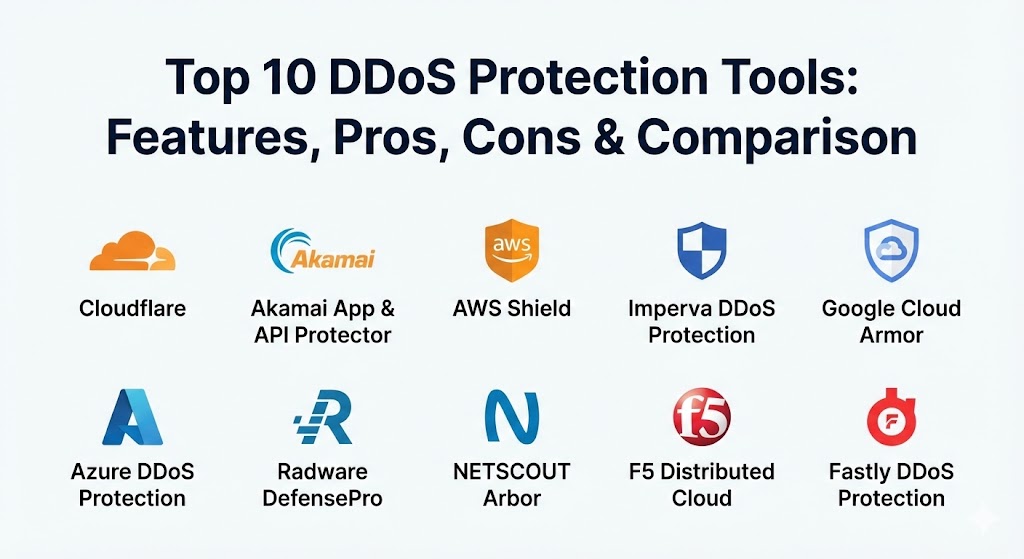
Top 10 DDoS Protection Tools
1 — Cloudflare
Cloudflare is widely considered the industry leader in cloud-based DDoS protection. In 2026, its massive global network acts as a “giant sponge,” absorbing the internet’s largest attacks before they ever reach a customer’s origin server.
- Key features:
- Unmetered Mitigation: No penalty for spikes in traffic, regardless of the attack size.
- 3-Second Mitigation SLA: Automated systems identify and block most attacks in under three seconds.
- Global Anycast Network: 330+ data centers worldwide provide localized scrubbing.
- WAF Integration: Seamlessly combines DDoS protection with a Web Application Firewall.
- Bot Management: Uses ML to distinguish between good bots (search engines) and malicious scrapers.
- GraphQL API Analytics: Provides deep, real-time visibility into traffic patterns.
- Magic Transit: Extends DDoS protection to on-premise and hybrid network infrastructure via BGP.
- Pros:
- Unmatched ease of use with a “one-click” onboarding process.
- Excellent performance benefits through its integrated CDN and caching.
- Cons:
- Pricing for Enterprise tiers can be high and sometimes lacks transparency.
- Highly specialized Layer 7 custom rules can be complex to configure for non-experts.
- Security & compliance: SOC 2 Type II, ISO 27001, PCI DSS, GDPR, and HIPAA compliant. Supports SSO and advanced audit logs.
- Support & community: Extensive documentation and a massive community; 24/7/365 enterprise support with strict SLAs.
2 — Akamai App & API Protector
Akamai is a veteran in the space, offering one of the most sophisticated security engines on the market. Their platform is built for complex, global architectures that require high-fidelity threat detection.
- Key features:
- Adaptive Security Engine: Automatically updates security rules based on global threat intelligence.
- Advanced API Security: Specialized protection for the API endpoints that power modern mobile apps.
- Edge-Based Scrubbing: Over 250,000 servers globally ensure traffic is cleaned close to the source.
- Managed Security Services: Access to Akamai’s SOC experts for manual mitigation of complex threats.
- Rate Limiting: Granular controls to prevent “low and slow” application-layer attacks.
- Bot Visibility: Deep analysis of automated traffic to prevent credential stuffing.
- Pros:
- Known for having one of the most accurate detection engines with very low false positives.
- Exceptional for large-scale, high-bandwidth applications.
- Cons:
- Configuration changes can take up to 20 minutes to propagate globally.
- The administrative portal is powerful but carries a significant learning curve.
- Security & compliance: FedRAMP authorized, SOC 2, ISO 27001, and PCI DSS.
- Support & community: High-touch enterprise support with dedicated technical account managers available.
3 — AWS Shield (Advanced)
For organizations running primarily on Amazon Web Services, AWS Shield Advanced provides a “native” defense layer that is deeply integrated with the cloud infrastructure.
- Key features:
- Layer 3 to 7 Protection: Covers everything from volumetric network floods to complex HTTP attacks.
- Shield Response Team (SRT): 24/7 access to experts who can apply custom mitigations during an attack.
- Cost Protection: Provides credits if a DDoS attack causes your EC2 or CloudFront bills to spike.
- Health-Based Detection: Uses Route 53 health checks to trigger mitigation faster.
- WAF Included: Subscription includes AWS WAF for application-layer rules.
- Real-time Metrics: Integrated with CloudWatch for immediate alerting and visibility.
- Pros:
- Seamless integration for existing AWS users with no changes to network architecture.
- Predictable pricing for large organizations through the “Standard” and “Advanced” tiers.
- Cons:
- Primarily effective for resources hosted inside the AWS ecosystem.
- Advanced features require a $3,000/month commitment, making it expensive for SMBs.
- Security & compliance: Complies with all major AWS certifications (SOC, ISO, HIPAA, FedRAMP).
- Support & community: Backed by the vast AWS support network and documentation library.
4 — Imperva DDoS Protection
Imperva is famous for its 3-second mitigation SLA and its “Behemoth” custom scrubbing technology. It is a top choice for organizations that cannot afford even a few seconds of downtime.
- Key features:
- 3-Second Mitigation SLA: Industry-leading guarantee for blocking attacks of any size.
- Behemoth Scrubbing centers: High-capacity PoPs capable of processing 65 billion packets per second.
- Attack Analytics: Condenses thousands of alerts into a few actionable insights.
- DNS Protection: Specialized scrubbing for Anycast and Unicast DNS routing.
- Always-on or On-demand: Flexible deployment options via BGP or DNS redirection.
- Ransomware Protection: Specifically designed to counter ransom-DDoS threats.
- Pros:
- Extremely fast time-to-mitigate; often stops attacks before they are even noticed.
- The dashboard provides some of the best “actionable” security data in the industry.
- Cons:
- Reporting and custom rule logic can sometimes feel more rigid than Cloudflare.
- The price-per-bandwidth model can become expensive during long-duration attacks.
- Security & compliance: SOC 2 Type II, ISO 27001, PCI DSS, and HIPAA.
- Support & community: 24/7 global SOC support; highly regarded professional services team.
5 — Google Cloud Armor
Google Cloud Armor leverages the same global infrastructure that protects Google Search and YouTube, providing high-scale DDoS and WAF services for Google Cloud users.
- Key features:
- Adaptive Protection: ML-based detection specifically for Layer 7 (Application) attacks.
- Global Load Balancing Integration: Mitigation happens at the edge of Google’s network.
- Pre-configured WAF Rules: Out-of-the-box protection against the OWASP Top 10 risks.
- reCAPTCHA Enterprise Integration: Native bot management to stop automated fraud.
- Predictable Monthly Pricing: The Enterprise tier offers a flat rate for DDoS and WAF services.
- Rich Rules Language: High degree of customization for security policies.
- Pros:
- Leverages Google’s massive global backbone for incredible volumetric absorption.
- Very easy to enable for existing Google Cloud workloads.
- Cons:
- Visibility and logging can be fragmented compared to specialized security vendors.
- Less effective for applications hosted on-premises or in other clouds.
- Security & compliance: FedRAMP High, SOC 2, ISO 27001, and PCI DSS.
- Support & community: Integrated with Google Cloud support plans; strong developer documentation.
6 — Azure DDoS Protection
Microsoft’s native DDoS protection offers a “turnkey” solution for Azure resources, focusing on simplicity and automatic tuning.
- Key features:
- Always-on Monitoring: Constant analysis of traffic patterns to identify anomalies.
- Adaptive Tuning: Learns the “normal” traffic profile of your specific Azure resources.
- DDoS Rapid Response: Access to Microsoft security experts during an active incident.
- Cost Guarantee: Service credits for resource costs incurred due to a documented attack.
- L3/L4 Mitigation: Native protection for the network and transport layers.
- Diagnostic Logging: Integration with Azure Monitor and Microsoft Sentinel for analytics.
- Pros:
- No application or resource changes required; “flip-a-switch” deployment.
- Highly reliable and stable; integrates perfectly with Azure Firewall.
- Cons:
- The analytic dashboard is often described as lacking deep, user-friendly insights.
- High fixed monthly cost ($2,944/month per tenant) regardless of traffic volume.
- Security & compliance: Compliant with the full suite of Microsoft Azure certifications.
- Support & community: Strong enterprise support with transparent communication.
7 — Radware DefensePro
Radware offers a hybrid approach, combining high-performance on-premise appliances with a massive cloud scrubbing network. It is a favorite for service providers and carriers.
- Key features:
- Behavior-Based Detection: Uses ML to create real-time signatures for zero-day attacks.
- SSL/TLS Mitigation: High-speed hardware for inspecting encrypted attack traffic.
- Zero-Day Protection: Specifically targets attacks that do not have a known pattern.
- Hybrid Cloud Shield: Seamlessly offloads traffic to the cloud when on-prem pipes are full.
- Emergency Response Team (ERT): Direct access to expert engineers for live combat.
- Multi-Layered Security: Integrated IPS and WAF capabilities.
- Pros:
- The best tool for preventing “low-and-slow” attacks that bypass traditional threshold-based systems.
- Extremely high stability and performance for physical data centers.
- Cons:
- On-premise hardware can be complex and expensive to maintain.
- Cloud integration UI is not as modern as SaaS-native platforms.
- Security & compliance: FIPS 140-2, SOC 2, and ISO 27001.
- Support & community: Technical support is highly knowledgeable but can vary in speed for non-premium tiers.
8 — NETSCOUT Arbor DDoS Protection
Arbor (now part of Netscout) is the “classic” choice for internet service providers (ISPs) and large network operators. They provide the backbone for much of the world’s global DDoS monitoring.
- Key features:
- Arbor Sightline: Provides “internet-scale” visibility into global threat landscapes.
- Adaptive Mitigation: Combines global threat intelligence with local network data.
- BGP Hijack Monitoring: Protects against routing attacks alongside DDoS.
- Hybrid Protection: Seamlessly connects on-premise appliances with Arbor Cloud.
- Rich Network Analytics: Some of the most detailed traffic reports available.
- MSSP Portal: Built-in multi-tenancy for service providers.
- Pros:
- Unrivaled pedigree and visibility into global internet traffic.
- Excellent at handling extremely large, volumetric (Tbps+) attacks.
- Cons:
- Famous for being “if-you-have-to-ask-you-can’t-afford-it” expensive.
- The implementation and API management can be very complex.
- Security & compliance: SOC 2, ISO 27001, and extensive telecom certifications.
- Support & community: World-class support from the Arbor Technical Assistance Center (ATAC).
9 — F5 Distributed Cloud DDoS Mitigation
F5 offers a high-performance, SaaS-based solution built on a dedicated global backbone. It is designed for enterprise users who need a blend of high capacity and rapid response.
- Key features:
- Dedicated Private Backbone: 13 Tbps of scrubbing capacity across a private redundant network.
- Regional Edges: 24 global nodes ensure traffic is scrubbed close to the origin.
- Unified Console: Centralized management for cloud, on-prem, and hybrid apps.
- L3-L7 Defense: Comprehensive protection across the entire stack.
- Custom DoS Rules: High flexibility for defining specific security policies.
- Time-to-Mitigate (TTM): Optimized for incredibly fast response to burst attacks.
- Pros:
- Exceptional at reducing latency by scrubbing traffic on F5’s own private fiber.
- The “Single Pane of Glass” for hybrid deployments is a major productivity boost.
- Cons:
- Transitioning from legacy F5 appliances to the Distributed Cloud can be a complex migration.
- Pricing reflects its high-performance, enterprise-only targeting.
- Security & compliance: SOC 2, ISO 27001, and PCI DSS.
- Support & community: 24/7 SOC engineers provide proactive monitoring and response.
10 — Fastly DDoS Protection
Fastly is a developer-centric CDN that has built a reputation for high-speed, automated DDoS protection that doesn’t sacrifice performance.
- Key features:
- Adaptive Threat Engine: tailors rules in real-time to stop complex Layer 7 floods.
- Massive Capacity: Over 497+ Tbps of global network capacity to absorb volumetric attacks.
- Zero Attack Fees: You never pay for the traffic spikes generated by a mitigated attack.
- One-Click Enablement: Simple “flip-a-switch” activation for any Fastly service.
- Edge Processing: Decisions are made at the network edge, minimizing latency.
- Near Real-time Visibility: See attack data and mitigation efficacy in seconds.
- Pros:
- One of the fastest networks for processing and responding to dynamic attacks.
- Transparent, value-aligned pricing that doesn’t penalize you for being a victim.
- Cons:
- Advanced security features are often sold as part of a larger bundle.
- Less focus on “legacy” network-layer protection (BGP) than Arbor or Imperva.
- Security & compliance: SOC 2 Type II, PCI DSS, and HIPAA compliant.
- Support & community: Excellent developer documentation and responsive technical support.
Comparison Table
| Tool Name | Best For | Platform(s) Supported | Standout Feature | Rating (Gartner) |
| Cloudflare | All-in-one Security | Cloud, On-prem, Hybrid | Unmetered Mitigation | 4.8 / 5 |
| Akamai | High-Fidelity Defense | Cloud, API, Hybrid | Adaptive Security Engine | 4.7 / 5 |
| AWS Shield | AWS Workloads | AWS Only | DDoS Cost Protection | 4.6 / 5 |
| Imperva | Rapid Mitigation | Cloud, On-prem | 3-Second Mitigation SLA | 4.7 / 5 |
| Google Armor | Google Cloud Ops | Google Cloud | ML-based L7 Protection | 4.5 / 5 |
| Azure DDoS | Azure Infrastructure | Azure Only | Turnkey Automatic Tuning | 4.6 / 5 |
| Radware | Hybrid / DC Ops | Hardware, Cloud | Behavior-based signatures | 4.6 / 5 |
| NETSCOUT Arbor | ISPs / Carriers | Hardware, Cloud | Internet-scale Visibility | 4.4 / 5 |
| F5 Dist. Cloud | High-perf Hybrid | SaaS, Cloud, On-prem | 13 Tbps Private Backbone | 4.5 / 5 |
| Fastly | Devs / Apps & APIs | Cloud-native | Zero Attack Fees | 4.7 / 5 |
Evaluation & Scoring of DDoS Protection Tools
Choosing a DDoS tool in 2026 is no longer just about “bandwidth.” It is about intelligence and speed. We have evaluated these tools using a weighted rubric designed for modern enterprise requirements.
| Category | Weight | Evaluation Criteria |
| Core Features | 25% | Scrubbing capacity, L7 accuracy, and time-to-mitigate (SLA). |
| Ease of Use | 15% | Onboarding speed, dashboard clarity, and automation level. |
| Integrations | 15% | WAF/CDN synergy, API depth, and cloud ecosystem support. |
| Security & Compliance | 10% | Certifications (FedRAMP/SOC2), SSO, and audit trail depth. |
| Performance | 10% | Latency impact and localized scrubbing points (PoPs). |
| Support & Community | 10% | 24/7 SOC access, documentation, and expert response times. |
| Price / Value | 15% | Transparency, unmetered options, and ROI (cost protection). |
Which DDoS Protection Tool Is Right for You?
Solo Users vs SMB vs Mid-market vs Enterprise
- Solo Users & Small Startups: Stick to the Cloudflare Free or Pro tiers. They provide world-class unmetered protection at a price point that fits your growth.
- SMBs (10–100 employees): Fastly or Cloudflare Business tiers offer the best balance of sophisticated protection and easy management without needing a dedicated security team.
- Mid-market (100–500 employees): If you are in a specific cloud, AWS Shield Advanced or Google Cloud Armor provide the best “native” value. If you are hybrid, Imperva offers the fastest mitigation.
- Global Enterprise (500+ employees): Akamai or F5 Distributed Cloud. These tools offer the high-fidelity defense and private backbones required for mission-critical global traffic.
Budget-conscious vs Premium solutions
- Budget-conscious: Cloudflare remains the king of value, offering robust protection for free or low monthly fees. Azure DDoS and AWS Shield are “budget-friendly” only if you have a high volume of resources where the flat fee is diluted.
- Premium: Akamai and NETSCOUT Arbor are investments. You are paying for a level of visibility and manual expert intervention that other tools cannot match.
Feature depth vs Ease of use
- Feature Depth: Radware and Arbor provide the “nerdiest” controls for engineers who want to tweak every packet signature.
- Ease of Use: Cloudflare and Azure DDoS Protection are the winners for teams that want to “set it and forget it.”
Frequently Asked Questions (FAQs)
1. Does DDoS protection slow down my website?
If configured correctly, it should actually speed it up. Most cloud-based tools (like Cloudflare or Akamai) include a CDN that caches content closer to your users, reducing latency.
2. What is the difference between a WAF and DDoS protection?
DDoS protection stops “brute force” floods of traffic (Layer 3/4). A Web Application Firewall (WAF) stops “surgical” attacks like SQL injection or cross-site scripting (Layer 7).
3. What is “Unmetered” mitigation?
This means the provider (like Cloudflare) will not charge you extra for bandwidth during an attack. Some providers still charge for “cleaned” traffic or the size of the attack, so always check the fine print.
4. Can I protect an on-premise data center with a cloud tool?
Yes. Solutions like Cloudflare Magic Transit or Imperva use BGP (Border Gateway Protocol) to route your data center traffic through their scrubbing centers before it reaches your door.
5. How much do these tools typically cost?
Basic protection is often free. Enterprise-grade protection usually starts at around $3,000/month and can go up to $10,000+ depending on traffic volume and support needs.
6. Do I need DDoS protection if I’m already on AWS or Google Cloud?
Yes. While these clouds provide “Standard” protection for their own networks, it is usually basic. For your specific application’s health and cost protection, you need the “Advanced” or “Armor” tiers.
7. What is a “Scrubbing Center”?
It is a specialized data center where a provider’s high-performance hardware filters out attack traffic and only sends the “clean” traffic back to your origin.
8. Can DDoS protection stop a ransom demand?
It can’t stop the email from being sent, but it makes the threat toothless. If the attacker cannot take your site down, you have no reason to pay the ransom.
9. What is “Layer 7” DDoS?
These are “Application Layer” attacks that don’t flood the network but instead send complex requests (like heavy database queries) to crash the application itself. They are much harder to detect than simple floods.
10. How long does it take to set up?
Cloud-based tools that use DNS changes (Cloudflare/Fastly) can be set up in minutes. Network-level protection (BGP) can take several days of coordination between your IT team and the provider.
Conclusion
In 2026, a DDoS attack is not a matter of “if,” but “when.” The digital world is too competitive and the tools for attackers are too cheap for any business to remain unprotected.
The “best” tool is the one that aligns with your infrastructure and your team’s expertise. If you live in the cloud, AWS and Azure offer simple, integrated shields. If you need the fastest, most automated protection in the world, Cloudflare and Imperva are the gold standards. And if you are an ISP or global giant, the visibility of NETSCOUT Arbor is unrivaled.