Introduction
Database Monitoring Tools are specialized software solutions designed to track the health, performance, and availability of database systems. They act as a “doctor” for your data infrastructure, continuously measuring vitals such as query execution times, CPU utilization, memory consumption, disk I/O, and connection counts. By providing real-time visibility into these metrics, these tools allow IT teams to identify bottlenecks before they impact the end-user.
The importance of these tools lies in their ability to provide “observability.” Without them, a Database Administrator (DBA) is effectively flying blind. For instance, if a specific SQL query starts taking five seconds instead of fifty milliseconds, a monitoring tool will alert the team immediately, pinpointing the exact line of code causing the friction. Key real-world use cases include capacity planning (knowing when to buy more storage), query optimization, and forensic analysis after a system outage. When choosing a tool in this category, users should look for multi-platform support, low overhead on the target database, intuitive alerting systems, and historical data retention for trend analysis.
Best for: Database Administrators (DBAs), DevOps engineers, and Site Reliability Engineers (SREs) in mid-to-large enterprises. It is also essential for high-growth startups whose core product relies on high-speed data transactions, such as Fintech, E-commerce, and SaaS platforms.
Not ideal for: Solo hobbyists running very small, static websites or applications with negligible traffic where native, free server logs (like simple Linux top commands) provide enough information. It is also likely overkill for companies that use “fully managed” serverless databases where the provider handles all performance tuning.
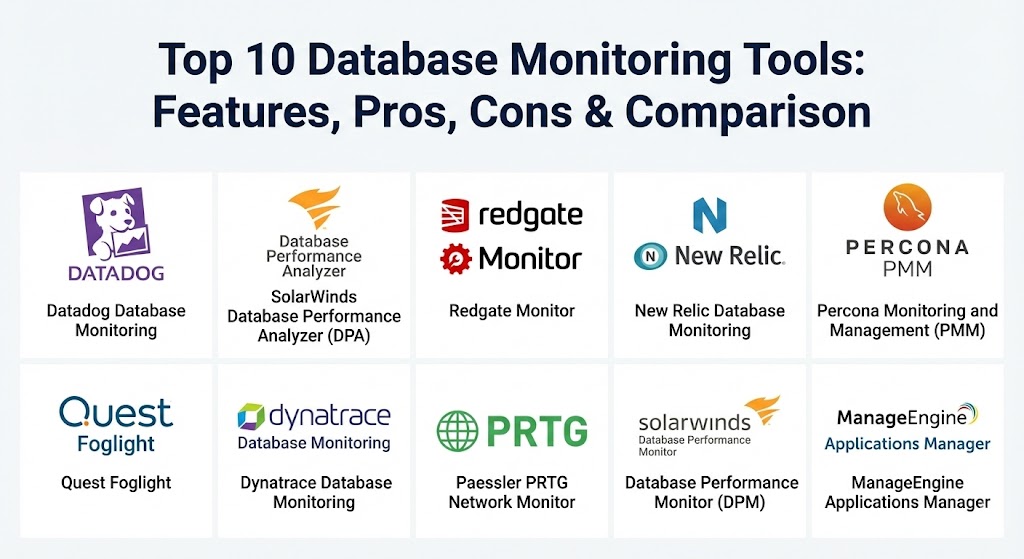
Top 10 Database Monitoring Tools
1 — Datadog Database Monitoring
Datadog has solidified its position in 2026 as a leader in cloud-scale observability. Its database monitoring module provides deep-dive visibility into query performance and resource utilization across almost every major database engine, including managed cloud services like Amazon RDS and Google Cloud SQL.
- Key features:
- Unified view of database metrics alongside application traces and logs.
- Deep query-level analysis, including execution plans and wait states.
- Automated discovery of new database instances in cloud environments.
- Machine learning-based anomaly detection to catch subtle performance drifts.
- Support for traditional RDBMS (PostgreSQL, MySQL, SQL Server) and modern NoSQL (MongoDB, Cassandra).
- Correlated infrastructure metrics (disk, network, CPU) in a single dashboard.
- Pros:
- Exceptionally easy to scale in “ephemeral” environments like Kubernetes.
- The integration between database metrics and application performance monitoring (APM) is seamless.
- Cons:
- Pricing can become unpredictable as you scale the number of monitored hosts.
- The sheer volume of features can be overwhelming for beginners.
- Security & compliance: SOC 2, GDPR, HIPAA, and ISO 27001 compliant. Supports SSO (SAML/OIDC) and data encryption at rest and in transit.
- Support & community: Extensive documentation, a vast library of pre-built dashboards, and 24/7 enterprise support. Large community following on GitHub and professional forums.
2 — SolarWinds Database Performance Analyzer (DPA)
SolarWinds DPA is a veteran in the field, specifically tailored for enterprises that require deep-dive analysis of “wait times.” It focuses on identifying exactly why a query is waiting and what resource is causing the delay.
- Key features:
- Multi-vendor support for SQL Server, Oracle, MySQL, MariaDB, and DB2.
- “Wait-time analysis” that identifies the root cause of performance lags.
- Historical trend analysis with “blocking” and “deadlock” detection.
- Advisor tool that provides specific tuning recommendations.
- Integration with the broader SolarWinds Orion platform for holistic IT monitoring.
- Anomaly detection powered by the “PERFSTACK” engine for cross-stack correlation.
- Pros:
- The “Advisors” feature is like having a virtual consultant suggesting index improvements.
- Excellent for heterogeneous environments where teams manage both Oracle and SQL Server.
- Cons:
- Traditionally requires a more significant on-premises installation footprint.
- The user interface, while powerful, feels more “traditional” than modern SaaS competitors.
- Security & compliance: FIPS 140-2 support, SSO integration, and detailed audit logs.
- Support & community: Backed by the “THWACK” community, one of the largest IT professional forums globally. Excellent enterprise support plans.
3 — Redgate Monitor
Formerly known as SQL Monitor, Redgate Monitor is the “gold standard” for organizations that are heavily invested in the Microsoft SQL Server ecosystem. It has recently expanded to support PostgreSQL, making it a powerful hybrid choice.
- Key features:
- Real-time alerts on disk space, CPU spikes, and long-running queries.
- Visualizations of “Estate Health” to monitor hundreds of instances at once.
- Deployment tracking to see how code changes affect database performance.
- Support for Azure SQL Database and Amazon RDS.
- Detailed blocking and deadlock visualization tools.
- Reporting engine that automates compliance and uptime audits.
- Pros:
- Deepest possible integration with SQL Server internals compared to any other tool.
- Extremely lightweight agentless monitoring that minimizes performance impact.
- Cons:
- Primarily focused on SQL Server and PostgreSQL; not ideal for Oracle or NoSQL-heavy shops.
- Licensing is per-server, which can be costly for distributed microservice architectures.
- Security & compliance: SOC 2 Type II compliant. Supports Active Directory/SSO and provides granular role-based access control.
- Support & community: Highly praised customer support; extensive video tutorials and the “Simple Talk” community for technical education.
4 — New Relic Database Monitoring
New Relic is a pioneer in the SaaS observability space. Its database monitoring is part of its “all-in-one” platform, offering a consumption-based pricing model that appeals to modern DevOps teams.
- Key features:
- Instant-on integration for over 50 database types.
- Real-time query performance monitoring with slow query traces.
- Dashboarding that links database health directly to business KPIs (e.g., revenue per minute).
- Pixie integration for eBPF-based, agentless Kubernetes monitoring.
- Error tracking and alerting based on customizable thresholds.
- Detailed inventory of all database instances across cloud providers.
- Pros:
- Pricing is based on data ingest and users, which can be more affordable for certain scales.
- Strongest “full-stack” context—you can see exactly which line of Python code triggered a slow SQL call.
- Cons:
- The UI has undergone many changes, leading to a learning curve for legacy users.
- Query-level detail is sometimes less granular than specialized tools like DPA.
- Security & compliance: HIPAA, SOC 2, GDPR, and FedRAMP authorized. Offers high-security mode to prevent PII leakage.
- Support & community: Robust documentation, “New Relic University” for training, and 24/7 technical support for higher tiers.
5 — Percona Monitoring and Management (PMM)
Percona PMM is the premier open-source choice for managing MySQL, PostgreSQL, and MongoDB. It is a favorite among engineers who want enterprise-grade power without the SaaS “black box” or recurring license fees.
- Key features:
- Query Analytics (QAN) that identifies the most expensive queries over time.
- Integrated “Database Advisors” to check for security vulnerabilities and misconfigurations.
- Completely free and open-source, allowing for full customization.
- Support for local on-prem deployments and all major cloud providers.
- Visualizations of performance metrics using Grafana-based dashboards.
- Capability to monitor host-level metrics (OS) alongside database metrics.
- Pros:
- Zero licensing costs, making it ideal for budget-conscious but technically savvy teams.
- The most transparent tool on the market—you can audit the code yourself.
- Cons:
- Requires more manual effort to set up and maintain than SaaS alternatives.
- Lacks some of the “polished” automated remediation features found in paid products.
- Security & compliance: Varies based on deployment. Users are responsible for securing the PMM server. Supports SSL and basic auth.
- Support & community: Backed by the Percona community and forums. Professional enterprise support is available via a paid subscription.
6 — Quest Foglight
Quest Foglight is an enterprise-grade performance monitoring solution designed for complex, cross-platform environments. It excels at managing performance across diverse database types from a single unified console.
- Key features:
- Support for virtually all RDBMS, NoSQL, and cloud-native databases.
- “Change Tracking” to see how configuration changes impact performance.
- Multi-dimensional “SLA” tracking for critical business applications.
- Automated discovery and mapping of database dependencies.
- Predictive analytics to forecast storage and performance needs.
- Deep-dive forensics for “post-mortem” analysis of outages.
- Pros:
- Best-in-class for global enterprises with massive, fragmented database estates.
- Extremely high level of detail for troubleshooting complex, multi-instance environments.
- Cons:
- The interface can feel quite dense and “legacy” to younger DevOps teams.
- Implementation often requires professional services for larger rollouts.
- Security & compliance: FIPS compliant, SOC 2, and supports granular access control.
- Support & community: Strong enterprise support with dedicated account managers. Extensive knowledge base and formal training programs.
7 — Dynatrace Database Monitoring
Dynatrace is known for its “Davis” AI engine. In 2026, it is the tool of choice for organizations that want “autonomous” monitoring, where the software identifies and diagnoses problems without manual dashboard checking.
- Key features:
- AI-powered “OneAgent” that automatically detects and monitors databases.
- Automatic root-cause analysis for performance degradations.
- Transaction-level visibility from the browser to the database disk.
- Support for cloud-native databases like DynamoDB, Cosmos DB, and Snowflake.
- Performance benchmarking against historical baselines.
- Integrated security monitoring to detect unauthorized data access.
- Pros:
- Significantly reduces “alert fatigue” by grouping related issues into a single incident.
- Automates the mapping of complex microservice-to-database dependencies.
- Cons:
- One of the most expensive tools on the market.
- The “all-in-one” nature makes it difficult to buy just database monitoring.
- Security & compliance: SOC 2 Type II, ISO 27001, HIPAA, and GDPR compliant. Key management and encryption are standard.
- Support & community: Excellent documentation and “Dynatrace University.” Dedicated technical partner managers for enterprise clients.
8 — Paessler PRTG Network Monitor
PRTG is the “all-rounder” on this list. While not a specialized database tool, it uses dedicated “sensors” to monitor database health. It is perfect for IT generalists who want one tool for their servers, switches, and databases.
- Key features:
- Dedicated sensors for SQL Server, Oracle, MySQL, and PostgreSQL.
- Monitoring of connection times, query execution, and server health.
- Customizable alerting via email, SMS, or push notifications.
- Included reporting engine for uptime and performance history.
- No-agent architecture; uses standard protocols like SNMP, WMI, or SQL.
- Simple, clear dashboard for at-a-glance health checks.
- Pros:
- Extremely cost-effective for small-to-medium IT shops.
- Setup is very fast—usually within minutes for standard database engines.
- Cons:
- Lacks the deep query execution plan analysis found in Datadog or DPA.
- Not suitable for very high-scale or specialized NoSQL performance tuning.
- Security & compliance: Supports SSL/TLS and granular user permissions. Documentation for HIPAA compliance readiness is available.
- Support & community: High-quality documentation and a very active global user base. Fast email-based support.
9 — SolarWinds Database Performance Monitor (DPM)
Formerly known as VividCortex, SolarWinds DPM is a cloud-native SaaS solution designed for high-concurrency, open-source databases. It is built for DevOps teams who need second-by-second visibility.
- Key features:
- High-resolution monitoring (1-second data granularity).
- Low-overhead agent architecture designed for production environments.
- Focus on open-source engines: MySQL, PostgreSQL, MongoDB, and Redis.
- “Before and After” comparison tools to measure the impact of code deployments.
- Health checks for security and configuration best practices.
- Collaborative features allowing teams to share specific performance traces.
- Pros:
- The 1-second resolution is vital for catching “micro-burst” performance issues.
- Extremely intuitive for developers who want to self-serve performance data.
- Cons:
- Focused strictly on open-source/cloud databases; no support for Oracle or DB2.
- Separate from the Orion-based DPA tool, which can lead to product confusion.
- Security & compliance: SOC 2 Type II compliant. PII masking and encryption are core features.
- Support & community: Responsive technical support and detailed API documentation for custom integrations.
10 — ManageEngine Applications Manager
ManageEngine provides a highly comprehensive monitoring suite that is frequently cited for its excellent “value for money.” It covers a wide range of databases and provides deep operational insights.
- Key features:
- Monitoring for over 20 types of databases including NoSQL and Big Data (Hadoop).
- Automated “troubleshoot” actions (e.g., restart a service if memory is high).
- Capacity planning reports based on historical growth trends.
- Integrated transaction monitoring to see how DB performance impacts user flow.
- Agentless monitoring with easy-to-configure alerting thresholds.
- Mobile app for monitoring and responding to alerts on the go.
- Pros:
- One of the broadest lists of supported database types at this price point.
- Very strong reporting features that are useful for management-level reviews.
- Cons:
- The user interface can feel cluttered due to the high density of information.
- Some advanced automation scripts require manual configuration.
- Security & compliance: ISO 27001, SOC 2, and GDPR compliant. Supports SSO and encrypted communication.
- Support & community: Solid documentation, regular webinars, and a 24/5 technical support team with global coverage.
Comparison Table
| Tool Name | Best For | Platform(s) Supported | Standout Feature | Rating (Gartner/TrueReview) |
| Datadog | Cloud-Native / DevOps | SaaS (Multi-cloud) | Full-stack Correlation | 4.6 / 5 |
| SolarWinds DPA | Enterprise Enterprise | On-Prem / Cloud | Wait-Time Analysis | 4.5 / 5 |
| Redgate Monitor | SQL Server Teams | Windows / Linux / Cloud | Deep SQL Server Internals | 4.7 / 5 |
| New Relic | Full Stack Obs. | SaaS (Multi-cloud) | Consumption-based Pricing | 4.5 / 5 |
| Percona PMM | Open-Source Purists | Self-Hosted | Completely Open Source | N/A |
| Quest Foglight | Complex Hybrids | Windows / Linux / Cloud | Multi-platform Forensics | 4.4 / 5 |
| Dynatrace | AI-First Enterprises | SaaS / Managed | Autonomous Root Cause | 4.7 / 5 |
| Paessler PRTG | IT Generalists | Windows (Monitoring Host) | Broad Infrastructure View | 4.6 / 5 |
| SolarWinds DPM | High-Concurrency DBs | SaaS | 1-Second Resolution | 4.4 / 5 |
| ManageEngine | SMB / Mid-Market | Windows / Linux | Comprehensive Value | 4.4 / 5 |
Evaluation & Scoring of Database Monitoring Tools
To provide an objective assessment, we have scored the general category of Database Monitoring Tools using a weighted rubric. While individual tools vary, this table reflects the baseline expectations for a top-tier solution in 2026.
| Category | Weight | Evaluation Rationale |
| Core Features | 25% | Includes query analysis, alerting, capacity planning, and historical data. |
| Ease of Use | 15% | Intuitiveness of dashboards, setup time, and documentation clarity. |
| Integrations | 15% | Connectivity with Slack, Jira, PagerDuty, and major cloud providers. |
| Security & Compliance | 10% | SSO support, encryption, and meeting global standards like GDPR. |
| Performance & Reliability | 10% | Low overhead on the database and 99.9%+ uptime for the tool itself. |
| Support & Community | 10% | Access to technical experts and a helpful user forum. |
| Price / Value | 15% | Transparency of the pricing model relative to the features offered. |
Which Database Monitoring Tool Is Right for You?
Selecting the right tool depends heavily on your team’s technical maturity, your existing infrastructure, and your growth plans.
- Solo Users vs SMB: If you are a small team, look at Paessler PRTG or ManageEngine. They provide a “single pane of glass” for your entire IT stack without the massive enterprise cost. If you are a developer, Percona PMM is a fantastic free starting point.
- Mid-Market: For growing SaaS companies, Datadog or New Relic are often the best choices. They allow your monitoring to grow alongside your cloud infrastructure without requiring you to manage your own monitoring servers.
- Enterprise: If you manage mission-critical Oracle or SQL Server clusters in a high-security environment, SolarWinds DPA or Quest Foglight offer the forensic depth your DBAs need to prevent downtime.
- Budget-Conscious vs Premium: Percona PMM is the undisputed champion of budget (it’s free). If you have a larger budget but need to justify it with AI-driven time savings, Dynatrace is the premium choice.
- Feature Depth vs Ease of Use: If you need the deepest possible query analysis, choose Redgate (for SQL Server) or SolarWinds DPA. If you want something that “just works” with minimal configuration, choose Datadog.
Frequently Asked Questions (FAQs)
1. What is the difference between “Infrastructure Monitoring” and “Database Monitoring”?
Infrastructure monitoring tracks the server (CPU, RAM, Disk). Database monitoring looks inside the engine to track SQL query performance, deadlocks, and index usage. You need both to truly understand why a system is slow.
2. Does monitoring a database slow it down?
Most modern tools use “agentless” connections or lightweight agents with less than 1-2% CPU overhead. However, very high-frequency monitoring (like 1-second resolution) should be carefully tested in production.
3. Why do I need a tool if my cloud provider (AWS/Azure) already has dashboards?
Cloud provider tools (like CloudWatch) are excellent for basics but often lack the deep query-level diagnostics, multi-cloud correlation, and historical retention that specialized tools provide.
4. Can these tools help with database security?
Yes. Many tools like Datadog and Percona PMM now include “Database Security” features that detect unauthorized access, misconfigurations, and suspicious query patterns.
5. How long does it take to set up a monitoring tool?
SaaS tools like New Relic or Datadog can be up and running in minutes. On-premises enterprise solutions like Quest Foglight may take days or weeks for a full complex rollout.
6. Do these tools support NoSQL databases?
Most do, but depth varies. Tools like Datadog and Dynatrace are excellent for NoSQL, while SolarWinds DPA is more focused on traditional relational databases (SQL).
7. Can monitoring tools automatically fix a slow database?
Some can. Tools like ManageEngine can trigger “remediation scripts” (like clearing a cache or restarting a service), but most are designed to provide the data so a human can make a safe decision.
8. What is “Wait-Time Analysis”?
It is a method of monitoring that measures the time a query spends waiting for a resource (like disk or CPU) versus the time it spends executing. It is the most effective way to find the root cause of a bottleneck.
9. How do I choose between open-source and SaaS?
Open-source (Percona PMM) is free but costs time to manage. SaaS (Datadog) costs money but saves time. Choose based on whether your team has more “time” or “budget.”
10. What are “Query Execution Plans,” and why do they matter?
A plan is a roadmap the database uses to find data. Monitoring tools capture these to show you if the database is taking an “expensive” route (like scanning a whole table) instead of a “fast” one (using an index).
Conclusion
Database monitoring is no longer an optional task for the IT “night shift”—it is a foundational pillar of modern business operations. In 2026, the cost of a minute of downtime can reach tens of thousands of dollars, making the investment in a high-quality monitoring tool one of the highest ROI decisions a tech leader can make.
The “best” tool is entirely dependent on your specific stack. If you are all-in on SQL Server, Redgate is your best friend. If you are building a modern, cloud-native microservice architecture, Datadog is likely the winner. Regardless of your choice, the goal remains the same: stop guessing, start measuring, and keep your data flowing.