Introduction
Database Administration Tools are specialized software applications designed to simplify the management, monitoring, and optimization of database environments. These tools act as a bridge between the DBA and the complex code of the database engine, providing a graphical user interface (GUI) to perform tasks that would otherwise require hundreds of lines of manual SQL. From schema design and SQL development to performance tuning and automated backups, these tools provide the “cockpit” from which data professionals operate.
The importance of these tools cannot be overstated. Without them, IT teams face significant risks: slow query performance impacting user experience, unoptimized storage leading to ballooning cloud costs, and—most critically—data loss due to human error during manual maintenance. Key real-world use cases include migrating data from an old on-premises server to a modern cloud instance, diagnosing “bottlenecks” that are slowing down a website, and managing user permissions across thousands of tables. When choosing a tool, users should evaluate multi-platform support (can it handle both MySQL and Oracle?), visual query building, security features, and performance diagnostics.
Best for: Professional Database Administrators (DBAs), DevOps engineers, and full-stack developers working in medium to large enterprises. These tools are essential for companies managing high-volume data in industries like FinTech, E-commerce, and SaaS.
Not ideal for: Solo hobbyists or students working with a single, small database where free, built-in tools (like command-line interfaces or simple web wrappers) are sufficient. It is also not a replacement for high-level Data Analytics tools designed for business intelligence rather than infrastructure management.
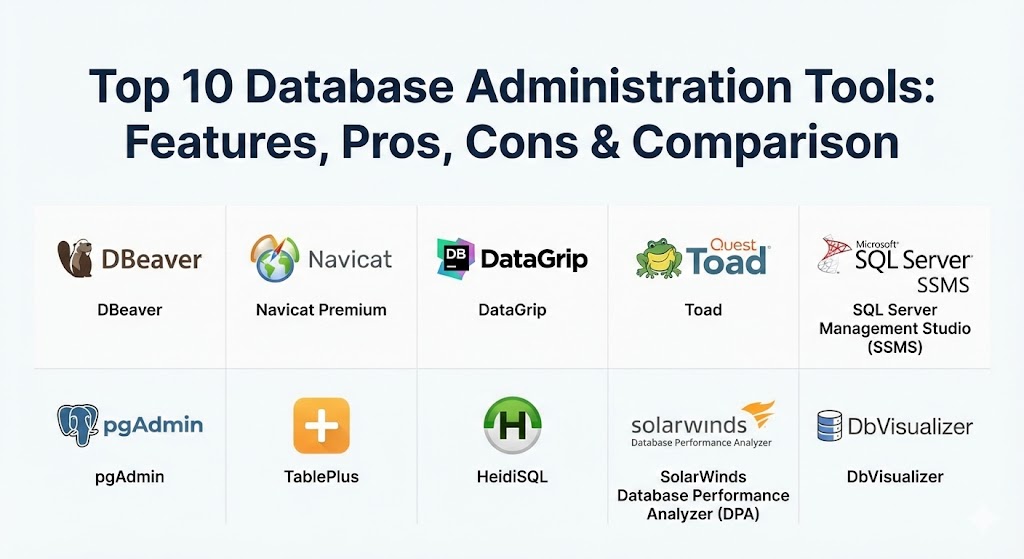
Top 10 Database Administration Tools
1 — DBeaver
DBeaver is a powerful, multi-platform universal database tool for developers, SQL programmers, and DBAs. It is widely considered the best “all-rounder” in the industry due to its support for nearly every known database engine.
- Key features:
- Support for 80+ database engines (MySQL, PostgreSQL, Oracle, MongoDB, etc.).
- Visual query builder for creating complex SQL without manual coding.
- Data transfer and migration tools across different database types.
- ER Diagram (Entity Relationship) generator to visualize schema structure.
- Advanced data editor with support for BLOBs and CLOBs.
- Integrated terminal and Git support for version control.
- Cloud support for AWS, Azure, and Google Cloud databases.
- Pros:
- The open-source version is incredibly feature-rich and completely free.
- One single application can replace five or six vendor-specific tools.
- Cons:
- The interface can feel “cluttered” and overwhelming for beginners.
- Memory consumption can be high when managing multiple large connections.
- Security & compliance: SSO (Kerberos/Active Directory), SSL/TLS encryption, and detailed audit logs (Enterprise edition).
- Support & community: Massive open-source community; the Enterprise version includes professional 24/7 technical support and extensive documentation.
2 — Navicat Premium
Navicat Premium is a commercial database development tool that allows you to simultaneously connect to MySQL, MariaDB, MongoDB, SQL Server, Oracle, PostgreSQL, and SQLite databases from a single application.
- Key features:
- Cross-platform synchronization to keep local and remote data in sync.
- Intelligent “Code Completion” for faster SQL writing.
- Robust data modeling tools to design and modify schemas visually.
- Automated batch job scheduling for backups and reports.
- Cloud collaboration via Navicat Cloud for team-based projects.
- Advanced data visualization tools for creating charts and dashboards.
- Secure tunneling (SSH and HTTP) for connecting to restricted servers.
- Pros:
- Offers perhaps the most “polished” and intuitive UI in the market.
- The data synchronization feature is exceptionally reliable for production migrations.
- Cons:
- It is a premium, paid tool with no permanent free version.
- Licensing is per-user and can be expensive for large teams.
- Security & compliance: Support for SSH/HTTP Tunneling, SSL, PAM, and GSSAPI authentication.
- Support & community: High-quality commercial support, video tutorials, and a professional knowledge base.
3 — Datagrip (by JetBrains)
DataGrip is the professional DBA’s answer to modern IDEs. Developed by JetBrains, it brings the “smart” features of a code editor to the world of database administration.
- Key features:
- Context-aware code completion and on-the-fly error detection.
- Smart refactoring: rename a table and it updates all references automatically.
- Powerful version control integration (Git, SVN, Mercurial).
- “Local History” to track changes even if they haven’t been committed to Git.
- Visual query plan generator to diagnose slow SQL queries.
- Multiple cursors and code snippets for high-efficiency editing.
- Advanced navigation to jump directly to symbols or table definitions.
- Pros:
- The best tool for DBAs who prefer a “code-first” approach rather than a “GUI-first” one.
- Seamlessly integrates with the rest of the JetBrains ecosystem (IntelliJ, PyCharm).
- Cons:
- Very resource-intensive; requires a modern machine with ample RAM.
- Lacks some of the “bulk” data synchronization features found in Navicat.
- Security & compliance: SOC 2 Type II compliant, supports SSH tunneling and SSL/TLS.
- Support & community: Excellent documentation and a very active developer community; professional support included with subscription.
4 — Toad (by Quest Software)
Toad is the “Grandfather” of database administration. It is a deep, enterprise-level tool designed for high-stakes environments, particularly those running Oracle or SQL Server.
- Key features:
- Automated SQL tuning and optimization for maximum performance.
- Predictive diagnostics to identify future database bottlenecks.
- Sensitive data discovery to ensure compliance with privacy laws.
- Unit testing for PL/SQL code to ensure reliability.
- Massive library of pre-built health check reports.
- Team coding features for collaborative development.
- Support for high-volume data migrations and cloud transitions.
- Pros:
- No other tool offers the same level of deep performance tuning and optimization.
- Ideal for highly regulated industries like banking and healthcare.
- Cons:
- The UI feels dated and “Windows-centric” compared to modern SaaS tools.
- One of the most expensive options on this list.
- Security & compliance: FIPS 140-2, HIPAA, GDPR, and robust role-based access control (RBAC).
- Support & community: Industry-leading enterprise support and a large “Toad World” user community.
5 — SQL Server Management Studio (SSMS)
SSMS is the native, proprietary tool for managing Microsoft SQL Server. It is the “source of truth” for anyone working within the Microsoft data ecosystem.
- Key features:
- Native management of SQL Server, Azure SQL, and SQL Data Warehouse.
- Deep integration with SQL Server Integration Services (SSIS).
- Advanced “Execution Plan” viewer for performance troubleshooting.
- Management of SQL Server Agent for automated job scheduling.
- Policy-based management for enforcing server-wide rules.
- Full support for AlwaysOn Availability Groups (High Availability).
- Integrated scripting for PowerShell and T-SQL.
- Pros:
- It is free to download and use for all SQL Server versions.
- It is the most reliable tool for performing low-level server configuration.
- Cons:
- Windows only; there is no native version for macOS or Linux.
- Completely limited to the Microsoft ecosystem (no MySQL/Postgres support).
- Security & compliance: Integrates with Windows Auth, Azure AD, and SQL Server Audit.
- Support & community: Backed by Microsoft’s global support and a massive ecosystem of specialized SQL Server professionals.
6 — pgAdmin
pgAdmin is the most popular Open Source administration and development platform for PostgreSQL. It is built by the PostgreSQL community, for the community.
- Key features:
- Native support for all PostgreSQL features (JSONB, GIS, etc.).
- Web-based and desktop deployment options.
- Powerful query tool with color-coded syntax highlighting.
- Visual management of users, roles, and permissions.
- Real-time monitoring of active database sessions and locks.
- Step-through debugger for PL/pgSQL functions.
- Import/Export wizards for CSV and binary formats.
- Pros:
- Completely free and open-source with no “pro” paywalls.
- Highly extensible with a modular architecture.
- Cons:
- The web-based UI can sometimes feel sluggish compared to native desktop apps.
- Strictly limited to PostgreSQL; not suitable for multi-vendor environments.
- Security & compliance: SSL/TLS support, Kerberos, and internal audit logging.
- Support & community: Excellent community-driven documentation and very active mailing lists for support.
7 — TablePlus
TablePlus is a modern, lightweight database management tool with a focus on speed and aesthetic design. It is a favorite among younger developers and Mac users.
- Key features:
- Native app performance (no Java/Electron overhead).
- Clean, minimalistic UI that focuses on data rather than complex menus.
- Support for multiple tabs and “Safe Mode” to prevent accidental data loss.
- Plugin system to add custom functionality.
- Inline editing of data cells (like a spreadsheet).
- Advanced search and filtering that doesn’t require SQL knowledge.
- End-to-end encryption for every connection.
- Pros:
- The fastest tool on this list; it opens in milliseconds and handles large tables easily.
- The most “beautiful” interface, making it a joy to use for daily tasks.
- Cons:
- Lacks the deep performance tuning and modeling features of Toad or Navicat.
- The free version is quite limited in terms of concurrent connections.
- Security & compliance: End-to-end encryption, SSH tunneling, and multi-factor authentication.
- Support & community: Very responsive developer team; fast updates and a growing plugin marketplace.
8 — HeidiSQL
HeidiSQL is a lightweight, Windows-based tool that is a staple for developers working with MySQL and MariaDB. It is known for its simplicity and “portable” nature.
- Key features:
- Connect to multiple servers in one window.
- Export data directly from one database/server to another.
- Bulk edit tables (rename, move, change engine).
- Automated repair and optimization of tables.
- Syntax highlighting and “reformat SQL” feature.
- Management of user privileges and global variables.
- Support for command-line execution for automation.
- Pros:
- One of the few tools that is truly “lightweight” (only a few megabytes in size).
- Exceptional for quick “ad-hoc” fixes on MySQL servers.
- Cons:
- Windows only; requires Wine to run on Linux or Mac.
- The interface feels a bit dated and lacks advanced design tools.
- Security & compliance: SSH tunneling and SSL support.
- Support & community: Active forum and a long history of community-driven development.
9 — SolarWinds Database Performance Analyzer (DPA)
SolarWinds DPA is not a traditional management tool but a specialized performance monitoring and tuning platform. It is essential for DBAs who need to answer the question: “Why is the database slow?”
- Key features:
- Multi-dimensional performance analysis to find the root cause of wait times.
- AI-driven “Anomalous Behavior” detection.
- Blocking and deadlock analysis.
- Historical data tracking to compare performance across weeks or months.
- Cross-platform support (SQL Server, Oracle, DB2, SAP ASE).
- Cloud and on-premise monitoring from a single dashboard.
- Automated alerts for critical performance metrics.
- Pros:
- The “gold standard” for troubleshooting latency in enterprise environments.
- Visualizes performance in a way that non-technical managers can understand.
- Cons:
- Expensive; it is a premium enterprise product.
- Not a query editor; you still need a tool like DBeaver or SSMS for daily SQL work.
- Security & compliance: FIPS 140-2, SOC 2, and detailed audit logging.
- Support & community: Exceptional enterprise support and a huge community (THWACK).
10 — DbVisualizer
DbVisualizer is a universal database tool for developers, DBAs, and analysts. It is built on Java, making it highly compatible across all operating systems.
- Key features:
- Feature-rich SQL editor with auto-completion and visual query building.
- Database object tree to browse tables, views, and procedures easily.
- Advanced data charting and graphing.
- Management of DB-specific objects like triggers and sequences.
- Support for NoSQL databases like MongoDB and Cassandra.
- Task scheduling for repetitive maintenance jobs.
- Visual comparison of two database schemas to see differences.
- Pros:
- Very stable and reliable for managing extremely diverse database types.
- Excellent at handling the “nuances” of different SQL dialects automatically.
- Cons:
- The Java-based UI can feel “clunky” compared to native apps like TablePlus.
- The free version lacks many essential features like charting and advanced editing.
- Security & compliance: SSL/TLS, SSH, and integration with external identity providers.
- Support & community: Professional support with fast response times and clear documentation.
Comparison Table
| Tool Name | Best For | Platform(s) Supported | Standout Feature | Rating (Gartner Peer Insights) |
| DBeaver | Universal Management | Win, Mac, Linux | 80+ Engine Support | 4.7 / 5 |
| Navicat Premium | Professional Teams | Win, Mac, Linux | Data Sync & Migration | 4.6 / 5 |
| DataGrip | Code-First DBAs | Win, Mac, Linux | Smart Code Refactoring | 4.5 / 5 |
| Toad | Enterprise Oracle/SQL | Windows | AI SQL Tuning | 4.4 / 5 |
| SSMS | SQL Server Native | Windows | Full T-SQL Integration | 4.8 / 5 |
| pgAdmin | PostgreSQL Only | Web, Win, Mac | Native PG Feature Support | 4.5 / 5 |
| TablePlus | Speed & Design | Win, Mac, iOS | Lightweight Performance | 4.7 / 5 |
| HeidiSQL | Lightweight MySQL | Windows | Simple Portable Binary | 4.4 / 5 |
| SolarWinds DPA | Performance Tuning | Web / SaaS | Wait-Time Analysis | 4.6 / 5 |
| DbVisualizer | Analysts & DBAs | Win, Mac, Linux | Schema Comparison | 4.5 / 5 |
Evaluation & Scoring of Database Administration Tools
Choosing the right tool requires an objective look at how it fits your specific workflow. We have evaluated these tools based on a weighted rubric that reflects the priorities of a modern IT department.
| Category | Weight | Evaluation Criteria |
| Core Features | 25% | Multi-platform support, visual query building, and schema design capabilities. |
| Ease of Use | 15% | Intuitiveness of the UI, quality of navigation, and onboarding speed. |
| Integrations | 15% | Support for Cloud providers (AWS/Azure), Git, and CI/CD pipelines. |
| Security | 10% | Support for SSH/SSL, audit logs, and compliance with GDPR/HIPAA. |
| Performance | 10% | Speed of the application, memory usage, and handling of large data sets. |
| Support | 10% | Documentation quality, community activity, and enterprise support response. |
| Price / Value | 15% | Transparency of cost and the presence of a viable free version. |
Which Database Administration Tool Is Right for You?
Finding the “best” tool is less about the rating and more about your specific infrastructure and technical expertise.
- Solo Developers & SMBs: If you are working on a budget, DBeaver (Community Edition) is the clear winner. It handles everything for free. If you are a Mac user who values speed, TablePlus provides the best experience for day-to-day data entry and quick fixes.
- Mid-Market Companies: Organizations with a mix of different databases (e.g., MySQL for web and SQL Server for internal ERP) will benefit most from Navicat Premium. It simplifies the process of moving data between these different systems and offers a very low learning curve for new hires.
- Large Enterprises: For mission-critical data in banking, insurance, or government, Toad or SolarWinds DPA are indispensable. These tools don’t just “manage” data; they protect the business from downtime through predictive analytics and deep performance tuning.
- The “Platform-Locked” DBA: If your company is 100% committed to one vendor, use the native tool. For Microsoft shops, SSMS is mandatory. For PostgreSQL devotees, pgAdmin provides the most accurate implementation of the latest engine features.
- Cloud-Native Teams: If you are running entirely on RDS or Azure SQL, look for tools with native cloud integration. DBeaver and Navicat have specialized connectors that make managing cloud security (like AWS IAM roles) much simpler.
Frequently Asked Questions (FAQs)
1. What is the difference between a DB management tool and an IDE?
A Database Management tool (like DBeaver) focuses on administrative tasks like schema design and backups. An IDE (like DataGrip) is designed primarily for writing code (SQL) with advanced completion and refactoring features.
2. Can these tools connect to cloud databases like AWS RDS or Azure SQL?
Yes, almost all modern DBA tools support cloud connections. They typically connect via a standard endpoint URL, though some (like Navicat) offer specialized cloud-native connection wizards.
3. Do I need to know SQL to use these tools?
While many offer “Visual Query Builders” that allow you to drag and drop tables, a basic understanding of SQL is still highly recommended for complex data management and troubleshooting.
4. Are open-source tools as secure as commercial ones?
Yes, tools like DBeaver and pgAdmin use the same industry-standard encryption (SSL/TLS and SSH) as their paid counterparts. However, commercial tools often include more advanced audit logging for compliance.
5. Why should I use TablePlus instead of DBeaver?
TablePlus is built natively for each OS, making it significantly faster and less resource-heavy than DBeaver, which is built on Java. However, DBeaver has far more advanced “power-user” features.
6. What is “Schema Comparison” and why do I need it?
Schema comparison (found in Navicat and DbVisualizer) allows you to see the differences between two databases (e.g., Development vs. Production). This ensures you don’t break production by forgetting to add a column.
7. Can these tools handle NoSQL databases like MongoDB?
Yes, several tools on this list (DBeaver, Navicat, and Studio 3T—not listed but popular) have expanded to support NoSQL, treating documents like tables for easier management.
8. Is there a tool that works on a web browser?
Yes, pgAdmin and several cloud-native consoles (like the AWS RDS Query Editor) run entirely in the browser, making them ideal for managing databases from machines where you can’t install software.
9. How do these tools help with database performance?
They provide “Execution Plans” that show exactly how the database is processing a query. This allows a DBA to see if a query is missing an index or scanning too many rows, slowing down the system.
10. What is the biggest mistake when choosing a DBA tool?
Choosing a tool that is too complex for your team’s needs. If you only have one MySQL server, buying Toad is an expensive mistake. Start with a free or lightweight tool and upgrade as your data volume grows.
Conclusion
Managing a modern database environment is a high-stakes balancing act between performance, security, and scalability. In 2026, the “best” tool is the one that removes the friction from your specific workflow. Whether you choose the universal power of DBeaver, the smart automation of DataGrip, or the enterprise-grade diagnostics of Toad, the goal remains the same: ensuring that your organization’s data remains its most valuable asset, rather than its biggest liability.