Introduction
Data pipeline orchestration is the process of automating, managing, and scheduling complex data workflows. While a standard ETL (Extract, Transform, Load) process focuses on the movement of data, orchestration focuses on the coordination of those movements. It acts as a “traffic controller,” deciding which tasks run first, managing what happens if a task fails, and ensuring that downstream systems only receive data once upstream processing is verified and complete.
The importance of these tools lies in their ability to provide operational resilience. In a real-world scenario, a data pipeline might involve pulling sales data from an API, cleaning it using Python, transforming it in Snowflake with SQL, and then triggering a machine learning model. If the API fails, the orchestration tool detects the error, retries the connection, and pauses the transformation until the data is actually available—preventing “garbage-in, garbage-out” scenarios.
When evaluating orchestration tools, users should look for:
- Workflow Flexibility: Can it handle both batch and real-time streaming?
- Observability: Does it provide clear logs and visual debugging?
- Dependency Management: How easily can it handle complex, nested tasks?
- Scalability: Will it perform as well with 10,000 tasks as it does with 10?
Best for: Data engineers, analytics engineers, and DevOps teams at companies ranging from high-growth startups to Fortune 500 enterprises. It is essential for organizations where data reliability is non-negotiable and where workflows involve multiple disparate systems (e.g., hybrid cloud setups).
Not ideal for: Small businesses with extremely simple, linear data flows (e.g., just one sync from a CRM to a spreadsheet). In these cases, a simple “buy” solution like a basic No-Code integrator (Zapier or a native connector) is often more efficient and less expensive.
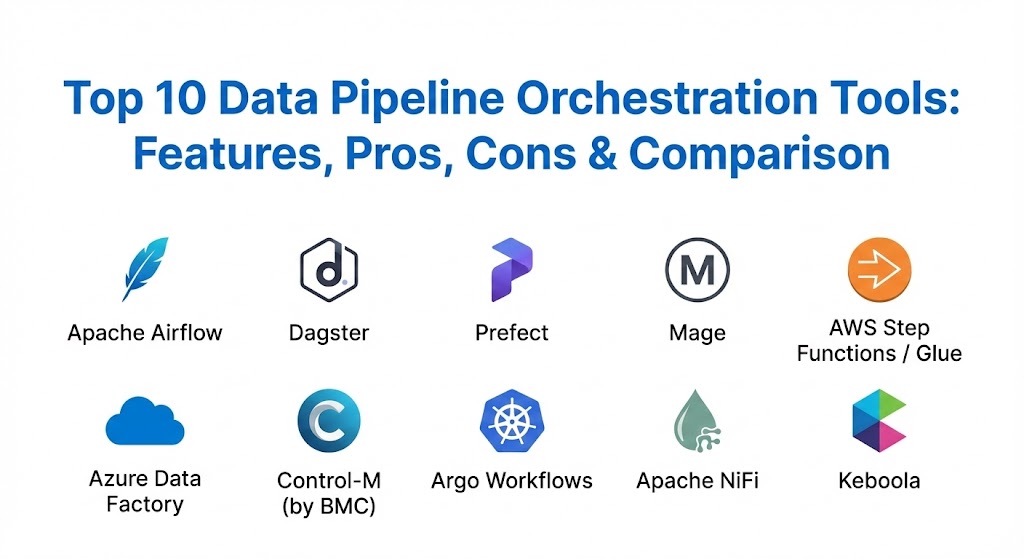
Top 10 Data Pipeline Orchestration Tools
1 — Apache Airflow
Apache Airflow is the industry-standard open-source platform for programmatically authoring, scheduling, and monitoring workflows. It uses Directed Acyclic Graphs (DAGs) defined in Python code to manage task dependencies.
- Key features:
- Dynamic Pipeline Generation: Use Python code to create complex, dynamic workflows.
- Extensive Operator Library: Thousands of pre-built connectors for AWS, GCP, Azure, Snowflake, and more.
- Rich UI: Visualization of DAGs, detailed logs, and a central command center for task status.
- Scalable Architecture: Can scale horizontally using Celery or Kubernetes executors.
- Strong Monitoring: Built-in retry logic and alerting systems.
- Versioning: Since workflows are code, they can be version-controlled via Git.
- Pros:
- Unmatched flexibility; if you can code it in Python, Airflow can run it.
- Massive community support means finding solutions to bugs is very fast.
- Cons:
- High “Day 2” operational overhead; managing the infrastructure (Postgres, Web Server, Scheduler) is difficult.
- Significant learning curve for those not comfortable with Python or DevOps.
- Security & compliance: SSO (OIDC/SAML), RBAC, encryption of connections at rest, and audit logs.
- Support & community: The largest community in the orchestration space; extensive documentation and managed enterprise versions available (e.g., Astronomer).
2 — Dagster
Dagster is a modern orchestrator designed specifically for the development, testing, and deployment of data assets. Unlike Airflow’s “task-centric” approach, Dagster focuses on “asset-centric” orchestration.
- Key features:
- Software-Defined Assets: Focus on the “result” of a pipeline rather than just the “task.”
- Integrated Testing: Built-in support for unit testing and data quality checks.
- Rich Observability: Highly detailed UI that allows you to “walk” through the state of data.
- Declarative Orchestration: Define what the end state should be, and let Dagster handle the “how.”
- Development Productivity: Tools for local development that mirror production environments perfectly.
- Pros:
- Superior developer experience; makes building and testing pipelines feel like standard software engineering.
- Excellent visibility into data quality and lineage.
- Cons:
- Smaller community compared to Airflow.
- Requires a paradigm shift for teams used to traditional task-based scheduling.
- Security & compliance: SOC 2 Type II (Cloud), SSO, and granular RBAC.
- Support & community: Growing rapidly; highly praised documentation and a very responsive Slack community.
3 — Prefect
Prefect is a “Python-native” orchestration tool that aims to take the friction out of building data pipelines. It allows you to turn any Python function into a tracked, observable task with a simple decorator.
- Key features:
- Dynamic Workflows: Supports “functional” programming styles; no need for rigid DAG structures.
- Prefect Cloud: A managed control plane that handles orchestration while keeping data on your infra.
- Event-Driven: Can trigger flows based on external events, not just schedules.
- Native Retries & Caching: Simplifies the logic for handling transient failures.
- Hybrid Execution Model: Data never leaves your infrastructure, providing security by design.
- Pros:
- Extremely fast time-to-value; you can orchestrate your first script in minutes.
- The UI is incredibly modern and user-friendly for both engineers and managers.
- Cons:
- Transitioning from the open-source version to the cloud version can introduce cost complexities.
- Some enterprise features are locked behind the premium cloud tier.
- Security & compliance: GDPR, SOC 2, and SSO. Data remains local to the user’s VPC.
- Support & community: Strong community presence; excellent “Getting Started” guides and tutorials.
4 — Mage
Mage is a “hybrid” orchestration tool that combines the interactive experience of a notebook with the modularity of production-ready code. It is designed to replace legacy tools like Airflow with a more modern, integrated development environment.
- Key features:
- Visual IDE: Build pipelines using a notebook-style interface directly in the browser.
- Modular Code: Automatically organizes code into reusable blocks.
- Built-in Integrations: Native support for hundreds of data sources and destinations.
- Real-time Preview: See the results of your data transformations as you write code.
- Streaming Support: First-class support for streaming data pipelines.
- Pros:
- Drastically reduces development time through its interactive UI.
- Simplifies the transition from data science (notebooks) to data engineering (pipelines).
- Cons:
- Still a younger tool with fewer “battle-tested” enterprise features than Airflow.
- The IDE-based approach might feel restrictive to engineers who prefer their own local editors.
- Security & compliance: RBAC, SSO, and encryption. Varies by deployment model.
- Support & community: Very active Slack and GitHub community; fast release cycle with frequent updates.
5 — AWS Step Functions / Glue Workflows
For organizations heavily invested in the Amazon ecosystem, AWS offers native orchestration through Step Functions (for general workflows) and Glue (specifically for ETL).
- Key features:
- Serverless Execution: No infrastructure to manage; AWS handles all scaling.
- Visual Workflow Designer: Drag-and-drop state machine builder.
- Deep AWS Integration: Seamlessly triggers Lambda, Redshift, S3, and SageMaker.
- Error Handling: Built-in “Try/Catch” logic for distributed applications.
- Pay-per-use: Cost is based on the number of state transitions.
- Pros:
- Zero maintenance; ideal for teams that want to focus on logic rather than servers.
- Reliability is backed by AWS’s massive global infrastructure.
- Cons:
- Heavy “vendor lock-in”; moving workflows to another cloud is nearly impossible.
- Debugging complex state machines can be more difficult than debugging Python code.
- Security & compliance: Fully integrated with IAM, VPC, CloudTrail, and SOC/HIPAA/PCI standards.
- Support & community: Backed by standard AWS enterprise support and a vast library of documentation.
6 — Azure Data Factory (ADF)
Azure Data Factory is a managed cloud service for complex ETL, ELT, and data integration projects. It is the primary orchestration tool for the Microsoft “Fabric” and Azure Synapse environments.
- Key features:
- No-Code/Low-Code: Visual interface for building data flows without writing much code.
- Copy Activity: High-performance data movement across 90+ connectors.
- SSIS Integration: Allows users to run legacy SQL Server Integration Services packages in the cloud.
- Managed Scaling: Automatically scales compute resources based on workload.
- Hybrid Connectivity: Uses a “Self-hosted Integration Runtime” to securely access on-prem data.
- Pros:
- The natural choice for Microsoft-centric organizations; integrates perfectly with Power BI and SQL Server.
- Excellent for moving massive amounts of data with minimal engineering effort.
- Cons:
- The visual designer can become cluttered and hard to manage for very large pipelines.
- Lacks the “code-first” flexibility of Airflow or Prefect.
- Security & compliance: Azure Active Directory (Entra ID) integration, encryption at rest/transit, and FedRAMP/HIPAA compliance.
- Support & community: Extensive Microsoft documentation, certifications, and massive enterprise support network.
7 — Control-M (by BMC)
Control-M is a veteran enterprise-grade workload automation tool that has evolved to manage modern data pipelines alongside legacy mainframe jobs.
- Key features:
- Cross-Platform Support: Orchestrates everything from mainframes to Kubernetes.
- Advanced Scheduling: Highly complex calendar-based and event-based triggers.
- SLA Management: Predictive analytics to forecast when jobs will finish and alert if SLAs are at risk.
- Job-as-Code: Allows developers to define workflows using JSON or Python.
- Self-Service Portal: Business users can monitor and run their own data jobs safely.
- Pros:
- Unrivaled for “Global 2000” companies with complex, heterogeneous environments.
- Extremely stable and reliable for mission-critical financial transactions.
- Cons:
- Very high cost; not accessible for startups or small teams.
- Implementation usually requires specialized Control-M administrators.
- Security & compliance: Military-grade security, detailed audit trails, and FIPS 140-2 compliance.
- Support & community: Premium enterprise support with dedicated account managers and global training programs.
8 — Argo Workflows
Argo Workflows is a container-native workflow engine for orchestrating parallel jobs on Kubernetes. It is designed for engineers who want to manage pipelines using YAML and K8s resources.
- Key features:
- Kubernetes Native: Each step in the workflow is executed as a separate container.
- YAML-based: Workflows are defined as Kubernetes CRDs (Custom Resource Definitions).
- Massive Parallelism: Built specifically to scale to thousands of concurrent jobs.
- Argo Events: Trigger workflows based on webhooks, S3 events, or message queues.
- Artifact Management: Built-in handling of data passed between steps (S3, Artifactory).
- Pros:
- The perfect choice for “Kubernetes-first” engineering teams.
- Extremely cost-efficient if you already have a Kubernetes cluster running.
- Cons:
- Managing Kubernetes is complex; not suitable for teams without strong DevOps skills.
- YAML definitions can become extremely verbose and hard to read.
- Security & compliance: Leverages K8s RBAC, Network Policies, and Secrets management.
- Support & community: Very strong community within the CNCF (Cloud Native Computing Foundation); extensive documentation.
9 — Apache NiFi
Apache NiFi focuses on the “Flow” of data. It provides a highly visual, drag-and-drop interface for managing real-time data ingestion and distribution.
- Key features:
- Visual Command & Control: Design data flows in real-time on a large canvas.
- Data Provenance: Track every single piece of data from its origin to its destination.
- Backpressure Support: Automatically manages data flow rates to prevent downstream crashes.
- Dynamic Prioritization: Decide which data streams are more important during heavy loads.
- Encryption at Every Level: Secure communication between NiFi nodes and external systems.
- Pros:
- Excellent for real-time ingestion from IoT or disparate log sources.
- Very high visibility into the “health” of the data flow at a glance.
- Cons:
- Not designed for complex “batch” transformations like dbt or Spark.
- Resource-intensive; requires a significant amount of RAM and CPU to run the UI and provenance tracking.
- Security & compliance: Multi-tenant security, TLS encryption, and comprehensive audit logs.
- Support & community: Large open-source community; enterprise support provided by Cloudera.
10 — Keboola
Keboola is an all-in-one Data Stack as a Service that includes powerful orchestration capabilities. It is designed for teams that want a “unified canvas” for integration, transformation, and orchestration.
- Key features:
- Managed Data Platform: Includes storage (Snowflake/BigQuery), ETL, and orchestration in one bill.
- AI-Powered Flows: Use AI assistants to build and optimize data pipelines.
- 700+ Connectors: Native support for nearly any SaaS app or database.
- Component-based: Build pipelines by dragging components (SQL, Python, R) onto a flow.
- Shared Governance: Built-in versioning and lineage across the entire stack.
- Pros:
- Ideal for teams that want to avoid “tool sprawl” and have everything in one place.
- Fast onboarding; business analysts can often build pipelines without heavy engineering help.
- Cons:
- “All-in-one” means less flexibility to choose specific best-of-breed tools for each layer.
- Usage-based pricing can become expensive at extreme enterprise scales.
- Security & compliance: SOC 2, GDPR, HIPAA, and built-in PII detection.
- Support & community: High-touch customer success and a growing community of analytics engineers.
Comparison Table
| Tool Name | Best For | Platform(s) Supported | Standout Feature | Rating (Gartner/TrueReview) |
| Apache Airflow | Complex custom DAGs | Any (Python-based) | Massive Ecosystem | 4.6 / 5 |
| Dagster | Analytics Engineering | Kubernetes, Cloud | Asset-Centric Model | 4.7 / 5 |
| Prefect | Developer Simplicity | Python / Hybrid Cloud | Python-Native Flows | 4.8 / 5 |
| Mage | Rapid Prototyping | Docker / Cloud | Notebook-style IDE | 4.6 / 5 |
| AWS Step Functions | Serverless / AWS | AWS Native | Visual State Machines | 4.5 / 5 |
| Azure Data Factory | Azure Ecosystem | Azure Native | Managed SSIS Support | 4.4 / 5 |
| Control-M | Large Enterprise | Hybrid / Mainframe | Predictive SLA Mgmt | 4.5 / 5 |
| Argo Workflows | Kubernetes Teams | Kubernetes | Container-Native | 4.6 / 5 |
| Apache NiFi | Real-time Ingestion | Java / Any | Data Provenance Tracking | 4.3 / 5 |
| Keboola | Unified Data Stack | SaaS / Cloud | AI-Driven Automation | 4.7 / 5 |
Evaluation & Scoring of Data Pipeline Orchestration Tools
To evaluate these tools effectively, we use a weighted scoring rubric that prioritizes technical depth, operational reliability, and total cost of ownership.
| Category | Weight | Evaluation Criteria |
| Core Features | 25% | Scheduling, dependency management, error handling, and support for batch/stream. |
| Ease of Use | 15% | Time-to-value, quality of the UI, and the steepness of the learning curve. |
| Integrations | 15% | Native connectors for modern data warehouses and cloud services. |
| Security | 10% | RBAC, encryption, audit logs, and compliance (SOC 2, GDPR). |
| Performance | 10% | Scalability under high task loads and resource efficiency. |
| Support | 10% | Community size, documentation quality, and enterprise support response times. |
| Price / Value | 15% | Cost of the tool relative to the engineering hours saved. |
Which Data Pipeline Orchestration Tool Is Right for You?
Selecting an orchestrator is a strategic decision that affects your data team’s velocity for years.
- Solo Users & Small Teams: If you are a single data engineer, Prefect or Mage are your best bets. They offer the lowest barrier to entry and let you focus on writing code rather than managing infrastructure.
- Budget-Conscious: If you have the engineering talent but not the budget, Apache Airflow or Argo Workflows are free to use. Just keep in mind that the “hidden cost” is the time spent on maintenance.
- The “Modern Data Stack” SMB: If you use Snowflake/BigQuery and dbt, Dagster is widely considered the best choice. Its focus on “data assets” aligns perfectly with modern analytics engineering practices.
- Large Enterprises: For organizations with 50+ data engineers and complex compliance requirements, Control-M or a managed Airflow (like Astronomer) provides the governance and reliability needed for high-stakes environments.
- Cloud-First Teams: If you are 100% on Azure or AWS, there is a strong argument for using their native tools (Azure Data Factory or AWS Step Functions) to reduce integration friction and billing complexity.
Frequently Asked Questions (FAQs)
1. What is the difference between ETL and Orchestration? ETL (Extract, Transform, Load) refers to the specific tasks of moving and cleaning data. Orchestration refers to the “manager” that schedules those tasks, manages their dependencies, and handles failures across the entire system.
2. Can I use Python for all these tools? Most modern tools (Airflow, Prefect, Dagster, Mage) are Python-native. Some enterprise or cloud-native tools (ADF, AWS Step Functions) use visual designers or JSON/YAML, though they often support Python “steps.”
3. What is a DAG (Directed Acyclic Graph)? A DAG is a visual representation of a pipeline where “nodes” are tasks and “edges” are dependencies. “Directed” means it has a direction, and “Acyclic” means there are no loops—the pipeline must have a clear beginning and end.
4. How do these tools handle passwords and API keys? Nearly all orchestration tools have a built-in “Secrets Management” system (like Airflow’s Variable store or AWS Secrets Manager) to ensure sensitive credentials are never stored in plain text code.
5. Do I need Kubernetes to run a data orchestrator? No, but it helps for scaling. You can run Airflow or Prefect on a simple virtual machine, but for large-scale enterprise parallelization, Kubernetes is the preferred execution environment.
6. Can these tools manage real-time data? Tools like Apache NiFi and Mage have first-class support for real-time streams. Traditional orchestrators like Airflow are better suited for “micro-batches” (e.g., running every 5 minutes).
7. Why is “Lineage” important? Data lineage tracks where data came from and what happened to it. If a dashboard shows a wrong number, lineage helps you trace back through the orchestrator to find the exact task that caused the error.
8. Is Managed Airflow worth the cost? Usually, yes. Managing the infrastructure for Airflow (database, workers, schedulers) can take 20%–30% of an engineer’s time. Managed services like Astronomer or Google Cloud Composer let engineers focus on building pipelines instead.
9. What happens if the orchestrator itself crashes? Most enterprise tools use “high availability” (HA) configurations. If the scheduler crashes, a secondary scheduler takes over. When it restarts, it reads the “state” from a database and resumes where it left off.
10. Can I migrate from one orchestrator to another easily? Not easily. Since workflows are defined in the specific logic of the tool (Python for Airflow vs. YAML for Argo), migration usually requires a significant rewrite of your pipeline logic.
Conclusion
The data orchestration market in 2026 is defined by a push toward developer productivity and AI-driven automation. Choosing the “best” tool is no longer just about which one has the most connectors, but which one fits your team’s culture. If your team loves code, Prefect or Dagster will feel like a superpower. If your organization values governance and simplicity, a managed platform like Keboola or Azure Data Factory will serve you best. Ultimately, the best orchestrator is the one that makes your data so reliable that your business stakeholders forget the pipelines even exist.