Introduction
Data observability is the ability of an organization to understand the health and state of their data across its entire lifecycle. Unlike simple data quality testing, which checks data at a specific point in time, data observability provides continuous, end-to-end monitoring. It focuses on what industry experts call the “Five Pillars of Data Observability”: Freshness (is the data up to date?), Distribution (is the data within expected ranges?), Volume (is the dataset complete?), Schema (has the structure changed?), and Lineage (where did the data come from and who does it impact?).
These tools are important because they drastically reduce “Data Downtime”—the periods when data is partial, erroneous, or missing. Real-world use cases include preventing financial reporting errors, ensuring ML models aren’t trained on “garbage” data, and saving data engineers from the “fire drills” that occur when pipelines break silently. When choosing a tool, users should evaluate the ease of integration with their existing stack (e.g., Snowflake, Databricks, Airflow), the depth of ML-driven anomaly detection, and the quality of the automated data lineage.
Best for: Data engineers, analytics leaders, and data platform teams at mid-market to enterprise companies. It is especially vital for organizations where data drives automated decision-making, customer-facing products, or strict regulatory reporting (e.g., FinTech, HealthTech, E-commerce).
Not ideal for: Very small startups with simple, single-source data pipelines where manual checks are still feasible, or teams that do not yet have a centralized data warehouse or lake. In these cases, simple open-source validation scripts may be more cost-effective.
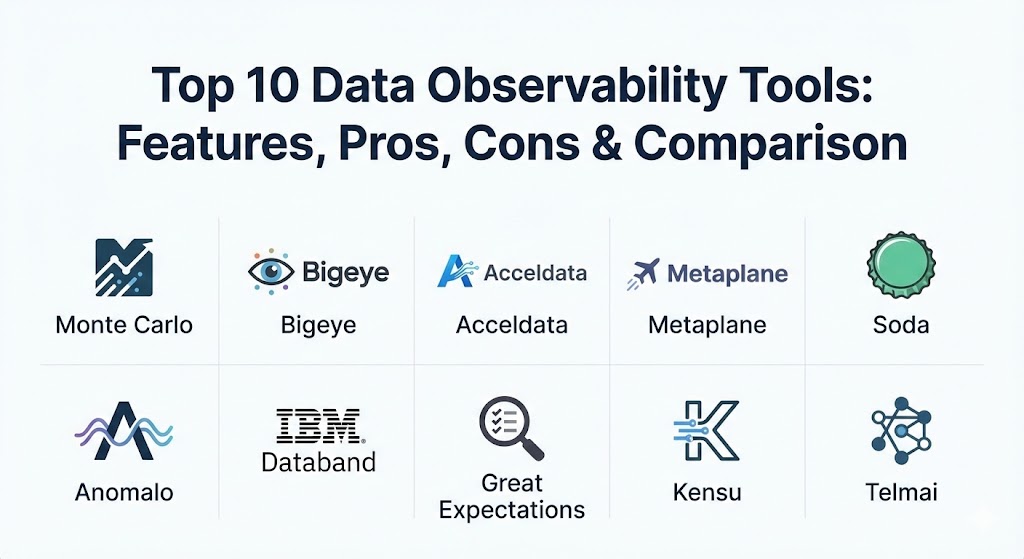
Top 10 Data Observability Tools
1 — Monte Carlo
Monte Carlo is widely recognized as the pioneer of the data observability category. It offers an end-to-end platform that requires minimal configuration, using machine learning to automatically learn your data’s fingerprints and alert you when something looks “off.”
- Key features:
- Automated Monitoring: No-code ML models that automatically detect anomalies in volume, freshness, and schema.
- Full-Stack Lineage: Visualizes the journey from the ingestion layer down to the BI dashboard (e.g., Looker, Tableau).
- Incident Management: Collaborative workspaces to assign, track, and resolve data issues.
- Data Health Insights: Executive-level reporting on data reliability trends and SLAs.
- Deep Integrations: Native support for Snowflake, Databricks, BigQuery, Airflow, and dbt.
- Field-Level Lineage: Extremely granular view of how specific columns impact downstream reports.
- Pros:
- The most mature “all-in-one” solution on the market with a very polished UI.
- Requires almost zero manual “rule-writing” to get started, providing immediate value.
- Cons:
- Positioned as a premium enterprise solution with a high price point to match.
- Can sometimes produce “alert fatigue” if not tuned properly during the initial weeks.
- Security & compliance: SOC 2 Type II, HIPAA, GDPR, and SSO integration. Data stays in your warehouse; only metadata is processed.
- Support & community: Industry-leading customer success teams, extensive documentation, and a highly active community of data leaders.
2 — Bigeye
Bigeye focuses on data reliability for high-growth data teams. It stands out for its “Autometrics” feature, which suggests the most relevant metrics to track for every single table in your warehouse.
- Key features:
- Autometrics: Automatically scans your warehouse and recommends specific data quality checks.
- SLA Tracking: Define and monitor Service Level Agreements for your data consumers.
- Issue Templates: Standardized workflows for investigating and documenting root causes.
- Delta Tracking: Compares data across different environments (e.g., Prod vs. Staging).
- Extensive API: Fully programmable for teams that want to build custom automation on top of Bigeye.
- Smart Throttling: Intelligently groups alerts to prevent noise.
- Pros:
- The recommendation engine makes it very easy for small teams to cover large data estates.
- Excellent balance between automated ML and manual “expert” overrides.
- Cons:
- The lineage capabilities are solid but arguably less deep than Monte Carlo’s.
- Some users report a steeper learning curve for the advanced programmatic features.
- Security & compliance: SOC 2 Type II, GDPR, and encryption at rest/transit.
- Support & community: High-quality technical support and a growing library of “Data Reliability” educational resources.
3 — Acceldata
Acceldata takes a broader approach by combining data observability with “Data Compute” and “Data Pipeline” observability. It is a favorite for large enterprises managing massive hybrid-cloud or on-premise Hadoop/Spark environments.
- Key features:
- Multi-Layer Observability: Monitors the data, the processing engine (Spark/Snowflake), and the pipeline.
- Cost Optimization: Specific tools to identify and reduce “wasteful” spend in Snowflake or Databricks.
- Open Architecture: Highly extensible for legacy on-premise systems as well as modern cloud stacks.
- Automated Data Reconciliation: Ensures data matches perfectly across different stages of a migration.
- Real-time Alerting: Low-latency notifications for critical production failures.
- Data Quality Circuit Breakers: Automatically stops a pipeline if data fails a critical check.
- Pros:
- The best choice for organizations that need to monitor both data health and infrastructure costs.
- Unmatched support for “Big Data” legacy environments like Hadoop.
- Cons:
- The broad feature set can feel overwhelming for teams only interested in data quality.
- UI is more “industrial” and functional rather than consumer-grade “slick.”
- Security & compliance: SOC 2, HIPAA, ISO 27001, and support for VPC deployments.
- Support & community: Strong enterprise support with dedicated technical account managers for large contracts.
4 — Metaplane
Metaplane is often called the “Monte Carlo for SMBs.” It focuses on extreme ease of use and a fast setup time, making it the go-to choice for teams using the “Modern Data Stack” (Snowflake, dbt, Fivetran).
- Key features:
- 10-Minute Setup: Connect your warehouse and BI tool to start monitoring almost instantly.
- dbt Cloud Integration: Automatically syncs metadata and tests from your dbt runs.
- Slack-First Workflow: Alerts and incident management happen directly within Slack.
- Automated Lineage: Simple, effective visualization of how warehouse tables map to BI dashboards.
- Usage Analytics: Identifies “ghost” dashboards that no one is looking at.
- Schema Evolution Tracking: Immediate alerts when a source table adds or removes a column.
- Pros:
- Highly affordable and transparent pricing compared to enterprise rivals.
- One of the best user experiences in the category; very low friction to adopt.
- Cons:
- Lacks some of the “deep” enterprise governance features found in Collibra or IBM.
- Not designed for complex on-premise or non-cloud-native environments.
- Security & compliance: SOC 2 Type II, GDPR, and secure metadata-only access.
- Support & community: Friendly, fast support and a very active Slack community for users.
5 — Soda (Soda Cloud & Soda Library)
Soda is unique because it bridges the gap between open-source testing and enterprise observability. It uses a human-readable language called “SodaCL” (Soda Check Language) to define data quality rules.
- Key features:
- SodaCL: A YAML-based language that allows both engineers and business users to write tests.
- Soda Library: An open-source CLI tool for running checks within CI/CD or orchestration.
- Soda Cloud: A centralized platform for visualizing results, managing alerts, and tracking history.
- Data Contracts: Tools to help data producers and consumers agree on data standards.
- Anomaly Detection: ML-powered checks that supplement manual “threshold” tests.
- Multi-Source Support: Works with SQL databases, Spark, and streaming data.
- Pros:
- “Developer-first” approach that fits perfectly into existing GitOps workflows.
- Excellent for companies that want to start with open-source and scale to a cloud platform.
- Cons:
- Requires more manual “rule-writing” than the purely ML-driven tools.
- The setup is more technical, requiring knowledge of YAML and CLI tools.
- Security & compliance: SOC 2 Type II, GDPR, and support for air-gapped or private cloud deployments.
- Support & community: Extensive open-source community on GitHub and Slack; professional support for Cloud customers.
6 — Anomalo
Anomalo focuses on “Deep Data Quality.” While other tools check if data arrived, Anomalo uses sophisticated ML to look inside the data to find subtle issues that traditional tests miss.
- Key features:
- Unsupervised Learning: Automatically finds anomalies without needing any rules or thresholds.
- Root Cause Analysis: Automatically identifies which segments or columns are causing an issue.
- Data Validation for GenAI: Specific tools to monitor the quality of unstructured data for LLMs.
- Visual Profiling: Automatically generates a visual “health check” for every table.
- No-Code UI: Designed so that data analysts can manage observability without writing SQL.
- Historical Analysis: Compares current data against months of historical patterns.
- Pros:
- Exceptional at finding “needle in a haystack” issues that standard volume/freshness checks miss.
- The root cause analysis saves hours of manual investigation.
- Cons:
- Can be computationally expensive for very large datasets if every column is monitored deeply.
- Less emphasis on “pipeline” or “compute” observability compared to Acceldata.
- Security & compliance: SOC 2 Type II, HIPAA, and GDPR. Data never leaves your VPC.
- Support & community: Strong focus on customer success and technical deep-dives for enterprise clients.
7 — IBM Databand
Acquired by IBM in 2022, Databand is a pipeline-centric observability tool. It is specifically designed to help engineers catch “bad data” at the moment it is being processed in Airflow, Spark, or Snowflake.
- Key features:
- Pipeline Health Monitoring: Tracks the success, duration, and resource usage of every job.
- Deep Airflow Integration: Provides an “Airflow-native” view of pipeline failures.
- Data Profiling in Transit: Checks data quality during the execution of a Spark job.
- Automated Lineage: Maps dependencies based on actual execution logs.
- Incident Tracking: Integrated with Jira, Slack, and PagerDuty for fast response.
- Metadata Repository: Keeps a historical record of every pipeline run and data snapshot.
- Pros:
- The best choice for teams that are “Airflow-heavy” or use complex Spark jobs.
- Focuses on the “root cause” of a pipeline failure, not just the data symptom.
- Cons:
- The UI can feel a bit more “enterprise-heavy” (IBM style).
- Not as focused on “business-user” discovery compared to Atlan or Alation.
- Security & compliance: SOC 2, ISO 27001, GDPR, and backed by IBM’s global security standards.
- Support & community: Extensive enterprise support and integration into the broader IBM Data & AI ecosystem.
8 — Great Expectations (GX Cloud)
Great Expectations is the most popular open-source tool for data validation. With the launch of GX Cloud, it has evolved into a full-fledged observability platform that combines testing with centralized management.
- Key features:
- Expectations: A massive library of pre-built “tests” (e.g.,
expect_column_values_to_not_be_null). - Data Docs: Automatically generates clean, human-readable documentation of data quality.
- GX Cloud Dashboard: A centralized place to view all test results across different environments.
- Profiler: Automatically scans data and suggests a baseline set of “expectations.”
- Integration Flexibility: Works with Python, SQL, Spark, and almost every modern orchestrator.
- Checkpoints: Allows you to “stop the line” if data fails to meet expectations.
- Expectations: A massive library of pre-built “tests” (e.g.,
- Pros:
- The industry standard for data testing; if you hire a data engineer, they likely already know GX.
- Massive open-source community ensures constant updates and support for new sources.
- Cons:
- The open-source version can be difficult to manage at scale without the Cloud version.
- Still feels more like a “testing framework” than an “automated monitoring” tool.
- Security & compliance: Varies (OSS); GX Cloud is SOC 2 compliant.
- Support & community: Unrivaled community size on Slack and GitHub; professional support for GX Cloud.
9 — Kensu
Kensu takes a “real-time” approach to data observability. It is designed to provide visibility into the data as it moves through pipelines, rather than just checking it once it reaches the warehouse.
- Key features:
- In-Pipeline Monitoring: Observes data quality as it is being processed by Spark or Python.
- Data Circuit Breakers: Automatically stops faulty pipelines to prevent corrupted data from spreading.
- Developer-Centric: Focuses on helping engineers debug issues during the development lifecycle.
- Contextual Alerts: Tells you not just that something failed, but where in the code it happened.
- Schema Evolution: Monitors for “silent” schema changes that might break downstream apps.
- Pros:
- Excellent for preventing “data pollution” by stopping issues at the source.
- Strong alignment with DataOps and CI/CD best practices.
- Cons:
- Smaller market presence compared to Monte Carlo or IBM.
- Integration requires more “instrumentation” (adding code to your pipelines).
- Security & compliance: GDPR compliant and SOC 2 ready.
- Support & community: Fast, engineering-led support and a focused user community.
10 — Telmai
Telmai is an architectural-first observability tool. It is built to handle massive scale and cross-platform monitoring, specifically designed for heterogeneous environments where data moves between many different types of systems.
- Key features:
- Low-Code ML: Uses AI to find anomalies across massive, multi-petabyte datasets.
- Cross-Source Analysis: Compares data health across different systems (e.g., Kafka to Snowflake).
- Data Profiling: High-speed scanning that provides a statistical overview of your data estate.
- Incident Management: Full lifecycle tracking of data outages.
- Open Metadata: Allows you to export Telmai’s findings to other governance tools.
- Time-Travel Analysis: Easily compare current data quality to any point in the past.
- Pros:
- Built for “unlimited” scale; does not struggle with extremely wide or deep tables.
- Great for “Hybrid” teams moving data between on-premise and cloud.
- Cons:
- Less “brand recognition” than the top 3 players.
- The interface is powerful but requires some training to navigate effectively.
- Security & compliance: SOC 2 Type II, HIPAA, and GDPR compliant.
- Support & community: High-touch support for enterprise customers and a detailed technical knowledge base.
Comparison Table
| Tool Name | Best For | Platform(s) Supported | Standout Feature | Rating (Gartner/TrueReview) |
| Monte Carlo | Enterprises / All-in-One | Snowflake, DB, BQ, etc. | End-to-End Visual Lineage | 4.7 / 5 |
| Bigeye | High-Growth Teams | Cloud Warehouses | Autometrics Recommendations | 4.6 / 5 |
| Acceldata | Hybrid / Cost Mgmt | Hadoop, Spark, Cloud | Compute Cost Observability | 4.5 / 5 |
| Metaplane | SMBs / Fast Setup | Snowflake, dbt, BI | Slack-Integrated Incidents | 4.8 / 5 |
| Soda | Developer-First Teams | Multi-platform, OSS | SodaCL Testing Language | 4.4 / 5 |
| Anomalo | Deep Data Validation | Cloud Warehouses | ML Root Cause Analysis | 4.7 / 5 |
| IBM Databand | Pipeline/Airflow Users | Airflow, Spark, Cloud | Pipeline-Centric Monitoring | 4.3 / 5 |
| Great Expectations | Testing Standards | Python, Spark, SQL | Massive Test Library (Expects) | 4.5 / 5 |
| Kensu | Real-Time / Developer | Spark, Python, Cloud | In-Pipeline Circuit Breakers | 4.2 / 5 |
| Telmai | Massive Scale / Hybrid | Multi-cloud, Kafka, DBs | Cross-System Data Health | 4.4 / 5 |
Evaluation & Scoring of Data Observability Tools
To help you decide, we have evaluated these tools against a weighted scoring rubric that reflects the priorities of modern data organizations.
| Category | Weight | Evaluation Criteria |
| Core Features | 25% | Lineage, anomaly detection, schema monitoring, and incident management. |
| Ease of Use | 15% | Time-to-value, UI intuitiveness, and no-code capabilities. |
| Integrations | 15% | Depth of support for the “Modern Data Stack” and legacy systems. |
| Security & Compliance | 10% | SOC 2, HIPAA, data residency, and metadata-only privacy. |
| Performance | 10% | Impact on warehouse costs and ability to scale to petabytes. |
| Support & Community | 10% | Documentation, Slack communities, and enterprise support response. |
| Price / Value | 15% | Predictability of cost and ROI for small vs. large teams. |
Which Data Observability Tool Is Right for You?
The “best” tool is the one that fits your technical maturity and your most painful problem.
- Solo Users vs SMB vs Enterprise: If you are a solo data engineer at a startup, Great Expectations (open-source) or Metaplane (free tier/low cost) are perfect. For a mid-market team, Bigeye or Anomalo offer the best automation. For a massive enterprise, Monte Carlo or Acceldata provide the governance and scale you need.
- Budget-conscious vs Premium: Soda and Great Expectations allow you to start for free. Metaplane is very affordable for small teams. Monte Carlo is a premium investment for teams where “data downtime” costs thousands of dollars per hour.
- Feature depth vs Ease of use: If you want the deepest “inside the data” ML, go with Anomalo. If you want something that “just works” with your BI tool in 10 minutes, go with Metaplane or Monte Carlo.
- Integration and scalability: Teams with complex Airflow/Spark pipelines should look at IBM Databand or Kensu. Teams on purely Snowflake/Databricks should stick with Monte Carlo or Bigeye.
- Security and compliance: If you are in a highly regulated field and cannot allow any metadata to leave your environment, check for tools that offer VPC or on-premise deployments, such as Acceldata or Soda.
Frequently Asked Questions (FAQs)
1. What is the difference between Data Quality and Data Observability?
Data quality is a “snapshot” check (e.g., is this column null?). Data observability is a “continuous” process that looks at the health of the entire pipeline, including lineage, schema, and performance.
2. Does data observability slow down my warehouse?
Most modern tools (like Monte Carlo and Metaplane) are “agentless” and use metadata or lightweight queries, resulting in negligible impact on your warehouse performance or costs.
3. Do I need to write SQL for these tools?
It varies. Tools like Anomalo and Monte Carlo are largely no-code, while Soda and Great Expectations are designed for engineers who prefer writing YAML or Python.
4. How does lineage help with data observability?
Lineage allows you to see the “blast radius” of an issue. If a table fails, lineage tells you exactly which dashboards and executive reports will be incorrect as a result.
5. Can these tools prevent data errors before they happen?
Some can. Tools like Soda, Kensu, and Great Expectations allow you to set “circuit breakers” that stop a pipeline if the data fails a check, preventing the “bad” data from reaching your production warehouse.
6. What is “Data Downtime”?
Data Downtime is the amount of time that data is inaccurate, missing, or otherwise unusable. Data observability tools aim to reduce this to near-zero.
7. Are these tools compatible with dbt?
Yes, almost all the top 10 tools have deep dbt integrations, often surfacing dbt test results and model documentation directly within the observability dashboard.
8. How much do these tools cost?
Pricing ranges from free (open-source) to $15k–$20k per year for mid-market teams, and $50k+ for large enterprise deployments. Most are priced based on the number of tables or datasets monitored.
9. Can I build my own observability tool?
You can, but it is often a “hidden cost.” Building a robust matching engine, lineage visualization, and alerting system usually takes months of engineering time that could be spent on core data products.
10. How does ML-based anomaly detection work?
The tool analyzes historical metadata (e.g., “this table usually gets 10k rows at 8 AM”). If only 5 rows arrive, or they arrive at 10 AM, the ML identifies this deviation and sends an alert.
Conclusion
The transition from reactive data quality to proactive data observability is a milestone for any data-driven organization. By implementing a tool like Monte Carlo, Metaplane, or Anomalo, you are not just buying software; you are building trust. In 2026, a dashboard that no one trusts is worse than no dashboard at all. Choose a tool that fits your current stack and scales with your ambition, ensuring that your data “water” stays pure, no matter how fast it flows.