Introduction
Data lineage is the process of mapping the lifecycle of data, from its point of origin to its final consumption point in a report or AI model. It provides a visual and technical map of how data is transformed, aggregated, and moved across various systems. Without these tools, data teams are essentially flying blind; a single change in an upstream database could silently break dozens of downstream dashboards, leading to hours of manual debugging and loss of business trust.
The importance of data lineage has surged in 2026 due to the strict requirements of “AI Explainability” and global privacy regulations. Real-world use cases include performing “impact analysis” before changing a table schema, debugging data quality issues by tracing errors back to the source, and satisfying auditors who need to see exactly how a financial metric was calculated. When evaluating these tools, users should look for automated metadata harvesting, the ability to parse complex SQL/stored procedures, granular “field-level” visibility, and seamless integration with existing data warehouses and BI platforms.
Best for: Data engineers, architects, and compliance officers in mid-to-large enterprises. It is essential for industries like banking, healthcare, and insurance where data provenance is a regulatory requirement and data stacks are highly complex.
Not ideal for: Small startups with a single, simple data source and one dashboard. In these cases, manual documentation or basic metadata features within a cloud warehouse (like Snowflake’s native lineage) might be sufficient.
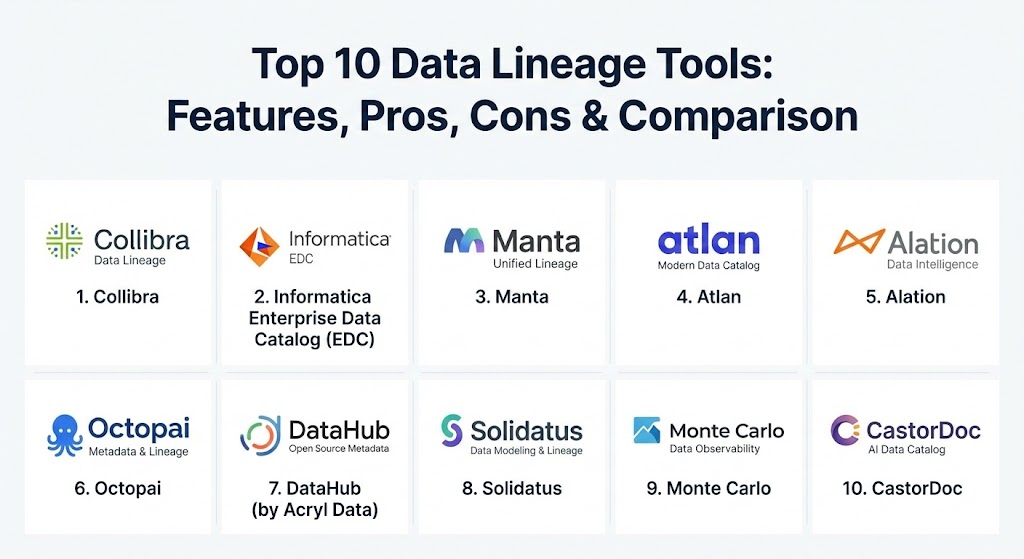
Top 10 Data Lineage Tools
1 — Collibra
Collibra is often considered the gold standard for enterprise data governance. Its lineage capabilities are part of a broader Data Intelligence Cloud, focusing on providing a business-friendly view of how data flows across the organization.
- Key features:
- Automated lineage harvesting via technical “crawlers.”
- Deep integration with the Collibra Data Catalog and Governance modules.
- Both business and technical lineage views to suit different stakeholders.
- Impact analysis summaries to predict the “blast radius” of changes.
- Support for multi-cloud and hybrid environments.
- Automated mapping of data relationships using machine learning.
- Pros:
- Exceptional for bridging the gap between technical IT maps and business understanding.
- Very robust “one-stop-shop” for all things related to data governance.
- Cons:
- High cost and long implementation times for complex environments.
- Can feel overly heavy for teams only interested in technical pipeline mapping.
- Security & compliance: SOC 2 Type II, ISO 27001, GDPR, HIPAA, and SSO integration (Okta, Azure AD).
- Support & community: High-touch enterprise support, extensive certification programs through Collibra University, and a massive global user base.
2 — Informatica Enterprise Data Catalog (EDC)
Informatica has long been a heavyweight in the data space. Its EDC uses AI-powered “scanners” to automatically discover and map lineage across hundreds of different technical sources, including legacy on-premise systems.
- Key features:
- CLAIRE AI engine for automated metadata discovery and labeling.
- Support for an industry-leading number of connectors (SAP, Oracle, Mainframe, etc.).
- Column-level lineage that tracks specific data points through transformations.
- Detailed visualization of “data provenance” (where data was born).
- Integrated data quality scores visible within the lineage map.
- Proactive alerting for schema changes.
- Pros:
- Unrivaled breadth of support for legacy and modern systems alike.
- Highly scalable for the largest Fortune 500 data environments.
- Cons:
- The UI can feel traditional and “clunky” compared to modern SaaS-first rivals.
- Pricing is complex and generally sits at the top of the market.
- Security & compliance: FIPS 140-2, Common Criteria, GDPR, HIPAA, and SOC 2.
- Support & community: World-class enterprise support and a very deep pool of certified consultants worldwide.
3 — Manta
Manta is a “lineage-first” tool that specializes in deep technical analysis. Unlike general catalog tools, Manta focuses on parsing actual code (SQL, Java, Python, ETL scripts) to create an extremely granular map of data movement.
- Key features:
- Advanced SQL parsing for complex stored procedures and views.
- Automated technical lineage for data warehouses and ETL tools.
- Historical lineage comparison to see how data flows have changed over time.
- “Open Lineage” support for integrating with other platforms.
- Direct “active” lineage that can be embedded into other applications.
- Support for “shadow IT” discovery by analyzing script connections.
- Pros:
- The most granular technical lineage on the market; it sees things other tools miss.
- Excellent for debugging specific code-level issues in complex pipelines.
- Cons:
- Lacks a built-in business glossary or heavy governance features.
- Requires technical expertise to set up and interpret the maps.
- Security & compliance: GDPR, HIPAA, and SOC 2 compliant. Data remains within your infrastructure (on-prem or VPC).
- Support & community: Very responsive technical support and detailed developer documentation.
4 — Atlan
Atlan is a “modern data catalog” designed for collaborative teams. It focuses on the “human” side of data, providing a user interface that feels more like Slack or Notion than a traditional enterprise tool.
- Key features:
- Native, automated lineage for Snowflake, Databricks, dbt, and BigQuery.
- Column-level lineage that is visually intuitive and interactive.
- Integrated “Playbooks” for automating metadata management.
- Social features like “mentioning” users directly on a data asset.
- Impact analysis that triggers alerts in Slack when upstream changes occur.
- GitHub-like versioning for metadata.
- Pros:
- The most modern and “delightful” user interface in the category.
- Extremely fast time-to-value; setup often takes days rather than months.
- Cons:
- Better suited for modern cloud stacks; weaker on legacy on-prem systems.
- Advanced features require higher-tier, more expensive subscriptions.
- Security & compliance: SOC 2 Type II, HIPAA, GDPR, and ISO 27001.
- Support & community: Exceptional customer success team and a vibrant “Modern Data Stack” community.
5 — Alation
Alation pioneered the data catalog market and remains a leader by focusing on “data intelligence.” Its lineage features are designed to help users find, understand, and trust the data they are using for analysis.
- Key features:
- Behavioral Analysis Engine that tracks how people actually use data.
- Automated metadata harvesting and lineage generation.
- Integration with BI tools (Tableau, Power BI) to show “end-to-end” flow.
- Trust flags and warnings visible within the lineage view.
- Collaborative wikis and articles tied to data assets.
- Smart suggesting of data owners and experts.
- Pros:
- Highly user-centric; great for empowering self-service analytics.
- Strong balance between technical depth and business usability.
- Cons:
- Lineage visualization can sometimes get cluttered in very large environments.
- Integration with some niche ETL tools may require custom work.
- Security & compliance: SOC 2 Type II, HIPAA, GDPR, and FedRAMP (for government).
- Support & community: Mature user community and high-quality training through Alation Academy.
6 — Octopai
Octopai is a specialized metadata management platform that focuses on total automation. It is designed for BI teams who need to find where data is located and how it got there without manual tagging.
- Key features:
- Centralized metadata hub for cross-platform lineage.
- Three levels of lineage: Cross-system, Inner-system, and Column-level.
- “Search-first” interface that works like a search engine for your data.
- Automated discovery of “orphaned” reports and data assets.
- Impact analysis for BI reporting changes.
- Rapid discovery of calculation logic in BI layers.
- Pros:
- Excellent for BI-heavy organizations using tools like Power BI, Tableau, or MicroStrategy.
- Requires very little manual maintenance once the crawlers are configured.
- Cons:
- Not as broad in “Data Governance” (policies, ethics) as Collibra or Alation.
- The visual style is more utilitarian than modern rivals like Atlan.
- Security & compliance: GDPR, HIPAA, and ISO 27001 compliant.
- Support & community: Solid technical support and a focus on customer success for BI professionals.
7 — DataHub (by Acryl Data)
DataHub is an open-source metadata platform that originated at LinkedIn. It is designed for the “developer-first” organization that wants to manage metadata as code.
- Key features:
- Pull-based and push-based metadata ingestion.
- Real-time lineage updates via a stream-based architecture.
- Strong support for modern tools like dbt, Airflow, and Kafka.
- Highly extensible GraphQL API for building custom integrations.
- “Impact Analysis” view with CSV export for actioning changes.
- Automated propagation of tags and terms across lineage paths.
- Pros:
- Extremely flexible and extensible; perfect for engineering-heavy teams.
- Open-source core allows for “trying before buying” with the Acryl hosted version.
- Cons:
- Can be technically intimidating for non-technical business users.
- Requires significant engineering resources if running the open-source version.
- Security & compliance: SOC 2 (Acryl version), SSO, and RBAC (Role-Based Access Control).
- Support & community: Vibrant Slack community with thousands of developers and expert support from Acryl.
8 — Solidatus
Solidatus takes a unique, “design-first” approach to lineage. It is often used by financial institutions for regulatory modeling, providing a highly visual way to map and simulate data flows.
- Key features:
- Multi-dimensional lineage (mapping data across time and different versions).
- High-performance visualization engine capable of showing millions of nodes.
- “What-if” scenario modeling to simulate the impact of changes.
- Regulatory reporting templates (BCBS 239, etc.).
- Collaborative drafting of future-state data architectures.
- Integration with technical metadata scanners.
- Pros:
- The best visualization on the market for massive, complex datasets.
- Incredible for regulatory compliance and audit trails in banking.
- Cons:
- Can be a “steep climb” for users who just want a simple pipeline map.
- Less focus on automated “crawling” compared to Informatica or Octopai.
- Security & compliance: ISO 27001, GDPR, HIPAA, and SOC 2.
- Support & community: High-touch professional services and a dedicated enterprise support team.
9 — Monte Carlo
While primarily known as a “Data Observability” tool, Monte Carlo provides automated lineage as a core part of its platform to help teams troubleshoot data “downtime.”
- Key features:
- Zero-configuration lineage generated from query logs.
- Automatic mapping from the warehouse (Snowflake/BigQuery) to the BI tool.
- “Incident IQ” that uses lineage to pinpoint the root cause of data breaks.
- Alerting that includes the downstream “blast radius.”
- Integration with dbt and Airflow to show transformation logic.
- Visual health status overlaid on the lineage map.
- Pros:
- Best-in-class for troubleshooting; it tells you why data is broken, not just where it goes.
- Fully automated; it builds itself without manual rule-writing.
- Cons:
- Focused on “observability” rather than deep “governance” or “policy.”
- Lineage depth is limited to the systems the observability tool can access.
- Security & compliance: SOC 2 Type II, HIPAA, and GDPR. Data remains in your VPC.
- Support & community: Very active community and high-touch support for “Data Reliability” engineering.
10 — CastorDoc
CastorDoc is an AI-first data catalog and lineage tool that focuses on high adoption rates within the business. It is designed to be the “knowledge layer” of the modern data stack.
- Key features:
- AI-powered documentation and automated lineage.
- “Google-like” search for finding data assets and their origins.
- Lineage visible directly within BI tools (like Looker or Tableau) via browser extensions.
- Popularity scores for tables to help users find the most trusted data.
- Simple, interactive lineage graphs for non-technical users.
- Native connectors for the modern data stack (Fivetran, dbt, Snowflake).
- Pros:
- Very easy to use; has some of the highest user adoption rates in the industry.
- The browser extension makes lineage accessible where people actually work.
- Cons:
- Not as deep in “technical lineage” (parsing C++ or legacy code) as Manta.
- Emerging company; smaller feature set than legacy giants like IBM.
- Security & compliance: SOC 2, GDPR, and HIPAA compliant.
- Support & community: Modern, fast-paced support and a strong focus on customer-led product roadmaps.
Comparison Table
| Tool Name | Best For | Platform(s) Supported | Standout Feature | Rating (Gartner/TrueReview) |
| Collibra | Large Enterprise Governance | Cloud, Hybrid, On-prem | Business-Technical Bridge | 4.6 / 5 |
| Informatica | Complex Legacy Environments | Multi-cloud, On-prem | CLAIRE AI Scanners | 4.5 / 5 |
| Manta | Deep Technical Parsing | Multi-platform, VPC | Code-Level SQL Parsing | 4.7 / 5 |
| Atlan | Collaborative Modern Teams | SaaS, Snowflake, Cloud | Slack-like Collaboration | 4.8 / 5 |
| Alation | Self-Service Analytics | Cloud, On-prem | Behavioral Analysis Engine | 4.5 / 5 |
| Octopai | BI & Metadata Discovery | Cloud, Hybrid | Automated BI Mapping | 4.4 / 5 |
| DataHub | Developer-First Teams | Open Source, Managed | Metadata-as-Code | 4.5 / 5 |
| Solidatus | Financial Regs & Modeling | Multi-platform | 4D Multi-Version Lineage | 4.6 / 5 |
| Monte Carlo | Troubleshooting & Reliability | Cloud-native | Automated Root Cause | 4.7 / 5 |
| CastorDoc | Business User Adoption | SaaS, Cloud | BI Browser Extension | 4.6 / 5 |
Evaluation & Scoring of Data Lineage Tools
To help you compare these solutions more objectively, we have used a weighted rubric based on the current 2026 industry standards for data management.
| Category | Weight | Evaluation Criteria |
| Core Features | 25% | Automation, column-level granularity, and visualization clarity. |
| Ease of Use | 15% | Intuitiveness for both technical and business users. |
| Integrations | 15% | Support for legacy on-prem, modern cloud, and BI tools. |
| Security & Compliance | 10% | Certifications (SOC 2, GDPR) and access control depth. |
| Performance | 10% | Ability to handle millions of nodes and metadata volume. |
| Support & Community | 10% | Documentation, training, and active user forums. |
| Price / Value | 15% | Transparency and ROI relative to the total cost of ownership. |
Which Data Lineage Tool Is Right for You?
The “best” tool depends entirely on your current technical debt and your organization’s maturity level.
- Solo Users vs SMB vs Enterprise: Solo users rarely need a dedicated tool. SMBs should look at Atlan or CastorDoc for quick setup and high ROI. Enterprises with legacy systems need the heavy-duty scanners of Informatica or Collibra.
- Budget-conscious vs Premium: DataHub (Open Source) is the best budget choice if you have the engineering talent. For premium, “white-glove” governance, Collibra is the industry standard.
- Feature depth vs Ease of use: If you need to debug a 500-line SQL stored procedure, Manta is your best bet. If you want a marketing manager to understand where a report came from, Atlan or CastorDoc are superior.
- Integration and scalability: If your stack is 100% “Modern” (Snowflake, dbt, Fivetran), Monte Carlo or Atlan provide native, seamless lineage. If you have SAP, Oracle, and mainframe data, you likely need Informatica.
- Security and compliance: For high-stakes regulatory environments like banking, Solidatus or Informatica provide the most rigorous audit trails.
Frequently Asked Questions (FAQs)
1. What is the difference between data lineage and a data catalog?
A data catalog is like a library index (what data do we have?), while data lineage is like a recipe (how was this data made and where did it go?). Most modern catalogs now include lineage as a core feature.
2. Can data lineage tools handle “black box” code like Python or Java?
Some can. Tools like Manta are specifically designed to parse application code, while others rely on query logs from the database to “infer” what happened.
3. Does data lineage impact the performance of my production databases?
Generally, no. Most tools are “out-of-band,” meaning they read metadata and logs rather than sitting in the middle of the actual data flow.
4. Is open-source data lineage (like DataHub) as good as paid tools?
Technically, yes, but the “cost” is shifted to your engineering team. Paid tools offer “connectors” and UIs that save months of development time.
5. How does data lineage help with GDPR?
GDPR requires you to know where “Personal Identifiable Information” (PII) is stored. Lineage allows you to find a PII field and see every system it has leaked into.
6. What is “Column-Level Lineage”?
Standard lineage might show Table A flows into Table B. Column-level lineage shows that “Total_Price” in Table B is actually “Price + Tax” from Table A.
7. Can lineage tools help with cloud migration?
Yes. By seeing which data assets are actually being used and how they are connected, you can migrate only what is necessary and avoid “lifting and shifting” garbage.
8. Do I need to manually map the lineage?
In 2026, manual mapping is obsolete for anything but high-level design. Modern tools use “crawlers” to build the map automatically.
9. How do these tools integrate with dbt?
Most modern tools (Atlan, DataHub, etc.) ingest the manifest.json file from dbt to perfectly replicate the transformation logic in their visual maps.
10. What is “Active Lineage”?
This is the newest trend where the lineage map doesn’t just sit in a dashboard but sends alerts to downstream users the moment a breaking change is detected upstream.
Conclusion
Data lineage is no longer just a “nice-to-have” for technical documentation; it is the foundation of data trust in the AI era. Whether you choose a governance giant like Collibra, a technical specialist like Manta, or a modern collaborator like Atlan, the goal remains the same: transparency. By investing in the right tool, you move your organization from a state of “data reactive” (fixing things when they break) to “data proactive” (preventing breaks before they happen). The best tool is the one that your team will actually use, so prioritize adoption and integration with your specific stack.