Introduction
Data federation is a data management technique that provides a single, unified view of data from multiple disparate sources without the need to physically move or replicate the data. Unlike traditional data warehousing, which extracts, transforms, and loads (ETL) data into a new location, data federation creates a “virtual” database layer. When a user or application submits a query, the federation engine translates that request into sub-queries for the relevant source systems, aggregates the results in real-time, and presents them as a cohesive dataset.
The importance of data federation lies in its ability to provide real-time insights and agility. It eliminates the “data latency” inherent in batch processing, allowing businesses to act on the most current information available. Key real-world use cases include real-time financial reporting across global branches, creating 360-degree customer views by joining CRM and billing data on the fly, and rapid prototyping for AI models. When choosing a platform, users should evaluate performance optimization (like intelligent caching), the breadth of available connectors, security protocols (SSO and encryption), and the strength of the semantic modeling layer.
Best for: Large enterprises with complex, distributed data ecosystems, organizations requiring real-time analytics without the overhead of massive ETL pipelines, and data-driven teams in regulated industries (like finance and healthcare) where data residency and minimal replication are critical.
Not ideal for: Small businesses with only one or two data sources where a simple integration tool is sufficient, or scenarios requiring extensive historical “point-in-time” analysis where a physical data warehouse is architecturally superior.
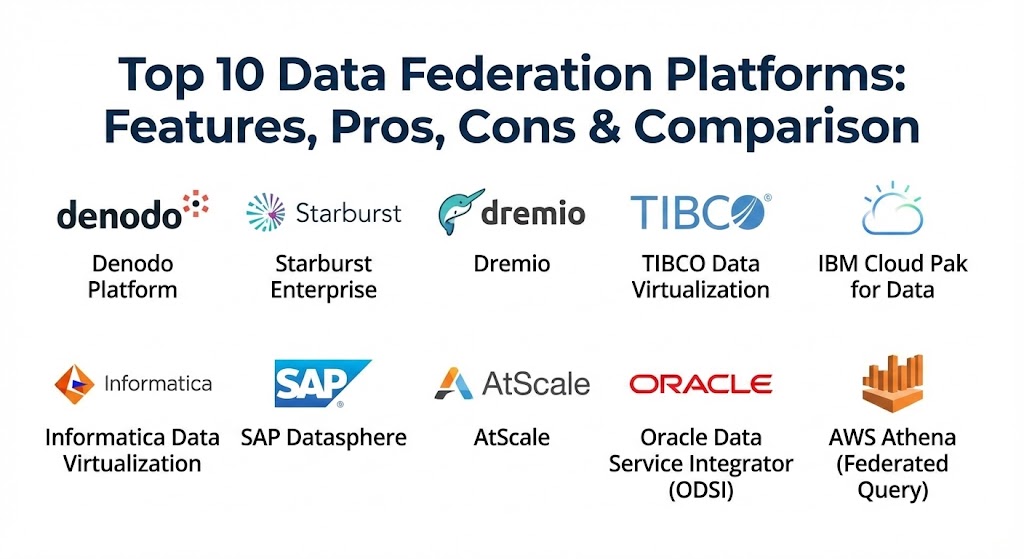
Top 10 Data Federation Platforms
1 — Denodo Platform
Denodo is widely recognized as the market leader in the data virtualization and federation space. It offers a robust, high-performance platform that unifies access to structured, semi-structured, and unstructured data across any environment.
- Key features:
- Intelligent query optimization using AI to minimize data movement.
- Advanced dynamic caching to accelerate performance for frequent queries.
- A comprehensive data catalog with integrated metadata management.
- Support for “Data as a Service” (DaaS) through REST and GraphQL APIs.
- Unified security layer with granular, policy-based access control.
- Automated data lineage tracking to simplify compliance audits.
- Massive connector library for cloud, on-prem, and NoSQL sources.
- Pros:
- Unmatched flexibility in handling heterogeneous data sources.
- Excellent performance for complex joins across multi-cloud environments.
- Cons:
- Higher price point makes it a significant investment for mid-sized firms.
- Administrative overhead can be high due to the vast range of features.
- Security & compliance: SOC 2 Type II, HIPAA, GDPR, ISO 27001, SSO (SAML/OAuth), and FIPS 140-2.
- Support & community: Industry-standard enterprise support; robust “Denodo Community” with extensive training and certification programs.
2 — Starburst Enterprise
Based on the high-performance Trino (formerly PrestoSQL) engine, Starburst is designed for the modern “Data Mesh” architecture. It excels at querying data directly where it lives, specifically within massive data lakes and cloud storage.
- Key features:
- Massive Parallel Processing (MPP) engine for lightning-fast SQL queries.
- “Starburst Stargate” for cross-cloud and cross-region federated queries.
- Built-in cost-based optimizer to reduce compute expenses.
- Native integrations with Snowflake, BigQuery, and S3.
- Comprehensive SQL support (ANSI SQL) for business analysts.
- Fine-grained access control through integration with Apache Ranger.
- Pros:
- Incredible speed when querying petabyte-scale data lakes.
- Prevents “cloud lock-in” by enabling seamless multi-cloud data access.
- Cons:
- Requires strong SQL knowledge to manage and tune effectively.
- Less focused on “data cleaning” compared to pure-play virtualization tools.
- Security & compliance: GDPR, HIPAA, SOC 2, SSO, and end-to-end encryption for data in transit.
- Support & community: 24/7 global support and a highly active open-source community heritage through Trino.
3 — Dremio
Dremio is often described as an “Easy Button” for data lakes. It provides a self-service semantic layer that allows analysts to query data directly from cloud storage without needing to wait for IT to build pipelines.
- Key features:
- “Data Reflections” technology to accelerate queries without manual tuning.
- Apache Arrow-based execution engine for high-concurrency performance.
- Native Git-like versioning for data through “Nessie.”
- Semantic layer for creating reusable, governed business views.
- Direct connectors for S3, ADLS, GCS, and various SQL databases.
- Integrated data catalog with search and discovery features.
- Pros:
- Exceptionally user-friendly for BI users and data scientists.
- Drastically reduces the need for expensive BI cubes and extracts.
- Cons:
- Primarily optimized for data lakes; less effective for legacy “person-to-person” file movements.
- Can consume significant RAM and CPU for high-concurrency workloads.
- Security & compliance: SOC 2, GDPR, SSO integration, and role-based access control (RBAC).
- Support & community: Strong documentation and an active “Dremio University” for user onboarding.
4 — TIBCO Data Virtualization
TIBCO’s platform is a mature, enterprise-grade solution that provides a logical data layer for mission-critical business applications. It is particularly strong in complex integration scenarios and legacy modernization.
- Key features:
- Mature transformation engine for complex data mapping.
- Centralized governance and metadata management.
- Performance optimization through intelligent request routing.
- Support for exposing data as web services or APIs.
- Integrated development environment (IDE) for building data views.
- High availability and failover for production workloads.
- Pros:
- Highly reliable for established enterprises with legacy system debt.
- Strong integration with the broader TIBCO ecosystem (Spotfire, Jaspersoft).
- Cons:
- The user interface can feel slightly more traditional compared to SaaS-native tools.
- Steeper learning curve for developers new to the TIBCO platform.
- Security & compliance: ISO 27001, HIPAA, GDPR, and robust audit logging features.
- Support & community: World-class global enterprise support and professional services.
5 — IBM Cloud Pak for Data (Data Virtualization)
IBM’s solution is part of its broader AI and data platform. It is designed for large-scale organizations that want to integrate data federation with automated governance and AI lifecycle management.
- Key features:
- Integrated “Watson Knowledge Catalog” for automated data discovery.
- Constellation-based query routing to minimize data traffic.
- Support for containerized deployment via Red Hat OpenShift.
- Integrated AI tools for data cleaning and preparation.
- Policy-based masking and anonymization of sensitive data.
- Seamless connectivity between on-premises and IBM Cloud.
- Pros:
- Excellent for companies heavily invested in the IBM or Red Hat ecosystems.
- Provides the strongest link between data federation and AI readiness.
- Cons:
- Complex pricing and modular licensing can be confusing.
- Requires a significant infrastructure footprint to run optimally.
- Security & compliance: FedRAMP, HIPAA, SOC 1/2/3, GDPR, and ISO 27001.
- Support & community: Extensive global support network and deep technical documentation.
6 — Informatica Data Virtualization
Informatica is a giant in the data integration space, and its virtualization tool focuses on providing “trusted” data. It is often used as a virtual extension of a company’s existing MDM (Master Data Management) strategy.
- Key features:
- Deep integration with the Informatica Intelligent Data Management Cloud (IDMC).
- Built-in data quality and profiling tools.
- Metadata-driven architecture for rapid data mapping.
- Support for real-time and batch data federation.
- Granular visibility into data lineage and usage patterns.
- Robust security controls for multi-tenant environments.
- Pros:
- Ideal for organizations that prioritize data quality and governance above all else.
- Highly scalable for Fortune 500-level data volumes.
- Cons:
- Can be one of the most expensive solutions on the market.
- Best utilized as part of the broader Informatica suite rather than a standalone tool.
- Security & compliance: SOC 2, GDPR, HIPAA, and FIPS 140-2 compliance.
- Support & community: Premier enterprise support and a vast global network of certified partners.
7 — SAP Datasphere
SAP Datasphere (formerly SAP Data Warehouse Cloud) is the evolution of SAP’s data management strategy. It provides a business-centric data fabric that federates data across SAP and non-SAP systems.
- Key features:
- Semantic modeling that preserves SAP S/4HANA business context.
- Integrated data marketplace for sharing data internally or externally.
- Multi-cloud and hybrid connectivity through the SAP BTP.
- Real-time federation for operational reporting within SAP environments.
- Built-in data catalog and metadata management.
- Advanced spaces for collaborative data modeling across departments.
- Pros:
- Essential for SAP-heavy organizations to avoid manual data extraction.
- The best tool for maintaining complex business logic during federation.
- Cons:
- Limited value for organizations that do not use SAP as their core ERP.
- Can have a higher “ecosystem tax” in terms of licensing.
- Security & compliance: ISO 27001, SOC 1/2, GDPR, and HIPAA compliant.
- Support & community: Backed by SAP’s massive global support and training infrastructure.
8 — AtScale
AtScale is a specialized data federation platform that focuses on the semantic layer. It bridges the gap between raw cloud data and BI tools like Tableau, Power BI, and Looker.
- Key features:
- Universal Semantic Layer to define business metrics once and use everywhere.
- Autonomous Data Engineering to optimize query performance automatically.
- Direct queries to Snowflake, BigQuery, Redshift, and Databricks.
- No-code interface for building complex multi-dimensional models.
- Integrated data governance and row-level security.
- Support for both SQL and MDX (Multi-Dimensional eXpressions).
- Pros:
- Excellent for ensuring “single source of truth” metrics across a company.
- Prevents BI tools from having to perform heavy lifting, saving on compute costs.
- Cons:
- Less focused on “data integration” and more on “BI acceleration.”
- Not intended as a general-purpose data movement tool.
- Security & compliance: SSO, RBAC, GDPR, and HIPAA compliant features.
- Support & community: High customer satisfaction; strong focus on customer success and ROI.
9 — Oracle Data Service Integrator (ODSI)
Oracle’s data federation tool is part of its broader Fusion Middleware suite. It is designed for high-performance data services that expose unified views of enterprise data.
- Key features:
- Declarative data modeling using XQuery standards.
- Integrated with Oracle WebLogic and Oracle Database.
- Support for real-time data updates and transactional integrity.
- Advanced caching and query optimization for Oracle ecosystems.
- Ability to publish data services as standard SOAP or REST endpoints.
- Built-in monitoring and management for service health.
- Pros:
- Extremely high performance when working within Oracle-centric stacks.
- Provides very strong transactional consistency for federated data.
- Cons:
- Lacks the modern, open-source feel of tools like Starburst or Dremio.
- Proprietary nature limits its appeal to non-Oracle shops.
- Security & compliance: FIPS 140-2, ISO 27001, and standard enterprise-grade controls.
- Support & community: Standard Oracle Premier Support and a large legacy user base.
10 — AWS Athena (Federated Query)
AWS Athena is a serverless, interactive query service. With its Federated Query capability, it allows users to run SQL queries across data stored in relational, non-relational, object, and custom data sources.
- Key features:
- Serverless architecture—no infrastructure to manage or scale.
- “Athena Query Federation SDK” to build custom connectors.
- Built-in connectors for DynamoDB, RDS, Redshift, and SageMaker.
- Pay-per-query pricing model (based on data scanned).
- Integrated with AWS Glue for metadata and schema management.
- Standard ANSI SQL support for easy adoption by analysts.
- Pros:
- Incredibly cost-effective for ad-hoc queries and small-to-medium datasets.
- Zero setup time for organizations already running on AWS.
- Cons:
- Performance can be unpredictable for extremely large, high-concurrency workloads.
- Lacks the deep semantic modeling and “data cleaning” of dedicated platforms.
- Security & compliance: IAM-based security, VPC support, HIPAA, and GDPR compliant.
- Support & community: Extensive AWS documentation, re:Post community, and enterprise support.
Comparison Table
| Tool Name | Best For | Platform(s) Supported | Standout Feature | Rating (Gartner Peer Insights) |
| Denodo Platform | Full Enterprise Virtualization | Hybrid / Multi-Cloud | AI-Driven Query Optimization | 4.6 / 5 |
| Starburst Enterprise | Petabyte-Scale Data Lakes | Multi-Cloud / Trino | Starburst Stargate | 4.5 / 5 |
| Dremio | Self-Service BI | Cloud Storage / Lakes | Data Reflections Acceleration | 4.4 / 5 |
| TIBCO DV | Complex Integrations | Windows, Linux, Cloud | Mature Transformation Logic | 4.3 / 5 |
| IBM Cloud Pak | AI-First Enterprises | Hybrid Cloud (OpenShift) | Watson Knowledge Catalog | 4.2 / 5 |
| Informatica DV | Governance & Quality | Multi-Cloud / SaaS | Integrated Data Profiling | 4.1 / 5 |
| SAP Datasphere | SAP Ecosystems | SAP BTP / Cloud | SAP Context Preservation | 4.3 / 5 |
| AtScale | BI Metric Consistency | Cloud Data Warehouses | Universal Semantic Layer | 4.5 / 5 |
| Oracle ODSI | Oracle-Centric Stacks | Oracle Middleware | XQuery-Based Modeling | 4.0 / 5 |
| AWS Athena | Ad-hoc Cloud Queries | AWS Cloud (SaaS) | Serverless / Pay-per-Query | 4.4 / 5 |
Evaluation & Scoring of Data Federation Platforms
To help you decide, we have evaluated these platforms against the critical requirements of a modern data architecture.
| Category | Weight | Evaluation Criteria |
| Core Features | 25% | Multi-source connectivity, query translation, and real-time aggregation. |
| Ease of Use | 15% | Intuitiveness of the modeling UI and self-service capabilities for analysts. |
| Integrations | 15% | Depth of connectors for SaaS, legacy databases, and cloud lakes. |
| Security | 10% | Encryption, SSO, and fine-grained access control policies. |
| Performance | 10% | Caching strategies, query optimization, and latency management. |
| Support | 10% | Availability of enterprise support and technical documentation quality. |
| Price / Value | 15% | Licensing flexibility and the total cost of ownership (TCO). |
Which Data Federation Platform Is Right for You?
Selecting the right platform depends on your existing technology stack and your team’s technical expertise.
- Solo Users & Small Teams: If you are a small team on AWS, AWS Athena is unbeatable for price and speed of setup. For those needing a bit more structure, a community edition of Dremio can offer a powerful entry point.
- Small to Medium Businesses (SMBs): Consider platforms like AtScale if your primary goal is consistent BI reporting, or JSCAPE (if looking at broader integration). However, for pure federation, Starburst Galaxy (the SaaS version) is a scalable mid-market choice.
- Mid-market to Large Enterprises: Denodo is the gold standard for full-scale data virtualization. If your strategy is centered around a data lake, Starburst or Dremio will provide the best performance.
- Industry-Specific Needs: Organizations in the financial or government sectors should prioritize IBM Cloud Pak for Data or Informatica due to their heavy focus on automated governance and auditability.
- Cloud Strategy: If you are “all-in” on one provider, stick to their native federation tools (Athena for AWS, BigQuery Omni for GCP). If you are multi-cloud, Denodo or Starburst are essential to maintain a unified layer across vendors.
Frequently Asked Questions (FAQs)
1. Is data federation the same as data virtualization? Data federation is a subset of data virtualization. While virtualization covers the overall concept of abstracting data, federation specifically refers to the process of querying and aggregating multiple sources in real-time.
2. Does data federation replace a data warehouse? Not necessarily. Data federation is best for real-time, cross-source insights. A data warehouse is better for historical analysis, “gold” standard reporting, and cases where data must be heavily transformed and cleaned.
3. Does querying live sources impact their performance? It can. This is why top platforms use “intelligent caching” and “query pushdown” to minimize the load on source systems. Admins must carefully configure these settings to avoid disrupting operational systems.
4. How does data federation handle security? Federation platforms act as a security gateway. They integrate with your SSO (like Okta or Active Directory) and apply their own permissions to the virtual layer, ensuring users only see what they are authorized to see.
5. Can data federation handle “unstructured” data? Most modern platforms can handle semi-structured data (JSON, XML). For truly unstructured data (images, PDFs), some tools like Denodo offer specialized “wrappers” or integrate with AI tools to extract metadata.
6. What is “Query Pushdown”? This is an optimization technique where the federation engine sends as much of the query logic as possible (like filtering or sorting) to the source database itself, reducing the amount of data sent over the network.
7. How do I handle data quality in a federated environment? Because data isn’t moved, the quality depends on the sources. However, platforms like Informatica and IBM allow you to apply “virtual cleaning” rules at the federation layer to standardize data on the fly.
8. Is coding required to set up data federation? Most tools now offer “no-code” visual interfaces for mapping and modeling. However, a solid understanding of SQL is still highly beneficial for performance tuning and complex logic.
9. Can data federation work across different cloud regions? Yes, but you must account for “egress costs” (fees for moving data out of a cloud region) and latency. Tools like Starburst Stargate are designed specifically to optimize these cross-region requests.
10. What is the most common reason data federation projects fail? Failure usually stems from poor metadata management or a lack of clear ownership. Without a consistent “business glossary,” different departments will interpret the federated data in conflicting ways.
Conclusion
The transition to a federated data architecture is no longer optional for enterprises that wish to remain competitive in 2026. By choosing a platform that balances performance, ease of use, and governance, you can turn your fragmented data silos into a powerful, real-time strategic asset. Remember that the “best” tool is the one that aligns with your specific technical debt and your future cloud strategy—there is no one-size-fits-all in the world of data.