Introduction
Data encryption tools are software solutions that use complex mathematical algorithms to scramble information, turning it into unreadable “ciphertext.” Only authorized users with the correct decryption key can revert this data back into its original, readable form. These tools protect data in three distinct states: at rest (stored on a hard drive or cloud), in motion (being sent via email or chat), and in use (active in a computer’s memory).
The importance of encryption lies in its ability to render stolen data useless. Even if a hacker successfully breaches a server, the encrypted files they find are nothing more than digital gibberish without the key. Real-world use cases are everywhere: from a doctor sending a patient’s health records to a law firm protecting intellectual property during a merger. When choosing a tool, you should evaluate the encryption algorithm (AES-256 remains the gold standard), key management (who holds the “keys to the kingdom”), platform compatibility, and the impact on system performance.
Best for: IT administrators, compliance officers, and security-conscious individuals. Large enterprises in finance, healthcare, and legal sectors benefit most due to strict regulatory mandates.
Not ideal for: Users with zero technical overhead or those dealing only with public, non-sensitive information. For very small scale, basic OS-native tools are often sufficient without needing a dedicated third-party suite.
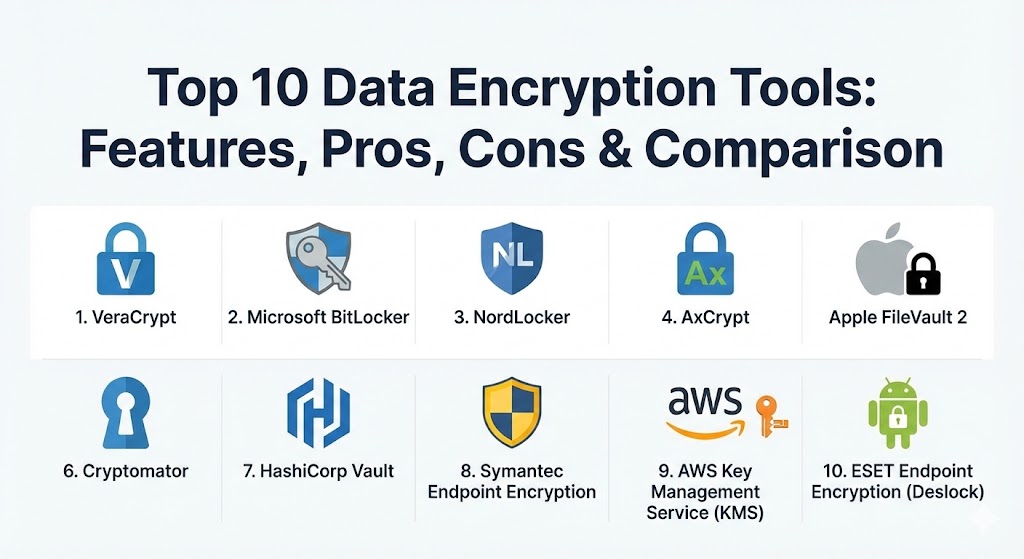
Top 10 Data Encryption Tools
1 — VeraCrypt
VeraCrypt is the spiritual and technical successor to the legendary TrueCrypt. It is an open-source powerhouse that specializes in creating encrypted “containers” or encrypting entire partitions and drives. In 2026, it remains a favorite for power users who demand total transparency and no corporate backdoors.
- Key features:
- Creates a virtual encrypted disk within a file and mounts it as a real disk.
- Encrypts an entire partition or storage device such as a USB flash drive or hard drive.
- Supports multiple encryption algorithms including AES, Twofish, and Camellia.
- Plausible Deniability: Allows for “hidden volumes” that are impossible to prove exist.
- Pre-boot authentication ensures the OS won’t even start without a password.
- Open-source code allows for continuous independent security audits.
- Pros:
- Completely free and immune to the “subscription fatigue” of modern software.
- Highly resistant to brute-force attacks due to its advanced key derivation.
- Cons:
- The user interface is functional but feels dated and can be intimidating for beginners.
- Lack of official mobile apps makes it strictly a desktop/laptop solution.
- Security & compliance: AES-256, RSA-4096, and SHA-512 support. FIPS 140-2 compliant algorithms.
- Support & community: Massive community-driven support through forums and GitHub; extensive documentation for advanced configurations.
2 — Microsoft BitLocker
BitLocker is the built-in full-disk encryption solution for Windows. For most business users, it is the most convenient tool because it is already integrated into the operating system they use every day.
- Key features:
- TPM Integration: Uses the Trusted Platform Module hardware to ensure boot integrity.
- BitLocker To Go: Extends encryption to removable drives like USB sticks.
- Network Unlock: Automatically unlocks drives when connected to a trusted corporate network.
- Cloud Recovery: Can store recovery keys in your Microsoft account or Entra ID (formerly Azure AD).
- Minimal performance impact due to deep integration with Windows kernel.
- Pros:
- Zero extra cost for Windows Pro and Enterprise users.
- Extremely easy to deploy at scale via Group Policy or Intune.
- Cons:
- Limited only to the Windows ecosystem; cannot be used on macOS or Linux.
- Closed-source nature means you have to trust Microsoft’s implementation.
- Security & compliance: FIPS 140-2 certified, GDPR, and HIPAA ready.
- Support & community: Enterprise-grade support from Microsoft; vast knowledge base and community forums.
3 — NordLocker
From the makers of NordVPN, NordLocker is a modern, user-friendly encryption tool that combines local file protection with secure cloud storage. It is designed for the modern remote worker who needs security without the “techy” hassle.
- Key features:
- Drag-and-Drop: Encrypts any file or folder by simply moving it into a “Locker.”
- Zero-Knowledge Architecture: The provider never sees your password or your files.
- Cross-Platform Sync: Access encrypted files on Windows, macOS, Android, and iOS.
- Secure file sharing via private, encrypted links.
- Automatic cloud backup for your encrypted lockers.
- Pros:
- One of the most beautiful and intuitive interfaces in the market.
- Simplifies the complex task of sharing encrypted files with non-technical users.
- Cons:
- The free tier is quite limited in storage space.
- Requires a Nord account, which may not appeal to total “off-grid” privacy purists.
- Security & compliance: AES-256, Argon2, and ECC (Elliptic Curve Cryptography). GDPR and SOC 2.
- Support & community: 24/7 customer support; streamlined onboarding and a growing library of privacy guides.
4 — AxCrypt
AxCrypt is a file-level encryption tool that has spent years perfecting the balance between high security and team collaboration. It is particularly strong for small businesses that need to share sensitive documents internally.
- Key features:
- Key Sharing: Allow other AxCrypt users to open your encrypted files using their own password.
- Cloud Folder Awareness: Automatically detects and encrypts files in Dropbox or Google Drive.
- Password Management: Built-in suite to store your passwords securely.
- Automated encryption of files as soon as they are saved.
- Mobile apps for viewing (though not creating) encrypted files on the go.
- Pros:
- The most seamless experience for collaborative “team-based” encryption.
- Very lightweight software that doesn’t slow down the computer.
- Cons:
- The “Free” version is very limited (only 128-bit encryption).
- No full-disk encryption; it is strictly for individual files and folders.
- Security & compliance: AES-256 (Premium) and RSA-4096. GDPR compliant.
- Support & community: Responsive email support; active community forum and detailed video tutorials.
5 — Apple FileVault 2
If BitLocker is the king of Windows, FileVault 2 is the sovereign of macOS. It provides full-disk encryption for the entire startup volume of a Mac, ensuring that if your laptop is stolen, your data remains a mystery.
- Key features:
- XTS-AES-128: Uses strong block-level encryption for the entire drive.
- Instant Wipe: Can instantly decommission a device by destroying the encryption key.
- MDM Support: Allows businesses to manage recovery keys through an MDM (like Jamf).
- Transparent to the user; once set up, you simply log in as usual.
- Pros:
- Seamlessly integrated into the Apple hardware ecosystem (T2/M-series chips).
- No performance degradation on modern Macs.
- Cons:
- Zero flexibility; it is “on or off” for the whole drive.
- Proprietary and closed-source.
- Security & compliance: FIPS 140-2, HIPAA, and GDPR compliant.
- Support & community: Premium support via AppleCare and the massive Apple Support community.
6 — Cryptomator
Cryptomator is a unique, open-source tool specifically designed to solve the “Cloud Privacy” problem. It encrypts your files locally before they ever touch servers like OneDrive, iCloud, or Google Drive.
- Key features:
- Transparent Drive: Mounts your encrypted vault as a virtual drive for easy access.
- Client-Side Encryption: No unencrypted data is ever sent to the cloud.
- No Account Required: You don’t need to sign up for a Cryptomator account to use it.
- Open-source and audited by independent security firms.
- Filename encryption hides even the names of the files from the cloud provider.
- Pros:
- The best “Zero-Knowledge” solution for people who don’t trust big tech clouds.
- Pay-what-you-want (Donationware) model for the desktop version.
- Cons:
- The mobile apps are paid and can sometimes be tricky to sync.
- Not a full-disk solution; meant only for “vaults” of data.
- Security & compliance: AES-256 and Scrypt. GDPR compliant.
- Support & community: Very active GitHub community and a well-maintained user forum.
7 — HashiCorp Vault
HashiCorp Vault is not for your personal laptop; it is the enterprise standard for “Encryption as a Service.” It manages secrets, keys, and sensitive data across massive cloud-native infrastructures.
- Key features:
- Transit Encryption: Encrypts data for applications without storing it.
- Dynamic Secrets: Generates temporary credentials for databases and AWS on the fly.
- Key Management: Centralized lifecycle management for all your organization’s keys.
- Identity-Based Access: Connects encryption permissions to your existing SSO.
- Multi-cloud support (AWS, Azure, GCP).
- Pros:
- Unmatched for DevOps and cloud-engineering teams.
- Highly scalable; can manage millions of secrets across global data centers.
- Cons:
- Extremely high learning curve; requires professional DevOps expertise to manage.
- The Enterprise version can be very costly.
- Security & compliance: SOC 2, ISO 27001, FIPS 140-2 Level 3 (with HSM).
- Support & community: Top-tier enterprise support; massive ecosystem of open-source plugins.
8 — Symantec Endpoint Encryption
Part of the Broadcom family, Symantec Endpoint Encryption provides a centralized, management-heavy solution for large organizations that need to enforce encryption policies across thousands of devices.
- Key features:
- Combined full-disk and removable media encryption.
- Self-Recovery: Users can reset passwords without calling the help desk.
- Centralized policy enforcement (e.g., “all USB drives must be encrypted”).
- Detailed audit logs and reporting for compliance audits.
- Integration with Symantec Data Loss Prevention (DLP).
- Pros:
- The “gold standard” for large-scale corporate compliance and auditing.
- Provides a single pane of glass for all endpoint security.
- Cons:
- Can feel “bloated” and slow on older hardware.
- Administrative console is complex and built for professional IT admins.
- Security & compliance: FIPS 140-2, Common Criteria, GDPR, and HIPAA.
- Support & community: Enterprise support from Broadcom; professional services available for deployment.
9 — AWS Key Management Service (KMS)
For organizations living in the Amazon Cloud, AWS KMS is the invisible backbone of their security. It makes it easy to create and control the keys used to encrypt your data within AWS services.
- Key features:
- Integrated with 100+ AWS Services: One click to encrypt S3 buckets, RDS databases, etc.
- CloudTrail Logging: Every use of a key is recorded for audit purposes.
- Bring Your Own Key (BYOK): Allows you to import your own keys into the AWS cloud.
- FIPS 140-2 Level 3: High-end hardware security modules (HSMs).
- Pros:
- Seamless “plug-and-play” for any AWS-native infrastructure.
- High availability and durability; you will never “lose” your keys if managed correctly.
- Cons:
- Locked strictly to the AWS ecosystem.
- Can lead to unexpected costs if you have a high volume of API calls for encryption.
- Security & compliance: FedRAMP, HIPAA, PCI DSS, SOC 1/2/3.
- Support & community: Backed by AWS Support; massive technical documentation and community.
10 — ESET Endpoint Encryption (Deslock)
ESET provides a very balanced encryption solution that appeals to mid-sized businesses. It offers full-disk encryption, file/folder encryption, and email encryption within a single, easy-to-manage console.
- Key features:
- Remote management console that requires no server-side installation (Cloud-based).
- Outlook Plugin: Seamlessly sends and receives encrypted emails.
- Removable media encryption that works even on machines without ESET installed.
- Full-disk encryption with pre-boot authentication.
- Simple “Workstation ID” system for managing remote workers.
- Pros:
- Excellent for remote teams where IT doesn’t have physical access to the laptops.
- Very lightweight and doesn’t interfere with typical business software.
- Cons:
- Reporting features are not as deep as Symantec’s.
- Some advanced features are only available in the Pro version.
- Security & compliance: FIPS 140-2 Level 1, GDPR, and HIPAA.
- Support & community: Highly rated customer support; local partner networks for hands-on help.
Comparison Table
| Tool Name | Best For | Platform(s) Supported | Standout Feature | Rating (Gartner/G2) |
| VeraCrypt | Power Users | Win, macOS, Linux | Plausible Deniability | 4.7 / 5 |
| BitLocker | Windows Enterprises | Windows | Native OS Integration | 4.5 / 5 |
| NordLocker | Beginners / Solo | Win, macOS, Mobile | Modern Cloud Sync | 4.6 / 5 |
| AxCrypt | Small Teams | Win, macOS, Mobile | Secure Key Sharing | 4.4 / 5 |
| FileVault 2 | Mac Users | macOS | Apple Silicon Optimization | N/A (OS Built-in) |
| Cryptomator | Cloud Privacy | Win, macOS, Linux, Mobile | Open-Source Zero-Knowledge | 4.8 / 5 |
| HashiCorp Vault | DevOps / Cloud Eng | Hybrid Multi-Cloud | Encryption as a Service | 4.7 / 5 |
| Symantec | Large Corporations | Win, macOS | High-Scale Compliance | 4.3 / 5 |
| AWS KMS | AWS Cloud Users | AWS Ecosystem | Integrated AWS Management | 4.6 / 5 |
| ESET Encryption | Remote Mid-Market | Win, macOS | Cloud-Based Management | 4.5 / 5 |
Evaluation & Scoring of Data Encryption Tools
Choosing the right tool is a balance of security depth and operational friction. The table below scores the general category of encryption tools based on our 2026 rubric.
| Category | Weight | Score (Avg) | Evaluation Rationale |
| Core Features | 25% | 9.0 / 10 | Most tools now offer AES-256 and FIPS compliance as baseline. |
| Ease of Use | 15% | 7.5 / 10 | Enterprise tools are still complex; consumer tools are improving. |
| Integrations | 15% | 8.0 / 10 | Cloud integration is now the primary differentiator. |
| Security & Compliance | 10% | 9.5 / 10 | Highest-performing category; certifications are strictly followed. |
| Performance | 10% | 8.8 / 10 | Hardware acceleration (AES-NI) has made encryption fast. |
| Support & Community | 10% | 8.2 / 10 | Open-source has better communities; enterprise has better SLAs. |
| Price / Value | 15% | 7.8 / 10 | ROI is high, but per-seat costs can escalate for small teams. |
Which Data Encryption Tool Is Right for You?
The “best” encryption tool depends entirely on your specific environment and technical comfort level.
Solo Users vs SMB vs Mid-Market vs Enterprise
- Solo Users: If you want total privacy for free, Cryptomator or VeraCrypt are your champions. If you want something that “just works,” stick with BitLocker or FileVault.
- SMBs: For small teams without a dedicated IT person, NordLocker or AxCrypt are ideal because they require almost zero training to use effectively.
- Mid-Market: Organizations with a fleet of laptops should look at ESET Endpoint Encryption. It gives you the centralized control you need without the massive overhead of an enterprise suite.
- Enterprise: If you have 5,000+ employees and strict regulatory auditors, Symantec or HashiCorp Vault (for your apps) are the only choices that provide the necessary audit logs and policy depth.
Budget-Conscious vs Premium Solutions
Encryption doesn’t have to be expensive. BitLocker and FileVault are “free” with your hardware. VeraCrypt and Cryptomator are free (open-source). Premium solutions like Symantec or NordLocker Business are worth the investment when you need to prove compliance to a third party or manage thousands of users.
Feature Depth vs Ease of Use
- For Ease of Use: NordLocker wins. It treats encryption as a drag-and-drop feature of your computer.
- For Feature Depth: VeraCrypt is the winner. It allows you to tweak every single detail of the encryption process, including the hashing algorithm and the volume type.
Frequently Asked Questions (FAQs)
1. What is the difference between “Full-Disk” and “File-Level” encryption?
Full-disk encryption (like BitLocker) protects everything on the drive—including the OS. File-level encryption (like AxCrypt) protects only specific files. If your laptop is stolen, you want full-disk. If you are emailing a document, you want file-level.
2. What happens if I lose my encryption password?
In most “Zero-Knowledge” systems, your data is gone forever. Some enterprise tools (like BitLocker) have “Recovery Keys” that can be stored in the cloud, but for tools like VeraCrypt, there is no “Forgot Password” button.
3. Does encryption slow down my computer?
On modern computers (post-2015), the impact is negligible (usually under 1-3%). Modern CPUs have built-in “AES-NI” instructions that handle encryption at the hardware level.
4. Is AES-256 actually unhackable?
For now, yes. It would take a modern supercomputer trillions of years to crack an AES-256 key via brute force. The real risk is not the encryption being “broken,” but your password being stolen or guessed.
5. Why should I use open-source encryption?
Open-source means anyone can inspect the code to ensure there are no “backdoors” for government agencies or hackers. Security experts generally trust open-source (like VeraCrypt) over proprietary software (like BitLocker).
6. Do I need encryption if I use a VPN?
Yes. A VPN encrypts your connection while you are browsing, but it doesn’t protect the files sitting on your hard drive. You need both for total security.
7. Can I encrypt files on my phone?
Yes. Modern iPhones and Androids have built-in encryption. Tools like NordLocker and Boxcryptor also offer apps to access your computer’s encrypted files from your phone.
8. What is “Zero-Knowledge” encryption?
It means the software provider has “zero knowledge” of your password or data. Even if they are subpoenaed by the police, they literally cannot hand over your files because they don’t have the keys.
9. Is BitLocker safe for home users?
Absolutely. It is the most robust and convenient tool for Windows users. Just make sure you save your Recovery Key in a safe place (like a printed paper or a separate USB drive).
10. What is “Quantum-Resistant” encryption?
It refers to new algorithms designed to withstand attacks from future quantum computers. While not yet standard for home users, enterprise tools like HashiCorp Vault are already beginning to integrate these standards.
Conclusion
Data encryption is the ultimate “safety net” in cybersecurity. In 2026, where data residency laws and ransomware are part of every business discussion, ignoring encryption is no longer an option. Whether you are a solo freelancer using Cryptomator to secure your cloud or a CISO deploying Symantec across a global enterprise, the goal is the same: absolute data sovereignty.
Remember, the “best” tool is the one that your team will actually use without finding workarounds. Start by securing your physical devices with full-disk encryption, and then layer on file-level tools for your most sensitive cloud-stored assets. Security is a journey, and encryption is your most reliable vehicle.