Introduction
Customer support chatbots are AI-powered software interfaces designed to simulate human conversation and resolve user inquiries across digital channels like websites, mobile apps, WhatsApp, and social media. In the current landscape, these tools leverage Large Language Models (LLMs) and Generative AI to understand intent, sentiment, and context, providing answers that feel remarkably natural and brand-aligned.
The importance of these tools lies in their ability to handle high-volume, repetitive queries—such as “Where is my order?” or “How do I reset my password?”—without human intervention. This “deflection” allows human agents to focus on high-value, emotionally sensitive issues that require empathy and complex problem-solving. Key real-world use cases include instant multilingual support for global customers, proactive engagement on checkout pages to reduce cart abandonment, and automated appointment scheduling or refund processing.
When evaluating customer support chatbots in 2026, users should look for reasoning capabilities (the ability to follow complex logic), native integrations with existing CRMs, security compliance (especially for industries like healthcare or finance), and a no-code interface that allows support managers—not just developers—to tweak the bot’s behavior in real-time.
Best for: Customer Success Managers, Support Operations Leads, and E-commerce owners. They are ideal for high-growth startups, mid-market companies looking to scale without linear hiring, and large enterprises aiming to unify fragmented support channels.
Not ideal for: Ultra-small boutique businesses with extremely low query volumes where personal, one-on-one human touch is the primary brand differentiator, or organizations with highly “physical” service needs that cannot be addressed through digital communication.
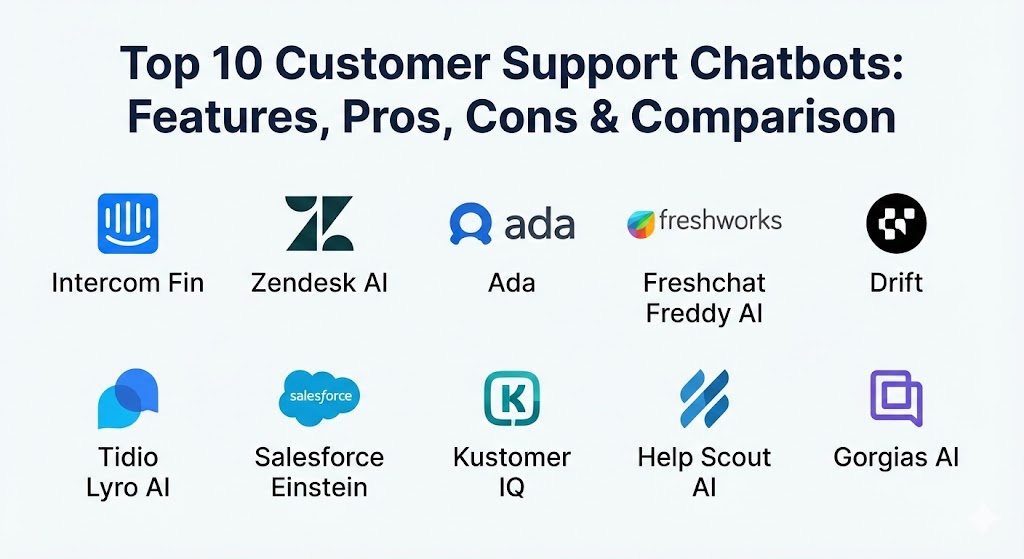
Top 10 Customer Support Chatbots Tools
1 — Intercom (Fin AI Agent)
Intercom’s Fin is a next-generation AI agent built specifically for customer service. It uses a combination of proprietary AI and LLMs to provide safe, accurate answers based solely on your existing help center content, reducing the risk of “hallucinations” common in earlier AI models.
- Key features:
- Automated resolution using only provided knowledge base articles and PDFs.
- Visual Workflow Builder for creating complex, branching conversation paths.
- Intelligent Handoff that provides human agents with full AI summaries of the interaction.
- Multi-channel support across WhatsApp, Instagram, Facebook, and Web.
- Proactive Support tools like Banners, Tooltips, and Checklists to prevent support tickets.
- Advanced sentiment analysis to detect frustrated customers early.
- Pros:
- Extremely fast to set up; can go live in minutes by simply pointing it at a URL.
- The user interface for both agents and admins is widely considered the best in the industry.
- Cons:
- Pricing can escalate quickly with “resolution-based” fees ($0.99 per successful resolve).
- Can feel overwhelming for small teams due to the sheer depth of features.
- Security & compliance: SOC 2 Type II, GDPR, HIPAA (on specific plans), and ISO 27001. All data is encrypted at rest and in transit.
- Support & community: Extensive “Intercom Academy” for training, 24/7 live chat support, and a massive community of “Intercom Experts” for hire.
2 — Zendesk (AI Agents)
Zendesk has evolved its chatbot offerings into a comprehensive “AI Agent” suite. It leverages decades of customer service data to provide bots that are pre-trained on common support intents specific to industries like retail, finance, and software.
- Key features:
- Generative AI that can summarize long threads and expand short notes into full replies.
- Persona configuration to match the bot’s tone (e.g., friendly, professional, or humorous).
- Intent-based routing that sends technical queries to specialists and billing to finance.
- Native integration with Ultimate.ai (acquired by Zendesk) for deep automation.
- Omnichannel deployment including voice-to-chat capabilities.
- Built-in QA tools that allow admins to “score” AI responses for accuracy.
- Pros:
- Unmatched scalability; if you can dream of a support workflow, Zendesk can build it.
- Massive marketplace of 1,500+ third-party apps and integrations.
- Cons:
- The administrative back-end is complex and often requires a dedicated “Zendesk Admin” to manage.
- Lower-tier plans lack the most advanced AI features.
- Security & compliance: FedRAMP, HIPAA, SOC 2, ISO, and PCI DSS. Includes robust audit logs and SSO.
- Support & community: Worldwide premier support, a huge developer ecosystem, and highly detailed technical documentation.
3 — Ada
Ada is an “automation-first” platform designed for massive enterprises that want to resolve 80% or more of their inquiries through AI. It is built to connect deeply with complex backend systems to perform actions, not just talk.
- Key features:
- Actionable AI: Can process refunds, change flight dates, or upgrade subscriptions via APIs.
- Language-agnostic NLU (Natural Language Understanding) supporting 100+ languages.
- Generative AI training that allows the bot to learn from past human agent conversations.
- A/B testing for chatbot flows to see which version resolves more issues.
- Predictive suggestions that anticipate why a user is reaching out based on their behavior.
- Pros:
- Exceptional at complex, multi-step tasks that go beyond simple FAQ answering.
- The no-code “Playbooks” make it easy for CX teams to manage logic without IT help.
- Cons:
- No transparent pricing; requires a custom quote that is usually on the high end of the market.
- May be “too much tool” for a company that only needs basic chat.
- Security & compliance: GDPR, SOC 2 Type II, HIPAA, and PCI DSS. Strong focus on data residency requirements.
- Support & community: Dedicated Strategic Success Managers for enterprise clients and an extensive “Ada University” portal.
4 — Freshchat (Freddy AI)
Part of the Freshworks ecosystem, Freshchat uses Freddy AI to provide a “lite” but powerful chatbot experience. It is particularly effective for businesses that want a unified view of marketing, sales, and support.
- Key features:
- Freddy Self-Service: A bot that autonomously handles FAQs and processes.
- Freddy Copilot: An AI assistant that helps human agents draft better replies.
- Behavior-based triggers that launch chat windows when a user dwells on a pricing page.
- Unified Inbox for WhatsApp, Line, Apple Business Chat, and SMS.
- Intention detection that classifies tickets before an agent even opens them.
- Pros:
- Very affordable entry point compared to enterprise rivals like Ada or Salesforce.
- Seamless “one-click” integration with Freshdesk and Freshsales.
- Cons:
- The bot builder is less flexible for highly complex, non-standard branching logic.
- Analytics reporting is solid but lacks the depth of Zendesk or Kustomer.
- Security & compliance: SOC 2, HIPAA, GDPR, and ISO 27001. Standard SSO and encryption protocols.
- Support & community: Good documentation, active user forums, and 24/5 support across most plans.
5 — Drift (Conversational Service)
While Drift is famous for “Conversational Marketing,” its support chatbot is designed for “Conversational Service.” It focuses on identifying high-value customers and providing them with white-glove, instant support to drive retention.
- Key features:
- Bionic Chatbots: Use AI to handle 24/7 support while maintaining a human-like tone.
- Meeting Scheduler: The bot can instantly book calls on a human agent’s calendar.
- Drift Intel: Identifies the company and persona of the visitor to personalize the chat.
- Advanced Routing: VIPs go to a dedicated manager; free users stay with the bot.
- Integration with Salesforce and HubSpot to update CRM data in real-time.
- Pros:
- The best tool for businesses where support and sales are closely linked.
- High-quality “visual” chatbot elements like buttons, videos, and GIFs.
- Cons:
- Expensive; pricing tiers are clearly geared toward mid-market and enterprise.
- Not as deep in traditional “help desk” ticketing features as Zendesk or Intercom.
- Security & compliance: SOC 2 Type II, GDPR, and Privacy Shield.
- Support & community: Premium onboarding for all clients and a robust “Drift Insider” learning platform.
6 — Tidio (Lyro AI)
Tidio is the go-to solution for small and medium businesses (SMBs). Its Lyro AI agent is designed to provide “enterprise-level” conversational AI to small shops without the enterprise price tag or complexity.
- Key features:
- Lyro AI: A generative AI bot that uses your website content to answer queries.
- Visual Flow Editor for manually designing “Decision Tree” bots.
- Live visitor list that allows agents to manually “jump in” and take over from the bot.
- Native Shopify and WordPress integrations for e-commerce tracking.
- Mobile app for agents to manage chats on the go.
- Pros:
- Extremely high ROI for small businesses; includes a free tier for testing.
- The “Lyro” setup is incredibly simple—no “training” or intent mapping required.
- Cons:
- Lacks the advanced API-level “Action” capabilities of Ada or Salesforce.
- Limited reporting compared to larger platforms.
- Security & compliance: GDPR compliant; SOC 2 Type II; data hosted on AWS in the EU.
- Support & community: Highly responsive 24/5 chat support and a very helpful blog/resource center for SMB growth.
7 — Salesforce (Einstein Service Agent)
For companies already living in the Salesforce ecosystem, Einstein is the logical choice. It is a deeply integrated AI that has access to every piece of customer data in your CRM, making its support incredibly personalized.
- Key features:
- Agentforce: Autonomous AI agents that can act across any Salesforce app.
- Einstein Trust Layer: Ensures generative AI doesn’t leak sensitive customer data.
- Multi-modal support: Can “see” and “hear” through images and voice calls.
- Automatic Case Wrap-up: The bot summarizes the whole chat and categorizes the ticket.
- Seamless failover: If one AI model (like GPT-4) is down, it can switch to another instantly.
- Pros:
- Deepest data integration available; the bot knows every purchase, return, and email.
- Massive scalability for global organizations with thousands of agents.
- Cons:
- Very high cost and high complexity; usually requires a consultant for setup.
- The UI can feel cluttered and “corporate” compared to newer startups.
- Security & compliance: FedRAMP, HIPAA, SOC 2, and every major international standard.
- Support & community: The largest community in the world (Trailblazer Community) and infinite learning resources through Trailhead.
8 — Kustomer (Kustomer IQ)
Kustomer is built on a “Customer-Centric” rather than “Ticket-Centric” model. Its AI, Kustomer IQ, treats every interaction as part of a single continuous timeline, allowing for highly contextual support.
- Key features:
- Sentiment-based routing: Angry customers are instantly prioritized for human help.
- Self-service portals that allow customers to track orders without talking to anyone.
- Conditional branching based on customer attributes (e.g., “Is this a Platinum member?”).
- Native multi-channel support for SMS, WhatsApp, and social media.
- Intelligent auto-responses that draft replies for human agents to review.
- Pros:
- Excellent for managing high volumes of data from different sources in one screen.
- Very strong for e-commerce brands with high repeat-purchase rates.
- Cons:
- The platform has a steep learning curve due to its non-traditional data model.
- Mobile app functionality is not as robust as the desktop version.
- Security & compliance: SOC 2 Type II, GDPR, and HIPAA compliant.
- Support & community: Comprehensive documentation and dedicated customer success managers for larger accounts.
9 — Help Scout (AI Agent)
Help Scout is the choice for companies that want support to feel human and “empathetic.” Its AI tools are designed to stay in the background, assisting agents rather than replacing them entirely.
- Key features:
- AI Summarize: Provides a 3-sentence summary of long customer emails.
- AI Assist: Helps agents change the tone of their writing or fix grammar.
- Beacon: A smart widget that surfaces relevant help articles based on the page a user is on.
- Shared Inboxes for seamless collaboration between different support teams.
- Workflow automation for tagging and routing based on simple “If/Then” logic.
- Pros:
- The most “approachable” tool; requires zero technical training to master.
- Pricing is transparent and affordable for growing teams.
- Cons:
- Chatbot automation is much more basic compared to “Agentic AI” like Ada or Intercom.
- Not ideal for companies that want a “bot-first” support strategy.
- Security & compliance: GDPR, HIPAA (on higher plans), and SOC 2.
- Support & community: Known for having some of the best customer support in the SaaS industry itself.
10 — Gorgias (AI Agent)
Gorgias is the undisputed leader for Shopify, Magento, and BigCommerce stores. Its AI is purpose-built to handle the unique challenges of e-commerce support, like shipping delays and discount codes.
- Key features:
- Deep Shopify integration: See a customer’s full order history right in the chat.
- Automated Macro actions: The bot can close orders or issue refunds in one click.
- Sentiment Detection: Tags “frustrated” or “urgent” customers automatically.
- Automated response to common questions like “Where is my order?” (WISMO).
- Social Media integration for managing comments on Instagram and Facebook ads.
- Pros:
- The most time-saving tool for e-commerce owners; literally pays for itself in hours saved.
- Very easy to set up “Auto-responses” for the most common store-related queries.
- Cons:
- Limited use outside of the e-commerce industry.
- Reporting on “revenue generated from chat” can be a bit aggressive in its attribution.
- Security & compliance: SOC 2 Type II, GDPR, and PCI compliance for handling payment data.
- Support & community: Excellent onboarding for Shopify store owners and a very active community of e-commerce entrepreneurs.
Comparison Table
| Tool Name | Best For | Platform(s) Supported | Standout Feature | Rating (Gartner/TrueReview) |
| Intercom Fin | Modern CX Teams | Web, Mobile, Social | Generative AI Accuracy | 4.7 / 5 |
| Zendesk AI | Large Enterprises | Web, Mobile, Social, Voice | Pre-trained Industry Intents | 4.5 / 5 |
| Ada | High-Volume Automation | Web, Mobile, SMS | Action-based API Workflows | 4.6 / 5 |
| Freshchat | Unified Sales/Support | Web, Mobile, WhatsApp | Low-cost Entry Point | 4.4 / 5 |
| Drift | Revenue-linked Support | Web, Mobile | Instant Meeting Booking | 4.3 / 5 |
| Tidio Lyro | SMBs / Shopify | Web, Mobile, Instagram | Zero-training Setup | 4.8 / 5 |
| Salesforce | CRM-heavy Orgs | Full Salesforce Stack | Agentforce Autonomous Ops | 4.2 / 5 |
| Kustomer | Multi-source Data | Web, Mobile, Social | Continuous Customer Timeline | 4.5 / 5 |
| Help Scout | Human-led Support | Web, Email | Empathetic AI Writing Tools | 4.7 / 5 |
| Gorgias | E-commerce Brands | Shopify, Magento, Web | WISMO Auto-resolution | 4.6 / 5 |
Evaluation & Scoring of Customer Support Chatbots
The following scoring rubric represents the weights used by industry consultants to determine the long-term value of a support chatbot investment.
| Category | Weight | Evaluation Criteria |
| Core Features | 25% | Conversational accuracy, task automation, and multi-language support. |
| Ease of Use | 15% | Time to go live, quality of the bot builder, and agent experience. |
| Integrations | 15% | Depth of connection with CRMs, payment processors, and shipping tools. |
| Security | 10% | Compliance certifications, data residency, and encryption levels. |
| Reliability | 10% | Uptime, response speed, and “failover” mechanisms. |
| Support | 10% | Access to technical help, community forums, and training assets. |
| Price / Value | 15% | Cost-per-resolution vs. total software subscription fees. |
Which Customer Support Chatbot Tool Is Right for You?
The “best” tool in 2026 is no longer the one with the most features, but the one that aligns with your operational philosophy.
- Solo Users & Boutique SMBs: If you are a team of 1–5 people, Tidio is your best bet. It provides a professional AI face to your company without requiring a dedicated developer. If you are on Shopify, Gorgias is a viable alternative even at a small scale.
- High-Growth Startups: Intercom is the industry standard for a reason. Its blend of high-end design and powerful AI makes it the “safe” and high-performance choice for companies that need to move fast and look modern.
- Mid-Market & B2B Companies: If your support is a bridge to sales, Drift is the winner. If your support is high-volume and technical, look at Kustomer or Freshchat.
- Global Enterprises: Zendesk and Salesforce are the only tools that can truly handle the complexity of 1,000+ agents across multiple continents. Ada is the preferred choice if your primary goal is to maximize the “deflection rate” through high-level automation.
- The “Human” Choice: If your brand promise is that a real person is always a click away, Help Scout provides the tools to make those humans more efficient without making the customer feel like they are talking to a machine.
Frequently Asked Questions (FAQs)
1. Is a chatbot better than a real person?
In 2026, a chatbot is better for speed and availability, while a person is better for complexity and empathy. The ideal setup is a bot handling 80% of routine tasks and a human handling the remaining 20% of high-value interactions.
2. Do I need to know how to code to build these bots?
No. Almost all tools on this list—especially Intercom, Tidio, and Ada—feature “no-code” visual builders that allow you to create complex logic using drag-and-drop interfaces.
3. Will my customers get annoyed talking to a bot?
Research shows customers only get annoyed by bad bots. In 2026, generative AI is so advanced that most users prefer a bot that solves their problem in 10 seconds over a human who takes 10 minutes to reach.
4. How much do these tools cost?
Pricing ranges from $20/month for basic SMB tools (Tidio) to over $5,000/month for enterprise platforms (Ada, Salesforce). Many now charge “per-resolution” fees rather than just per-seat.
5. Can a bot help me at night when my team is sleeping?
Yes. This is the primary benefit of chatbots. They provide 24/7 coverage, ensuring that a customer in a different timezone isn’t left waiting for 12 hours for a simple answer.
6. Does the bot work on my phone?
Most modern chatbot platforms provide mobile SDKs that allow you to embed the chat experience directly into your company’s iOS or Android app.
7. Can the bot speak different languages?
Yes. Tools like Intercom Fin and Ada can detect the user’s language and translate their internal knowledge base on the fly, supporting over 100 languages with high accuracy.
8. What is a “hallucination” in an AI bot?
A hallucination is when an AI bot makes up a fact that isn’t true. Modern “Agentic” bots solve this by using “grounded AI,” which forces the bot to only use your provided help articles for answers.
9. How long does it take to set one up?
A basic AI agent like Tidio Lyro or Intercom Fin can be set up in under an hour. A complex enterprise rollout with API integrations (Salesforce/Ada) can take 3–6 months.
10. Can a bot process refunds?
Yes, if integrated with your payment processor (like Stripe). Advanced bots can verify the return policy, check the item’s status, and trigger the refund without human approval.
Conclusion
The selection of a customer support chatbot in 2026 is a pivot point for your company’s customer experience. Choosing a tool like Intercom or Ada can turn your support team from a cost center into a growth engine by providing instant, accurate resolutions at any scale. However, the “best” tool is ultimately the one that fits your existing data stack and respects your customer’s time. Prioritize accuracy and ease of handoff to human agents above all else, and you will build a support system that earns customer loyalty for years to come.