Introduction
Customer panel management tools are sophisticated platforms designed to recruit, segment, engage, and maintain a proprietary database of research participants. Unlike general survey software, these tools function more like a specialized CRM (Customer Relationship Management) system for insights. They allow organizations to build “communities” of pre-profiled individuals who are ready to provide feedback on everything from product prototypes to marketing taglines at a moment’s notice.
The importance of these tools lies in their ability to foster longitudinal research. By engaging the same group of people over months or years, companies can track shifts in sentiment and behavior that a random sample would miss. Key real-world use cases include building a “VIP” group for early feature testing, running rapid-turnaround focus groups for crisis management, and validating multi-million dollar product launches with a statistically significant “fan base.” When choosing a tool, evaluators should prioritize recruitment automation, incentive management (rewarding participants), data cleaning (removing bots or “professional” survey takers), and advanced logic for complex segmentation.
Best for: Large enterprise research departments, product-led growth (PLG) companies, specialized market research agencies, and CX (Customer Experience) teams who need a consistent, reliable “pulse” on their target demographics.
Not ideal for: Small businesses looking for a one-time survey or academic researchers with very low budgets who can manage a small group of participants via simple spreadsheets and email.
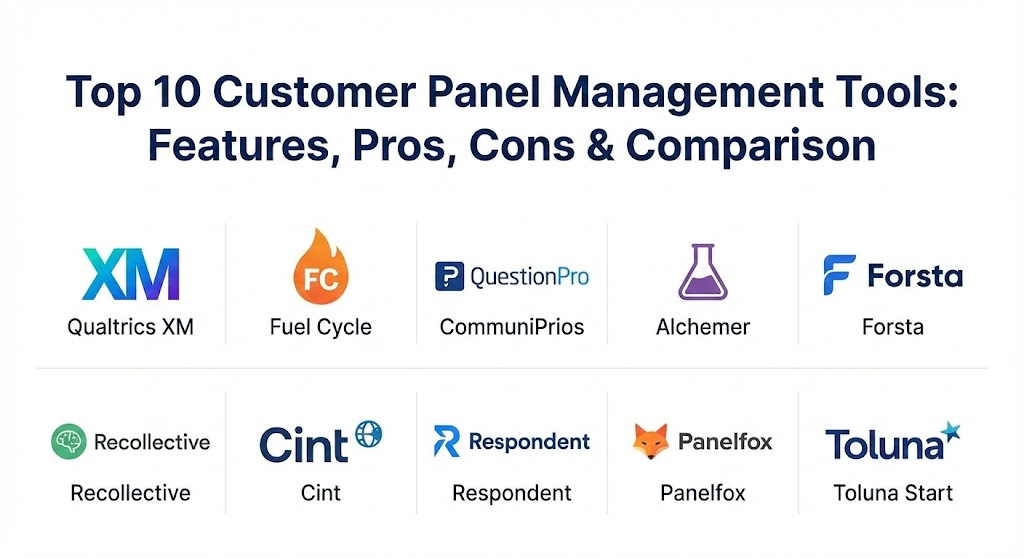
Top 10 Customer Panel Management Tools
1 — Qualtrics XM (Experience Management)
Qualtrics is widely considered the “Gold Standard” in the experience management space. Its panel management capabilities, often referred to as the “XM Directory,” allow enterprises to manage millions of participants with surgical precision.
- Key features:
- XM Directory: A centralized, live database that tracks every interaction a customer has with the brand.
- Automated Sampling: AI-driven tools that select the perfect group of participants for a specific study.
- Advanced Logic & Branching: Supports highly complex survey designs that adapt in real-time.
- Incentive Management: Integrated system to distribute and track rewards for participation.
- Predictive Analytics (iQ): Built-in machine learning to identify trends and churn risks within the panel.
- Data Quality Tools: ExpertReview functionality that flags low-quality or fraudulent responses.
- Pros:
- Unrivaled scalability for global organizations with complex data needs.
- Deep integration with existing enterprise stacks (Salesforce, Adobe, SAP).
- Cons:
- Extremely high price point, often requiring six-figure annual commitments.
- A steep learning curve that usually requires a dedicated administrator.
- Security & compliance: FedRAMP, SOC 2 Type II, ISO 27001, HIPAA, and GDPR compliant. Includes advanced SSO and encryption.
- Support & community: Extensive “Qualtrics Basecamp” training, a dedicated account team for enterprise clients, and a massive global user community.
2 — Fuel Cycle
Fuel Cycle specializes in “Community Intelligence.” It is designed for brands that want to create an ongoing, social-media-like environment where customers can interact with each other and the brand simultaneously.
- Key features:
- Community Hub: A branded, social-style portal for participants to engage in discussions and activities.
- Multi-Methodology Support: Seamlessly switch between surveys, focus groups, and “live” video chats.
- Gamification: Points and badges system to keep engagement levels high over long periods.
- Fuel Cycle Exchange (FCX): A marketplace of third-party research integrations (like UserTesting).
- Idea Board: Allows customers to submit, vote, and comment on new product ideas.
- Mobile App: A native iOS/Android app specifically for panel participants.
- Pros:
- Exceptional at keeping “super-fans” engaged through community-building features.
- The most modern, “social” user interface in the panel management category.
- Cons:
- Less focused on “hard” quantitative data than tools like Qualtrics.
- Can be overkill if you just need a silent database for survey distribution.
- Security & compliance: SOC 2 Type II, GDPR, and HIPAA compliant. Offers robust audit logs and data masking.
- Support & community: High-touch onboarding and proactive “Success Managers” for all client accounts.
3 — QuestionPro Communities
QuestionPro provides a balanced solution that bridges the gap between affordable survey software and high-end community management. It is a favorite for mid-market companies that need professional-grade panel tools without the enterprise price tag.
- Key features:
- Panel Recruitment: Automated tools to invite customers via email, social, or QR codes.
- Reward Management: Direct integration with Tango Card for instant digital rewards.
- Health Tracking: Real-time dashboards showing panel activity and “fatigue” levels.
- Smart Segmentation: Group participants based on past behavior or custom profile variables.
- Topic-Based Forums: Moderated areas for qualitative discussion and brainstorming.
- Pros:
- Offers excellent “value for money” with a very rich feature set for the price.
- Very easy to set up; a basic community can be launched in a matter of days.
- Cons:
- The UI can occasionally feel a bit cluttered compared to more “premium” competitors.
- Advanced AI features are less mature than those found in Qualtrics.
- Security & compliance: ISO 27001, GDPR, HIPAA, and SOC 2. Data centers are available in multiple global regions.
- Support & community: 24/7 live chat support and a comprehensive online help center.
4 — Alchemer (formerly SurveyGizmo)
Alchemer is known for its extreme flexibility. It is designed for researchers who want to build custom workflows and integrated panel experiences that don’t fit into a standard “box.”
- Key features:
- Custom Workflow Engine: Allows you to trigger actions (like sending an alert to Slack) based on panel responses.
- Advanced Logic: Some of the most robust “skip logic” and “piping” in the industry.
- Open API: Deeply customizable for developers who want to build onto the platform.
- Panel Management Module: Dedicated area for managing respondent profiles and history.
- Mobile-First Design: All panel interactions are natively responsive for phone-heavy demographics.
- Pros:
- The most flexible tool on the market; if you can dream of a workflow, you can build it.
- Pricing is transparent and accessible for smaller teams.
- Cons:
- Does not offer the same “social community” features as Fuel Cycle.
- Requires a bit more technical “know-how” to get the most out of the customization.
- Security & compliance: SOC 2 Type II, GDPR, and HIPAA compliant. High emphasis on data privacy.
- Support & community: Highly rated US-based support team and a strong documentation library.
5 — Forsta (formerly Confirmit & FocusVision)
Forsta is a powerhouse built through the merger of industry giants. It is designed for professional market research agencies and massive corporations that need to combine “quant” (surveys) and “qual” (video/interviews) in one place.
- Key features:
- Confirmit Horizons: The core engine for massive, multi-language global surveys.
- Video Insights: Native tools for video diaries and remote focus groups.
- Deep Analytics: Advanced statistical modeling and weighting built directly into the reporting.
- Omnichannel Feedback: Capture data from SMS, web, app, and even physical kiosks.
- Enterprise Governance: Strict controls over who can see and export sensitive panelist data.
- Pros:
- Perhaps the most robust tool for professional, high-stakes market research.
- Excellent at handling multi-country, multi-language studies simultaneously.
- Cons:
- The interface can feel very “technical” and intimidating for non-researchers.
- Implementation is usually a long, consultative process.
- Security & compliance: ISO 27001, SOC 2, HIPAA, and GDPR. Used by many of the world’s most regulated firms.
- Support & community: Global enterprise support with regional offices and professional service consultants.
6 — Recollective
Recollective is the specialist for qualitative-first panel management. It is designed to create an online space where customers can tell stories, upload media, and participate in long-term asynchronous studies.
- Key features:
- Activity-Based Research: Turn research into a series of fun tasks (photo uploads, card sorting).
- Interactive Journals: Participants can keep daily logs of their experiences with a product.
- Heatmaps: Allow panelists to click on images to show exactly what they like or dislike.
- Live Moderation: Tools for moderators to jump into discussions and probe for deeper meaning.
- Multimedia Feedback: Heavy focus on video, audio, and photo responses.
- Pros:
- The best tool for “getting deep” into the human experience beyond just numbers.
- Participants often report having fun, which leads to much higher retention rates.
- Cons:
- Not designed for massive quantitative surveys (e.g., polling 100,000 people).
- Analyzing qualitative data at scale requires more manual effort from the researcher.
- Security & compliance: SOC 2, GDPR, and HIPAA compliant. Secure media hosting is a priority.
- Support & community: Very hands-on onboarding and a collaborative user community of qualitative experts.
7 — Cint
Cint is unique because it is both a management tool and one of the world’s largest “Marketplaces” for respondents. It is the go-to for organizations that need to scale their panel by tapping into millions of external participants instantly.
- Key features:
- Insight Exchange: Access to over 300 million respondents in 130 countries.
- Panel Management Pro: Software to manage your own proprietary panel using Cint’s infrastructure.
- Automated Sampling: “Plug-and-play” respondent sourcing based on specific demographics.
- Fraud Detection: Sophisticated “Ghost” technology to identify and block fraudulent entries.
- Real-time Feasibility: Instantly see if there are enough people matching your criteria before launching.
- Pros:
- If you need to scale a panel from 0 to 10,000 quickly, Cint is unbeatable.
- Simplifies the complex world of global respondent sourcing into a single dashboard.
- Cons:
- Less focus on the “community engagement” aspect (forums, gamification).
- Can feel a bit transactional compared to community-centric tools.
- Security & compliance: ISO 20252, ISO 27001, GDPR, and COPPA compliant.
- Support & community: Global support teams and a massive network of partner agencies.
8 — Respondent
Respondent is the market leader for B2B (Business to Business) panel management. If you need to talk to Software Engineers, CEOs, or specialized medical professionals, this is the tool.
- Key features:
- Verified Participants: Uses LinkedIn and work emails to verify the professional identity of panelists.
- Recruitment Automation: Targeted ads and outreach to specific job titles and industries.
- Scheduling & Payments: Built-in calendar sync and automatic payment processing for incentives.
- Screener Logic: Complex qualification questions to ensure you only talk to the right experts.
- Team Workspace: Collaborative tools for multiple researchers to view and rate participants.
- Pros:
- By far the best source for high-quality, professional B2B respondents.
- Takes the “logistics nightmare” out of scheduling and paying expert consultants.
- Cons:
- Incentives for professionals are much higher (often $100+/hour), making studies expensive.
- Not designed for general consumer (B2C) mass-market panels.
- Security & compliance: GDPR compliant with secure data handling and participant NDA management.
- Support & community: Proactive support for research design and a very clear knowledge base.
9 — Panelfox
Panelfox is a specialized “Recruitment CRM” built for independent market research firms and boutique internal teams. It focuses on the logistics of managing a database and filling “seats” in a study.
- Key features:
- CRM for Participants: Track every study a person has attended to prevent over-use.
- Email & SMS Campaigns: Sophisticated outreach tools to get people to sign up for studies.
- Online Screening: Mobile-friendly screeners that feed data directly back into the CRM.
- Payment Tracking: Log and manage check, cash, or digital incentive payments.
- Calendar Management: Drag-and-drop tools to schedule focus groups and interviews.
- Pros:
- Purpose-built for the actual workflow of a research recruiter.
- Very lightweight and fast to use compared to massive enterprise suites.
- Cons:
- Does not have its own “survey engine”; you’ll need to link to Typeform or SurveyMonkey.
- Limited advanced analytics for the actual data collected.
- Security & compliance: GDPR compliant and SOC 2 ready. Data is siloed per client.
- Support & community: Highly personalized support from a team that understands the research industry.
10 — Toluna Start
Toluna Start is a real-time consumer insights platform that combines a massive global panel with “Agile” research tools. It is built for the “need it yesterday” pace of modern marketing teams.
- Key features:
- Automated Research Workflows: Pre-built templates for concept testing, ad testing, and brand tracking.
- Real-time Dashboards: Watch results populate the moment a participant clicks “submit.”
- Global Audience: Integrated access to Toluna’s 40+ million proprietary influencers.
- Interactive Infographics: Automatically generated reports that are ready for executive presentations.
- Mobile-First Panels: Optimized for the 24/7 “connected consumer.”
- Pros:
- Speed is the primary benefit; you can go from “idea” to “data” in hours.
- The automated templates make professional-grade research accessible to non-experts.
- Cons:
- Less flexibility for completely custom, non-standard research designs.
- Can be expensive if you use the “full-service” project management options.
- Security & compliance: ISO 20252, GDPR, and SOC 2. High standards for data integrity.
- Support & community: Hybrid support model with self-service tools and expert research consultants.
Comparison Table
| Tool Name | Best For | Platform(s) Supported | Standout Feature | Rating (Gartner / TrueReview) |
| Qualtrics XM | Enterprise Power | Web, iOS, Android | XM Directory (AI-driven) | 4.8 / 5 |
| Fuel Cycle | Social Communities | Web, iOS, Android | “Idea Board” & Gamification | 4.7 / 5 |
| QuestionPro | Balanced Value | Web, Mobile | Integrated Rewards (Tango) | 4.6 / 5 |
| Alchemer | Custom Workflows | Web, API | Logic & Workflow Flexibility | 4.5 / 5 |
| Forsta | Professional Agencies | Web, Desktop | Quantitative + Qualitative | 4.4 / 5 |
| Recollective | Qualitative Depth | Web, Mobile | Activity-Based Tasks | 4.7 / 5 |
| Cint | Global Sampling | Web, API | 300M+ Participant Network | 4.3 / 5 |
| Respondent | B2B Professional | Web | LinkedIn-Verified Pros | 4.8 / 5 |
| Panelfox | Recruitment CRM | Web | Recruiter-Specific Workflow | 4.5 / 5 |
| Toluna Start | Agile Speed | Web, Cloud | Real-time “Agile” Templates | 4.6 / 5 |
Evaluation & Scoring of Customer Panel Management Tools
Choosing a panel management tool is a significant investment. Below is the weighted scoring rubric we used to evaluate these tools, which you can also use for your internal RFP process.
| Category | Weight | Evaluation Notes |
| Core Features | 25% | Recruitment, segmentation, incentive management, and data cleaning. |
| Ease of Use | 15% | Intuitiveness for both the researcher and the participant. |
| Integrations | 15% | Compatibility with CRMs, Slack, and external data visualization tools. |
| Security | 10% | GDPR/HIPAA compliance, encryption, and data residency options. |
| Reliability | 10% | Platform uptime and data quality (fraud/bot prevention). |
| Support | 10% | Quality of documentation, training, and 24/7 technical assistance. |
| Price / Value | 15% | TCO (Total Cost of Ownership) relative to feature depth. |
Which Customer Panel Management Tool Is Right for You?
The “right” choice is rarely the one with the most features; it is the one that fits your organizational culture and research frequency.
- Solo Users & Startups: If you are a small team, avoid the “big guns” like Qualtrics. Look at QuestionPro or Alchemer. You need a tool that lets you move fast without requiring a full-time administrator.
- Agile Product Teams: If your developers need feedback today, Toluna Start or Fuel Cycle are your best bets. They are built for the rapid iterative loops of modern product development.
- B2B Companies: Do not waste time on consumer panels. Respondent is the only tool on this list specifically engineered to find and verify the busy professionals you need to talk to.
- Global Market Research Agencies: You need the specialized depth of Forsta. Its ability to handle massive data sets and complex statistical weighting is what your clients are paying for.
- Qualitative-First Researchers: If you care more about the “Why” than the “How Many,” Recollective provides the most human, interactive experience for your participants.
Frequently Asked Questions (FAQs)
1. What is the difference between a survey tool and a panel management tool?
A survey tool (like basic Google Forms) is for one-off data collection. A panel management tool (like Qualtrics or Fuel Cycle) is a CRM that maintains a long-term relationship with participants, tracking their history and engagement over time.
2. How do I recruit people into my panel?
Most tools offer “recruitment pages.” You can invite customers via email after a purchase, use social media ads, or tap into integrated marketplaces like Cint to find new people.
3. Is it expensive to reward participants?
It can be. Incentives vary from $1–$5 for a quick consumer survey to $150+ for an hour with a B2B expert. Most tools help you manage this budget through integrated gift card systems.
4. How do these tools prevent “Survey Fatigue”?
Top tools include “Fatigue Rules.” For example, you can set the system to never invite the same person to more than one study per month, ensuring they stay fresh and engaged.
5. Are these tools compliant with GDPR?
Yes, all the major players are. They include features like “The Right to be Forgotten,” data encryption, and clear consent management portals for participants.
6. Can I manage a panel in multiple languages?
Yes. Tools like Forsta and Toluna are specifically designed for global studies, allowing you to run one study that automatically shows the correct language to each participant.
7. Do I need a specialized researcher to use these?
For enterprise tools like Qualtrics or Forsta, yes. For more “agile” tools like QuestionPro or Fuel Cycle, a savvy marketing or product manager can often handle the basics.
8. Can I use my own customer list?
Absolutely. Most companies start by importing their existing CRM list into the panel tool and then using “profiling surveys” to learn more about them.
9. What is “Zero-Party Data”?
It is data that a customer intentionally and proactively shares with you. Customer panels are the #1 way to collect this, as participants are explicitly opting-in to share their opinions.
10. How long does it take to see results?
With “Agile” tools, you can often get feedback in 24–48 hours. For deep qualitative studies or longitudinal communities, you might look at data over several weeks or months.
Conclusion
In 2026, a company’s most valuable asset isn’t just its data—it’s its relationship with its customers. Customer Panel Management Tools turn anonymous “users” into a community of advisors. Whether you prioritize the AI-driven power of Qualtrics, the social engagement of Fuel Cycle, or the B2B precision of Respondent, the goal remains the same: to stop guessing and start knowing. The “best” tool is the one that your team will actually use every day to make better, more human-centric decisions.