Introduction
Crowd management tools encompass a wide array of software and hardware solutions designed to monitor, analyze, and direct the flow of people in public spaces. These systems utilize various inputs—including 3D sensors, AI-enhanced CCTV, LiDAR, and mobile signal tracking—to provide real-time situational awareness. By converting human movement into actionable data, these tools allow venue operators to identify bottlenecks, manage queue times, and optimize staff deployment instantly.
The importance of these tools cannot be overstated. Beyond preventing the physical risks of “crowd crush” or stampedes, they enhance the attendee experience by reducing wait times at entrances and concessions. Real-time use cases range from smart cities managing pedestrian flow at busy crosswalks to stadium operators directing fans toward less congested exits post-match. When evaluating these tools, users should look for high accuracy in varying light conditions, privacy-compliant data processing (anonymization), seamless integration with emergency notification systems, and the ability to provide predictive alerts rather than just historical data.
Best for: Large-scale event organizers, stadium managers, airport operations directors, and smart city planners who need to maintain safety and efficiency in high-traffic environments.
Not ideal for: Small, private gatherings or local retail shops where simple occupancy limits can be managed manually or through basic door counters.
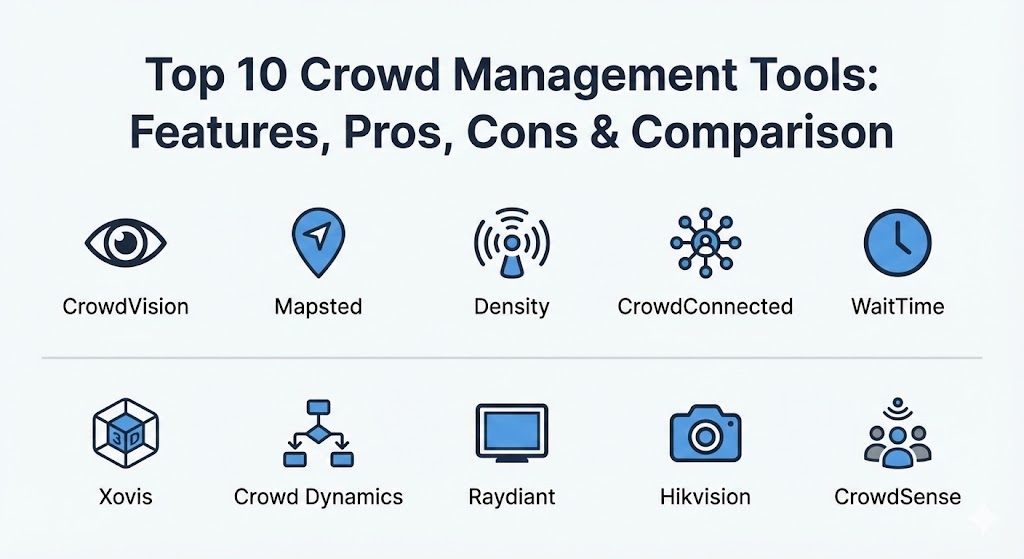
Top 10 Crowd Management Tools
1 — CrowdVision
CrowdVision is a leading AI-powered crowd analytics platform designed for large-scale venues such as airports and transport hubs. It provides real-time and predictive insights to help operators manage capacity and flow.
- Key features:
- AI-based people counting and density analysis.
- Real-time heatmaps for visual flow monitoring.
- Predictive congestion alerts to prevent bottlenecks.
- Integration with existing CCTV and IoT sensor networks.
- Historical trend reporting for long-term planning.
- API accessibility for custom dashboard creation.
- Pros:
- Exceptionally accurate in high-density environments like international airports.
- Predictive capabilities allow for proactive rather than reactive management.
- Cons:
- High implementation cost due to complex hardware/software integration.
- Requires significant technical expertise to fully utilize advanced analytics.
- Security & compliance: GDPR-compliant through data anonymization; secure data encryption at rest and in transit.
- Support & community: Enterprise-grade support with dedicated solution architects and detailed technical documentation.
2 — Mapsted
Mapsted offers a unique, patented approach to crowd management through hardware-free indoor navigation and flow mapping. It focuses on using smartphone technology to understand and guide visitor behavior.
- Key features:
- Patented indoor positioning that doesn’t require beacons or Wi-Fi.
- Real-time visitor behavior and traffic flow analysis.
- Contextual messaging based on location (geofencing).
- Live heatmaps showing crowd concentration in real-time.
- Advanced wayfinding to disperse crowds toward underused areas.
- Pros:
- Low hardware overhead makes it highly cost-effective and easy to scale.
- Precise indoor navigation helps prevent congestion by guiding users dynamically.
- Cons:
- Effectiveness is dependent on users having their smartphones and the app.
- Less effective for “passive” counting where users don’t interact with devices.
- Security & compliance: Privacy-by-design; no personally identifiable information (PII) is tracked.
- Support & community: Robust onboarding for event planners; high-quality digital support resources.
3 — Density
Density is a privacy-first crowd management tool that uses “blind” sensors to measure how people use space. It is specifically designed for environments where privacy is a top priority, such as offices or sensitive public buildings.
- Key features:
- Anonymous sensor-based counting (no cameras used).
- Real-time occupancy dashboards and public-facing displays.
- Automated threshold alerts for overcrowding.
- Deep historical space utilization reports.
- API integrations with building management systems.
- Pros:
- Superior privacy compliance since no visual images are ever recorded.
- Easy to install “above the door” sensors that work in any lighting condition.
- Cons:
- Primarily focused on occupancy rather than complex flow patterns.
- Limited usefulness for large open-air venues without clear entry/exit points.
- Security & compliance: SOC 2 Type II, GDPR, and CCPA compliant.
- Support & community: Excellent customer success teams; comprehensive online knowledge base.
4 — CrowdConnected
CrowdConnected is an award-winning data analytics platform used primarily by music festivals and major sporting events to monitor attendee movement via mobile app data.
- Key features:
- Real-time location tracking and dwell time analysis.
- Footfall and path visualization (spaghetti maps).
- Intelligent push notifications based on crowd density.
- “Digital Twin” simulation for event layout testing.
- SDK integration for existing mobile event apps.
- Pros:
- Unrivaled insights into how people actually traverse large outdoor spaces.
- Powerful for optimizing vendor placement based on footfall data.
- Cons:
- Data accuracy depends on the percentage of attendees using the official app.
- High battery consumption for end-users if tracking is not optimized.
- Security & compliance: GDPR-compliant; anonymized and aggregated data streams.
- Support & community: Specialized support for event industry peak times; strong community of event tech users.
5 — WaitTime
WaitTime is a state-of-the-art crowd intelligence platform specifically tailored for the sports and entertainment industry to manage queues at concession stands and restrooms.
- Key features:
- Computer vision-based crowd density monitoring.
- Real-time queue length and wait-time calculation.
- Public-facing dashboards for fans to choose the shortest line.
- Operational alerts for staff to open new registers.
- Integration with stadium mobile apps and digital signage.
- Pros:
- Directly increases revenue by moving fans to underutilized concessions.
- Enhances fan satisfaction by drastically reducing wait times.
- Cons:
- Requires high-quality camera placement at every monitored point.
- Focused primarily on “point” congestion rather than global venue flow.
- Security & compliance: GDPR-aligned processing; encrypted video streams.
- Support & community: Strong partnerships with global stadium tech providers; 24/7 event support.
6 — Xovis
Xovis specializes in high-precision 3D sensor technology. Their hardware-software combination is the industry standard for passenger flow management in global airports.
- Key features:
- 3D stereo vision sensors with up to 99.8% accuracy.
- Multi-sensor stitching for tracking across vast areas.
- Real-time queue management and “fill-level” monitoring.
- Automated gate and desk allocation suggestions.
- Robust “Edge” processing—data is analyzed on the sensor itself.
- Pros:
- Extreme reliability; functions perfectly in shadows or bright sunlight.
- No need for external servers for data processing, reducing latency.
- Cons:
- Significant upfront investment in specialized hardware.
- Installation requires professional mounting and calibration.
- Security & compliance: ISO 27001, GDPR, and privacy-protected data output.
- Support & community: Global network of certified partners and comprehensive technical training.
7 — Crowd Dynamics
Crowd Dynamics focuses on the science of movement, providing advanced modeling and simulation tools to predict how crowds will behave in emergency scenarios.
- Key features:
- Sophisticated crowd movement modeling and simulation.
- Safety and evacuation planning for stadiums and cities.
- Real-time monitoring linked to historical behavior models.
- Design testing for new architectural layouts.
- Risk assessment reporting for local government approvals.
- Pros:
- Essential for pre-event planning and securing permits for large events.
- Deeply scientific approach that accounts for human psychology.
- Cons:
- More of a planning/consultancy tool than a simple “plug-and-play” app.
- Interface can be complex for non-engineers.
- Security & compliance: Varies by deployment; typically follows strict government standards.
- Support & community: High-level consultancy and professional services; academic-grade documentation.
8 — Raydiant
Raydiant is a digital experience platform that integrates crowd analytics with digital signage, allowing venues to change their messaging based on the current crowd density.
- Key features:
- Foot traffic and dwell-time analytics.
- Automatic content triggering based on crowd size.
- Real-time occupancy monitoring for retail and dining.
- Remote management of hundreds of displays.
- Integration with POS systems for conversion tracking.
- Pros:
- Turns crowd data into a marketing and communication tool.
- Very easy to set up for smaller commercial venues.
- Cons:
- Less focused on high-risk safety management than pure-play MFT tools.
- Visual analytics are less precise than dedicated 3D sensors.
- Security & compliance: SOC 2, GDPR, and enterprise SSO support.
- Support & community: Excellent 24/7 customer support; large library of tutorials.
9 — Hikvision Crowd Analytics
As part of the massive Hikvision security ecosystem, their crowd analytics module leverages AI-enhanced surveillance cameras to provide density and behavior insights.
- Key features:
- Density detection and “illegal gathering” alerts.
- Real-time heatmap visualization over live video.
- Integration with regional security command centers.
- Facial attribute analytics (where permitted).
- Event-triggered actions (e.g., locking/unlocking gates).
- Pros:
- Highly cost-effective if you already use Hikvision cameras.
- Seamlessly combines security monitoring with crowd management.
- Cons:
- Concerns over vendor-specific data privacy in certain regions.
- Can be overly “security-focused,” lacking the attendee-experience features of others.
- Security & compliance: Varies by region; includes encryption and audit logs.
- Support & community: Massive global support network and local distributor presence.
10 — CrowdSense
CrowdSense is a modular platform specifically built for temporary events and festivals, offering a mix of sensor-based and mobile-app tracking.
- Key features:
- Rapid-deployment sensors for greenfield sites.
- Mobile command dashboards for on-ground security.
- Alert thresholds for incident logging.
- Post-event analytics and “replay” of crowd movements.
- Integration with RFID access control systems.
- Pros:
- Designed specifically for the “temporary” nature of festivals.
- Great balance of safety monitoring and operational efficiency.
- Cons:
- Subscription costs can be high for one-off events.
- Requires a stable local network (often challenging at festivals).
- Security & compliance: GDPR-compliant; secure data storage for post-event audits.
- Support & community: Dedicated on-site support available for major events.
Comparison Table
| Tool Name | Best For | Platform(s) Supported | Standout Feature | Rating (Gartner / TrueReview) |
| CrowdVision | Smart Cities / Hubs | On-prem, Cloud | Predictive Flow Alerts | 4.7 / 5 |
| Mapsted | Indoor Wayfinding | Mobile SDK, Cloud | No-Hardware Navigation | 4.6 / 5 |
| Density | Offices / Privacy | Sensor-only | Privacy-First Counting | 4.5 / 5 |
| CrowdConnected | Festivals / Events | Mobile SDK | Spaghetti Flow Maps | 4.4 / 5 |
| WaitTime | Stadiums / Queues | Cloud, CCTV | Real-Time Wait Dashboards | 4.8 / 5 |
| Xovis | Airports / Retail | Edge Hardware | 99.8% Accuracy 3D Sensors | 4.9 / 5 |
| Crowd Dynamics | Risk / Architecture | PC / Server | Evacuation Simulation | 4.5 / 5 |
| Raydiant | Retail / Signage | SaaS / Hardware | Content-Triggered Data | 4.6 / 5 |
| Hikvision | Security Ecosystems | CCTV Integrated | Security Command Sync | 4.2 / 5 |
| CrowdSense | Outdoor Festivals | Cloud / Mobile | Rapid Greenfield Deployment | 4.3 / 5 |
Evaluation & Scoring of Crowd Management Tools
The following scoring reflects the rigorous standards required for modern public safety and efficiency tools.
| Category | Weight | Evaluation Criteria |
| Core Features | 25% | Real-time counting, density heatmaps, and predictive alerting capabilities. |
| Ease of Use | 15% | Dashboard clarity for non-technical staff and mobile command access. |
| Integrations | 15% | Connectivity with existing CCTV, digital signage, and emergency systems. |
| Security & Compliance | 10% | Data anonymization (GDPR/CCPA) and encrypted transmissions. |
| Performance | 10% | Latency of alerts and accuracy in high-density or low-light scenarios. |
| Support & Community | 10% | Availability of on-site support and quality of technical documentation. |
| Price / Value | 15% | Return on investment via increased safety and optimized staffing. |
Which Crowd Management Tool Is Right for You?
Deciding on a crowd management system depends on your environment’s permanence and the required level of privacy.
- Solo Organizers vs SMBs: For smaller, recurring events, Mapsted or Raydiant offer the best value due to their low hardware requirements and focus on the attendee experience.
- Enterprises & Large Venues: Stadiums and airports should look toward Xovis or CrowdVision. These tools provide the extreme accuracy and “always-on” reliability required for critical infrastructure.
- Budget-Conscious: If security cameras are already installed, Hikvision or WaitTime can often be integrated with existing feeds to save on hardware costs.
- Feature Depth vs Ease of Use: If your goal is safety simulation and getting government permits, Crowd Dynamics is essential. If your goal is simply managing restroom lines, WaitTime is much more user-friendly.
- Security & Compliance: In privacy-sensitive regions (EU/GDPR), Density or Xovis are preferred because they avoid facial recognition and record only anonymous data.
Frequently Asked Questions (FAQs)
1. Is crowd management software the same as security surveillance? No. Security surveillance focuses on identifying individuals or threats, while crowd management focuses on the aggregate movement and density of groups to ensure safety and efficiency.
2. How accurate are these tools in total darkness? Tools using 3D stereo vision (Xovis) or thermal sensors can maintain near-perfect accuracy in total darkness, whereas camera-based AI tools (Hikvision) require some level of visible light.
3. Do attendees need to download an app? It depends on the tool. Mapsted and CrowdConnected require an app SDK, whereas Xovis, Density, and CrowdVision are passive and don’t require any action from the crowd.
4. How does these tools help prevent crowd crushes? They monitor “crowd pressure” and density thresholds. When density reaches a certain people-per-square-meter limit, the system automatically alerts security to redirect the flow.
5. Can these tools be used for COVID-19 or health compliance? Yes, many of these systems were adapted to monitor social distancing and enforce occupancy limits in real-time during health crises.
6. Are crowd management systems compliant with GDPR? Most modern tools are designed to be GDPR-compliant by anonymizing data at the “Edge” (the sensor itself), meaning no actual images or identifiable data are ever sent to the cloud.
7. Can these tools integrate with digital signage? Yes, tools like Raydiant and WaitTime can automatically update screens to tell people “Go to Gate B” if Gate A is currently overcrowded.
8. How do I manage a crowd in an outdoor area without power? Modular tools like CrowdSense offer battery-powered or solar-powered sensors and use cellular (5G) data to transmit information back to a central hub.
9. What is the “Digital Twin” in crowd management? It is a virtual 3D replica of your venue. Systems use it to run simulations, testing how a crowd might react if an exit is blocked or if a specific gate is opened.
10. How much do these systems typically cost? Costs range from a few thousand dollars for a single-event license to multi-million dollar permanent installations for smart cities or international airports.
Conclusion
Crowd management has evolved into a sophisticated blend of data science and public safety. The “best” tool is no longer the one that simply counts heads, but the one that integrates with your existing infrastructure to provide a safer, smoother experience for every visitor. Whether you are optimizing a retail store or securing an Olympic stadium, the key is to choose a tool that balances high-resolution data with uncompromising respect for personal privacy.