Introduction
Conversion Rate Optimization (CRO) Tools are software applications designed to help marketers and data analysts understand user behavior, identify friction points, and test website changes to improve performance. These tools generally fall into three categories: quantitative (data-driven metrics like heatmaps and click-tracking), qualitative (user feedback through surveys and session recordings), and testing (A/B and multivariate experimentation). By moving away from “gut feelings” and toward empirical evidence, CRO tools allow businesses to maximize the value of the traffic they already have.
The importance of CRO lies in its ability to lower Customer Acquisition Costs (CAC). When you improve your conversion rate from 1% to 2%, you essentially double your revenue without spending an extra cent on advertising. Key real-world use cases include identifying why users are dropping off at the checkout page, testing which call-to-action button color drives more clicks, and gathering feedback on a new feature before a full rollout. When evaluating these tools, users should look for ease of implementation, data accuracy, privacy compliance, and integration capabilities with their existing marketing stack.
Best for: Growth hackers, UX researchers, e-commerce managers, and digital marketing agencies. It is essential for mid-to-large-scale e-commerce brands, SaaS companies, and lead-generation businesses that have a steady stream of traffic and want to optimize their return on spend.
Not ideal for: Websites with very low traffic (under 500–1,000 visitors a month), as they won’t have enough data to achieve statistical significance in tests. In such cases, direct user interviews or simple heuristic evaluations are often more effective than complex software.
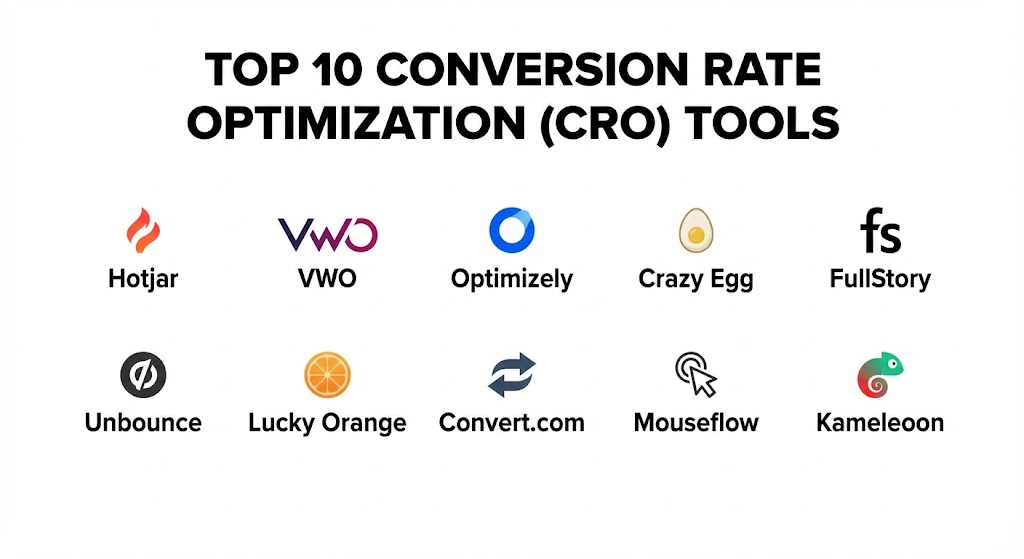
Top 10 Conversion Rate Optimization (CRO) Tools
1 — Hotjar (by Contentsquare)
Hotjar is the industry standard for “visualizing” user behavior. It provides a unique blend of heatmaps and session recordings that allow you to see exactly where users are getting stuck or what they are ignoring on your site.
- Key features:
- Heatmaps: Visual representations of where users click, move, and scroll.
- Session Recordings: Real-time playbacks of individual user journeys.
- Feedback Polls: Small widgets that ask users “Why are you leaving?” in real-time.
- Survey Tools: Full-page surveys to gather deep qualitative insights.
- Highlights: The ability to clip specific parts of a recording to share with your team.
- Trends & Funnels: Connect behavior patterns to specific drop-off points in your conversion path.
- Pros:
- Extremely easy to set up with a single tracking script.
- The most intuitive UI for non-technical team members to understand user behavior.
- Cons:
- Higher-tier pricing can become expensive for sites with massive traffic.
- It provides the “what” and “how,” but you need a separate tool for A/B testing.
- Security & compliance: GDPR, CCPA, and LGPD compliant. Offers SSO, data suppression (to hide PII), and is PCI compliant.
- Support & community: High-quality help center, active blog (The Junior Growth Marketer), and responsive email support.
2 — VWO (Visual Website Optimizer)
VWO is a comprehensive “all-in-one” CRO platform that covers everything from research to testing. It is designed for businesses that want to manage their entire optimization pipeline in a single dashboard.
- Key features:
- Visual Editor: Make changes to your website for A/B testing without needing to write code.
- Personalization: Show different content to users based on their location, device, or past behavior.
- Funnel Analysis: Identify exactly which step of the journey is losing the most users.
- Server-side Testing: For complex experiments that go beyond simple UI changes.
- VWO Insights: Integrated heatmaps and recordings similar to Hotjar.
- Plan & Deploy: A project management tool specifically for CRO experiments.
- Pros:
- One of the few platforms that truly offers a full cycle of optimization (Research > Test > Personalize).
- Excellent “SmartStats” engine that helps you understand when a test has reached statistical significance.
- Cons:
- The feature richness means it has a steeper learning curve than specialized tools.
- The pricing is opaque and usually requires a sales demo for enterprise tiers.
- Security & compliance: SOC 2 Type II, ISO 27001, GDPR, and HIPAA compliant. Offers SSO and audit logs.
- Support & community: 24/7 support, dedicated account managers for enterprise, and a robust “VWO Knowledge Base.”
3 — Optimizely
Optimizely is the enterprise leader in experimentation. It is geared toward large-scale organizations with dedicated data science and engineering teams who need a “platform-grade” testing environment.
- Key features:
- Stats Engine: Sophisticated sequential testing logic that minimizes false positives.
- Feature Flags: Allow engineers to toggle features on/off for specific user segments without a code deploy.
- Full Stack Experimentation: Test deep backend logic, algorithms, and mobile app features.
- Program Management: Tools to manage hundreds of simultaneous experiments across global teams.
- Adaptive Audiences: AI-driven segmenting to target the right users for each test.
- Web Experimentation: High-speed client-side testing for marketing teams.
- Pros:
- The most powerful and technically robust engine for large enterprises.
- Exceptional security and governance features for regulated industries.
- Cons:
- Prohibitively expensive for small-to-medium-sized businesses.
- Requires technical expertise (developers) to get the most out of the “Full Stack” capabilities.
- Security & compliance: SOC 2 Type II, ISO 27001, GDPR, HIPAA, and PCI DSS compliant.
- Support & community: Strategic consulting services, “Optimizely Academy,” and a vast global network of agency partners.
4 — Crazy Egg
Crazy Egg was one of the first heatmapping tools on the market and remains a favorite for its simplicity and unique “Snapshot” features. It is ideal for small businesses that need quick insights.
- Key features:
- Confetti Report: Distinguish clicks based on referral source (e.g., see how Google users click vs. Facebook users).
- Overlay & Scrollmap: Detailed views of how far down users go and what they interact with.
- Snapshot Reporting: View data for specific time frames or marketing campaigns.
- A/B Testing: A simplified testing tool to change headlines or images.
- Editor Tool: Quickly hide or move elements on your site without a developer.
- Integrations: Easy sync with Shopify, WordPress, and Wix.
- Pros:
- The “Confetti” view provides insights that many other heatmapping tools lack.
- Very affordable pricing for startups and individual entrepreneurs.
- Cons:
- Lacks the deep qualitative survey features of Hotjar.
- Testing capabilities are basic compared to VWO or Optimizely.
- Security & compliance: GDPR and CCPA compliant. Standard data encryption and 2FA support.
- Support & community: Helpful blog, extensive video tutorials, and responsive email support.
5 — FullStory
FullStory is a “Digital Experience Intelligence” (DXI) platform. It goes beyond simple recordings to provide indexed, searchable data for every interaction on your site.
- Key features:
- Rage Grade: Automatically identifies “Rage Clicks” where users are clicking frantically in frustration.
- Omnisearch: Search for any interaction (e.g., “Find users who clicked ‘Checkout’ but saw a 404 error”).
- Segment Analytics: Compare the behavior of different cohorts instantly.
- Dev Tools: See the browser console logs and network requests for any session recording.
- Privacy by Design: Patent-pending technology to mask sensitive data at the source.
- Conversion Funnels: High-fidelity funnels that allow you to “jump into” the recordings of users who dropped off.
- Pros:
- The absolute best tool for technical troubleshooting and finding “silent” bugs.
- No need to “tag” elements manually; everything is indexed automatically.
- Cons:
- The pricing model can be complex as it is based on “Sessions,” which can be used up quickly.
- Can be “data overkill” for simple marketing-only needs.
- Security & compliance: SOC 2 Type II, GDPR, HIPAA, and ISO 27001 compliant.
- Support & community: “FullStory University,” detailed documentation, and premium enterprise support.
6 — Unbounce
Unbounce is primarily a landing page builder, but it is an essential CRO tool because of its focus on “Conversion Intelligence” and its ability to rapidly test high-converting pages.
- Key features:
- Smart Builder: AI-powered page builder that suggests layouts based on your industry.
- Smart Traffic: An AI engine that automatically sends visitors to the page variant where they are most likely to convert.
- Dynamic Text Replacement: Change headlines based on the user’s search query to increase relevance.
- Popups & Sticky Bars: Simple overlay tools to capture leads.
- Multi-variant Testing: Test multiple versions of a landing page simultaneously.
- Direct Integrations: Seamlessly push leads to HubSpot, Salesforce, or Mailchimp.
- Pros:
- The fastest way to launch and test high-fidelity landing pages without a developer.
- “Smart Traffic” is a major time-saver, automating the optimization of a test.
- Cons:
- It is a “walled garden”—you can only optimize pages built within Unbounce, not your main site.
- Lacks behavioral analysis tools like heatmaps.
- Security & compliance: GDPR and CCPA compliant. SSL encryption on all pages and SSO for enterprise.
- Support & community: Active community forum, “Unbounce Academy,” and 24/7 email/chat support.
7 — Lucky Orange
Lucky Orange is a budget-friendly all-in-one suite that is particularly popular among e-commerce store owners. It offers a surprising amount of features for a very low entry price.
- Key features:
- Dynamic Heatmaps: See clicks and scrolls on elements that are hidden (like dropdown menus).
- Live Chat: Engage with users while watching their screen in real-time.
- Form Analytics: See which specific field in your form is causing people to quit (e.g., “Phone Number”).
- Real-time Dashboard: A “war room” view of who is on your site right now.
- Visitor Polls: Quick questions to capture feedback during the shopping journey.
- Announcements: Simple bars to highlight sales or shipping info.
- Pros:
- Form analytics is a standout feature usually only found in much more expensive tools.
- Incredible value for money for small e-commerce stores.
- Cons:
- The user interface is functional but not as polished as Hotjar or FullStory.
- Data retention periods are shorter on the lower-priced plans.
- Security & compliance: GDPR, CCPA, and HIPAA compliant. PCI compliant for sensitive data masking.
- Support & community: Very responsive support team and a helpful YouTube channel.
8 — Convert.com
Convert is the go-to alternative for those who find Optimizely or VWO too expensive or technically restrictive. It is built for agencies and mid-market companies that need powerful A/B testing with high privacy standards.
- Key features:
- Unlimited Testing: Most plans allow for an unlimited number of experiments.
- Advanced Targeting: Target by weather, cookies, JS variables, or even local time.
- Anti-Flicker Technology: Ensures users don’t see the original page “flash” before the test version loads.
- Full API Access: Integrate your testing data into any internal reporting system.
- Privacy First: One of the only tools that allows for “cookieless” testing.
- Post-segmentation: Analyze your test results by any user attribute after the test is done.
- Pros:
- Exceptional customer support—often cited as the best in the industry.
- Offers nearly the same technical power as Optimizely at a fraction of the cost.
- Cons:
- Lacks built-in qualitative tools (like surveys or heatmaps).
- The UI can be intimidating for pure beginners.
- Security & compliance: SOC 2 Type II, GDPR, CCPA, and HIPAA compliant. No data is stored on their servers.
- Support & community: “Convert Academy,” deep technical documentation, and proactive chat support.
9 — Mouseflow
Mouseflow is a specialized behavioral analytics tool that excels at “path analysis” and finding out where your website’s conversion funnels are leaking money.
- Key features:
- Friction Score: An automated score that tells you which pages need the most attention.
- Funnel Analysis: Track paths through your site and see where the drop-off happens.
- Form Analytics: Deep-dive into which form fields are being skipped or causing errors.
- Session Replay: High-fidelity recordings of user sessions.
- Heatmaps: Coverage for click, move, scroll, and “attention” (where users linger).
- Feedback Tools: Integrated campaign feedback widgets.
- Pros:
- Their “Friction Score” is excellent for prioritizing where to start your CRO efforts.
- Very strong form analytics that rival Lucky Orange.
- Cons:
- The interface can be a bit slower to load when handling very large datasets.
- Does not offer native A/B testing.
- Security & compliance: GDPR, CCPA, and HIPAA compliant. Offers SSO and localized data hosting (EU/US).
- Support & community: Personalized onboarding for mid-market clients and a helpful knowledge base.
10 — Kameleoon
Kameleoon is an AI-driven personalization and A/B testing platform that is gaining massive traction in the European market and among sophisticated marketing teams.
- Key features:
- AI Personalization: Predicts the conversion probability of each visitor in real-time.
- Full Stack Experimentation: Unified platform for web, mobile, and server-side testing.
- Graphic Editor: A robust “no-code” editor for marketing teams.
- Advanced Segmentation: Use over 45 native criteria to target users.
- Cross-device Tracking: Ensures a consistent experience for a user across their phone and laptop.
- Consent Management: Built-in tools to handle user privacy preferences seamlessly.
- Pros:
- The AI predictive engine is one of the most advanced for automated personalization.
- Highly optimized for performance, ensuring zero impact on site load speed.
- Cons:
- Very enterprise-focused; not suitable for small businesses.
- Implementation for the AI features requires a significant data setup.
- Security & compliance: ISO 27001, HIPAA, and GDPR compliant. No third-party cookies required.
- Support & community: High-level strategic support, localized teams (Global), and regular user workshops.
Comparison Table
| Tool Name | Best For | Platform(s) Supported | Standout Feature | Rating (G2 / G.P.I.) |
| Hotjar | Behavioral Visualization | Web | Integrated Feedback Polls | 4.4 / 5 |
| VWO | All-in-one Mid-market | Web, iOS, Android | SmartStats Testing Engine | 4.3 / 5 |
| Optimizely | Enterprise Experiment | Web, Mobile, Server | Feature Flagging (Full Stack) | 4.2 / 5 |
| Crazy Egg | Simple Heatmapping | Web | Confetti Click Reports | 4.1 / 5 |
| FullStory | Technical Troubleshooting | Web, iOS, Android | “Rage Click” Indexing | 4.6 / 5 |
| Unbounce | Landing Page Testing | Web (Landing Pages) | Smart Traffic AI | 4.4 / 5 |
| Lucky Orange | E-com Store Owners | Web | Live Chat + Screen View | 4.5 / 5 |
| Convert.com | Privacy-focused Testing | Web | Cookieless A/B Testing | 4.7 / 5 |
| Mouseflow | Form & Path Analysis | Web | Automatic Friction Scoring | 4.3 / 5 |
| Kameleoon | AI Personalization | Web, Mobile, Server | Predictive Conversion AI | 4.4 / 5 |
Evaluation & Scoring of Conversion Rate Optimization (CRO) Tools
To provide an objective view, we have scored the general CRO category using a weighted rubric. This helps businesses understand which aspects of a tool they are paying for.
| Criteria | Weight | Evaluation Rationale |
| Core Features | 25% | Presence of A/B testing, heatmaps, and qualitative feedback. |
| Ease of Use | 15% | Speed of setup and the learning curve for non-technical users. |
| Integrations | 15% | Connectivity with Google Analytics 4, Shopify, and CRMs. |
| Security & Compliance | 10% | GDPR/HIPAA readiness and data masking/anonymization. |
| Performance | 10% | Impact on site load speed and data refresh frequency. |
| Support & Community | 10% | Quality of documentation and availability of live human help. |
| Price / Value | 15% | Scaling costs relative to the business value delivered. |
Which Conversion Rate Optimization (CRO) Tool Is Right for You?
Solo Users vs SMB vs Mid-market vs Enterprise
If you are a solo user or a small startup, Crazy Egg or Lucky Orange are your best starting points. They offer immediate visual insights for a low monthly fee. SMBs looking to grow through experimentation will find the most value in VWO or Unbounce (for paid traffic). Mid-market companies that are data-sensitive should prioritize Convert.com. Enterprises with complex tech stacks and a need for high-level security must look toward Optimizely or Kameleoon.
Budget-conscious vs Premium Solutions
For those on a tight budget, Lucky Orange is essentially the “budget king,” providing heatmaps, recordings, and chat for under $50/month. If you are looking for a Premium solution where you want a “digital twin” of your customer behavior and deep technical logs, FullStory is the premium investment that pays for itself in found bugs and UX improvements.
Feature Depth vs Ease of Use
If you need Feature Depth (e.g., testing different pricing algorithms on the server side), Optimizely is the only logical choice. If you prioritize Ease of Use so that your marketing manager can run a test in 10 minutes, Hotjar and Unbounce are far more intuitive.
Integration and Scalability Needs
If your business lives in Shopify, prioritize tools with native apps like Lucky Orange or VWO. If you are building a custom-coded web app and need to scale your testing to millions of users globally, the API-first approach of Convert.com or TUNE is required.
Frequently Asked Questions (FAQs)
1. Do CRO tools slow down my website?
While adding any script to your site has a minor impact, modern tools like Kameleoon and VWO are highly optimized. They use Content Delivery Networks (CDNs) and “asynchronous” loading to ensure that the user experience isn’t affected.
2. How long do I need to run an A/B test?
It depends on your traffic. Most tools recommend running a test until you reach a “Statistical Significance” of at least 95%. This usually takes between 1 and 4 weeks.
3. What is the difference between A/B testing and multivariate testing?
A/B testing compares two versions of a page (Version A vs Version B). Multivariate testing compares many elements on a single page simultaneously (e.g., testing 3 headlines and 2 images at once) to see which combination works best.
4. Can I use these tools on mobile apps?
Some can. Tools like FullStory, Optimizely, and Kameleoon have specific SDKs (Software Development Kits) designed for iOS and Android apps.
5. Is user privacy a concern with session recordings?
Professional tools include “Data Masking.” This automatically hides sensitive information like credit card numbers, passwords, and names from the recordings so your team never sees them.
6. Do I need a developer to use these tools?
For basic heatmaps and simple visual A/B tests, no. However, for “server-side” testing or complex technical troubleshooting (using FullStory), you will likely need developer assistance.
7. How much does CRO software cost?
Small business plans start around $30–$100/month. Mid-market solutions range from $300–$1,000/month. Enterprise contracts can easily exceed $50,000 per year.
8. Can I use CRO tools for B2B lead generation?
Absolutely. Tools like Unbounce and Mouseflow are perfect for optimizing lead forms and whitepaper landing pages to increase the number of inquiries.
9. What is a “Rage Click”?
A rage click is when a user clicks an element multiple times very quickly. It usually indicates that something is broken or a link isn’t working, which is a major conversion killer.
10. What is “Statistical Significance”?
It is a mathematical way of proving that the result of your test was caused by the change you made, and not just by random chance.
Conclusion
The “best” CRO tool is the one that identifies the specific friction in your unique customer journey. For the visual-minded marketer, Hotjar is a revelation. For the data-driven product team, Optimizely and FullStory are foundational. And for the e-commerce owner looking for quick wins, Lucky Orange is an unbeatable value.
Ultimately, remember that the tool is only as good as the hypothesis behind the test. Don’t just collect data—use these tools to ask better questions. Before you upgrade your traffic, use CRO to upgrade your website’s ability to handle it