Introduction
A Content Management System (CMS) is a software application that allows users to create, manage, and modify website content without requiring specialized technical knowledge or the need to write code from scratch. In simple terms, it provides a user-friendly interface where you can type text, upload images, and organize pages, while the system handles the underlying HTML, CSS, and database management.
The importance of a CMS lies in its ability to democratize the web. It allows marketing teams, small business owners, and content creators to update their digital storefronts in real-time, ensuring information is always current. Key real-world use cases include e-commerce storefronts, corporate intranets, digital magazines, and high-traffic news portals. When evaluating a CMS, users should look for scalability, SEO capabilities, mobile responsiveness, and the extensibility of its plugin or API architecture.
Best for: Marketing managers, small business owners, enterprise IT departments, and creative agencies. It is ideal for organizations that need to publish frequent updates and maintain a professional web presence across multiple industries like retail, media, and finance.
Not ideal for: Developers building highly specialized, single-purpose web applications where a framework like React or Vue might be more efficient, or for those requiring a “closed-circuit” local software that has no web-facing component.
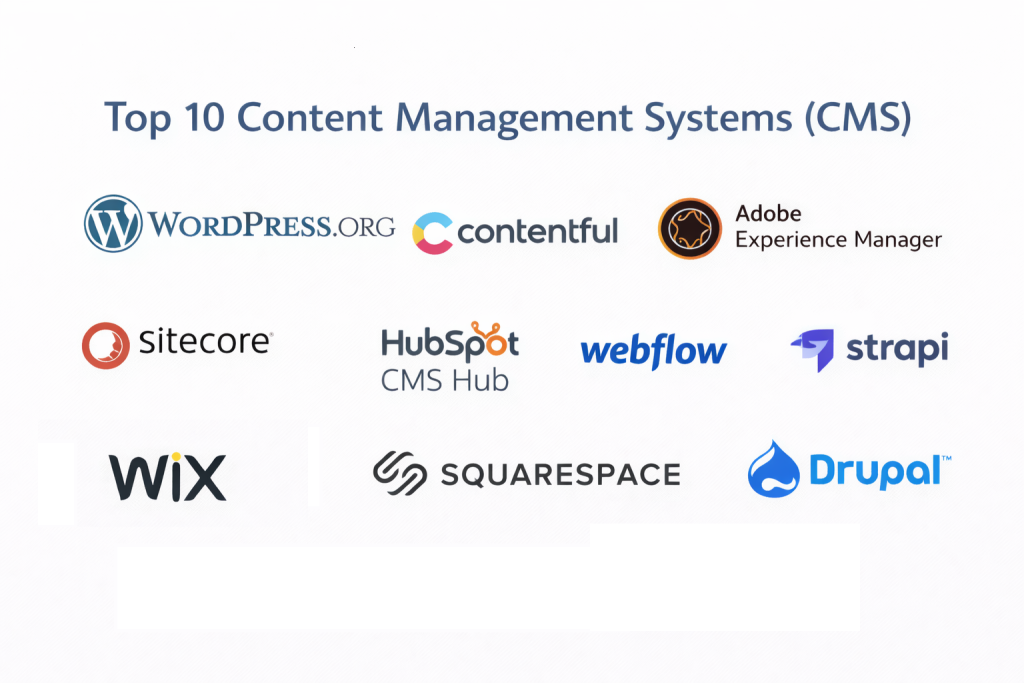
Top 10 Content Management Systems (CMS) Tools
1 — WordPress.org
WordPress is the undisputed king of the CMS world, powering over 40% of all websites on the internet. It is an open-source platform that offers unparalleled flexibility through its massive ecosystem of themes and plugins.
- Key features:
- Extensive Plugin Library: Access to over 60,000 plugins for SEO, security, and performance.
- Gutenberg Block Editor: A visual, drag-and-drop content creation experience.
- Full Site Editing (FSE): Ability to customize headers, footers, and templates globally.
- Powerful SEO Integration: Tools like Yoast and RankMath provide deep optimization.
- Multi-user Roles: Granular control over administrator, editor, and contributor permissions.
- Rest API Support: Can be used as a “headless” CMS to deliver content to mobile apps.
- Pros:
- Unrivaled community support; almost any problem has a documented solution.
- Extreme flexibility—can transition from a simple blog to a massive e-commerce site.
- Cons:
- Requires frequent updates for the core, plugins, and themes to maintain security.
- Performance can degrade if too many low-quality plugins are installed.
- Security & compliance: Varies by hosting provider; supports SSO, GDPR plugins, and SSL.
- Support & community: Massive global community, extensive documentation, and countless third-party developers.
2 — Contentful
Contentful is a leading “Headless” CMS designed for a modern, multi-channel world. It separates the content from the presentation layer, allowing developers to deliver data to any device via API.
- Key features:
- Content Modeling: Define custom content types and relationships from scratch.
- API-First Architecture: Deliver content to web, iOS, Android, and smart devices.
- App Framework: Integrate with tools like Shopify, Algolia, and Cloudinary.
- Webhooks: Trigger external processes when content is published or updated.
- Localized Content: Robust built-in tools for managing multi-language sites.
- Pros:
- Highly scalable for enterprise-level, multi-platform digital products.
- Developers have total freedom over the frontend design and technology stack.
- Cons:
- Not beginner-friendly; requires significant development resources to set up.
- No “preview” of the layout out-of-the-box without custom development.
- Security & compliance: ISO 27001, SOC 2 Type II, GDPR, and HIPAA compliant.
- Support & community: Professional enterprise support, detailed technical documentation, and a growing developer community.
3 — Adobe Experience Manager (AEM)
AEM is a high-end enterprise CMS that combines digital asset management with a powerful content delivery system. It is designed for Fortune 500 companies that require deep personalization and marketing automation.
- Key features:
- Cloud Service: Cloud-native architecture that scales automatically with traffic.
- Fluid Experiences: Deliver consistent content across web, mobile, and IoT.
- Smart Content (AI): Uses Adobe Sensei AI to tag images and personalize content.
- Digital Asset Management (DAM): A top-tier system for managing high-res media.
- Multi-site Manager (MSM): Manage hundreds of localized sites from a single blueprint.
- Pros:
- The most powerful personalization engine in the market for large-scale marketing.
- Deeply integrated with the Adobe Creative Cloud and Analytics ecosystem.
- Cons:
- Extremely expensive; licensing and implementation costs are prohibitive for SMBs.
- Requires specialized, certified architects to maintain and update.
- Security & compliance: FedRAMP, SOC 2, HIPAA, GDPR, and ISO 27001 compliant.
- Support & community: Global 24/7 enterprise support and dedicated account management.
4 — HubSpot CMS Hub
HubSpot’s CMS is unique because it is built on top of a powerful CRM. It is designed for marketers who want a website that serves as a lead-generation machine.
- Key features:
- Integrated CRM: Track every visitor’s interaction directly in their customer profile.
- Smart Content: Show different content to visitors based on their location or stage in the sales funnel.
- Drag-and-Drop Editor: Marketers can build pages without IT assistance.
- Built-in SEO Tools: Actionable recommendations for page optimization.
- A/B Testing: Test different versions of pages to see which performs better.
- Pros:
- The best CMS for aligning marketing, sales, and service teams.
- Excellent security and hosting are handled entirely by HubSpot.
- Cons:
- You are “locked in” to the HubSpot ecosystem; moving away can be difficult.
- The free version is quite limited, and professional tiers are expensive.
- Security & compliance: SSO, 24/7 monitoring, SOC 2 Type II, GDPR, and HIPAA compliant.
- Support & community: 24/7 phone/chat support, HubSpot Academy, and a massive partner network.
5 — Webflow
Webflow bridges the gap between traditional CMS tools and visual design software. It allows designers to build custom, high-end websites visually while generating clean code in the background.
- Key features:
- Visual Canvas: Designing in Webflow is akin to using Adobe Illustrator for the web.
- Interactions & Animations: Build complex, trigger-based animations without JavaScript.
- Logic: Built-in automation to connect the CMS to external forms and databases.
- Editor Interface: A simplified view for clients to update text and images.
- Localized Sites: Native support for multi-language and localized content.
- Pros:
- Allows for completely custom, bespoke designs without a backend developer.
- High-performance hosting with global CDN included.
- Cons:
- Steeper learning curve than Wix or Squarespace due to the focus on CSS logic.
- Limited capability for very complex, database-heavy web applications.
- Security & compliance: SOC 2 Type II, ISO 27001, GDPR, and SSL included.
- Support & community: Webflow University (top-tier video tutorials) and an active community forum.
6 — Sitecore
Sitecore is an enterprise-grade Digital Experience Platform (DXP) that competes with Adobe. It is favored by large organizations that need to manage the entire customer journey in a single platform.
- Key features:
- Experience Edge: Headless delivery for high-performance Jamstack sites.
- Customer Data Platform (CDP): Real-time data collection for 1:1 personalization.
- Send & Discover: AI-powered email marketing and search functionality.
- Content Hub: Centralized management for all marketing assets and strategy.
- Omnichannel Automation: Automate marketing across social, web, and email.
- Pros:
- Unmatched data-driven personalization and marketing automation.
- Highly scalable for global organizations with complex compliance needs.
- Cons:
- Implementation often takes months and requires a specialized agency.
- High total cost of ownership (TCO) including licensing and hosting.
- Security & compliance: ISO 27001, SOC 2, HIPAA, and GDPR compliant.
- Support & community: Global enterprise support and a dedicated network of MVP developers.
7 — Strapi
Strapi is the world’s most popular open-source “Headless” CMS. Built on Node.js, it is a developer-favorite for creating customizable, fast, and scalable APIs.
- Key features:
- Self-Hosted or Cloud: Choose where your data lives for total control.
- Customizable Admin Panel: Use React to tailor the editor experience.
- Role-Based Access Control (RBAC): Define granular permissions for every content type.
- SQL & NoSQL Support: Works with PostgreSQL, MySQL, and SQLite.
- Plugin System: Easily add features like SEO, email, or custom field types.
- Pros:
- Completely open-source and developer-centric; no “black boxes.”
- Extremely fast and lightweight compared to traditional monolithic CMSs.
- Cons:
- Requires a developer to manage updates and server infrastructure.
- The admin interface can be “too technical” for non-digital marketers.
- Security & compliance: Varies by hosting; supports SSO and is GDPR compliant.
- Support & community: Active Discord, GitHub community, and professional cloud support.
8 — Squarespace
Squarespace is the premier choice for creatives and small businesses who prioritize high-end design and “out-of-the-box” simplicity. It is a closed, hosted platform.
- Key features:
- Award-Winning Templates: Professionally designed layouts that look great on any device.
- Fluid Engine: A sophisticated drag-and-drop editor with a grid-based system.
- Built-in E-commerce: Robust tools for selling physical and digital products.
- Scheduling & Memberships: native tools to manage appointments and paywalls.
- Marketing Suite: Built-in email marketing and social media image creators.
- Pros:
- The most polished “all-in-one” experience for non-technical users.
- High-quality aesthetics ensure your site looks professional without a designer.
- Cons:
- Limited customization compared to WordPress; you cannot change everything.
- Not suitable for massive enterprises with complex database requirements.
- Security & compliance: Managed hosting with SSL, GDPR compliance, and PCI-DSS for commerce.
- Support & community: 24/7 email and live chat support; extensive video guides.
9 — Drupal
Drupal is an open-source CMS known for its extreme modularity and security. It is the platform of choice for government agencies, large universities, and global NGOs.
- Key features:
- Modular Architecture: Build complex features using thousands of “Modules.”
- Taxonomy System: Advanced categorization and tagging for massive data sets.
- Multi-lingual Core: Native support for complex, multi-language installations.
- Headless Capabilities: Can deliver content via JSON:API or GraphQL.
- Accessibility Focused: Built to comply with WCAG and ATAG standards out-of-the-box.
- Pros:
- The most secure open-source CMS; has a dedicated security team.
- Can handle millions of pages and high-traffic spikes effortlessly.
- Cons:
- Steep learning curve; not suitable for beginners without development skills.
- Maintaining a Drupal site is generally more expensive than WordPress.
- Security & compliance: SSO, SOC 2 (via hosting), HIPAA, GDPR, and ISO compliant.
- Support & community: Massive developer community and professional enterprise support options.
10 — Wix
Wix has evolved from a basic site builder into a comprehensive CMS for small to mid-sized businesses, offering an AI-powered design assistant and a robust app market.
- Key features:
- Wix ADI: AI that creates a website for you based on a few questions.
- Velo by Wix: A full-stack development platform for adding custom code and databases.
- App Market: Hundreds of integrations for bookings, live chat, and marketing.
- SEO Wiz: A personalized plan to help your site rank on search engines.
- Wix Studio: A high-end workspace for agencies to manage multiple client sites.
- Pros:
- Unmatched ease of use for beginners; if you can drag a mouse, you can build a site.
- Massive library of over 800+ industry-specific templates.
- Cons:
- Once you choose a template, you cannot switch to a different one without rebuilding.
- The interface can feel sluggish with very large, media-heavy pages.
- Security & compliance: Managed security, SOC 2 Type II, GDPR, and HIPAA compliant.
- Support & community: 24/7 customer care and an extensive Help Center.
Comparison Table
| Tool Name | Best For | Platform(s) Supported | Standout Feature | Rating (Gartner) |
| WordPress.org | All-around / SMBs | Self-hosted (PHP) | Massive Plugin Ecosystem | 4.4 / 5 |
| Contentful | Headless / Apps | Cloud (SaaS) | Content Modeling | 4.6 / 5 |
| Adobe (AEM) | Fortune 500 | Cloud / Hybrid | Sensei AI Personalization | 4.5 / 5 |
| HubSpot CMS | B2B Marketing | Cloud (SaaS) | Native CRM Integration | 4.5 / 5 |
| Webflow | Visual Designers | Cloud (SaaS) | Interaction Designer | 4.7 / 5 |
| Sitecore | Enterprise DXP | Cloud / Hybrid | 1:1 Personalization | 4.3 / 5 |
| Strapi | JS Developers | Self-hosted / Cloud | Open-source Headless | 4.7 / 5 |
| Squarespace | Creatives | Cloud (SaaS) | Superior Aesthetics | 4.4 / 5 |
| Drupal | Govt / Higher Ed | Self-hosted (PHP) | Extreme Security | 4.2 / 5 |
| Wix | Beginners | Cloud (SaaS) | Wix ADI (AI Builder) | 4.3 / 5 |
Evaluation & Scoring of Content Management Systems
To accurately compare these systems, we utilize a weighted scoring rubric. This ensures that fundamental requirements like core features and security carry more weight than community support.
| Criteria | Weight | Evaluation Rationale |
| Core Features | 25% | Editor quality, media management, and SEO power. |
| Ease of Use | 15% | Adoption speed for non-technical marketing teams. |
| Integrations | 15% | Connectivity with CRM, ERP, and social ecosystems. |
| Security & Compliance | 10% | Encryption, SSO, and regulatory certifications. |
| Performance | 10% | Page load speeds and global CDN reliability. |
| Support & Community | 10% | Availability of docs, forums, and technical help. |
| Price / Value | 15% | Licensing costs vs. feature set and ROI. |
Which Content Management Systems (CMS) Tool Is Right for You?
Solo Users vs SMB vs Mid-Market vs Enterprise
If you are a solo user (freelancer, artist, or blogger), Squarespace or Wix offer the most peace of mind for the price. For SMBs, WordPress remains the gold standard due to its flexibility. Mid-Market companies looking for growth should look toward HubSpot or Webflow. Enterprises with complex global governance and billions in revenue will find the necessary power in Adobe Experience Manager or Sitecore.
Budget-Conscious vs Premium Solutions
If budget is the primary driver, WordPress and Strapi (Open Source) are the winners, though you must factor in hosting costs. For Premium solutions where budget is secondary to marketing performance, HubSpot and Adobe provide the highest ROI through automated lead generation and AI-driven personalization.
Feature Depth vs Ease of Use
If you want a tool that anyone on the team can use today, choose Wix or HubSpot. If you need a tool that can manage the technical documentation for a jet engine or a global pharmaceutical company, you need the feature depth of Drupal or Adobe.
Frequently Asked Questions (FAQs)
1. What is the difference between a Headless CMS and a Monolithic CMS?
A Monolithic CMS (like WordPress or Wix) handles both the back-end (content storage) and front-end (website design). A Headless CMS (like Contentful or Strapi) only handles the content and delivers it via an API to whatever front-end a developer builds.
2. Can I switch from one CMS to another easily?
Generally, no. Migration is often a complex process of exporting data and re-designing the front-end. It is best to choose a CMS that can scale with you for at least 3-5 years.
3. Is WordPress really free?
The software is free, but you must pay for hosting, a domain name, and often premium plugins or themes to get the exact features you want.
4. Do I need a developer to manage a CMS?
For “Drag-and-Drop” tools like Wix, Squarespace, or HubSpot, no. For Headless systems like Contentful or enterprise tools like Drupal, yes.
5. Which CMS is best for SEO?
While most modern CMSs are SEO-friendly, WordPress (via plugins) and HubSpot (via built-in tools) are widely considered the leaders in guiding users toward best practices.
6. Are cloud-hosted CMSs more secure than self-hosted?
Generally, yes. Hosted platforms (SaaS) like Squarespace and Wix handle all security updates for you, whereas self-hosted sites (WordPress/Drupal) require you to be diligent about manual updates.
7. Can a CMS handle e-commerce?
Yes. WordPress has WooCommerce, Wix and Squarespace have native stores, and enterprise tools like Sitecore have advanced commerce modules.
8. What is the “Headless” trend?
It is a move toward “Content as a Service.” It allows a company to manage content in one place and push it to their website, their mobile app, and their smart watch simultaneously.
9. Is my data safe in a CMS?
As long as you use a reputable provider and enable Multi-Factor Authentication (MFA), yes. Enterprise tools like AEM also offer high-level encryption for sensitive data.
10. How much does a CMS cost?
It ranges from $15/month for basic hosting to $100,000+/year for enterprise-grade licensing and support.
Conclusion
The “best” Content Management System is not the one with the most features, but the one that aligns most closely with your team’s technical skills and business goals. For those seeking the ultimate in design freedom, Webflow is the current industry darling. For those who need to build a lead-generation machine, HubSpot is unrivaled. And for the vast majority of web users, the reliability and community of WordPress continue to make it a safe and powerful bet.
Before you commit, start with a small pilot project. Use a trial version, upload some content, and see how the editor feels. A CMS is a long-term relationship; choosing the right one today will save you thousands of hours of frustration in the years to come.