Introduction
Container security tools are specialized software designed to protect containerized applications and their underlying infrastructure, such as Docker and Kubernetes. These tools provide visibility into container images, monitor runtime behavior for anomalies, and ensure that the orchestration layer is configured according to security best practices. By integrating security into the CI/CD pipeline, these solutions help organizations identify vulnerabilities before they ever reach production.
The importance of these tools is driven by the “ephemeral” nature of containers. Since containers can live for only seconds, traditional periodic scanning is ineffective. Real-world use cases include identifying “secrets” (like API keys) hardcoded in images, detecting container escapes where an attacker tries to gain host access, and enforcing “Zero Trust” network policies between microservices. When evaluating tools, users should prioritize vulnerability accuracy, runtime behavioral analysis, Kubernetes-native integration, and low performance overhead.
Best for: DevSecOps teams, cloud-native enterprises, and organizations running large-scale Kubernetes clusters. It is essential for industries like finance, healthcare, and e-commerce that require high-speed delivery alongside strict regulatory compliance (SOC 2, HIPAA, PCI DSS).
Not ideal for: Small teams with basic, monolithic applications or businesses using managed SaaS providers where the underlying infrastructure is entirely abstracted. Organizations without a dedicated DevOps function may find the advanced features of enterprise platforms overwhelming.
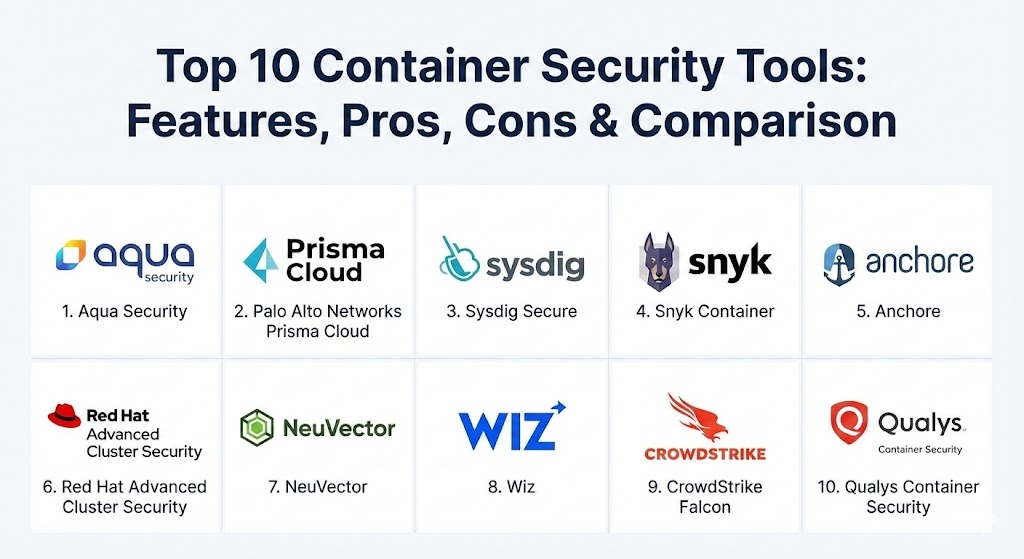
Top 10 Container Security Tools
1 — Aqua Security
Aqua Security is widely regarded as a market leader, providing a full-lifecycle platform that secures everything from code to the running container. It is designed for enterprises that need a robust, unified view of their cloud-native risk.
- Key features:
- Image Power-Scanning: Scans for vulnerabilities, malware, and embedded secrets in images.
- Dynamic Threat Analysis: Detonates images in a secure sandbox to find “hidden” logic.
- KSPM (Kubernetes Security Posture Management): Automated cluster hardening.
- Runtime Enforcer: Blocks unauthorized processes or network connections in real-time.
- Assurance Policies: Prevents non-compliant images from being deployed.
- Supply Chain Security: Verifies the integrity of software builds and dependencies.
- Pros:
- Exceptionally deep runtime protection that can actually “kill” malicious containers.
- Extensive compliance templates for global standards (CIS, NIST, HIPAA).
- Cons:
- Can be complex to configure for smaller, less mature teams.
- The licensing cost is high, reflecting its status as a premium enterprise solution.
- Security & compliance: SOC 2 Type II, ISO 27001, GDPR, HIPAA, PCI DSS. Supports SSO and end-to-end encryption.
- Support & community: High-quality enterprise support (24/7); robust documentation and a strong presence in the CNCF open-source community.
2 — Prisma Cloud (by Palo Alto Networks)
Prisma Cloud is a comprehensive Cloud Native Application Protection Platform (CNAPP) that integrates the legendary Twistlock technology. It provides massive scale and deep integration into broader cloud security posture management.
- Key features:
- Twistlock Integration: Deep container and serverless vulnerability scanning.
- Vulnerability Management: Prioritizes fixes based on real-world exploitability.
- Advanced CI/CD Plugins: Breaks builds if security thresholds are not met.
- Behavioral Monitoring: Uses AI to learn “normal” container behavior and alert on drifts.
- Network Visibility: Maps all container-to-container communication.
- Agentless and Agent-based: Offers flexibility for different deployment needs.
- Pros:
- Best-in-class integration for organizations already using the Palo Alto ecosystem.
- Massive scalability, capable of handling hundreds of thousands of containers across multi-cloud.
- Cons:
- The UI can feel fragmented due to the sheer number of features.
- Requires significant “tuning” to reduce alert noise in very active environments.
- Security & compliance: FIPS 140-2, FedRAMP, SOC 2, HIPAA, GDPR. Comprehensive audit logs.
- Support & community: World-class enterprise support and global partner network; extensive online training.
3 — Sysdig Secure
Sysdig is built on the open-source Falco engine, providing unparalleled visibility into container runtime. It is the go-to tool for teams that prioritize “truth at runtime” and deep forensics.
- Key features:
- Falco-powered Runtime: Detects suspicious system calls and file access in real-time.
- Container Drift Detection: Alerts when a container changes from its original image state.
- Vulnerability Management: Scans images in registries and in production.
- Cost Optimization: Ties security visibility to cloud spending metrics.
- Admission Controller: Blocks risky deployments at the Kubernetes API level.
- Deep Forensics: Records system activity during an incident for later playback.
- Pros:
- The most detailed runtime visibility on the market thanks to its system-call capture.
- Excellent Kubernetes-native integration that feels like part of the cluster.
- Cons:
- Runtime focus means pre-deployment scanning is slightly less “polished” than Snyk.
- Can be resource-intensive if high-resolution monitoring is enabled globally.
- Security & compliance: SOC 2, HIPAA, GDPR, PCI DSS. SSO and granular RBAC.
- Support & community: Exceptional community support (Falco project); high-touch enterprise support for paying customers.
4 — Snyk Container
Snyk is a “developer-first” tool that focuses on making security part of the coding workflow. It is designed to help developers fix vulnerabilities as they build, rather than waiting for an audit.
- Key features:
- Developer-Led Scanning: Integrates directly into IDEs, Git, and CI/CD pipelines.
- Base Image Recommendations: Suggests safer parent images for Dockerfiles.
- Remediation Advice: Provides clear, actionable advice on how to patch vulnerabilities.
- Kubernetes Integration: Scans running workloads for misconfigurations.
- SCA & SAST Integration: Unified view across code, dependencies, and containers.
- SBOM Generation: Automatically creates Software Bill of Materials.
- Pros:
- The best user experience for developers; they actually enjoy using it.
- Fast, lightweight scans that don’t slow down the development process.
- Cons:
- Runtime protection features are not as deep as specialized tools like Aqua or Sysdig.
- Licensing can get expensive as you add more “per-developer” seats.
- Security & compliance: SOC 2 Type II, ISO 27001, GDPR, HIPAA. Secure data handling.
- Support & community: Massive developer community; excellent video tutorials and documentation.
5 — Anchore (Enterprise)
Anchore is an industry leader in container image analysis and software supply chain security. It focuses on the “deep data” inside a container, ensuring that every layer is compliant with corporate policy.
- Key features:
- Deep Layer Analysis: Inspects images layer-by-layer for vulnerabilities and secrets.
- Policy-as-Code: Uses powerful rules to enforce what is allowed in production.
- SBOM Management: Centralized hub for tracking all software components.
- Registry Scanning: Automatically monitors images in Docker Hub, Quay, or ECR.
- Vulnerability Matching: Low false-positive rate using advanced data correlation.
- Air-gapped Support: Works in highly secure, disconnected environments.
- Pros:
- Superior for organizations that need strict “policy gates” in their pipelines.
- Excellent for managing the SBOM lifecycle and ensuring compliance.
- Cons:
- Lacks a native runtime security engine; usually needs to be paired with another tool for production monitoring.
- Steeper learning curve for writing custom policy rules.
- Security & compliance: FIPS 140-2, SOC 2, GDPR, HIPAA. Secure audit trails.
- Support & community: Strong open-source core (Anchore Engine); professional enterprise support plans.
6 — Red Hat Advanced Cluster Security (StackRox)
StackRox, now part of Red Hat, is a Kubernetes-native security platform. It uses the power of Kubernetes itself to enforce security, making it highly efficient for OpenShift and K8s environments.
- Key features:
- K8s-Native Controls: Uses native K8s objects like NetworkPolicies and RBAC.
- Risk Profiling: Ranks namespaces and clusters by their actual security risk.
- Network Visualization: Interactive map of all traffic flows between pods.
- Admission Control: Prevents vulnerable workloads from starting.
- Runtime Detection: Monitors for unauthorized privilege escalation.
- Compliance Scanning: Automated checks against CIS Benchmarks.
- Pros:
- The most “natural” feel for teams that live in Kubernetes; very low friction.
- Included in many Red Hat OpenShift subscriptions, providing great value.
- Cons:
- Heavily optimized for Kubernetes; less effective for standalone Docker hosts.
- UI can be technical and geared specifically toward cluster admins.
- Security & compliance: Common Criteria, SOC 2, GDPR, HIPAA. FedRAMP authorized.
- Support & community: Backed by Red Hat’s legendary enterprise support; active K8s community presence.
7 — NeuVector (by SUSE)
NeuVector is a zero-trust container security platform that specializes in “Layer 7” container firewalling. It is ideal for organizations that need deep inspection of network traffic between containers.
- Key features:
- Container Firewall: Inspects and blocks malicious traffic at the application layer.
- Deep Packet Inspection: Sees “inside” the traffic to detect SQLi or XSS attacks.
- Vulnerability Scanning: Continuous scanning from build to runtime.
- Behavioral Learning: Automatically creates security rules based on observed traffic.
- DLP (Data Loss Prevention): Identifies and blocks sensitive data exfiltration.
- Kubernetes Admission Control: Enforces security before pods are scheduled.
- Pros:
- The most powerful network security capabilities in the container space.
- Now fully open-source, offering great flexibility for advanced users.
- Cons:
- Network inspection can add a small amount of latency in high-performance environments.
- Management console can be complex due to the depth of network settings.
- Security & compliance: SOC 2, GDPR, HIPAA. Multi-tenancy support.
- Support & community: Backed by SUSE; rapidly growing open-source community since its release to CNCF.
8 — Wiz (Container Module)
Wiz has shaken up the cloud security market with its “agentless” approach. While primarily a CSPM, its container security module provides deep visibility into container risks without the need for complex agent deployments.
- Key features:
- Agentless Discovery: Scans container volumes via snapshots without performance impact.
- Security Graph: Shows how container vulnerabilities link to identities and cloud misconfigs.
- Kubernetes Posture: Identifies risky RBAC settings and API exposures.
- Image Scanning: Checks for CVEs and secrets across all major registries.
- Runtime Visibility: Contextual view of running containers and their risks.
- Fast Deployment: Can scan an entire multi-cloud environment in minutes.
- Pros:
- Fastest “time-to-value” of any tool; see your whole risk profile almost instantly.
- Incredible visualization of “attack paths” that connect containers to the cloud.
- Cons:
- Agentless focus means it lacks real-time “active” blocking (inline prevention).
- Very expensive; targeted mostly at high-end enterprises.
- Security & compliance: SOC 2 Type II, ISO 27001, GDPR, HIPAA, FedRAMP.
- Support & community: High customer satisfaction; excellent onboarding and support teams.
9 — CrowdStrike Falcon (Container Security)
CrowdStrike brings its world-class endpoint protection expertise to the container world. It uses a single lightweight agent to provide deep runtime protection and threat hunting for containers and hosts.
- Key features:
- Falcon Sensor: Single agent for host, container, and Kubernetes security.
- Indicator of Attack (IOA): Real-time detection of malicious intent.
- Vulnerability Management: Scans images in the CI/CD pipeline and registry.
- Kubernetes Admission Control: Blocks risky images from running.
- Cloud-Native Threat Intel: Leverages CrowdStrike’s massive threat database.
- Drift Detection: Identifies unauthorized changes to containers in production.
- Pros:
- Simplifies security by using the same agent/console as your endpoint protection.
- Superior threat hunting capabilities for investigating complex breaches.
- Cons:
- Agent-based model requires management across all nodes in the cluster.
- Not as “Kubernetes-native” in its UI as tools like StackRox or Sysdig.
- Security & compliance: SOC 2, HIPAA, GDPR, PCI DSS, FIPS 140-2.
- Support & community: Industry-leading enterprise support; mature professional services.
10 — Qualys Container Security
Qualys is a stalwart in vulnerability management, and its container module is a highly reliable choice for organizations that already rely on the Qualys platform for their broader IT security.
- Key features:
- Inventory & Visibility: Real-time inventory of every container, image, and host.
- Continuous Scanning: Monitors images across the entire lifecycle.
- Runtime Security: Detects behavioral anomalies and unauthorized activities.
- Kubernetes Hardening: Audits K8s configurations against CIS benchmarks.
- CI/CD Integration: Plugins for Jenkins, Azure DevOps, and GitLab.
- Policy Enforcement: Blocks non-compliant containers from launching.
- Pros:
- Excellent reporting and compliance dashboards for audit-heavy industries.
- Seamlessly integrates with the Qualys VMDR ecosystem for a total view of risk.
- Cons:
- The interface can feel “traditional” and less agile than dev-focused tools like Snyk.
- Can be complex to set up for teams not already using Qualys.
- Security & compliance: FedRAMP, SOC 2, HIPAA, GDPR. ISO 27001 compliant.
- Support & community: Global 24/7 support; extensive training via Qualys University.
Comparison Table
| Tool Name | Best For | Platform(s) Supported | Standout Feature | Rating (Gartner Peer Insights) |
| Aqua Security | Full-Lifecycle Enterprise | K8s, Docker, Cloud, On-prem | Advanced Sandbox (DTA) | 4.7 / 5 |
| Prisma Cloud | Multi-Cloud Scale | K8s, Serverless, Multi-Cloud | Broad Cloud Integration | 4.6 / 5 |
| Sysdig Secure | Runtime Visibility | K8s, Containers | Falco-based System Capture | 4.9 / 5 |
| Snyk Container | Developers | K8s, Docker, CI/CD | Base Image Recommendations | 4.7 / 5 |
| Anchore | Supply Chain / SBOM | K8s, Registries | Deep Layer Policy Analysis | 4.3 / 5 |
| Red Hat ACS | OpenShift / K8s Users | Kubernetes, OpenShift | Kubernetes-Native Workflow | 4.5 / 5 |
| NeuVector | Network Security | K8s, Docker | Layer 7 Container Firewall | 4.6 / 5 |
| Wiz | Rapid Risk Visualization | Multi-Cloud, K8s | Security Graph Analysis | 4.8 / 5 |
| CrowdStrike Falcon | Threat Hunting | K8s, Docker, Cloud | Falcon IOA Real-time Intel | 4.7 / 5 |
| Qualys | Compliance Reporting | K8s, Containers | Integrated VMDR Ecosystem | 4.4 / 5 |
Evaluation & Scoring of Container Security Tools
To choose the right tool, it is helpful to understand how these solutions are judged by industry experts. The following table evaluates the container security category using a weighted scoring rubric.
| Category | Weight | Evaluation Criteria |
| Core Features | 25% | Scanning accuracy, runtime protection, K8s posture, and secrets detection. |
| Ease of Use | 15% | UI clarity, developer friendliness, and time-to-value for new users. |
| Integrations | 15% | Native support for CI/CD, registries, SIEM/SOAR, and major cloud providers. |
| Security & Compliance | 10% | Compliance templates, encryption, RBAC, and audit trail quality. |
| Performance | 10% | Agent overhead (CPU/RAM), scan speed, and network latency impact. |
| Support & Community | 10% | Quality of documentation, speed of support response, and community size. |
| Price / Value | 15% | Transparency of pricing and ROI relative to efficiency gains. |
Which Container Security Tool Is Right for You?
Selecting a tool depends on your technical stack, team skills, and security priorities.
- Solo Users & SMBs: If you are a small team, Snyk is the winner. It is easy to set up, developer-friendly, and has a great free tier to get you started. If you prefer open-source, Aqua Trivy is the industry standard for lightweight scanning.
- Mid-Market Companies: If you have a growing Kubernetes footprint, Sysdig or Red Hat ACS offer the best balance of visibility and protection without needing a massive security team to manage them.
- Large Enterprises: If you manage a complex, multi-cloud infrastructure, Prisma Cloud or Aqua Security are the best choices. They provide the centralized governance and “heavy-duty” features needed for massive scale.
- Regulated Industries: If you are in finance or government, Anchore and Qualys are superior for their deep auditing, policy gates, and SBOM management capabilities.
- Infrastructure Strategy: If you are “all-in” on OpenShift, Red Hat ACS is the logical choice. If you want a tool that discovers your risk without touching your servers, Wiz is the best agentless option.
Frequently Asked Questions (FAQs)
1. What is the difference between image scanning and runtime security?
Image scanning finds vulnerabilities in the “static” code and files before they run. Runtime security monitors the container while it is active to detect suspicious behavior, like a process suddenly trying to change system files.
2. Do container security tools slow down my applications?
It depends on the tool. Agentless tools (like Wiz) have zero impact. Agent-based tools (like Sysdig or CrowdStrike) add a tiny amount of overhead (usually <2% CPU). NeuVector’s network inspection can add micro-milliseconds of latency.
3. Why do I need a container-specific tool if I have a firewall?
Traditional firewalls only see “traffic to the server.” They cannot see the traffic between containers inside the server or understand which specific container is sending malicious data.
4. Can these tools scan for hardcoded secrets?
Yes. Most modern tools (Snyk, Aqua, Wiz) specifically look for API keys, passwords, and SSH keys that developers may have accidentally left in the container image.
5. Is open-source container security good enough?
Tools like Trivy (scanning), Falco (runtime), and Cilium (networking) are world-class. However, enterprise versions add the centralized dashboards, reporting, and support that businesses need for compliance.
6. What is a “Container Escape”?
This is a critical attack where a hacker breaks out of the “isolated” container to gain control over the host server or other containers. Runtime tools are designed specifically to catch this.
7. How do these tools integrate with Kubernetes?
Most integrate via “Admission Controllers” (to block risky pods) or by running as a “DaemonSet” on every node in the cluster to monitor traffic and processes.
8. Do I need these tools if I use AWS Fargate or Google Cloud Run?
Yes, but your focus shifts. Since you don’t manage the “host,” you focus on image scanning, secrets management, and application-level (Layer 7) network security.
9. What is an SBOM?
A Software Bill of Materials (SBOM) is a complete list of every library and component inside your container. It is increasingly required for compliance and to prove you aren’t using risky open-source code.
10. Can I use multiple tools at once?
Yes. Many teams use Snyk for developer workflow scanning and pair it with Sysdig or NeuVector for deep runtime protection in production.
Conclusion
As we navigate 2026, container security is no longer a “check-the-box” activity; it is a fundamental part of the software lifecycle. Whether you choose the developer-friendly speed of Snyk, the deep runtime forensics of Sysdig, or the massive enterprise reach of Prisma Cloud, the “best” tool is the one that fits your team’s workflow and risk profile. Security should be an accelerator, not a roadblock—choose the tool that helps you ship faster, safely.