Introduction
A Computer Vision Platform is a specialized suite of software tools designed to manage the entire lifecycle of visual AI models. These platforms provide the infrastructure for data labeling, model training (AutoML or custom), deployment to the edge or cloud, and real-time monitoring. By abstracting the complex mathematics of neural networks, these platforms enable developers and business analysts to transform raw pixels into actionable insights.
The importance of these tools cannot be overstated. In 2026, CV is the backbone of autonomous logistics, precision agriculture, and contactless retail. Key real-world use cases include identifying manufacturing defects on high-speed assembly lines, analyzing medical scans for early disease detection, and powering the safety systems of self-driving vehicles. When choosing a platform, evaluation criteria should center on data annotation efficiency, inference latency (how fast the model “thinks”), deployment flexibility (cloud vs. edge), and the robustness of its pre-trained model library.
Best for: * Industrial Engineers: Automating quality control in manufacturing and logistics.
- Application Developers: Building visual search, facial recognition, or document processing into apps.
- Enterprise AI Teams: Scaling visual intelligence across global operations with standardized governance.
Not ideal for: * Traditional Tabular Data Projects: Teams working solely with spreadsheets or text-based analytics.
- Low-Complexity Tasks: Simple triggers like “motion detection” (which can be handled by basic hardware sensors without AI).
- Zero-Budget Hobbyists: Users who only need basic libraries (like raw OpenCV) and don’t require an integrated platform or hosting.
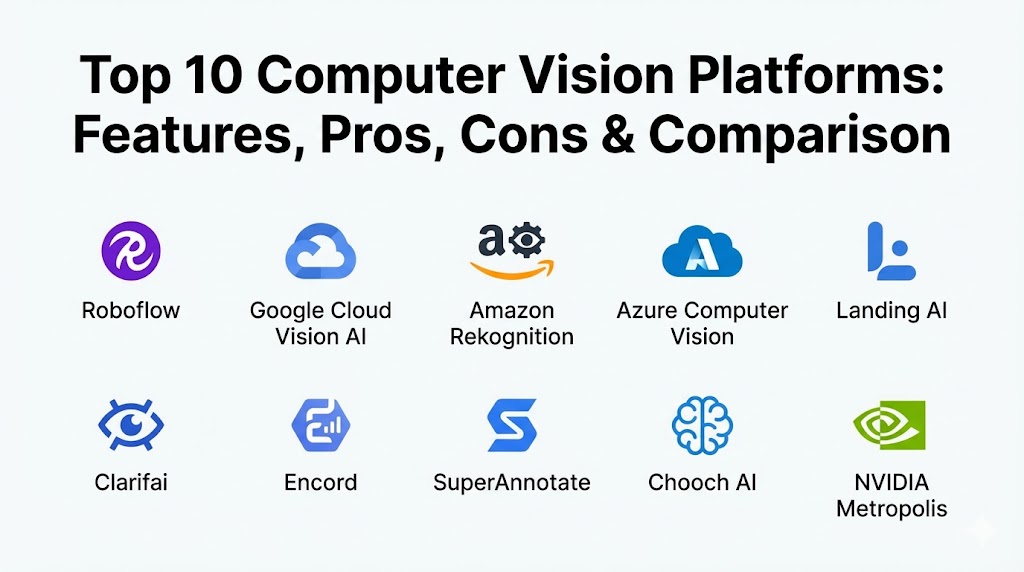
Top 10 Computer Vision Platforms
1 — Roboflow
Roboflow has solidified its position as the developer favorite for rapid prototyping and production-grade computer vision workflows. It focuses on removing the “grunt work” of data preparation and deployment.
- Key features:
- Roboflow Universe: A massive open-source repository of over 200,000 datasets and 50,000 pre-trained models.
- Auto-Labeling: Uses model-assisted labeling to speed up annotation by 10x.
- Flexible Deployment: One-click deployment to web, mobile, or edge devices like NVIDIA Jetson.
- Health Checks: Automated insights into dataset balance and potential model biases.
- Seamless Integration: Works natively with popular frameworks like PyTorch and YOLO.
- Pros:
- The most intuitive UI in the category, accessible to non-PhD users.
- Extremely fast “time-to-deployment”—go from images to an API in minutes.
- Cons:
- Can become expensive as the number of “training credits” or hosted images grows.
- Advanced users may find the “black box” nature of some automated steps restrictive.
- Security & compliance: SOC 2 Type II, GDPR compliant; supports SSO for enterprise teams.
- Support & community: Exceptional documentation, a highly active developer forum, and a vast library of YouTube tutorials.
2 — Google Cloud Vision AI (Vertex AI)
Leveraging the same infrastructure that powers Google Lens and Google Images, Vertex AI Vision offers some of the most powerful pre-trained models for general object and text recognition.
- Key features:
- AutoML Vision: High-accuracy custom model training with minimal coding.
- Visual Inspection AI: Specialized tools for manufacturing defect detection.
- Product Search: Advanced visual search capabilities for retail and e-commerce.
- Video Intelligence: Detects changes and identifies objects within video streams.
- Edge Manager: Simplifies the management of models deployed to local cameras and sensors.
- Pros:
- Unrivaled accuracy for “out-of-the-box” tasks like OCR and landmark detection.
- Seamless integration with the broader Google Cloud and BigQuery ecosystem.
- Cons:
- Complex pricing structure that can lead to unexpected “bill shock.”
- Heavily tied to the Google Cloud Platform (GCP), limiting multi-cloud flexibility.
- Security & compliance: HIPAA, SOC 1/2/3, ISO 27001, and GDPR compliant; VPC Service Controls.
- Support & community: Enterprise-grade support with dedicated account managers; extensive documentation.
3 — Amazon Rekognition
Amazon Rekognition is the heavyweight champion for AWS-native users, offering a highly scalable, fully managed service for analyzing millions of images and videos daily.
- Key features:
- Face Liveness: Verifies that a user is a real person and not a spoof during identity verification.
- Custom Labels: Easy-to-use interface for training models on industry-specific objects.
- Content Moderation: Automatically detects inappropriate or offensive content.
- Video Segment Detection: Identifies technical cues like black frames or end credits in media files.
- Streaming Video Analysis: Real-time object and person tracking in live feeds.
- Pros:
- Incredibly easy to scale for massive, high-volume workloads.
- Deeply integrated with AWS security (IAM) and storage (S3).
- Cons:
- The “generalist” nature means it may lag behind niche tools in specialized fields like medical imaging.
- Public controversies regarding facial recognition can lead to strict internal usage policies.
- Security & compliance: FedRAMP, HIPAA, SOC, and ISO compliant; uses KMS for encryption.
- Support & community: Full AWS support ecosystem; massive global network of certified AI partners.
4 — Microsoft Azure Computer Vision
Azure’s offering excels in document intelligence and enterprise-scale visual analysis, making it the top choice for Fortune 500 companies.
- Key features:
- Read API (OCR): Industry-leading text extraction from documents, including handwriting.
- Spatial Analysis: Monitors how people move within a physical space for retail and safety.
- Face API: Advanced facial detection and attribute recognition.
- Custom Vision: Simple drag-and-drop model training for specific object detection.
- Cloud-to-Edge: Native integration with Azure IoT Edge for low-latency processing.
- Pros:
- Strongest governance and enterprise security features in the market.
- Excellent “Responsible AI” tools built directly into the workflow.
- Cons:
- Azure’s portal can be cumbersome for developers used to lightweight SaaS tools.
- Pricing tiers can be difficult to navigate for small-scale projects.
- Security & compliance: GDPR, HIPAA, SOC 2, and ISO compliant; Azure AD (Entra ID) integration.
- Support & community: Comprehensive Microsoft Learn resources and premier enterprise support tiers.
5 — Landing AI (LandingLens)
Founded by AI pioneer Andrew Ng, Landing AI focuses on a “data-centric” approach, making it the gold standard for high-precision industrial inspection.
- Key features:
- Data-Centric AI: Tools specifically designed to improve data quality rather than just tuning algorithms.
- Defect Detection: Optimized for spotting microscopic flaws in electronics and pharmaceuticals.
- LandingEdge: A lightweight deployment agent for running models directly on factory floor cameras.
- Collaboration Hub: Shared workspace for engineers and data scientists to iterate on datasets.
- Small Data Training: Algorithms designed to perform well even with a limited number of training images.
- Pros:
- Exceptional performance in specialized, high-stakes manufacturing environments.
- Educational philosophy—the platform “teaches” users how to be better at AI.
- Cons:
- Niche focus; not designed for general-purpose tasks like facial recognition or OCR.
- Higher entry cost compared to general cloud providers.
- Security & compliance: SOC 2 Type II compliant; emphasizes secure, private data handling.
- Support & community: High-touch customer success and technical workshops led by industry experts.
6 — Clarifai
Clarifai is a versatile, independent AI platform that offers a massive “Model Gallery” and supports a wide range of multimodal AI tasks.
- Key features:
- Clarifai Portal: A unified UI for managing datasets, training, and deployment.
- Multimodal Search: Search through images and videos using natural language (e.g., “show me red cars”).
- Scribe: A professional labeling tool for high-quality dataset creation.
- Mesh: A graph-based workflow engine to chain multiple AI models together.
- Air-Gapped Deployment: Ability to deploy in completely offline environments for high security.
- Pros:
- Extremely flexible; works across any cloud provider or on-premise.
- The “Model Gallery” allows users to get started without any training data.
- Cons:
- The platform can feel complex due to the sheer number of features and options.
- Can be overkill for teams only needing a single, simple vision API.
- Security & compliance: SOC 2 Type II, GDPR, and HIPAA compliant.
- Support & community: Strong developer relations team; active Slack community and detailed documentation.
7 — Encord
Encord is the leading “Data Engine” platform for computer vision, specifically designed to handle the complexity of video and high-resolution medical imaging.
- Key features:
- Micro-models: Uses small, specialized models to automate 99% of the video annotation process.
- Active Learning: Automatically identifies which data will most improve the model if labeled.
- Encord Index: A “Google for your data” that allows you to find and curate visual data at scale.
- Medical Imaging Support: Native handling of DICOM and NIfTI files for healthcare AI.
- Quality Management: Built-in review workflows for large-scale annotation teams.
- Pros:
- The absolute best platform for video-heavy and medical imaging use cases.
- Significantly reduces the cost of large-scale labeling projects.
- Cons:
- Focused on the “data” side; users still need a strategy for hosting and serving the final model.
- The specialized features result in a higher learning curve.
- Security & compliance: SOC 2, HIPAA, and GDPR compliant; features strong audit logs.
- Support & community: Deep technical support from engineers who understand the nuances of CV data.
8 — SuperAnnotate
SuperAnnotate provides an end-to-end platform for building high-quality datasets and fine-tuning models for maximum precision.
- Key features:
- LLM & Vision Fusion: Tools for labeling and evaluating multimodal models (images + text).
- Pixel-Perfect Annotation: Specialized tools for semantic segmentation and polygonal labeling.
- Workflow Automation: Connects data sources, labeling teams, and training pipelines.
- Dataset Versioning: Full lineage tracking for every change made to your data.
- External Workforce Integration: Seamlessly connect to third-party labeling agencies within the platform.
- Pros:
- Excellent for projects requiring extreme precision (e.g., satellite imagery).
- The “all-in-one” feel of managing both people (annotators) and pixels.
- Cons:
- Can feel “heavy” for simple classification tasks.
- Pricing is often tailored toward larger enterprise contracts.
- Security & compliance: SOC 2 Type II and GDPR compliant; supports SSO for large teams.
- Support & community: Strong customer success focus and detailed technical documentation.
9 — Chooch AI
Chooch AI focuses on “Generative Vision,” allowing for natural language interactions with video streams to solve complex safety and security problems.
- Key features:
- Generative Vision: Allows for “Natural Language” queries of video streams (e.g., “Alert me if someone is not wearing a helmet”).
- Rapid Training: Claims to train models in minutes using advanced synthetic data techniques.
- Edge AI: Specialized hardware and software bundles for real-time local processing.
- Visual Search: Instant indexing and retrieval of visual information.
- Contextual Awareness: Goes beyond object detection to understand what is happening in a scene.
- Pros:
- Extremely innovative; moving beyond simple “labels” to contextual understanding.
- High deployment flexibility (Cloud, On-Prem, Edge).
- Cons:
- Newer technology may be less “battle-tested” in traditional legacy environments.
- Documentation is not as extensive as the major cloud providers.
- Security & compliance: Varies / Cloud-based encryption; focused on secure IoT deployments.
- Support & community: Personalized enterprise support and a growing library of webinars.
10 — NVIDIA Metropolis
NVIDIA Metropolis isn’t just a platform; it’s a massive ecosystem of hardware and software (DeepStream, Tao Toolkit) designed for high-performance video analytics.
- Key features:
- DeepStream SDK: A streaming analytics toolkit for high-throughput multi-sensor processing.
- Tao Toolkit: A low-code way to adapt pre-trained models to specific use cases.
- Hardware Acceleration: Native optimization for the entire NVIDIA GPU lineup.
- Fleet Command: Managed service for deploying and managing AI at scale across the edge.
- Pre-trained Models: Access to NVIDIA’s high-performance models for traffic, safety, and retail.
- Pros:
- Unmatched performance for real-time, large-scale video surveillance and smart cities.
- The definitive choice for teams building their own hardware-accelerated appliances.
- Cons:
- Requires a high level of technical expertise (DevOps and AI engineering).
- Heavily tied to NVIDIA hardware; not suitable for CPU-only or non-NVIDIA cloud environments.
- Security & compliance: Enterprise-grade security protocols; depends on the specific deployment architecture.
- Support & community: Massive global developer community and professional NVIDIA Enterprise Support.
Comparison Table
| Tool Name | Best For | Platform(s) Supported | Standout Feature | Rating (Gartner/TrueReview) |
| Roboflow | Rapid Dev & Startups | Web, iOS, Android, Jetson | Roboflow Universe | 4.8 / 5.0 |
| Azure CV | Enterprise & Document Vision | Azure, Hybrid, Edge | Read API (OCR) | 4.4 / 5.0 |
| Landing AI | Industrial Quality Control | Cloud, Edge | Data-Centric AI | 4.7 / 5.0 |
| Google Vision | General Object Accuracy | GCP, Edge | AutoML Vision | 4.3 / 5.0 |
| AWS Rekognition | AWS Scalability | AWS | Face Liveness | 4.4 / 5.0 |
| Clarifai | Versatile AI Gallery | Any Cloud, On-Prem | Mesh Workflow | 4.6 / 5.0 |
| Encord | Video & Medical Data | Web, On-Prem | Micro-model Labeling | 4.7 / 5.0 |
| SuperAnnotate | High-Precision Data | Web, On-Prem | Pixel-Perfect Tools | 4.6 / 5.0 |
| Chooch AI | Real-time Context | Cloud, Edge | Generative Vision | 4.5 / 5.0 |
| NVIDIA Metropolis | Smart Cities & Surveillance | NVIDIA Edge, Cloud | DeepStream SDK | 4.9 / 5.0 |
Evaluation & Scoring of Computer Vision Platforms
To provide an objective ranking, we have evaluated the top platforms using a weighted scoring rubric that reflects the priorities of modern AI teams in 2026.
| Category | Weight | Evaluation Rationale |
| Core Features | 25% | Variety of tasks (Detection, Segmentation, OCR) and AutoML capability. |
| Ease of Use | 15% | UI quality, documentation, and “no-code” to “low-code” transition. |
| Integrations | 15% | API/SDK quality and native connections to cloud/BI tools. |
| Security & Compliance | 10% | Enterprise certifications (SOC 2, HIPAA) and data privacy controls. |
| Performance | 10% | Latency, edge optimization, and horizontal scalability. |
| Support & Community | 10% | Documentation, forum activity, and enterprise SLAs. |
| Price / Value | 15% | Total cost of ownership vs. the productivity gained. |
Which Computer Vision Platforms Tool Is Right for You?
Selecting a platform depends on your technical maturity and the specific “visual problem” you are trying to solve.
Solo Users vs SMB vs Mid-Market vs Enterprise
- Solo Users: Stick with Roboflow. The free tier is generous, the community is helpful, and you can learn the basics without needing a DevOps team.
- SMBs: Clarifai or Chooch AI offer great flexibility. You get high-level features without being locked into a single massive cloud provider.
- Mid-Market: Landing AI is the choice if you have a specific industrial problem. If your needs are more general, Google Vertex AI is hard to beat for ROI.
- Enterprise: Azure or AWS are the default choices for large-scale governance. If you are building high-performance physical infrastructure, NVIDIA Metropolis is the standard.
Budget-Conscious vs Premium Solutions
- Budget-Conscious: Open-source libraries like OpenCV combined with the free tiers of Roboflow or Feast can get you far.
- Premium: Landing AI and Encord charge premium prices because they solve extremely difficult, high-value problems in manufacturing and medicine that general tools cannot.
Feature Depth vs Ease of Use
- High Ease of Use: Roboflow and Google AutoML are designed to be “clicked through.”
- High Feature Depth: Encord (for video) and NVIDIA Metropolis (for custom pipelines) offer the most “knobs to turn” for complex projects.
Frequently Asked Questions (FAQs)
1. Do I need a GPU to run these platforms?
If you are training models, a GPU is almost always required (though cloud platforms handle this for you). For inference (running the model), many platforms now offer optimized models that can run on standard CPUs or mobile devices.
2. Can these platforms work without an internet connection?
Yes. Platforms like Clarifai, Chooch AI, and NVIDIA Metropolis offer “Edge” or “On-Premise” versions that can run in air-gapped environments for high security.
3. What is the difference between Object Detection and Instance Segmentation?
Object Detection draws a “box” around an object. Instance Segmentation identifies the exact pixels belonging to that object, which is much more precise for tasks like medical analysis or autonomous driving.
4. Is my data used to train the platform’s general models?
Most enterprise platforms (AWS, Azure, Landing AI) strictly guarantee that your data is your data and is not used to train their public models. Always check the “Data Privacy” section of your contract.
5. How much does a Computer Vision project typically cost?
A prototype can cost as little as $50-$500/month in API fees. A full-scale industrial deployment can range from $20k to $100k+ annually, including hardware and software licensing.
6. Can I switch platforms later?
It is possible, but difficult. The “lock-in” is usually in the data labeling format and the specific APIs used in your code. Using a tool like Roboflow helps because they allow you to export data in dozens of different formats.
7. How long does it take to train a model?
With AutoML, a model can be ready in 1-4 hours. For highly complex custom models, training can take several days of GPU compute time.
8. Do these platforms support Generative AI?
Yes. In 2026, many platforms like Chooch AI and SuperAnnotate integrate LLMs with Vision (VLM) to allow users to ask questions about images in plain English.
9. What is the “Data-Centric” approach?
Popularized by Andrew Ng, it means focusing on cleaning and labeling your data perfectly rather than constantly changing the model’s architecture. Most experts agree this is the fastest way to improve accuracy.
10. Can I use these for real-time video?
Yes, but you must ensure the platform supports “Edge Deployment.” Sending high-res video to the cloud for analysis is usually too slow and expensive for real-time needs.
Conclusion
The landscape of Computer Vision Platforms in 2026 is diverse and powerful. There is no longer a “one-size-fits-all” winner. If you need rapid development, Roboflow is your home. If you are inspecting microchips, Landing AI is the specialist you need. And if you are building a global enterprise system, the “Big Three” cloud providers offer the governance and scale required.
The key to success is to start with a clear “visual objective,” prioritize your data quality, and choose a platform that grows with your technical maturity.