Introduction
Code Signing Tools are software solutions and services that manage the cryptographic keys and digital certificates used to sign executables, scripts, and software packages. By applying a digital signature using a private key and a public key certificate, these tools allow the receiving system—be it a Windows PC, a mobile device, or an IoT gateway—to verify the software’s origin and integrity. When the system checks the signature, it ensures that the file’s hash matches the signed hash; if even a single byte of the software has been changed by a malicious actor, the signature becomes invalid.
This technology is important because it establishes a chain of trust. Key real-world use cases include Windows driver distribution, mobile app store submissions, and firmware updates for connected devices. When evaluating tools in this category, users should look for Hardware Security Module (HSM) support (to keep private keys secure), automated CI/CD integration, audit logging, and support for Extended Validation (EV) certificates, which provide the highest level of trust and instant reputation in Windows SmartScreen.
Best for: Software developers, ISVs (Independent Software Vendors), DevOps teams, and security architects in companies of all sizes. It is particularly critical for those distributing software to the public or operating in regulated industries like finance, healthcare, and defense.
Not ideal for: Hobbyists writing scripts for personal use or internal teams where a local “Web of Trust” is already established via internal network policies. It may also be overkill for very small open-source projects that can utilize free, community-governed alternatives.
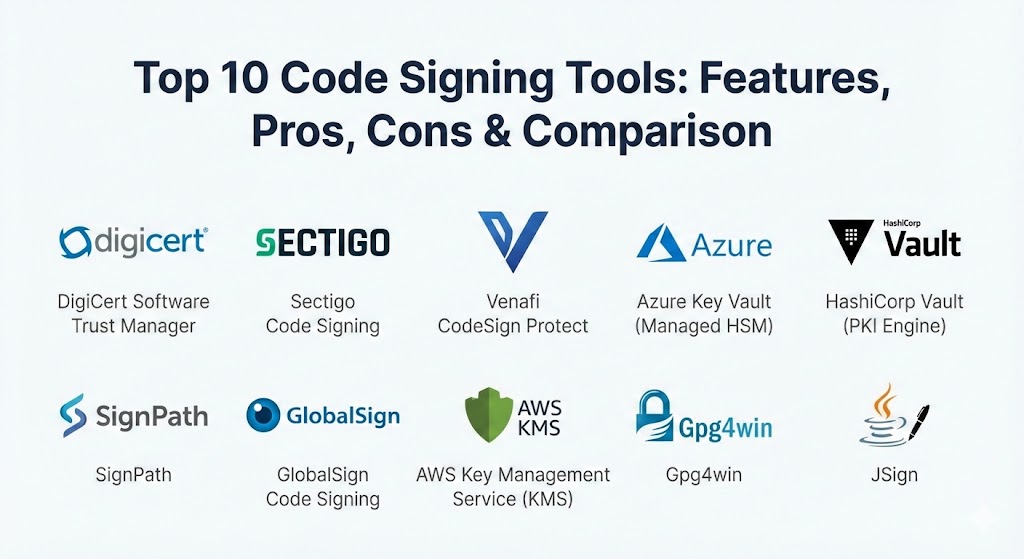
Top 10 Code Signing Tools
1 — DigiCert Software Trust Manager
DigiCert is a titan in the PKI (Public Key Infrastructure) space, and their Software Trust Manager is an enterprise-grade solution part of the DigiCert ONE platform. It is designed to modernize the signing process by moving keys into a secure cloud-based HSM.
- Key Features:
- Keyless Signing: Allows developers to sign code without ever having to download or touch the private key.
- Automated Workflows: Integrates with Jenkins, Azure DevOps, and GitHub Actions.
- Threat Detection: Built-in scanning for malware and vulnerabilities before the signature is applied.
- High-Level Compliance: Native support for FIPS 140-2 Level 3 protection.
- Global Scalability: Capable of handling millions of signatures across distributed global teams.
- Broad Format Support: Handles everything from Windows PE and Java to Docker and Android.
- Pros:
- Provides the highest level of security by removing keys from developer workstations.
- Exceptional centralized management and audit logs for compliance officers.
- Cons:
- The pricing is strictly at the enterprise level, which might be prohibitive for startups.
- The initial setup and configuration of the DigiCert ONE platform can be complex.
- Security & Compliance: SSO integration, AES-256 encryption, SOC 2, ISO 27001, and GDPR compliant. Supports EV certificates.
- Support & Community: 24/7 premium enterprise support; extensive technical documentation and whitepapers; large corporate user community.
2 — Sectigo Code Signing
Sectigo (formerly Comodo CA) offers a versatile and cost-effective code signing service that is highly popular among small to medium businesses and individual developers.
- Key Features:
- Instant Trust: Immediately removes “Unknown Publisher” warnings on Windows and macOS.
- EV Options: Provides Extended Validation (EV) certificates for instant SmartScreen reputation.
- Physical HSM Support: Supports the shipping of physical USB tokens for key storage.
- Multi-Platform Support: Compatible with .exe, .cab, .dll, .ocx, and Java files.
- Time-Stamping Service: Ensures signatures remain valid even after the certificate expires.
- Simple Lifecycle Management: Easy-to-use portal for renewals and re-issuances.
- Pros:
- One of the most affordable options for developers needing professional-grade signatures.
- The validation process is streamlined and relatively quick for standard certificates.
- Cons:
- Lacks some of the advanced cloud-based automation features found in DigiCert.
- Managing physical USB tokens can be a logistical headache for remote teams.
- Security & Compliance: Audit logs, standard PKI encryption, SOC 3, and GDPR compliant.
- Support & Community: Comprehensive knowledge base; ticketing and chat support; large community of small-scale developers.
3 — Venafi CodeSign Protect
Venafi is a leader in machine identity management. CodeSign Protect is their specialized solution aimed at large enterprises that need to secure the entire “signing surface” across a massive organization.
- Key Features:
- Centralized Key Management: Consolidates all code signing keys into a single, secure repository.
- Policy Enforcement: Allows security teams to set strict rules on who can sign what and when.
- Integration with HSMs: Works with existing on-premise HSMs like Thales or Entrust.
- Developer Friction Reduction: Provides a “virtual” local signing experience so developers don’t have to change their habits.
- Full Auditability: Tracks every single signature event across the entire company.
- Cloud and On-Premise: Can be deployed in a variety of infrastructure environments.
- Pros:
- Dramatically reduces the risk of “rogue” signing keys being left on unsecured servers.
- Offers a high degree of flexibility for hybrid-cloud environments.
- Cons:
- Significant architectural overhead; it is a “platform,” not just a tool.
- Requires a high level of PKI expertise to manage effectively.
- Security & Compliance: SSO, FIPS 140-2, SOC 2 Type II, and ISO compliance.
- Support & Community: Top-tier enterprise support; regular “Venafi Warrior” community events and training.
4 — Azure Key Vault (Managed HSM)
For organizations living in the Microsoft cloud, Azure Key Vault provides a highly integrated and secure way to store code signing certificates and keys.
- Key Features:
- Managed HSMs: FIPS 140-2 Level 3 hardware protection for private keys.
- Azure DevOps Integration: Seamlessly signs code during the build pipeline within the Azure ecosystem.
- Granular Access Control: Uses Azure RBAC (Role-Based Access Control) to manage permissions.
- Automatic Renewal: Can be configured to automate the renewal of certificates from supported CAs.
- Audit Logging: Integrated with Azure Monitor and Log Analytics for security monitoring.
- Pros:
- No need to manage physical hardware; everything is software-defined and cloud-native.
- Extremely cost-effective for teams already utilizing Azure for their infrastructure.
- Cons:
- Primarily optimized for the Microsoft ecosystem; using it with other clouds can be cumbersome.
- You must purchase the certificate from a third-party CA as Azure is not a public CA itself.
- Security & Compliance: SOC 1/2/3, ISO, HIPAA, and GDPR compliant. FIPS 140-2 Level 2/3.
- Support & Community: Microsoft Enterprise Support; vast community of Azure developers and documentation.
5 — HashiCorp Vault (PKI Engine)
HashiCorp Vault is the gold standard for secrets management. While often used for passwords, its PKI secrets engine is an excellent tool for managing internal code signing for microservices and CI/CD.
- Key Features:
- Dynamic Short-Lived Certs: Can issue certificates that expire in minutes, reducing the risk of theft.
- API-Driven: Everything is controlled via API, making it the favorite for “Infrastructure as Code” teams.
- Multi-Cloud Native: Runs anywhere—AWS, Azure, GCP, or on-prem.
- Detailed Auditing: Every API call and signature is logged.
- Transit Secret Engine: Can perform cryptographic signing without ever exposing the key.
- Pros:
- Unrivaled for internal developer platform security.
- Allows for massive automation without human intervention.
- Cons:
- Not a public CA; you cannot use it to sign software for public distribution without a root CA.
- Steep learning curve for teams not familiar with the HashiCorp ecosystem.
- Security & Compliance: FIPS 140-2 (Enterprise), SOC 2, and GDPR compliant.
- Support & Community: Extensive open-source community; professional support available via HashiCorp.
6 — SignPath
SignPath acts as a “Signing-as-a-Service” gateway. It doesn’t issue certificates but provides the secure workflow and HSM integration needed to use certificates from any CA safely.
- Key Features:
- Signing Policies: Define workflows that require manual approval for specific releases.
- CI/CD Connectors: Native support for GitHub, GitLab, AppVeyor, and more.
- HSM Abstraction: Connects to Azure Key Vault, AWS KMS, or on-prem HSMs.
- Open Source Friendly: Offers a free tier for qualified open-source projects.
- Origin Verification: Ensures only code from a trusted build server can be signed.
- Pros:
- Provides a clean, specialized UI for signing management that generic vaults lack.
- Bridge the gap between developer speed and security team control.
- Cons:
- It is an additional layer of software to manage on top of your CA and HSM.
- Smaller community compared to the giants like DigiCert.
- Security & Compliance: SOC 2, audit logging, and encryption of all communication.
- Support & Community: High-quality email and ticketing support; focused documentation for DevOps.
7 — GlobalSign Code Signing
GlobalSign is a highly respected Certificate Authority known for its robust identity verification and enterprise-grade code signing certificates.
- Key Features:
- Cloud-Based Signing: A specialized API for high-volume, cloud-native signing.
- Physical Token Support: For traditional “air-gapped” security needs.
- EV and Standard: Full range of certificates for all trust levels.
- Microsoft Signtool Compatible: Works natively with standard Windows developer tools.
- Apple and Android Support: Specialized certificates for mobile ecosystem trust.
- Pros:
- Excellent reputation and widespread recognition by all operating systems.
- Very strong identity verification process, adding a layer of business trust.
- Cons:
- The cloud signing API can be expensive for low-volume users.
- The portal interface can feel slightly dated compared to modern SaaS tools.
- Security & Compliance: ISO 27001, SOC 2, and WebTrust audited. GDPR compliant.
- Support & Community: Dedicated account managers for enterprise clients; multilingual support teams.
8 — AWS Key Management Service (KMS)
AWS KMS allows you to create and manage cryptographic keys, including those used for asymmetric signing, making it a powerful tool for AWS-centric code signing.
- Key Features:
- Asymmetric Key Support: Create RSA and Elliptic Curve keys specifically for signing.
- FIPS 140-2 Level 2/3: Hardware-backed security via AWS managed HSMs.
- CloudTrail Integration: Every key usage is logged for security auditing.
- Lambda Integration: Automate signing processes using serverless functions.
- Multi-Region Keys: Easily sign code across global AWS regions.
- Pros:
- Deeply integrated with the AWS ecosystem (Lambda, EC2, IAM).
- Extremely high availability and reliability backed by Amazon’s infrastructure.
- Cons:
- Like Azure, it is not a CA; it only provides the “keys.”
- Complex to use for signing files that are not already living within AWS.
- Security & Compliance: FedRAMP, HIPAA, SOC, and PCI DSS compliant.
- Support & Community: World-class AWS support and a massive community of cloud engineers.
9 — Gpg4win
Gpg4win is the Windows version of the GnuPG (GPG) suite. It is the primary tool for signing code and files in the open-source world, specifically for those using the PGP/GPG standard.
- Key Features:
- Open Source: Completely free and open for audit.
- Kleopatra: A powerful GUI for certificate and key management.
- S/MIME Support: Can be used for secure email and file signing.
- Command Line Interface: High-level automation for Linux and Windows scripts.
- Local Control: You have 100% control over your keys and where they are stored.
- Pros:
- Zero cost and no vendor lock-in.
- The industry standard for open-source package signing (RPM, DEB).
- Cons:
- Not natively trusted by Windows SmartScreen for .exe files without a cross-certificate from a CA.
- Harder to manage at an enterprise scale across hundreds of developers.
- Security & Compliance: Varies / N/A. Security is as good as the user’s local key management.
- Support & Community: Massive community of enthusiasts; extensive wikis and forums.
10 — JSign
JSign is a specialized, open-source Java implementation of the Microsoft Authenticode tool. It allows developers to sign Windows executables and MSI installers from any platform, including Linux.
- Key Features:
- Platform Independent: Sign Windows apps from a Linux build server without needing Windows.
- Cloud Vault Support: Native integration with Azure Key Vault, Google Cloud KMS, and HashiCorp Vault.
- Ant/Maven/Gradle Plugins: Plugs directly into common Java build systems.
- No Native Dependencies: Runs entirely in the JVM.
- YubiKey Support: Can use physical hardware tokens for signing.
- Pros:
- Essential for Java-based teams and those running Linux-based CI/CD pipelines.
- Completely free and lightweight.
- Cons:
- Lacks a polished GUI; strictly for command-line and build-tool users.
- Narrow focus on specific file types (PE, MSI, AppX).
- Security & Compliance: N/A. Security depends on the backend vault used.
- Support & Community: Active GitHub community and developer-driven documentation.
Comparison Table
| Tool Name | Best For | Platform(s) Supported | Standout Feature | Rating (TrueReviewnow) |
| DigiCert | Global Enterprises | All | Malware scanning before signing | 4.9 / 5 |
| Sectigo | SMBs / Individual Devs | Windows, Java | Very cost-effective standard certs | 4.6 / 5 |
| Venafi | Machine Identity Mgmt | Enterprise (Hybrid) | Signing-as-a-Service Platform | 4.7 / 5 |
| Azure Key Vault | Azure Cloud Native | Azure / Windows | Native Azure RBAC & DevOps | 4.8 / 5 |
| HashiCorp Vault | Internal Dev Platforms | Cross-Platform | Dynamic, short-lived certs | 4.7 / 5 |
| SignPath | Signing Workflows | Win / Cloud | Approved release workflows | 4.5 / 5 |
| GlobalSign | High-Volume Cloud | Cloud / Mobile | High-volume Cloud Signing API | 4.6 / 5 |
| AWS KMS | AWS Cloud Native | AWS Ecosystem | KMS-backed Asymmetric Signing | 4.8 / 5 |
| Gpg4win | Open Source / PGP | Windows | Completely free and open source | 4.4 / 5 |
| JSign | Java / Linux CI/CD | Cross-platform (JVM) | Sign Windows apps from Linux | 4.3 / 5 |
Evaluation & Scoring of Code Signing Tools
| Criteria | Weight | Evaluation Basis |
| Core Features | 25% | HSM support, EV certificate handling, and malware scanning. |
| Ease of Use | 15% | UI quality, setup complexity, and developer friction. |
| Integrations | 15% | Native CI/CD connectors and support for multiple build systems. |
| Security & Compliance | 10% | SOC 2/ISO certs, FIPS 140-2 levels, and audit trail depth. |
| Performance | 10% | Signature speed and uptime of cloud signing services. |
| Support & Community | 10% | Quality of documentation and accessibility of experts. |
| Price / Value | 15% | Total cost of ownership versus security features. |
Which Code Signing Tool Is Right for You?
Solo Users vs SMB vs Mid-Market vs Enterprise
If you are a solo developer or a student, Gpg4win or a standard certificate from Sectigo is the most practical choice. Small to Mid-Market (SMB) companies should look toward SignPath or Azure/AWS managed services, as they provide a good balance of automation without a massive price tag. For Global Enterprises, DigiCert and Venafi are the only tools capable of providing the centralized governance and high-end security required at scale.
Budget-conscious vs Premium Solutions
For the budget-conscious, JSign and Gpg4win are zero-cost software options. However, you will still need to buy the certificate. If you want a Premium Solution, DigiCert Software Trust Manager is the investment that ensures you never have to worry about key theft or compliance failures.
Feature Depth vs Ease of Use
If you prioritize Ease of Use, Sectigo and Azure Key Vault are designed for speed. If you need Feature Depth—such as policy-based approvals, malware scanning, and multi-protocol handling—Venafi and DigiCert provide specialized tools that simpler services lack.
Integration and Scalability Needs
For those running Linux-based build servers (like a Jenkins box), JSign is a must-have. For organizations with thousands of microservices, HashiCorp Vault provides the scalability to issue and sign internal certificates automatically without human intervention.
Frequently Asked Questions (FAQs)
1. What is the difference between a Standard and an EV certificate?
A standard certificate verifies your identity, but an EV (Extended Validation) certificate involves a stricter background check. On Windows, an EV signature gives your software instant reputation, meaning it won’t be blocked by SmartScreen from day one.
2. Can I sign code without a hardware token?
In the past, yes. However, as of late 2023, industry standards (CA/B Forum) require all code signing keys to be stored on FIPS-compliant hardware, either as a physical USB token or a cloud-based HSM.
3. Why do I need a time-stamp with my signature?
A time-stamp proves the code was signed while the certificate was still valid. Without it, your software will stop being trusted the moment your certificate expires.
4. Can I sign a Windows .exe file from a Linux computer?
Yes. Tools like JSign allow you to perform Authenticode signing on Linux, which is essential for modern containerized CI/CD pipelines.
5. Is code signing the same as encryption?
No. Code signing doesn’t hide your code; it just proves who wrote it and that it hasn’t changed. Anyone can still read and run the code.
6. What happens if my private key is stolen?
If a malicious actor gets your key, they can sign malware in your name. You would have to revoke your certificate, and every piece of software you ever signed with that key would become untrusted. This is why HSMs are critical.
7. Can I use a self-signed certificate for public software?
Technically yes, but it is useless. Operating systems will only trust signatures from a Certificate Authority (CA) that they already know and trust. Self-signed certs are only for internal testing.
8. How much does a code signing certificate cost?
Standard certificates range from $200 to $500 per year, while EV certificates usually cost between $400 and $900 per year, depending on the provider.
9. Does code signing affect software performance?
No. The signature check happens only once when the software is first opened or installed. It does not slow down the actual execution of the program.
10. Do I need code signing for open-source software?
While not mandatory, it is highly recommended. It protects your users from “man-in-the-middle” attacks where your downloads might be replaced with malicious versions.
Conclusion
The “best” code signing tool in 2026 is the one that fits seamlessly into your developer’s workflow without compromising on key security. While DigiCert and Sectigo remain the leaders in public trust, cloud-native tools like Azure Key Vault and HashiCorp Vault have redefined how internal signing is handled.
Choosing a code signing tool is ultimately a matter of risk management. If you are a high-volume software vendor, the “premium” cost of an automated, HSM-backed platform is far cheaper than the reputational damage of a stolen key. By moving your keys to the cloud and automating your signing pipelines, you ensure that your code remains as trusted as the day it was written.