Introduction
A Cloud Workload Protection Platform (CWPP) is a specialized security solution designed to protect workloads in hybrid and multi-cloud environments. Unlike traditional antivirus software that secures local endpoints, CWPPs focus on the unique characteristics of cloud computing: high elasticity, ephemeral lifecycles, and diverse architectures. These platforms provide a unified security posture by monitoring and defending workloads regardless of their location, whether they are running on AWS, Azure, Google Cloud, or on-premises data centers.
The importance of CWPP lies in its ability to offer visibility into highly dynamic environments. In a modern DevSecOps pipeline, developers might deploy hundreds of containers daily. Without a CWPP, security teams would be blind to vulnerabilities in those containers or to malicious runtime behavior. Key real-world use cases include automated vulnerability scanning in CI/CD pipelines, runtime threat detection using eBPF technology, and microsegmentation to prevent lateral movement during a breach. When evaluating these tools, users should prioritize visibility depth, runtime protection capabilities, ease of deployment (agentless vs. agent-based), and compliance mapping.
Best for: DevSecOps teams, Cloud Architects, and CISO offices in mid-to-large enterprises. It is essential for industries like fintech, healthcare, and SaaS providers where rapid deployment and strict data residency compliance are non-negotiable.
Not ideal for: Solo users or small businesses with static, low-traffic websites hosted on a single server. In these cases, standard endpoint protection or managed hosting security is often sufficient and more cost-effective.
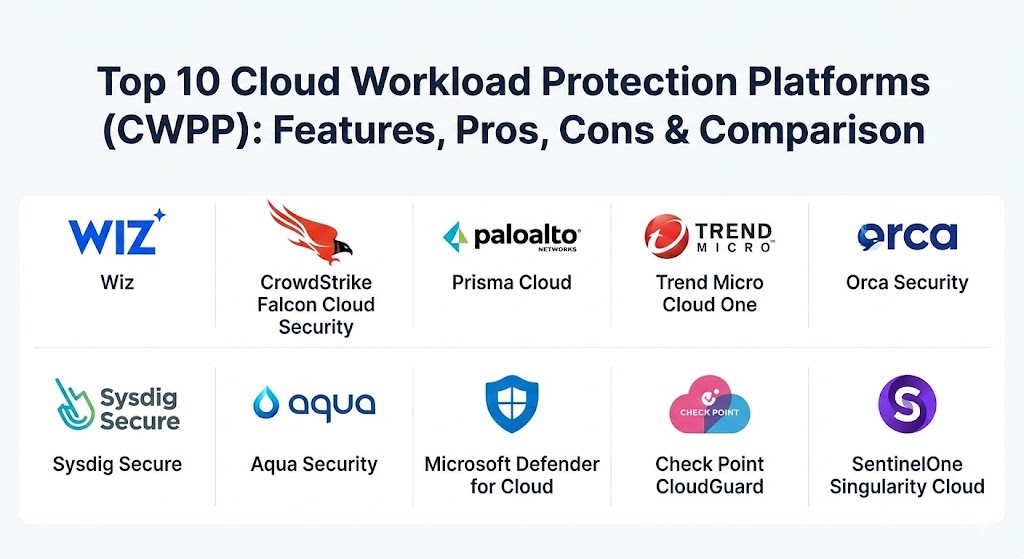
Top 10 Cloud Workload Protection Platforms (CWPP) Tools
1 — Wiz
Wiz has revolutionized the market with its “agentless-first” approach. By using SideScanning technology, it provides deep visibility into cloud workloads without the friction of deploying and maintaining software agents on every single instance.
- Key features:
- SideScanning: Frictionless discovery of vulnerabilities and malware without agents.
- The Wiz Graph: Visualizes “Toxic Combinations” where vulnerabilities and misconfigurations overlap.
- Integrated Runtime Sensor: Real-time threat detection for active attacks.
- Shift-Left Security: Scans IaC templates and container images in development.
- Identity-based Risk Analysis: Maps permissions to find over-privileged workloads.
- Unified Multi-Cloud Dashboard: Support for AWS, Azure, GCP, OCI, and Alibaba Cloud.
- Pros:
- Rapid time-to-value; provides a full environment audit within minutes of connection.
- Significantly reduces alert fatigue by focusing on critical attack paths rather than raw vulnerability counts.
- Cons:
- Premium pricing often places it out of reach for smaller organizations.
- Runtime detection for high-compliance environments may still require their optional sensor for full detail.
- Security & compliance: SOC 2 Type II, HIPAA, GDPR, ISO 27001, and FedRAMP “In Process.” Includes AES-256 encryption for data at rest.
- Support & community: Excellent documentation and onboarding; 24/7 global support and an active “Wiz Community” for sharing security queries.
2 — CrowdStrike Falcon Cloud Security
CrowdStrike leverages its reputation in endpoint security to offer a robust CWPP that uses a single, lightweight agent. It focuses on stoping breaches in real-time by combining high-fidelity telemetry with world-class threat intelligence.
- Key features:
- Unified Agent Architecture: Uses the same Falcon agent for endpoints and cloud workloads.
- Cloud Native Detection and Response (CDR): Real-time behavioral analysis.
- Integrated Threat Intelligence: Automated context on who is attacking and why.
- Container Image Scanning: Identifies vulnerabilities before deployment.
- Managed Threat Hunting: Optional 24/7 monitoring by CrowdStrike’s OverWatch team.
- Kubernetes Admission Controller: Prevents non-compliant containers from running.
- Pros:
- Unmatched runtime protection and response capabilities.
- Consolidation: One agent covers your laptops, servers, and cloud instances.
- Cons:
- Agent deployment can be complex in serverless (Lambda/Fargate) environments.
- The administrative console is powerful but has a steep learning curve for new users.
- Security & compliance: FedRAMP Authorized, SOC 2, GDPR, HIPAA, and PCI DSS compliant.
- Support & community: Industry-leading support; vast knowledge base and the highly active “CrowdStrike Community.”
3 — Palo Alto Networks Prisma Cloud
Prisma Cloud is perhaps the most comprehensive platform on this list, offering a full CNAPP (Cloud Native Application Protection Platform) suite that includes deep CWPP capabilities.
- Key features:
- Deep Runtime Protection: Advanced defense for containers, VMs, and serverless.
- Microsegmentation: Identity-based firewalling to prevent lateral movement.
- Vulnerability Management: Scans registries, hosts, and running workloads.
- WAAP Integration: Web Application and API Protection built into the platform.
- Infrastructure as Code (IaC) Scanning: Finds misconfigurations in Terraform and CloudFormation.
- Automated Compliance: Over 700 pre-built policies for global regulations.
- Pros:
- Breath of features: It is a “one-stop-shop” for almost every cloud security need.
- Excellent for multi-cloud governance at a massive scale.
- Cons:
- High complexity; often requires dedicated personnel to manage effectively.
- Can be expensive due to the modular licensing model.
- Security & compliance: ISO 27001, SOC 2, GDPR, HIPAA, and FIPS 140-2.
- Support & community: Enterprise-grade global support; extensive technical documentation and Palo Alto’s “LIVEcommunity.”
4 — Trend Micro Cloud One
Trend Micro is a veteran in the security space, and Cloud One – Workload Security remains a top choice for organizations with hybrid environments that still include a significant amount of “legacy” on-premise infrastructure.
- Key features:
- Virtual Patching: Uses IPS to shield vulnerabilities before they can be officially patched.
- Anti-Malware and Ransomware Protection: Specifically tuned for server workloads.
- Integrity Monitoring: Detects unauthorized changes to files and registries.
- Log Inspection: Identifies suspicious events in system logs.
- Application Control: Restricts which binaries can execute on a workload.
- Flexible Deployment: Support for very old OS versions that competitors often ignore.
- Pros:
- The best tool for organizations migrating from data centers to the cloud over many years.
- Virtual Patching is a lifesaver for mission-critical apps that cannot be rebooted frequently.
- Cons:
- The interface can feel a bit dated compared to “cloud-native” rivals like Wiz or Orca.
- Agent-heavy approach requires more maintenance for large-scale container fleets.
- Security & compliance: SOC 2, GDPR, HIPAA, PCI DSS, and ISO 27001.
- Support & community: Mature support infrastructure with 24/7 availability and a global network of partners.
5 — Orca Security
Orca is the pioneer of agentless cloud security. Its “SideScanning” technology provides a full-stack audit of your cloud estate by reading the block storage of workloads without running a single line of code inside them.
- Key features:
- Agentless SideScanning: Zero-impact discovery of risk across the tech stack.
- Unified Data Model: Correlates vulnerabilities, malware, and misconfigurations.
- PII Discovery: Automatically finds sensitive data exposed in workloads.
- Attack Path Analysis: Visualizes how an attacker could reach your “Crown Jewels.”
- API Security: Discovers and scans APIs for vulnerabilities.
- Shift-Left Support: Integrated container registry scanning.
- Pros:
- No performance impact: Since there are no agents, it never slows down your apps.
- Fast deployment: You can secure a 1,000-instance environment in under 30 minutes.
- Cons:
- Lacks the deep “active” blocking features found in agent-based tools like CrowdStrike.
- Real-time visibility is limited compared to tools that monitor kernel-level activity.
- Security & compliance: SOC 2 Type II, GDPR, ISO 27001, and HIPAA.
- Support & community: Strong onboarding support; responsive customer success team and a detailed technical library.
6 — Sysdig Secure
Sysdig is the go-to platform for Kubernetes-native security. Built on top of the open-source Falco project, it provides unparalleled visibility into containerized environments.
- Key features:
- Falco-Powered Runtime: Real-time detection of container drifts and suspicious syscalls.
- Vulnerability Prioritization: Uses runtime context to show which vulnerabilities are actually “in use.”
- Kubernetes Posture Management: Ensures K8s clusters follow CIS benchmarks.
- Identity and Entitlement Mgmt (CIEM): Finds over-privileged K8s service accounts.
- Detailed Forensics: Captures system activity before and during a security event.
- Registry and Pipeline Scanning: Security for the entire container lifecycle.
- Pros:
- Best-in-class for Kubernetes; it speaks the language of containers better than anyone.
- “In-use” scanning drastically reduces the list of vulnerabilities developers need to fix.
- Cons:
- Less focus on traditional non-containerized Windows workloads.
- Can generate a high volume of alerts if not tuned correctly.
- Security & compliance: SOC 2, GDPR, HIPAA, and PCI DSS.
- Support & community: Deep roots in the open-source community; active Falco Slack and strong enterprise support.
7 — Aqua Security
Aqua Security is a dedicated cloud-native security provider that focuses on the entire application lifecycle, from the software supply chain to the running workload.
- Key features:
- Supply Chain Security: Scans for vulnerabilities and secrets in code and build pipelines.
- Enforced Runtime Policies: Blocks unauthorized processes or network connections.
- Aqua Enforcer: A specialized agent for granular control in containers and serverless.
- Dynamic Threat Analysis: Runs images in a sandbox to find “hidden” malware.
- Kubernetes Security: Specialized protection for clusters and nodes.
- Compliance Enforcer: Automatically fixes non-compliant workload configurations.
- Pros:
- Extremely granular control; allows for “deny-by-default” security postures.
- Strong focus on the developer experience and CI/CD integration.
- Cons:
- Complexity can be high for teams not familiar with container orchestration.
- Documentation for advanced API integrations can sometimes be outdated.
- Security & compliance: SOC 2, GDPR, HIPAA, PCI DSS, and FIPS 140-2.
- Support & community: Solid enterprise support; active participant in the Cloud Native Computing Foundation (CNCF).
8 — Microsoft Defender for Cloud
For organizations heavily invested in the Microsoft ecosystem, Defender for Cloud is the natural choice. While it is native to Azure, it has expanded to offer robust multi-cloud protection for AWS and GCP.
- Key features:
- Native Integration: One-click enablement for Azure-hosted workloads.
- Multi-Cloud CWPP: Protects VMs, SQL, and containers across clouds.
- Vulnerability Management: Powered by Qualys or Microsoft’s own scanner.
- Regulatory Compliance Dashboard: Tracks posture against Azure Security Benchmark and others.
- Adaptive Network Hardening: AI-driven recommendations for firewall rules.
- IoT Security: Specialized protection for cloud-connected industrial devices.
- Pros:
- Seamless experience for Azure users; no need to manage another vendor.
- Cost-effective for organizations with existing Microsoft enterprise agreements.
- Cons:
- Some advanced features are Azure-only or work better on Azure than on AWS/GCP.
- Can feel like a “walled garden” for those wanting a platform-agnostic approach.
- Security & compliance: FedRAMP, SOC 2, HIPAA, GDPR, and global Microsoft compliance standards.
- Support & community: Backed by the massive Microsoft support machine; extensive documentation and training.
9 — Check Point CloudGuard
Check Point’s CloudGuard offers a highly secure, automated platform that emphasizes prevention. It is well-regarded for its network-centric approach to cloud workload protection.
- Key features:
- Automated Runtime Protection: Uses machine learning to profile “normal” behavior.
- Deep Packet Inspection (DPI): Enterprise-grade firewalling for cloud traffic.
- Serverless Security: Automated protection for Lambda and other functions.
- Workload Posture Mgmt: Continuous assessment of cloud assets.
- Identity-Based Access: Zero Trust controls for workload-to-workload traffic.
- CI/CD Security: Integrated image scanning and security-as-code.
- Pros:
- Superior network security and microsegmentation capabilities.
- Unified management for those already using Check Point for on-prem security.
- Cons:
- The management interface is very complex and can be overwhelming.
- Licensing can be expensive for high-growth, ephemeral environments.
- Security & compliance: Common Criteria, FIPS 140-2, SOC 2, GDPR, and HIPAA.
- Support & community: Global enterprise support with 24/7 availability; “Check Point UserCenter” portal.
10 — SentinelOne Singularity Cloud
SentinelOne brings its autonomous AI engine to the cloud. It focuses on high-speed, automated response, making it ideal for environments where threats move faster than humans can react.
- Key features:
- Autonomous AI: Detects and remediates threats without a cloud connection.
- One-Click Rollback: Automatically reverts malicious changes on a server.
- eBPF-Based Runtime: Lightweight, high-performance monitoring for Linux/K8s.
- Binary Integrity Monitoring: Ensures only authorized code runs.
- Cloud Inventory Discovery: Finds rogue cloud instances and containers.
- Integrated EDR/CDR: Unified view of endpoints and cloud threats.
- Pros:
- Speed: The autonomous engine can stop an attack in seconds.
- Low performance overhead thanks to the eBPF architecture.
- Cons:
- Newer to the cloud space than veterans like Trend Micro or Palo Alto.
- Less focus on deep “Shift-Left” IaC scanning compared to Prisma or Wiz.
- Security & compliance: FedRAMP, SOC 2, HIPAA, GDPR, and PCI DSS.
- Support & community: Fast-growing user base; excellent support ratings and a robust “SentinelOne Partner” ecosystem.
Comparison Table
| Tool Name | Best For | Platform(s) Supported | Standout Feature | Rating (Gartner) |
| Wiz | Multi-cloud Visibility | AWS, Azure, GCP, OCI | The Wiz Graph / Agentless | 4.7 / 5 |
| CrowdStrike Falcon | Runtime Defense | Windows, Linux, K8s | Single Sensor / Threat Intel | 4.6 / 5 |
| Prisma Cloud | Large Enterprises | All Clouds / Hybrid | Full-stack CNAPP Breadth | 4.5 / 5 |
| Trend Micro | Hybrid / Legacy | Windows, Linux, Legacy OS | Virtual Patching | 4.4 / 5 |
| Orca Security | Frictionless Discovery | AWS, Azure, GCP | SideScanning / PII Audit | 4.6 / 5 |
| Sysdig Secure | Kubernetes / DevOps | K8s, Containers, Linux | Runtime “In-Use” Scanning | 4.9 / 5 |
| Aqua Security | Container Lifecycle | K8s, Serverless, Cloud | Supply Chain Protection | 4.4 / 5 |
| MS Defender | Azure-centric Shops | Azure, AWS, GCP | Native Azure Integration | 4.4 / 5 |
| Check Point | Network Security | All Clouds / Serverless | AI-based Traffic Analysis | 4.2 / 5 |
| SentinelOne | Auto-Remediation | Linux, K8s, Windows | Autonomous AI Rollback | 4.6 / 5 |
Evaluation & Scoring of Cloud Workload Protection Platforms (CWPP)
The following rubric is used to evaluate the effectiveness of a CWPP solution based on the 2026 threat landscape.
| Category | Weight | Evaluation Criteria |
| Core Features | 25% | Runtime protection, vulnerability scanning, malware detection, and microsegmentation. |
| Ease of Use | 15% | Deployment speed (agentless vs. agent), UI/UX quality, and “alert noise” reduction. |
| Integrations | 15% | Support for CI/CD pipelines, SIEM/SOAR tools, and all major cloud providers. |
| Security & Compliance | 10% | Breadth of compliance frameworks (SOC 2, HIPAA) and audit reporting depth. |
| Performance | 10% | Resource consumption on workloads and accuracy of detection (low false positives). |
| Support & Community | 10% | Documentation quality, speed of support response, and community resources. |
| Price / Value | 15% | Licensing transparency and ROI based on operational efficiency gains. |
Which Cloud Workload Protection Platforms (CWPP) Tool Is Right for You?
Choosing a CWPP is not a “one-size-fits-all” decision. It requires a deep look at your current architecture and future growth plans.
- Solo Users vs. SMBs: Small businesses should focus on simplicity. Orca Security or Wiz are ideal because they require zero maintenance of agents. If you are already on Azure, Microsoft Defender for Cloud is almost a “no-brainer” for its ease of start.
- Mid-Market vs. Enterprise: Enterprises usually require a more “active” defense. CrowdStrike Falcon or SentinelOne are preferred here because they don’t just find risks—they actively block them.
- Budget-Conscious vs. Premium: If budget is the primary driver, Trend Micro or Microsoft Defender often offer more competitive pricing for existing customers. Prisma Cloud and Wiz are premium solutions but provide deeper insights that can save money by reducing manual security labor.
- Feature Depth vs. Ease of Use: If your team is highly technical and runs massive Kubernetes clusters, Sysdig Secure or Aqua Security offer the depth you need. If you want a dashboard that “just tells you what to fix,” Wiz is the winner.
- Security & Compliance: Organizations in finance or healthcare should look at Prisma Cloud or Trend Micro for their massive library of pre-built compliance templates and legacy OS support.
Frequently Asked Questions (FAQs)
1. What is the difference between CSPM and CWPP?
Cloud Security Posture Management (CSPM) looks at the configuration of your cloud account (e.g., is your S3 bucket public?). CWPP looks at the inside of the workload (e.g., is there a virus running in this container?). Modern platforms usually combine both.
2. Which is better: Agent-based or Agentless?
Agentless (like Wiz/Orca) is better for visibility and ease of deployment. Agent-based (like CrowdStrike/Trend Micro) is better for real-time blocking and deep runtime prevention. Many teams now use a hybrid of both.
3. Does CWPP slow down my applications?
Agentless tools have zero impact. Modern agent-based tools use lightweight technologies like eBPF, which typically consume less than 1% of CPU/RAM, making the impact negligible for most apps.
4. Can CWPP protect serverless functions like AWS Lambda?
Yes. Modern platforms like Aqua and Prisma Cloud have specialized security layers that wrap around serverless functions to monitor their behavior without requiring a traditional agent.
5. How does CWPP help with “Shift-Left”?
Most CWPPs integrate into the CI/CD pipeline to scan container images and code before they are ever deployed to production, catching vulnerabilities at the source.
6. Is CWPP necessary if I have a Cloud Firewall?
Yes. Firewalls only look at network traffic. CWPP looks at processes, file integrity, and vulnerabilities inside the server that a firewall cannot see.
7. Can these tools manage multiple clouds at once?
Yes, all 10 tools on this list are designed to provide a “single pane of glass” view across AWS, Azure, Google Cloud, and often on-premise servers.
8. How do I handle vulnerabilities in third-party libraries?
CWPPs perform Software Composition Analysis (SCA) to identify vulnerabilities in the open-source libraries (like Log4j) that your developers use in their workloads.
9. What is “Virtual Patching”?
Virtual patching uses intrusion prevention (IPS) to block exploit attempts targeting a specific vulnerability, providing protection even if you haven’t had time to update the actual software code.
10. Do these tools support Kubernetes?
Yes. In 2026, Kubernetes support is a standard feature. Tools like Sysdig and Aqua are specifically built with a “K8s-first” mentality.
Conclusion
The cloud is no longer just a place to host applications; it is a complex ecosystem that requires a specialized form of defense. Choosing a Cloud Workload Protection Platform (CWPP) is about balancing the need for speed with the requirement for security. For those seeking immediate visibility and a user-friendly experience, Wiz and Orca represent the modern standard. For those requiring the “last line of defense” and active runtime blocking, CrowdStrike and SentinelOne are unmatched. Ultimately, the best platform is the one that your developers will actually use—because security that is bypassed is no security at all.