Introduction
Cloud Security Posture Management (CSPM) is a specialized category of security tools designed to identify and remediate risks across an organization’s cloud infrastructure. Unlike traditional security measures that focus on the perimeter, CSPM looks inward at the configuration of cloud services themselves. It continuously monitors environments—including Infrastructure-as-a-Service (IaaS), Platform-as-a-Service (PaaS), and Software-as-a-Service (SaaS)—to detect deviations from security best practices and compliance standards.
The importance of CSPM lies in its ability to provide automated, real-time visibility. In a typical multi-cloud setup involving AWS, Azure, and Google Cloud, manual auditing is virtually impossible. CSPM tools automate this process, mapping configurations against frameworks like CIS, HIPAA, and GDPR. Key real-world use cases include identifying publicly accessible storage buckets, detecting suspicious API activity, and ensuring that encryption is enabled for all sensitive data at rest. When evaluating these tools, users should look for agentless scanning (for rapid deployment), context-aware risk prioritization (to reduce alert fatigue), and multi-cloud support (for unified management).
Best for: Security architects, DevOps engineers, and CISO-led teams in mid-to-large-scale enterprises. It is particularly vital for organizations in highly regulated sectors—such as finance, healthcare, and government—that manage massive, dynamic cloud estates.
Not ideal for: Individual developers or very small startups with only a single, simple cloud instance that can be managed using native provider tools (e.g., AWS Trusted Advisor). If your infrastructure is 100% on-premises with no cloud footprint, CSPM is not applicable.
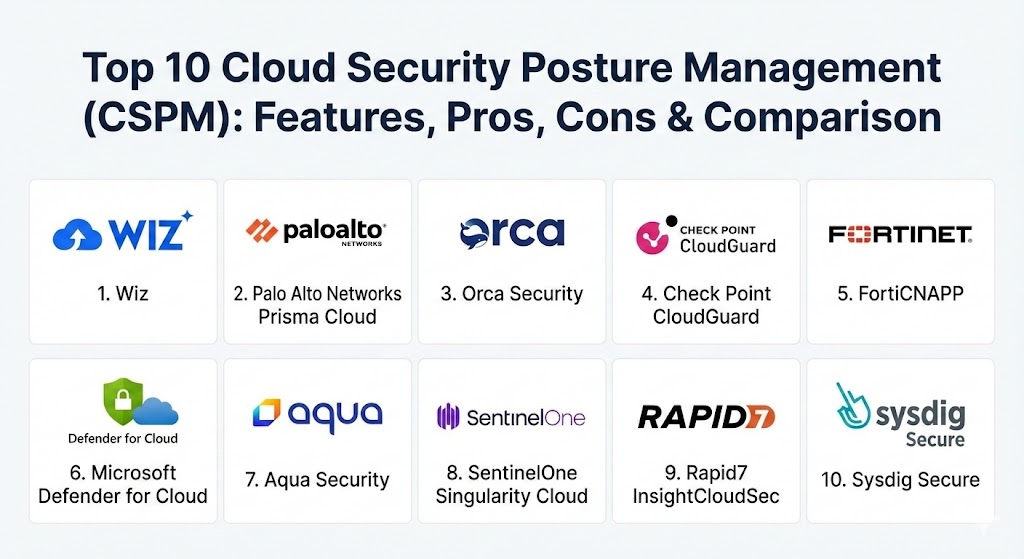
Top 10 Cloud Security Posture Management (CSPM) Tools
1 — Wiz
Wiz has revolutionized the CSPM market with its “agentless-first” philosophy and the Wiz Security Graph. It is designed to give security teams an immediate, bird’s-eye view of their cloud risk without the friction of deploying software on every workload.
- Key features:
- Agentless Scanning: Connects via cloud APIs to scan the entire stack (OS, apps, data) without agents.
- Security Graph: Visualizes complex attack paths by correlating misconfigurations with identities and vulnerabilities.
- AI-SPM: Specific features for governing and securing generative AI and LLM usage in the cloud.
- Wiz Lens: Provides tailored views for different stakeholders (DevOps, Security, GRC).
- Multi-Cloud Support: Unified visibility across AWS, Azure, GCP, OCI, and Alibaba Cloud.
- Vulnerability & Data Security: Integrated DSPM and vulnerability management within the same console.
- Pros:
- Exceptionally fast deployment; teams often see critical risks within minutes of connection.
- Superior risk prioritization that focuses on “explorable” attack paths rather than just high-CVSS scores.
- Cons:
- Premium pricing that can be out of reach for smaller organizations or startups.
- Heavily focused on detection; runtime protection capabilities are still maturing compared to agent-based rivals.
- Security & compliance: SOC 2 Type II, HIPAA, GDPR, PCI DSS, and ISO 27001. Support for SSO and advanced audit logs.
- Support & community: High-quality documentation and a growing “Wiz Academy” for user training; excellent enterprise support.
2 — Palo Alto Networks Prisma Cloud
Prisma Cloud is the most comprehensive Cloud Native Application Protection Platform (CNAPP) on the market. It combines the legacy of Palo Alto’s security expertise with advanced posture management that spans the entire application lifecycle, from “Code to Cloud.”
- Key features:
- Full-Lifecycle Security: Scans Infrastructure-as-Code (IaC) templates before they are deployed.
- Policy Library: One of the industry’s largest sets of pre-built compliance and security policies.
- Threat Detection: Leverages Unit 42 threat intelligence for real-time anomaly detection.
- Identity Security: Integrated CIEM to manage and shrink the cloud identity attack surface.
- Workload Protection: Seamlessly blends CSPM with agent-based runtime security for deep visibility.
- Network Security: Visibility into cloud network traffic and micro-segmentation capabilities.
- Pros:
- Offers the deepest feature set for enterprises that want a single vendor for all things cloud security.
- Exceptional compliance reporting that satisfies the most stringent global auditors.
- Cons:
- The platform is highly complex and usually requires specialized training or dedicated staff to manage.
- Can be more “agent-heavy” than rivals for those who want deep runtime enforcement.
- Security & compliance: FIPS 140-2, FedRAMP, SOC 2, ISO 27001, HIPAA, and GDPR.
- Support & community: Extensive global support network; mature user community and professional services availability.
3 — Orca Security
Orca Security is a pioneer of SideScanning™ technology, which allows the tool to read a cloud workload’s runtime block storage out-of-band. This provides deep visibility into the contents of VMs and containers without any performance impact or agent overhead.
- Key features:
- SideScanning™: Collects data directly from the cloud provider’s API and block storage.
- Contextual Risk Scoring: Ranks alerts by looking at the combination of vulnerability, misconfiguration, and exposure.
- API Security: Automatically discovers and assesses all public-facing APIs for security gaps.
- Malware Detection: Scans for active malware or “leftover” indicators of compromise on workloads.
- Data Discovery: Identifies sensitive PII or secrets (like API keys) stored in insecure locations.
- SaaS Security: Extends posture management to SaaS apps like Slack, GitHub, and Salesforce.
- Pros:
- Total coverage guarantee; if it’s in your cloud, Orca will find it without needing an agent.
- Very user-friendly UI that excels at telling a “story” of how a breach could happen.
- Cons:
- Some enterprise users find the alerting can be noisy if not tuned correctly during onboarding.
- Lacks the deep “inline” network blocking found in more traditional firewall-integrated platforms.
- Security & compliance: SOC 2 Type II, HIPAA, GDPR, and ISO 27001. Data is encrypted in transit and at rest.
- Support & community: Highly responsive customer support; detailed technical documentation and “Cloud Security Camp” for training.
4 — Check Point CloudGuard
CloudGuard is part of Check Point’s Infinity architecture, emphasizing a “prevention-first” approach. It is a favorite for organizations that need to maintain a unified security policy across their local data centers and multi-cloud environments.
- Key features:
- Unified Security Management: Single policy engine for network, workload, and posture security.
- High-Fidelity Posture Management: Real-time visualization of cloud assets and their relationships.
- Automated Remediation: Built-in “CloudBots” that can automatically fix misconfigurations.
- Intelligence-Driven Alerts: Uses behavioral analytics to spot unusual API or account activity.
- Compliance Governance: Broad support for 50+ compliance frameworks with easy reporting.
- Pros:
- Strongest choice for existing Check Point customers who want a single security dashboard.
- Excellent automated remediation workflows that go beyond simple “find and alert.”
- Cons:
- The user interface has been described as “traditional” and can feel clunky compared to modern SaaS rivals.
- Setup and initial configuration can be complex for those unfamiliar with Check Point’s ecosystem.
- Security & compliance: Common Criteria, FIPS 140-2, SOC 2, HIPAA, and GDPR.
- Support & community: Professional enterprise support with 24/7 availability; large global partner network.
5 — Fortinet FortiCNAPP (formerly Lacework)
Following Fortinet’s acquisition of Lacework, FortiCNAPP has become a data-driven powerhouse. It uses machine learning to build a “baseline” of your cloud behavior, automatically flagging anything that deviates from the norm.
- Key features:
- Polygraph® Technology: Automatically maps the behavior of every entity in the cloud to find anomalies.
- Agentless and Agent-based: Offers flexibility depending on the depth of visibility required.
- CI/CD Security: Integrates with developer tools to scan for secrets and vulnerabilities in the pipeline.
- Identity & Entitlement (CIEM): High-resolution view into who (or what) can access specific resources.
- Host & Container Security: Deep monitoring of runtime events for suspicious execution.
- Pros:
- Exceptional at finding “unknown unknowns” because it relies on behavioral baseline rather than just static rules.
- Significantly reduces alert fatigue by grouping related events into a single “incident.”
- Cons:
- The behavioral learning period means the tool isn’t at 100% effectiveness on day one.
- Can be difficult to “force” specific rules if the ML hasn’t identified a behavior as risky yet.
- Security & compliance: ISO 27001, SOC 2, HIPAA, GDPR, and PCI DSS.
- Support & community: Integrated into the broad Fortinet support ecosystem; extensive training via Fortinet Training Institute.
6 — Microsoft Defender for Cloud
For organizations heavily invested in the Azure ecosystem, Defender for Cloud is the natural choice. It provides native CSPM capabilities that are deeply integrated into the Azure portal while also extending coverage to AWS and GCP.
- Key features:
- Native Integration: Zero-click enablement for many Azure services.
- Secure Score: Provides a simple, gamified percentage to track security posture progress.
- Multi-Cloud Connectors: Easily pulls telemetry from AWS Security Hub and GCP Security Command Center.
- Regulatory Compliance Dashboard: Real-time tracking against standards like Azure Security Benchmark and NIST.
- Threat Protection: Integrated security alerts for VMs, SQL databases, and storage accounts.
- Pros:
- Unbeatable “Time to Value” for Azure users; the basic features are often just a toggle away.
- Pricing is flexible, with a “Foundational CSPM” tier that is free for all users.
- Cons:
- Management of AWS and GCP environments can feel like a “second-class” experience compared to Azure.
- Advanced features (like Defender for Containers) can become quite expensive at scale.
- Security & compliance: Meets all major global compliance standards, including FedRAMP, HIPAA, and GDPR.
- Support & community: Massive global support infrastructure; wealth of free documentation and community forums.
7 — Aqua Security
Aqua Security is a specialist in “Cloud Native” security, with a heavy focus on container and Kubernetes environments. It is ideal for organizations that build and run their own microservices-based applications.
- Key features:
- KSPM (Kubernetes SPM): Deep, specialized posture management for K8s clusters and nodes.
- Supply Chain Security: Scans container images and code repositories for vulnerabilities and secrets.
- Runtime Protection: Uses a lightweight enforcer to block unauthorized activities in real-time.
- Agentless Scanning: Offers a “Trivy-powered” scanning engine that is widely respected in the dev community.
- Policy as Code: Allows security teams to define posture rules that developers can test locally.
- Pros:
- The best-in-class choice for organizations that are “Kubernetes-first.”
- Strong developer alignment; the tool feels like it was built for engineers, not just auditors.
- Cons:
- Lacks the broad, general-purpose IT governance features found in tools like Prisma Cloud.
- Can be “overkill” for organizations that mainly use simple cloud VMs or PaaS services.
- Security & compliance: SOC 2, ISO 27001, HIPAA, and GDPR.
- Support & community: Excellent open-source heritage (via Trivy); robust enterprise support and documentation.
8 — SentinelOne Singularity Cloud
SentinelOne has leveraged its leadership in AI-driven endpoint security to create a powerful, context-rich CSPM. It is known for its high-speed detection and the ability to correlate posture data with real-time threat telemetry.
- Key features:
- AI-Powered Graph: Correlates cloud configs with workload runtime data to identify “Exploit Paths.”
- Secret Scanning: Automatically detects hardcoded credentials in code and configurations.
- Vulnerability Management: Agentless scanning across VMs, containers, and serverless functions.
- Cloud Detection & Response (CDR): Actively monitors for signs of a live attack against the cloud control plane.
- Identity Risk: Integrated CIEM to find “Shadow Identities” and excessive permissions.
- Pros:
- The unified agent/agentless approach provides a very complete picture of risk.
- Exceptionally high rating for “Ease of Use” and dashboard clarity.
- Cons:
- As a newer entrant to the CSPM space, some of its deeper governance features are still being built out.
- Pricing is tied to the broader SentinelOne platform, which may not suit “security-tool-agnostic” buyers.
- Security & compliance: SOC 2, HIPAA, GDPR, and FedRAMP authorized.
- Support & community: Industry-leading NPS (Net Promoter Score); very strong support and community presence.
9 — Rapid7 InsightCloudSec
Rapid7’s CSPM solution is built for “Continuous Security.” It is a favorite for mid-market and enterprise organizations that want to bridge the gap between their cloud security and their traditional IT vulnerability programs.
- Key features:
- Automated Remediation: One of the most powerful “no-code” automation engines for fixing issues.
- Infrastructure-as-Code (IaC) Scanning: Finds misconfigurations in Terraform or CloudFormation scripts.
- Multi-Cloud Governance: Strong, consistent visibility across AWS, Azure, GCP, Alibaba, and Oracle.
- Cloud Entitlements: Built-in CIEM to manage the “who, what, and where” of cloud access.
- Layered Compliance: Pre-mapped policies for nearly 100 different global standards.
- Pros:
- The automation engine is highly mature and can significantly reduce the manual workload for security teams.
- Excellent at handling the complexity of large, multi-cloud, multi-tenant environments.
- Cons:
- The interface can be technical and may require a steeper learning curve than Wiz or Orca.
- Some users find the setup of complex automation “bots” can be time-consuming.
- Security & compliance: SOC 2 Type II, ISO 27001, HIPAA, and GDPR.
- Support & community: Very active user community; Rapid7’s customer success teams are highly regarded.
10 — Sysdig Secure
Sysdig is built on the open-source Falco engine, providing a unique focus on runtime security. It is designed for teams that believe “runtime is the only truth” but still need robust posture management to prevent those runtime issues.
- Key features:
- Falco-Based Detection: Industry-standard engine for detecting suspicious activity in containers.
- Agentless CSPM: Rapidly identify misconfigurations and compliance gaps via APIs.
- Attack Path Analysis: Visualizes how an attacker could move from a public IP to your sensitive data.
- Managed Remediation: Provides clear, step-by-step guidance on how to fix posture issues.
- Container & Registry Scanning: Deep inspection of images for vulnerabilities and malware.
- Pros:
- Unrivaled visibility into the “black box” of container runtime.
- Great for teams that want to standardize on open-source standards (Falco) with an enterprise UI.
- Cons:
- Primarily focused on Kubernetes and containers; less “depth” in general-purpose cloud storage or legacy VM configs.
- Runtime focus means you’ll need to deploy agents/enforcers to get the most out of the platform.
- Security & compliance: SOC 2 Type II, ISO 27001, HIPAA, and GDPR compliant.
- Support & community: Huge community support via the Falco project; excellent technical support for enterprise customers.
Comparison Table
| Tool Name | Best For | Platform(s) Supported | Standout Feature | Rating (Gartner/TrueReview) |
| Wiz | Rapid Visibility | Multi-Cloud, Kubernetes | Security Graph / Attack Paths | 4.8 / 5 |
| Prisma Cloud | Full-Stack CNAPP | Multi-Cloud, Hybrid | Code-to-Cloud Security | 4.6 / 5 |
| Orca Security | Agentless Depth | Multi-Cloud, SaaS | SideScanning™ Technology | 4.7 / 5 |
| Check Point | Unified Policies | Multi-Cloud, On-Prem | Prevention-First Automations | 4.5 / 5 |
| FortiCNAPP | Behavior Analysis | Multi-Cloud, Hybrid | Polygraph® Anomaly Detection | 4.5 / 5 |
| MS Defender | Azure-Heavy Orgs | Azure, AWS, GCP | Native Microsoft Integration | 4.5 / 5 |
| Aqua Security | K8s Specialist | Containers, K8s | specialized KSPM / Trivy | 4.6 / 5 |
| SentinelOne | AI-Driven Context | Multi-Cloud, Hybrid | Posture + Runtime Correlation | 4.7 / 5 |
| InsightCloudSec | Automation / SMB | Multi-Cloud, Hybrid | Advanced No-Code Remediation | 4.6 / 5 |
| Sysdig Secure | Container Runtime | Containers, K8s | Falco-Engine Runtime Visibility | 4.7 / 5 |
Evaluation & Scoring of Cloud Security Posture Management (CSPM)
To determine which CSPM tool is right for your organization, it helps to look at the industry standards for evaluation. The following rubric breaks down how these tools are typically weighed during a professional RFP (Request for Proposal) process.
| Category | Weight | Evaluation Criteria |
| Core Features | 25% | Misconfiguration detection, compliance mapping, asset discovery, and remediation. |
| Ease of Use | 15% | Dashboard clarity, quality of visualization, and onboarding time. |
| Integrations | 15% | Native support for major clouds (AWS/Azure/GCP) and CI/CD tools. |
| Security | 10% | Internal security controls, encryption, and compliance certifications (SOC 2). |
| Performance | 10% | Scanning frequency, accuracy (low false positives), and network impact. |
| Support | 10% | Documentation quality, speed of support, and user community resources. |
| Price / Value | 15% | Transparency of pricing and ROI for the specific feature set provided. |
Which CSPM Tool Is Right for You?
Choosing a tool is not about finding the “best” one on paper; it’s about finding the one that fits your technical stack and your team’s culture.
- Solo Users & Small Startups: If you are just starting out and have a small budget, the Foundational CSPM tier of Microsoft Defender for Cloud or the free tier of Prowler (open source) are excellent starting points. They will give you the essential “don’t leave your buckets open” visibility for free.
- Medium-Sized Businesses (SMBs): If you have a small security team that needs to move fast, Wiz or Orca Security are the clear winners. Their “agentless” approach means you don’t need a team of Linux experts to install software everywhere—you just connect the APIs and start fixing.
- Large Multi-Cloud Enterprises: If you manage a complex web of AWS, Azure, and Google Cloud, you need the “Single Pane of Glass” offered by Prisma Cloud or Rapid7 InsightCloudSec. These tools excel at providing a consistent security policy across different cloud vendors.
- Developer-Led/Kubernetes Orgs: If your team lives in Git and deploys thousands of containers daily, Aqua Security or Sysdig will feel more natural. They integrate into the dev workflow better than the “top-down” governance tools.
- Budget-Conscious vs. Premium: If budget is the primary driver, ManageEngine or native provider tools are cost-effective. If visibility and risk reduction are the primary drivers, the premium price tag of Wiz or Prisma Cloud is usually justified by the time saved in incident response.
Frequently Asked Questions (FAQs)
1. What is the difference between CSPM and CWPP?
CSPM looks at the configuration of the cloud (e.g., “is the bucket public?”), while CWPP (Cloud Workload Protection Platform) looks inside the workload (e.g., “is there malware on this server?”). Most modern tools (CNAPPs) now combine both.
2. Does CSPM automatically fix my security holes?
Many tools (like Rapid7 and Check Point) offer automated remediation. However, most teams start by using CSPM in “Alert Only” mode to avoid accidentally breaking a production application with an automated fix.
3. Is CSPM only for AWS, Azure, and Google Cloud?
While those are the “Big Three,” many enterprise CSPMs now support Oracle Cloud (OCI), Alibaba Cloud, IBM Cloud, and even specialized SaaS platforms like Salesforce.
4. How long does it take to implement CSPM?
With agentless tools like Wiz or Orca, you can be up and running in 15–30 minutes. Agent-based tools can take weeks to deploy across a large fleet of servers.
5. Why is “Agentless” scanning a big deal?
Traditional agents can slow down servers and are a nightmare to manage. Agentless scanning uses cloud APIs to “look at” the servers from the outside, providing 100% visibility with 0% impact on the server’s performance.
6. Can CSPM help me pass a HIPAA or PCI audit?
Yes. Most CSPM tools have pre-built “Compliance Dashboards” that map your current cloud status directly to the specific requirements of HIPAA, PCI-DSS, GDPR, and more.
7. What is “Identity Security” (CIEM) in CSPM?
Cloud Infrastructure Entitlement Management (CIEM) tracks which users and service accounts have what permissions. It’s vital because “excessive permissions” is one of the top causes of data breaches in the cloud.
8. Do I still need a firewall if I have CSPM?
Yes. CSPM is for configuration and posture. A firewall is for real-time traffic filtering. They are complementary layers of a “Defense in Depth” strategy.
9. How often does a CSPM tool scan for risks?
Most commercial tools perform a full scan daily and have “Real-Time Event Monitoring” that flags a change (like someone opening a port) within seconds of it happening.
10. What is a “Cloud Native Application Protection Platform” (CNAPP)?
CNAPP is the modern evolution of cloud security. It combines CSPM, CWPP, and CIEM into a single platform so you don’t have to manage three different tools.
Conclusion
The cloud moves too fast for manual security. As we navigate the complex digital landscape of 2026, a Cloud Security Posture Management tool is no longer a luxury—it is a baseline requirement for any business operating in the cloud. Whether you prioritize the rapid visibility of Wiz, the enterprise depth of Prisma Cloud, or the runtime focus of Sysdig, the goal remains the same: eliminating the blind spots before an adversary finds them. The “best” tool is the one that empowers your team to fix the most critical risks with the least amount of friction.