Introduction
Cloud Identity Security Tools are sophisticated software solutions designed to manage, govern, and protect digital identities across cloud and hybrid environments. At their core, these tools encompass Identity and Access Management (IAM), Customer Identity and Access Management (CIAM), and Identity Governance and Administration (IGA). They ensure that the right individuals have the right access to the right resources at the right time—and for the right reasons.
In 2026, these tools are more than just “password managers” for businesses. They are the central nervous system of a Zero Trust architecture. With 82% of data breaches involving some form of identity compromise (such as phishing or credential stuffing), robust identity security is the only way to prevent unauthorized lateral movement within a network. Key real-world use cases include automating the “joiner-mover-leaver” process (lifecycle management), enforcing phishing-resistant Multi-Factor Authentication (MFA), and providing “Just-in-Time” privileged access to sensitive servers. When evaluating these tools, organizations must look for high integration density, AI-powered anomaly detection, ease of end-user adoption, and strictly enforced compliance reporting.
Best for: Security architects, IT administrators, and compliance officers in mid-to-large enterprises. It is particularly vital for organizations in highly regulated sectors like finance, healthcare, and government, as well as tech companies managing complex SaaS portfolios and remote-first workforces.
Not ideal for: Micro-businesses or hobbyists with fewer than 10 employees where basic built-in directory services (like the free tier of Google Workspace) suffice. It is also not a replacement for physical security or endpoint protection; rather, it is one piece of a broader security puzzle.
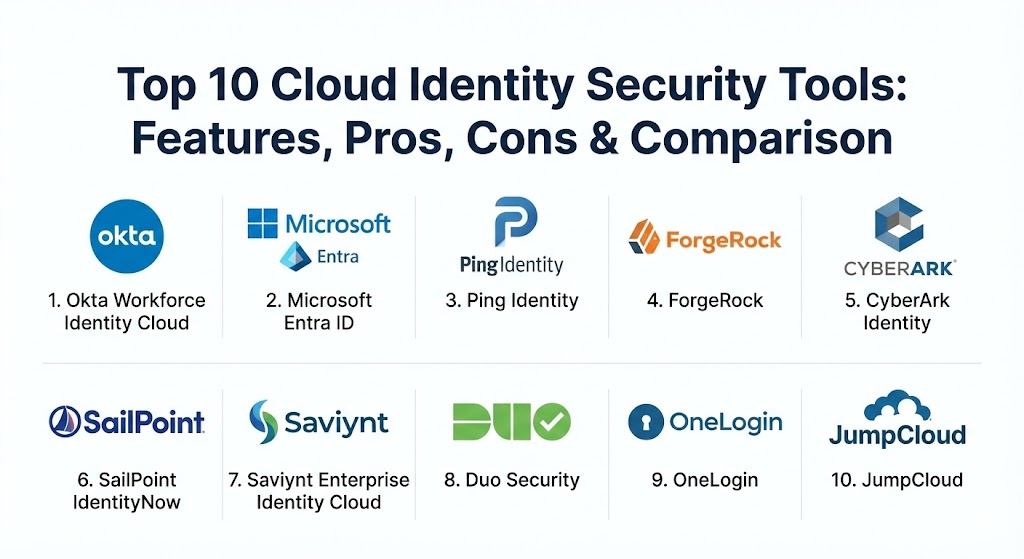
Top 10 Cloud Identity Security Tools
1 — Okta Workforce Identity Cloud
Okta remains the heavyweight champion of the independent identity market. As a cloud-native platform, it is designed to be the “neutral” glue that connects any user to any application, regardless of the underlying cloud provider.
- Key features:
- Single Sign-On (SSO): Access to 8,000+ pre-built integrations in the Okta Integration Network.
- Adaptive MFA: Risk-based authentication that triggers extra challenges only when a login looks suspicious.
- Universal Directory: A single source of truth for all users, including employees, contractors, and partners.
- Lifecycle Management: Automates the provisioning and de-provisioning of users based on HR data.
- Identity Threat Protection: AI-driven detection that can terminate sessions in real-time if a risk is detected.
- Workflows: A no-code automation engine for complex identity logic (e.g., notifying Slack when a user is offboarded).
- Pros:
- Industry-leading integration ecosystem; if an app exists, Okta probably supports it.
- Exceptional user experience (UX) for both admins and end-users.
- Cons:
- Can be significantly more expensive than “bundled” options like Microsoft Entra ID.
- Recent high-profile breaches at the vendor level have made some customers more cautious.
- Security & compliance: SOC 2 Type II, HIPAA, GDPR, FedRAMP High, and ISO 27001/27017/27018.
- Support & community: Extensive documentation, “Okta University” certifications, and a massive global user community.
2 — Microsoft Entra ID
Formerly known as Azure Active Directory, Microsoft Entra ID is the default choice for the millions of organizations living within the Microsoft 365 and Azure ecosystem. It has evolved into a comprehensive identity suite that covers everything from basic SSO to complex infrastructure permissions.
- Key features:
- Conditional Access: Powerful policy engine to allow or block access based on location, device health, and risk.
- Privileged Identity Management (PIM): Provides temporary, “just-in-time” admin rights to reduce the attack surface.
- Passwordless Authentication: Support for Windows Hello for Business, FIDO2 keys, and Microsoft Authenticator.
- Identity Governance: Automated access reviews and entitlement management.
- Microsoft Entra Verified ID: A decentralized identity service based on open standards.
- B2B/B2C Collaboration: Securely invite external guests to collaborate on your resources.
- Pros:
- Deep, native integration with Windows, Office 365, and Azure.
- Often “free” or heavily discounted for organizations already paying for high-tier Microsoft licenses.
- Cons:
- The administrative interface is notoriously complex and changes frequently.
- Integrating non-Microsoft apps or legacy systems can sometimes be more clunky than in Okta.
- Security & compliance: FIPS 140-2, SOC 1/2/3, ISO 27001, HIPAA, and GDPR.
- Support & community: Massive documentation library; support is bundled with general Microsoft Enterprise support.
3 — Ping Identity
Ping Identity is the preferred choice for large, complex enterprises that need to bridge the gap between ancient on-premises legacy systems and modern cloud applications. It offers extreme flexibility in how it is deployed.
- Key features:
- PingFederate: A high-performance federation server for complex SSO scenarios.
- PingOne: A cloud-based platform for MFA, SSO, and identity orchestration.
- DaVinci: A visual identity orchestration engine that lets you “drag and drop” user journeys.
- PingDirectory: A highly scalable directory capable of storing hundreds of millions of identities.
- API Security: Specialized protection for identities accessing sensitive APIs.
- Pros:
- Highly customizable; can handle unique “edge case” configurations that would break other tools.
- Excellent support for hybrid environments (on-prem + cloud).
- Cons:
- Higher learning curve due to the sheer number of configuration options.
- Managing separate components (like PingFederate and PingAccess) can be a headache compared to a unified SaaS.
- Security & compliance: SOC 2, ISO 27001, HIPAA, and GDPR compliant.
- Support & community: Strong professional services and a dedicated “Ping Identity Support” portal with deep technical guides.
4 — ForgeRock (Part of Ping Identity)
ForgeRock (which recently merged with Ping Identity) is a powerhouse in the Customer Identity (CIAM) space. It is designed to handle the massive scale and unique branding requirements of consumer-facing applications.
- Key features:
- Intelligent Access Trees: A visual way to design complex authentication flows (e.g., social login -> email verification -> MFA).
- Identity Governance: Full lifecycle management and compliance reporting.
- DevOps Ready: Can be deployed as containers on Kubernetes for modern application stacks.
- Scale: Capable of managing billions of identities for global brands.
- AI-Powered Fraud Detection: Identifies bot attacks and account takeovers during the login process.
- Pros:
- The most flexible platform for building custom “branded” user experiences.
- “Deploy anywhere” philosophy: cloud, on-prem, or hybrid.
- Cons:
- Implementation typically requires specialized developers or expensive consultants.
- Licensing costs can be prohibitively high for mid-market companies.
- Security & compliance: SOC 2, HIPAA, GDPR, and ISO 27001.
- Support & community: Excellent documentation but smaller community compared to Okta or Microsoft.
5 — CyberArk Identity
CyberArk built its reputation on Privileged Access Management (PAM), and its Identity platform brings that “security-first” mindset to every user in the organization.
- Key features:
- Identity Security Intelligence: Uses machine learning to detect anomalous behavior in real-time.
- Privileged Access Manager (PAM) Integration: Seamlessly connect workforce identities to high-value vault accounts.
- App Gateway: Secure access to on-premises apps without needing a VPN.
- Shared Account Management: Securely manage passwords for social media or corporate accounts shared by a team.
- Endpoint Identity: Strong authentication for the desktop login itself.
- Pros:
- Unrivaled for organizations that prioritize the protection of “admin” and “privileged” accounts.
- Strong “Zero Trust” focus that integrates well with their industry-leading PAM suite.
- Cons:
- The user interface for administrators can feel more “utilitarian” and less modern than competitors.
- Can be overkill for organizations with low-security requirements.
- Security & compliance: SOC 2, HIPAA, ISO 27001, and FedRAMP authorized.
- Support & community: High-quality enterprise support; the “CyberArk Commons” is an active tech community.
6 — SailPoint IdentityNow
While other tools focus on how you log in, SailPoint focuses on who should have access in the first place. It is the gold standard for Identity Governance and Administration (IGA).
- Key features:
- Access Certifications: Automates the “manager review” process to ensure users still need the access they have.
- AI-Driven Access Recommendations: Tells admins which permissions are “safe” to grant based on peer behavior.
- Separation of Duties (SoD): Prevents fraud by ensuring one person can’t both “request” and “approve” a payment.
- Lifecycle Management: Deep connectivity into HR systems like Workday and SAP.
- Risk Scoring: Assigns a “governance score” to every user to help prioritize security audits.
- Pros:
- Best-in-class for compliance and passing “user access” audits.
- AI features genuinely reduce the “certification fatigue” that plagues IT teams.
- Cons:
- Not a standalone SSO/MFA provider; usually needs to be paired with Okta or Entra ID.
- Implementation is a major project that often takes months of planning.
- Security & compliance: SOC 2 Type II, GDPR, HIPAA, and ISO 27001.
- Support & community: Robust training through “SailPoint University” and a very mature partner ecosystem.
7 — Saviynt Enterprise Identity Cloud
Saviynt is a cloud-native challenger to SailPoint that offers a more unified “Identity-as-a-Service” (IDaaS) experience, combining governance, privileged access, and cloud security.
- Key features:
- Unified Governance: Manage workforce, customers, and “non-human” identities (bots) in one place.
- Cloud Privileged Access Management (CPAM): Just-in-time access for AWS, Azure, and GCP workloads.
- External Identity Management: Specialized workflows for managing suppliers and vendors.
- Intelligent Analytics: Detects over-privileged accounts and “dormant” identities that haven’t been used in 90 days.
- Pros:
- Modern, cloud-first architecture that is faster to deploy than legacy governance tools.
- Excellent at managing identities across multi-cloud infrastructure (CIEM).
- Cons:
- The administrative interface has a learning curve due to the breadth of features.
- Customer support responsiveness is occasionally cited as an area for improvement by users.
- Security & compliance: SOC 2, HIPAA, GDPR, and FedRAMP Moderate.
- Support & community: Solid documentation and a growing user base, particularly in the enterprise sector.
8 — Duo Security (Cisco)
Duo is the “easy button” for identity security. Owned by Cisco, it focuses on making Multi-Factor Authentication (MFA) and Trusted Access as frictionless as possible for the end-user.
- Key features:
- Duo Push: The gold standard for user-friendly smartphone-based authentication.
- Device Trust: Checks the security posture of a laptop (e.g., is encryption on?) before allowing a login.
- Duo Central: A simple, secure portal for all your SSO-enabled applications.
- Passwordless: Biometric-based login using TouchID, FaceID, or Windows Hello.
- Verified Push: Prevents “MFA Fatigue” attacks by requiring a code to be entered during the push prompt.
- Pros:
- Higher user adoption rates than almost any other security tool because it is so easy to use.
- Incredible ease of deployment; you can be up and running in a few hours.
- Cons:
- Lacks the deep “identity governance” and “lifecycle management” of a full IAM suite.
- More expensive than basic MFA options bundled with other services.
- Security & compliance: SOC 2, ISO 27001, HIPAA, and GDPR compliant.
- Support & community: Phenomenal documentation and “Duo Care” premium support options are available.
9 — OneLogin (by One Identity)
OneLogin is a streamlined, mid-market alternative to Okta. It offers a “single pane of glass” for access management with a focus on fast integration and ease of management.
- Key features:
- SmartFactor Authentication: Uses machine learning to adjust authentication requirements based on real-time risk.
- Active Directory Connector: High-speed, real-time sync with on-premises directories.
- OneLogin Desktop: Enrolls and secures the actual laptop or PC into the identity perimeter.
- App Catalog: Thousands of pre-integrated apps for instant SSO deployment.
- Pros:
- Very competitive pricing for mid-sized organizations.
- Simpler to manage than the “enterprise” giants, making it ideal for smaller IT teams.
- Cons:
- Has suffered from fewer innovations in the “Identity Governance” space compared to rivals.
- Limited offline/on-premise deployment options.
- Security & compliance: SOC 2 Type II, ISO 27001, HIPAA, and GDPR.
- Support & community: Good documentation and responsive support, though less “self-service” than Okta.
10 — JumpCloud
JumpCloud is unique in that it offers an “Open Directory” platform. It combines identity management with device management (MDM), making it a “one-stop shop” for IT teams managing a fleet of Mac, Windows, and Linux machines.
- Key features:
- Cloud Directory: A cloud-native alternative to Microsoft’s legacy Active Directory.
- Device Management (MDM): Push policies and security settings to employee laptops remotely.
- Cloud RADIUS & LDAP: Securely connect WiFi, VPNs, and legacy applications.
- JumpCloud Go: A phishing-resistant, hardware-protected login experience.
- Unified Console: Manage users, their devices, and their access from a single screen.
- Pros:
- The absolute best value for startups and SMBs that need both IAM and MDM.
- Eliminates the need for on-premises servers entirely.
- Cons:
- Lacks the extreme “governance” depth (like SailPoint) needed by global banks.
- The integration library, while good, is smaller than Okta’s.
- Security & compliance: SOC 2 Type II, HIPAA, and GDPR.
- Support & community: Very helpful community forum and excellent “JumpCloud University” training.
Comparison Table
| Tool Name | Best For | Platform(s) Supported | Standout Feature | Rating (Gartner/TrueReview) |
| Okta | Any Enterprise | Cloud, Hybrid, Mobile | 8,000+ App Integrations | 4.5 / 5 |
| Microsoft Entra | Microsoft Users | Azure, M365, Cloud | Conditional Access Logic | 4.5 / 5 |
| Ping Identity | Complex Hybrid IT | On-prem, Cloud, Edge | DaVinci Orchestration | 4.4 / 5 |
| ForgeRock | High-Scale CIAM | DevOps, Multi-Cloud | AI Fraud Detection | 4.3 / 5 |
| CyberArk | Privileged Security | Hybrid, Endpoint | Integrated PAM Controls | 4.7 / 5 |
| SailPoint | IGA & Compliance | Cloud-native (SaaS) | AI Access Certification | 4.5 / 5 |
| Saviynt | Multi-Cloud IGA | Cloud (AWS/Azure/GCP) | CIEM Visibility | 4.4 / 5 |
| Duo Security | Frictionless MFA | Multi-platform | Best-in-class UX/Push | 4.6 / 5 |
| OneLogin | Mid-Market SSO | Cloud-based | SmartFactor Auth | 4.3 / 5 |
| JumpCloud | Startups & SMBs | Windows, Mac, Linux | Unified IAM + MDM | 4.7 / 5 |
Evaluation & Scoring of Cloud Identity Security Tools
To arrive at these rankings, we evaluated the tools based on the following weighted scoring rubric, reflecting the priorities of modern security leaders.
| Category | Weight | Evaluation Criteria |
| Core Features | 25% | SSO, MFA, Directory services, and lifecycle automation. |
| Ease of Use | 15% | Admin interface clarity and end-user friction levels. |
| Integrations | 15% | Number of pre-built app connectors and API flexibility. |
| Security & Compliance | 10% | Encryption, MFA strength, and regulatory certifications (SOC2/GDPR). |
| Performance | 10% | Login speed, uptime (SLAs), and global scalability. |
| Support & Community | 10% | Documentation, training, and customer service responsiveness. |
| Price / Value | 15% | Feature set relative to license cost and TCO (Total Cost of Ownership). |
Which Cloud Identity Security Tool Is Right for You?
Solo Users vs. SMB vs. Mid-Market vs. Enterprise
- Solo/Freelancers: You don’t need these. Use a reputable password manager and built-in hardware keys.
- SMBs (1-100 employees): JumpCloud is the clear winner here because it handles your users AND your laptops in one bill. Duo is a great “add-on” if you just need safe MFA for a legacy VPN.
- Mid-Market (100-1,000 employees): Okta or OneLogin are the sweet spots. They scale with you and don’t require a 5-person team just to manage the settings.
- Large Enterprise (1,000+ employees): Microsoft Entra ID is likely your backbone, but you may need SailPoint for compliance or Ping Identity for those 20-year-old internal servers that refuse to die.
Budget-Conscious vs. Premium Solutions
If “low cost” is the goal, Microsoft Entra ID is often the winner because you are likely already paying for it. However, “cheap” isn’t always “better.” Okta is premium-priced, but its ease of use often saves money in reduced IT support tickets.
Feature Depth vs. Ease of Use
If you want the most “powerful” tool possible, Ping Identity or SailPoint are the choices. But if you want a tool that your employees won’t hate using every morning, Duo Security and Okta are the undisputed champions of user experience.
Integration and Scalability Needs
For 100% cloud-native startups, Okta or JumpCloud are perfect. If you have global data centers and “weird” legacy infrastructure, Ping is your only real choice for a smooth integration.
Frequently Asked Questions (FAQs)
1. What is the difference between IAM and IGA? IAM (Identity and Access Management) is the “door”—it lets you in and tells you what you can touch. IGA (Identity Governance and Administration) is the “auditor”—it checks every few months to make sure you should still have that key and logs who gave it to you.
2. Is Multi-Factor Authentication (MFA) actually enough? In 2026, basic SMS-based MFA is no longer enough because of “SIM swapping.” You should look for tools that support “phishing-resistant” MFA like FIDO2 keys (YubiKeys) or “Verified Push.”
3. Why do I need a tool if my apps already have passwords? Managing 50 different passwords for 50 different apps is a security nightmare. A cloud identity tool provides a “Single Sign-On” (SSO), so users only have to remember one really secure thing, and IT can “kill the access” to all 50 apps with one click when someone leaves the company.
4. Can these tools manage my social media accounts? Yes. Tools like CyberArk Identity and OneLogin have “shared account” modules that allow a marketing team to log into Instagram or Twitter without ever actually knowing the password.
5. How do these tools handle “shadow IT”? Many modern identity tools can scan your network to see which cloud apps employees are logging into using their corporate email, allowing IT to “bring them into the fold” and secure them.
6. What is “Just-in-Time” access? It’s like a temporary pass. Instead of an admin having power 24/7, they only get it when they need to do a specific task. Once the task is done, the permission vanishes. Tools like Microsoft Entra PIM and CyberArk excel at this.
7. Do these tools work offline? Most identity tools require a cloud connection. However, endpoint tools like Duo and Okta Verify can provide offline “one-time codes” to get into your laptop even without WiFi.
8. What is a “non-human identity”? This refers to bots, scripts, or service accounts. In 2026, there are often more “bots” accessing data than humans. Tools like Saviynt and CyberArk are specifically designed to secure these “invisible” users.
9. How does AI help in identity security? AI can notice that Bob is logging in from London at 2:00 PM, but Bob was just in New York at 10:00 AM. Since Bob can’t fly that fast, the AI automatically blocks the login.
10. Are these tools difficult to implement? Basic SSO and MFA can be set up in a day. Deep governance and full lifecycle automation for a global enterprise can take months. Start small and “layer” your security over time.
Conclusion
The cloud identity security landscape in 2026 is no longer about “restricting” users—it’s about enabling them to work safely from anywhere. Choosing the right tool isn’t about finding the one with the longest feature list; it’s about finding the one that fits your company’s culture and technical reality. Whether you choose the massive ecosystem of Okta, the seamless integration of Microsoft Entra ID, or the user-friendly simplicity of Duo, remember that the “best” security is the one that actually gets used.
Cloud identity security is now the “central nervous system” of Zero Trust. The contrast between Okta’s massive app ecosystem and Ping’s legacy-to-cloud flexibility highlights the shift toward specialized, phishing-resistant access. This guide is a solid resource for maintaining strict identity control without sacrificing user experience.