Introduction
A Classroom Interactive Whiteboard is a large, touch-sensitive display that functions as a giant tablet or computer screen. It allows educators and students to interact directly with digital content using their fingers or specialized styluses. These boards typically feature high-definition (4K) resolution, multi-touch capabilities, and integrated software suites designed specifically for lesson delivery, assessment, and creative collaboration. By connecting to the internet and cloud-based Learning Management Systems (LMS), these boards become the gateway to a global library of educational resources.
The importance of these tools lies in their ability to foster multimodal learning. Students who learn visually, kinesthetically, or auditorily all find value in an interactive display. Key real-world use cases include gamified mathematics competitions, virtual field trips via high-definition video, real-time digital annotation over historical documents, and the ability to record lessons for students who are absent. When evaluating these boards, buyers should look for high touch-point counts (for group work), seamless casting from mobile devices, robust security protocols to protect student data, and a software ecosystem that doesn’t require a computer science degree to operate.
Best for: K-12 school districts, higher education lecture halls, corporate training centers, and specialized educational institutions (like language schools) that want to maximize student engagement and streamline lesson planning through digital integration.
Not ideal for: Ultra-low-budget environments where a basic projector and a standard white wall provide sufficient utility, or very small tutoring spaces where a high-end tablet or laptop with an external monitor might be a more space-efficient and cost-effective solution.
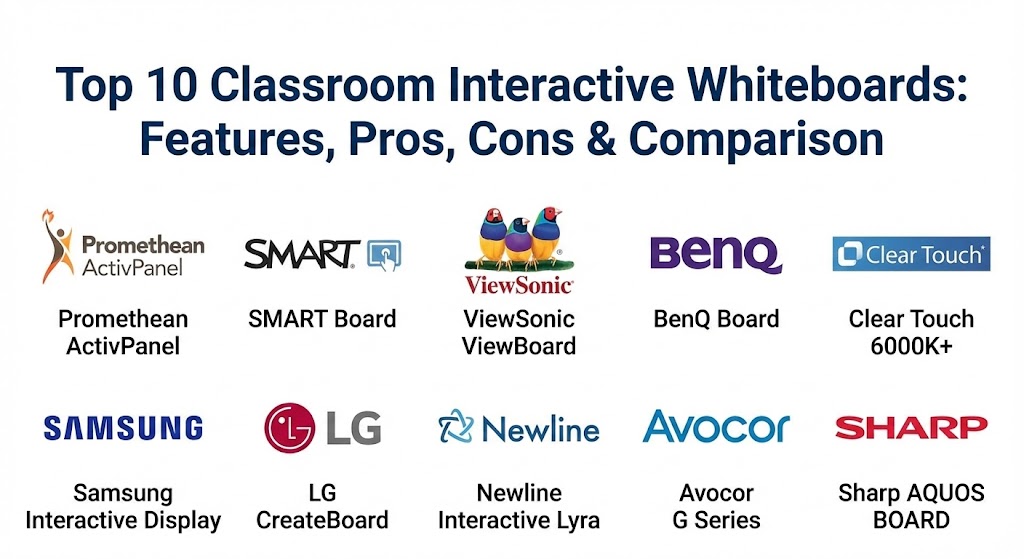
Top 10 Classroom Interactive Whiteboards
1 — Promethean ActivPanel 9
The Promethean ActivPanel 9 is widely considered the gold standard in the EdTech industry. Designed by teachers for teachers, it focuses on providing a natural writing experience and a seamless connection to the cloud, making lesson preparation effortless.
- Key features:
- ActivSync technology that allows for seamless connection between the panel and the teacher’s device.
- Vellum touch technology for high-precision, lag-free writing and drawing.
- Integrated microphone array for capturing clear audio during hybrid or recorded lessons.
- A massive library of pre-made, interactive lessons through the Promethean Resource Center.
- Multi-user login profiles that allow teachers to access their specific settings on any board in the building.
- USB-C connectivity with 65W power delivery for single-cable charging and data transfer.
- Pros:
- The most teacher-centric software ecosystem (Explain Everything and ActivInspire) in the market.
- Exceptional build quality designed to withstand the rigors of a K-12 environment.
- Cons:
- Premium pricing that may be prohibitive for smaller private schools.
- The software suite has a learning curve for educators transitioning from traditional methods.
- Security & compliance: Features SSO (Single Sign-On) integration, encrypted data transmission, and is GDPR and HIPAA compliant.
- Support & community: Extensive online training through “Promethean Academy,” a massive global user community, and dedicated enterprise-level on-site support.
2 — SMART Board 6000S Series
SMART Technologies practically invented the interactive whiteboard, and their 6000S series remains a powerhouse. It is best known for its “Object Awareness” feature, which automatically detects if you are using a pen, a finger, or a palm.
- Key features:
- iQ Android-based computing that allows the board to function without being connected to an external computer.
- Tool Explorer technology that recognizes physical blocks and tools placed on the screen.
- Integrated proximity sensors that wake the board up when a teacher walks into the room.
- HyPr Touch with InGlass technology for the highest level of touch accuracy.
- SMART Notebook software, the industry’s most established lesson creation platform.
- Direct integration with Google Drive and Microsoft OneDrive.
- Pros:
- Unrivaled “ease of use” thanks to the board’s ability to distinguish between tools automatically.
- Access to the SMART Exchange, a repository of millions of teacher-created lessons.
- Cons:
- Maintenance of the SMART Learning Suite subscription can be an ongoing cost.
- Hardware is significantly heavier than some modern competitors, requiring sturdy mounting solutions.
- Security & compliance: SOC 2 compliant, features secure user profiles, and supports WPA2-Enterprise Wi-Fi security.
- Support & community: Decades of documentation, an enormous “SMART Exemplary Educator” community, and robust global technical support.
3 — ViewSonic ViewBoard IFP50 Series
ViewSonic has carved out a massive market share by offering high-performance interactive displays that are highly compatible with existing IT infrastructures, especially those relying on the Google ecosystem.
- Key features:
- myViewBoard software suite, which provides a secure, cloud-based digital whiteboarding experience.
- Ultra Fine Touch technology with up to 40 touch points for massive group collaboration.
- Integrated soundbar and subwoofer for a cinema-like audio experience in the classroom.
- SmartPort USB that allows front-facing ports to work across all input sources.
- Remote management software (ViewSonic Manager) for IT admins to update all boards simultaneously.
- Anti-flicker and blue light filter technology to protect student eyesight.
- Pros:
- Excellent value-for-money, often beating competitors on price without sacrificing hardware specs.
- The myViewBoard ecosystem is incredibly versatile and works well on tablets and PCs as well as the board.
- Cons:
- The Android interface can occasionally feel less intuitive than the custom OS used by Promethean.
- Internal storage on base models can be limiting for high-resolution video content.
- Security & compliance: HIPAA and GDPR compliant; uses AWS-based cloud security for its software ecosystem.
- Support & community: High-quality YouTube tutorials, responsive customer service, and an easy-to-navigate documentation portal.
4 — BenQ Board RP03 Series
BenQ is the leader in “Classroom Care,” focusing heavily on the physical health of students and teachers. Their boards are famous for being the first to feature germ-resistant screens and air quality sensors.
- Key features:
- SIAA-certified germ-resistant screens and styluses coated with nano-ionic silver.
- Built-in CO2 and formaldehyde sensors that alert teachers when the room needs ventilation.
- Duo Windows mode, allowing teachers to run two apps side-by-side (e.g., a video and a whiteboard).
- NFC sensor for instant “Tap-and-Teach” login to personal cloud storage.
- Built-in 2x16W speakers and an 8-microphone array for superior hybrid learning.
- Zero-bonding technology that reduces the gap between the glass and the LCD for a better writing feel.
- Pros:
- The best choice for schools prioritizing student health and wellness.
- NFC login is a major time-saver for teachers moving between different classrooms.
- Cons:
- The software ecosystem is slightly less robust than SMART or Promethean.
- Air sensors require occasional calibration to maintain accuracy.
- Security & compliance: GDPR compliant, supports SSO, and features McAfee-powered antivirus protection on the board.
- Support & community: Excellent regional support and a growing library of “BenQ Academy” training materials.
5 — Clear Touch 6000K+ Series
Clear Touch is a US-based company that prides itself on creating a hardware-agnostic experience. Their boards are designed to work with whatever software your school already uses, from Google to Microsoft.
- Key features:
- PC Module (OPS) slots that allow the board to run a full version of Windows 11 directly.
- Collage software for wireless casting of up to six devices at once.
- Chorus software for high-level lesson creation without subscription fees.
- Command center for IT departments to send emergency alerts to all boards.
- Energy-efficient design with automatic power-off and low-heat output.
- No recurring software fees, which is a significant differentiator.
- Pros:
- The total cost of ownership (TCO) is lower due to the lack of software subscriptions.
- Unmatched flexibility—it acts like a giant Windows PC rather than a locked-down tablet.
- Cons:
- The physical design is more utilitarian and less “sleek” than Samsung or LG.
- Requires an OPS module to get the full experience, which increases the initial hardware cost.
- Security & compliance: Varies by OPS configuration, but the base OS is secure and supports encrypted casting.
- Support & community: Based in the USA with highly responsive “real-human” tech support and a solid online university.
6 — Samsung Interactive Display (WAC & WMB)
Samsung brings its world-class display technology to the classroom. Their “Flip” and “Interactive” series focus on an ultra-smooth writing experience that mimics a real pen on paper.
- Key features:
- Pen-to-paper writing feel with high pressure sensitivity.
- Tizen or Android OS options depending on the model (WAC is Android-based for higher app compatibility).
- SmartView+ allows for wireless screen mirroring of up to 50 devices simultaneously (with teacher control).
- Elegant, slim design that fits well in modern aesthetics.
- 3-in-1 USB-C port for screen mirroring, touch control, and external device charging (15W-65W).
- Multi-way sync between the board and student devices for real-time collaboration.
- Pros:
- The best screen aesthetics and color accuracy in the industry.
- Incredibly reliable hardware with a low failure rate.
- Cons:
- Native educational software is more basic than Promethean’s offerings.
- The premium brand name comes with a premium price tag.
- Security & compliance: Protected by Samsung Knox, providing military-grade security at the hardware level.
- Support & community: Global service network and extensive online troubleshooting guides.
7 — LG CreateBoard (TR3DK Series)
LG’s CreateBoard is a relatively new but powerful entrant that focuses on connectivity and high-resolution visuals. It is designed to be a centerpiece for the “future-ready” classroom.
- Key features:
- LG CreateBoard Share for easy wireless casting from any OS.
- Up to 40 points of multi-touch, making it ideal for large-scale student interaction.
- Automatic brightness adjustment to reduce eye strain in different lighting conditions.
- OPS slot for Windows integration and versatile connectivity (HDMI, VGA, USB-C).
- LG ConnectedCare CMS for remote device management and status monitoring.
- Built-in web browser and office document viewer.
- Pros:
- Superior brightness and contrast, making it visible even in rooms with high sunlight.
- Very competitive pricing for a Tier-1 brand.
- Cons:
- The software ecosystem is still in its early stages compared to SMART.
- User community is smaller than the more established EdTech brands.
- Security & compliance: Supports secure boot, encrypted storage, and is GDPR compliant.
- Support & community: Strong B2B support network and a comprehensive knowledge base on the LG website.
8 — Newline Interactive Q Series (Lyra)
Newline has made a name for itself by eliminating the need for a proprietary pen. Their boards are designed to be “non-proprietary,” allowing users to use any stylus or even their fingernails.
- Key features:
- Antibacterial glass and a completely antimicrobial surface.
- Comes pre-loaded with Newline Engage, a cloud-based interactive whiteboard software.
- Compatible with all major platforms (Windows, Mac, Chrome, Android).
- Plug-and-play USB-C connectivity.
- User-friendly interface that looks and acts like a familiar smartphone or tablet.
- Dedicated “Classroom Tools” like timers, stopwatches, and voting systems.
- Pros:
- The interface is incredibly easy for new teachers to pick up without formal training.
- The hardware is remarkably lightweight compared to traditional boards.
- Cons:
- The “all-purpose” approach means it lacks some niche educational tools found in SMART Notebook.
- Speakers are slightly underpowered for very large lecture halls.
- Security & compliance: ISO 27001 certified, GDPR compliant, and features secure user profiles.
- Support & community: High-quality training webinars and an extensive “Newline University” for certification.
9 — Avocor G Series
Avocor specializes in high-end, collaborative displays that are often used in higher education and corporate-educational crossover environments. They focus on integration with Microsoft Teams and Google Workspace.
- Key features:
- Edge-to-edge glass with an optically bonded display for a zero-parallax writing experience.
- Integrated IoT sensors for room occupancy and light levels.
- Designed specifically to be “Teams-ready” and “Google-certified.”
- FIPS-201 compliant fingerprint reader for secure, instant login.
- High-quality front-facing speakers and 4K camera options for remote teaching.
- Avocor Fuse software for remote device management and usage analytics.
- Pros:
- The best choice for “HyFlex” (Hybrid-Flexible) learning environments.
- Sleek, professional design that appeals to universities and executive education.
- Cons:
- Expensive; targeted at the high-end market rather than general K-12.
- Does not come with its own “education-specific” lesson library.
- Security & compliance: SOC 2 Type II, ISO 27001, and supports advanced Windows Hello security.
- Support & community: High-level enterprise support and detailed technical engineering documentation.
10 — Newline / Sharp AQUOS BOARD
Sharp (often integrated with Newline technology) produces the AQUOS BOARD, which is legendary for its durability and “Big Pad” writing experience. It is often used in technical and scientific educational settings.
- Key features:
- Direct-LED backlighting for uniform brightness across the entire panel.
- Simultaneous Writing for up to 4 people with unique pen identities.
- SHARP Pen Software that includes a specialized “math and science” toolset.
- Overlay mode, allowing users to write over any application, including live video.
- Touch-operated on-screen menu for quick access to brightness and volume.
- Ruggedized glass designed for high-traffic environments.
- Pros:
- Unmatched durability; these boards are known for lasting many years without failure.
- Excellent choice for technical drawings and complex scientific diagrams.
- Cons:
- The user interface feels a bit dated compared to the modern Android skins of BenQ or ViewSonic.
- The hardware can be quite bulky.
- Security & compliance: FIPS 140-2 encryption support and secure network protocol options.
- Support & community: Solid B2B support and long-term warranty options are a hallmark of the Sharp brand.
Comparison Table
| Tool Name | Best For | Platform(s) Supported | Standout Feature | Rating (Approx. Avg.) |
| Promethean ActivPanel | K-12 Teacher Engagement | Android, Windows, Mac | ActivSync & Vellum Touch | 4.8 / 5 |
| SMART Board 6000S | Ease of Use / Intuition | Android (iQ), Windows | Object Awareness (Finger/Pen) | 4.7 / 5 |
| ViewSonic ViewBoard | Value & Google Integration | Android, Windows, Mac | myViewBoard Software Suite | 4.6 / 5 |
| BenQ Board RP03 | Student Health & Safety | Android, Windows | Germ-Resistant Screen/Sensors | 4.7 / 5 |
| Clear Touch 6000K+ | No-Subscription Needs | Windows, Android, Mac | PC Module (OPS) Flexibility | 4.5 / 5 |
| Samsung Interactive | Display Quality & Design | Android, Tizen | Samsung Knox Security | 4.6 / 5 |
| LG CreateBoard | High-Brightness Rooms | Android, Windows | LG ConnectedCare CMS | 4.4 / 5 |
| Newline Lyra | User-Friendly Setup | Android, Windows, Mac | Non-Proprietary Touch | 4.5 / 5 |
| Avocor G Series | Hybrid & Higher Ed | Windows, Google, Teams | Optically Bonded Display | 4.7 / 5 |
| Sharp AQUOS BOARD | Durability & Engineering | Windows, Android | Direct-LED Uniformity | 4.3 / 5 |
Evaluation & Scoring of Classroom Interactive Whiteboards
Choosing the right board requires looking past the screen size and into the long-term utility of the device. Below is our weighted scoring rubric used to evaluate the top tools.
| Category | Weight | Description |
| Core Features | 25% | Touch points, resolution (4K), writing lag, and connectivity (USB-C). |
| Ease of Use | 15% | Intuition of the OS, teacher login speed, and casting reliability. |
| Integrations | 15% | Seamless connection to Google Workspace, Microsoft 365, and LMS. |
| Security | 10% | SSO, data encryption, and remote management for IT departments. |
| Performance | 10% | Processor speed, RAM, and the longevity of the hardware components. |
| Support | 10% | Professional development availability and technical support responsiveness. |
| Price / Value | 15% | Initial hardware cost vs. long-term software subscription fees. |
Which Classroom Interactive Whiteboard Tool Is Right for You?
Solo Users vs SMB vs Mid-Market vs Enterprise
- Solo Users (Private Tutors): If you are an individual educator, a ViewSonic ViewBoard or Newline Lyra offers the best entry-point price with robust enough software for one-on-one sessions.
- Small Schools (SMB): For smaller institutions with limited IT staff, the SMART Board is ideal because its “Object Awareness” reduces the need for constant tech support calls from confused teachers.
- Mid-Market (Single School Districts): Promethean ActivPanel or BenQ are perfect here, as they provide high-end features and health benefits that can be standardized across an entire building.
- Large Enterprise (Large School Districts): Look for boards with the best remote management, like LG CreateBoard or Samsung, so that IT can manage thousands of devices from a central location.
Budget-Conscious vs Premium Solutions
- Budget-Conscious: Clear Touch is the winner here. By eliminating recurring software fees, you save thousands of dollars over the board’s 7-10 year lifespan.
- Premium: Avocor and Promethean are premium investments. You aren’t just buying a screen; you are buying a curated educational ecosystem and cutting-edge hardware.
Feature Depth vs Ease of Use
- If your staff is tech-savvy, they will love the feature depth of Promethean ActivInspire.
- If your staff is resistant to new tech, the Samsung Interactive or SMART Board will feel much more “natural” and less intimidating.
Frequently Asked Questions (FAQs)
1. How long do interactive whiteboards typically last?
Most modern interactive whiteboards have a lifespan of 50,000 to 100,000 hours, which equates to roughly 7 to 10 years of classroom use.
2. Can I use my own laptop with these boards?
Yes, all of them support HDMI and USB (for touch) or a single USB-C cable. Many also support wireless casting via AirPlay, Google Cast, or proprietary apps.
3. Do I need to buy a special pen for the board?
While most come with two styluses, many boards (like Newline and ViewSonic) are “non-proprietary,” meaning you can use your finger or any passive stylus.
4. What is an OPS module?
OPS (Open Pluggable Specification) is a small computer that slides into a slot on the side of the board. It allows the board to run Windows 11 natively without needing an external laptop.
5. Is 4K resolution necessary for the classroom?
In boards 65 inches or larger, 4K is essential. It ensures that text is crisp even for students sitting at the back of the classroom.
6. Are these boards difficult to install?
They are heavy (often 100+ lbs). They require professional wall mounting or specialized mobile stands. Most vendors include or offer installation services.
7. How do these boards help with remote learning?
Most include built-in web browsers and can run Zoom or Microsoft Teams. Teachers can share the board’s screen directly with students at home, allowing them to see annotations in real-time.
8. Do I have to pay for software every year?
It depends on the brand. SMART and Promethean have premium software that may require a subscription, while Clear Touch and Newline emphasize no-fee software models.
9. Can students with disabilities use these boards?
Yes. Many boards have height-adjustable stands and software features like screen magnifiers, high-contrast modes, and text-to-speech for accessibility.
10. How do I clean an interactive whiteboard?
Use a dry microfiber cloth for dust. For smudges, a lightly dampened cloth with water or a specialized screen cleaner (approved by the manufacturer) is best. Avoid harsh chemicals that can strip the anti-glare coating.
Conclusion
Choosing a classroom interactive whiteboard is a significant investment that will shape the learning environment for nearly a decade. While the hardware specifications (like 4K resolution and touch points) are important, the real value lies in the software ecosystem and the teacher’s comfort level.
If your school is focused on a specific pedagogy, Promethean or SMART are the leaders for a reason. If you prioritize value and flexibility, ViewSonic and Clear Touch are unbeatable. For schools that place health at the forefront, BenQ stands alone. Ultimately, the “best” board is the one that teachers will actually use every day to inspire their students.