Introduction
CAT tools are specialized software applications that assist human translators by breaking down source text into manageable segments and storing translated content in a Translation Memory (TM). By recalling previously translated phrases, these tools ensure terminological consistency, reduce manual effort, and significantly accelerate turnaround times. Unlike Machine Translation (MT)—which generates text autonomously—CAT tools serve as a digital workbench, providing features like termbases, quality assurance (QA) checks, and real-world context to the human expert.
The importance of these tools cannot be overstated. In 2026, content volume is exploding across software, e-commerce, and digital media. CAT tools allow organizations to scale their multilingual output without a linear increase in costs. Key real-world use cases include localizing complex software interfaces, maintaining brand voice across global marketing campaigns, and ensuring high-accuracy translations for legal and medical documentation. When evaluating CAT tools, users should prioritize translation memory performance, file format compatibility, cloud-based collaboration capabilities, and the robustness of the integrated Quality Assurance (QA) suite.
Best for: Professional freelance translators, Language Service Providers (LSPs), in-house localization teams, and multinational enterprises that require consistency across high volumes of technical, legal, or marketing content.
Not ideal for: Casual users looking for a quick “dictionary” replacement, individuals with one-off translation needs, or writers of highly creative literature where technical segment-based recall offers little to no benefit over traditional word processors.
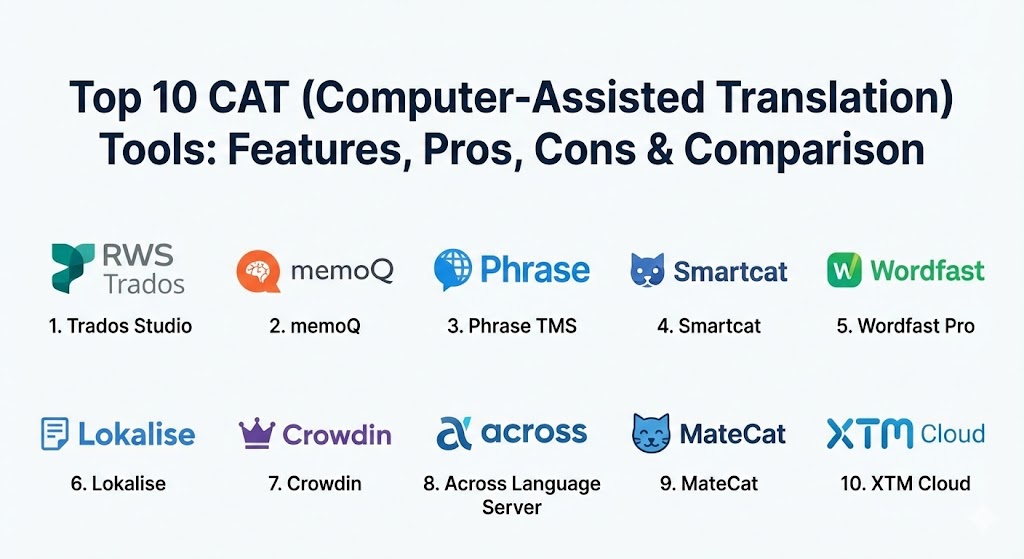
Top 10 CAT (Computer-Assisted Translation) Tools
1 — Trados Studio
Trados Studio remains the undisputed industry titan in 2026. Developed by RWS, it is the most widely used CAT tool globally, offering a massive feature set that serves as the benchmark for professional translation software.
- Key features:
- MultiTerm integration for sophisticated terminology management.
- UpLIFT technology for fragment matching and predictive typing.
- Integrated AppStore for extending functionality with hundreds of third-party plugins.
- Advanced Quality Assurance (QA) checks for grammar, punctuation, and terminology.
- Cloud-ready workflows with Trados Live for mobile and browser editing.
- Unmatched file support for hundreds of formats including legacy and rare technical files.
- Pros:
- The industry standard; most translation agencies and LSPs require or prefer Trados files.
- Exceptionally powerful translation memory retrieval and management for large datasets.
- Cons:
- Steepest learning curve in the industry; the interface can be overwhelming for beginners.
- High cost of ownership with expensive initial licenses and paid upgrades.
- Security & compliance: ISO 27001 certified, SOC 2 compliant, GDPR, and enterprise SSO integration.
- Support & community: Extensive documentation, dedicated global helpdesk, and the largest professional user community in the world.
2 — memoQ
memoQ is a high-performance translation management system favored by mid-size agencies and corporate teams who find Trados too rigid. It is known for its “user-centric” design and flexibility.
- Key features:
- LiveDocs: A corpus management tool that allows for instant alignment and reference.
- Muse: A predictive typing tool that learns from your translation style.
- Advanced project management dashboard with real-time progress tracking.
- Highly customizable keyboard shortcuts and UI layouts.
- Automated Quality Assurance (LQA) modules for error detection.
- Compatibility with most other CAT tool file formats for seamless collaboration.
- Pros:
- Much more intuitive and logical interface compared to other desktop-heavy tools.
- Excellent customer service and a development roadmap driven by user feedback.
- Cons:
- Performance can occasionally lag when handling exceptionally large, multi-terabyte projects.
- Lacks a native Mac application (requires a VM or using the web editor).
- Security & compliance: ISO 9001 and ISO/IEC 27001 certified; supports HIPAA and GDPR requirements.
- Support & community: Responsive technical support, a comprehensive knowledge base, and an active online user forum.
3 — Phrase TMS (formerly Memsource)
Phrase TMS is a cloud-first platform that leads the market in automation and AI integration. It is the go-to choice for tech-forward companies looking to automate their localization pipelines.
- Key features:
- Phrase Orchestrator for building no-code automation workflows.
- AI-powered Quality Estimation (QE) to identify segments needing human review.
- Integrated “strings” management for software and mobile app localization.
- Real-time collaboration with no manual file transfers required.
- Deep integration with 50+ third-party tools (GitHub, WordPress, Zendesk).
- Lightweight, high-speed web editor that rivals desktop performance.
- Pros:
- Extremely fast deployment; your team can be productive within minutes of signing up.
- Leading-edge AI features that significantly reduce project management overhead.
- Cons:
- The web interface, while powerful, lacks some of the deep “power user” filtering of Trados.
- Advanced automation features are often locked behind the highest enterprise tiers.
- Security & compliance: ISO 27001, SOC 2 Type II, GDPR, and CCPA compliant.
- Support & community: 24/7 global support, extensive video tutorials, and dedicated customer success managers for enterprise clients.
4 — Smartcat
Smartcat has disrupted the market with a freemium model that combines a CAT tool with a marketplace of professional linguists and an integrated payment system.
- Key features:
- Unlimited user seats on all plans (including free).
- Integrated marketplace of over 500,000 professional translators and editors.
- Automated payment system to pay multiple vendors in one click.
- Real-time collaborative editor allowing multiple linguists to work on one file.
- Support for 80+ file formats and 200+ languages.
- AI-driven matching of translators to specific project niches.
- Pros:
- Best-in-class value for startups and small agencies with limited budgets.
- Removes the administrative nightmare of paying international freelancers.
- Cons:
- The translation editor is somewhat basic and lacks advanced terminology extraction tools.
- Heavy reliance on the Smartcat ecosystem can lead to vendor lock-in.
- Security & compliance: SOC 2, SOC 3, and GDPR compliant; data is encrypted in transit and at rest.
- Support & community: Responsive live chat support and a large community of both linguists and project managers.
5 — Wordfast Pro
Wordfast Pro is a versatile, platform-independent tool that is a favorite among freelancers. It is notably the only high-end commercial tool that runs natively on Windows, Mac, and Linux.
- Key features:
- Natively compatible with Windows, Mac, and Linux environments.
- WYSIWYG editor for real-time visual preview of translated documents.
- Powerful Quality Assurance tool (TransCheck) for error detection.
- Segment-level history and change tracking.
- Unlimited Translation Memories and Termbases per project.
- One-time purchase license model (no mandatory monthly subscriptions).
- Pros:
- The best choice for dedicated Mac and Linux users in a Windows-dominated industry.
- Extremely high retrieval speeds even with massive legacy TMs.
- Cons:
- The user interface feels dated compared to modern cloud-based solutions.
- Smaller third-party plugin ecosystem compared to the Trados AppStore.
- Security & compliance: Varies by deployment (Desktop-based); supports GDPR-compliant local storage.
- Support & community: Industry-leading support response times and a very loyal, helpful user base.
6 — Lokalise
Lokalise is a modern localization platform built specifically for developers and product teams. It focuses on software, apps, and web content rather than traditional document translation.
- Key features:
- Over-the-air (OTA) updates for mobile apps to push translations instantly.
- Visual context: Translators see exactly where a string appears in the app.
- Robust API and CLI tools for integrating with CI/CD pipelines.
- Automatic screenshot matching to provide visual context for segments.
- Adobe XD, Figma, and Sketch integrations for design-led localization.
- Branching and version control for translation assets.
- Pros:
- The most developer-friendly tool on the market; integrates perfectly with Git.
- Exceptional UI/UX that feels like a modern SaaS product.
- Cons:
- Not ideal for traditional long-form document translation (e.g., legal contracts).
- Pricing can scale rapidly as the number of “keys” or hosted words increases.
- Security & compliance: ISO 27001, SOC 2 Type II, SSO, and 2FA support.
- Support & community: Fast live chat support, highly technical documentation, and an active Slack community.
7 — Crowdin
Crowdin is an enterprise-grade localization management platform that excels in continuous localization for fast-moving agile software teams.
- Key features:
- Crowdin Marketplace with 600+ apps and integrations.
- In-context editing that allows translators to work directly on the live website/app.
- Custom QA profiles to enforce strict brand-specific rules.
- Task-based workflow management with role-based access controls.
- Native AI integration with OpenAI and Google Gemini for “AI-assisted” drafts.
- Advanced analytics on translator productivity and project costs.
- Pros:
- Unmatched search and filter capabilities for large-scale software projects.
- Excellent balance of automation for managers and ease of use for linguists.
- Cons:
- The complexity of the “Tasks” system can be confusing for simple, one-off jobs.
- Large segments can occasionally cause performance issues in the web editor.
- Security & compliance: ISO 27001 certified, AWS-hosted secure databases, SSO, and IP allowlisting.
- Support & community: Comprehensive “Crowdin University” training resources and a highly responsive support team.
8 — Across Language Server
Across is a massive, “closed system” platform widely used in the DACH (Germany, Austria, Switzerland) region. It is known for its extreme focus on data security and process control.
- Key features:
- Comprehensive terminology system with cross-referencing and concept maps.
- Granular permission management for highly sensitive government/legal data.
- Integrated project management and automated billing modules.
- Advanced cross-reference and alignment tools.
- Closed-loop system that prevents data from leaving the secure server environment.
- Robust reporting for monitoring KPIs and remaining budgets.
- Pros:
- The gold standard for data security and regulatory compliance.
- Highly structured workflows that minimize human error in technical documentation.
- Cons:
- The “closed” nature makes it difficult to collaborate with freelancers who don’t have Across.
- Higher administrative overhead to set up and manage projects.
- Security & compliance: ISO 17100 compliant workflows, ISO 27001, and strictly secure server hosting.
- Support & community: High-end enterprise support and professional services for custom setups.
9 — MateCat
MateCat is a completely free, open-source online CAT tool. Despite being free, it offers professional-grade features and is maintained by Translated.
- Key features:
- 100% free with unlimited projects and users.
- Access to a massive public Translation Memory (MyMemory).
- Support for 80+ file formats including complex PDF and InDesign files.
- Integrated AI assistant for automated segment drafting.
- Simple, browser-based interface with zero installation required.
- One-click outsourcing for projects that exceed internal capacity.
- Pros:
- No entry barrier; perfect for new freelancers or hobbyists.
- Surprisingly good at handling complex file formats that often break other tools.
- Cons:
- Lacks advanced project management, billing, and reporting features.
- Privacy-conscious users may worry about the “public” nature of the default TM.
- Security & compliance: Basic encryption; not recommended for highly confidential data unless using a private server.
- Support & community: Good documentation and a community guide, but lacks dedicated enterprise support.
10 — XTM Cloud
XTM Cloud is an enterprise-grade TMS designed for scalability. It is built to handle millions of words and thousands of concurrent projects without performance loss.
- Key features:
- AI-powered terminology extraction and quality checks.
- Visual Editor for in-context review across Web, Mobile, and Desktop formats.
- Support for nearly 900 languages and dialects.
- Flexible usage-based pricing models for large enterprises.
- Seamless integration with major CMS platforms (Adobe Experience Manager, Sitecore).
- Integrated “Linguistic Quality Assurance” (LQA) for objective quality scoring.
- Pros:
- Built for scale; it is nearly impossible to “break” the system with high volumes.
- Reduces review cycles by up to 50% through its superior visual preview tools.
- Cons:
- The pricing model can be complex and expensive for smaller teams.
- The learning curve for project managers is relatively steep.
- Security & compliance: ISO 27001 certified, GDPR compliant, and audit-ready workflows.
- Support & community: Global 24/7 support and dedicated onboarding managers for new clients.
Comparison Table
| Tool Name | Best For | Platform(s) Supported | Standout Feature | Rating (G2 / GetApp) |
| Trados Studio | Power Users & Agencies | Windows, Cloud | Industry-standard TM & AppStore | 4.6 / 5 |
| memoQ | Flexible Teams & LSPs | Windows, Cloud | LiveDocs Corpus Mgmt | 4.7 / 5 |
| Phrase TMS | SaaS & Automation | Cloud, Mobile | Phrase Orchestrator | 4.5 / 5 |
| Smartcat | Small Teams & Free | Cloud | Integrated Marketplace | 4.6 / 5 |
| Wordfast Pro | Mac/Linux Users | Win, Mac, Linux | Platform Independence | 4.4 / 5 |
| Lokalise | Software Developers | Cloud, Mobile SDK | Developer-first CI/CD | 4.7 / 5 |
| Crowdin | Agile Product Teams | Cloud | In-Context Editor | 4.5 / 5 |
| Across | Highly Regulated | Server, Windows | Extreme Data Security | N/A |
| MateCat | Freelancers (Free) | Cloud | 100% Free Open Source | 4.3 / 5 |
| XTM Cloud | Global Enterprises | Cloud | Massive Scalability | 4.4 / 5 |
Evaluation & Scoring of CAT Tools
To determine the true value of a CAT tool, we use a weighted scoring system that reflects the diverse needs of modern translation workflows.
| Category | Weight | Evaluation Criteria |
| Core Features | 25% | Performance of TM, Termbase, and QA tools. |
| Ease of Use | 15% | Intuitiveness of UI and speed of user onboarding. |
| Integrations | 15% | Connectivity with CMS, GitHub, and third-party APIs. |
| Security | 10% | Compliance certifications and data encryption. |
| Performance | 10% | Speed of retrieval and stability with large files. |
| Support | 10% | Quality of documentation and helpdesk responsiveness. |
| Price / Value | 15% | ROI relative to features and automation gains. |
Which CAT Tool Is Right for You?
Choosing the right tool is a strategic decision that depends on your specific position in the localization ecosystem.
- Solo Freelancers: If you are just starting out, MateCat or the free tier of Smartcat are excellent for learning. If you are serious about a career, Wordfast Pro (one-time fee) or Trados Studio (industry standard) are the logical investments.
- Small Agencies (SMBs): memoQ offers the best balance of professional power and user-friendliness. Its project management features are robust enough to handle growth without the complexity of an enterprise server.
- Mid-Market Tech Companies: If your primary focus is software or a mobile app, Lokalise or Crowdin are superior. They speak the language of developers and will integrate more smoothly into your product sprints.
- Global Enterprises: XTM Cloud or Phrase TMS are designed for the high-volume, automated workflows required by multinationals. They prioritize centralized control, massive scalability, and AI-driven cost reduction.
- Highly Regulated Industries: For government, defense, or pharmaceutical companies, Across Language Server provides the “closed-loop” security that cloud-based rivals often cannot match.
Frequently Asked Questions (FAQs)
1. Is a CAT tool the same as Google Translate?
No. Google Translate is Machine Translation (MT), which generates text automatically. A CAT tool is an environment where a human translator works, using tools like Translation Memory to ensure accuracy and consistency.
2. Can I use a CAT tool for free?
Yes. MateCat is completely free and open-source. Smartcat offers a generous free tier for freelancers. Most other tools like Trados or memoQ offer 30-day free trials.
3. Do CAT tools work on a Mac?
Most traditional CAT tools (Trados, memoQ) are Windows-only. However, Wordfast Pro runs natively on Mac, and cloud-based tools like Phrase, Lokalise, and Smartcat work on any browser.
4. What is a Translation Memory (TM)?
A TM is a database that stores every sentence you translate. When you encounter a similar sentence in the future, the CAT tool suggests the previous translation, saving you time and ensuring consistency.
5. Why are CAT tools so expensive?
Enterprise tools include sophisticated automation, high-end security, and project management modules. For a professional, the cost is usually offset within a few months by the increased speed and volume they can handle.
6. Do I need to be a programmer to use tools like Lokalise?
No. While these tools have developer-friendly features (API/CLI), the translation editor itself is designed for linguists and is very easy to use.
7. Can CAT tools translate PDFs?
Most modern CAT tools can import PDFs, but the quality of the “re-creation” varies. MateCat and Trados are particularly good at maintaining the layout of complex files.
8. Is my data safe in a cloud-based CAT tool?
Professional tools like Phrase and XTM use enterprise-grade encryption and are ISO 27001 certified. However, for extreme secrecy, on-premise solutions like Across are preferred.
9. Can I work offline with a CAT tool?
Desktop tools like Trados, memoQ, and Wordfast allow you to work 100% offline. Cloud tools usually require an internet connection, though some offer limited offline sync.
10. What is a Termbase?
A termbase is a specialized glossary that ensures specific brand names, technical terms, or forbidden words are used (or avoided) correctly throughout a project.
Conclusion
The evolution of CAT tools in 2026 has transformed translation from a manual craft into a high-tech data operation. Whether you prioritize the industry-standard power of Trados Studio, the developer-friendly agility of Lokalise, or the open-source freedom of MateCat, the “best” tool is the one that aligns with your specific volume, security needs, and technical stack. Remember: a CAT tool doesn’t replace the human translator; it frees them to focus on what matters most—cultural nuance, creative flair, and the human connection.