Introduction
Case Notes & Investigation Tools are specialized software platforms designed to centralize the collection, organization, and analysis of information related to specific incidents or ongoing inquiries. These tools allow investigators to log interactions, attach digital evidence, track timelines, and generate compliant reports within a secure, auditable environment. Unlike general note-taking apps, these solutions are built with a focus on “defensibility,” meaning every entry is time-stamped and every modification is logged to satisfy legal or regulatory scrutiny.
The importance of these tools lies in their ability to handle “unstructured data”—the chaotic mix of interviews, photos, emails, and physical evidence—and turn it into a searchable, logical narrative. Key real-world use cases include internal HR investigations into workplace harassment, insurance companies tracking fraudulent claims, law enforcement agencies managing criminal dockets, and legal teams preparing for complex litigation. When choosing a tool, users should prioritize security (encryption and access controls), searchability (the ability to find a needle in a haystack of notes), and collaboration features that allow teams to work together without overwriting critical evidence.
Best for: Legal professionals, HR compliance officers, law enforcement agents, private investigators, and insurance fraud adjusters. It is particularly valuable for mid-to-large organizations that must adhere to strict regulatory standards and maintain a transparent audit trail.
Not ideal for: Individual users looking for a simple to-do list or basic personal journals. Organizations that do not deal with sensitive data or legal accountability may find the structured nature and cost of these tools to be unnecessary overhead compared to standard document editors.
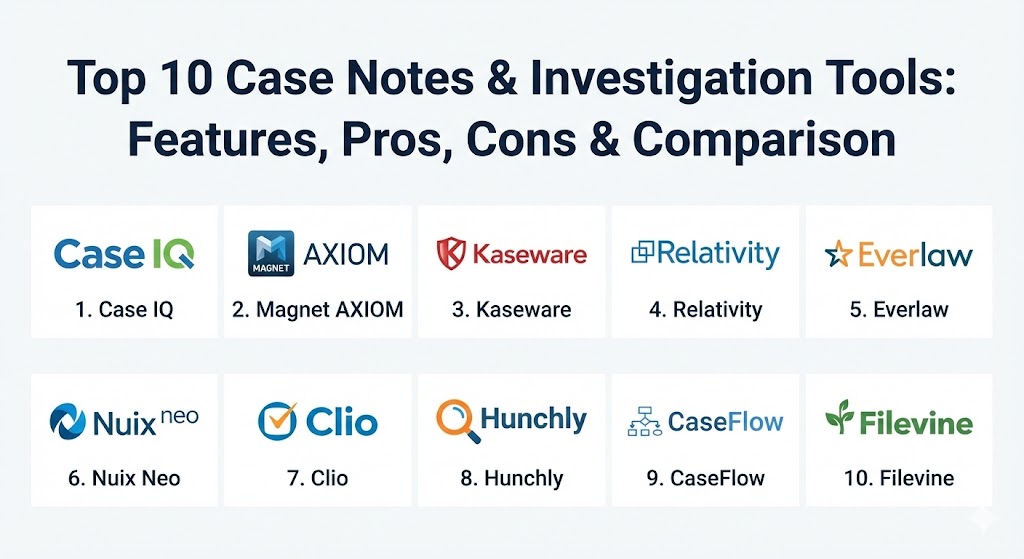
Top 10 Case Notes & Investigation Tools
1 — Case IQ (formerly i-Sight)
Case IQ is a premier enterprise-level investigative platform designed specifically for corporate ethics, compliance, and HR investigations. It provides a highly structured environment for managing the lifecycle of an incident from the initial report to the final resolution.
- Key features:
- Automated Workflow: Guides investigators through a standardized process to ensure no steps are missed.
- Advanced Reporting: One-click generation of comprehensive investigative summaries for executive review.
- Centralized Database: Stores all notes, emails, and attachments in a single, secure case file.
- Role-Based Access: Strictly controls who can view sensitive case details based on their role in the organization.
- Data Analytics: Identifies trends and hotspots to help prevent future incidents.
- Whistleblower Integration: Seamlessly accepts reports from hotlines and web portals.
- Pros:
- Exceptionally strong at maintaining compliance and providing a defensible audit trail.
- Highly customizable workflows that can be tailored to specific industry regulations.
- Cons:
- The high level of structure can feel restrictive for investigators who prefer a free-form style.
- The initial setup and configuration can be time-consuming and costly.
- Security & compliance: SOC 2 Type II, HIPAA, GDPR, and ISO 27001 compliant. Features end-to-end encryption and detailed audit logs.
- Support & community: Offers dedicated account managers, 24/7 technical support, and an extensive knowledge base for administrators.
2 — Magnet AXIOM
While often categorized as digital forensics software, Magnet AXIOM is an indispensable investigation tool for those who need to marry digital evidence with investigative case notes. It is a favorite among law enforcement and high-tech crime units.
- Key features:
- Artifact-First Approach: Automatically finds and organizes evidence from smartphones, computers, and cloud services.
- Case Timelines: Visually maps out events across multiple devices to show a chronological narrative.
- Evidence Connections: Uses AI to find relationships between different files, people, and locations.
- Integrated Case Notes: Allows investigators to tag evidence and add commentary directly within the evidence file.
- Portable Case Folders: Enables investigators to share findings with stakeholders who don’t have the full software.
- Cloud Probing: Securely acquires data from Google, Microsoft, and social media accounts.
- Pros:
- Unmatched ability to recover deleted data and surface hidden evidence.
- Simplifies the complex task of digital evidence management for non-technical investigators.
- Cons:
- Extremely resource-heavy; requires high-end hardware to run efficiently.
- Expensive licensing makes it less accessible for small private firms.
- Security & compliance: FIPS 140-2, AES-256 encryption, and strictly maintains the chain of custody for digital evidence.
- Support & community: Magnet Forensics is known for its excellent “Magnet Academy” training and a highly engaged user community (Magnet User Summit).
3 — Kaseware
Kaseware was founded by former FBI agents and is designed to act as a complete “operating system” for investigative agencies. It combines case management, dispatch, and investigative analytics into a unified cloud platform.
- Key features:
- Link Analysis: Automatically creates visual maps of connections between entities (people, places, vehicles).
- Intelligence Management: Collects data from public sources and integrates it into active case files.
- Dynamic Field Forms: Allows field agents to enter notes and evidence via a secure mobile app.
- Integrated Mapping: Tracks incident locations and displays them on an interactive GIS map.
- Evidence Management: Tracks physical evidence locations and chain of custody movements.
- Pros:
- Offers a “one-stop-shop” for agencies that need to replace multiple disparate systems.
- Built with a “security-first” mindset by individuals who understand government-level requirements.
- Cons:
- May be “overkill” for a private HR department that only needs to manage simple notes.
- Interface can be complex due to the sheer volume of features available.
- Security & compliance: CJIS compliant (essential for US law enforcement), SOC 2, and GDPR.
- Support & community: Strong emphasis on onboarding and training for government and large enterprise clients.
4 — Relativity
Relativity is the titan of the eDiscovery world, but its “Relativity One” platform is increasingly used for massive-scale investigations where millions of documents and notes must be parsed and analyzed.
- Key features:
- Active Learning: AI that learns from investigator coding to find relevant documents faster.
- Communication Surveillance: Monitors internal communications for high-risk behavior or keywords.
- Case Dynamics: Provides a dedicated space to build the “story” of a case with facts and witnesses.
- Mobile Evidence Support: Specifically handles short-form messaging data (Slack, WhatsApp).
- Global Search: Instantaneous search across petabytes of case data.
- Pros:
- Capable of handling the largest, most complex investigations in the world.
- Industry-standard platform; most legal professionals are already trained on it.
- Cons:
- Very high cost, often involving data hosting fees that can spiral quickly.
- Not designed for “small” cases; the overhead makes it inefficient for simple inquiries.
- Security & compliance: FedRAMP Star, SOC 2 Type II, ISO 27001, HIPAA, and GDPR.
- Support & community: Massive global ecosystem of certified experts and service providers.
5 — Everlaw
Everlaw is a modern, cloud-native competitor to Relativity, focusing on speed, a beautiful user interface, and making the investigative process as intuitive as possible.
- Key features:
- Storybuilder: A unique tool to organize facts, draft narratives, and prepare for depositions within the platform.
- Instant Processing: Upload documents and have them searchable within minutes.
- Predictive Coding: Uses machine learning to prioritize the most important documents for review.
- Collaborative Editing: Real-time collaboration on case notes and chronologies.
- Advanced Clustering: Groups related documents visually to reveal patterns in the data.
- Pros:
- Widely considered the most user-friendly enterprise-grade investigation tool.
- Transparent pricing model compared to legacy eDiscovery providers.
- Cons:
- While powerful, it lacks some of the niche legacy features found in older platforms.
- Primarily focused on document-heavy legal cases rather than field investigations.
- Security & compliance: SOC 2 Type II, FedRAMP, HIPAA, and GDPR.
- Support & community: Highly rated customer support and a very fast-growing user base.
6 — Nuix Neo
Nuix Neo is designed for organizations that need to make sense of “messy” data. It is particularly strong in financial crime investigations and regulatory response.
- Key features:
- Contextual Search: Understands the relationships between people, objects, and locations across different data types.
- Automated Data Cleaning: Normalizes disparate data formats for easier analysis.
- Financial Transaction Analysis: Specifically designed to trace “follow the money” scenarios.
- Unified Workspace: Brings case notes and heavy data processing together.
- Scalable Engine: Can process massive amounts of data with high speed.
- Pros:
- Excellent for forensic accounting and massive data-breach investigations.
- Powerful visualization tools for showing how money or information moves through a system.
- Cons:
- High technical barrier to entry; requires specialized training.
- Interface can feel dense and technical compared to “modern” SaaS apps.
- Security & compliance: ISO 27001, SOC 2, and GDPR.
- Support & community: Strong professional services team; popular in government and “Big Four” accounting firms.
7 — Clio
Clio is the most popular legal case management software in the world. While it is built for law firms, its “Clio Manage” and “Clio Grow” features make it a powerful tool for any investigation that ends in a legal proceeding.
- Key features:
- Integrated Time Tracking: Essential for private investigators and lawyers billing by the hour.
- Document Management: Securely stores and organizes case-related files and templates.
- Client Portal: Allows for secure communication and document sharing with outside parties.
- Calendar Integration: Tracks deadlines, court dates, and interview schedules.
- Custom Fields: Allows users to track niche data specific to their type of investigation.
- Pros:
- Extremely easy to use and integrates with thousands of other apps (Gmail, Outlook, Zoom).
- Very affordable for solo practitioners or small investigative firms.
- Cons:
- Lacks the advanced “analytical” features (like link analysis) found in tools like Kaseware.
- Not designed for digital forensics or heavy evidence processing.
- Security & compliance: SOC 2, HIPAA, and GDPR. Data is encrypted in transit and at rest.
- Support & community: Award-winning 24/5 support and a massive community through the Clio Cloud Conference.
8 — Hunchly
Hunchly is a specialized tool for investigators who spend their time on the “open web.” It is a web-capture tool that automatically records everything an investigator sees online for evidentiary purposes.
- Key features:
- Automatic Capture: Records every webpage visited, creating a tamper-proof copy for evidence.
- Note Taking: Allows for adding notes directly to specific web captures.
- Selective Hashing: Automatically creates hashes for every image and page to prove authenticity.
- Full-Text Search: Search through every page you have visited during an investigation.
- Case Management: Organizes web captures into separate, manageable case folders.
- Pros:
- Essential for OSINT (Open Source Intelligence) and social media investigations.
- Automates the tedious task of “screenshotting” everything, which is prone to human error.
- Cons:
- Strictly limited to web-based investigations; it does not handle internal files or physical evidence.
- It is a browser extension/local app, not a centralized multi-user enterprise platform.
- Security & compliance: N/A (Local data storage ensures the investigator maintains control over the data).
- Support & community: Strong documentation and popular among the OSINT and journalist communities.
9 — CaseFlow
CaseFlow is an enterprise-grade case management system that focuses on streamlining the “administrative” side of investigations, ensuring that cases move through the correct stages of approval.
- Key features:
- Task Management: Assigns specific investigative tasks to team members with deadlines.
- Dynamic Workflow: Automatically moves cases through stages based on investigator input.
- Secure Collaboration: Shared workspaces for internal and external investigators.
- Audit History: Records every view and change made to a case file.
- Financial Tracking: Monitors the costs associated with specific investigations.
- Pros:
- Excellent for large organizations that need to manage hundreds of active cases simultaneously.
- Provides great visibility for management into investigative “backlogs” and efficiency.
- Cons:
- Can feel “bureaucratic” for quick, agile investigations.
- Reporting features are strong but can be difficult to customize without technical help.
- Security & compliance: SOC 2, HIPAA, and GDPR.
- Support & community: Dedicated enterprise support and regular software updates.
10 — Filevine
Filevine is a “work orchestration” platform that has become a favorite in the legal and investigative space due to its focus on project management and document generation.
- Key features:
- Activity Feed: A social-media-style feed that keeps the whole team updated on case notes.
- Vinesign: Integrated e-signatures for witness statements and contracts.
- Periscope: A powerful data visualization tool for tracking case trends across the firm.
- Text-to-Case: Allows investigators in the field to text notes and photos directly into a case file.
- Automated Document Assembly: Generates legal documents and reports based on case data.
- Pros:
- The “Text-to-Case” feature is a game-changer for investigators working in the field.
- Excellent communication tools that keep everyone on the same page.
- Cons:
- The pricing can be complex and expensive for smaller teams.
- Lacks some of the “forensic” evidence tools found in more specialized software.
- Security & compliance: SOC 2 Type II, HIPAA, and GDPR.
- Support & community: Known for its “Filevine University” and proactive customer success teams.
Comparison Table
| Tool Name | Best For | Platform(s) Supported | Standout Feature | Rating (Gartner/TrueReview) |
| Case IQ | Corporate Compliance | SaaS / Web | Automated Workflow Logic | 4.6 / 5 |
| Magnet AXIOM | Digital Forensics | Windows (Desktop) | Artifact Discovery | 4.8 / 5 |
| Kaseware | Law Enforcement | Cloud / Mobile | FBI-Grade Link Analysis | 4.7 / 5 |
| Relativity | Big Data / eDiscovery | SaaS / On-prem | Active AI Learning | 4.4 / 5 |
| Everlaw | Fast Legal Review | SaaS / Web | Storybuilder Tool | 4.8 / 5 |
| Nuix Neo | Financial Crime | Windows / Server | Massive Data Processing | 4.5 / 5 |
| Clio | Solo/Small Legal | SaaS / Mobile | App Integration Library | 4.7 / 5 |
| Hunchly | OSINT / Web Research | Browser Extension | Automatic Web Evidence | 4.9 / 5 |
| CaseFlow | Enterprise Workflow | SaaS / Web | Task-Based Management | 4.3 / 5 |
| Filevine | Field Communication | SaaS / Mobile | Text-to-Case Logging | 4.6 / 5 |
Evaluation & Scoring of Case Notes & Investigation Tools
To assist in the decision-making process, we have evaluated the general category of investigation tools based on a weighted rubric that reflects the priorities of modern professional investigators.
| Category | Weight | Evaluation Criteria |
| Core Features | 25% | Note-logging, evidence attachment, timeline building, and reporting. |
| Ease of Use | 15% | Intuitiveness of UI, mobile accessibility, and onboarding time. |
| Integrations | 15% | Ability to connect with emails, clouds, and external data sources. |
| Security & Compliance | 10% | Encryption, audit logs, and industry certifications (CJIS, HIPAA). |
| Performance & Reliability | 10% | Search speed, data processing power, and system uptime. |
| Support & Community | 10% | Quality of documentation, technical support, and user forums. |
| Price / Value | 15% | Total cost of ownership relative to efficiency and risk reduction. |
Which Case Notes & Investigation Tools Tool Is Right for You?
Selecting a tool is not about finding the “best” software on the market; it is about finding the one that fits your specific investigative “theater.”
- Solo Users & Private PIs: If you are a solo investigator or a small firm, Clio or Hunchly are your best bets. They are cost-effective, easy to master, and solve the immediate problem of organizing notes and web evidence without requiring a team of IT experts.
- Small to Medium Businesses (SMBs): For an internal HR or security team, Filevine or Sunbird (if focused on assets) provide great collaboration tools. If your investigations are purely web-based, Hunchly is indispensable.
- Mid-Market & Corporate Compliance: If you are managing corporate ethics or HR for a company with 500+ employees, Case IQ is the logical choice. Its structured workflows help ensure that investigations are conducted legally and consistently, protecting the company from lawsuits.
- Large Enterprises & Government Agencies: Organizations dealing with massive amounts of digital data or criminal inquiries need the heavy hitters. Relativity is the choice for document-heavy litigation, while Kaseware or Nuix Neo are better suited for active criminal and financial investigations.
- The “Technical” Investigator: If your job involves digging through phones and computers, Magnet AXIOM is the industry standard. It provides the forensic depth needed to ensure your notes stand up in a court of law.
Frequently Asked Questions (FAQs)
1. What is the difference between Case Management and Digital Forensics? Case management tools (like Case IQ) focus on the process of an investigation—notes, tasks, and reports. Digital forensics tools (like Magnet AXIOM) focus on extracting and analyzing raw data from hardware. Modern investigators often use both.
2. Can I use these tools for HIPAA-compliant investigations? Most enterprise tools listed here (Case IQ, Relativity, Clio) are HIPAA compliant, meaning they have the necessary security and encryption to handle Protected Health Information (PHI). Always verify a vendor’s BAA (Business Associate Agreement) before use.
3. Is cloud-based storage safe for sensitive investigation notes? Yes, provided the vendor uses end-to-end encryption and is compliant with standards like SOC 2 or CJIS. In 2026, cloud storage is often considered more secure than local storage due to its resilience against hardware failure and unauthorized physical access.
4. How do these tools help with the “Chain of Custody”? They create a permanent, unalterable log of who accessed the evidence, when they accessed it, and what changes were made. This “audit trail” is critical for proving that evidence hasn’t been tampered with.
5. Are there free versions of these tools available? Truly professional investigation tools rarely have a “free” version due to the high costs of security and compliance. However, some (like Hunchly) offer free trials, and openDCIM or similar open-source tools exist for niche asset management.
6. Do these tools work on mobile devices? Most modern platforms (Kaseware, Filevine, Clio) have dedicated mobile apps or “responsive” web interfaces, allowing investigators to take notes, record audio, and upload photos directly from the scene.
7. Can I import my old Excel spreadsheets into these tools? Almost all modern case management systems offer a CSV/Excel import feature. However, cleaning your data before importing is essential to ensure the new system remains organized.
8. What is “Link Analysis” and why do I need it? Link analysis is a visual way of showing how people, places, and events are connected. It is vital for uncovering complex fraud rings or organized crime where the relationships aren’t immediately obvious in text notes.
9. How do these tools handle video and audio evidence? Enterprise tools provide secure “buckets” for large media files. Some advanced tools even offer automatic transcription, allowing you to search for specific words spoken during an interview.
10. What is the biggest mistake people make when choosing a tool? Buying a tool that is too complex for their needs. If your team only handles three cases a month, buying Relativity will likely result in a system that is too expensive and too difficult for your team to use effectively.
Conclusion
The transition from manual note-taking to professional Case Notes & Investigation Tools represents a significant leap forward in professional accountability and efficiency. In an era where data is the primary battleground of justice and corporate ethics, the “best” tool is ultimately the one that your team will use consistently and correctly. Whether you prioritize the digital forensic depth of Magnet AXIOM, the compliance-heavy structure of Case IQ, or the collaborative agility of Filevine, your choice should be grounded in the specific legal and operational requirements of your field.