Introduction
Car Rental Management Software (CRMS) is an all-in-one digital platform designed to automate the lifecycle of a vehicle rental. From the moment a customer searches for a car on a website to the final inspection upon return, these tools handle bookings, digital contracts, payment processing, fleet maintenance, and telematics integration. By centralizing these tasks, business owners can reduce overhead, eliminate double bookings, and provide the frictionless experience that modern consumers demand.
The importance of this software lies in its ability to turn a collection of vehicles into a streamlined revenue engine. Real-world use cases include managing airport shuttle fleets, local dealership loaner programs, and even luxury car rental startups that require high-security GPS tracking. When choosing a tool, users should evaluate it based on its mobile-first accessibility, the robustness of its reporting suite, its ability to integrate with third-party insurance providers, and the security of its payment gateways.
Best for: Independent rental agencies, franchise owners, car dealerships managing loaner fleets, and enterprise-level logistics companies. It is especially beneficial for operations looking to automate 80% of their daily administrative tasks.
Not ideal for: Private individuals renting out a single personal vehicle (who may prefer simpler platforms like Turo) or logistics companies that only do long-haul freight without a rental or “per-day” business model.
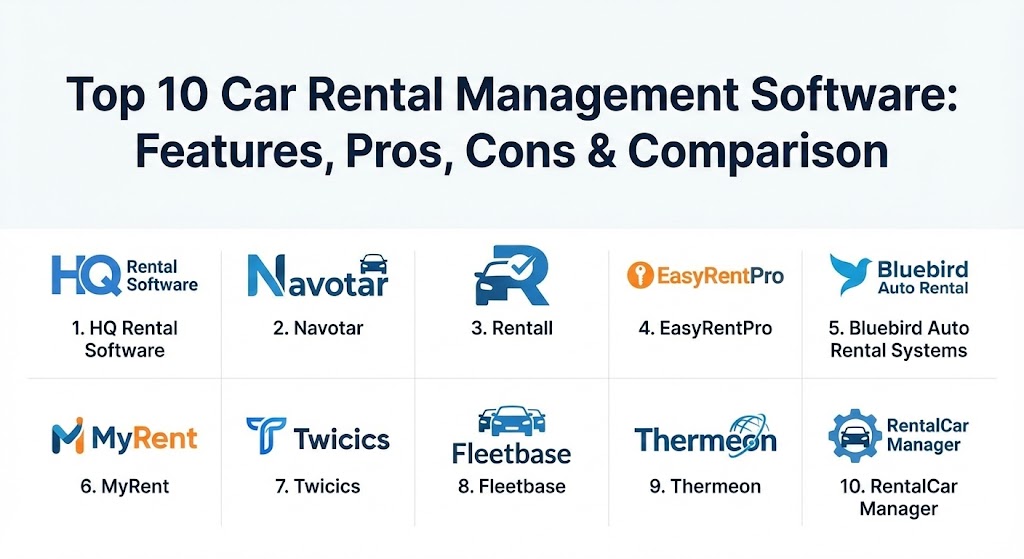
Top 10 Car Rental Management Software Tools
1 — HQ Rental Software
HQ Rental Software is a comprehensive, cloud-based solution designed to help rental companies manage their operations from any device. It is known for its highly customizable booking engine that integrates directly into an agency’s existing website.
- Key features:
- Real-time availability calendar that prevents overbooking.
- Customizable booking plugin for WordPress, Wix, and custom sites.
- Digital signature support for paperless rental agreements.
- Integrated CRM to track customer preferences and blacklists.
- Fleet maintenance module with automated service alerts.
- Revenue management tools with dynamic pricing capabilities.
- Multi-currency and multi-language support for international agencies.
- Pros:
- The setup process is remarkably fast compared to legacy enterprise systems.
- Offers a dedicated driver app that allows for quick check-ins and check-outs.
- Cons:
- Some of the more advanced reporting features are locked behind higher pricing tiers.
- Initial customization of the booking engine may require some technical oversight.
- Security & compliance: SOC 2 compliant, GDPR ready, PCI-DSS Level 1 payment processing, and end-to-end data encryption.
- Support & community: High-quality documentation, 24/5 live chat support, and a comprehensive onboarding program for new agencies.
2 — Navotar
Navotar is a veteran in the car rental space, specifically tailored for small to mid-sized independent agencies. It focuses heavily on fleet security and digital damage appraisal.
- Key features:
- Advanced damage assessment tool with photo uploads and markups.
- GPS tracking and telematics integration for high-risk assets.
- Mobile app for both Android and iOS for on-the-lot management.
- Integrated insurance verification module.
- Automated SMS and email notifications for booking confirmations.
- Detailed financial reporting and tax calculation.
- Government ID scanning for faster customer onboarding.
- Pros:
- The damage appraisal feature significantly reduces disputes with customers.
- Customer support is frequently praised for its responsiveness and industry knowledge.
- Cons:
- The user interface can feel slightly dated compared to newer SaaS competitors.
- API integrations with third-party marketing tools can be complex to set up.
- Security & compliance: PCI-DSS compliant, daily automated backups, and encrypted data storage.
- Support & community: Dedicated account managers for enterprise clients and an extensive library of video tutorials.
3 — Rentall
Rentall is an enterprise-grade car rental solution that prioritizes automation and scalability. It is designed to handle high-volume operations spanning multiple locations and time zones.
- Key features:
- Multi-location management with centralized fleet control.
- Automated rate management based on demand and seasonality.
- Integrated tolls and fines management module.
- Comprehensive API for custom integrations with corporate ERPs.
- Customer loyalty program management.
- Split-billing capabilities for corporate and personal accounts.
- Real-time dashboard for “Fleet Utilization” metrics.
- Pros:
- Excellent for large-scale operations that need to move vehicles between sites.
- The automation of fines and tolls recovery saves thousands in administrative costs.
- Cons:
- The sheer number of features results in a steeper learning curve for new staff.
- Pricing is generally higher, making it less accessible for “mom-and-pop” shops.
- Security & compliance: SOC 2, ISO 27001, GDPR, and SSO integration for corporate users.
- Support & community: 24/7 global support, formal training certifications, and a robust enterprise-level SLA.
4 — EasyRentPro
EasyRentPro offers a unique hybrid approach, providing both cloud-based and on-premises solutions. It is favored by agencies that want total control over their data while still having the flexibility of a mobile interface.
- Key features:
- Multi-language support with over 20 pre-installed languages.
- Integrated QuickBooks and Xero accounting exports.
- Advanced yield management to optimize daily rates.
- Interactive fleet map for real-time vehicle location.
- Maintenance scheduling based on mileage or time intervals.
- Customizable rental agreements and invoice templates.
- Pros:
- One of the best values in the market for mid-sized agencies.
- The multi-language capabilities are superior for tourist-heavy locations.
- Cons:
- The on-premises version requires significant IT knowledge to maintain.
- Mobile functionality is not as seamless as native cloud competitors.
- Security & compliance: PCI compliance for payments; on-premises security depends on the user’s infrastructure.
- Support & community: Standard email and phone support; active user forum for troubleshooting.
5 — Bluebird Auto Rental Systems (BARS)
Bluebird is one of the most established names in the industry. Its Netrent platform is designed for high-performance corporate rental environments and car dealerships.
- Key features:
- Specialized “Loaner” module for car dealership service departments.
- Robust reservation engine that handles complex insurance replacements.
- Advanced report writer for custom business intelligence.
- Credit card processing with EMV chip-and-pin support.
- Signature pad integration for counter-based transactions.
- Integration with major GDS platforms for global distribution.
- Pros:
- Deep industry expertise reflected in specialized features for insurance rentals.
- Extremely stable and reliable for high-volume counter operations.
- Cons:
- The system is very complex and can be overwhelming for smaller startups.
- User interface is functional but lacks the modern “gloss” of newer apps.
- Security & compliance: FIPS 140-2 encryption, PCI-DSS, and SSAE 16 audited data centers.
- Support & community: 24/7 technical support and a massive global user base with regular conferences.
6 — MyRent
MyRent is a highly versatile car rental platform that has gained significant traction in the European market. It excels in its ability to manage a diverse fleet, from cars and trucks to bikes and equipment.
- Key features:
- Drag-and-drop planning board for visual fleet management.
- Native mobile app for digital vehicle inspections.
- Integrated CRM with automated marketing and follow-ups.
- Robust accounting module for VAT and international tax handling.
- Support for “contactless” rentals via mobile key integration.
- Advanced workshop management for in-house repairs.
- Pros:
- Very flexible; handles non-standard rental items better than most.
- The mobile inspection process is intuitive and helps prevent fraud.
- Cons:
- Some translations in the interface can be inconsistent.
- The learning curve for the accounting module is quite high.
- Security & compliance: GDPR compliant, SSL/TLS encryption, and ISO 27001 certification.
- Support & community: Strong European presence with multilingual support teams and localized documentation.
7 — Twicics (formerly Rentle)
Twicics is a modern, design-focused commerce platform built for the “circular economy.” While it handles car rentals, it is designed for any business that rents out high-value assets.
- Key features:
- Ultra-modern, mobile-responsive user interface for customers.
- Simple “one-click” booking and payment experience.
- Automated inventory tracking across multiple channels.
- Built-in inventory management and condition tracking.
- Simple API for connecting to modern web stacks.
- Integrated deposit and insurance hold capabilities.
- Pros:
- Best-in-class user experience for the end customer.
- Ideal for modern “lifestyle” rental brands and boutique agencies.
- Cons:
- Lacks some of the “hardcore” car rental features like fine/toll management.
- Reporting is basic compared to enterprise tools like Rentall.
- Security & compliance: SOC 2, GDPR, and PCI-DSS Level 1.
- Support & community: High-quality help center, email support, and a growing community of modern rental entrepreneurs.
8 — Fleetbase
Fleetbase is an open-source, developer-first platform for logistics and rentals. It is the best choice for organizations that want to build a completely custom rental experience using a powerful API.
- Key features:
- Headless architecture for total frontend flexibility.
- Real-time GPS tracking and geofencing capabilities.
- Advanced routing and dispatching logic.
- Customizable webhooks for external system triggers.
- Native support for car-sharing and on-demand delivery.
- Multi-tenant support for marketplace applications.
- Pros:
- Offers infinite customization for businesses with unique workflows.
- No per-transaction fees if you host the open-source version yourself.
- Cons:
- Requires significant engineering resources to implement and maintain.
- Not a “turnkey” solution for non-technical business owners.
- Security & compliance: Varies by deployment (enterprise cloud version is SOC 2 compliant).
- Support & community: Active Discord community and developer documentation; enterprise support available.
9 — Thermeon
Thermeon is a global provider of car rental software, focusing on large-scale corporate accounts and airport rental operations. Its “CARS+” platform is designed for complexity.
- Key features:
- Sophisticated corporate account management with parent-child hierarchies.
- Advanced GDS and broker connectivity.
- High-volume counter management with rapid-check-in features.
- Detailed asset depreciation and capital expenditure tracking.
- Integrated revenue management with competitor rate shops.
- Multi-site, multi-brand capability in a single database.
- Pros:
- Handles the complexities of international corporate contracts flawlessly.
- Exceptionally detailed financial and asset management reporting.
- Cons:
- Very high cost of entry; strictly for established enterprise players.
- Implementation can take months rather than weeks.
- Security & compliance: PCI-DSS, GDPR, and ISO 27001.
- Support & community: Dedicated account teams and 24/7 technical support for all global regions.
10 — RentalCar Manager
RentalCar Manager is a cloud-based solution that has carved out a niche as the “all-rounder” for mid-sized agencies that want enterprise features without the enterprise price tag.
- Key features:
- Integrated vehicle tracking and movement history.
- Automated payment reminders and debt collection tools.
- Simple website integration with a customizable booking engine.
- Mobile-ready workshop and maintenance log.
- Comprehensive fine management and recovery system.
- Detailed utilization and yield analysis reports.
- Pros:
- Strikes a perfect balance between feature depth and ease of use.
- Very transparent pricing with no hidden “success fees.”
- Cons:
- The mobile app for admins could benefit from a redesign.
- Limited integrations with niche third-party marketing apps.
- Security & compliance: PCI-DSS compliant, daily off-site backups, and SSO support.
- Support & community: Excellent onboarding program and a reliable help desk with global coverage.
Comparison Table
| Tool Name | Best For | Platform(s) Supported | Standout Feature | Rating (TrueReviewnow.com) |
| HQ Rental | SMB Generalists | Web, iOS, Android | Custom Booking Plugin | 4.8 / 5 |
| Navotar | Fleet Security | Web, iOS, Android | Damage Appraisal Module | 4.7 / 5 |
| Rentall | Large Enterprises | Web, iOS, Android | Fine/Toll Automation | 4.6 / 5 |
| EasyRentPro | Multi-Language | Windows, Web | Local/Cloud Hybrid | 4.4 / 5 |
| Bluebird | Dealerships | Windows, Web | Replacement Car Workflow | 4.5 / 5 |
| MyRent | Diverse Fleets | Web, iOS, Android | Workshop Management | 4.6 / 5 |
| Twicics | Modern Brands | SaaS, Web | Customer UX/UI | 4.9 / 5 |
| Fleetbase | Developers | API, Open Source | Geofencing & Routing | N/A |
| Thermeon | Corporate Accounts | Web, On-Premise | Global Contract Depth | 4.3 / 5 |
| RentalCar Manager | Mid-Market | Web, Mobile | Payment Recovery Tools | 4.7 / 5 |
Evaluation & Scoring of Car Rental Management Software
To help you navigate these options, we have evaluated them using a weighted scoring rubric that reflects the priorities of a modern car rental business.
| Category | Weight | Evaluation Criteria |
| Core Features | 25% | Booking engine, fleet tracking, maintenance, and digital contracts. |
| Ease of Use | 15% | Intuitiveness of the dashboard and speed of staff training. |
| Integrations | 15% | Connectivity with telematics, insurance, and accounting software. |
| Security | 10% | Payment security, data encryption, and compliance with GDPR. |
| Performance | 10% | System uptime and mobile app responsiveness. |
| Support | 10% | Onboarding quality and 24/7 technical availability. |
| Price / Value | 15% | Transparency of fees and overall ROI for the agency. |
Which Car Rental Management Software Tool Is Right for You?
Selecting the right tool depends heavily on your current fleet size and your technical capability.
- Solo Users & SMBs: If you are just starting out with 5 to 20 cars, HQ Rental Software or Navotar are your best options. They offer “out of the box” functionality that allows you to start taking bookings on day one without a huge upfront investment.
- Mid-Market Agencies: For those with 50 to 200 vehicles, RentalCar Manager or EasyRentPro offer the specialized fine management and multi-language tools needed to optimize a growing business.
- Enterprise & Corporate: If you manage thousands of vehicles across multiple countries, Thermeon or Rentall are the only tools with the necessary structural depth. Their ability to handle corporate hierarchies and complex tax laws is essential at this scale.
- Budget-Conscious: EasyRentPro often offers a lower TCO (Total Cost of Ownership), especially if you opt for their one-time purchase or hybrid models.
- Tech-Forward & Custom: If you have a developer on staff and want to build a unique “Uber-like” experience, Fleetbase is the undisputed choice.
- Security Focused: If you operate in a high-theft area, prioritize Navotar or Rentall for their superior telematics and GPS integration.
Frequently Asked Questions (FAQs)
1. Does the software include GPS tracking?
Most top-tier tools like Navotar and HQ Rental integrate with third-party telematics providers (like Geotab or Samsara). This allows you to see car locations directly on your management dashboard.
2. Can I manage my rental business from my phone?
Yes, most modern solutions are “mobile-first.” Managers can approve bookings, view fleet availability, and even perform vehicle inspections using native iOS or Android apps.
3. How does digital damage appraisal work?
When a car is rented out, the staff takes photos of all sides of the car via the app. Upon return, they take new photos. The software compares them and highlights any new scratches or dents for billing.
4. Will the software help me with tolls and traffic fines?
Yes, tools like Rentall and RentalCar Manager can automatically match a fine’s timestamp with the active rental agreement, allowing you to charge the customer’s card automatically.
5. How much does car rental software cost?
Pricing is usually based on fleet size. It can range from $50/month for very small agencies to thousands per month for enterprise players. Some also charge a small “per-transaction” fee.
6. Can I integrate the booking engine into my own website?
Absolutely. Almost all these tools provide a “plugin” or an iframe that you can drop into your WordPress, Wix, or Shopify site so customers never have to leave your brand.
7. Is it possible to run a “contactless” rental business?
With modern API integrations (like digital keys from companies like Garentii), you can use software like MyRent or Fleetbase to allow customers to unlock the car via their smartphone.
8. How does the software handle vehicle maintenance?
The system tracks the mileage of every rental. When a car hits a specific threshold (e.g., 5,000 miles), the software automatically flags the car as “unavailable” and notifies your mechanic.
9. Can I blacklist bad customers?
Yes. CRMS tools maintain a centralized database. If a customer damages a car or fails to pay, you can mark them in the system, and they will be blocked from making future reservations.
10. What is the biggest mistake when choosing a rental tool?
Buying based on price alone. A cheap tool that lacks automated fine management or a mobile inspection app can cost you thousands in lost revenue and administrative hours.
Conclusion
Choosing a car rental management software is one of the most significant strategic decisions a mobility business will make in 2026. The right tool doesn’t just manage your cars; it optimizes your revenue, protects your assets from theft or neglect, and provides a professional face to your customers.
Whether you prioritize the design-forward approach of Twicics, the enterprise power of Thermeon, or the flexible automation of HQ Rental Software, the goal remains the same: maximizing fleet utilization while minimizing manual labor. The “best” tool is the one that fits your current operational scale while offering the API flexibility to grow as your fleet expands.