Introduction
An Asset Inspection App is a specialized mobile-first software solution designed to digitize the audit and inspection process for physical assets—ranging from heavy machinery and fleet vehicles to HVAC systems and commercial real estate. These tools replace manual documentation with intelligent digital forms that can capture rich media (photos, video, audio), leverage GPS for location verification, and trigger immediate corrective actions based on inspection failures.
The importance of these apps lies in their ability to transform “dark data” into actionable insights. In 2026, organizations use these tools to drive predictive maintenance strategies, ensure 100% compliance with local safety laws, and significantly extend the lifecycle of expensive capital equipment. Key real-world use cases include pre-start safety checks on construction sites, hygiene audits in food manufacturing, and structural integrity assessments in utilities. When evaluating these tools, users should prioritize offline capability (for remote sites), logic-based branching (to guide the inspector through complex scenarios), and the ease of automated report generation.
Best for: Safety officers, facility managers, and field technicians in asset-heavy industries like construction, manufacturing, energy, and property management. It is also ideal for compliance-driven organizations that need audit-ready documentation at a moment’s notice.
Not ideal for: Small businesses with fewer than five simple assets that do not require regulatory reporting. It may also be redundant for organizations already using a high-end Enterprise Resource Planning (ERP) system that has a native, fully functional mobile inspection module already deployed.
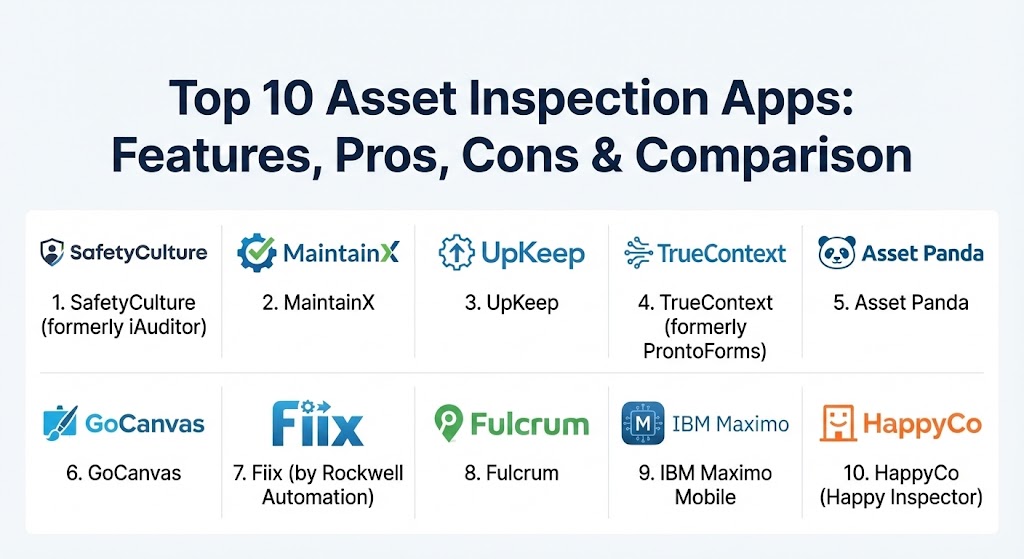
Top 10 Asset Inspection Apps
1 — SafetyCulture (formerly iAuditor)
SafetyCulture is widely considered the global leader in the inspection space. Originally known as iAuditor, it has evolved into an “Operations Platform” that empowers frontline workers to report issues, manage risks, and maintain high-quality standards through a sleek, mobile-first interface.
- Key features:
- Public Library: Access to over 100,000 community-generated inspection templates.
- Heads Up: A messaging feature to broadcast safety updates to all field teams instantly.
- Sensors Integration: Connects with IoT sensors to trigger inspections based on environmental changes.
- Smart Logic: Conditional fields that show or hide questions based on previous answers.
- Action Management: Assign corrective actions directly from a failed inspection item.
- AI Template Creator: Generate custom inspection checklists by simply uploading a PDF or image of an old form.
- Pros:
- The most intuitive user interface for field workers, requiring almost zero training.
- Robust offline mode that ensures data is never lost, even in remote locations.
- Cons:
- Advanced analytics and high-volume data features require the more expensive premium tiers.
- Can feel “bloated” if you only need a simple checklist without the extra operations modules.
- Security & compliance: SOC 2 Type II, GDPR, ISO 27001, and SSO integration (SAML 2.0).
- Support & community: 24/7 global support, an extensive “Knowledge Base,” and a massive community forum for template sharing.
2 — MaintainX
MaintainX is a fast-rising star that blurs the line between a traditional inspection app and a Work Order management system. It is heavily focused on real-time collaboration, making it a favorite for industrial and manufacturing teams.
- Key features:
- Real-Time Chat: Integrated messaging that keeps conversations attached to specific assets or inspections.
- Procedure Builder: Create standardized operating procedures (SOPs) with integrated checklists.
- Barcode/QR Scanning: Instantly pull up an asset’s inspection history by scanning a physical tag.
- Photo Annotations: Draw directly on captured photos to highlight specific defects or areas of concern.
- Preventive Maintenance Scheduling: Automates the recurrence of inspections based on time or usage metrics.
- Signature Capture: Digital signatures for verifying the completion of critical safety checks.
- Pros:
- Best-in-class communication features; it feels like a professional version of WhatsApp for maintenance.
- Extremely fast implementation; most teams are up and running within a single day.
- Cons:
- The “Asset Register” depth is slightly less comprehensive than dedicated EAM tools.
- Reporting and dashboard customization are not as granular as high-end competitors.
- Security & compliance: SOC 2 Type II, GDPR, and data encryption at rest (AES-256) and in transit.
- Support & community: High marks for customer success; provides dedicated onboarding for mid-market and enterprise clients.
3 — UpKeep
UpKeep is a mobile-first Asset Operations Platform that excels at connecting the “inspection” phase directly to the “repair” phase. It is designed to help teams track the total cost of ownership (TCO) for every asset they manage.
- Key features:
- Asset Health Score: Visual indicators of an asset’s condition based on its inspection and repair history.
- Parts & Inventory Tracking: Link specific parts to an asset so they can be “checked out” during an inspection-triggered repair.
- IoT Edge Integration: Real-time vibration and temperature monitoring that triggers emergency inspections.
- Custom Reporting: Build dashboards that track specific KPIs like Mean Time to Repair (MTTR).
- Request Portal: Allows non-users to submit “work requests” that can be converted into inspection tasks.
- Warranty Tracking: Get alerts if an asset fails an inspection while still under manufacturer warranty.
- Pros:
- Excellent for managing distributed asset portfolios (e.g., across multiple cities or states).
- The “Asset-First” philosophy provides incredible visibility into historical maintenance costs.
- Cons:
- The pricing can be steep for small teams as you add more users and modules.
- Some users find the web-based administrative dashboard less intuitive than the mobile app.
- Security & compliance: SOC 2, HIPAA (available on request), and GDPR compliant.
- Support & community: Offers “UpKeep University” for self-paced training and highly responsive technical support.
4 — TrueContext (formerly ProntoForms)
TrueContext is the heavyweight champion of “low-code” field automation. It is designed for large enterprises with highly complex, data-heavy inspection requirements that need to sync with backend systems like Salesforce or SAP.
- Key features:
- Advanced Logic & Calculations: Perform complex math and conditional branching within the form.
- Data Routing: Send inspection data to multiple destinations (e.g., email, SharePoint, and a SQL database) simultaneously.
- Multi-Language Support: Automatically translate forms based on the user’s mobile device settings.
- Visual Intelligence: Uses AI to identify objects and anomalies in captured photos.
- Bulk Dispatch: Assign hundreds of inspection tasks to a field crew with a single upload.
- App Extensions: Connect to external hardware like thermal cameras or laser measurers via Bluetooth.
- Pros:
- Unrivaled flexibility; if you can dream of a workflow, TrueContext can probably build it.
- Enterprise-grade security that meets the requirements of the most regulated industries.
- Cons:
- Steeper learning curve; requires a “Form Admin” who understands logic and data structures.
- Initial setup and integration with legacy ERPs can be time-consuming.
- Security & compliance: FIPS 140-2, SOC 2 Type II, HIPAA, and ISO 27001.
- Support & community: Expert professional services available for custom builds and a dedicated enterprise support tier.
5 — Asset Panda
Asset Panda is a highly configurable asset tracking platform that has built powerful inspection workflows directly into its core. It is the best choice for organizations that need to manage “everything” from laptops to bulldozers.
- Key features:
- Unlimited Custom Fields: Create an infinite variety of data points for any asset type.
- Check-In/Check-Out: Automatically trigger a “safety inspection” whenever a tool is handed to a new user.
- Depreciation Tracking: View an asset’s financial value alongside its physical condition.
- Custom Action Links: One-click buttons to “Perform Annual Inspection” or “Report Damage.”
- Role-Based Permissions: Granular control over who can view, edit, or delete inspection records.
- Mobile Barcode Scanning: Uses the phone’s camera to identify assets and launch the correct inspection form.
- Pros:
- The most “moldable” software on the list; it adapts to your terminology and workflows perfectly.
- Pricing is based on the number of assets, not users, making it very cost-effective for large teams.
- Cons:
- The inspection “form builder” is functional but less visually modern than SafetyCulture.
- Lacks some of the advanced “Corrective Action” workflows found in dedicated CMMS tools.
- Security & compliance: SOC 2, GDPR, and data encryption.
- Support & community: Known for excellent onboarding support and “white-glove” setup services.
6 — GoCanvas
GoCanvas is a versatile mobile platform designed to turn paper-based inspections into streamlined digital workflows. It targets the construction and field service industries with a focus on ease of use.
- Key features:
- Drag-and-Drop Builder: A no-code interface for building forms in minutes.
- Dispatch Management: Assign specific inspections to specific technicians at specific times.
- Reference Data: Upload your asset list via CSV to ensure technicians select the right equipment.
- PDF Branding: Professional, brand-matching reports that are automatically emailed to clients upon completion.
- Workflow Approvals: Route a completed inspection to a manager for sign-off before it is finalized.
- Pros:
- Incredible library of pre-built “Apps” for common construction and trade inspections.
- Very lightweight app that works well on older mobile devices.
- Cons:
- Not a full-scale asset management system; it focuses more on the “form” than the “asset lifecycle.”
- Integrating with external databases is not as seamless as with TrueContext.
- Security & compliance: HIPAA, PCI DSS, and GDPR.
- Support & community: Responsive online support and a helpful library of webinars and tutorials.
7 — Fiix (by Rockwell Automation)
Fiix is an AI-driven CMMS that focuses on industrial maintenance. Backed by Rockwell Automation, it is the top choice for manufacturing plants that want to move toward Industry 4.0.
- Key features:
- AI Asset Insights: Identifies patterns in inspection data to predict when a part will fail.
- Multi-Site Management: Compare inspection performance and asset health across different global plants.
- Interactive Floor Plans: Tap on a machine in a digital map to launch its inspection checklist.
- Audit-Ready Reporting: Generates one-click reports for ISO or OSHA auditors.
- Open API: Deeply connects with manufacturing execution systems (MES) and PLCs.
- Pros:
- The AI features are genuinely useful for large-scale operations with thousands of assets.
- Backed by a global industrial powerhouse, ensuring long-term stability and development.
- Cons:
- Can be overly complex for facilities managers who just need to track simple HVAC checks.
- The mobile app is strong, but some advanced admin features still require a desktop.
- Security & compliance: ISO 27001, SOC 2, and data anonymization for AI training.
- Support & community: Excellent enterprise-level training and a dedicated customer success manager for large accounts.
8 — Fulcrum
Fulcrum is a data collection platform that specializes in location-based inspections. It is the gold standard for environmental, utility, and civil engineering projects where the where is just as important as the what.
- Key features:
- GIS Integration: Native support for Esri ArcGIS and other mapping technologies.
- Metadata Capture: Automatically records GPS, altitude, and bearing for every photo taken.
- Data Events: Real-time data validation (e.g., ensuring a measurement falls within a safe range).
- Team Spaces: Segregate data and inspection forms by project or geographic region.
- Automated Data Export: Push data to Google Sheets, BigQuery, or Salesforce in real-time.
- Pros:
- The best mapping and geolocation features in the industry.
- Highly reliable for large-scale field data collection projects (e.g., inspecting 10,000 utility poles).
- Cons:
- The interface is more “data-centric” and less “maintenance-centric” than UpKeep or MaintainX.
- Requires a bit more technical knowledge to set up advanced mapping layers.
- Security & compliance: SOC 2, GDPR, and HIPAA compliance (available).
- Support & community: Strong technical documentation and a responsive support team.
9 — IBM Maximo Mobile
IBM Maximo is the world’s most powerful Enterprise Asset Management (EAM) system. Its mobile app provides field workers with the full power of Maximo’s AI and predictive analytics in their pocket.
- Key features:
- Predictive Maintenance: Uses Watson AI to predict failures based on inspection history and real-time sensor data.
- Remote Assistance: Launch an AR-enabled video call to a senior engineer during an inspection.
- Cognitive Search: Use voice commands to find an asset’s manual or maintenance history.
- Digital Twins: View a 3D model of the asset during the inspection process.
- Complex Work Order Integration: Connects inspections to massive, multi-million dollar repair projects.
- Pros:
- The most powerful asset management tool in existence; it can handle an entire national power grid.
- Unrivaled AI capabilities for pattern recognition and failure prediction.
- Cons:
- Extremely expensive and complex; only suitable for the largest global enterprises.
- Requires a massive implementation project that can take months or years.
- Security & compliance: Meets almost every global security standard (FedRAMP, ISO, HIPAA, GDPR).
- Support & community: Global network of IBM partners and consultants.
10 — HappyCo (Happy Inspector)
HappyCo (specifically their “Inspector” product) is the specialized leader for the multi-family and commercial real estate industry. It is designed to make property inspections fast, verified, and legally defensible.
- Key features:
- Unit Management: Organizes inspections by building, floor, and unit number.
- Time-Stamped Photos: High-resolution, non-editable photos to prevent deposit disputes.
- Community Dashboards: See which buildings are being neglected or which are in top condition.
- Lease Integration: Automatically sync inspection reports with popular property management software like Yardi.
- Walk-Through Mode: A rapid-fire mode for inspecting hundreds of units in a single day.
- Pros:
- The interface is purpose-built for property managers and requires almost no training.
- Exceptionally good at reducing liability and insurance premiums for real estate owners.
- Cons:
- Very specialized; not a good choice for industrial or manufacturing assets.
- Reporting is geared toward real estate metrics, not engineering reliability metrics.
- Security & compliance: SOC 2, GDPR, and secure data storage.
- Support & community: Strong industry-specific expertise and dedicated account management.
Comparison Table
| Tool Name | Best For | Platform(s) Supported | Standout Feature | Rating (Gartner) |
| SafetyCulture | General Safety & Ops | iOS, Android, Web | AI Template Creator | 4.8 / 5 |
| MaintainX | Team Collaboration | iOS, Android, Web | Integrated Team Chat | 4.8 / 5 |
| UpKeep | Asset Lifecycle / TCO | iOS, Android, Web | Asset Health Scores | 4.6 / 5 |
| TrueContext | Complex Data Logic | iOS, Android, Web | Multi-Destination Routing | 4.6 / 5 |
| Asset Panda | Configurable Tracking | iOS, Android, Web | Asset-Based Pricing | 4.4 / 5 |
| GoCanvas | Simple Field Forms | iOS, Android, Web | Massive App Library | 4.4 / 5 |
| Fiix | Industrial / Industry 4.0 | iOS, Android, Web | AI Failure Prediction | 4.5 / 5 |
| Fulcrum | GIS & Mapping | iOS, Android, Web | Native Esri ArcGIS Link | 4.5 / 5 |
| IBM Maximo | Global Enterprise EAM | iOS, Android, Web | Watson AI / AR Support | 4.5 / 5 |
| HappyCo | Property Management | iOS, Android, Web | Multi-Family Real Estate Focus | 4.6 / 5 |
Evaluation & Scoring of Asset Inspection Apps
To help you decide which tool fits your specific operational DNA, we have evaluated them against a weighted scoring rubric that reflects the priorities of 2026 IT and Operations leaders.
| Category | Weight | Evaluation Criteria |
| Core Features | 25% | Offline capability, media capture, smart logic, and automated reporting. |
| Ease of Use | 15% | Training time for field crews and UI cleanliness on mobile devices. |
| Integrations | 15% | Connectivity with CMMS, ERP, and IoT sensor platforms. |
| Security & Compliance | 10% | SOC 2/HIPAA certifications, encryption, and audit trail reliability. |
| Performance | 10% | App speed, sync reliability, and performance on older hardware. |
| Support & Community | 10% | Quality of documentation and accessibility of technical support. |
| Price / Value | 15% | Scalability of the pricing model relative to the features offered. |
Which Asset Inspection App Is Right for You?
Choosing an inspection app is a strategic decision that affects your team’s daily productivity and your long-term liability.
- For the “Mobile-First” Frontline: If your goal is to get your team off paper as fast as possible with a tool they will actually like using, SafetyCulture or MaintainX are the clear choices. They prioritize the user experience above all else.
- For Complex Industrial Environments: If you need to link inspections to a deep engineering history or predictive AI, Fiix or UpKeep provide the necessary depth.
- For Large-Scale Geographic Projects: If you are inspecting pipelines, power lines, or environmental sites where mapping is critical, Fulcrum is the specialized tool for you.
- For Highly Regulated Enterprises: If you need deep data logic, high security, and integrations with systems like SAP or Salesforce, TrueContext (formerly ProntoForms) offers the highest level of customization.
- For Real Estate & Property: If you manage apartments or commercial buildings, don’t try to force an industrial tool; HappyCo is built specifically for your world.
Frequently Asked Questions (FAQs)
1. What is the difference between a CMMS and an Asset Inspection App?
An inspection app focuses on the data collection process (the “check”), while a CMMS (Computerized Maintenance Management System) manages the entire lifecycle, including inventory, work orders, and costs. Many tools on this list do both.
2. Can these apps work without an internet connection?
Yes, most of the top-tier apps like SafetyCulture and TrueContext use an “offline-first” architecture. Technicians can complete inspections in dead zones, and the app will automatically sync the data once a connection is re-established.
3. Do I need to buy special hardware?
In 2026, most of these apps run perfectly on standard iOS and Android smartphones and tablets. Some industrial teams use “ruggedized” tablets or cases for extreme environments.
4. How do I migrate my old paper forms into these apps?
Many modern apps now feature “AI Scan” or “Form Importers.” You can take a photo of your paper form, and the AI will automatically create a digital version with the correct fields and questions.
5. Is my data secure in the cloud?
Leading vendors use bank-level encryption (AES-256) and undergo regular SOC 2 audits. For healthcare or government work, you should ensure the vendor also offers HIPAA or FedRAMP-compliant tiers.
6. What is “Corrective Action” in an inspection app?
If a technician marks a question as “Fail” (e.g., “Is the fire extinguisher expired?”), the app can automatically create a task or work order for someone to fix the issue immediately.
7. Can I scan barcodes or QR codes with these apps?
Yes. Using the phone’s camera, you can scan an asset’s tag to instantly load its specific inspection history and the correct form for that equipment type.
8. Can I send reports automatically to my clients?
Yes. Most apps allow you to set up a rule where a professional PDF report is automatically generated and emailed to specific stakeholders (like a client or a safety board) as soon as the inspector hits “Submit.”
9. How does “Smart Logic” help my team?
Smart logic ensures technicians only see relevant questions. For example, if they select “No” to “Does the vehicle have a trailer?”, the app will skip all the questions related to trailer safety.
10. Why should I pay for an app when I can use a free form builder?
Free tools (like Google Forms) lack offline support, barcode scanning, corrective action workflows, and the robust audit trails required for legal compliance and professional maintenance.
Conclusion
The transition from “reactive” to “proactive” asset management begins at the moment of inspection. In 2026, an Asset Inspection App is no longer just a digital clipboard—it is a sophisticated sensor that feeds your organization’s operational intelligence. The best tool for your team is one that balances high-end data security with an interface so simple that your field technicians actually prefer it to paper. By choosing correctly, you aren’t just improving documentation; you are building a safer, more efficient, and more reliable business.