Introduction
Appointment scheduling software is a dedicated technology solution that allows clients, prospects, and colleagues to book time with you based on your real-time availability. These platforms synchronize with your personal or professional calendars (like Google, Outlook, or iCloud) to provide a friction-free booking experience. Beyond just picking a time slot, modern tools now handle automated reminders, upfront payment collection, time zone math, and deep integration with CRM systems to ensure no lead or patient falls through the cracks.
The importance of these tools cannot be overstated. Research shows that businesses utilizing automated scheduling see a significant reduction in “no-shows” and an average increase in booking volume by up to 30%. In real-world use cases, a sales rep might use a scheduling link to qualify a lead instantly, while a medical clinic uses it to manage HIPAA-compliant patient intake. When evaluating these tools, users should look for multi-calendar sync, robust timezone detection, mobile accessibility, and the ability to handle complex routing (like round-robin or collective meetings).
Best for: Solopreneurs, sales teams, healthcare providers, beauty professionals, and large-scale enterprises that need to eliminate administrative friction and provide a 24/7 self-service booking experience.
Not ideal for: Purely internal teams with low meeting volumes who can manage with standard calendar invites, or businesses that require high-touch, manual gatekeeping for every single appointment without any automation.
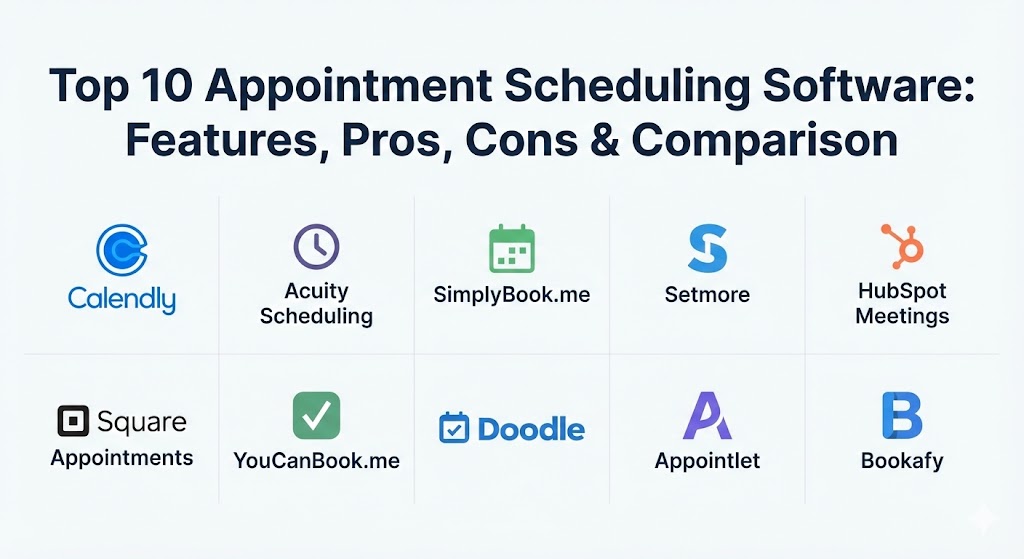
Top 10 Appointment Scheduling Software Tools
1 — Calendly
Calendly remains the heavyweight champion of the scheduling world in 2026. It is a powerful, automation-first platform designed to simplify scheduling for individuals and large people-facing enterprises alike.
- Key features:
- Automated workflow engine for pre- and post-meeting communications.
- Advanced lead routing to send prospects to the right team member.
- Multi-calendar sync (up to 6 connections per user).
- Round-robin and collective meeting types for team coordination.
- Deep integrations with Salesforce, HubSpot, Zoom, and MS Teams.
- Automated time zone detection for global participants.
- Browser extensions and mobile apps for quick link sharing.
- Pros:
- Clean, intuitive user interface that requires almost zero training.
- Robust “Lead Routing” feature is a game-changer for high-volume sales teams.
- Cons:
- The free version is quite limited (only one event type).
- Customization of the booking page layout is somewhat restricted.
- Security & compliance: SOC 2 Type II, GDPR, CCPA, and SSO integration.
- Support & community: Extensive knowledge base, 24/7 email support, and a highly active community forum.
2 — Acuity Scheduling
Now owned by Squarespace, Acuity Scheduling is the “power user’s” choice. It offers deep customization and is widely used by service-based businesses that need to collect detailed intake information.
- Key features:
- Highly customizable booking pages that can match your brand exactly.
- Advanced intake forms to collect data at the time of booking.
- Integrated payment processing via Stripe, Square, and PayPal.
- Ability to sell packages, gift certificates, and memberships.
- Real-time availability syncing across multiple time zones.
- Automated SMS and email reminders with custom branding.
- Pros:
- Offers the most flexibility for service providers who need specific client data upfront.
- Excellent mobile app performance for both admins and clients.
- Cons:
- The interface can feel slightly more complex to set up than Calendly.
- No native Apple Calendar integration for new users on lower tiers.
- Security & compliance: HIPAA compliance available (on Powerhouse plan), GDPR, and SOC 2.
- Support & community: Responsive email-based support and a detailed “Help Center.”
3 — SimplyBook.me
SimplyBook.me is a comprehensive scheduling solution specifically geared toward service-based businesses like salons, gyms, and healthcare clinics that require a full booking website.
- Key features:
- Customizable booking websites with professional templates.
- Built-in CRM system to manage patient or client information.
- Support for “Custom Features” like coupons, loyalty points, and POS.
- Multi-location and multi-provider management.
- Automated reminders via Email, SMS, and WhatsApp.
- Integration with social media platforms (Facebook, Instagram, Google Reserve).
- Pros:
- Great for international businesses with support for multiple languages and global payment gateways.
- Extremely modular; you only pay for the “Custom Features” you actually need.
- Cons:
- Booking limits (caps) on all plans can be restrictive for high-volume users.
- The dashboard can feel cluttered due to the high density of features.
- Security & compliance: HIPAA, GDPR, SOC 2, and ISO 27001 certified.
- Support & community: 24/7 live chat support is highly praised for its responsiveness.
4 — Setmore
Setmore is the champion of simplicity and value, offering one of the most generous free plans in the industry. It is designed for small, local businesses and educators on a budget.
- Key features:
- Free plan includes up to 4 users and unlimited appointments.
- Professional client-facing booking page with Square payment integration.
- Social media “Book Now” buttons for Instagram and Facebook.
- Automated email reminders (free tier) and SMS (premium).
- Native video conferencing via “Teleport” (included for free).
- Desktop and mobile apps for managing schedules on the go.
- Pros:
- Exceptional value for small teams; the free plan is genuinely useful.
- Very fast setup; you can be live and taking bookings in under 10 minutes.
- Cons:
- Lacks advanced analytical reporting for tracking business growth.
- Video conferencing tool (Teleport) has participant limits compared to Zoom.
- Security & compliance: HIPAA compliant (on Pro plan), GDPR, and AES-256 encryption.
- Support & community: 24/7 global support and a robust library of video tutorials.
5 — HubSpot Meetings
Part of the HubSpot CRM platform, this tool is designed for sales and marketing professionals who want their scheduling data to live exactly where their customer data lives.
- Key features:
- Direct, native integration with the HubSpot CRM.
- Instant lead qualification and routing based on CRM data.
- Personalized meeting links that pre-fill contact information.
- Embedded booking widgets for landing pages and websites.
- Group meeting links and round-robin distribution.
- Automated follow-up sequences triggered by booked meetings.
- Pros:
- Eliminates data silos; every meeting is automatically logged to the contact record.
- Extremely powerful when used in conjunction with HubSpot’s marketing automation.
- Cons:
- Can be very expensive if you only want the scheduling features (requires HubSpot seats).
- Customization of the booking page is limited to standard HubSpot templates.
- Security & compliance: SOC 2, GDPR, HIPAA, and Enterprise-grade SSO.
- Support & community: World-class support for paid tiers and a massive “HubSpot Academy” for training.
6 — Square Appointments
Square Appointments is the gold standard for physical, brick-and-mortar service businesses. It combines scheduling with Square’s industry-leading Point of Sale (POS) system.
- Key features:
- Integrated payment processing and hardware (card readers).
- Client management tools with appointment history and notes.
- Automated text and email reminders to reduce no-shows.
- Multi-staff and multi-location management.
- “Book Now” buttons for Google, Instagram, and Facebook.
- Waitlist management for high-demand service times.
- Pros:
- Seamlessly bridges the gap between online booking and in-person payment.
- The mobile app is exceptionally well-designed for service providers on their feet.
- Cons:
- Processing fees are a fixed part of the cost; can be high for low-margin businesses.
- Less flexible for virtual-only consulting compared to Calendly or Acuity.
- Security & compliance: PCI DSS compliant, GDPR, and SSO support.
- Support & community: Strong phone and email support for Square users.
7 — YouCanBook.me
YouCanBook.me is a highly customizable platform favored by educators, HR teams, and consultants who need a personalized touch. It is known for its ability to handle complex “availability math.”
- Key features:
- Deep branding options to make the booking page feel like your own site.
- Automatic language detection based on the user’s region.
- Advanced “Overlay Availability” to show slots across multiple calendars.
- Custom intake forms with conditional logic.
- Automated pre- and post-meeting email and SMS sequences.
- Password-protected booking pages for private clients.
- Pros:
- Offers some of the best international support with multi-language booking pages.
- Very flexible “Shorthand Codes” for personalizing automated messages.
- Cons:
- Does not offer a native mobile app (browser-based only).
- No built-in payment processing on the free tier.
- Security & compliance: GDPR, CCPA, and secure data encryption at rest.
- Support & community: Highly responsive email support and a detailed “Help Center.”
8 — Doodle
Doodle has moved far beyond “simple polls.” In 2026, it is a robust team scheduling tool that excels at finding common ground for large groups across different time zones.
- Key features:
- Group polling to find the best time for multiple participants.
- “Booking Page” for individual one-on-one scheduling.
- 1:1 and Group meeting support.
- Automatic calendar sync with Google, Outlook, and iCloud.
- Time zone detection and conflict prevention.
- Meeting reminders and follow-up automation.
- Pros:
- Still the absolute best tool for coordinating meetings between 3+ external people.
- Very low barrier to entry for participants; no account required to vote in a poll.
- Cons:
- The UI can feel a bit “busy” compared to the sleekness of Calendly.
- Advanced branding and ad-free experience require a paid plan.
- Security & compliance: SOC 2 Type II, GDPR, and SSO integration.
- Support & community: Strong online support and a very large global user base.
9 — Appointlet
Appointlet is a streamlined solution that focuses on conversion. It is designed for businesses that want to turn website visitors into booked meetings with minimal friction.
- Key features:
- Unlimited meeting types and bookings even on lower tiers.
- Customizable intake forms to qualify leads before they book.
- Round-robin and pooled availability for team distribution.
- Multi-language support for global customer bases.
- Automated reminders and buffer times to prevent burnout.
- Integration with Stripe for upfront payments.
- Pros:
- One of the most “budget-friendly” options for teams needing unlimited booking links.
- The interface is snappy and very easy for clients to navigate on mobile.
- Cons:
- Occasional calendar syncing errors reported with older versions of Outlook.
- Limited advanced reporting compared to enterprise competitors.
- Security & compliance: GDPR, SOC 2, and Two-factor authentication (2FA).
- Support & community: Praised for knowledgeable and fast live-chat support.
10 — Bookafy
Bookafy is an enterprise-ready scheduling tool that shines in B2B environments and healthcare settings where security and custom workflows are paramount.
- Key features:
- Skill-based routing to ensure clients meet with the right expert.
- Whitelabel branding options for a fully custom experience.
- Open API for developers to build custom scheduling flows.
- Integrated payment processing and revenue tracking.
- Automated reviews and feedback collection after appointments.
- Group event and workshop scheduling.
- Pros:
- Excellent for large organizations needing “Skill-Based” routing and custom SLAs.
- Support staff are known for providing direct, one-on-one setup help.
- Cons:
- The setup process can be time-consuming due to the number of enterprise settings.
- User interface is functional but lacks the modern “pop” of CData or Calendly.
- Security & compliance: 100% HIPAA compliant, SOC 2, and PCI DSS.
- Support & community: High marks for responsiveness and personalized onboarding.
Comparison Table
| Tool Name | Best For | Platform(s) Supported | Standout Feature | Rating (Gartner) |
| Calendly | Sales & Automation | Web, iOS, Android | Lead Routing & Workflows | 4.6 / 5 |
| Acuity Scheduling | Custom Services | Web, iOS, Android | Deep Intake Form Logic | 4.5 / 5 |
| SimplyBook.me | Health & Wellness | Web, iOS, Android | Booking Website Builder | 4.4 / 5 |
| Setmore | SMBs on a Budget | Web, Desktop, Mobile | 4 Free User Seats | 4.5 / 5 |
| HubSpot Meetings | CRM/Sales Teams | Web, iOS, Android | Native CRM Integration | 4.5 / 5 |
| Square Appointments | Local/Retail Services | iOS, Android, POS | Integrated POS Hardware | 4.2 / 5 |
| YouCanBook.me | Education & HR | Web (Mobile Responsive) | Language Auto-Detection | 4.5 / 5 |
| Doodle | Large Group Polls | Web, iOS, Android | Group Polling & Voting | 4.6 / 5 |
| Appointlet | Marketing/Conversions | Web, iOS, Android | Unlimited Booking Links | 4.4 / 5 |
| Bookafy | Enterprise/HIPAA | Web, iOS, Android | Skill-Based Routing | 4.5 / 5 |
Evaluation & Scoring of Appointment Scheduling Software
To choose the right software, we evaluate tools against a weighted scoring rubric that prioritizes the most critical business needs in 2026.
| Category | Weight | Evaluation Criteria |
| Core Features | 25% | Multi-calendar sync, round-robin, timezone detection, and reminders. |
| Ease of Use | 15% | Intuitiveness for both the administrator and the end customer. |
| Integrations | 15% | Connectivity with CRMs, Zoom, Teams, and Payment Gateways. |
| Security & Compliance | 10% | HIPAA readiness, GDPR compliance, and SSO support. |
| Performance | 10% | Sync speed, mobile responsiveness, and uptime reliability. |
| Support & Community | 10% | Quality of documentation and speed of technical assistance. |
| Price / Value | 15% | Feature set relative to the cost of the subscription. |
Which Appointment Scheduling Software Tool Is Right for You?
Selecting the perfect tool depends on where you sit in the market and what your specific “pain point” is.
- Solo Users & Freelancers: If you just need one link and basic scheduling, the Calendly Free plan or Setmore are your best starting points. They are simple, professional, and reliable.
- Small Businesses (SMBs): If you operate a salon or gym, SimplyBook.me is built for you. If you have a retail shop, Square Appointments is the obvious choice due to its hardware integration.
- Mid-Market Sales Teams: If you live in your CRM, HubSpot Meetings is unbeatable. If you use a different CRM (like Pipedrive), Calendly’s workflows and routing will provide the best automation.
- Enterprise & Regulated Industries: For healthcare providers requiring strict data privacy, Bookafy or Acuity (Powerhouse tier) are the leaders. Large corporations with 500+ employees should prioritize tools with robust SSO and SLA support like Calendly Enterprise.
- Budget vs. Premium: Setmore and Appointlet offer the most “bang for your buck” on paid tiers. If you want the absolute highest level of branding and customization, be prepared to pay the premium for Acuity or Homey Pro.
Frequently Asked Questions (FAQs)
1. Is appointment scheduling software secure?
In 2026, most top-tier tools use AES-256 encryption and are GDPR compliant. If you are in healthcare, you must ensure your chosen plan is specifically “HIPAA compliant” to legally store patient data.
2. Can these tools prevent double-bookings?
Yes. That is their primary function. They check your connected calendars (Google, Outlook, etc.) in real-time and only show slots where you have no existing appointments or “busy” blocks.
3. Do my clients need to create an account to book me?
No. One of the main benefits of these tools is that they allow clients to book in just a few clicks without the friction of creating a new username or password.
4. How do I handle different time zones?
The software automatically detects your client’s time zone based on their browser settings and displays your availability in their local time, eliminating “meeting math” errors.
5. Can I collect payments when someone books?
Yes. Tools like Acuity, Calendly, and SimplyBook.me integrate with Stripe, Square, and PayPal to allow you to require payment or a deposit before the appointment is confirmed.
6. What are “buffer times”?
Buffer times are small gaps (e.g., 15 minutes) the software automatically places before or after a meeting to ensure you have time for a break or preparation between back-to-back appointments.
7. Can I embed the scheduling link on my website?
Absolutely. Most platforms provide a simple “embed code” that allows you to put the calendar directly on your site, keeping visitors on your domain while they book.
8. Is there a difference between “Round Robin” and “Collective” booking?
Round Robin distributes meetings evenly among a team (A, then B, then C). Collective booking only shows slots when all required team members are available at the same time.
9. Can I customize the reminders?
Yes. You can typically set the timing (e.g., 24 hours before and 1 hour before) and the content of the SMS or email to match your brand’s voice and include specific instructions.
10. What happens if I need to reschedule?
Most tools include a “Reschedule” link in the confirmation email. This allows the client to pick a new time without you needing to manually cancel and re-book the slot.
Conclusion
The best appointment scheduling tool is the one that stays invisible. Your clients should feel that booking with you is the easiest part of their day, while you should feel that your calendar is a perfectly oiled machine that works while you sleep. Whether you choose the enterprise-grade automation of Calendly, the deep customization of Acuity, or the retail-ready power of Square, the move toward automated scheduling is the single most effective way to reclaim your time.