Introduction
Agile Project Management Tools are specialized software platforms that facilitate iterative work cycles, allowing teams to deliver value in small, manageable increments. Unlike traditional waterfall tools that focus on fixed deadlines and sequential phases, Agile tools prioritize flexibility, transparency, and collaboration. They provide a centralized space for backlog grooming, sprint planning, and real-time progress tracking. By visualizing work-in-progress, these tools help teams identify bottlenecks early and adjust their trajectory based on actual data rather than optimistic projections.
In the real world, these tools are indispensable for Software Development (managing bug tracking and feature releases), Product Management (aligning roadmaps with user feedback), and Hardware Engineering (handling rapid prototyping). When evaluating these tools, users should look for native support for Scrum/Kanban, automated velocity tracking, robust API ecosystems, and cross-team dependency mapping. The goal is to reduce “work about work” and maximize the actual output of the team.
Best for: Cross-functional teams, software engineers, product owners, and project managers in high-growth startups and large enterprises. It is particularly essential for industries that require frequent updates and rapid response to market changes, such as Tech, Fintech, and Digital Marketing.
Not ideal for: Organizations with highly predictable, slow-moving projects that follow a strict “fixed-scope, fixed-time” model, such as large-scale civil construction or heavy infrastructure. For these, traditional Waterfall or Gantt-centric tools may be more efficient and less distracting.
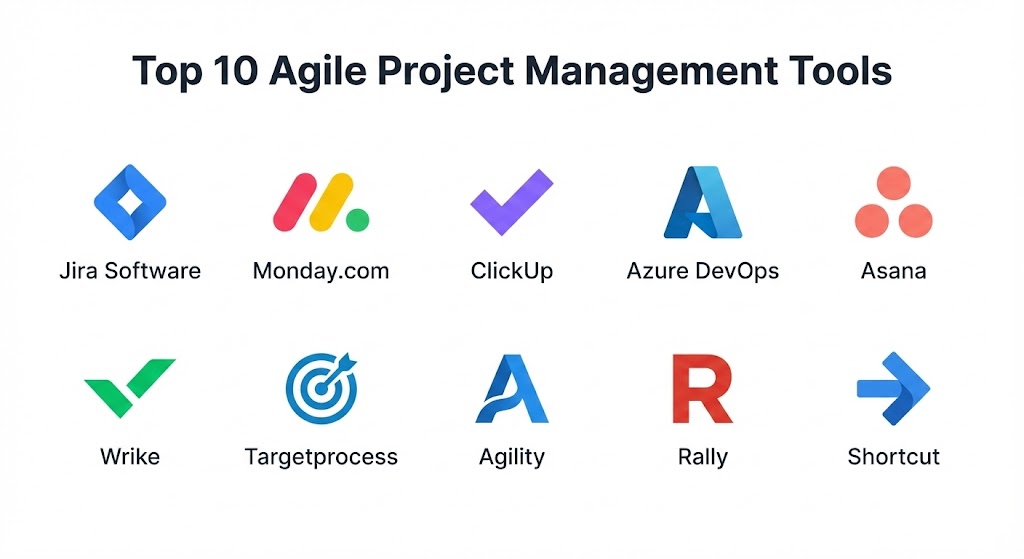
Top 10 Agile Project Management Tools
1 — Jira Software (Atlassian)
Jira remains the industry titan for Agile development in 2026. Originally a bug tracker, it has evolved into a powerhouse for Scrum and Kanban teams, offering unrivaled customization and deep technical integration for the entire DevOps lifecycle.
- Key features:
- Advanced Roadmaps: Visualize dependencies across multiple teams and projects.
- JQL (Jira Query Language): Powerful search and filtering for complex data sets.
- Native Scrum/Kanban Boards: Out-of-the-box support for sprints, backlogs, and WIP limits.
- Automation Engine: Drag-and-drop rule builder to automate repetitive tasks.
- Velocity & Burn-down Charts: Real-time reporting on team performance and predictability.
- DevOps Integration: Deep linking with Bitbucket, GitHub, and CI/CD pipelines.
- Custom Issue Types: Define specific workflows for bugs, stories, tasks, and sub-tasks.
- Pros:
- The most powerful and flexible tool for complex, large-scale software organizations.
- Extensive marketplace with thousands of apps to extend functionality.
- Cons:
- Notoriously steep learning curve; often requires a dedicated administrator.
- The user interface can feel cluttered and overwhelming for non-technical teams.
- Security & compliance: SOC 2, SOC 3, ISO 27001, GDPR, and HIPAA compliant. Features advanced SSO and encryption at rest.
- Support & community: Massive global community, extensive documentation (Atlassian University), 24/7 enterprise support, and global partner network.
2 — Monday.com
Monday.com has transitioned from a simple task manager to a sophisticated “WorkOS.” It excels in visual project management, offering an incredibly intuitive interface that appeals to both technical and creative Agile teams.
- Key features:
- Visual Agile Boards: Easily switch between Kanban, Timeline, and Calendar views.
- Automation Recipes: Simple “if this, then that” logic to sync data across boards.
- Workdocs: Collaborative documents that live directly inside the project board.
- Dashboards: Aggregate data from multiple boards to see high-level progress.
- Apps Marketplace: Native integrations with Slack, Zoom, and Google Workspace.
- Monday Dev: A specialized product suite specifically for software developers.
- Pros:
- The most “user-friendly” experience; teams can get started in minutes.
- Highly colorful and visual, making it easier to see status at a single glance.
- Cons:
- Per-user pricing tiers can be restrictive for small teams.
- Lacks some of the deep technical reporting found in specialized tools like Jira.
- Security & compliance: SOC 2 Type II, ISO 27001, HIPAA, and GDPR compliant.
- Support & community: 24/7 customer support, active user community, and extensive self-serve knowledge base.
3 — ClickUp
ClickUp’s mantra is “one app to replace them all.” It is an aggressively featured-packed platform that combines tasks, docs, goals, and chat into a single, highly customizable Agile workspace.
- Key features:
- Everything View: A unique hierarchy that shows every task across the entire organization.
- Custom Task Statuses: Define unique Agile stages (e.g., “In Review,” “UAT,” “Released”).
- Native Sprints: Integrated sprint points, roll-overs, and velocity tracking.
- Mind Maps: Visual brainstorming that converts directly into actionable tasks.
- ClickUp AI: Automated task summaries and comment replies.
- Whiteboards: Real-time collaboration for sprint retrospectives.
- Pros:
- Incredible value; offers more features for free than almost any other competitor.
- High level of customization for teams that want to build their own specific methodology.
- Cons:
- The sheer number of features can lead to performance lag on older hardware.
- The UI can be intimidating due to the high density of buttons and options.
- Security & compliance: SOC 2 Type II and GDPR compliant. Features 2FA and 256-bit AES encryption.
- Support & community: Fast-growing community, ClickUp University, and 24/7 chat support.
4 — Azure DevOps (Microsoft)
For organizations deeply embedded in the Microsoft ecosystem, Azure DevOps is the premier choice. It provides a full-spectrum Agile toolset that is tightly coupled with Azure Repos and Pipelines.
- Key features:
- Azure Boards: Professional-grade Kanban and Scrum boards for enterprise scale.
- Backlog Management: Drag-and-drop prioritization and capacity planning.
- Dashboards: Customizable widgets for tracking cycle time and lead time.
- Wiki Integration: Built-in documentation that links directly to work items.
- Extensions Marketplace: Connect with Slack, Trello, and thousands of other tools.
- Sprint Planning: Native tools for managing team capacity and sprint health.
- Pros:
- Unrivaled integration for developers using .NET and Azure cloud services.
- Very stable and performant, even with massive data sets and thousands of users.
- Cons:
- Interface feels more “corporate” and less modern than Monday or ClickUp.
- Primarily designed for developers; not very intuitive for marketing or HR teams.
- Security & compliance: ISO 27001, HIPAA, SOC 1/2, and GDPR compliant. Backed by Microsoft’s global security infrastructure.
- Support & community: Enterprise Microsoft support, massive documentation library, and global consulting partners.
5 — Asana
Asana is a favorite for teams that prioritize clarity and workflow. While not as “technical” as Jira, its Agile features have significantly improved, making it a strong contender for “Business-Agile” organizations.
- Key features:
- Workflow Builder: Visual tool to automate hand-offs between team members.
- Timeline View: A Gantt-style view that respects Agile dependencies.
- Portfolios: Monitor the health of multiple Agile projects in a single view.
- Workload: Real-time capacity management to prevent team burnout.
- Custom Fields: Track specific metadata like “Story Points” or “Priority.”
- Asana Intelligence: AI-driven bottleneck detection and status updates.
- Pros:
- Beautifully designed and fast; encourages high adoption rates within teams.
- Focuses on the “Work Graph,” showing how every task connects to company goals.
- Cons:
- No native “Sprint” object (requires custom setup with tags or projects).
- Can become expensive as you move into the Enterprise tiers for advanced reporting.
- Security & compliance: SOC 2 Type II, ISO 27001, HIPAA (Enterprise), and GDPR compliant.
- Support & community: Asana Academy, global user groups, and tiered customer support.
6 — Wrike
Wrike is an enterprise-level tool designed for high-performance teams that need a balance between Agile flexibility and executive-level visibility. It is particularly strong in resource management.
- Key features:
- Dynamic Request Forms: Automate task creation based on standardized intake forms.
- Gantt-Agile Hybrid: Unique ability to view Agile tasks on a traditional timeline.
- Custom Workflows: Define specific paths for different task categories.
- Wrike Lightspeed: A modern, high-performance engine for faster data loading.
- Proofing & Approvals: Built-in tools for marking up creative assets.
- Resource Management: Detailed views of team utilization and billable hours.
- Pros:
- Robust reporting that satisfies both project managers and C-suite executives.
- Excellent for “Hybrid-Agile” environments where some parts of the org are Waterfall.
- Cons:
- The learning curve is high; setup usually requires professional services.
- The interface can feel a bit rigid compared to the fluidity of Trello or Monday.
- Security & compliance: SOC 2, HIPAA, ISO 27001, and GDPR compliant. Features Wrike Lock for user-managed encryption keys.
- Support & community: Global 24/7 support, dedicated account managers, and an active user forum.
7 — Targetprocess (Apptio)
Targetprocess is a specialized tool designed for Scaled Agile (SAFe). It is intended for large organizations that need to synchronize dozens of teams under a single strategic umbrella.
- Key features:
- Cross-Team Boards: Visualize how one team’s work impacts another in real-time.
- Dependency Mapping: Powerful visual links between epics, features, and stories.
- Portfolio Management: Align high-level business strategy with ground-level execution.
- Custom Data Visualization: Build unique charts that track cycle time, throughput, and bugs.
- SAFe Support: Native templates for Program Increments (PI) and Value Streams.
- Pros:
- The best tool for organizations going through a large-scale Agile transformation.
- Highly flexible data model that can be adapted to any organizational hierarchy.
- Cons:
- Too complex for small teams or simple project management needs.
- The UI can feel technical and dense for non-Agile practitioners.
- Security & compliance: SOC 2 Type II, ISO 27001, and GDPR compliant.
- Support & community: Professional onboarding and consulting, deep technical documentation.
8 — Agility (formerly VersionOne)
Now part of the Digital.ai ecosystem, Agility is a pioneer in enterprise Agile. It focuses on providing a “single source of truth” for the entire software development lifecycle across global teams.
- Key features:
- Strategic Themes: Connect top-down business goals to specific epics.
- Release Forecasting: AI-driven predictions for when features will be ready.
- Portfolio Kanban: High-level visualization of the entire development pipeline.
- Compliance Auditing: Detailed history of every change for regulated industries.
- Ecosystem Integration: Connects with Jenkins, Git, and other DevOps tools.
- Pros:
- Exceptionally strong for regulated industries like Banking and Healthcare.
- Focuses on “Value Stream Management,” helping orgs see where money is being made.
- Cons:
- The interface is functional but feels significantly older than modern SaaS competitors.
- High cost of entry; strictly an enterprise-level solution.
- Security & compliance: ISO 27001, SOC 2, HIPAA, and GDPR compliant.
- Support & community: Enterprise-grade support, specialized training, and global partner ecosystem.
9 — Rally (Broadcom)
Rally Software (formerly CA Agile Central) is another heavyweight in the enterprise Agile space. It is designed to help massive organizations manage complex product portfolios with thousands of developers.
- Key features:
- Capacity Planning: Balance workloads across multiple teams and release trains.
- Quality Management: Integrated test cases and defect tracking.
- Custom Apps: Build your own data views inside the platform using JavaScript.
- Milestone Tracking: Link Agile work to fixed business dates.
- Team Health Check: Built-in surveys to gauge team morale and agility.
- Pros:
- Unparalleled stability for environments with tens of thousands of users.
- Deep, industrial-strength reporting for “command and control” environments.
- Cons:
- High overhead; the tool requires significant manual data entry to be effective.
- UI is dated and lacks the collaborative “fun” of modern tools.
- Security & compliance: FIPS 140-2, SOC 2, and GDPR compliant.
- Support & community: Professional services via Broadcom, technical documentation, and user groups.
10 — Shortcut (formerly Clubhouse)
Shortcut is the “Goldilocks” of Agile tools. It offers the power of Jira with the ease of use of Trello, specifically designed for fast-moving software teams that want to ship without the administrative bloat.
- Key features:
- Story-based Workflow: Simple, intuitive way to manage tasks, bugs, and features.
- Epics & Milestones: High-level grouping that doesn’t feel overly complex.
- Native Kanban Boards: Clean, fast boards with drag-and-drop functionality.
- Reporting Dashboards: Automatic generation of velocity and burn-down charts.
- GitHub/GitLab Integration: Link stories to specific branches and pull requests.
- Pros:
- Very fast performance; the UI is snappier than almost any other tool on this list.
- Strikes a perfect balance between “too simple” and “too complex.”
- Cons:
- Lacks the deep resource management and time-tracking of Wrike or Monday.
- Customization is more limited compared to the enterprise giants.
- Security & compliance: SOC 2 Type II and GDPR compliant.
- Support & community: Responsive support team, active Slack community, and helpful guides.
Comparison Table
| Tool Name | Best For | Platform(s) Supported | Standout Feature | Rating (Gartner) |
| Jira | Software Teams | Web, Win, Mac, iOS, Android | JQL & DevOps Sync | 4.6 / 5 |
| Monday.com | Visual Collaboration | Web, Win, Mac, iOS, Android | Workflow Automation | 4.7 / 5 |
| ClickUp | All-in-One Productivity | Web, Win, Mac, iOS, Android | Everything View | 4.7 / 5 |
| Azure DevOps | Microsoft Developers | Web, Win | CI/CD Integration | 4.5 / 5 |
| Asana | Business Agile | Web, Win, Mac, iOS, Android | Work Graph Mapping | 4.5 / 5 |
| Wrike | Hybrid Enterprise | Web, Win, Mac, iOS, Android | Dynamic Request Forms | 4.4 / 5 |
| Targetprocess | Scaled Agile (SAFe) | Web, iOS, Android | Dependency Mapping | 4.3 / 5 |
| Agility | Regulated Enterprise | Web, Win | Value Stream Mapping | 4.1 / 5 |
| Rally | Large Scale Portfolio | Web | Capacity Planning | 4.0 / 5 |
| Shortcut | Modern Software Squads | Web, iOS, Android | Fast, Opinionated UI | 4.6 / 5 |
Evaluation & Scoring of Agile Project Management Tools
| Criteria | Weight | Evaluation Rationale |
| Core Features | 25% | Backlog management, sprint planning, and Agile reporting (velocity). |
| Ease of Use | 15% | Intuitiveness of the UI and the “time-to-productivity” for new users. |
| Integrations | 15% | Depth of connectivity with code repos, chat, and cloud services. |
| Security & Compliance | 10% | Adherence to industry standards (HIPAA, SOC 2, GDPR). |
| Performance | 10% | Uptime, data loading speed, and stability under heavy load. |
| Support & Community | 10% | Documentation quality and the availability of external certified help. |
| Price / Value | 15% | ROI for the organization relative to the monthly per-user cost. |
Which Agile Project Management Tool Is Right for You?
Solo Users vs SMB vs Mid-market vs Enterprise
If you are a solo user or freelancer, ClickUp or the free tier of Trello (not listed, but related) provide the best value. For SMBs, Monday.com and Shortcut offer the best balance of speed and organization. Mid-market companies that are scaling their engineering departments should look at Jira or Asana. Finally, for the Enterprise managing thousands of users, the governance of Azure DevOps, Targetprocess, or Rally is non-negotiable.
Budget-conscious vs Premium Solutions
For those on a tight budget, ClickUp and Shortcut offer the most “generous” entry levels. However, if you are looking for a Premium solution where the vendor handles complexity and security at the highest level, the investment in Jira Enterprise or Digital.ai Agility is justified by the reduction in risk and administrative overhead.
Feature Depth vs Ease of Use
If you prioritize Ease of Use, Monday.com and Asana are the clear winners; they look and feel like modern consumer apps. If you need Feature Depth (e.g., custom database queries, complex cross-project roadmaps), you will need to accept the steeper learning curve of Jira or Targetprocess.
Integration and Scalability Needs
If your primary concern is Integration with a specific ecosystem (like Microsoft Azure or Atlassian Bitbucket), the native choice is almost always the best. For Scalability, particularly when moving from 5 teams to 50 teams, ensure your chosen tool supports dependency mapping and portfolio management (e.g., Jira Roadmaps or Wrike).
Frequently Asked Questions (FAQs)
1. Is Jira too complex for small teams?
Yes, it can be. While Jira is powerful, small teams often find the overhead of managing the settings takes away from actual work. Shortcut or Monday.com are often better “fast-start” alternatives.
2. Can these tools handle Waterfall projects too?
Most can. Tools like Wrike and Asana are specifically designed as “Hybrid” tools, allowing you to use Kanban for one project and Gantt for another within the same platform.
3. Do I need a Scrum Master to manage these tools?
Not necessarily, but an Agile tool is only as good as the process behind it. Without someone ensuring the backlog is clean and status is updated, the tool will quickly become “garbage in, garbage out.”
4. What is the difference between Scrum and Kanban boards?
Scrum boards are for fixed “sprints” (usually 2 weeks), while Kanban boards are for continuous flow. Most tools on this list support both.
5. How much do these tools typically cost?
In 2026, the average cost ranges from $10 to $25 per user per month. Enterprise tiers can be significantly more but usually include unlimited data and advanced security.
6. Can I host these tools on my own servers?
Most are now SaaS-only (Cloud). Jira has phased out its “Server” version in favor of Data Center or Cloud. If you need on-premise, look at Azure DevOps or Digital.ai.
7. Do these tools integrate with Slack or Teams?
Yes, almost all of them. Deep integration (e.g., creating a task directly from a chat message) is a standard feature in 2026.
8. What is “Velocity” in these tools?
Velocity is a metric that tracks how much “work” (usually in story points) a team completes in a single sprint. It is used to forecast future release dates.
9. Can these tools help with remote team morale?
Indirectly, yes. By providing transparency and clear ownership, they reduce the stress of “not knowing what to do next,” which is a major driver of remote work burnout.
10. Which tool has the best mobile app?
Monday.com and Asana are generally rated highest for mobile experience, as their UIs are designed to be “finger-friendly” and responsive.
Conclusion
The “best” Agile project management tool depends entirely on your team’s specific context. There is no one-size-fits-all winner. In 2026, the marketplace has split into specialized leaders: Jira for technical depth, Monday.com for visual ease, and Targetprocess for massive scale.
When making your final decision, reinforce what matters most to your team: is it the speed of adoption, the depth of technical integration, or the ability to manage thousands of users? The most successful Agile teams are the ones where the tool disappears into the background, allowing the developers and creatives to focus on what they do best—building incredible things.