Introduction
Access Control Management Software (ACMS) is a centralized digital platform used to manage credentials, authorize individuals, and monitor entry and exit points across an organization’s infrastructure. Unlike legacy standalone systems, modern ACMS solutions integrate with video surveillance, HR databases, and visitor management systems to provide a 360-degree view of facility security. These tools allow administrators to grant or revoke access in real-time, schedule door locks, and generate detailed audit trails—all from a single dashboard.
The importance of these tools is paramount in an era of hybrid work and heightened regulatory scrutiny. Beyond preventing unauthorized entry, these systems provide critical data on building occupancy, help in emergency muster reporting, and ensure compliance with global standards like SOC 2 and GDPR. When evaluating software in this category, decision-makers should look for “mobile-first” capabilities (using smartphones as credentials), open API architectures for easy integration, and robust end-to-end encryption to prevent “credential cloning” or hacking.
Best for: Security directors, facility managers, and IT administrators in mid-market to enterprise-level organizations. It is particularly essential for industries with high turnover or strict compliance needs, such as healthcare, education, manufacturing, and co-working spaces.
Not ideal for: Very small, single-room businesses where a simple mechanical lock or a basic standalone keypad suffices. It may also be overkill for residential homeowners who do not require audit logs or multi-user credential management.
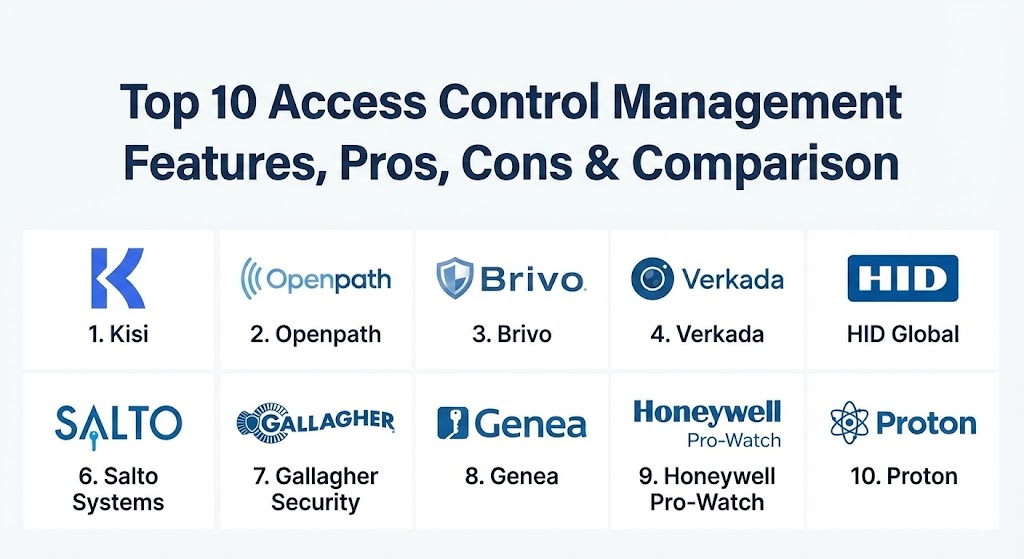
Top 10 Access Control Management Software Tools
1 — Kisi
Kisi is a cloud-based physical security platform that specializes in modernizing office access through mobile credentials. It is designed for forward-thinking companies that want to eliminate physical badges in favor of a smartphone-centric experience.
- Key features:
- “Tap-to-Unlock” and “Motion-to-Unlock” smartphone capabilities.
- Cloud-managed dashboard for remote lock/unlock functionality.
- Native integrations with Slack, Microsoft Azure, and G Suite for automated provisioning.
- Over-the-air (OTA) updates for hardware and software.
- Heatmaps and occupancy tracking analytics.
- Support for physical fobs and cards alongside mobile keys.
- Pros:
- Highly intuitive user interface that requires minimal training for administrators.
- Seamless automated user onboarding and offboarding via HRIS sync.
- Cons:
- Requires Kisi-specific hardware for the best experience.
- The cost can scale quickly for organizations with hundreds of doors.
- Security & compliance: SOC 2 Type II, GDPR compliant, end-to-end TLS encryption, and detailed audit logs.
- Support & community: Extensive online documentation, 24/7 technical support for enterprise tiers, and a helpful library of integration guides.
2 — Openpath (by Motorola Solutions)
Openpath, now part of the Motorola Solutions ecosystem, is widely regarded as the “gold standard” for touchless access control. It combines sleek hardware with a powerful cloud backend to provide a friction-free entry experience.
- Key features:
- Proprietary “Wave-to-Unlock” touchless entry technology.
- Triple-path technology (Wi-Fi, Cellular, Bluetooth) ensuring high reliability.
- Integrated video intercom and camera capabilities in the reader.
- Granular scheduling for holiday shifts and special events.
- Lockdown triggers that can be activated from any mobile device.
- Remote management of multi-site global footprints.
- Pros:
- The most reliable mobile-unlock experience in the industry due to its multi-path tech.
- Hardware design is aesthetically pleasing, fitting well in modern architectural spaces.
- Cons:
- Premium pricing reflects its position as a high-end solution.
- Initial hardware installation often requires certified professional integrators.
- Security & compliance: SOC 2, HIPAA, GDPR, and support for OSDP (Open Supervised Device Protocol).
- Support & community: Strong network of certified dealers and installers; robust enterprise support and professional service options.
3 — Brivo
Brivo is a pioneer in the cloud access control space, offering one of the most mature and widely integrated platforms available today. It is a “workhorse” solution that fits everything from small retail shops to global enterprises.
- Key features:
- Brivo Access dashboard for unified management of video and entry.
- Support for mobile, biometrics, and traditional RFID credentials.
- Integrated visitor management system.
- Occupancy monitoring and anomaly detection alerts.
- Comprehensive API for custom third-party integrations.
- Hardware-agnostic options through Mercury hardware support.
- Pros:
- Extreme scalability; you can start with one door and grow to thousands effortlessly.
- High level of reliability with a proven track record of over 20 years in the cloud.
- Cons:
- The user interface can feel slightly more “corporate” and less modern than Kisi.
- Complex configuration options may require an experienced security admin.
- Security & compliance: ISO 27001, SOC 2, HIPAA, and PCI DSS compliance readiness.
- Support & community: Large user base; extensive partner training programs and 24/7 global support availability.
4 — Verkada
Verkada is famous for its “all-in-one” approach to physical security. It integrates access control, video surveillance, environmental sensors, and alarms into a single, cohesive cloud platform.
- Key features:
- Native integration between cameras and door events for instant visual verification.
- Centralized cloud management with no servers or NVRs required.
- Identity management through facial recognition and license plate recognition.
- Remote door management and lockdown via the Verkada Command app.
- Environmental sensors to detect smoke, vape, or noise anomalies.
- Plug-and-play hardware installation.
- Pros:
- The best “single pane of glass” experience; seeing video of every door entry is incredibly powerful.
- Zero-configuration networking makes it easy for IT teams to deploy across sites.
- Cons:
- Locked into the Verkada ecosystem; you cannot use third-party cameras or readers.
- Subscription-based model means hardware stops working if the license expires.
- Security & compliance: SOC 2, GDPR, HIPAA, and FIPS 140-2 validated encryption.
- Support & community: Highly responsive 24/7 chat support; a massive library of “how-to” videos and webinars.
5 — HID Global (HID Origo)
HID Global is the undisputed heavyweight of the hardware world, and their HID Origo platform is their move into cloud-based management and mobile identities.
- Key features:
- Industry-leading mobile identity management (HID Mobile Access).
- Integration with Apple Wallet and Google Wallet for digital badges.
- Support for the widest range of hardware readers and controllers globally.
- Developer-first API for building custom access applications.
- Cloud-based credential lifecycle management.
- Advanced analytics on credential usage and peak traffic times.
- Pros:
- Unrivaled compatibility; if you have existing hardware, it likely works with HID.
- Highly secure credentialing technology (Seos) that is nearly impossible to clone.
- Cons:
- The software platform can be complex and less “user-friendly” for non-technical staff.
- Often requires working through traditional security integrators rather than direct-to-SaaS.
- Security & compliance: FIPS 201 (Government standard), ISO 27001, GDPR, and SOC 2.
- Support & community: Global presence with local support in almost every country; extensive professional training certifications.
6 — Salto Systems (Salto KS)
Salto specializes in “data-on-card” technology and wireless electronic locks. Their cloud solution, Salto KS (Keys as a Service), is a favorite for hospitality and multi-family residential sectors.
- Key features:
- Wireless electronic locks that don’t require expensive wiring to every door.
- “Keys as a Service” cloud platform for remote management.
- Mobile keys, PIN codes, and physical tags supported.
- Remote opening from anywhere in the world.
- Integration with property management systems (PMS).
- Automated notification triggers for “door left open” events.
- Pros:
- significantly lower installation costs due to wireless hardware.
- Ideal for retrofitting old buildings where running cable is difficult or prohibited.
- Cons:
- Wireless locks require battery management (though battery life is generally excellent).
- Not as feature-rich for high-security industrial perimeters compared to Gallagher.
- Security & compliance: ISO 27001, GDPR, and SOC 2.
- Support & community: Dedicated support for the hospitality sector; global network of certified Salto partners.
7 — Gallagher Security
Gallagher is a high-security powerhouse from New Zealand, known for protecting government buildings, prisons, and massive industrial sites with their “Command Centre” software.
- Key features:
- Integrated access control, intruder alarms, and perimeter security.
- High-level cybersecurity with end-to-end authentication.
- Advanced reporting for regulatory compliance and health/safety.
- Mobile Connect app for credentials and remote monitoring.
- Integration with building management systems (BMS) for energy savings.
- Sophisticated logic for “interlocking” doors and high-security zones.
- Pros:
- The most robust system for “critical infrastructure” and government-grade security.
- Exceptionally deep feature set for managing complex site logic and alarms.
- Cons:
- Overly complex for a standard 10-person office.
- Higher learning curve for system administrators.
- Security & compliance: CAPSS (UK Government), UL 294, FIPS 201, and SOC 2.
- Support & community: Top-tier global support; extensive formal training and certification for engineers.
8 — Genea
Genea is an IT-centric access control solution that focuses on automation and cloud-based convenience. It is designed to be the “easiest to manage” for overworked IT departments.
- Key features:
- 24/7 automated sync with Azure AD, Okta, and Workday.
- Non-proprietary hardware approach (uses Mercury and HID).
- Mobile credentials with Apple Watch support.
- Global “One Card” functionality for employees traveling between offices.
- Automatic visitor logging and badge printing.
- Real-time monitoring with customizable alert triggers.
- Pros:
- Prevents “vendor lock-in” by using industry-standard open hardware.
- The automation of onboarding/offboarding saves hours of manual data entry.
- Cons:
- Less emphasis on integrated video compared to Verkada.
- Reporting is efficient but may lack the “enterprise depth” of Brivo or Honeywell.
- Security & compliance: SOC 2 Type II, GDPR, and HIPAA.
- Support & community: Renowned for their 24/7 white-glove customer support; high user satisfaction ratings.
9 — Honeywell Pro-Watch
Honeywell is a legacy titan in the space. Pro-Watch is their enterprise-level software designed to manage massive, multi-national organizations with complex security needs.
- Key features:
- Support for thousands of readers and millions of users in a single system.
- Integration with Honeywell’s massive ecosystem of fire and life safety tools.
- Advanced “Badging Station” for high-volume physical card printing.
- Global anti-passback and guard tour functionality.
- Detailed compliance reporting for regulated industries.
- VMS integration for integrated video and alarm management.
- Pros:
- Rock-solid stability for mission-critical operations.
- Capable of handling the most complex enterprise hierarchies and permissions.
- Cons:
- The software can feel heavy and dated compared to cloud-native apps.
- Usually requires a significant on-site server infrastructure (though cloud options are growing).
- Security & compliance: FIPS 201, ISO 27001, SOC 2, and various government certifications.
- Support & community: Global enterprise support with dedicated account management for large contracts.
10 — Proton (formerly Proxy)
Proton is a modern, design-focused access control solution that treats the “smartphone as a digital identity” rather than just a key. It is popular in tech hubs and high-end commercial real estate.
- Key features:
- Minimalist hardware readers with high-speed Bluetooth sensing.
- Identity-based access that works in the background (no need to open an app).
- Integrated visitor management with digital health check-ins.
- Real-time analytics on office space utilization.
- Cloud-based management with granular role-based access control (RBAC).
- Support for “hands-free” entry.
- Pros:
- The most “magical” user experience—entry feels invisible and friction-free.
- High design aesthetic that appeals to luxury offices and tech firms.
- Cons:
- Highly dependent on users having modern smartphones with Bluetooth active.
- Smaller hardware ecosystem compared to giants like HID or Brivo.
- Security & compliance: SOC 2, GDPR, and high-level data encryption.
- Support & community: Modern customer success model; fast email and chat support.
Comparison Table
| Tool Name | Best For | Platform(s) Supported | Standout Feature | Rating (Gartner/TrueReview) |
| Kisi | Modern SME Offices | Cloud, iOS, Android | Seamless HRIS Sync | 4.6 / 5 |
| Openpath | Touchless Entry | Cloud, iOS, Android | Wave-to-Unlock | 4.8 / 5 |
| Brivo | Scalable Enterprises | Cloud, iOS, Android | 20+ years Cloud Stability | 4.5 / 5 |
| Verkada | Unified Security | Cloud, iOS, Android | Video + Access Integration | 4.7 / 5 |
| HID Origo | Global Standards | Cloud, iOS, Android | Digital Wallet Badges | 4.3 / 5 |
| Salto KS | Hospitality / Residential | Cloud, iOS, Android | Wireless “Data-on-Card” | 4.4 / 5 |
| Gallagher | Critical Infrastructure | On-prem/Cloud, Mobile | Gov-Grade Logic | 4.8 / 5 |
| Genea | IT Automation | Cloud, iOS, Android | White-Glove Support | 4.9 / 5 |
| Honeywell | Massive Sites | On-prem/Hybrid | Global Site Hierarchy | 4.1 / 5 |
| Proton | Frictionless Identity | Cloud, iOS, Android | Background Sensing | 4.5 / 5 |
Evaluation & Scoring of Access Control Management Software
To help you make an objective choice, we have evaluated these tools based on a weighted rubric that reflects the priorities of modern security and IT professionals.
| Category | Weight | Evaluation Criteria |
| Core Features | 25% | Remote locking, scheduling, lockdown modes, and mobile credential reliability. |
| Ease of Use | 15% | Dashboard intuitiveness, mobile app speed, and administrator learning curve. |
| Integrations | 15% | Support for HRIS (Okta/Azure), Video (VMS), and APIs for custom workflows. |
| Security & Compliance | 10% | Encryption standards, SOC 2 / GDPR certifications, and audit log depth. |
| Performance | 10% | System uptime, credential latency, and hardware durability. |
| Support | 10% | 24/7 availability, documentation quality, and local technician availability. |
| Price / Value | 15% | Upfront hardware costs vs. recurring SaaS fees and overall ROI. |
Which Access Control Management Software Tool Is Right for You?
Selecting the right tool depends heavily on your current infrastructure and your long-term security goals.
- Solo Users vs. SMBs: If you have 1-5 doors, Kisi or Openpath provide the best “user-to-value” ratio. They are easy to set up and provide immediate mobile-unlock capabilities without needing a server.
- Mid-Market Companies: If you need a mix of video and access control, Verkada is the clear winner for its unified platform. If you already have existing hardware you want to keep, Genea or Brivo offer the best hardware-agnostic paths.
- Enterprises & Multi-site Giants: For global operations, Honeywell and HID Origo offer the structural depth needed to manage thousands of users across continents. Brivo is also a strong cloud contender for multi-site retail.
- Budget-Conscious vs. Premium: Salto KS is often the most budget-conscious for large retrofits because it eliminates the high cost of wiring doors. Openpath and Gallagher represent the premium end of the market for their specialized tech and high-security certifications.
- Security & Compliance Needs: If you are a government contractor or manage critical infrastructure, Gallagher Security is non-negotiable for its high-level certifications and intruder alarm integration.
Frequently Asked Questions (FAQs)
1. Is cloud access control more secure than on-premise?
In 2026, the consensus is yes. Cloud systems receive instant security patches and don’t rely on a vulnerable on-site server. However, on-premise is still preferred for sites with zero internet connectivity.
2. Can I use my iPhone or Apple Watch as a key?
Most modern systems like Kisi, Openpath, and HID support “Mobile Access.” You can unlock doors via NFC or Bluetooth without even taking the phone out of your pocket.
3. What happens if the internet goes down?
Top-tier ACMS hardware is designed to store access permissions locally. If the cloud connection is lost, the door will still unlock for authorized users, and logs will sync once the connection returns.
4. How much does access control software cost?
Most vendors charge a recurring SaaS fee per door (ranging from $10 to $50/month) in addition to the upfront cost of hardware and installation.
5. Can I integrate access control with my fire alarm?
Yes. In fact, most local building codes require that access control systems fail-safe (unlock) automatically when the fire alarm is triggered to allow for safe egress.
6. What is the difference between “Fail-Safe” and “Fail-Secure”?
Fail-safe means the door unlocks when power is lost (best for life safety). Fail-secure means the door remains locked when power is lost (best for high-value asset protection).
7. Can I keep my existing cards and just upgrade the software?
If your existing hardware uses open protocols (like Mercury or OSDP), you can often switch software without replacing every reader. This is known as a “Takeover.”
8. Does facial recognition count as access control?
Facial recognition is a “Biometric Credential.” Systems like Verkada use it as an added layer of security (Two-Factor Authentication) or as the primary way to unlock a door.
9. How do I manage visitors?
Modern ACMS like Brivo or Kisi have visitor modules. You can send a “Digital Guest Pass” to a visitor’s email that only works for a specific time window.
10. Do these systems track employee hours for payroll?
While not a primary payroll tool, the audit logs from ACMS provide exact “first-in, last-out” data that can be exported to HR systems for time-tracking verification.
Conclusion
Choosing an Access Control Management Software is more than just a security decision; it is an operational one. The right tool can transform a building from a static box into a smart, responsive environment that welcomes employees while stopping threats at the edge.
In 2026, the market favors solutions that are cloud-native, mobile-first, and highly integrated. While Verkada and Openpath lead the way in user experience, legacy giants like HID and Honeywell remain essential for complex, global-scale infrastructure. Ultimately, the “best” tool is the one that fits your specific door count, budget, and compliance requirements. Prioritize a system that offers an open API—this ensures that as technology evolves, your security infrastructure won’t be left behind.