Introduction
3D Printing Workflow Software refers to specialized applications that manage the end-to-end process of additive manufacturing. From preparing a 3D model for printing to monitoring production, these tools streamline the workflow and ensure consistent, high-quality results. They integrate slicing, scheduling, material management, printer control, and quality assurance into a single interface, allowing users to manage 3D printing projects efficiently.
The importance of 3D printing workflow software lies in its ability to reduce errors, optimize material usage, and shorten production cycles. In industries like healthcare, aerospace, automotive, and manufacturing, precise additive production is critical. Workflow software provides real-time monitoring, predictive maintenance, and analytics, ensuring reliability and scalability for both prototyping and large-scale production.
When selecting a 3D printing workflow tool, users should consider features such as multi-printer management, cloud or local deployment, real-time monitoring, integration with CAD tools, material tracking, support for multiple 3D printing technologies, automation capabilities, user permissions, and compliance options.
Best for:
3D printing workflow software is ideal for manufacturing engineers, production managers, R&D teams, medical device designers, prototyping labs, and enterprises with multiple 3D printers requiring centralized control.
Not ideal for:
Small-scale hobbyists or occasional users may not need advanced workflow software; simple slicers or printer-specific tools may suffice for infrequent printing.
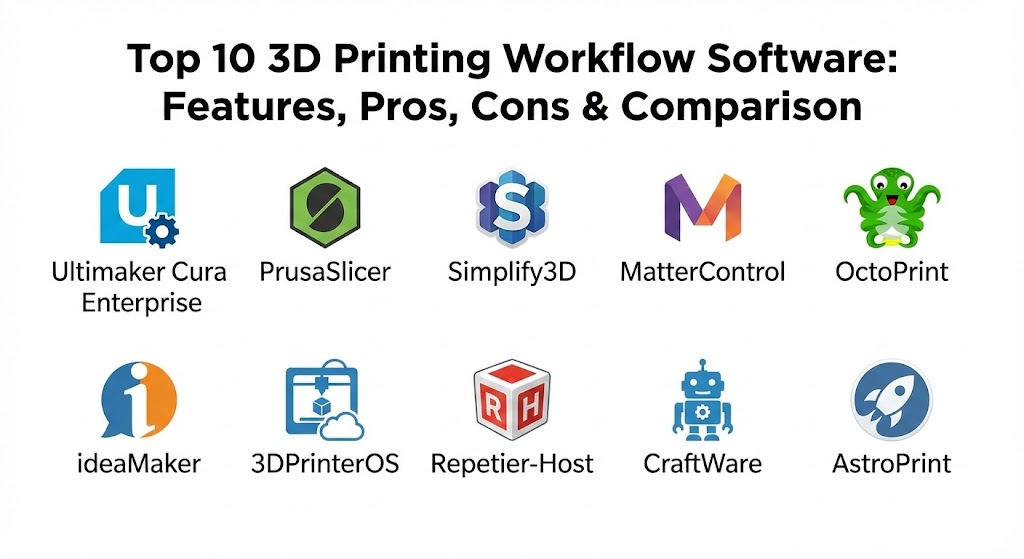
Top 10 3D Printing Workflow Software Tools
1 — Ultimaker Cura Enterprise
Short description:
Ultimaker Cura Enterprise is an advanced 3D printing software designed for professionals and industrial users, offering slicing, printer control, and centralized management.
Key features:
- Intelligent slicing algorithms
- Multi-printer management
- Material and filament tracking
- Real-time print monitoring
- Cloud and local deployment
- CAD integration and STL repair
Pros:
- Industry-grade slicing with high reliability
- Easy to integrate with enterprise workflows
- Scalable for multiple printers
Cons:
- Limited to Ultimaker ecosystem
- Requires subscription for enterprise features
Security & compliance:
SSO, encryption, GDPR-ready.
Support & community:
Official documentation, dedicated support, and active professional forums.
2 — PrusaSlicer
Short description:
PrusaSlicer is an open-source 3D printing workflow tool offering detailed slicing and printer management capabilities for both professionals and hobbyists.
Key features:
- Customizable slicing profiles
- Support for multiple printers and filament types
- G-code preview and editing
- Integration with OctoPrint
- Advanced support generation
- Material presets
Pros:
- Free and open-source
- Strong community support
- Frequent updates
Cons:
- Best suited for Prusa printers
- Lacks enterprise-level analytics
Security & compliance:
Varies / N/A.
Support & community:
Community-driven support, forums, tutorials.
3 — Simplify3D
Short description:
Simplify3D is a commercial 3D printing workflow software known for its advanced slicing, control, and optimization features.
Key features:
- Advanced slicing engine
- Customizable support structures
- Multi-printer compatibility
- Simulation and preview of prints
- Material library and profiles
- Printer-specific tuning
Pros:
- High-quality print preparation
- Excellent support generation
- Wide printer compatibility
Cons:
- Paid software
- Occasional updates lag behind hardware advances
Security & compliance:
Varies / N/A.
Support & community:
Official documentation, active user forum, email support.
4 — MatterControl
Short description:
MatterControl is an integrated 3D printing workflow platform combining slicing, printer control, and file management.
Key features:
- Multi-printer management
- Real-time print monitoring
- Built-in design and modeling tools
- Cloud and local storage
- Advanced slicing options
- Material tracking
Pros:
- All-in-one solution
- Supports a wide range of printers
- Free basic version available
Cons:
- Learning curve for advanced features
- UI can feel cluttered
Security & compliance:
Encryption options, local and cloud data storage.
Support & community:
Active forums, documentation, and user tutorials.
5 — OctoPrint
Short description:
OctoPrint is an open-source 3D printing workflow platform designed for remote printer monitoring and control.
Key features:
- Web-based printer control
- Remote monitoring via camera
- Multi-printer management with plugins
- G-code visualization and editing
- Automation scripts
- Plugin ecosystem for extended functionality
Pros:
- Free and highly customizable
- Strong community support
- Remote printing capabilities
Cons:
- Requires Raspberry Pi or dedicated host
- Not ideal for industrial-scale deployment
Security & compliance:
Varies / N/A.
Support & community:
Community-driven support, plugins, tutorials.
6 — ideaMaker
Short description:
ideaMaker is a professional-grade slicing and workflow tool optimized for Raise3D and other printers.
Key features:
- Advanced slicing algorithms
- Multi-printer management
- Automated support generation
- Material management
- Print simulation
- CAD file repair
Pros:
- Easy-to-use interface
- High-quality slicing
- Compatible with multiple printers
Cons:
- Some features restricted to Raise3D ecosystem
- Paid features for professional use
Security & compliance:
Varies / N/A.
Support & community:
Documentation, user community, training resources.
7 — 3DPrinterOS
Short description:
3DPrinterOS is a cloud-based 3D printing management platform for enterprise and educational environments.
Key features:
- Cloud-based workflow
- Printer fleet management
- Material and user permissions
- Integration with CAD and LMS
- Analytics and reporting
- Remote job monitoring
Pros:
- Scales well for large fleets
- Streamlines collaboration
- Cross-platform access
Cons:
- Subscription-based pricing
- Dependent on internet connectivity
Security & compliance:
SOC 2, ISO-certified, SSO, encryption.
Support & community:
Enterprise support, documentation, and training programs.
8 — Repetier-Host
Short description:
Repetier-Host is a comprehensive 3D printing workflow software offering slicing, printer management, and job control.
Key features:
- Multi-printer support
- Integrated slicer engines
- Real-time printer monitoring
- G-code preview and editing
- Material presets
- Cross-platform support
Pros:
- Free and versatile
- Supports a wide range of printers
- Customizable workflow
Cons:
- Interface is less modern
- Limited enterprise analytics
Security & compliance:
Varies / N/A.
Support & community:
Community forums, tutorials, documentation.
9 — CraftWare
Short description:
CraftWare is a user-friendly slicing and workflow software optimized for CraftBot printers and other machines.
Key features:
- Fast slicing engine
- Multi-material printing
- Printer monitoring and scheduling
- Material presets
- Visualization tools
- Print simulation
Pros:
- Easy to use
- Optimized for fast workflows
- Supports multiple printers
Cons:
- Limited advanced analytics
- Mostly focused on CraftBot ecosystem
Security & compliance:
Varies / N/A.
Support & community:
Documentation, user forum, technical support.
10 — AstroPrint
Short description:
AstroPrint is a cloud-based 3D printing workflow platform that emphasizes remote control and cloud slicing.
Key features:
- Cloud slicing and storage
- Remote printer control
- Mobile app integration
- Multi-printer management
- Analytics and print monitoring
- Cross-platform access
Pros:
- Convenient cloud workflow
- Remote printing and monitoring
- Mobile-friendly
Cons:
- Limited offline capabilities
- Paid subscriptions for full features
Security & compliance:
Encryption, SSO, GDPR-ready.
Support & community:
Documentation, tutorials, community forum.
Comparison Table
| Tool Name | Best For | Platform(s) Supported | Standout Feature | Rating |
|---|---|---|---|---|
| Ultimaker Cura Enterprise | Professional & industrial | Windows, macOS, Linux | Enterprise slicing & management | N/A |
| PrusaSlicer | Hobbyists & pros | Windows, macOS, Linux | Open-source flexibility | N/A |
| Simplify3D | Professional slicing | Windows, macOS | Advanced support generation | N/A |
| MatterControl | Multi-printer management | Windows, macOS, Linux | All-in-one workflow | N/A |
| OctoPrint | Remote printer control | Windows, macOS, Linux | Web-based control | N/A |
| ideaMaker | Professional & Raise3D | Windows, macOS, Linux | Automated slicing & support | N/A |
| 3DPrinterOS | Enterprise & education | Cloud | Printer fleet management | N/A |
| Repetier-Host | Multi-printer users | Windows, macOS, Linux | Integrated slicers & monitoring | N/A |
| CraftWare | CraftBot & general | Windows, macOS | Fast slicing | N/A |
| AstroPrint | Cloud & mobile printing | Cloud | Remote cloud management | N/A |
Evaluation & Scoring of 3D Printing Workflow Software
| Criteria | Weight | Description |
|---|---|---|
| Core features | 25% | Slicing, multi-printer control, simulation |
| Ease of use | 15% | UI, learning curve |
| Integrations & ecosystem | 15% | CAD tools, cloud, LMS |
| Security & compliance | 10% | Encryption, SSO, GDPR, SOC 2 |
| Performance & reliability | 10% | Stability, processing speed |
| Support & community | 10% | Tutorials, forums, enterprise support |
| Price / value | 15% | Cost vs feature set |
Which 3D Printing Workflow Software Tool Is Right for You?
- Solo users: PrusaSlicer, MatterControl, OctoPrint for affordability and flexibility
- SMBs: Simplify3D, ideaMaker, CraftWare for professional-quality control
- Mid-market teams: Ultimaker Cura Enterprise, 3DPrinterOS for fleet management and collaboration
- Enterprise & education: 3DPrinterOS, AstroPrint, Ultimaker Enterprise for scalability, reporting, and compliance
Budget-conscious users should prioritize open-source or free tools. Premium solutions benefit large teams needing advanced features, analytics, and secure cloud workflows. Feature depth, integration needs, and compliance considerations should guide the choice.
Frequently Asked Questions (FAQs)
1. What is 3D printing workflow software used for?
It manages the entire additive manufacturing process, including slicing, monitoring, and printer control.
2. Do I need enterprise software for small-scale printing?
No, hobbyist and small-scale printers can often use free slicers or printer-specific software.
3. Which tool is best for beginners?
PrusaSlicer, MatterControl, and CraftWare are beginner-friendly.
4. Can workflow software control multiple printers?
Yes, most enterprise-grade solutions allow multi-printer management.
5. Are these tools secure for cloud use?
Cloud-enabled tools offer encryption, SSO, and GDPR compliance.
6. Do these tools integrate with CAD software?
Yes, most modern workflow software supports CAD file imports.
7. Can I monitor prints remotely?
Cloud-based solutions like OctoPrint, AstroPrint, and 3DPrinterOS allow remote monitoring.
8. Is open-source software reliable?
Yes, many open-source tools are widely used professionally.
9. How do I optimize print quality?
Advanced slicing, material settings, and support generation improve outcomes.
10. Can these tools track material usage?
Yes, enterprise software often includes material and inventory tracking.
Conclusion
3D printing workflow software is essential for managing additive manufacturing efficiently. Each tool offers unique strengths, from open-source flexibility and beginner-friendliness to enterprise-grade control and analytics. Selecting the right tool depends on your scale, project complexity, skill level, and compliance requirements. There is no single “best” solution—the right choice aligns with your workflow, printer ecosystem, and production goals.
It’s impressive how 3D printing workflow software has turned a complex technical task into a smooth, managed process. The contrast between PrusaSlicer’s open-source flexibility and 3DPrinterOS’s high-end fleet management for schools and businesses shows how much the technology has grown. This guide is a solid resource for anyone looking to cut down on errors and get a better handle on their additive manufacturing pipeline.