Introduction
SaaS License Optimization tools are specialized software platforms designed to discover, manage, and optimize an organization’s entire SaaS portfolio. These tools go beyond simple inventory management; they provide granular insights into who is using which software, how often they are using it, and whether the current license tier matches the user’s actual needs. By integrating with financial systems, Single Sign-On (SSO) providers, and directly with SaaS APIs, these platforms create a “single source of truth” for software spend.
The importance of SLO tools lies in their ability to reclaim IT budgets and mitigate security risks. When an employee leaves a company but their licensed access to a sensitive platform remains active, it creates a massive security hole. Furthermore, companies often pay for “Pro” tiers when a “Basic” tier would suffice. Key real-world use cases include automated license reclamation, renewal management (avoiding the dreaded “auto-renew” surprise), and identifying “Shadow IT”—applications purchased by departments without IT approval. When evaluating these tools, users should look for discovery depth (expense vs. SSO), the breadth of direct API integrations, and the robustness of the automation engine for offboarding and license right-sizing.
Best for: CIOs, IT Asset Managers, and Procurement teams in mid-to-large enterprises who are struggling with decentralized software purchasing. It is particularly valuable for fast-growing companies that need to rein in costs and ensure compliance across thousands of seats.
Not ideal for: Micro-businesses or small startups with fewer than 50 employees where the software stack is easily managed via a simple spreadsheet. It may also be redundant for organizations that exclusively use a single ecosystem (e.g., only Microsoft 365) where native admin portals provide sufficient oversight.
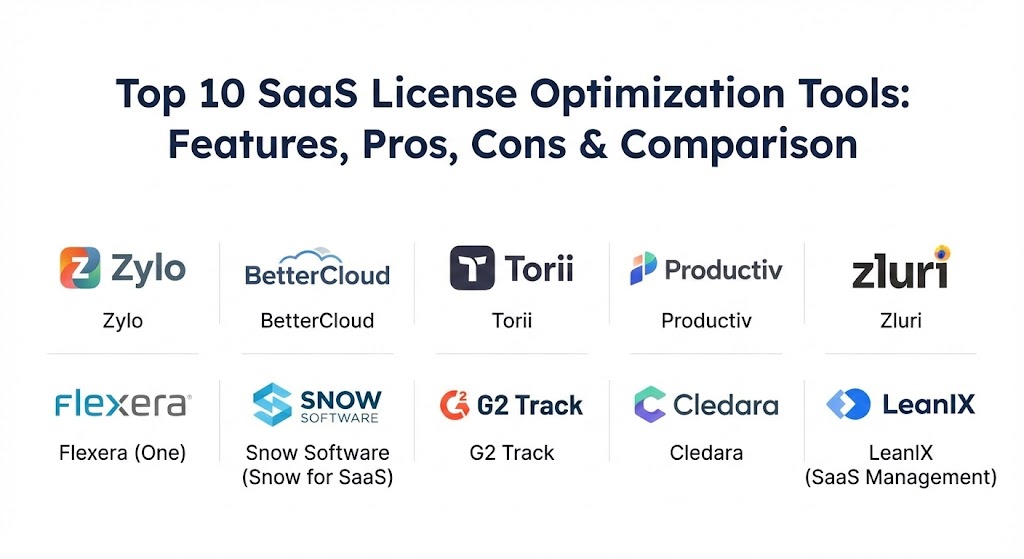
Top 10 SaaS License Optimization Tools
1 — Zylo
Zylo is often cited as the pioneer of the SaaS management space. It is an enterprise-grade platform that focuses heavily on spend transparency and the strategic management of SaaS renewals. Zylo is designed for large organizations that need to aggregate data from accounts payable and employee expense reports.
- Key features:
- Discovery via ERP, Expense, and SSO integrations.
- A dedicated “App Catalog” for employee self-service.
- Renewal Calendar with automated alerts 30, 60, and 90 days out.
- Sentiment tracking to see how employees actually feel about their tools.
- SaaS Benchmarking data to compare your prices against market averages.
- Advanced license reclamation workflows.
- Pros:
- Unmatched at finding “Shadow IT” hidden in expense reports.
- Provides a very high level of professional service for complex negotiations.
- Cons:
- The interface can feel complex and data-heavy for smaller teams.
- Implementation can be time-consuming due to the depth of financial integrations.
- Security & compliance: SOC 2 Type II, GDPR, SSO integration, and role-based access controls (RBAC).
- Support & community: Offers dedicated Customer Success Managers (CSM), an extensive knowledge base, and “SaaSMe” community events.
2 — BetterCloud
BetterCloud focuses on the “Management” and “Security” side of the SaaS equation. While it offers excellent license optimization, its standout capability is the automation of complex IT workflows, such as onboarding and offboarding users across dozens of apps simultaneously.
- Key features:
- Zero-touch automation for user provisioning and deprovisioning.
- Granular data security policies (e.g., finding files shared publicly).
- Centralized license utilization dashboards.
- Cross-application search and management.
- Detailed audit logs for all administrative actions.
- “Flight Deck” dashboard for a high-level view of IT health.
- Pros:
- The absolute best-in-class for automation and reducing manual IT tasks.
- Strong security focus that protects sensitive data within SaaS apps.
- Cons:
- License optimization features are not as deep as spend-focused tools like Zylo.
- Direct API integrations are powerful but limited to a specific set of core apps.
- Security & compliance: SOC 2 Type II, HIPAA, GDPR, and ISO 27001.
- Support & community: Robust documentation, “BetterCloud University” for certification, and a very active Slack community of IT pros.
3 — Torii
Torii is a highly automated SaaS management platform that emphasizes decentralized management. It allows IT teams to empower department heads to manage their own software spend while maintaining central visibility.
- Key features:
- Automated discovery through browser extensions, SSO, and ERP.
- Custom workflow builder for license reclamation.
- Procurement management and vendor relationship tracking.
- Real-time usage data at the feature level for key apps.
- Automated alerts for new “Shadow IT” detections.
- Direct integration with major HRIS systems.
- Pros:
- Very intuitive UI that non-technical department heads can easily navigate.
- Excellent balance between automated “background” work and manual control.
- Cons:
- Browser extension discovery can sometimes meet resistance from privacy-conscious employees.
- Pricing can scale quickly for companies with a high number of unique apps.
- Security & compliance: SOC 2 Type II, GDPR, and data encryption at rest and in transit.
- Support & community: High-tier support with fast response times and comprehensive self-help guides.
4 — Productiv
Productiv moves the conversation from “License Management” to “SaaS Intelligence.” It places a heavy emphasis on employee engagement and application value, helping companies understand not just if someone logged in, but how they are using the tool.
- Key features:
- Deep feature-level engagement analytics.
- App adoption tracking and benchmarks.
- Benchmarking for contract negotiation based on real usage data.
- Automated license right-sizing recommendations.
- Integration with Slack and Zoom for automated user surveys.
- Collaborative renewal workflows for IT and Procurement.
- Pros:
- Provides the “deepest” usage data, identifying specific feature usage.
- Great for measuring the success of digital transformation initiatives.
- Cons:
- Requires direct API access for deep insights, which isn’t available for all apps.
- Can be overkill for organizations only looking for basic spend tracking.
- Security & compliance: SOC 2 Type II, GDPR, HIPAA, and SSO support.
- Support & community: Dedicated success teams and a strong focus on data-driven procurement strategy.
5 — Zluri
Zluri is one of the fastest-growing players in the market, boasting one of the largest libraries of direct app integrations. It is designed to be a comprehensive platform for discovery, management, and automation.
- Key features:
- Over 800+ direct API integrations for deep usage data.
- Discovery via browser agents, SSO, Finance, and Desktop agents.
- Automated onboarding and offboarding “Playbooks.”
- Employee App Store for decentralized software requests.
- Comprehensive renewal management and vendor insights.
- “Usage vs. Spend” visualization for every application.
- Pros:
- Extremely fast implementation and broad integration coverage.
- Very competitive pricing for mid-market companies.
- Cons:
- The rapid release cycle means the UI can change frequently.
- Some of the deeper automation features are still maturing.
- Security & compliance: SOC 2 Type II, GDPR, HIPAA, and ISO 27001.
- Support & community: 24/7 support availability and a very helpful onboarding team.
6 — Flexera (One)
Flexera is a titan in the IT Asset Management (ITAM) world. Its “Flexera One” platform incorporates SaaS management into a broader suite that manages cloud, on-premise hardware, and software licenses in a unified view.
- Key features:
- Unified view of hybrid IT assets (SaaS, Cloud, and On-Prem).
- Industry-leading “Technopedia” database for asset normalization.
- Advanced license position (ELP) reporting.
- Spend optimization across AWS, Azure, and Google Cloud.
- Governance and policy engine for automated cost control.
- Integration with major ITSM tools like ServiceNow.
- Pros:
- The best choice for massive enterprises with complex “Hybrid” environments.
- Strongest data normalization in the industry.
- Cons:
- Can be “heavy” and slow to move for companies that are 100% SaaS-native.
- Steep learning curve for the comprehensive platform.
- Security & compliance: FedRAMP, SOC 2, ISO 27001, and GDPR.
- Support & community: Formal enterprise support plans and a massive global user base.
7 — Snow Software (Snow for SaaS)
Now part of Flexera (but often still utilized as a distinct solution), Snow for SaaS provides deep visibility into the usage and spend of subscription-based applications. It is particularly strong for organizations that need to manage complex vendor audits.
- Key features:
- Automated discovery of SaaS apps on mobile and desktop.
- Identification of overlapping “redundant” applications.
- Financial risk assessment for unmanaged SaaS.
- Direct integrations with Microsoft 365, Adobe, and Salesforce.
- Inventory management for cloud and virtualized environments.
- Detailed optimization recommendations based on user activity.
- Pros:
- Very reliable data for audit defense and compliance.
- Great at managing “Desktop-installed” SaaS apps (like Creative Cloud).
- Cons:
- The transition following the Flexera acquisition has caused some branding confusion.
- May require more manual effort than newer, API-first competitors.
- Security & compliance: ISO 27001, GDPR, and SOC 2.
- Support & community: Strong partner-led support network and extensive technical documentation.
8 — G2 Track
G2 Track is the software management tool from the famous G2 review site. It leverages the massive G2 database to provide unique insights into software alternatives and market sentiment.
- Key features:
- Direct sync with accounting software (QuickBooks, NetSuite).
- Integration with SSO providers for usage tracking.
- “Employee Sentiment” data pulled directly from the G2 community.
- Spend tracking and budgeting tools.
- One-click license reclamation.
- Stack comparison tools to see how you rank against peers.
- Pros:
- Excellent for identifying “better” alternatives based on user reviews.
- Simple, clean UI that is perfect for smaller IT teams.
- Cons:
- Lacks the deep automation and security features of BetterCloud or Torii.
- Discovery is primarily financial-based, which can miss free/low-cost apps.
- Security & compliance: SOC 2 Type II and GDPR.
- Support & community: Access to G2’s vast data ecosystem and helpful customer support.
9 — Cledara
Cledara takes a unique “fintech-first” approach to SaaS management. It combines virtual credit cards with a management platform, ensuring that every piece of software is tracked from the moment of purchase.
- Key features:
- Virtual cards for every SaaS subscription.
- Real-time spend tracking and approval workflows.
- Centralized dashboard for all active subscriptions.
- Automated invoice collection and reconciliation.
- Rewards and cashback on software spend.
- Easy “Pause” or “Cancel” button for any subscription.
- Pros:
- Prevents “Shadow IT” before it happens by controlling the payment method.
- Simplifies the life of the finance department immensely.
- Cons:
- Does not provide deep “usage” or “engagement” data (it only knows you paid).
- Requires the company to switch their SaaS billing to Cledara cards.
- Security & compliance: GDPR, PCI DSS (as a financial service), and SOC 2.
- Support & community: High-touch support for finance teams and a growing SMB community.
10 — LeanIX (SaaS Management)
LeanIX is primarily an Enterprise Architecture (EA) tool, but its SaaS Management module is highly effective for organizations that want to see how their software stack aligns with their overall business architecture.
- Key features:
- Visual mapping of applications to business capabilities.
- Discovery through SSO and financial systems.
- Redundancy analysis and rationalization workflows.
- Lifecycle management for every application in the stack.
- Security and risk assessments for SaaS vendors.
- Cost center allocation and chargeback reporting.
- Pros:
- Best for strategic alignment; it shows “why” you have a tool, not just “if.”
- Superior for long-term IT planning and roadmap building.
- Cons:
- Very specialized; if you don’t care about Enterprise Architecture, it’s too much.
- Less focus on the “tactical” day-to-day license reclamation.
- Security & compliance: SOC 2 Type II, ISO 27001, and GDPR.
- Support & community: Exceptional documentation and an annual “Connect” conference for users.
Comparison Table
| Tool Name | Best For | Platform(s) Supported | Standout Feature | Rating (Gartner/G2) |
| Zylo | Enterprise Spend Management | SaaS, ERP | Shadow IT Discovery | 4.7 / 5 |
| BetterCloud | IT Automation & Security | SaaS, Chrome | Zero-Touch Offboarding | 4.5 / 5 |
| Torii | Decentralized SaaS Mgmt | SaaS, Desktop | Custom Workflow Builder | 4.6 / 5 |
| Productiv | Usage & Engagement | SaaS, SSO | SaaS Intelligence | 4.8 / 5 |
| Zluri | Mid-Market & MSPs | SaaS, Desktop | 800+ Direct Integrations | 4.8 / 5 |
| Flexera One | Hybrid IT Environments | Cloud, On-Prem, SaaS | Technopedia Data | 4.3 / 5 |
| Snow Software | Audit & Compliance | Desktop, SaaS | License Position Reports | 4.2 / 5 |
| G2 Track | SMBs & Budgeting | Accounting Sync | Alternative Suggestions | 4.4 / 5 |
| Cledara | Financial Controls | Virtual Card/Fintech | Payment-Level Control | 4.6 / 5 |
| LeanIX | Strategic IT Planning | SaaS, SSO | EA Roadmap Integration | 4.5 / 5 |
Evaluation & Scoring of SaaS License Optimization Tools
To choose the right tool, it’s helpful to understand how these platforms are judged by industry experts. The following rubric breaks down the critical components of a SaaS management solution.
| Criteria | Weight | Evaluation Focus |
| Core Features | 25% | Discovery depth (Expense vs. SSO), license right-sizing, and renewal management. |
| Ease of Use | 15% | UI/UX design, dashboard clarity, and speed of initial setup. |
| Integrations | 15% | Breadth of direct API connections and ease of connecting to ERP/HRIS. |
| Security & Compliance | 10% | Encryption, SOC 2 status, and ability to identify security risks in the stack. |
| Performance | 10% | Speed of data ingestion and accuracy of the “Shadow IT” detection. |
| Support | 10% | Quality of documentation, community size, and response times. |
| Price / Value | 15% | Documented ROI through reclaimed licenses vs. the cost of the tool. |
Which SaaS License Optimization Tool Is Right for You?
Selecting a tool isn’t about finding the “best” one; it’s about finding the one that matches your organizational maturity and specific “pain points.”
- Solo Users & Very Small Businesses: You likely don’t need a dedicated SLO tool. Stick to a spreadsheet and use free tools like “Scan” from various vendors to find your subscriptions.
- Small to Mid-Market (SMBs): If your primary goal is to stop overspending and simplify accounting, Cledara or G2 Track are fantastic, high-value choices. They are easy to set up and provide immediate financial visibility.
- Fast-Growing Tech Companies: If you are hiring and firing at a rapid pace, you need the automation of BetterCloud or Zluri. The time saved on manually revoking access to 50 apps for a departing employee will pay for the tool in months.
- Enterprises with “Shadow IT” Issues: If you suspect departments are buying software on company credit cards without telling IT, Zylo or Torii are the gold standard for financial discovery.
- Hybrid Enterprises: If you still have a massive data center but are moving to the cloud, Flexera One is the only tool that can manage your SAP licenses and your Zoom licenses in the same view.
- Strategy-Focused IT: If you need to present to the board about how IT is supporting business goals, LeanIX or Productiv provide the high-level intelligence required to make those arguments.
Frequently Asked Questions (FAQs)
1. What is the difference between SaaS Management and SaaS Optimization? SaaS Management is the basic inventory (knowing what you have). SaaS Optimization is the strategic act of reducing costs, rightsizing seats, and maximizing the value of the apps you already have.
2. How do SLO tools find “Shadow IT”? They typically use three methods: syncing with your SSO (like Okta), syncing with your financial records (ERP/Expense reports), and using browser extensions or agents on employee computers.
3. Will these tools save me money immediately? Most organizations find “quick wins” within the first 30 days by identifying users who have never logged into expensive tools like Salesforce or LinkedIn Sales Navigator.
4. Are SLO tools a security risk since they connect to everything? These tools require read-access to many systems, which is why security compliance (SOC 2, ISO 27001) is vital. They generally do not store the actual data inside your apps, just the metadata about usage.
5. How long does implementation take? Basic financial and SSO integration can happen in a few hours. However, reaching “full maturity” with custom automation workflows and API connections for 100+ apps can take 3 to 6 months.
6. Can these tools help with vendor negotiations? Absolutely. By showing a vendor that only 40% of your users actually use the “Premium” features, you gain massive leverage to negotiate a lower-tier contract or a volume discount.
7. Do I need an SLO tool if I have an ITAM tool? Traditional ITAM tools (like older versions of SCCM) often struggle with cloud-native SaaS. Unless your ITAM tool has been modernized for the cloud, you likely need a specialized SLO module.
8. What is license “reclamation”? This is the process of automatically identifying an inactive user, sending them a notification, and revoking their license so it can be reassigned to someone else—saving the cost of buying a new seat.
9. Can these tools identify “Redundant” apps? Yes. Most of these tools will flag if you are paying for both Zoom and Webex, or both Slack and Microsoft Teams, allowing you to consolidate spend.
10. Is the ROI of these tools documented? Yes. Many vendors guarantee that the tool will “pay for itself” within the first year by identifying wasted spend that exceeds the tool’s subscription cost.
Conclusion
The “SaaS tax” is a very real burden for modern organizations, but it is one that can be mitigated. The key to successful SaaS License Optimization isn’t just buying a tool—it’s establishing a culture of transparency and accountability. Whether you choose the deep automation of BetterCloud, the strategic architecture of LeanIX, or the financial control of Cledara, the goal remains the same: ensure every dollar spent on software is a dollar invested in productivity.
When choosing, remember that the “best” tool is the one that your IT and Finance teams will actually use. Start with a clear audit of your biggest “pain points”—be it spend, security, or manual work—and pick the partner that addresses that need first.
SaaS license optimization is shifting toward automated right-sizing that maps actual feature usage to specific tiers. The contrast between Zylo’s deep financial discovery and BetterCloud’s zero-touch automation highlights the move toward specialized efficiency. This guide is a solid resource for regaining budget control without sacrificing the agility of your software stack.