Introduction
A SaaS Management Platform (SMP) is a centralized software solution designed to discover, manage, and optimize an organization’s entire SaaS stack. These platforms act as a single system of record, integrating with financial systems, Single Sign-On (SSO) providers, and browser extensions to identify every tool being used across the company—even those purchased on individual employee credit cards. By providing a clear window into who is using what, how often, and at what cost, SMPs empower organizations to regain control over their digital infrastructure.
The importance of these tools has intensified in 2026 due to three primary factors: security, cost, and operational efficiency. Real-world use cases include identifying “orphaned” accounts from former employees, consolidating three different whiteboarding tools into one, and negotiating renewals using real-time market benchmarks. When evaluating these tools, users should look for deep discovery methods (not just SSO-based), automated workflow capabilities for onboarding/offboarding, and AI-driven insights that can predict renewal costs in an era of fluctuating consumption-based pricing.
Best for: IT managers, CIOs, Procurement heads, and Finance teams in mid-to-large enterprises. They are vital for organizations with more than 100 employees or those in highly regulated sectors like fintech and healthcare where data residency and access control are paramount.
Not ideal for: Early-stage startups with fewer than 50 employees or a very simple stack (e.g., just Google Workspace and Slack). In these cases, the cost of the SMP itself may outweigh the immediate savings, and manual tracking may still be sufficient.
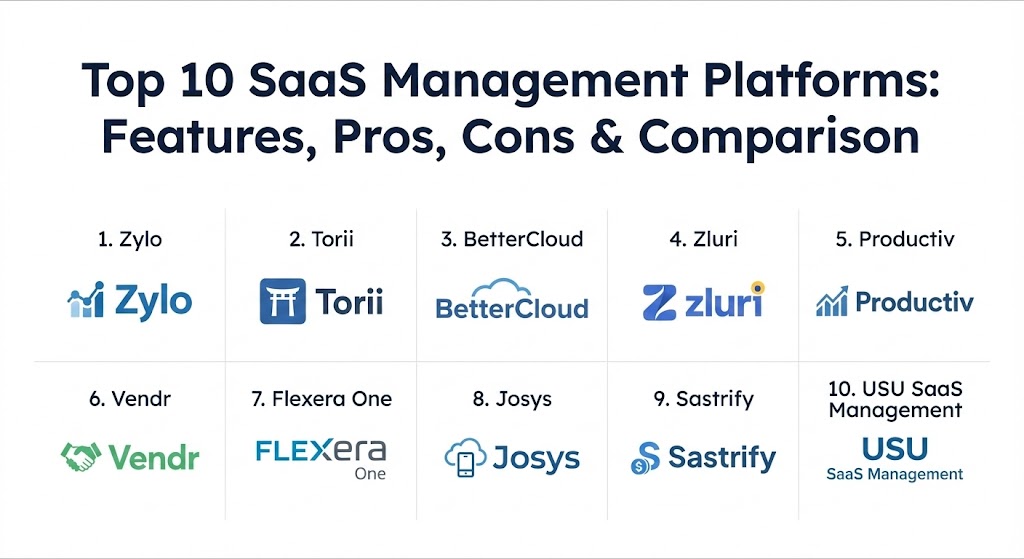
Top 10 SaaS Management Platforms
1 — Zylo
Zylo is the industry’s most recognized platform for enterprise-grade SaaS spend analytics and contract management. It focuses heavily on financial transparency and provides deep insights into how much an organization is truly spending on software across the entire enterprise.
- Key features:
- AI-powered Discovery Engine that identifies spend across ERPs and credit cards.
- A dedicated “Savings Center” that highlights immediate ROI opportunities.
- License utilization tracking with granular “active usage” metrics.
- Renewal Pipeline management with automated alerts and workflows.
- Benchmarking data to compare your contract prices with market peers.
- Employee “App Catalog” to promote the use of pre-approved software.
- Pros:
- Exceptional for finance-heavy teams focused on cost reduction and ROI.
- The benchmark data is incredibly powerful during difficult vendor negotiations.
- Cons:
- Can be complex to set up initially for smaller IT departments.
- Pricing is on the higher end, geared toward larger enterprise budgets.
- Security & compliance: SOC 2 Type II, GDPR compliant, SSO integration, and advanced audit logs.
- Support & community: Offers dedicated SaaS consultants, extensive documentation, and a very active community of “SaaS Leaders.”
2 — Torii
Torii is designed with the IT administrator in mind, offering one of the most powerful automation engines in the market. It excels at discovering “Shadow IT” and automating the mundane tasks of user lifecycle management.
- Key features:
- Continuous, real-time app discovery via browser extensions and integrations.
- Advanced no-code workflow engine for onboarding and offboarding.
- “Shadow IT” detection for unapproved applications.
- Automated license reclamation for inactive users.
- Contract storage and renewal reminders with custom alert logic.
- Integration with ITSM tools like Jira and ServiceNow.
- Pros:
- The automation capabilities are best-in-class, significantly reducing manual IT tickets.
- Very intuitive interface that makes it easy to visualize the entire app ecosystem.
- Cons:
- Spend management features are not as deep as finance-focused competitors.
- Requires a significant amount of browser extension adoption for full “Shadow IT” visibility.
- Security & compliance: SOC 2, HIPAA, and GDPR compliant; provides granular role-based access control.
- Support & community: High-quality customer success team and a well-maintained knowledge base with video tutorials.
3 — BetterCloud
BetterCloud focuses heavily on the “Ops” side of SaaS (SaaSOps), providing deep administrative control and security policy enforcement across the most popular SaaS applications.
- Key features:
- Comprehensive SaaS security policy enforcement (e.g., blocking public file sharing).
- Automated cross-platform workflows for user lifecycle management.
- Centralized administration for access permissions and configurations.
- Data loss prevention (DLP) across multiple SaaS environments.
- License optimization alerts for underutilized seats.
- Real-time monitoring of sensitive data exposure.
- Pros:
- Unmatched in terms of security governance and administrative control.
- Allows IT to manage settings deep within apps (like Slack or Google) from one place.
- Cons:
- Not a dedicated “spend” tool; financial insights are secondary.
- The learning curve for complex security workflows can be steep.
- Security & compliance: ISO 27001, SOC 2, HIPAA, and GDPR compliant; supports advanced encryption.
- Support & community: Extensive training through “BetterCloud University” and an industry-leading Slack community for SaaSOps professionals.
4 — Zluri
Zluri is a modern platform that strikes a balance between discovery, security, and access governance. It is particularly known for its extensive library of direct integrations, making it easier to gather granular usage data.
- Key features:
- Discovery via 9 different methods, including SSO, Finance, and direct APIs.
- Automated onboarding and offboarding with custom playbooks.
- Access reviews and governance to maintain “least privilege” security.
- Renewal calendar with customized notification timelines.
- App risk scoring based on security certifications and data access.
- Vendor management module to store all contract and compliance documents.
- Pros:
- Excellent visibility into user-level permissions and app risk scores.
- The direct integration library is one of the most comprehensive in the industry.
- Cons:
- The dashboard can feel data-heavy and may take time to navigate efficiently.
- Some advanced automation features are still being refined for complex environments.
- Security & compliance: SOC 2 Type II, ISO 27001, GDPR, and HIPAA compliant.
- Support & community: 24/7 technical support, dedicated onboarding specialist, and a robust online documentation portal.
5 — Productiv
Productiv focuses on the concept of “SaaS Intelligence,” prioritizing engagement and adoption metrics over simple login data. It is designed to help IT leaders prove the value of their software investments to executive leadership.
- Key features:
- Granular engagement analytics (e.g., how many people actually used a feature).
- Automated license right-sizing based on actual usage behavior.
- Collaborative workflows for procurement and IT renewal teams.
- App adoption dashboards to track the success of new tool rollouts.
- Financial modeling for SaaS spend forecasting.
- Employee-facing app store to streamline software requests.
- Pros:
- The best platform for understanding how people use software, not just if they log in.
- Excellent executive-level reporting that visualizes SaaS ROI.
- Cons:
- Requires deeper integrations to get the full “engagement” data benefit.
- Can be overkill for organizations only looking for basic cost tracking.
- Security & compliance: SOC 2, GDPR, and HIPAA compliant; provides enterprise-grade SSO.
- Support & community: Strong focus on customer success and strategic value reviews for enterprise clients.
6 — Vendr
Vendr is unique in this list because it combines a SaaS Management Platform with a dedicated negotiation service. It is designed for companies that want to outsource the headache of buying and renewing software entirely.
- Key features:
- Managed procurement services where Vendr experts negotiate on your behalf.
- Access to real-time market pricing benchmarks for thousands of vendors.
- Centralized contract and renewal tracking dashboard.
- Procurement workflow automation from request to signature.
- Spend visibility dashboards to track savings delivered.
- Integration with ERPs like NetSuite and QuickBooks.
- Pros:
- Often pays for itself through the direct savings achieved in negotiations.
- Massive time-saver for procurement teams who hate back-and-forth with vendors.
- Cons:
- Does not offer the deep IT automation (onboarding/offboarding) of Torii or BetterCloud.
- Usage tracking is less granular compared to tools like Productiv.
- Security & compliance: SOC 2 compliant; focuses on secure data handling for financial information.
- Support & community: Includes a dedicated “Buying Team” that acts as an extension of your company.
7 — Flexera One
Flexera is an enterprise giant that manages the entire IT estate, from on-premise hardware to multi-cloud and SaaS. Flexera One is their solution for large organizations needing a unified view of all technology assets.
- Key features:
- Hybrid IT visibility across SaaS, Cloud (IaaS/PaaS), and On-Premise.
- License compliance monitoring for complex vendors like Oracle, SAP, and Microsoft.
- Financial management and cost optimization for multi-cloud environments.
- SaaS usage tracking integrated with overall IT asset management (ITAM).
- Vulnerability and risk intelligence for the entire software portfolio.
- Policy-driven governance to ensure corporate standards are met.
- Pros:
- The only choice for truly massive enterprises with complex, hybrid environments.
- Exceptional at managing “Legacy-to-Cloud” transitions.
- Cons:
- High barrier to entry in terms of cost and implementation complexity.
- Not as “agile” or modern-looking as newer cloud-native SMPs.
- Security & compliance: Rigorous global standards including ISO, SOC 1/2/3, FedRAMP, and HIPAA.
- Support & community: Global 24/7 enterprise support and a large network of professional services partners.
8 — Josys
Josys is a rapidly growing platform that focuses on the global workforce. It aims to simplify the entire IT lifecycle—from device management to SaaS access—for companies with distributed teams.
- Key features:
- Unified management of SaaS apps and physical hardware (laptops).
- Global device procurement and delivery integration.
- Automated user provisioning and de-provisioning across 370+ apps.
- AI Integration Builder to track and manage niche, custom applications.
- Shadow IT discovery and security risk monitoring.
- Real-time visibility into software usage and costs.
- Pros:
- One of the few platforms that bridges the gap between hardware and software.
- Very cost-effective for mid-sized companies with international employees.
- Cons:
- Spend analytics are not as advanced as Zylo or Vendr.
- Some integrations are not as deep as specialized SaaSOps tools.
- Security & compliance: SOC 2 compliant, GDPR ready, and supports Single Sign-On.
- Support & community: Highly responsive technical support and localized help for different global regions.
9 — Sastrify
Sastrify is a European-born platform that focuses on the financial transparency of SaaS. Like Vendr, it offers a hybrid of software and services to help finance teams optimize their tech spend.
- Key features:
- Automated SaaS inventory discovery via financial and accounting data.
- Subscription and renewal management with a clear visual timeline.
- Expert-led negotiation support for major SaaS contracts.
- Detailed benchmarking data specific to the European and US markets.
- Cost allocation and budget forecasting tools for finance.
- Vendor risk assessment and compliance tracking.
- Pros:
- Very strong for European companies needing strict GDPR and local regulatory compliance.
- High ROI through their managed negotiation services.
- Cons:
- Lacks the deep “security posture” monitoring of BetterCloud.
- Automation of IT tasks (onboarding) is less mature than competitors.
- Security & compliance: SOC 2, ISO 27001, and GDPR compliant; data centers primarily based in Europe.
- Support & community: Excellent customer success managers and a focus on “White-Glove” implementation.
10 — USU SaaS Management
USU is an established leader in the IT Asset Management space that has evolved a strong SaaS Management offering. It is particularly adept at handling complex organizational structures and multi-cloud landscapes.
- Key features:
- Automated discovery of SaaS, IaaS, and traditional software.
- Advanced license optimization for complex organizational hierarchies.
- High-security focus with data centers primarily based in Germany.
- Shadow IT detection and risk-based prioritization.
- Seamless integration with major ITSM and ERP platforms.
- Spend transparency and financial chargeback reporting.
- Pros:
- Ideal for organizations requiring the highest levels of data privacy (German hosting).
- Handles “Hybrid Cloud” visibility better than many newer SaaS-only tools.
- Cons:
- The interface can feel more like a traditional enterprise tool than a modern SaaS app.
- Can be more complex to deploy for companies without an existing ITAM practice.
- Security & compliance: ISO 27001 certified, GDPR compliant, and maintains very high German data security standards.
- Support & community: Reliable enterprise-grade support and a growing presence in the US and EMEA markets.
Comparison Table
| Tool Name | Best For | Platform(s) Supported | Standout Feature | Rating (Gartner) |
| Zylo | Enterprise Spend ROI | Cloud/SaaS | AI Saving Center | 4.8 / 5 |
| Torii | IT Automation | Cloud/SaaS | No-Code Workflow Engine | 4.6 / 5 |
| BetterCloud | SaaS Security & Ops | Cloud/SaaS | Security Policy Enforcement | 4.5 / 5 |
| Zluri | Access Governance | Cloud/SaaS | 9 Discovery Methods | 4.7 / 5 |
| Productiv | Engagement Insights | Cloud/SaaS | Feature-Level Usage Data | 4.6 / 5 |
| Vendr | Procurement Savings | SaaS | Negotiation-as-a-Service | 4.7 / 5 |
| Flexera One | Hybrid IT Assets | Cloud, On-Prem | Oracle/SAP/IBM Compliance | 4.4 / 5 |
| Josys | Global Device + SaaS | SaaS, Hardware | Integrated Hardware Mgmt | 4.6 / 5 |
| Sastrify | Finance & Procurement | SaaS | Expert Negotiation Support | 4.5 / 5 |
| USU SaaS Mgmt | Complex Orgs / Privacy | Cloud, On-Prem | German Data Center / Security | 4.5 / 5 |
Evaluation & Scoring of SaaS Management Platforms
To help you decide, we have evaluated these platforms against a weighted scoring rubric that represents the standard priorities of a 2026 IT department.
| Category | Weight | What We Look For |
| Core Features | 25% | Discovery depth, license reclamation, and renewal tracking. |
| Ease of Use | 15% | Interface intuitiveness, dashboard speed, and setup time. |
| Integrations | 15% | Number of direct API connectors (SSO, HRIS, Finance). |
| Security & Compliance | 10% | SOC 2 status, GDPR data handling, and app risk scoring. |
| Performance | 10% | Reliability of data syncing and report generation speed. |
| Support & Community | 10% | Quality of documentation and customer success availability. |
| Price / Value | 15% | Transparent pricing and a clear path to ROI. |
Which SaaS Management Platform Tool Is Right for You?
Choosing an SMP is not about finding the “best” tool, but the one that aligns with your primary organizational pain point.
- Solo Users & Small Teams: You likely don’t need a full SMP yet. Tools like Intello or simple spend-tracking features within your accounting software (like QuickBooks) are enough. Focus on manual hygiene first.
- Mid-Market Growth Companies: If you are scaling fast, your biggest headache is likely user onboarding and shadow IT. Torii or Zluri are fantastic choices here because they prioritize automation and discovery without the enterprise bloat.
- Finance-Led Organizations: If your goal is strictly to cut 20% from your bottom-line software spend, Vendr or Zylo are the strongest contenders. They provide the market data and negotiation muscle to lower your contract prices immediately.
- Security-Conscious Enterprise: If you are terrified of data leaks through Slack or Google Drive, BetterCloud is the clear winner. It treats SaaS management as a security problem first and an administrative problem second.
- Hybrid / Industrial Legacy: For companies that still have a lot of data centers and on-premise software (like SAP or Oracle), Flexera or USU are the only tools that can see the “whole picture” across both old and new worlds.
Frequently Asked Questions (FAQs)
1. How do these tools find software I haven’t reported to IT? Most SMPs use “financial discovery” by connecting to your accounting software (like NetSuite) or corporate credit card feeds. They look for transactions to known SaaS vendors and flag them as “Shadow IT.”
2. Is it safe to connect my financial data to these platforms? Yes, reputable platforms use read-only API connections and are SOC 2 Type II compliant. They only see transaction metadata (vendor, date, amount) rather than personal bank details.
3. Can these tools actually cancel subscriptions for me? Not usually. Most tools provide the insight to cancel, but for security reasons, the actual cancellation usually happens within the specific app or via a conversation with the vendor.
4. How does “consumption-based pricing” change things in 2026? As AI tools move toward charging per “token” or “action,” standard seat-tracking is becoming obsolete. Modern SMPs now track total spend-over-time to alert you if an AI agent is suddenly burning through your budget.
5. Do I need an SMP if I already use Okta or Azure AD? Okta is great for seeing who can access an app, but it won’t show you “Shadow IT” apps that people sign into using their own passwords, nor will it show you how much you are paying for those apps.
6. What is “License Right-Sizing”? This is the process of moving users from a “Pro” plan to a “Standard” plan if they aren’t using the advanced features, or reclaiming a license entirely if the user hasn’t logged in for 30+ days.
7. Can these tools help with GDPR compliance? Yes. By identifying every app in your environment, an SMP helps you build a Data Map and ensures that sensitive data isn’t being stored in unapproved, non-compliant third-party tools.
8. How long does implementation take? For most modern cloud-native tools like Torii or Zluri, initial discovery happens within minutes of connecting your SSO and finance tools. Refining the data and setting up workflows usually takes 2–4 weeks.
9. Are these tools expensive? Pricing is typically based on the number of employees or the amount of SaaS spend under management. While not cheap, most companies find they save 2–3x the cost of the platform in their first year.
10. What is a “SaaS Renewal Pipeline”? It is a visual board that shows every upcoming software renewal in the next 90 days. It gives your team time to review usage data and decide whether to cancel, renew, or renegotiate before the auto-renewal kicks in.
Conclusion
The era of “set it and forget it” software is over. In 2026, software is your company’s largest expense after payroll and its largest security vulnerability. Choosing a SaaS Management Platform is about moving from a reactive “firefighting” mode to a proactive, governed strategy. Whether you prioritize the negotiation power of Vendr, the security depth of BetterCloud, or the automation of Torii, the ultimate goal remains the same: ensuring that every dollar spent on software is a dollar spent on growth, not waste.
SaaS management is shifting toward AI-driven systems that uncover orphaned accounts and shadow IT. The contrast between Zylo’s deep financial analytics and Torii’s no-code IT automation highlights the move toward specialized optimization. This guide is a solid resource for maintaining strict governance while maximizing the value of your digital stack.