Introduction
A Web Application Scanner is an automated security program that probes a running web application to identify vulnerabilities such as SQL injection, Cross-Site Scripting (XSS), and insecure configurations. Unlike static analysis tools that look at source code, these scanners interact with the application from the outside-in, simulating the actions of a real-world attacker. By crawling the application’s pages and fuzzing its inputs, they provide a “hacker’s eye view” of the security posture.
The importance of these tools lies in their ability to detect runtime issues that code analysis might miss, such as authentication flaws, session management errors, and server misconfigurations. Real-world use cases include integrating security into CI/CD pipelines to prevent vulnerable code from reaching production, performing regular compliance audits for PCI DSS or HIPAA, and discovering “shadow APIs” that developers may have inadvertently exposed. When evaluating these tools, users should prioritize accuracy (low false positives), the depth of their crawling engine (support for modern JavaScript frameworks), and their ability to integrate seamlessly with developer ticketing systems like Jira or GitHub.
Best for: Security analysts, penetration testers, and DevSecOps teams within organizations that maintain active web presences. It is especially beneficial for enterprises in the financial, healthcare, and e-commerce sectors that must protect sensitive customer data and adhere to strict regulatory standards.
Not ideal for: Organizations that do not host or develop their own web applications, or very small teams managing a single, static website with no user input fields. In such cases, simple cloud provider security defaults or periodic manual audits may be more cost-effective.
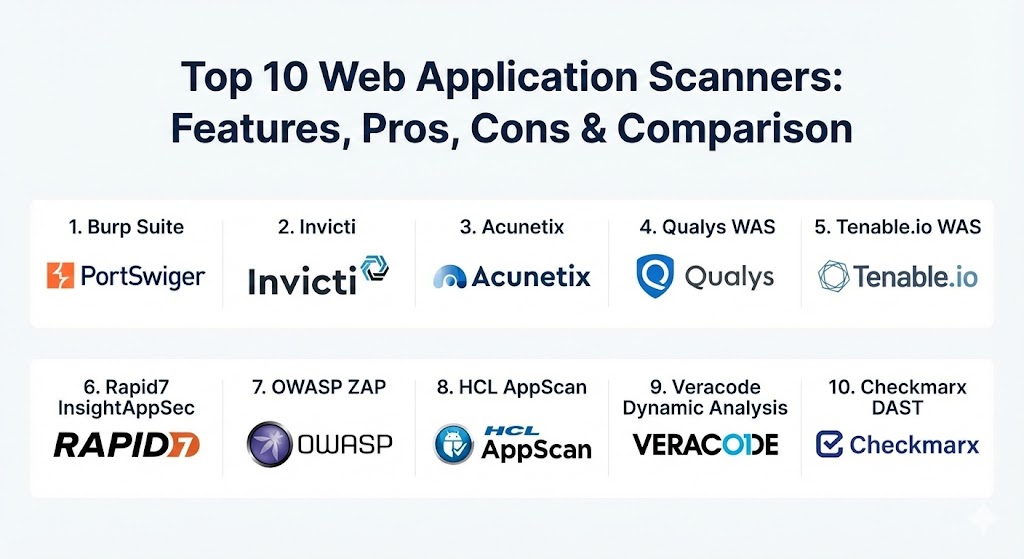
Top 10 Web Application Scanners Tools
1 — Burp Suite (Enterprise & Professional)
Burp Suite, developed by PortSwigger, is widely considered the industry standard for web security testing. While the Professional version is a manual toolkit for experts, the Enterprise Edition brings their world-class scanning engine to a fully automated, scalable platform.
- Key features:
- State-of-the-Art Crawling: Handles complex navigation, including heavy JavaScript and modern SPAs.
- Automated Vulnerability Scanning: Covers the entire OWASP Top 10 and thousands of specialized checks.
- CI/CD Integration: Native plugins for Jenkins, TeamCity, and Azure DevOps to “shift left.”
- Role-Based Access Control: Allows different levels of access for developers and security admins.
- Scheduled Scanning: Automates recurring security health checks across thousands of sites.
- Detailed Issue Evidence: Provides the exact request/response pair that triggered the finding.
- Pros:
- Unmatched depth in vulnerability detection, particularly for complex logic flaws.
- The same engine used by elite pen-testers, ensuring high-quality results.
- Cons:
- The Enterprise version requires a significant infrastructure setup for on-premise deployments.
- Can be overly technical for non-security specialists.
- Security & compliance: Supports SSO integration, encrypted data at rest, and provides detailed audit logs. SOC 2 compliant.
- Support & community: Exceptional documentation; a massive global community of experts; premium enterprise support available 24/7.
2 — Invicti (formerly Netsparker)
Invicti is an enterprise-grade DAST solution focused on automation and accuracy. Its unique “Proof-Based Scanning” technology is designed to virtually eliminate false positives by automatically verifying vulnerabilities.
- Key features:
- Proof-Based Scanning: Safely exploits vulnerabilities to prove they are real, saving hours of manual triage.
- Asset Discovery: Automatically finds forgotten or “lost” websites in your network.
- API Scanning: Native support for REST, SOAP, and GraphQL endpoints.
- Scalability: Built to manage the security of thousands of applications simultaneously.
- Vulnerability Management: Built-in tools for tracking the lifecycle of an issue from discovery to fix.
- Pros:
- Significantly reduces the “noise” of security alerts by proving exploits.
- High level of automation makes it suitable for teams with limited security staff.
- Cons:
- Premium pricing can be prohibitive for smaller companies.
- Complex configuration is sometimes needed for multi-step authentication flows.
- Security & compliance: ISO 27001, SOC 2, HIPAA, and GDPR compliance reporting modules.
- Support & community: Strong onboarding programs; technical account managers for enterprise clients; active technical blog.
3 — Acunetix (by Invicti)
Acunetix is a specialized scanner known for its speed and its ability to handle complex web architectures. Now part of the Invicti family, it retains its reputation for being lightweight yet powerful.
- Key features:
- AcuSensor Technology: Combines DAST with IAST (Interactive AST) for deeper visibility into the server-side code.
- WordPress Security: Deep-dive scanning specifically for WordPress core, themes, and plugins.
- Fast Crawling: Designed to minimize the time taken to map large, complex applications.
- Network Security Scanning: Can also scan perimeter network services for vulnerabilities.
- Low False Positives: Utilizes the same verification logic found in Invicti’s enterprise products.
- Pros:
- Excellent balance between professional features and ease of use.
- High speed makes it ideal for frequent scans in fast-paced development environments.
- Cons:
- Interface can feel slightly cluttered compared to more modern SaaS competitors.
- Deep manual testing tools are not as robust as Burp Suite’s.
- Security & compliance: Supports encryption, audit logging, and PCI DSS compliance reporting.
- Support & community: Comprehensive online knowledge base; email and phone support for all licensed users.
4 — Qualys Web Application Scanning (WAS)
Qualys WAS is a cloud-native platform designed for global visibility and massive scale. It is part of the broader Qualys Cloud Platform, which integrates vulnerability management, compliance, and asset tracking.
- Key features:
- Unified Security Platform: Integrates web security findings with your overall infrastructure risk.
- Progressive Scanning: Allows for long scans to be paused and resumed to avoid impact on production.
- Virtual Patching: Integrates with Qualys WAF to mitigate flaws with one click.
- Continuous Monitoring: Alerts you the moment a new vulnerability is detected on a monitored site.
- Malware Detection: Scans for infected pages and phishing links within your applications.
- Pros:
- No software to install or maintain; purely cloud-delivered.
- Best-in-class for large organizations needing to manage 10,000+ applications.
- Cons:
- Less granular control over individual scan parameters compared to standalone tools.
- Reporting can feel “corporate” and less focused on developer-friendly remediation tips.
- Security & compliance: FedRAMP authorized, SOC 2, ISO 27001, and extensive GDPR auditing.
- Support & community: World-class enterprise support; Qualys University offers free training and certification.
5 — Tenable.io Web App Scanning
Tenable.io WAS (now part of Tenable One) offers a modern approach to web security by focusing on “exposure management.” It leverages the power of the Nessus engine but is optimized for the nuances of web traffic.
- Key features:
- Modern Framework Support: Excellent at navigating Angular, React, and Vue.js applications.
- Integrated Asset Discovery: Finds web apps you didn’t know you had across your cloud environment.
- Low Impact: Designed to scan production environments without causing performance degradation.
- VPR (Vulnerability Priority Rating): Uses AI to tell you which flaws are most likely to be exploited in the wild.
- Dashboarding: High-level executive views and deep-dive technical reports.
- Pros:
- Very easy to set up and get your first scan running in minutes.
- Part of the Tenable ecosystem, making it easy to centralize all security data.
- Cons:
- Customization options for authenticated scans are somewhat limited.
- Reporting can occasionally be less detailed than Burp or Invicti.
- Security & compliance: SOC 2, ISO 27001, and HIPAA-ready data handling.
- Support & community: Large “Tenable Community” forum; professional services available for deployment assistance.
6 — Rapid7 InsightAppSec
Rapid7 InsightAppSec is a DAST tool that focuses on ease of use and developer collaboration. Its standout feature is the “Universal Translator,” which helps it understand almost any web technology.
- Key features:
- Universal Translator: Automatically identifies and crawls complex client-side technologies.
- Attack Replay: Provides developers with a way to re-run an attack to verify their fix without a full re-scan.
- Cloud and On-Prem Engines: Flexible deployment to scan both public and internal-only applications.
- Interactive Reporting: Allows users to filter and sort findings directly within the dashboard.
- DevOps Integration: Deep integration with Jenkins and Jira.
- Pros:
- One of the most intuitive user interfaces in the industry.
- The “Attack Replay” feature is a massive time-saver for development teams.
- Cons:
- Can be slightly more expensive than competitors on a “per-app” basis.
- Some advanced pen-testing features are missing compared to Burp Suite.
- Security & compliance: SOC 2 Type II, GDPR, and ISO 27001 compliant.
- Support & community: Highly rated customer support; “Rapid7 Academy” for user training.
7 — OWASP ZAP (Zed Attack Proxy)
OWASP ZAP is the world’s most widely used free, open-source web security tool. It is maintained by a global community of volunteers and is designed to be used by both beginners and experts.
- Key features:
- Completely Free: Open-source license allows for unlimited use and modification.
- Intercepting Proxy: Allows for manual traffic analysis and modification.
- Automated Scanners: Includes both passive and active scanning modules.
- Scriptable: Use Python or JavaScript to create custom scan logic.
- Marketplace: A large selection of community-developed add-ons to extend functionality.
- API and Daemon Mode: Can be run “headless” for integration into CI/CD pipelines.
- Pros:
- No cost involved, making it perfect for startups and solo developers.
- Extremely flexible; if you can code it, ZAP can do it.
- Cons:
- The user interface is utilitarian and can be intimidating for beginners.
- No official enterprise support (though community support is excellent).
- Security & compliance: N/A (Self-managed deployment).
- Support & community: One of the most active open-source security communities; extensive wiki and user groups.
8 — HCL AppScan (formerly IBM AppScan)
HCL AppScan is a legacy heavyweight that has been modernized for the DevSecOps era. It offers a comprehensive suite of security testing technologies, including DAST, SAST, and IAST.
- Key features:
- AI-Driven False Positive Reduction: Uses machine learning to filter out non-exploitable findings.
- In-Depth API Testing: Specialized support for gRPC and other modern communication protocols.
- Remediation Guidance: Provides highly specific code-fix examples for developers.
- Enterprise Governance: Centralized management of policies and compliance across the entire organization.
- Mobile App Scanning: Includes capabilities for testing the backends of mobile applications.
- Pros:
- Extremely mature tool with deep roots in enterprise security.
- Superior compliance reporting for highly regulated industries like banking.
- Cons:
- Can feel “heavy” and slow compared to newer cloud-native competitors.
- Licensing and configuration can be complex.
- Security & compliance: Full support for FIPS 140-2, GDPR, HIPAA, and PCI DSS.
- Support & community: Enterprise-grade support from HCL; detailed training courses available.
9 — Veracode Dynamic Analysis
Veracode is a SaaS-native application security platform that focuses on providing a single view of risk across the entire software lifecycle. Its Dynamic Analysis tool is designed for speed and consistency.
- Key features:
- Unified Platform: Findings from DAST, SAST, and SCA are all correlated in one dashboard.
- Scalable SaaS Delivery: No hardware to manage; scans are initiated from Veracode’s cloud.
- Internal Scan Engine: An agent that allows for scanning apps behind a firewall.
- Production and Staging Scans: Policies to ensure scans don’t impact production uptime.
- Policy Management: Set corporate security standards that all apps must meet to “pass” a scan.
- Pros:
- Excellent for companies that want to outsource the infrastructure of security testing.
- Strong emphasis on the “Security Posture Management” of the entire application portfolio.
- Cons:
- Limited manual testing or proxy capabilities.
- Subscription costs can scale quickly for large portfolios.
- Security & compliance: FedRAMP Authorized, SOC 2, HIPAA, and ISO 27001.
- Support & community: Includes access to “Security Consultants” who can help explain findings.
10 — Checkmarx DAST (Checkmarx One)
Checkmarx, traditionally known for SAST, has built a powerful DAST engine as part of its Checkmarx One platform. It focuses on the correlation of findings between static code and running applications.
- Key features:
- Vulnerability Correlation: Automatically matches DAST findings to the specific line of code in the SAST results.
- Unified Inventory: See all your web apps and APIs in a single centralized inventory.
- Cloud-Native Architecture: Designed for the modern containerized and serverless world.
- API Discovery: Finds “Shadow APIs” by observing application traffic during scans.
- Developer-Centric Flow: Integrates directly into IDEs and CI/CD tools.
- Pros:
- The correlation between DAST and SAST is a game-changer for remediation speed.
- Very modern, sleek user interface.
- Cons:
- Relatively newer to the DAST market compared to veterans like Burp or AppScan.
- Best used as part of the full Checkmarx platform rather than as a standalone tool.
- Security & compliance: SOC 2 Type II, GDPR, and ISO 27001.
- Support & community: High-touch enterprise support; “Checkmarx University” for education.
Comparison Table
| Tool Name | Best For | Platform(s) Supported | Standout Feature | Rating (Gartner Peer Insights) |
| Burp Suite | Pen-Testers & Experts | Windows, Linux, macOS | Manual + Automated Power | 4.7 / 5 |
| Invicti | Enterprise Automation | SaaS, On-Premise | Proof-Based Verification | 4.6 / 5 |
| Acunetix | Speed & SMBs | Windows, Linux, SaaS | WordPress Specialization | 4.5 / 5 |
| Qualys WAS | Global Scalability | Cloud-Native | Pause/Resume Scanning | 4.4 / 5 |
| Tenable.io WAS | Exposure Management | Cloud-Native | VPR (AI Risk Scoring) | 4.6 / 5 |
| Rapid7 InsightAppSec | Developer Collaboration | SaaS, On-Premise | Attack Replay | 4.3 / 5 |
| OWASP ZAP | Free / Open Source | Multi-Platform | Completely Scriptable | N/A |
| HCL AppScan | Enterprise Compliance | SaaS, On-Premise | AI False Positive Filter | 4.7 / 5 |
| Veracode Dynamic | SaaS Portfolio Mgmt | Cloud-Native | Single Platform View | 4.6 / 5 |
| Checkmarx DAST | Correlated Analysis | Cloud-Native | DAST-to-SAST Mapping | 4.6 / 5 |
Evaluation & Scoring of Web Application Scanners
| Criteria | Weight | Evaluation Notes |
| Core Features | 25% | Includes crawl depth, API support, and modern framework navigation. |
| Ease of Use | 15% | Intuitiveness of UI, setup speed, and dashboard clarity. |
| Integrations | 15% | Strength of API, CI/CD plugins, and ticketing system connections. |
| Security & Compliance | 10% | Depth of reporting for GDPR, HIPAA, and PCI DSS. |
| Performance | 10% | Scan speed, stability, and impact on target application. |
| Support & Community | 10% | Documentation quality and responsiveness of technical support. |
| Price / Value | 15% | Total cost of ownership relative to efficiency gains. |
Which Web Application Scanners Tool Is Right for You?
Deciding on a scanner depends on your team’s technical maturity and your organization’s specific risk profile.
- Solo Users & Small Projects: If you have zero budget, OWASP ZAP is your only real choice. If you are a solo consultant or pen-tester, Burp Suite Professional is the mandatory tool of the trade.
- SMBs (Small-to-Medium Businesses): For teams that need high-quality results without a full-time security engineer, Acunetix or Rapid7 InsightAppSec offer the best balance of ease and effectiveness.
- Mid-Market Enterprises: If you are scaling fast and need to eliminate manual work, Invicti‘s proof-based scanning will save your team dozens of hours every month in triage time.
- Global Enterprises & Fortune 500s: If you are managing thousands of assets, Qualys WAS or Veracode provide the governance and “birds-eye view” needed for a massive organization.
- Dev-Centric Cultures: If your goal is to empower developers to fix their own code, Checkmarx or HCL AppScan provide the best remediation guidance and integration directly into the coding workflow.
Frequently Asked Questions (FAQs)
1. What is the difference between DAST and SAST? DAST (Web Application Scanners) tests the application while it is running from the outside, whereas SAST (Static Analysis) looks at the raw source code from the inside without executing it.
2. Can these scanners find all vulnerabilities? No tool is perfect. While they are great at finding “technical” flaws like SQLi, they often struggle with “business logic” flaws (e.g., being able to buy a product for $0 by changing a parameter).
3. Do scanners impact my website’s performance? Active scanning involves sending many requests. Most modern tools allow you to throttle the speed or schedule scans during “blackout” periods to ensure production stability.
4. How do scanners handle passwords and login forms? Enterprise scanners use “Login Sequence Recorders” or specialized scripts to navigate authentication flows, including multi-factor authentication (MFA) in some cases.
5. Are free scanners like OWASP ZAP as good as paid ones? In terms of raw scanning power, ZAP is excellent. However, paid tools offer better automation, reporting, support, and far fewer false positives through proprietary verification engines.
6. What is a “false positive” in web scanning? A false positive is when a scanner reports a vulnerability that doesn’t actually exist. High false positive rates are the biggest productivity killer for security teams.
7. How often should I scan my applications? Ideally, you should scan every time code changes (via CI/CD integration) and perform a deep, full-site scan at least once a month or quarter.
8. Can scanners test APIs? Yes. Most modern scanners now support REST, SOAP, and GraphQL. You usually need to provide an API definition file (like a Swagger or OpenAPI doc) for the best results.
9. Do I still need manual penetration testing if I have a scanner? Yes. Scanners are great for catching low-hanging fruit and common errors, but a human pen-tester is still required to find complex, chained vulnerabilities and logic errors.
10. Is web scanning required for PCI compliance? Yes. Requirement 6 of PCI DSS explicitly requires regular vulnerability assessments or the use of a web application firewall, making scanners a core part of compliance.
Conclusion
The evolution of web technologies has turned security into a moving target. Selecting a web application scanner is no longer just about finding bugs; it’s about finding a tool that fits your organizational workflow. For pure power, Burp Suite remains king. For hands-off automation, Invicti leads the pack. For massive cloud scale, Qualys is the standard. Regardless of the tool you choose, the most important step is moving from “periodic scanning” to a culture of “continuous security,” where every line of code is validated before it ever sees a user.
Web application scanning is shifting toward “proof-based” automation that verifies vulnerabilities in real-time to eliminate noise. The contrast between Burp Suite’s manual depth for elite testers and Invicti’s fully automated, zero-false-positive approach shows how specialized the market has become. This guide is a solid resource for anyone trying to maintain a “hacker’s eye view” of their production security without slowing down the development lifecycle.
The comparison of web application scanners is clear, simple, and useful for understanding different security tools easily.