Introduction
Container Image Scanners are specialized security tools designed to inspect the contents of container images—such as Docker or OCI-compliant images—to identify known vulnerabilities (CVEs), malware, misconfigurations, and sensitive data like hardcoded secrets. These tools cross-reference the packages and libraries within an image against vast databases of security threats, providing a detailed risk profile of the software artifact.
The importance of these tools cannot be overstated. In a cloud-native environment, a single vulnerable library in a base image can be replicated across thousands of running instances in seconds. Key real-world use cases include automated CI/CD gating (preventing a build from passing if it contains “Critical” vulnerabilities), continuous monitoring of images in registries (as new vulnerabilities are discovered daily), and compliance auditing for regulated industries. When evaluating these tools, users should prioritize accuracy (low false positives), the depth of the vulnerability database, integration with Kubernetes/registries, and the ability to scan for “secrets” alongside software flaws.
Best for: DevOps engineers, Security operations (SecOps) teams, and Site Reliability Engineers (SREs). These tools are essential for mid-market to enterprise-level organizations, particularly those in finance, healthcare, and software-as-a-service (SaaS) sectors where software supply chain security is a top priority.
Not ideal for: Purely monolithic application environments that do not use containerization, or very small development teams using high-level PaaS (Platform-as-a-Service) where the provider manages the underlying runtime environment entirely.
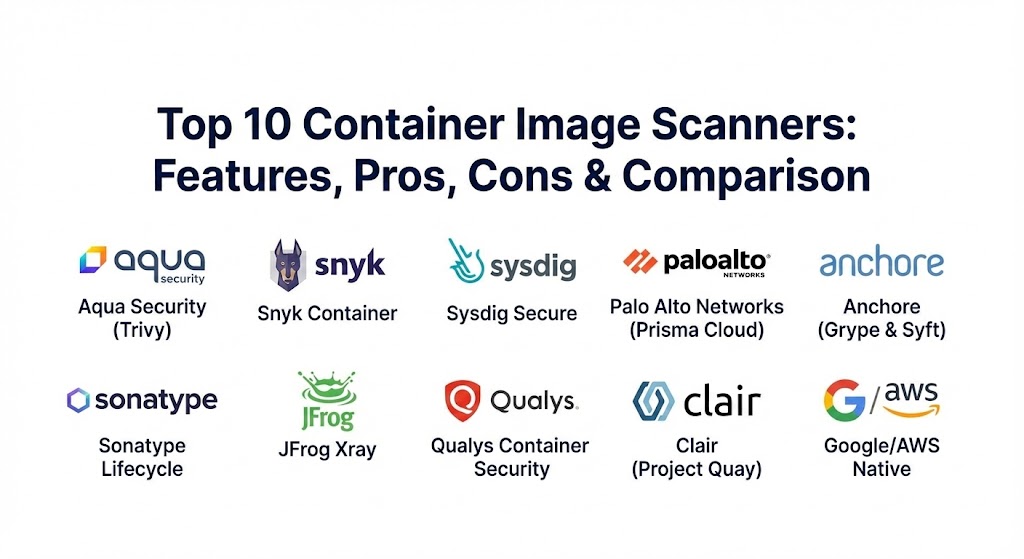
Top 10 Container Image Scanners
1 — Aqua Security (Trivy)
Trivy is an open-source powerhouse that has become the de facto standard for developers. While Aqua Security offers a full enterprise platform, Trivy serves as its high-performance, easy-to-use engine for scanning vulnerabilities, misconfigurations, and secrets.
- Key features:
- Comprehensive detection of vulnerabilities in OS packages and language-specific dependencies.
- Scans for Infrastructure as Code (IaC) misconfigurations (Terraform, Dockerfile, Kubernetes).
- Secret detection to prevent accidental leakage of API keys or passwords.
- SBOM (Software Bill of Materials) generation and discovery.
- Highly portable; runs as a binary, Docker container, or via CI/CD plugins.
- Fast, “stateless” scanning that doesn’t require a complex database setup.
- Pros:
- Incredible ease of use; you can go from installation to first scan in under 60 seconds.
- Wide language support (Go, Python, Java, JS, Rust, etc.) and extremely low false-positive rates.
- Cons:
- The open-source version lacks a centralized management dashboard.
- Advanced features like runtime protection require the paid Aqua Enterprise platform.
- Security & compliance: SOC 2, HIPAA, PCI DSS, and GDPR compliant (Enterprise version). Supports SSO and RBAC.
- Support & community: Massive GitHub community; excellent documentation; enterprise support available via Aqua Security subscriptions.
2 — Snyk Container
Snyk is famous for its developer-first approach. Snyk Container goes beyond just listing flaws; it provides actionable remediation advice, helping developers fix vulnerabilities by suggesting the most secure base image upgrades.
- Key features:
- Automatic base image recommendation for faster remediation.
- Continuous monitoring of deployed images for newly discovered vulnerabilities.
- Integration with popular registries like Docker Hub, GCR, ECR, and ACR.
- Kubernetes integration to see which vulnerabilities are actually running in production.
- Detailed dependency path analysis to show why a library is present.
- CLI, Web UI, and IDE integrations for a seamless developer experience.
- Pros:
- Actionable advice; it doesn’t just tell you there is a problem, it tells you how to fix it.
- Excellent developer adoption due to its intuitive interface and workflow integrations.
- Cons:
- Can be significantly more expensive than competitors for large-scale enterprise use.
- Some users find the volume of alerts overwhelming without careful configuration.
- Security & compliance: ISO 27001, SOC 2 Type II, and HIPAA compliant. High-grade encryption for data at rest.
- Support & community: High-tier enterprise support; “Snyk Academy” for training; very active community of security-conscious developers.
3 — Sysdig Secure
Built on the open-source Falco engine, Sysdig Secure provides a deep look into container security by combining image scanning with powerful runtime forensics and compliance tracking.
- Key features:
- Unified scanning for CI/CD pipelines, registries, and Kubernetes clusters.
- Runtime-informed scanning (prioritizes fixes for vulnerabilities that are actually “in use”).
- Vulnerability management specifically tailored for Fargate and serverless containers.
- Detailed compliance mapping for NIST, PCI, and SOC 2.
- Drift control to detect and block unauthorized changes in running containers.
- Integrated secrets and sensitive data scanning.
- Pros:
- Excellent visibility into the “runtime” context, reducing the “noise” of unused vulnerabilities.
- Strong emphasis on Kubernetes-native security and monitoring.
- Cons:
- Steeper learning curve compared to simple CLI scanners like Trivy.
- Full value requires the Sysdig agent to be installed on the host/cluster.
- Security & compliance: SOC 2, HIPAA, NIST, and GDPR. Supports SSO, SAML, and detailed audit trails.
- Support & community: Professional 24/7 support; active community centered around the Falco project; robust documentation.
4 — Palo Alto Networks (Prisma Cloud / Twistlock)
Prisma Cloud (incorporating the technology from Twistlock) is an industry heavyweight. It offers a comprehensive Cloud Native Application Protection Platform (CNAPP) with world-class container image scanning.
- Key features:
- Deep inspection of images across the entire lifecycle (Build, Ship, Run).
- Massive vulnerability intelligence feed consolidating 30+ data sources.
- Custom security policies and “trust” groups to define allowed images.
- Sandbox scanning to observe the behavior of an image before deployment.
- Integrated protection for host, container, and serverless functions.
- Extensive support for legacy and modern OS distributions.
- Pros:
- Unmatched enterprise features and policy customization for massive organizations.
- Highly reliable vulnerability data with minimal false positives.
- Cons:
- Complex configuration and a heavy management overhead.
- Prohibitively expensive for small startups or single-purpose teams.
- Security & compliance: FedRAMP Moderate, SOC 2, ISO 27001, HIPAA, and GDPR.
- Support & community: Elite enterprise support; global network of certified partners; extensive technical training.
5 — Anchore (Grype & Syft)
Anchore has made a name for itself by focusing on the “Software Bill of Materials” (SBOM). Its tools, Syft (for generation) and Grype (for scanning), are the preferred choice for organizations focusing on software supply chain integrity.
- Key features:
- Syft generates incredibly detailed SBOMs from container images and filesystems.
- Grype provides high-speed vulnerability scanning based on Syft’s output.
- Support for “VEX” (Vulnerability Exploitability eXchange) to document non-exploitability.
- Policy-based gating to enforce security standards in CI/CD.
- Deep analysis of “nested” containers and complex archives.
- Enterprise version provides a centralized dashboard and advanced auditing.
- Pros:
- Industry-leading SBOM capabilities, essential for modern compliance (like US Executive Order 14028).
- Very fast and lightweight; easy to embed into automated scripts.
- Cons:
- The UI of the enterprise version can feel less “modern” than Snyk or Aqua.
- Advanced reporting features are gated behind the commercial version.
- Security & compliance: SOC 2, GDPR, and FedRAMP readiness (Enterprise).
- Support & community: Strong open-source presence on GitHub; commercial support for enterprise customers.
6 — Sonatype Lifecycle (Container Security)
Sonatype is the pioneer of Software Composition Analysis (SCA). Their container security offering leverages the “Nexus Intelligence” database to provide deep insights into the components inside your containers.
- Key features:
- Integration with Nexus Repository to scan images as they are stored.
- Continuous monitoring of containers against the world’s largest component database.
- Automated policy enforcement based on license types and security severity.
- Full lifecycle visibility from the IDE to the production cluster.
- Legal and license compliance tracking for open-source components.
- Precise identification of component versions and “Golden Image” management.
- Pros:
- Exceptional data quality regarding open-source licenses and vulnerability origins.
- Seamless integration for organizations already using the Nexus ecosystem.
- Cons:
- Focused more on the components than the container configuration (like Dockerfile flaws).
- Best used as part of the broader Sonatype platform rather than a standalone tool.
- Security & compliance: SOC 2, GDPR, and HIPAA. Supports strong SSO/SAML integrations.
- Support & community: Comprehensive enterprise support and an active user base of Java and DevSecOps professionals.
7 — JFrog Xray
JFrog Xray is the security component of the JFrog Platform. It is a universal component analysis tool that provides deep recursive scanning of container images stored in JFrog Artifactory.
- Key features:
- Recursive scanning (unzips every layer and every archive to find hidden flaws).
- Impact analysis to see which applications are affected by a specific CVE.
- Integrated with JFrog Artifactory for “zero-latency” scanning upon upload.
- Native support for a vast array of package types (Docker, Maven, npm, PyPI).
- Advanced “Malicious Package” detection through JFrog’s security research team.
- Operational risk assessment (e.g., detecting “unmaintained” or “dead” projects).
- Pros:
- Deep, recursive analysis ensures that no vulnerability is hidden deep in a nested JAR.
- Best-in-class for organizations using JFrog as their universal artifact repository.
- Cons:
- Requires the JFrog platform; not ideal as a standalone “one-off” scanner.
- High learning curve for configuring complex impact analysis rules.
- Security & compliance: SOC 2 Type II, ISO 27001, HIPAA, and GDPR compliant.
- Support & community: Top-tier enterprise support; regular security research blogs; “JFrog Academy” for training.
8 — Qualys Container Security
Qualys is a veteran in vulnerability management. Their container security module brings the power of the Qualys Cloud Platform to the world of microservices.
- Key features:
- Inventory and tracking of container assets across multi-cloud environments.
- Scanning images in CI/CD pipelines via lightweight sensors.
- Runtime protection with a sidecar or agent-based approach.
- Drift detection for running containers.
- Detailed compliance reporting for global standards.
- Automated remediation workflows and ticket integration.
- Pros:
- Unified security view for organizations already using Qualys for VM and network security.
- Highly scalable; designed to handle millions of assets across global regions.
- Cons:
- The interface can feel “legacy” and complex compared to developer-centric tools.
- Setup can be cumbersome for teams used to lightweight CLI tools.
- Security & compliance: FedRAMP, SOC 2, PCI DSS, and HIPAA. Extensive auditing capabilities.
- Support & community: Global 24/7 support; extensive technical documentation; regular user conferences.
9 — Clair (by Project Quay)
Clair is one of the original open-source container scanners. Developed by CoreOS (now Red Hat), it is a static analysis tool for vulnerabilities in appc and Docker containers.
- Key features:
- Regular updates from a variety of vulnerability data sources (Red Hat, Debian, Ubuntu).
- Extensible design allowing users to add their own drivers for data or notifications.
- REST API for easy integration into other tools or custom dashboards.
- Deeply integrated into the Project Quay registry.
- Focuses on OS-level package vulnerabilities.
- Pros:
- Completely open-source and free to use; a foundational tool for many other security products.
- Very reliable for detecting vulnerabilities in Linux distributions.
- Cons:
- Requires a database (PostgreSQL) and more setup effort than “binary-only” scanners.
- Lacks some of the “language-level” (SCA) depth found in Snyk or Aqua.
- Security & compliance: Varies (Open source). Red Hat’s enterprise version (Quay) adds SOC 2/GDPR compliance.
- Support & community: Strong GitHub community; maintained by the Red Hat ecosystem.
10 — Google Artifact Analysis / AWS Inspector
For teams deeply embedded in a single cloud provider, the native scanning services—Google Artifact Analysis (GCR/AR) and AWS Inspector (ECR)—provide “push-button” security.
- Key features:
- Automatically scans images upon push to the cloud registry.
- Integrated into the cloud provider’s IAM for secure access control.
- Provides “On-Demand” scanning via CLI or API.
- Continuous scanning (re-scans images as new CVEs are published).
- Findings are integrated into Cloud Security Command Center (Google) or Security Hub (AWS).
- Pros:
- Zero management; no servers to patch or agents to install.
- Highly cost-effective for teams already paying for cloud storage and registry services.
- Cons:
- Harder to use in multi-cloud or hybrid environments.
- Generally provides less “remediation advice” than developer-first tools like Snyk.
- Security & compliance: FedRAMP, SOC 2, HIPAA, GDPR, and ISO 27001 (standard for AWS/Google).
- Support & community: Supported by the respective cloud provider’s enterprise support plans.
Comparison Table
| Tool Name | Best For | Platform(s) Supported | Standout Feature | Rating (Gartner Peer Insights) |
| Aqua Trivy | Developers & CI/CD | CLI, Linux, Win, Mac | IaC + Secret Scanning | 4.7 / 5 |
| Snyk Container | Developer Productivity | SaaS, IDE, CLI | Fix Recommendations | 4.6 / 5 |
| Sysdig Secure | Kubernetes Runtime | Linux, K8s, Cloud | Runtime Contextualization | 4.5 / 5 |
| Prisma Cloud | Large Enterprises | Multi-Cloud, Hybrid | Comprehensive CNAPP | 4.4 / 5 |
| Anchore Grype | SBOM & Supply Chain | CLI, Linux, Mac | Syft/SBOM Integration | 4.5 / 5 |
| Sonatype | License Compliance | Nexus Repository | Nexus Intelligence Data | 4.4 / 5 |
| JFrog Xray | Universal Artifacts | JFrog Artifactory | Recursive Deep Scan | 4.5 / 5 |
| Qualys | Compliance Teams | Multi-Cloud, On-Prem | Unified VM/Container View | 4.3 / 5 |
| Clair | Open Source Purists | Linux (Quay) | OS-Level Reliability | N/A |
| AWS/Google | Cloud-Native Teams | ECR / GCR | Zero-Config Integration | 4.4 / 5 |
Evaluation & Scoring of Container Image Scanners
Choosing a scanner involves balancing developer speed with security depth. The following rubric represents how industry experts typically weight these choices.
| Criteria | Weight | Evaluation Focus |
| Core Features | 25% | Vulnerability database depth, secret detection, IaC scanning, and SBOM support. |
| Ease of Use | 15% | CLI experience, quality of UI, and the “fixability” of recommendations. |
| Integrations | 15% | Native plugins for Jenkins, GitHub, GitLab, K8s, and major cloud registries. |
| Security & Compliance | 10% | Support for RBAC, SSO, and pre-built compliance templates (PCI, HIPAA). |
| Performance | 10% | Scan speed, false-positive rate, and impact on CI/CD pipeline duration. |
| Support & Community | 10% | Availability of 24/7 support, active GitHub repo, and documentation quality. |
| Price / Value | 15% | Cost per image or developer vs. the breadth of the protection provided. |
Which Container Image Scanners Tool Is Right for You?
The “perfect” scanner is a myth; the “right” scanner depends on where your security journey currently stands.
- Solo Users & Small Teams: Start with Trivy. It is free, fast, and gives you 90% of what you need with zero infrastructure overhead. If you need more guidance on how to fix things, the free tier of Snyk is excellent.
- Mid-Market & Rapid Growth: If you are building a formal DevSecOps pipeline, Snyk or Aqua are the leaders. They provide the centralized management you need as your team grows beyond 20 developers.
- Security & Compliance Centric: Organizations in highly regulated sectors should look at Sysdig Secure or JFrog Xray. The ability to prove that a vulnerability is not reachable at runtime (Sysdig) or to recursively scan deep archives (JFrog) is a game-changer for auditors.
- Large Enterprises & Cloud-First Giants: If you are managing thousands of nodes across AWS, Azure, and GCP, Prisma Cloud or Qualys provide the “big picture” visibility that specialized CLI tools can’t match.
- Supply Chain Integrity Advocates: If your primary concern is the Software Bill of Materials and government compliance, the Anchore (Syft/Grype) combo is the gold standard.
Frequently Asked Questions (FAQs)
1. What is the difference between static and dynamic container scanning? Static scanning (SCA) looks at the “layers” of the image at rest. Dynamic scanning (Runtime) monitors the container while it is running to detect active attacks or drift from the original image.
2. Can these tools scan for “Secrets”? Many modern scanners (Trivy, Snyk, Prisma) now include secret detection to find API keys, passwords, or SSH keys that were accidentally baked into an image layer.
3. Do scanners impact my build speed? Yes, but minimally. Most modern scanners (like Grype or Trivy) complete an average scan in 5 to 15 seconds. High-performance CI/CD pipelines use “caching” to ensure images aren’t scanned multiple times.
4. What are “False Positives” in container scanning? This occurs when a scanner flags a vulnerability that isn’t actually present or isn’t exploitable in that specific OS environment. High-quality tools use “intelligence feeds” to minimize these errors.
5. How often should I scan my images? Scanning shouldn’t just happen at the “Build” stage. You should scan at push, continuously while the image is in the registry, and periodically while it is running in production.
6. What is an SBOM? A Software Bill of Materials is a comprehensive list of every component, library, and dependency within a container image. It is increasingly becoming a legal requirement for software vendors.
7. Can a scanner automatically fix a vulnerability? Tools like Snyk can suggest the exact line to change in your Dockerfile to upgrade to a secure base image, but they rarely “auto-patch” binary files to avoid breaking the application.
8. Is there a “Free” enterprise-grade scanner? Trivy is widely considered enterprise-grade in its accuracy and speed, despite being free. However, “Enterprise” usually implies a dashboard and RBAC, which Trivy lacks.
9. Why do I need a scanner if I use “Official” images? Even “Official” images on Docker Hub often contain vulnerabilities. Furthermore, as soon as you add your own code or packages to an official image, you introduce new risks.
10. Do these tools scan the host OS as well? Some enterprise tools (Prisma, Sysdig, Qualys) can scan the underlying Linux host, but most container scanners are focused strictly on the filesystem inside the container image.
Conclusion
The container landscape is shifting from “speed at all costs” to “secure speed.” Choosing a Container Image Scanner is no longer an optional security task; it is a foundational requirement for any cloud-native organization. While Trivy and Grype lead the way in open-source agility, platforms like Snyk, Aqua, and Prisma Cloud offer the governance and actionable insights needed to secure a global enterprise.
Remember: a scanner is only as good as the remediation it triggers. Choose a tool that fits your developers’ workflow, because a security tool that is bypassed is a security tool that provides no protection at all.
Container scanning now uses automated, real-time detection to catch vulnerabilities within layers before they reach production. The contrast between Snyk’s developer-first approach and Trivy’s specialized simplicity highlights the “shift left” security trend. This guide is a solid resource for securing your software supply chain without slowing down the CI/CD pipeline.
The article gives a good understanding of container image scanning tools and their key differences. A useful read for teams working on cloud-native and containerized applications.