Introduction
A Digital Wallet SDK is a collection of pre-built software tools, libraries, and APIs that allow developers to integrate wallet functionalities—such as stored balances, peer-to-peer (P2P) transfers, virtual card issuance, and one-tap checkouts—directly into their own applications. Instead of spending years building a proprietary ledger system and navigating the grueling requirements of the Payment Card Industry (PCI), businesses can “plug in” an SDK to handle the heavy lifting of financial orchestration.
The importance of these tools lies in their ability to bridge the gap between complex banking rails and the end-user experience. By utilizing an SDK, companies can implement bank-grade encryption and tokenization without needing to hire a massive team of security engineers. Key real-world use cases include gig economy platforms paying out workers instantly, e-commerce apps reducing cart abandonment with “Buy Now, Pay Later” (BNPL) integrations, and “super apps” that bundle everything from ride-hailing to utility bill payments into a single stored-value account.
When evaluating a Digital Wallet SDK, users should prioritize geographic reach (multi-currency support), ease of documentation, security certifications (PCI DSS Level 1, SOC 2), and the flexibility of the UI components (e.g., “Drop-in” vs. fully headless).
Best for: Fintech startups, e-commerce marketplaces, mobile app developers, and enterprises looking to launch branded financial services or internal loyalty programs quickly without rebuilding the infrastructure from scratch.
Not ideal for: Organizations that are purely content-focused (e.g., standard blogs) or traditional offline businesses that do not have a digital transaction component. In these cases, a simple third-party payment link or a basic merchant account is usually more appropriate.
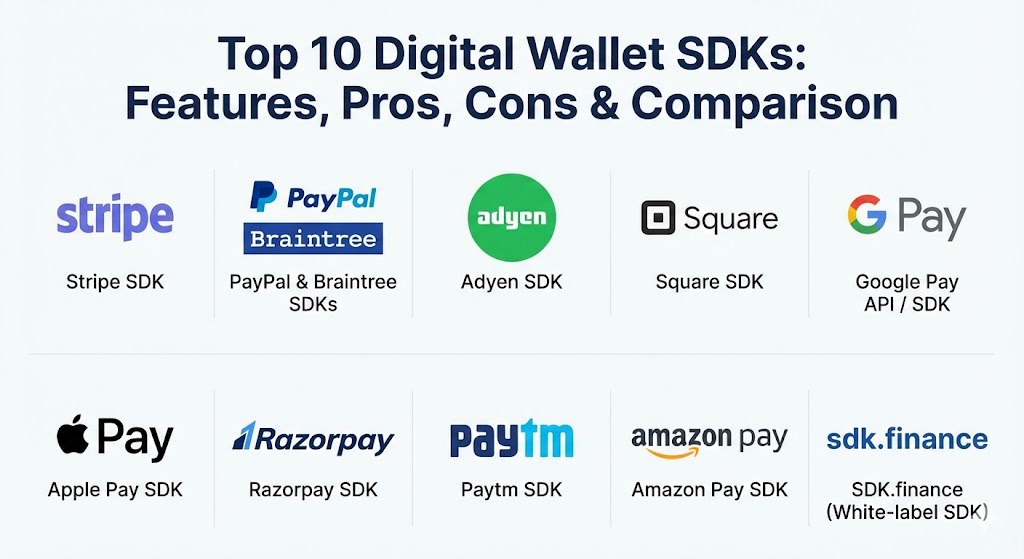
Top 10 Digital Wallet SDKs Tools
1 — Stripe SDK
Stripe remains the gold standard for developer-centric financial infrastructure. Its SDKs are designed to be “Lego blocks” for internet business, offering a unified API that handles everything from basic card payments to complex multi-party marketplace payouts.
- Key features:
- Stripe Elements: Customizable UI components for secure payment collection.
- Stripe Connect: Orchestration for complex marketplace payouts and split payments.
- Stripe Issuing: SDKs for creating and managing virtual and physical cards.
- Global Reach: Support for 135+ currencies and dozens of local payment methods.
- Real-time Webhooks: Immediate event triggers for transaction status updates.
- Integrated Fraud Prevention: AI-powered Radar tool built directly into the flow.
- Pros:
- World-class documentation that serves as the industry benchmark.
- Highly scalable—moves from a single developer to a multi-billion dollar enterprise seamlessly.
- Cons:
- Premium features and international transaction fees can add up quickly.
- The sheer breadth of the platform can be overwhelming for those needing only a “simple” wallet.
- Security & compliance: PCI DSS Level 1, SOC 1/2, GDPR, and SCA (Strong Customer Authentication) compliant.
- Support & community: 24/7 technical support, a massive Stack Overflow presence, and an extensive developer relations team.
2 — PayPal & Braintree SDKs
While PayPal is the consumer-facing giant, Braintree (a PayPal service) provides the “white-label” SDK infrastructure that powers some of the world’s largest apps. Together, they offer a global footprint that is difficult to match.
- Key features:
- Drop-in UI: A pre-formatted payment form that requires just a few lines of code.
- Venmo Integration: Seamless support for Venmo payments in the U.S.
- PayPal Vault: Secure storage for customer payment methods for recurring billing.
- Hyperwallet: SDKs for managing global mass payouts to contractors.
- One-Touch: Persistent login for users, significantly increasing conversion rates.
- Fraud Protection: Advanced risk management tools leveraging PayPal’s vast data network.
- Pros:
- High trust and brand recognition among global consumers.
- Simplified onboarding for international merchants.
- Cons:
- Disputes and account “holds” can sometimes be frustrating for merchants.
- Managing the split between legacy PayPal APIs and modern Braintree SDKs can be confusing.
- Security & compliance: PCI DSS Level 1, GDPR, and ISO 27001.
- Support & community: Robust developer portal, GitHub-hosted SDK libraries, and global help centers.
3 — Adyen SDK
Adyen is the preferred choice for massive, global enterprises (like Uber and Spotify) that require a single platform for online, in-app, and in-person payments across the world.
- Key features:
- Omnichannel Integration: Connects physical POS systems with mobile digital wallets.
- Adyen Giving: SDK modules for enabling charitable donations at checkout.
- RevenueProtect: A customizable AI risk engine for fraud prevention.
- Direct Acquiring: Adyen acts as the bank, processor, and gateway for higher authorization rates.
- Checkout SDK: Pre-built UI components for 100+ local payment methods.
- Data Insights: Deep analytics on user spending habits across different regions.
- Pros:
- Exceptional performance for high-volume, cross-border transactions.
- Eliminates the need for multiple local payment partners in foreign markets.
- Cons:
- Not designed for small startups; requires significant transaction volume to be cost-effective.
- Complex configuration options that require an experienced engineering team.
- Security & compliance: SOC 2 Type II, ISO 27001, PCI DSS Level 1, and regional banking licenses.
- Support & community: Dedicated technical account managers (TAMs) for enterprise clients and professional support ticketing.
4 — Square SDK
Square’s SDKs are famous for bridging the gap between the physical and digital worlds. It is the go-to for retailers, restaurants, and service providers who need their mobile app to talk to their physical storefront.
- Key features:
- In-App Payments SDK: Securely accept Apple Pay, Google Pay, and cards in-app.
- Square Terminal API: Triggers physical hardware payments from a custom mobile app.
- Reader SDK: Allows developers to build their own POS apps on Square hardware.
- Stored Cards: Securely vault card information for returning customers.
- Seamless Sync: Unified inventory, customers, and data across all channels.
- Offline Mode: Capability to process payments even when internet connectivity is lost.
- Pros:
- Fast, “instant” onboarding that allows merchants to start selling in minutes.
- The most intuitive bridge between software and specialized hardware.
- Cons:
- Higher flat-rate fees compared to interchange-plus pricing models.
- Limited geographic availability compared to Stripe or Adyen.
- Security & compliance: PCI DSS, SOC 2, and end-to-end encryption.
- Support & community: Very active developer forum and detailed YouTube-based tutorials.
5 — Google Pay API / SDK
For Android-centric developers, the Google Pay API is the primary tool for reducing friction. It allows users to pay using any payment method stored in their Google Account with a single tap.
- Key features:
- Native Android Integration: Deeply embedded into the Android OS for maximum speed.
- Google Wallet Integration: Supports tickets, passes, and loyalty cards in addition to payments.
- Dynamic Security: Uses tokenization so the actual card number is never shared with the merchant.
- Autofill Compatibility: Works with existing web and app forms to speed up checkout.
- Wear OS Support: Enables payments directly from smartwatches.
- Pros:
- Zero transaction fees from Google (standard processor fees still apply).
- Essential for maximizing conversion on Android-heavy user bases.
- Cons:
- It is a “wrapper” and still requires a payment processor (like Stripe or Adyen).
- Integration varies slightly between the web and native Android environments.
- Security & compliance: Android StrongBox, Secure Element support, and GDPR compliant.
- Support & community: Extensive documentation within the Android Developer portal and direct Google support channels.
6 — Apple Pay SDK (PassKit)
Similar to Google Pay, the Apple Pay SDK (via the PassKit framework) is the “must-have” for iOS applications. It leverages the iPhone’s Secure Enclave to provide the most secure biometric payment experience on the market.
- Key features:
- FaceID / TouchID Authentication: Industry-leading biometric security for every transaction.
- Secure Enclave: Private keys never leave the hardware, making it nearly impossible to hack.
- Apple Wallet Integration: Managing passes, boarding passes, and ID cards via SDK.
- Apple Pay Later: Native support for BNPL directly within the wallet sheet.
- Merchant Tokenization: Direct integration with major processors for seamless decryption.
- Pros:
- The highest conversion rates for iOS users due to extreme ease of use.
- Unrivaled user privacy; Apple does not track transaction data back to the user.
- Cons:
- Locked strictly to the Apple ecosystem (iOS, iPadOS, macOS, watchOS).
- Requires a verified Apple Merchant ID and certificate management.
- Security & compliance: PCI DSS, ISO 18013-5 (for digital IDs), and FIPS 140-2 Level 3 equivalent.
- Support & community: World-class Apple Developer documentation and a massive global developer base.
7 — Razorpay SDK
For companies targeting the Indian market, Razorpay is the dominant force. Its SDK is specifically built to handle the unique complexities of UPI, local wallets, and RuPay cards.
- Key features:
- Standard Checkout: A mobile-responsive UI that handles 100+ payment methods.
- RazorpayX: SDKs for managing neobanking, payroll, and vendor payouts.
- UPI Intent: Allows users to pay directly through apps like Google Pay or PhonePe.
- Flash Checkout: Remembers user details across different Razorpay-enabled apps.
- Subscription Billing: Localized handling of recurring payments with auto-debit.
- Pros:
- The best “success rates” in the Indian market due to deep local bank integrations.
- Feature-rich dashboard for managing refunds and settlements.
- Cons:
- Primarily focused on the Indian region; not a global-first solution.
- Regulatory changes in India can lead to frequent SDK updates.
- Security & compliance: PCI DSS Level 1, ISO 27001, and SOC 2.
- Support & community: Strong local support team and extensive documentation for Indian developers.
8 — Paytm SDK
Paytm is a “Super App” pioneer. Its SDK allows developers to tap into the Paytm ecosystem, enabling payments through the Paytm Wallet, which is used by hundreds of millions of people.
- Key features:
- All-in-One SDK: Unified support for Paytm Wallet, UPI, Cards, and Net Banking.
- QR Code Integration: Easy offline-to-online payment transitions.
- Paytm Postpaid: Native integration for Paytm’s BNPL service.
- Instant Payouts: APIs for sending money to bank accounts or Paytm wallets 24/7.
- Merchant Dashboard: Real-time analytics for tracking offline and online sales.
- Pros:
- Instant access to a massive pre-existing user base in India.
- Very high reliability for micro-transactions.
- Cons:
- The user experience is heavily branded with Paytm’s design.
- Limited utility outside of the Indian subcontinent.
- Security & compliance: PCI DSS, ISO 27001, and local financial regulatory compliance.
- Support & community: Large-scale merchant support network and developer help centers.
9 — Amazon Pay SDK
Amazon Pay leverages the massive database of Amazon customers. By integrating this SDK, you allow millions of Amazon users to pay on your site using their stored shipping and payment details.
- Key features:
- Login with Amazon: Seamlessly onboard users using their Amazon credentials.
- A-to-z Guarantee: Provides customers with peace of mind, increasing trust in your app.
- Alexa Integration: Enables voice-activated payments for connected devices.
- Amazon Pay SDK for JavaScript: Lightweight web integration for fast loading.
- Multi-Currency Support: Enables global transactions through the Amazon network.
- Pros:
- Dramatically reduces friction for users who are already “signed in” to Amazon.
- High level of trust for smaller e-commerce sites.
- Cons:
- Some merchants worry about sharing transaction data with a potential competitor (Amazon).
- The integration process is slightly more rigid than Stripe.
- Security & compliance: PCI DSS Level 1, GDPR, and SOC 2.
- Support & community: Dedicated merchant support and comprehensive AWS-style documentation.
10 — SDK.finance (White-label SDK)
SDK.finance is different from the others on this list. It is a “wallet-as-a-service” or white-label platform that provides the core source code for businesses that want to build their own Stripe or PayPal clone.
- Key features:
- Modular Architecture: Choose only the modules you need (P2P, Loans, Cards, Currency Exchange).
- Source Code Access: Unlike SaaS SDKs, you can own the underlying code for maximum control.
- Pre-integrated Vendors: Built-in connections for KYC (Onfido) and card issuing (Marqeta).
- High-Performance Ledger: Capable of handling millions of transactions per day.
- Multi-tenant Support: Perfect for building platforms that support multiple sub-merchants.
- Pros:
- Total control over the user experience and data; no vendor lock-in.
- Significantly faster than building a financial core from scratch.
- Cons:
- Requires a professional engineering team to manage and host the platform.
- Higher upfront cost compared to “pay-as-you-go” SaaS SDKs.
- Security & compliance: Customizable to local banking laws; PCI DSS and ISO 27001 ready.
- Support & community: Professional training, consulting, and enterprise-grade SLAs.
Comparison Table
| Tool Name | Best For | Platform(s) Supported | Standout Feature | Rating (TrueReview) |
| Stripe SDK | Startups & Developers | Web, iOS, Android | Multi-party Marketplace | 4.8 / 5 |
| Braintree | Global E-commerce | Web, iOS, Android | Venmo & PayPal native | 4.5 / 5 |
| Adyen SDK | Large Enterprises | Web, POS, Mobile | Omnichannel Unity | 4.6 / 5 |
| Square SDK | Retail & Restaurants | iOS, Android, POS | Physical Hardware Sync | 4.7 / 5 |
| Google Pay | Android Max Conversion | Android, Web | Zero Transaction Fees | 4.4 / 5 |
| Apple Pay | iOS Max Conversion | iOS, macOS, watchOS | Biometric Secure Enclave | 4.9 / 5 |
| Razorpay SDK | Indian Market | Web, iOS, Android | UPI Intent Flow | 4.6 / 5 |
| Paytm SDK | Mass Market India | Web, Android | Wallet & QR Focus | 4.3 / 5 |
| Amazon Pay | E-commerce Trust | Web, Mobile | Account-Linking Login | 4.4 / 5 |
| SDK.finance | Building a Neobank | Headless / White-label | Source Code Ownership | 4.5 / 5 |
Evaluation & Scoring of Digital Wallet SDKs
When scoring these tools, we utilize a weighted rubric that reflects the real-world priorities of engineering leads and product managers.
| Category | Weight | Evaluation Criteria |
| Core Features | 25% | P2P transfers, card vaulting, multi-currency, and BNPL support. |
| Ease of Use | 15% | Documentation quality, “Drop-in” UI availability, and sandbox testing. |
| Integrations | 15% | Compatibility with ERPs, CRMs, and mobile OS features. |
| Security & Compliance | 10% | PCI Level 1, SOC 2, and localized data residency support. |
| Performance | 10% | Latency of transaction processing and uptime reliability. |
| Support | 10% | Developer relations, community forums, and response times. |
| Price / Value | 15% | Transparent pricing vs. hidden fees and enterprise value. |
Which Digital Wallet SDK Is Right for You?
Selecting an SDK is a long-term commitment. Migrating a financial ledger is significantly harder than moving a database.
- Solo Developers & Early Startups: Start with Stripe. The documentation is so good that you will save hundreds of hours in development time, which is more valuable than saving a few cents on transaction fees.
- Small to Medium Businesses (SMBs): If you have a physical presence, Square is the winner. If you are purely online and want to target a global audience, the Braintree/PayPal combo offers the most “trust” for a new brand.
- Enterprises: Adyen is built for your scale. If you are a bank or a massive corporation that wants to launch its own wallet and own the IP, SDK.finance provides the best architectural foundation.
- Regional Strategy: Don’t try to use Western-centric tools for the Indian market. Use Razorpay or Paytm to ensure you can support local nuances like UPI and RuPay.
- Platform Optimization: If 90% of your users are on iPhone, prioritize the Apple Pay SDK. If you are building a budget-friendly app for emerging markets where Android is king, lead with the Google Pay API.
Frequently Asked Questions (FAQs)
1. What is the difference between a Payment Gateway and a Digital Wallet SDK? A payment gateway simply moves money from point A to point B. A Digital Wallet SDK allows you to store value, manage accounts, and create a “financial ecosystem” within your app.
2. Do I need to be PCI compliant if I use an SDK? Using a high-quality SDK (like Stripe or Braintree) significantly reduces your PCI burden because the sensitive card data never touches your servers. However, you will still likely need to fill out a simplified compliance form (SAQ-A).
3. Can these SDKs handle cryptocurrency? Most traditional SDKs on this list (Stripe, PayPal) have limited or emerging crypto support. For full crypto wallet functionality, you would likely need a specialized Web3 SDK like Alchemy or Coinbase Wallet SDK.
4. How long does integration typically take? A basic “Drop-in” UI integration can be done in a few days. A full-scale wallet implementation with KYC, ledgering, and custom workflows usually takes 3 to 6 months.
5. Are there monthly fees for using these SDKs? Most SaaS SDKs (Stripe, PayPal) are “pay-as-you-go” with no monthly fees. However, enterprise solutions (Adyen) or white-label platforms (SDK.finance) often involve monthly platform fees or one-time license costs.
6. What is “Tokenization” in a wallet SDK? Tokenization replaces sensitive card data with a non-sensitive string (a token). This allows you to charge a customer’s card in the future without ever actually “knowing” or storing the card number yourself.
7. Can I customize the checkout UI of these SDKs? Yes. Most provide three levels: “Drop-in” (pre-built), “Elements” (modular components), and “Headless” (API-only, where you build your own UI from scratch).
8. Do these tools support “offline” payments? Square is the leader here. Most other SDKs require an active internet connection to authorize a transaction in real-time.
9. How do I handle refunds through an SDK? All major SDKs provide both a web dashboard for manual refunds and an API endpoint so you can automate refunds directly from your customer support software.
10. What is “SCA” and why does my SDK need it? Strong Customer Authentication (SCA) is a European requirement that mandates two-factor authentication for most online payments. High-quality SDKs handle this automatically by triggering a 3D Secure pop-up.
Conclusion
The “best” Digital Wallet SDK is the one that removes the most friction between your user and their purchase. In 2026, developers are no longer just looking for a way to “accept cards”—they are looking for a comprehensive financial partner that handles identity (KYC), security (Tokenization), and global scalability. Whether you choose the developer-first simplicity of Stripe, the enterprise might of Adyen, or the ownership potential of SDK.finance, the goal remains the same: create a seamless, invisible payment experience that builds long-term user loyalty.
The way this guide highlights the shift from basic payment processing to full financial orchestration through SDKs is a great perspective for anyone in the fintech space. It’s particularly interesting to see how “white-label” foundations like SDK.finance allow for actual IP ownership, which is a massive contrast to the “Lego block” approach of Stripe. I also appreciated the regional focus on tools like Razorpay; it’s a crucial reminder that a global strategy often requires local expertise to navigate nuances like UPI and RuPay. The explanation of how these SDKs handle the heavy lifting of PCI compliance and SCA requirements really clarifies why they are such a force multiplier for smaller dev teams. Seeing the comparison between “Drop-in” UIs and fully headless APIs shows just how much flexibility is now available to balance rapid deployment with a completely custom brand experience. This comparison is a solid resource for anyone trying to build a seamless, invisible payment journey without rebuilding the entire banking infrastructure from scratch.