Introduction
A Secure Email Gateway (SEG) is a specialized security solution that monitors all incoming and outgoing email traffic to identify and block malicious content before it reaches a user’s inbox or leaves the organization’s network. Acting as a digital “customs checkpoint,” an SEG utilizes a combination of signature-based detection, real-time URL sandboxing, and increasingly sophisticated Artificial Intelligence (AI) to scan for malware, spam, and social engineering tactics.
The importance of an SEG extends beyond simple spam filtering. In today’s regulatory environment, these tools are vital for Data Loss Prevention (DLP) and encryption, ensuring that sensitive information—such as social security numbers or proprietary trade secrets—cannot be accidentally or maliciously leaked via email. Key real-world use cases include protecting high-profile executives from impersonation (Whaling), neutralizing malicious attachments in a safe sandbox environment, and automating the “clawback” of emails that are discovered to be malicious after delivery. When evaluating these tools, users should look for high “catch rates” with low false positives, support for both MX-record and API-based deployments, and seamless integration with existing Security Operations Center (SOC) workflows.
Best for: Organizations of all sizes—from small businesses to global enterprises—that handle sensitive data, rely heavily on Microsoft 365 or Google Workspace, or operate in highly regulated sectors like finance, healthcare, and government. It is essential for any IT team looking to reduce the manual burden of triaging user-reported phishing attempts.
Not ideal for: Individual consumers or micro-businesses with zero budget who may find the complexity and cost of a dedicated gateway outweigh the benefits. For these users, the native security features of high-quality “secure email” providers (like Proton or Tuta) may suffice for basic privacy needs.
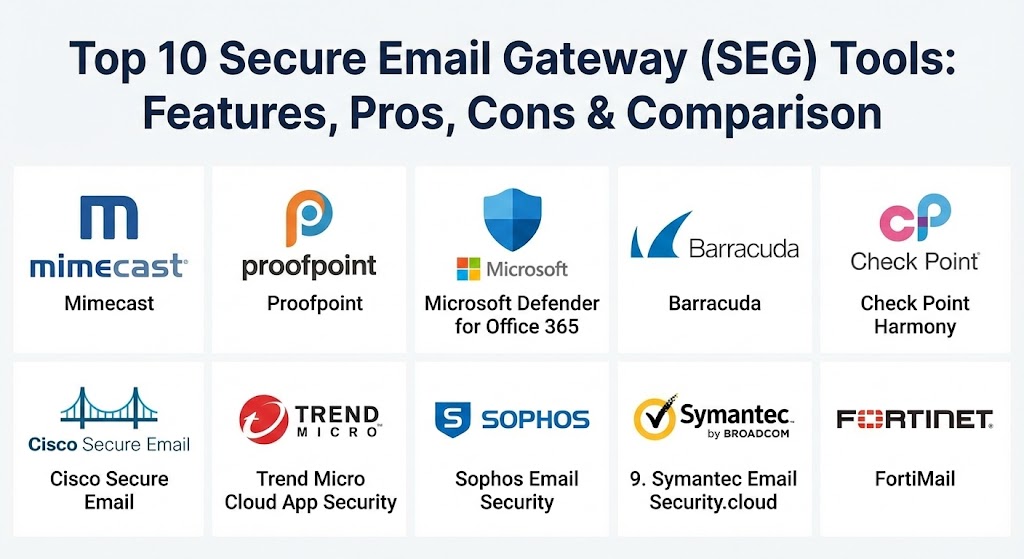
Top 10 Secure Email Gateway (SEG) Tools
1 — Mimecast Email Security
Mimecast is a cloud-native leader in the email security space, offering a comprehensive suite of tools that go beyond the gateway to include security awareness training and brand protection. It is designed for organizations that want a proactive, AI-first approach to defense.
- Key features:
- AI-powered detection for Business Email Compromise (BEC) and social engineering.
- Real-time URL re-writing and “click-time” protection.
- Robust attachment sandboxing for zero-day malware detection.
- Internal Email Protect to scan “east-west” traffic for lateral threat movement.
- Integrated Information Protection for granular DLP and encryption.
- Rapid “Clawback” features to remove malicious emails from all user inboxes simultaneously.
- Pros:
- Excellent balance between deep security features and a comprehensive ecosystem.
- One of the most effective solutions for blocking impersonation and credential theft.
- Cons:
- The administrative console is notoriously complex and can be overwhelming for small teams.
- Can lead to higher-than-average false positives if the sensitivity settings are not fine-tuned.
- Security & compliance: SOC 2 Type II, HIPAA, GDPR, ISO 27001, FedRAMP, and PCI DSS.
- Support & community: Extensive documentation, a 24/7 global support team, and an active “Mimecaster” community for peer-to-peer knowledge sharing.
2 — Proofpoint Email Protection
Proofpoint is frequently cited as the market leader for large enterprises. It takes a “people-centric” approach to security, identifying “Very Attacked People” (VAPs) within an organization and applying more stringent controls to their communications.
- Key features:
- Nexus AI for advanced threat detection and anomaly behavior analysis.
- Advanced BEC defense using relationship-based telemetry.
- Targeted Attack Protection (TAP) with predictive sandboxing.
- Deep visibility into VAPs to prioritize security awareness efforts.
- Automated incident response via TRAP (Threat Response Auto-Pull).
- Integrated Email Warning Tags to alert users of suspicious sender attributes.
- Pros:
- Superior threat intelligence derived from one of the world’s largest email datasets.
- Highly granular policy controls that allow for extreme customization in large environments.
- Cons:
- High price point makes it difficult to justify for smaller businesses.
- Implementation typically requires a significant time investment from dedicated security staff.
- Security & compliance: FIPS 140-2, HIPAA, GDPR, SOC 2, and advanced encryption for data at rest.
- Support & community: World-class enterprise support with dedicated account managers for top-tier clients.
3 — Microsoft Defender for Office 365
For organizations already deeply entrenched in the Microsoft ecosystem, Defender for Office 365 offers a native, high-performance security layer that requires no MX record changes and integrates directly with the XDR (Extended Detection and Response) stack.
- Key features:
- Safe Links and Safe Attachments for real-time detonation of threats.
- Native API-based integration—no need to route mail through a third-party gateway.
- Mailbox Intelligence for detecting impersonation and spoofing.
- Campaign Views to track the progression of a specific attack across the organization.
- Automated Investigation and Response (AIR) to auto-remediate common threats.
- Integrated Phishing Simulations and training based on real-world attack data.
- Pros:
- Unmatched integration with Microsoft 365, making it the easiest tool to deploy.
- Single “glass pane” view for endpoint, identity, and email security.
- Cons:
- Basic tiers (EOP) are often insufficient; the best features are locked behind higher licenses (Plan 2 / E5).
- Some users find the detection of sophisticated BEC attacks less effective than specialized rivals.
- Security & compliance: Comprehensive global compliance (FedRAMP High, HIPAA, GDPR, ISO).
- Support & community: Extensive Microsoft Learn documentation and support via the M365 Admin Center.
4 — Barracuda Email Gateway Defense
Barracuda is the “gold standard” for the mid-market and SMB sector. It focuses on delivering enterprise-grade protection with a “set it and forget it” simplicity that appeals to busy IT managers.
- Key features:
- AI-based impersonation protection and account takeover (ATO) defense.
- Link protection with URL sandboxing and site reputation checks.
- Advanced Threat Protection (ATP) using multi-layer cloud sandboxes.
- Integrated cloud-to-cloud backup for Microsoft 365 environments.
- Outbound filtering and automated encryption for DLP.
- Simple, browser-based quarantine management for end-users.
- Pros:
- Extremely intuitive interface that requires almost zero training to use.
- One of the best values in the industry, often bundling security and backup.
- Cons:
- Filtering can be aggressive, leading to occasional frustration with legitimate mail being blocked.
- Lacks some of the ultra-granular “forensic” details found in Proofpoint or Cisco.
- Security & compliance: SOC 2, HIPAA, GDPR, and AES-256 encryption for all data.
- Support & community: Highly praised support desk and a straightforward knowledge base.
5 — Check Point Harmony Email & Collaboration
Formerly known as Avanan, this tool revolutionized the market by being one of the first “API-first” solutions. It sits inside the mail environment rather than at the perimeter, making it invisible to attackers and capable of protecting Slack and Teams.
- Key features:
- Inline API protection that catches threats after Microsoft/Google but before the inbox.
- Patent-pending AI trained on the “sophisticated attacks” that legacy gateways miss.
- Protection for productivity apps like Slack, Microsoft Teams, and Google Drive.
- Account Takeover Protection that monitors login behavior for anomalies.
- Zero-day malware sandboxing that delivers clean files in under 2 seconds.
- Automated DMARC management and configuration.
- Pros:
- The most effective “catch rate” for modern phishing according to many third-party tests.
- Deployment takes minutes and doesn’t require any risky DNS (MX) changes.
- Cons:
- Some traditional admins still prefer the “gatekeeper” nature of a true MX-based gateway.
- Premium features can lead to a slightly complex licensing structure.
- Security & compliance: ISO 27001, SOC 2 Type II, and HIPAA.
- Support & community: Strong emphasis on the “threat-hunting” community with regular intelligence updates.
6 — Cisco Secure Email
Leveraging the massive power of the Cisco Talos threat intelligence network, Cisco Secure Email (formerly IronPort) is a rugged, highly scalable solution for large, distributed organizations.
- Key features:
- Talos Intelligence: The world’s largest civilian threat research team.
- SecureX integration for unified visibility across the Cisco security portfolio.
- Advanced Malware Protection (AMP) for deep file analysis and retrospection.
- External Authoritative Sender (EAS) tracking to verify sender identities.
- Sophisticated DMARC, SPF, and DKIM automation.
- Policy-based encryption with Cisco Secure Encryption service.
- Pros:
- Unmatched threat intelligence and global reputation filtering.
- Ideal for hybrid environments that still use on-premise Exchange alongside Cloud.
- Cons:
- The UI can feel dated and “clunky” compared to modern SaaS-first competitors.
- Requires a high level of technical expertise to configure and maintain effectively.
- Security & compliance: Common Criteria, FIPS 140-2, and global privacy certifications.
- Support & community: Backed by Cisco’s legendary TAC (Technical Assistance Center) and extensive user guides.
7 — Trend Micro Cloud App Security
Trend Micro takes a specialized approach to “Cloud Email Security Supplementation.” It is designed to sit alongside M365 or Gmail, providing an extra layer of AI-driven behavioral analysis.
- Key features:
- Writing Style DNA: AI that learns the writing patterns of executives to stop BEC.
- API-based integration for zero-latency scanning of internal and external mail.
- Sandboxing for attachments across Teams, SharePoint, and OneDrive.
- XDR integration to correlate email threats with endpoint and network alerts.
- Data Loss Prevention with over 200 pre-built compliance templates.
- “Pre-execution” machine learning to stop malware before it runs.
- Pros:
- Excellent at spotting impersonation through its unique writing analysis tech.
- Very lightweight deployment that doesn’t impact user productivity or latency.
- Cons:
- Often seen as an “add-on” rather than a standalone comprehensive gateway.
- The reporting dashboard is functional but lacks the visual depth of Mimecast.
- Security & compliance: SOC 2 Type II, ISO 27001, HIPAA, and GDPR.
- Support & community: Strong global presence with support in dozens of languages.
8 — Sophos Email Security
Sophos Email is built on the premise of “Synchronized Security.” It shares information directly with Sophos endpoint agents, meaning if a computer is infected via an email link, the gateway can automatically isolate that user’s email access.
- Key features:
- Sophos Central: A unified management console for all Sophos products.
- SXL (Sophos Extensible List) for real-time reputation lookups.
- Time-of-click URL protection with “re-scan at click” technology.
- Social engineering protection that blocks malware-free impersonation attacks.
- Automated email encryption using S/MIME or TLS.
- Integrated Phish Threat for user training and simulation.
- Pros:
- The “Synchronized Security” concept provides a holistic defense most rivals can’t match.
- Simple per-user licensing that is very attractive for the mid-market.
- Cons:
- Some advanced “sandbox” features have a slight latency compared to Check Point.
- Limited support for very complex, multi-layered custom routing rules.
- Security & compliance: SOC 2, HIPAA, GDPR, and FIPS-compliant encryption.
- Support & community: Excellent “Sophos Community” and reliable tech support.
9 — Symantec Email Security.cloud (Broadcom)
Symantec, now under Broadcom, continues to offer one of the most stable and mature email security platforms in the world. It is the choice for many Fortune 500 companies that require high-reliability service level agreements (SLAs).
- Key features:
- Global Intelligence Network (GIN) with massive civilian threat telemetry.
- Advanced threat isolation to open suspicious links in a remote browser.
- High-performance anti-spam and anti-malware engines.
- Integrated DLP with advanced content analysis.
- Email Continuity features to allow access even during server outages.
- Comprehensive reporting for high-level executive audits.
- Pros:
- Rock-solid stability and the highest availability SLAs in the industry.
- Deep, enterprise-grade DLP that is arguably the best in this list.
- Cons:
- Broadcom’s acquisition has led to concerns about support responsiveness for smaller clients.
- The interface and feature development can feel slower than cloud-native rivals.
- Security & compliance: ISO 27001, SOC 2, HIPAA, and GDPR.
- Support & community: Dedicated enterprise support portal with specialized engineers.
10 — Fortinet FortiMail
FortiMail is a component of the Fortinet Security Fabric. It is an incredibly powerful, “high-throughput” tool designed for those who want to integrate email security with their firewalls and network infrastructure.
- Key features:
- 99.99% spam catch rate according to independent third-party tests.
- Content Disarm and Reconstruction (CDR) to strip malicious macros from files.
- Native integration with FortiSandbox for zero-day threat analysis.
- Support for “Server Mode,” acting as a full-featured SMTP mail server.
- Identity-based encryption and granular outbound DLP.
- High-speed reputation filtering based on FortiGuard labs.
- Pros:
- Exceptional performance; it can handle high volumes of mail with very low latency.
- If you already use FortiGate firewalls, the integration is a major force multiplier.
- Cons:
- The interface is “utilitarian” and lacks the user-centric design of modern SaaS.
- Can be overly complex for organizations that don’t need a full fabric integration.
- Security & compliance: FIPS 140-2, Common Criteria, HIPAA, and GDPR.
- Support & community: Extensive documentation (FortiCookbook) and a large global partner network.
Comparison Table
| Tool Name | Best For | Platform(s) Supported | Standout Feature | Rating (Gartner Peer Insights) |
| Mimecast | Proactive Defense | M365, Google, Hybrid | AI-Powered Impersonation | 4.6 / 5 |
| Proofpoint | Large Enterprise | SaaS, On-prem, Cloud | People-Centric (VAP) Visibility | 4.5 / 5 |
| MS Defender | M365 Native Users | Microsoft 365 Only | Seamless XDR Integration | 4.4 / 5 |
| Barracuda | SMB / Mid-Market | M365, Google, SaaS | Security + Backup Bundle | 4.6 / 5 |
| Check Point | API-First Security | M365, Google, Slack | Invisible Inline Protection | 4.8 / 5 |
| Cisco Secure | Hybrid / Global | SaaS, On-prem, Cloud | Talos Threat Intelligence | 4.3 / 5 |
| Trend Micro | Impersonation (BEC) | M365, Google, Teams | Writing Style DNA | 4.5 / 5 |
| Sophos Email | Mid-Market Unified | SaaS, M365, Google | Synchronized Security | 4.5 / 5 |
| Symantec | Mature Enterprise | SaaS, Cloud, Hybrid | Advanced Data Isolation | 4.1 / 5 |
| FortiMail | High Throughput | Appliance, Cloud, VM | Security Fabric Integration | 4.7 / 5 |
Evaluation & Scoring of Secure Email Gateway (SEG) Tools
The following table provides a weighted scoring rubric based on industry standards and user priorities for 2026.
| Category | Weight | Evaluation Criteria |
| Core Features | 25% | Spam catch rate, zero-day sandboxing, BEC/Impersonation detection. |
| Ease of Use | 15% | Dashboard clarity, quarantine management, and administrative simplicity. |
| Integrations | 15% | Ability to work with M365, Google, and existing XDR/SIEM tools. |
| Security & Compliance | 10% | Encryption standards, SOC 2/HIPAA compliance, and audit logging. |
| Performance | 10% | Email delivery latency, “time to detonated” files, and uptime SLAs. |
| Support & Community | 10% | Documentation quality, support response time, and user forums. |
| Price / Value | 15% | Total cost of ownership vs. the breadth of security features provided. |
Which Secure Email Gateway (SEG) Tool Is Right for You?
Deciding on an email security partner requires aligning your technical requirements with your organizational constraints.
- Solo Users vs SMBs: If you are a small team, avoid the high-maintenance complexity of Proofpoint or Cisco. Barracuda or Sophos are the clear winners here, offering “plug-and-play” security that allows you to focus on your business rather than tweaking regex filters.
- Mid-Market to Large Enterprise: If your primary concern is sophisticated phishing and BEC, Check Point (Harmony) and Mimecast are currently leading the pack in detection efficacy. If you have a large SOC team that wants granular control, Proofpoint is the enterprise standard.
- Budget vs. Premium: If budget is the primary constraint, utilizing the highest tier of Microsoft Defender for Office 365 often provides the best “bang for buck” since it removes the need for a separate third-party vendor. However, “insurance” via a third-party tool like Barracuda is often surprisingly affordable for SMBs.
- Integration Needs: Organizations using a full security stack from one vendor (like Cisco, Fortinet, or Sophos) will find immense value in choosing the corresponding email tool due to shared threat intelligence and unified management.
- Deployment Model: If you cannot afford the risk of MX record downtime or want to protect internal Teams/Slack messages, look specifically for “API-based” or “Cloud-native” solutions like Check Point or Trend Micro.
Frequently Asked Questions (FAQs)
1. What is the difference between a traditional gateway and an API-based tool? A traditional gateway (MX-based) sits “in front” of your email server, catching threats before they arrive. An API-based tool sits “inside” the environment, using direct connections to scan emails. API tools are easier to deploy and can scan internal (east-west) traffic.
2. Is Microsoft 365’s built-in security enough? For basic use, yes. However, most experts agree that “EOP” (standard M365 security) is insufficient for blocking sophisticated BEC and zero-day threats. Adding a “Plan 2” Defender or a third-party SEG is strongly recommended for business use.
3. Do SEGs cause a delay in email delivery? Most modern SEGs add only a few seconds of latency. However, advanced sandboxing (detonating an attachment) can sometimes cause a delay of 30–120 seconds for that specific email while it is being analyzed.
4. What is “Clawback” and why do I need it? Clawback is a feature that allows admins to remotely delete a malicious email from every user’s inbox after it has been delivered. This is vital when a zero-day threat is discovered hours after a campaign starts.
5. How do these tools handle encrypted emails? Most gateways cannot scan the contents of an encrypted email. However, they can scan the sender’s reputation, the metadata, and any unencrypted portions of the message to determine its safety.
6. Can a Secure Email Gateway block internal phishing? Traditional MX gateways often miss internal phishing (e.g., a compromised employee’s account). API-based tools like Check Point or Mimecast’s “Internal Protect” are specifically designed to scan internal mail.
7. What is Business Email Compromise (BEC)? BEC is a type of scam where an attacker impersonates a trusted figure (like a CEO or vendor) to trick an employee into sending money or sensitive data. It usually contains no malware or links, making it very hard for traditional filters to catch.
8. Is DMARC management part of an SEG? Many modern SEGs (like Mimecast and Proofpoint) now include DMARC monitoring and reporting to help you authenticate your domain and prevent others from spoofing your brand.
9. Do I need to be a security expert to manage an SEG? While enterprise tools like Cisco require expertise, many modern SaaS tools (like Barracuda or Sophos) are designed for IT generalists with intuitive dashboards and automated settings.
10. Why is “Click-time Protection” important? Attackers often send a link that is “safe” when the email is sent, but then point it to a malicious site minutes later. Click-time protection re-scans the URL every time the user clicks it, not just when the email arrives.
Conclusion
As we traverse 2026, the email inbox remains the primary battleground for organizational security. Choosing a Secure Email Gateway is no longer a luxury—it is a foundational requirement for any business that values its data and its reputation. The “best” tool is the one that fits your architecture (API vs. MX), your budget, and your team’s technical capacity. Whether you opt for the native integration of Microsoft, the enterprise depth of Proofpoint, or the invisible protection of Check Point, the goal remains the same: ensuring that the only things reaching your users’ inboxes are the messages they actually need to see.
This blog post offers a fantastic deep dive into the current landscape of Secure Email Gateways, and I really appreciate how it balances technical specs with practical use cases. The distinction between traditional MX-record gateways and the newer API-first solutions like Check Point Harmony is a crucial point that many people overlook when setting up their security stack. It’s also refreshing to see a “Best for” and “Not ideal for” section for each tool; so often these comparisons just list features without explaining that a enterprise-level powerhouse like Proofpoint might actually be overkill and overly complex for a small IT team. The emphasis on Business Email Compromise and the “Writing Style DNA” feature in Trend Micro shows just how far these tools have come beyond simple spam filtering. It’s a great reminder that as social engineering becomes more sophisticated, our defense layers need to be equally proactive and AI-driven. This is a solid resource for anyone trying to navigate the crowded cybersecurity market and find a solution that actually fits their specific organizational needs without breaking the budget.