Introduction
Risk-Based Authentication (RBA), also known as adaptive authentication, is a security method that evaluates the risk level of a login attempt in real-time. Instead of applying a uniform authentication challenge to every user, RBA systems analyze various contextual signals—such as geographical location, device health, IP reputation, and behavioral biometrics—to determine the likelihood that a login is fraudulent. If the system detects an anomaly (e.g., a login from an “impossible” location or an unmanaged device), it dynamically triggers a “step-up” challenge, such as a biometric scan or a one-time passcode (OTP).+2
The importance of RBA lies in its ability to balance high-level security with a frictionless user experience. In a world where “security fatigue” can lead users to circumvent protocols, RBA ensures that extra hurdles only appear when they are truly necessary. Key real-world use cases include protecting remote employee access to corporate VPNs, securing high-value financial transactions in banking, and preventing account takeovers (ATO) in e-commerce. When evaluating RBA tools, organizations should look for high-fidelity risk engines, extensive integration ecosystems, and the ability to process behavioral data without invading user privacy.+2
Best for: Mid-to-large enterprises, financial institutions, and organizations with a significant remote workforce. It is particularly valuable for companies adopting a Zero Trust architecture, where continuous verification is required for every access request.
Not ideal for: Very small businesses with a limited number of users and low-risk data profiles where the complexity and cost of managing an adaptive risk engine may outweigh the benefits. For these users, standard Multi-Factor Authentication (MFA) is often sufficient.
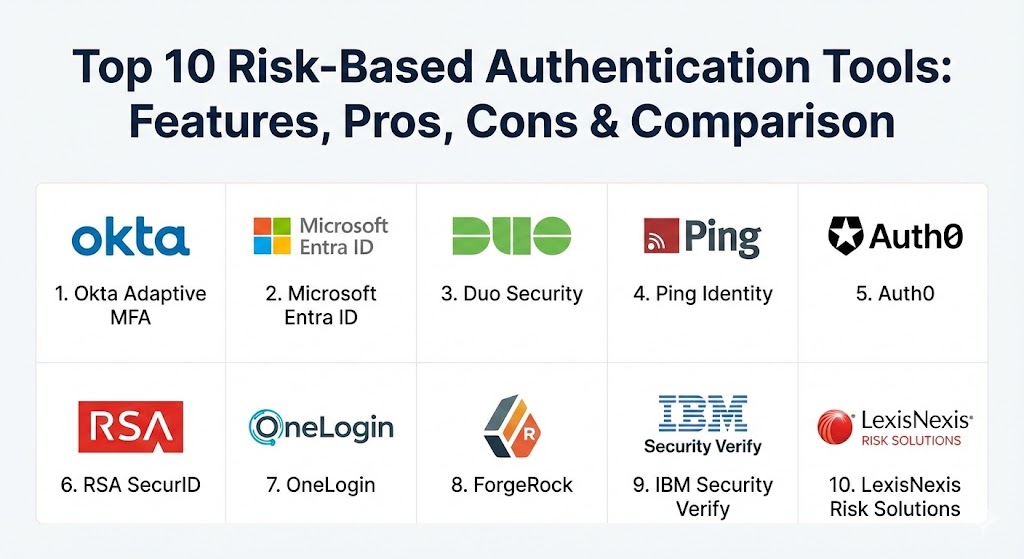
Top 10 Risk-Based Authentication Tools
1 — Okta Adaptive MFA
Okta is a market leader in identity management, and its Adaptive MFA solution is widely considered the gold standard for modern enterprises. It leverages the “Okta Collective,” a massive database of anonymized threat intelligence, to identify and block suspicious login attempts before they reach your network.
- Key features:
- Risk Scoring: Assigns a low, medium, or high risk score to every login attempt based on IP, location, and device.
- ThreatInsight: Automatically blocks IP addresses known to be involved in large-scale credential stuffing attacks.
- Network Zones: Allows admins to define “safe” zones (like corporate offices) and “blocked” zones (untrusted countries).
- Behavioral Detection: Learns a user’s typical login patterns and flags significant deviations.
- Passwordless Integration: Supports FIDO2/WebAuthn for a seamless, secure user experience.
- Extensive Integration Catalog: Connects with over 7,000 cloud and on-premise applications.
- Pros:
- Unrivaled ease of deployment and a highly intuitive administrative dashboard.
- Strong community and ecosystem support make it easy to find help and documentation.
- Cons:
- Premium features like advanced behavioral analytics come at a significant cost.
- Dependency on the Okta cloud means a service outage can impact access globally.
- Security & compliance: SOC 2 Type II, ISO 27001/27017/27018, HIPAA, GDPR, and FIPS 140-2 validated.
- Support & community: Excellent documentation; 24/7 enterprise support tiers available; massive user community on the Okta Help Center.
2 — Microsoft Entra ID (Conditional Access)
Formerly known as Azure AD, Microsoft Entra ID provides “Conditional Access,” which is the core of its risk-based authentication strategy. It is the natural choice for organizations heavily invested in the Microsoft 365 and Azure ecosystems.
- Key features:
- Identity Protection: Uses machine learning to detect “leaked credentials” and suspicious sign-ins.
- User Risk Levels: Automatically forces password changes or blocks access if a user account is deemed “compromised.”
- Device Health Checks: Integrates with Microsoft Intune to ensure devices meet security standards before granting access.
- Named Locations: Allows granular control over access based on specific IP ranges and countries.
- Native Windows Integration: Seamlessly works with Windows Hello for Business and Microsoft Authenticator.
- Global Threat Intelligence: Leverages signals from trillions of signals processed daily by Microsoft.
- Pros:
- Deeply integrated into the Microsoft stack, offering a seamless experience for Office 365 users.
- Highly scalable for global organizations with millions of identities.
- Cons:
- Advanced risk-based features require the “Premium P2” license, which is expensive.
- Can be overly complex for organizations that do not use Azure or Microsoft 365.
- Security & compliance: FedRAMP, HIPAA, GDPR, SOC 1/2/3, and ISO 27001.
- Support & community: Vast documentation; global enterprise support; tight-knit community via Microsoft Tech Community and Reddit.
3 — Duo Security (by Cisco)
Duo is famous for its “simplicity first” approach. While it started as a pure MFA tool, Cisco has evolved it into a powerful Zero Trust engine that uses risk-based signals to protect every application, whether it’s in the cloud or on-prem.
- Key features:
- Duo Trust Monitor: Uses AI to establish a baseline of normal user behavior and detect anomalies.
- Device Visibility: Provides a detailed inventory of every device (managed and unmanaged) accessing your apps.
- Risk-Based Factor Selection: Automatically chooses the most secure authentication method based on the current risk level.
- Endpoint Health: Checks for outdated OS, browsers, and security software during the login process.
- Verified Push: Prevents “MFA fatigue” by requiring users to enter a code from the login screen.
- Custom Policy Engine: Allows for granular rules based on user group, application, and location.
- Pros:
- Arguably the most user-friendly MFA experience for end-users and administrators.
- Extremely fast time-to-value; basic setup can be completed in under an hour.
- Cons:
- Less focus on deep “Identity Governance” compared to Okta or Ping.
- Behavioral analytics are solid but not as granular as specialized behavioral biometrics tools.
- Security & compliance: SOC 2, ISO 27001, HIPAA, PCI DSS, and FIPS 140-2.
- Support & community: High-quality knowledge base; 24/7 technical support; very active user forums and documentation.
4 — Ping Identity (PingOne Risk)
Ping Identity specializes in large-scale, complex enterprise environments. PingOne Risk is an AI-powered service that evaluates a massive range of signals to provide a definitive risk score for every user action.
- Key features:
- Journey Orchestration (DaVinci): A visual editor to design complex, risk-aware authentication flows.
- Behavioral Biometrics: Analyzes how users type, move their mouse, and hold their devices to verify identity.
- Impossible Travel Detection: Flags logins from distant locations that cannot be reached within the elapsed time.
- Bot Detection: Distinguishes between human users and automated scripts/bots.
- Hybrid Infrastructure Support: Excellent for managing access to legacy on-prem apps alongside cloud services.
- API-First Design: Ideal for developers looking to embed risk-based security into custom applications.
- Pros:
- Exceptional for “Customer IAM” (CIAM) where user experience and fraud prevention are both critical.
- The orchestration engine (DaVinci) is the most powerful in the market for custom workflows.
- Cons:
- The learning curve for configuring complex orchestrations is steeper than Duo or Okta.
- Initial implementation often requires professional services for large-scale deployments.
- Security & compliance: FIPS 140-2, SOC 2, ISO 27001, GDPR, and HIPAA.
- Support & community: Strong enterprise support; extensive developer documentation and training certifications.
5 — Auth0 (Adaptive MFA)
Now owned by Okta, Auth0 remains a distinct, developer-focused platform. Its Adaptive MFA feature is designed to be “plug-and-play” for software teams building web and mobile applications.
- Key features:
- Anomalous IP Detection: Automatically blocks logins from IPs with high failed-attempt rates.
- Brute Force Protection: Shields accounts from automated guessing and dictionary attacks.
- Breached Password Detection: Alerts users and blocks logins if their credentials appear in public data breaches.
- Step-up Authentication: Easily trigger MFA only for high-value actions (like changing a bank account).
- Flexible Customization: Developers can write custom “Actions” (JavaScript) to implement unique risk logic.
- Universal Login: A secure, hosted login page that adapts to mobile, desktop, and tablets.
- Pros:
- The best choice for developers; integrates into codebases with just a few lines of code.
- Highly customizable; you can build exactly the risk-logic you need.
- Cons:
- Pricing can scale rapidly based on the number of monthly active users (MAU).
- Some advanced enterprise features are now being prioritized in the main Okta platform.
- Security & compliance: SOC 2, ISO 27001, HIPAA, GDPR, and PCI DSS.
- Support & community: Excellent developer community; robust SDKs; responsive support for high-tier plans.
6 — RSA SecurID
A pioneer in the space, RSA has modernized its SecurID platform to include the “RSA Risk Engine,” which provides a robust, policy-driven approach to adaptive authentication for both cloud and on-prem.
- Key features:
- Dynamic Risk Scoring: Evaluates user, device, and environmental context.
- Hardware & Software Tokens: Still the gold standard for high-security environments (government/defense).
- Direct Directory Integration: Works seamlessly with Active Directory and other LDAP sources.
- Self-Service Portal: Reduces IT helpdesk load by allowing users to manage their own tokens and devices.
- Legacy App Support: One of the best tools for securing older, non-SaaS applications.
- High-Availability Architecture: Designed for 99.99% uptime in mission-critical environments.
- Pros:
- Deeply trusted by government and highly regulated financial organizations.
- Strongest support for physical hardware tokens if your environment requires them.
- Cons:
- The administrative interface can feel “legacy” compared to modern SaaS players.
- Modernizing from traditional RSA tokens to the cloud engine can be a long project.
- Security & compliance: FedRAMP, FIPS 140-2, HIPAA, GDPR, and SOC 2.
- Support & community: Extensive global support; mature partner network; well-established training programs.
7 — OneLogin (SmartFactor)
OneLogin, now part of One Identity, offers “SmartFactor Authentication,” an AI-driven approach to risk assessment that is particularly effective at stopping credential-based attacks.
- Key features:
- Vigilance AI: The core risk engine that learns from millions of events to spot anomalies.
- Real-time Threat Response: Automatically locks accounts or increases MFA requirements during an attack.
- Smart MFA: Only prompts users for MFA when the risk score exceeds a specific threshold.
- Desktop SSO: Allows users to sign in once to their machine and get secure access to all their apps.
- HR-Driven Provisioning: Integrates with tools like Workday to automate identity lifecycles.
- Pros:
- Very strong balance between high-end AI features and mid-market affordability.
- Excellent desktop integration for both Mac and Windows environments.
- Cons:
- The app catalog, while large, is slightly smaller than Okta’s.
- Has faced security incidents in the past, leading to increased focus on hardening their architecture.
- Security & compliance: SOC 2, ISO 27001, HIPAA, and GDPR.
- Support & community: Good documentation; dedicated support for enterprise customers; active user forums.
8 — ForgeRock (Intelligent Access)
ForgeRock (recently merged with Ping Identity but still maintaining distinct product lines) offers “Intelligent Access Trees,” a visual way to build sophisticated, risk-aware login journeys.
- Key features:
- Visual Flow Designer: Drag-and-drop nodes to create highly complex risk-based logic.
- IoT Support: One of the few platforms capable of managing identities for smart devices and sensors.
- Behavioral Analytics: Detects anomalies in how a user interacts with an application.
- Privacy-First Design: Includes tools to help with GDPR “Right to be Forgotten” and data sovereignty.
- Unlimited Scalability: Designed to handle hundreds of millions of identities for global consumer brands.
- Pros:
- The most flexible platform for custom-tailored user journeys and complex requirements.
- Ideal for large-scale consumer-facing apps where millions of users login simultaneously.
- Cons:
- Requires a high level of expertise to manage and configure properly.
- Licensing and deployment costs are generally at the high end of the market.
- Security & compliance: SOC 2, ISO 27001, HIPAA, GDPR, and PCI DSS.
- Support & community: World-class enterprise support; strong focus on training through ForgeRock University.
9 — IBM Security Verify (Adaptive Access)
IBM’s entry into the space combines its decades of security expertise with modern cloud-native architecture. It focuses on using AI to provide a “quiet” authentication experience.
- Key features:
- Passive Authentication: Checks risk signals in the background without interrupting the user.
- Fraud Detection: Specifically tuned for financial services to detect session hijacking and account takeovers.
- IBM Security Intelligence Integration: Connects with QRadar and Guardium for a unified security posture.
- Decentralized Identity: Explores the use of blockchain for secure, user-owned identities.
- Workforce & Consumer Support: One platform to manage both employees and external customers.
- Pros:
- Excellent for existing IBM customers who want to leverage their broader security ecosystem.
- Very strong focus on data privacy and sovereign identity.
- Cons:
- Can feel like “overkill” for organizations that don’t need such deep security analytics.
- The UI is robust but can be intimidating for smaller IT teams.
- Security & compliance: FedRAMP, ISO 27001, SOC 2, HIPAA, and GDPR.
- Support & community: Massive global support infrastructure; deep technical knowledge base; extensive professional services.
10 — LexisNexis Risk Solutions (Behavioral Biometrics)
Unlike the other tools that are full IAM suites, LexisNexis provides specialized behavioral biometrics that can be integrated into existing login flows to provide a layer of “invisible” risk assessment.
- Key features:
- TrueID: Verifies identities using billions of public and private data points.
- Behavioral Intelligence: Tracks how a user types, swipes, and moves to create a unique profile.
- SIM Swap Detection: Identifies if a user’s phone number has been recently hijacked by a fraudster.
- Device Fingerprinting: Goes beyond simple IP addresses to identify the specific hardware being used.
- Bot and Script Detection: Highly effective at stopping automated account creation and takeover.
- Pros:
- The best in the world at fraud prevention and behavioral biometrics.
- Operates entirely in the background, providing security without any user friction.
- Cons:
- It is not a standalone SSO/IAM solution; it must be used alongside tools like Okta or Ping.
- Focused primarily on high-value B2C scenarios rather than general internal IT.
- Security & compliance: Rigorous adherence to global banking and privacy regulations; SOC 2 and ISO 27001.
- Support & community: High-level enterprise support; extensive whitepapers and research data for fraud analysts.
Comparison Table
| Tool Name | Best For | Platform(s) Supported | Standout Feature | Rating (Gartner Peer Insights) |
| Okta Adaptive MFA | Modern Enterprises | Cloud, Hybrid | Vast App Catalog | 4.7 / 5 |
| Microsoft Entra ID | Microsoft Shops | Azure, Hybrid | Deep Windows Integration | 4.6 / 5 |
| Duo Security | Ease of Use | Cloud, On-Prem | Frictionless “Push” | 4.8 / 5 |
| Ping Identity | Complex Enterprises | Cloud, On-Prem, Hybrid | DaVinci Orchestration | 4.5 / 5 |
| Auth0 | Developers | SaaS, Cloud | Custom “Actions” (JS) | 4.6 / 5 |
| RSA SecurID | High Security / Legacy | On-Prem, Cloud | Hardware Token Support | 4.2 / 5 |
| OneLogin | Mid-Market SSO | Cloud, Desktop | Vigilance AI Engine | 4.3 / 5 |
| ForgeRock | Massive Consumer Apps | Cloud, Hybrid | Access Trees (Visual) | 4.4 / 5 |
| IBM Security Verify | IBM Ecosystem | Cloud, SaaS | Passive Fraud Detection | 4.4 / 5 |
| LexisNexis Risk | Fraud Prevention | API / Integration | Behavioral Biometrics | 4.5 / 5 |
Evaluation & Scoring of Risk-Based Authentication Tools
To determine which tool truly stands out, we evaluate them against a weighted rubric that reflects the priorities of a modern IT security department.
| Category | Weight | Evaluation Criteria |
| Core Features | 25% | Quality of the risk engine, breadth of signals (device, location, behavior), and MFA options. |
| Ease of Use | 15% | The administrative interface for setting policies and the end-user experience for step-up challenges. |
| Integrations | 15% | Out-of-the-box support for SaaS apps, on-prem legacy systems, and modern developer APIs. |
| Security & Compliance | 10% | Breadth of certifications (SOC 2, ISO, HIPAA) and the robustness of audit logging. |
| Performance | 10% | Latency of the risk assessment (should be sub-second) and global service availability. |
| Support & Community | 10% | Quality of documentation, availability of 24/7 support, and the size of the user ecosystem. |
| Price / Value | 15% | TCO (Total Cost of Ownership) relative to the security gains and reduction in fraud. |
Which Risk-Based Authentication Tool Is Right for You?
Choosing an RBA tool is as much about your existing IT stack as it is about the security features themselves.
- Solo Users & SMBs: If you are a small team, Duo Security is the most cost-effective and easiest to manage. It gives you enterprise-grade protection without requiring a full-time identity engineer.
- Microsoft-Centric Organizations: If you already pay for Microsoft 365, upgrading to Microsoft Entra ID Premium P2 is often the most logical and integrated path forward.
- Developer-Led Startups: If you are building your own application and need to secure your users, Auth0 is the gold standard for developer experience.
- Large, Complex Enterprises: Organizations with a mix of legacy systems and modern cloud apps will find Ping Identity or ForgeRock to be the most flexible and powerful solutions.
- Consumer-Facing Brands: If you are a bank or e-commerce giant where customer friction means lost revenue, LexisNexis or IBM Security Verify offer the best “silent” security.
Frequently Asked Questions (FAQs)
1. What is the difference between RBA and traditional MFA? Traditional MFA requires a second factor (like a code) every time a user logs in. RBA evaluates the risk context first; if the risk is low, the user may not be prompted for MFA at all, whereas if the risk is high, MFA is strictly enforced.
2. Can RBA replace passwords entirely? Yes. Many modern RBA tools support “Passwordless” authentication. If the risk score is low, the system may allow access via a biometric scan or a mobile push notification, eliminating the need for a password altogether.
3. Does RBA invade user privacy? Most modern RBA tools are designed with “Privacy by Design” principles. They analyze anonymized behavioral patterns (like typing speed) and contextual metadata (like IP address) rather than personal content or private files.
4. How does “Impossible Travel” detection work? The system flags a login as high-risk if a user signs in from New York and then again from London only two hours later. Since it is physically impossible to travel that distance in that timeframe, the system assumes a credential compromise.
5. Is RBA difficult to implement? Cloud-native tools like Duo and Okta can be implemented in hours. However, a full-scale enterprise deployment involving legacy applications and complex custom workflows can take several months.
6. Does RBA work for mobile apps? Absolutely. Most top-tier RBA tools provide SDKs that developers can integrate directly into mobile applications to assess device health and user behavior on iOS and Android.
7. Can RBA prevent Phishing? Yes, quite effectively. Even if an attacker steals a password via phishing, the RBA system will likely detect that the login attempt is coming from an unfamiliar device or location and trigger a step-up challenge that the attacker cannot bypass.+1
8. What are “Behavioral Biometrics”? This is a subset of RBA that analyzes how a person physically interacts with a device—such as the pressure of their keystrokes, their scrolling speed, or the angle at which they hold their phone.
9. How much do these tools cost? Pricing is typically per-user, per-month. SMB solutions like Duo start around $3-$6 per user, while enterprise-grade adaptive platforms can range from $15-$30 per user depending on features.
10. Do these tools support Zero Trust? Yes, RBA is a fundamental component of a Zero Trust architecture. It supports the core tenet of “never trust, always verify” by continuously assessing risk throughout the entire user session.
Conclusion
Risk-Based Authentication is no longer a luxury; it is a necessity in a world where static defenses are easily bypassed. The “best” tool for your organization will depend on your specific environment—whether you need the developer-friendly APIs of Auth0, the deep Microsoft integration of Entra ID, or the unparalleled orchestration of Ping Identity. By adopting an adaptive approach, you can ensure that your security is both invisible when it should be and impenetrable when it must be.
The way this guide breaks down the balance between high-level security and a frictionless user experience is spot on, especially with the focus on “security fatigue.” It’s interesting to see how the industry has moved toward “impossible travel” detection and “silent” security layers like those offered by LexisNexis and IBM, which protect users without constantly bombarding them with MFA requests. I also appreciated the mention of Duo’s “Verified Push”—it’s a simple but effective fix for the growing problem of MFA fatigue where users just mindlessly tap “approve.” Seeing developer-friendly options like Auth0 alongside enterprise-heavy orchestration engines like Ping Identity DaVinci shows how much flexibility there is now for organizations of different scales and technical maturities. This comparison is a great resource for anyone trying to navigate a Zero Trust journey while keeping their legitimate users happy and their attackers blocked.