Introduction
AI Usage Control Tools are centralized software platforms designed to monitor, govern, and restrict the use of artificial intelligence within an organization. Think of these tools as “smart guardrails” that sit between your users and the AI models they interact with (like ChatGPT, Claude, or internal proprietary models). These tools provide visibility into AI activity, enforce data loss prevention (DLP) policies to prevent sensitive information from being uploaded to public models, and manage the lifecycle of AI agents to ensure they remain aligned with corporate ethics and legal regulations.
The importance of these tools has skyrocketed due to the “patchwork” of global regulations, such as the EU AI Act (fully applicable as of August 2026). Key real-world use cases include preventing a developer from pasting proprietary source code into a public LLM, tracking “token spend” across different departments to prevent budget overruns, and auditing AI-generated decisions to ensure they are free from bias. When choosing a tool in this category, users should evaluate the granularity of policy enforcement, the depth of visibility into user prompts, and the ease of integration with existing Identity and Access Management (IAM) systems.
Best for: Large-scale enterprises in regulated sectors (finance, healthcare, legal), IT security teams struggling with “Shadow AI” usage, and companies deploying multiple AI agents that require centralized oversight and cost management.
Not ideal for: Small teams with limited AI usage who only use officially sanctioned, enterprise-grade tools with built-in privacy controls, or developers building purely local, air-gapped AI experiments.
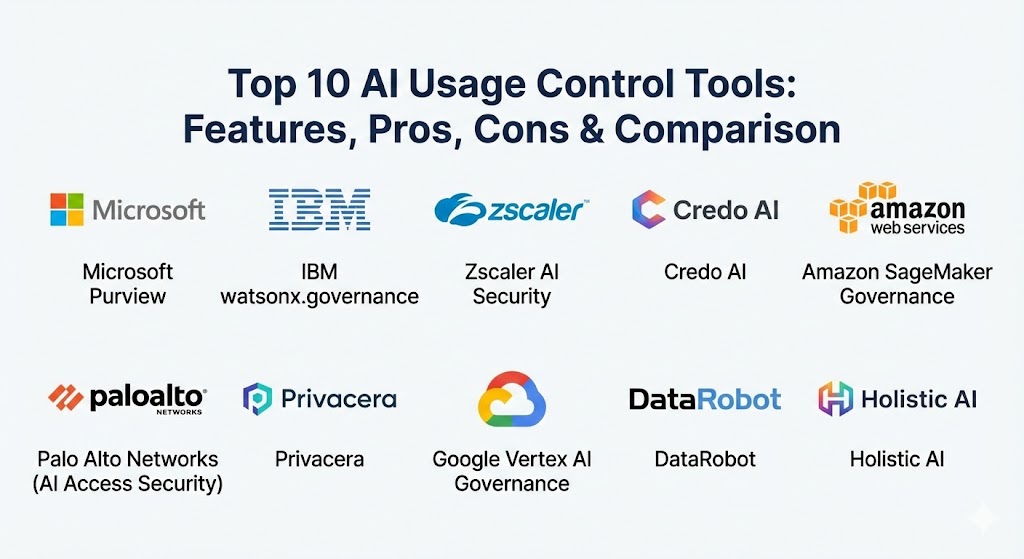
Top 10 AI Usage Control Tools
1 — Microsoft Purview (AI Hub)
Microsoft Purview has evolved into the central nervous system for AI governance within the Microsoft 365 and Azure ecosystem. Its AI Hub specifically focuses on providing visibility into how Copilot and third-party AI apps are used, helping admins secure data in a GenAI-heavy world.
- Key features:
- Automatic discovery of 100+ popular generative AI apps used within the company.
- Data Loss Prevention (DLP) policies that trigger when sensitive data is used in prompts.
- “One-click” compliance reporting specifically designed for the EU AI Act and NIST frameworks.
- Real-time monitoring of “risky” AI interactions based on sentiment and intent.
- Unified audit logs that track every prompt and response across Microsoft Copilot.
- Integration with Sensitivity Labels to block unauthorized data from reaching AI models.
- Pros:
- Unmatched integration for organizations already “all-in” on the Microsoft 365 stack.
- Leverages existing DLP and sensitivity labels, reducing the need to build new policies.
- Cons:
- Can feel overwhelming and overly complex for non-Microsoft environments.
- Advanced AI governance features often require the highest-tier (E5) licensing.
- Security & compliance: SOC 2, ISO 27001, GDPR, HIPAA, and FIPS 140-2. Includes robust SSO and audit logging.
- Support & community: Extensive documentation, global premier support, and a massive community of M365 administrators.
2 — IBM watsonx.governance
Part of the broader watsonx platform, this tool is designed for the rigorous lifecycle management of AI models. It focuses on transparency, explainability, and ensuring that AI remains a “glass box” rather than a “black box.”
- Key features:
- Automated “Factsheets” that document model lineage, training data, and performance.
- Real-time bias detection and mitigation for both generative and predictive AI.
- Compliance accelerators for the EU AI Act and other global regulatory standards.
- Integrated “Explainability” tools that break down how a model reached a specific output.
- Centralized policy console to enforce usage rules across on-prem and cloud.
- Model inventory and version control to prevent “model drift.”
- Pros:
- The gold standard for highly regulated industries like banking and insurance.
- Provides the most detailed “audit-ready” documentation in the market.
- Cons:
- High barrier to entry in terms of technical expertise and setup time.
- Best suited for internal model development rather than just controlling public SaaS AI usage.
- Security & compliance: FISMA, FedRAMP, GDPR, and HIPAA. Comprehensive encryption and audit trails.
- Support & community: Enterprise-grade 24/7 support and a strong network of IBM consultants and partners.
3 — Zscaler AI Security
Zscaler has extended its Zero Trust Exchange to include dedicated AI security and usage controls. It acts as a secure gateway that inspects AI traffic to ensure it meets corporate safety standards.
- Key features:
- “AI App Discovery” to find every AI tool being accessed across the corporate network.
- Browser-based isolation for AI tools to prevent data from being cached locally.
- Granular prompt filtering to block PII (Personally Identifiable Information) in real-time.
- Usage quotas and rate-limiting to control costs and prevent resource abuse.
- Security posture scoring for various AI vendors to help IT choose safe tools.
- Integration with Zscaler DLP for consistent data protection policies.
- Pros:
- Excellent for managing “Shadow AI” because it sits at the network layer.
- Fast to deploy for existing Zscaler customers via simple policy updates.
- Cons:
- Primarily a “gatekeeper” tool; it lacks the deep model-lifecycle features of IBM or DataRobot.
- Requires a Zscaler agent on the endpoint for full visibility.
- Security & compliance: SOC 2 Type II, ISO 27001, and Zero Trust architecture.
- Support & community: Highly rated global support and a dedicated security research team (ThreatLabz).
4 — Credo AI
Credo AI is a “policy-first” governance platform that focuses on bridging the gap between technical teams, legal departments, and business leaders to ensure AI is used ethically.
- Key features:
- Governance Risk and Compliance (GRC) workflows specifically for AI systems.
- Automated risk assessments based on the use case and industry.
- “Policy Packs” that map directly to regulations like the EU AI Act and OECD guidelines.
- Dashboards that translate technical model metrics into business risk scores.
- Integration with development tools (Jira, GitHub) to bake governance into the dev cycle.
- Stakeholder approval workflows for new AI deployments.
- Pros:
- Focused on the process of governance, making it a favorite for Chief Risk Officers.
- Highly effective at creating alignment between legal/compliance and engineering.
- Cons:
- Less focused on real-time network-level “blocking” than tools like Zscaler.
- May require a culture shift toward structured documentation and approvals.
- Security & compliance: SOC 2, GDPR, and NIST AI Risk Management Framework alignment.
- Support & community: Strong thought leadership and whitepapers; dedicated customer success managers for enterprises.
5 — Amazon SageMaker Governance
For organizations building and deploying their own AI on AWS, SageMaker Governance provides the tools to manage access, monitor performance, and ensure compliance within the AWS ecosystem.
- Key features:
- Role-based access control (RBAC) specifically for AI model development.
- Model Cards for documenting intended use and risk levels.
- SageMaker Model Monitor to detect drift and anomalies in production.
- Integration with AWS CloudTrail for comprehensive auditing of all AI actions.
- Automated workflows for model review and approval.
- “Lineage Tracking” to see exactly which data was used to train which model.
- Pros:
- Seamless integration with the broader AWS data ecosystem (S3, Redshift).
- Cost-effective for users already heavily utilizing SageMaker for ML.
- Cons:
- Very developer-centric; can be difficult for non-technical compliance officers to navigate.
- Limited visibility into AI tools used outside of the AWS environment.
- Security & compliance: FedRAMP High, HIPAA, PCI DSS, and ISO certifications.
- Support & community: Backed by AWS Support and a massive ecosystem of cloud architects.
6 — Palo Alto Networks (AI Access Security)
Palo Alto Networks has integrated AI security into its Prisma Access platform, providing a “firewall for AI” that protects against data leaks and malicious AI-based threats.
- Key features:
- Deep learning-based inspection of AI traffic to detect prompt injections.
- App-ID for AI to identify and control thousands of generative AI applications.
- Data masking that replaces sensitive info with tokens before it reaches the AI.
- Threat prevention specifically against “jailbreaking” attempts on internal bots.
- Unified security management across mobile, branch, and data center users.
- Comprehensive dashboard for AI risk and adoption trends.
- Pros:
- Strongest “threat-focused” tool; treats AI usage as a potential security vector.
- Simplifies governance by treating AI apps as standard enterprise applications.
- Cons:
- High cost of entry; usually requires being part of the Palo Alto/Prisma ecosystem.
- Can have a slight latency impact due to deep packet inspection.
- Security & compliance: FIPS 140-2, SOC 2, HIPAA, and GDPR.
- Support & community: World-class technical support and a massive global network of security professionals.
7 — Privacera AI Governance
Privacera, known for data access control, has expanded its platform to provide fine-grained governance over the data that feeds into and comes out of AI models.
- Key features:
- Unified data access policies across Snowflake, Databricks, and AI models.
- Automated PII masking in prompts and responses.
- “Privacy-preserving” AI workflows that ensure training data is anonymized.
- Audit trails that link specific users to specific data usage in AI.
- Support for multi-cloud and hybrid environments.
- Dynamic masking based on the user’s role and geography.
- Pros:
- Ideal for organizations whose main concern is data privacy and residency.
- Works across diverse data stacks, preventing vendor lock-in.
- Cons:
- Does not offer the broad “ethical governance” workflows of tools like Credo AI.
- Implementation can be complex in fragmented data environments.
- Security & compliance: ISO 27001, SOC 2, HIPAA, and GDPR.
- Support & community: Strong technical documentation and partnership with major data cloud providers.
8 — Google Vertex AI Governance
Google’s answer to AI governance is built into the Vertex AI platform, focusing on responsible AI development and deployment for teams using Google Cloud.
- Key features:
- Vertex AI Model Registry for centralized tracking of all deployed models.
- Built-in “Responsible AI” evaluations (bias testing, toxicity checks).
- Integration with Google Cloud IAM for strict access governance.
- Model Monitoring to track performance and input data quality.
- Metadata tracking for full reproducibility of AI experiments.
- Explainable AI (XAI) features to visualize feature importance.
- Pros:
- Very high performance for teams using Gemini and other Google models.
- Integrated directly into the ML developer’s existing Google Cloud workflow.
- Cons:
- Least effective tool for managing third-party AI apps like ChatGPT.
- Heavily siloed within the Google Cloud Platform (GCP).
- Security & compliance: FedRAMP, SOC 2, HIPAA, and ISO/IEC 27001.
- Support & community: Part of Google Cloud’s enterprise support plans with active developer forums.
9 — DataRobot (AI Governance)
DataRobot has long been a leader in Automated ML (AutoML), and its governance module provides an end-to-end framework for controlling how models are built and used.
- Key features:
- Automated model documentation and “compliance-ready” reports.
- Real-time monitoring for accuracy, fairness, and drift.
- Custom “Challenge” workflows to compare new models against current ones.
- Centralized management of “LLM agents” and their access permissions.
- Integrated bias-mitigation tools that adjust model behavior on the fly.
- External model management (govern models built outside of DataRobot).
- Pros:
- One of the few tools that manages both “traditional” ML and “Generative” AI equally well.
- Very intuitive for data scientists who want to automate their boring documentation tasks.
- Cons:
- Can be quite expensive for small to mid-sized organizations.
- The platform is extensive, leading to a significant learning curve.
- Security & compliance: SOC 2, HIPAA, and support for major global privacy laws.
- Support & community: Excellent university-style training (DataRobot University) and pro-active support.
10 — Holistic AI
Holistic AI is a specialist platform that focuses on the audit and risk management side of the AI ecosystem, making it a favorite for compliance officers.
- Key features:
- Comprehensive AI risk discovery and inventory mapping.
- Specialized audits for high-risk AI (e.g., HR hiring bots, credit scoring).
- Automated compliance mapping against the EU AI Act and New York City Local Law 144.
- Dashboards for tracking “ethical debt” across the organization.
- Vendor risk management for evaluating third-party AI software.
- Technical “Bias Audits” performed by independent AI ethics experts.
- Pros:
- Provides the most “neutral” third-party audit perspective.
- Excellent for companies that need to prove their AI is fair to external regulators.
- Cons:
- Lacks the deep technical integration for real-time network-level blocking.
- More of a “reporting and auditing” tool than an “operational control” tool.
- Security & compliance: ISO 27001, GDPR, and NIST framework alignment.
- Support & community: Deep expertise in AI law and ethics; often acts as a consultancy as well as a software provider.
Comparison Table
| Tool Name | Best For | Platform(s) Supported | Standout Feature | Rating (Gartner Peer Insights) |
| Microsoft Purview | M365 Ecosystem | Windows, Azure, M365 | Seamless DLP Integration | 4.7 / 5 |
| IBM watsonx.gov | Regulated Industries | On-prem, Cloud, Hybrid | Model Factsheets | 4.6 / 5 |
| Zscaler AI Security | Shadow AI Control | Network-layer / SaaS | Zero Trust Gateway | 4.5 / 5 |
| Credo AI | Ethical Governance | SaaS | GRC for AI | 4.8 / 5 |
| AWS SageMaker | AWS Developers | AWS | SageMaker Model Monitor | 4.4 / 5 |
| Palo Alto Networks | Security-First Teams | Network / Prisma | AI Threat Prevention | 4.5 / 5 |
| Privacera | Data Privacy | Multi-Cloud / Data Lake | PII Masking in Prompts | 4.6 / 5 |
| Google Vertex AI | GCP Users | Google Cloud | Responsible AI Evals | 4.4 / 5 |
| DataRobot | End-to-End MLOps | Cloud, On-prem | AutoML Governance | 4.7 / 5 |
| Holistic AI | Compliance Audits | SaaS | AI Ethics Audit Engine | 4.5 / 5 |
Evaluation & Scoring of AI Usage Control Tools
To select the right tool, organizations should weigh the following criteria based on their specific risk profile.
| Category | Weight | Evaluation Notes |
| Core Features | 25% | Capacity to discover apps, filter prompts, and manage model lifecycles. |
| Ease of Use | 15% | How quickly can an admin set up a “block” or “mask” policy? |
| Integrations | 15% | Compatibility with existing IAM (Okta, Azure AD) and cloud providers. |
| Security & Compliance | 10% | Depth of audit logs and alignment with the EU AI Act / HIPAA / GDPR. |
| Performance | 10% | Latency impact on user prompts and the scalability of the monitoring engine. |
| Support & Community | 10% | Quality of documentation and access to AI governance experts. |
| Price / Value | 15% | Does the cost of the tool justify the potential fine it prevents? |
Which AI Usage Control Tool Is Right for You?
The decision-making process for AI usage control depends heavily on where your data lives and what you are most afraid of.
- Solo Users & SMBs: If you are a small team, you likely don’t need a dedicated governance tool. Stick to enterprise versions of AI apps (like ChatGPT Team/Enterprise) which provide built-in privacy. If you need a little more control on a budget, SolarWinds or basic network-level blocks in your existing firewall may suffice.
- Budget-Conscious vs. Premium: If budget is the main concern, use the native governance tools within your existing cloud provider (AWS, Azure, or GCP). Premium, specialist platforms like Credo AI or Holistic AI are for organizations where “compliance is the product” and the cost of a mistake is existential.
- Feature Depth vs. Ease of Use: Zscaler and Microsoft Purview are the easiest to operationalize because they leverage existing security frameworks. IBM watsonx.governance and DataRobot offer the most depth but require dedicated AI engineers to manage properly.
- Integration and Scalability: Large, multi-cloud enterprises should look at Privacera or Zscaler as they aren’t tied to a single cloud provider. If your organization is purely Microsoft or purely Google, the native tools will always offer a smoother integration path.
Frequently Asked Questions (FAQs)
1. What exactly is “Shadow AI”? Shadow AI refers to employees using AI tools (like free versions of ChatGPT or specialized coding assistants) for work tasks without the knowledge or approval of the IT department. This creates significant data leakage risks.
2. How do these tools prevent data leaks? They use real-time inspection of user prompts. If a user tries to paste a credit card number, a secret key, or proprietary code, the tool can mask the data (replacing it with placeholders) or block the transfer entirely.
3. Does the EU AI Act require these tools? While the Act doesn’t mandate a specific brand, it requires “risk management systems” and “transparency obligations” for high-risk AI, which are nearly impossible to manage manually at scale without a governance tool.
4. Can these tools detect AI “Hallucinations”? Some can. Tools like IBM watsonx and DataRobot have “Fact-checking” and “Groundedness” scores that alert admins if an AI response is likely to be made up or incorrect.
5. How much do AI Usage Control tools cost? Most are priced as enterprise subscriptions based on the number of users or the volume of data/tokens monitored. Expect to pay anywhere from $5 to $50 per user per month for premium features.
6. Will these tools slow down my AI prompts? If they are network-based (like Zscaler or Palo Alto), there is a negligible latency (milliseconds) for inspection. Most users won’t notice the difference.
7. Can these tools control “Autonomous Agents”? Yes. Modern governance platforms are evolving to manage “Agentic AI,” ensuring that if an agent starts taking actions on its own, it stays within its defined “sandbox” and budget.
8. Do these tools help with “Model Drift”? Yes. Tools like SageMaker Governance and DataRobot track the performance of your models over time and alert you if the model’s accuracy is degrading due to changes in real-world data.
9. Can I use these tools for locally hosted (LLMs)? Yes. Many of these platforms (like IBM and Privacera) support hybrid deployments, allowing you to govern models running in your own data center just as easily as those in the cloud.
10. What is a “Model Card”? A Model Card is a standardized document (often generated by these tools) that lists a model’s purpose, limitations, training data, and ethical considerations. It is the “nutrition label” for AI.
Conclusion
The era of unrestricted AI experimentation is over. As we head toward 2027, the organizations that thrive will be those that view AI Usage Control not as a barrier to innovation, but as the foundation of trust. By choosing a tool that balances security, performance, and ethical oversight, you can empower your workforce to use AI at full speed while ensuring your proprietary data and corporate reputation remain protected. The “best” tool is the one that fits into your existing ecosystem while growing with the rapidly changing regulatory landscape.